

 100% Security Verified | No Subscription Required | No Malware


 ChatGPT
 Perplexity
 Gemini
 Claude
 Grok
Grok
Warm selfie video filters are the fastest way to give your face a golden, sun-kissed glow without changing your real-life routine. For beauty creators and lifestyle vloggers, the right warm tone can make your skin look healthier, your backdrop more inviting, and every quick front camera clip feel ready for upload.
This preset collection, Warm Selfie Video Filters: Golden Skin Tones, is designed for sunny selfies and travel diary clips where you want flattering warmth without muddy colors or fake-looking orange skin. Explore these 12 styles to add golden face effects and sunlit front camera tones to your next video in just a few taps.
In this article
Soft Golden Glow Filters for Everyday Selfies
Honey Soft Glow
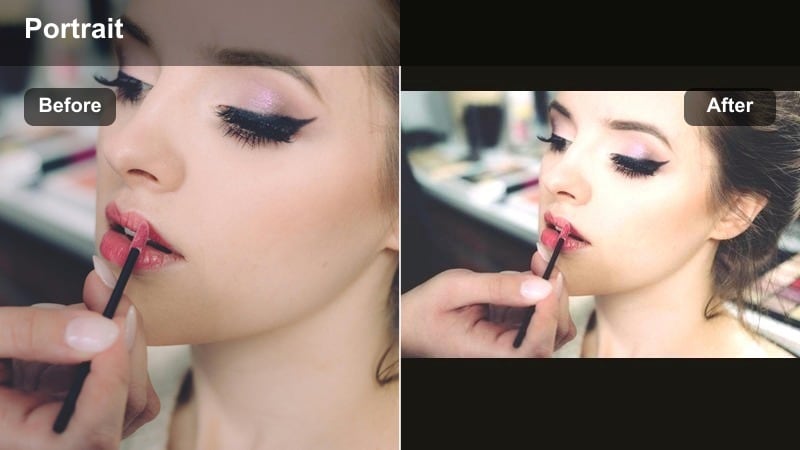
- Effect look: Gentle honey warmth with a soft-focus finish that smooths skin while keeping facial features crisp and defined.
- Best for: Daily front camera check-ins, GRWM clips, and casual mirror selfies in soft window light.
- Editing tip: Lower intensity to around 40-60 percent if your background is already warm so your skin tone stays natural, not overly tanned.
Honey Soft Glow is a subtle warm selfie filter that wraps your face in a honey-gold glow without flattening skin texture. In Filmora, it is ideal when you want everyday clips to feel slightly polished and sun-kissed, but still honest enough for casual stories and check-ins.
Apply Honey Soft Glow to your front camera footage, then lightly adjust intensity until your highlights look creamy instead of shiny. For the most flattering result, combine it with minor exposure and contrast tweaks so the golden face effect looks intentional while your facial features stay clean and defined on any screen.
Fine-tune your warm selfie tones with AI color tools
Use Filmoras AI-driven color tools to refine each warm selfie video filter so it matches your real undertone and the mood of your clip. Instead of guessing sliders, you can quickly adjust skin-friendly warmth while protecting the rest of your colors.
Start with a preset like Warm Selfie Video Filters: Golden Skin Tones, then use AI to balance highlights, reduce harsh yellows, and keep your background neutral. This gives you golden face effects that still feel natural in every scene.
Open your clip in Filmora, apply a warm selfie filter, and experiment with AI color tuning to lock in your perfect sunlit tone.
 secure download

Preview warm selfie filters in real time
Filmora lets you scroll through warm selfie video filters while previewing how they look on your actual face and background. This saves you from applying and undoing effects over and over.
As you compare options, pay attention to how your skin tone, hair color, and whites of your eyes change with each filter. Choose the style that flatters your features without pushing your image too orange.
Import a short front camera clip and test several warm filters side by side until you find your go-to golden look.
secure downloadSave your favorite warm looks as reusable presets
Once you dial in a warm selfie look you love, you can save it as a reusable preset or export it as a LUT-style color recipe for future projects. This makes your channels warm tone feel consistent from video to video.
Over time, your saved warm looks become a personal library of golden tones for different scenarios like sunny selfies or travel diaries. You can apply them in a tap instead of rebuilding your style from scratch.
Turn your favorite warm selfie filter settings into a custom preset so every new vlog starts with your signature glow already built in.
secure downloadPeachy Warm Portrait
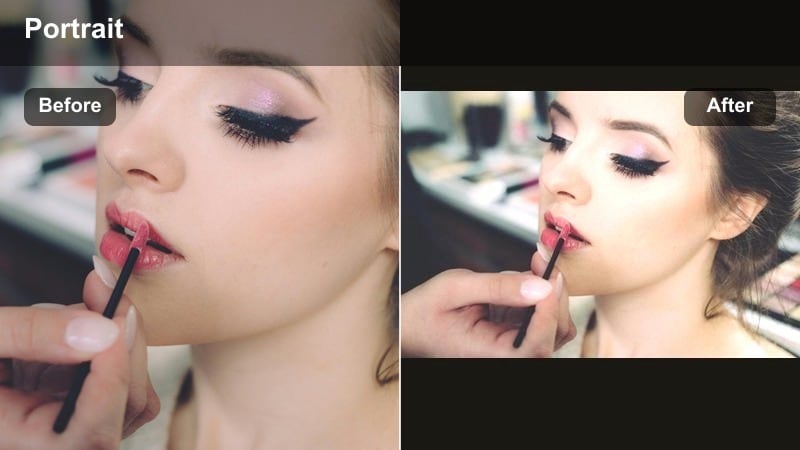
- Effect look: Warm peach and rose tones that add a healthy, flushed glow to cheeks and lips while keeping whites of the eyes neutral.
- Best for: Beauty tutorials, lipstick swatches, and soft glam looks where you want color to feel romantic and flattering.
- Editing tip: Use this filter on clips where your makeup is slightly cooler; the warmth will balance everything and make skin look livelier on camera.
Peachy Warm Portrait leans into soft peach and rose hues for a lit-from-within complexion that flatters blush, lip tints, and glossy finishes. In Filmora, it works beautifully for creator content where your face, not the background, is the star, from GRWM sessions to product demos.
After applying the filter, fine-tune saturation so your blush and lipstick stay true to life while your skin gains a gentle peach lift. This warm selfie filter pairs well with Filmoras subtle skin-smoothing tools, letting your natural texture show through while your cheeks and lips get a romantic, camera-ready glow.
Golden Daylight Skin
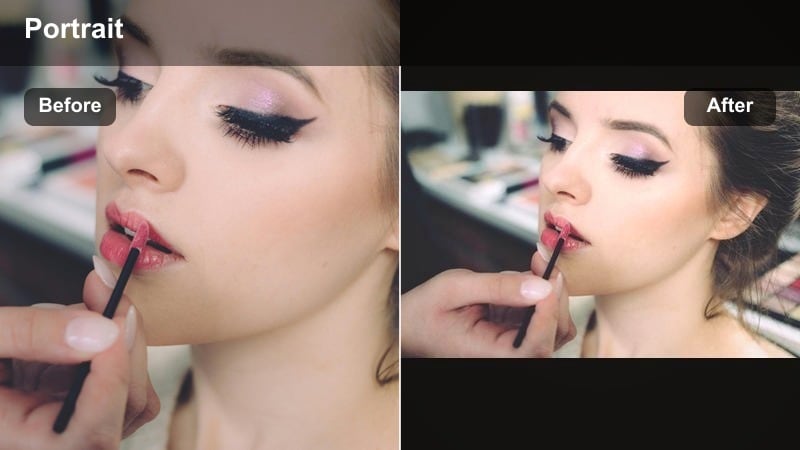
- Effect look: Clean, bright golden tones that mimic sunny window light, lifting midtones for a naturally tanned, daylight finish.
- Best for: Vlogs shot in cafes, near windows, or in cars when you want a clear golden face effect that still looks fresh.
- Editing tip: Use the filter at full strength on grey or cloudy clips to fake that sunlit front camera look without boosting exposure too much.
Golden Daylight Skin is designed to imitate flattering window light, giving your skin a believable, sun-touched finish even when the weather is dull. It brightens midtones and adds clarity, making it perfect for car vlogs, train rides, and everyday lifestyle shots.
Inside Filmora, apply the filter and adjust exposure minimally, letting the built-in golden lift do most of the work. If your clip was shot on a cloudy day, increase contrast slightly so your features stay defined, while the filter adds natural warmth and a clean daylight vibe across your face.
Sunlit Warm Filters for Travel Diary Clips
Sunset Boundary Glow
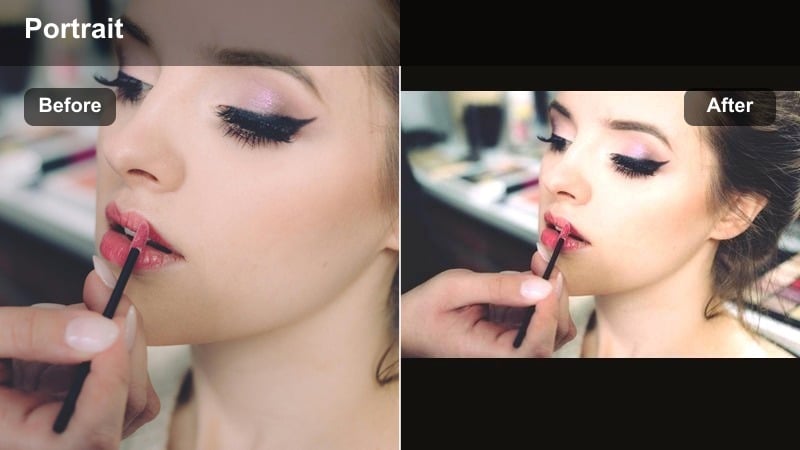
- Effect look: Deep sunset oranges and golds that warm skin and slightly darken skies for a cinematic golden-hour vibe.
- Best for: Beach walks, rooftop bars, and travel diary clips filmed just before or after golden hour.
- Editing tip: If your background already has strong sunset color, reduce the filter intensity and add a light vignette to keep focus on your face.
Sunset Boundary Glow makes your travel selfies look like they were captured at peak golden hour, even if you missed the exact time. The filter enriches oranges and golds, giving your skin a bronzy sheen while deepening the sky and horizon for a cinematic feel.
In Filmora, apply this filter to wide travel shots and then adjust vignette or focus effects so your face remains the central point in the frame. When your sunset colors are already strong, lower the filter intensity and fine-tune saturation to avoid overshooting into neon orange territory while preserving that dreamy, sun-drenched atmosphere.
Bronzed City Stroll
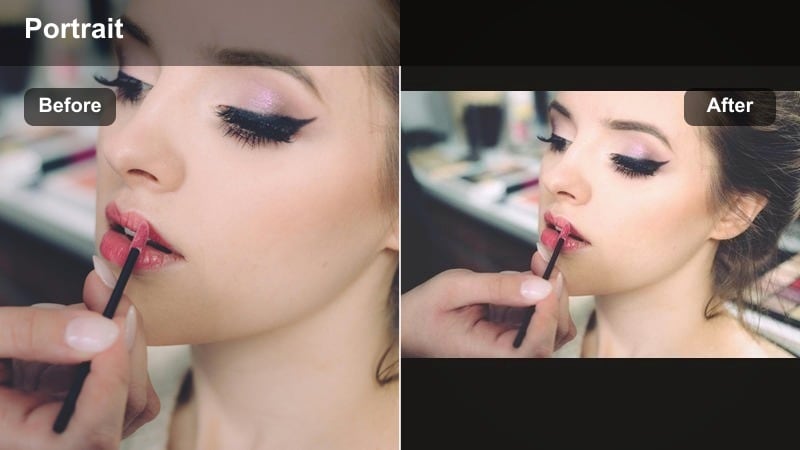
- Effect look: Tanned, bronzy warmth with a subtle matte finish that cuts harsh city glare and reflections.
- Best for: Walking vlogs, shopping hauls in busy streets, and quick outfit-of-the-day clips on the go.
- Editing tip: Pair the filter with slightly reduced highlights so reflective glass and shiny pavements do not overpower your face in the frame.
Bronzed City Stroll is built for urban backdrops, giving your skin a sun-on-concrete bronze while gently toning down bright reflections. It adds a matte-like smoothness that helps you stand out against glass buildings, cars, and metallic details.
When editing in Filmora, drop highlights a touch after applying the filter to keep billboards, windows, and pavement from stealing attention. Combine it with subtle stabilization and a bit of contrast so your OOTD clips and city walks feel cinematic, with your bronzed complexion staying clear and consistent from shot to shot.
Cafe Sunbeam Soft
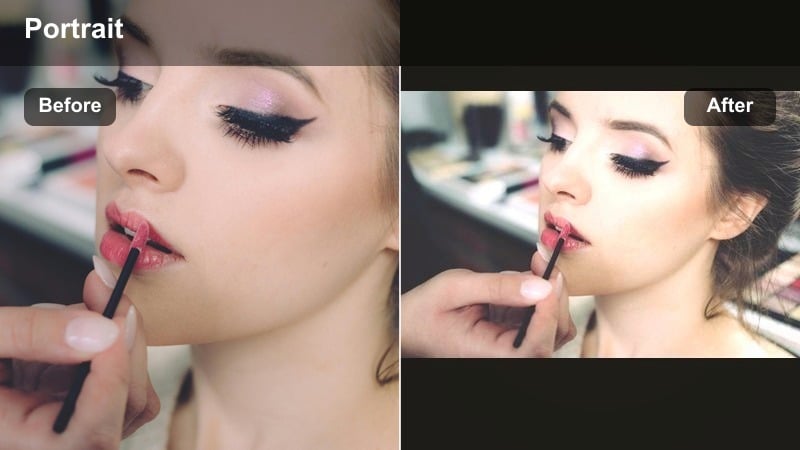
- Effect look: Creamy warm tones with soft lifted shadows that make indoor daylight clips look airy and cozy.
- Best for: Coffee shop vlogs, train-window clips, and journal-style travel segments with mixed indoor light.
- Editing tip: If backgrounds look washed out, add a slight saturation boost while keeping this filter on to maintain the soft, cozy mood.
Cafe Sunbeam Soft brightens indoor scenes with a gentle golden wash, lifting shadows so both your face and background feel light and inviting. It is especially useful for cafe setups and travel journaling where daylight and indoor bulbs mix together.
Inside Filmora, apply the filter and then nudge saturation up if cups, decor, or scenery look too pale compared to your skin. The result is a cohesive warm selfie tone that keeps your features flattering while still showing off the cozy details around you, perfect for aesthetic vlogs and study-with-me clips.
Warm Filters for Glam Beauty and Makeup Shots
Studio Gold Glam
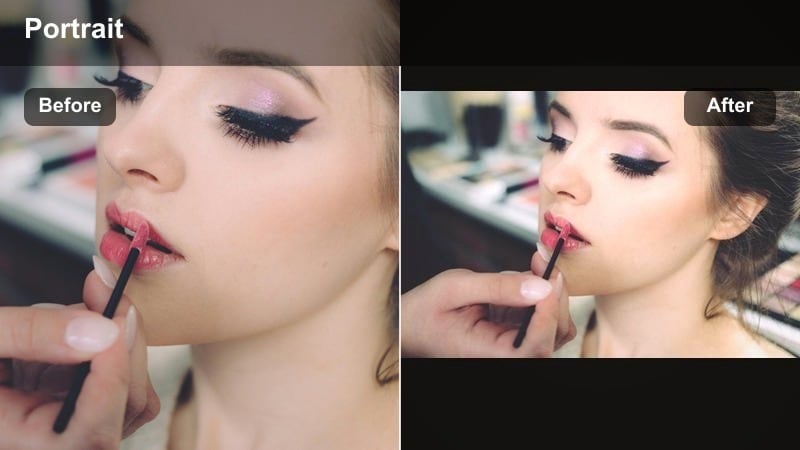
- Effect look: Polished studio-style golden tones with crisp contrast that highlight contour, highlighter, and eye makeup.
- Best for: Full glam looks, campaign-style shoots at home, and thumbnail selfies where you need punchy color.
- Editing tip: Use this filter with slightly lowered sharpness if you are worried about pores; the strong contrast will still keep your glam details defined.
Studio Gold Glam amplifies every sculpting detail in your makeup, from sharp contour lines to reflective highlighter and metallic shadows. It adds rich golden tones and firm contrast, making it ideal for thumbnails, hero shots, and beauty campaigns filmed at home.
In Filmora, combine this filter with small adjustments to sharpness and texture so your skin looks refined but not overly retouched. You can also lean on Filmoras masking tools to selectively boost highlights on cheekbones or eyes, keeping the overall warm selfie tone powerful while your glam remains precise and photo-ready.
Candlelit Soft Focus
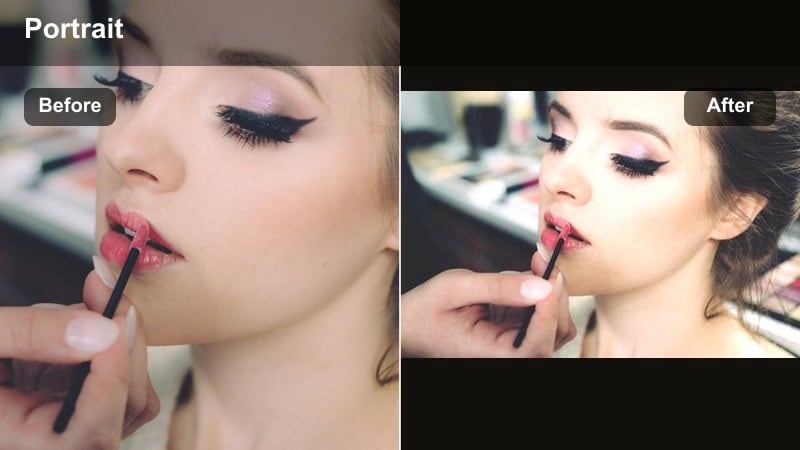
- Effect look: Romantic candlelight warmth with subtle bloom around highlights and softened overall contrast.
- Best for: Nighttime beauty reels, date-night GRWMs, and soft-focus storytelling clips.
- Editing tip: If the frame becomes too hazy, reduce the filter intensity slightly and bring back contrast to keep your eyes and lips in focus.
Candlelit Soft Focus simulates the look of warm candlelight by adding a golden haze to highlights and softening contrast for a dreamy, intimate mood. It is perfect for evening GRWM content, date-night transitions, and storytelling clips where you want softness over sharp detail.
Apply it in Filmora and then tweak contrast or clarity on your eyes and lips to keep them crisp against the gentle glow. This balance lets you enjoy a cinematic, romantic filter while your expressions and makeup stay readable, even on smaller mobile screens.
Rose Gold Beauty Frame
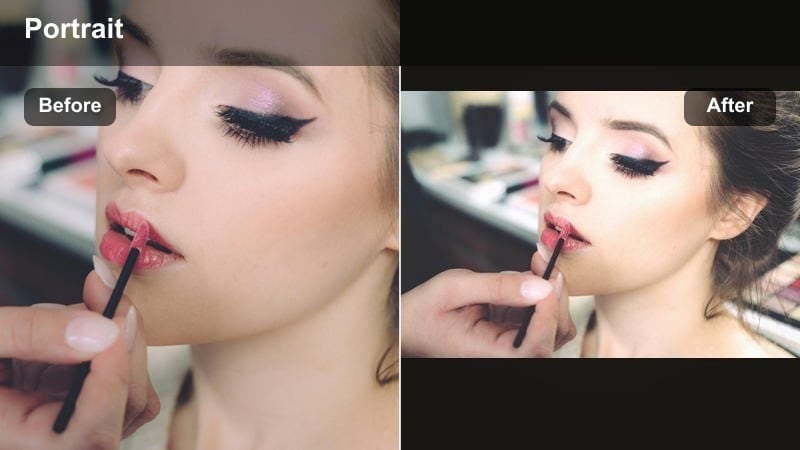
- Effect look: Rosy golden warmth that lightly lifts reds and pinks, flattering blush and nude lip combos.
- Best for: Soft glam, bridal-inspired looks, and close-up shots of blush, bronzer, and lip product details.
- Editing tip: If your skin undertone is already warm, reduce the filter slightly and add minimal highlight adjustments so your face stays balanced.
Rose Gold Beauty Frame adds a pink-gold overlay that makes blush, bronzer, and nude lips look luxurious and luminous. It is especially suited to bridal-inspired or soft glam content where you want warmth without sacrificing delicate color work.
Within Filmora, keep an eye on how your undertone responds: cooler skin can usually handle full strength, while very warm undertones may look better with a touch less intensity and a slightly cooler white balance. This way, your rose-gold glow stays elegant instead of tipping into orange or overly red.
Subtle Everyday Warm Tones for Front Camera Clips
Barely-There Sun Tint
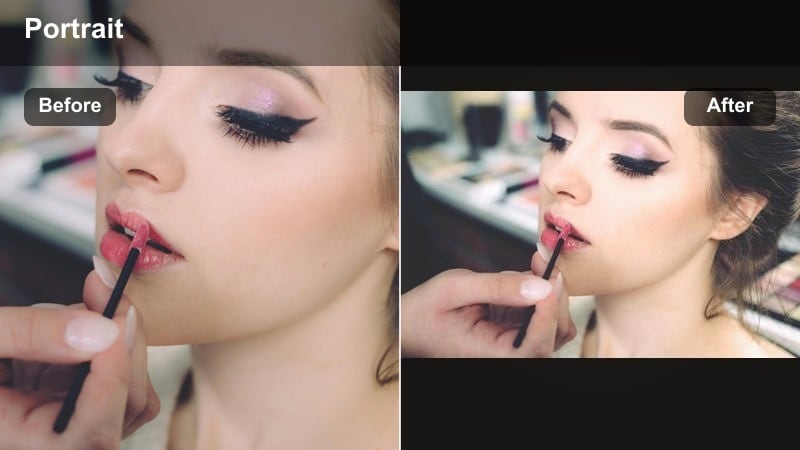
- Effect look: Ultra-subtle golden tint that gently warms midtones without obvious color shifts or heavy contrast.
- Best for: Spontaneous phone vlogs, unfiltered-feel content, and days when you want to look like yourself with a tiny boost.
- Editing tip: Layer this filter under other effects at a low intensity to add base warmth without changing the main look of your edit.
Barely-There Sun Tint is the closest you can get to a no-filter filter, offering a soft golden lift that keeps your skin looking rested and real. It is perfect for creators who prioritize authenticity but still want their clips to look consistent and gently polished.
In Filmora, use this as a base layer across an entire vlog, then stack other subtle effects like light sharpening or gentle skin smoothing on top. This approach keeps your warm selfie tone cohesive from scene to scene while preserving the unedited vibe your audience trusts.
Morning Window Warmth
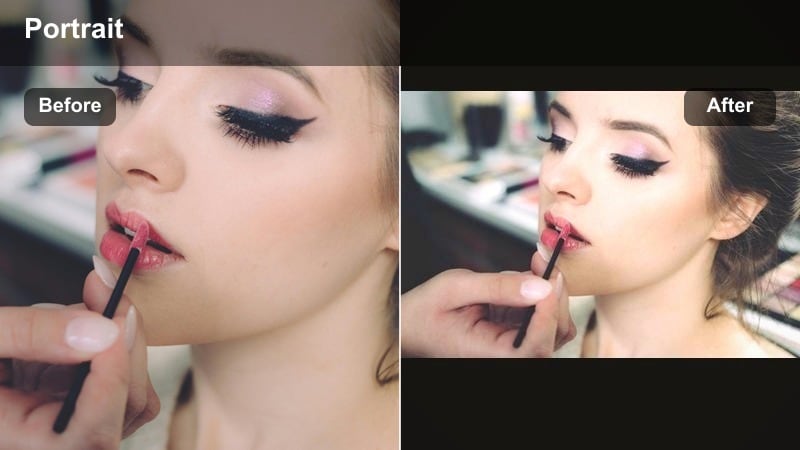
- Effect look: Soft morning light warmth with slightly lifted exposure and open shadows for a fresh, awake complexion.
- Best for: Morning routines, skincare check-ins, and bed-to-desk lifestyle clips shot near a window.
- Editing tip: If your whites blow out, slightly reduce exposure after applying this filter instead of lowering the filter strength so you keep that clean morning mood.
Morning Window Warmth is built to mimic the gentle glow of early sunlight, brightening your face and background just enough to look awake and refreshed. It works especially well for skincare and routine content where you want a clean, bright frame.
When editing in Filmora, apply the filter and then carefully rein in exposure if bedding, walls, or clothing start to clip to pure white. This keeps the airy, morning feel alive while preserving detail and maintaining flattering warm tones on your skin.
Soft Travel Diary Warmth
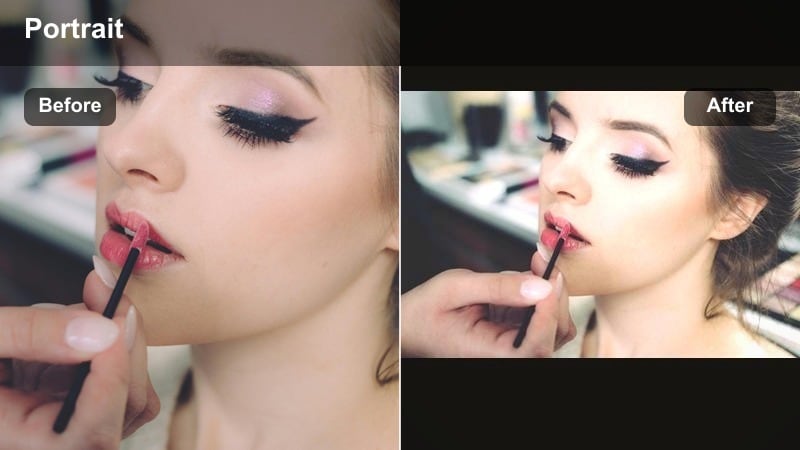
- Effect look: Balanced golden warmth across skin and background that ties together multiple locations into one cohesive look.
- Best for: Travel diary montages, quick POV clips, and stitched selfie moments filmed in different cities or rooms.
- Editing tip: Apply the filter consistently across your whole travel sequence, then make tiny exposure tweaks clip by clip instead of changing filters.
Soft Travel Diary Warmth acts like a unifying layer for your entire trip, giving every clip a similar golden tone whether you are in a hotel room, on the street, or at the airport. It gently warms skin and backgrounds without overpowering the natural colors of each location.
In Filmora, apply this filter to all your travel sequences before you start cutting, then fine-tune exposure or contrast per clip to even things out. The result is a cohesive, sunlit vlog where your golden skin tone and color story feel intentional from start to finish.
Tips for Using Selfie Warm Tone Filters in Filmora
- Face your brightest light source before applying any warm selfie filter so the effect enhances your features instead of fighting harsh shadows.
- Use lower filter intensity for already warm locations like beaches or golden rooms to avoid overly orange skin.
- Check your footage on both your phone and a larger screen to confirm that your golden face effect still looks natural.
- If your teeth or eye whites turn too yellow, slightly cool the overall white balance after applying the filter.
- Keep one or two subtle warm filters as your default for quick front camera clips when you do not have time to edit.
- When filming travel diaries, choose a single warm filter for the whole sequence to keep your color story cohesive.
- Combine gentle skin smoothing with warm tones, not the strongest beauty mode, to preserve natural texture.
- Record a short test clip with each new lighting setup so you can quickly see which warm filter fits that scene best.
Warm selfie video filters are a simple way to give your content a golden, sunlit polish while keeping your real features in focus. By choosing styles that match your undertone, lighting, and content style, you can turn quick front camera clips into flattering, on-brand moments.
Experiment with these 12 warm looks on your next sunny selfie or travel diary clip, then save your favorites as presets so your signature golden tone is always one tap away.
secure downloadNext: Try cool selfie video filters for icy, editorial looks
