

 100% Security Verified | No Subscription Required | No Malware


 ChatGPT
 Perplexity
 Gemini
 Claude
 Grok
Grok
High contrast filters can make your YouTube fitness videos look sharper, more intense, and more professional by adding punch to muscles, sweat, and gym details.
Use these LUT-style high contrast filters to define your brand look across workouts, challenges, and fitness tutorials while keeping skin tones and gym environments clear and energetic.
In this article
High Contrast Looks for Warm-Up and Gym Floor Intros
Steel Gym Pop
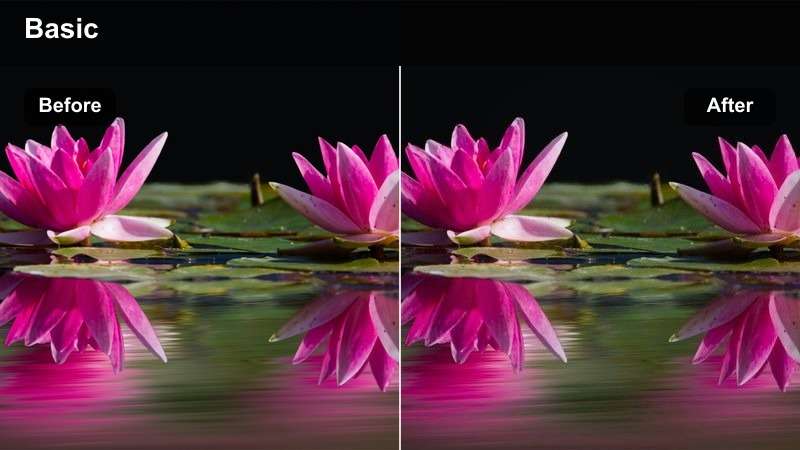
- Effect look: Clean high contrast with crisp edges and slightly cooled tones for metal gym equipment.
- Best for: Intro shots on the gym floor, barbell setups, and establishing scenes before the workout starts.
- Editing tip: Lower the filter intensity slightly if shadows start to crush in darker corners of the gym.
Steel Gym Pop is ideal when you want your gym floor intros to look sharp and industrial without losing detail in plates, racks, and cable machines. In Filmora, apply this high contrast filter to your opening shots, then fine-tune the strength slider until the steel textures feel crisp while faces and clothing still hold detail.
For wide gym floor sequences, combine this look with Filmora tools like vignetting and background blur effects to subtly push attention toward the main athlete. Keep your exposure slightly on the bright side in-camera, then pull back blacks in Filmora so you get a punchy, LUT-style result that still reads clearly on mobile YouTube screens.
Use AI to Match High Contrast Fitness Styles
Filmora AI color tools can scan your warm-up clips and automatically suggest contrast and color settings that match your favorite gym channels. This helps you get a Steel Gym Pop style even faster, without manual color grading from scratch.
Once you like the AI result, save it as a preset so every new barbell setup, intro walk-in, or dynamic angle on the gym floor instantly inherits the same high contrast, cool-toned look.
Open your fitness footage in Filmora and let AI recommend a bold contrast look before you fine-tune with your favorite filters.
 secure download

Preview High Contrast Filters in Real Time
With Filmora, you can quickly hover over different high contrast filters to see how they reshape your warm-up shots, power walks, and gym floor B-roll. This lets you compare multiple LUT-style looks on the same clip before you commit.
After previewing, tweak intensity, exposure, and temperature in the Color panel so your subject stays sharp while the gym environment supports your brand style.
Drag a sample workout clip to your timeline and test multiple contrast filters until your muscles, mat, and background all feel perfectly balanced.
secure downloadBuild a Preset Stack for YouTube Fitness Videos
In Filmora you can stack contrast filters, LUTs, and light adjustments into one reusable preset, perfect for creating a signature look across all your warm-ups, strength days, and cardio uploads. Apply your favorite high contrast base, then add sharpening, vignette, and color tweaks.
After you dial in a look that makes your gym intros and main sets feel cohesive, save it as a custom preset so future projects only need one click to match your YouTube brand visuals.
After you finish grading one full workout video, save the filter combination as a preset and apply it to your next project with one click.
secure downloadLocker Room Edge
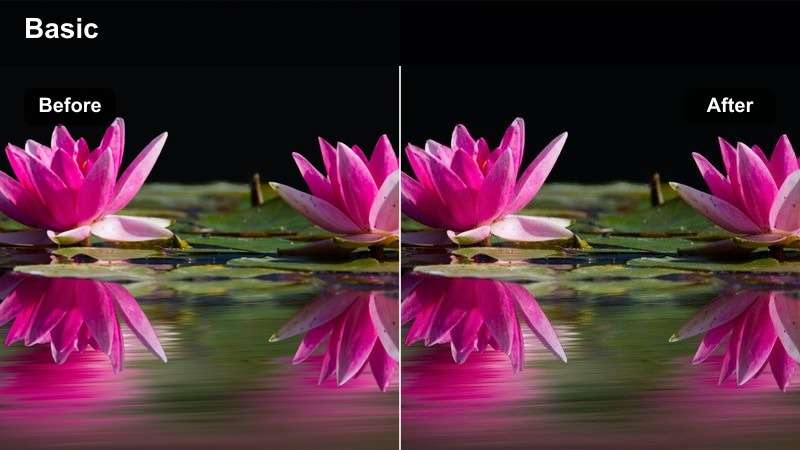
- Effect look: Gritty high contrast with deeper blacks and slightly desaturated midtones for a focused, edgy feel.
- Best for: Pre-workout locker room sequences, tying shoes, wrist wraps, and motivational monologues.
- Editing tip: Pair this filter with a subtle grain overlay to enhance the cinematic, behind-the-scenes vibe.
Locker Room Edge adds a dramatic, story-driven feel to your pre-workout rituals, perfect for moments like tying shoes, chalking hands, or recording a voiceover pep talk. In Filmora, apply this filter to your A-roll and B-roll locker room clips, then slightly pull down saturation in the Color panel so the dark mood and deeper blacks feel intentional.
To push the cinematic look further, layer Filmora grain overlays and add a slow push-in or pan using the Animation tools. Keep your subject lit with a single key light or practical light, then let this high contrast style deepen the shadows around lockers and benches while faces and hands stay clearly visible.
Studio Spotlight Fit
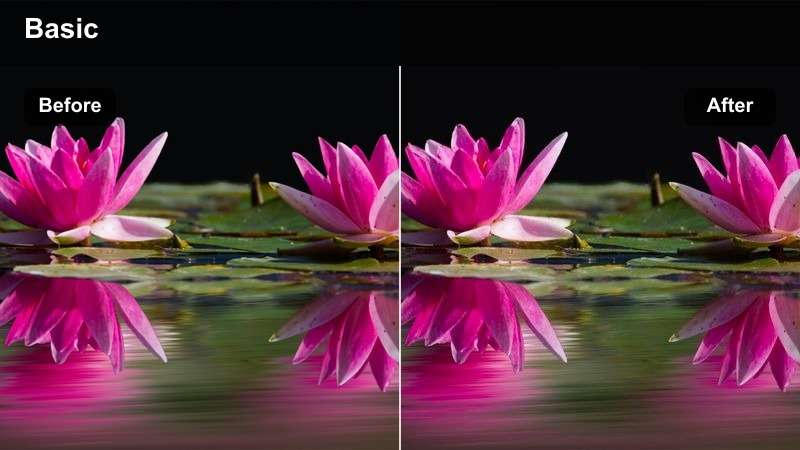
- Effect look: Bright, punchy high contrast with lifted highlights and clean whites suited for studio environments.
- Best for: Home or studio warm-up demos shot against white or neutral-colored walls.
- Editing tip: Adjust exposure before applying the filter to avoid clipping highlights on white walls or clothing.
Studio Spotlight Fit is built for clean, influencer-style home and studio workouts where the walls, floors, and lights are already bright. In Filmora, correct exposure first with the Color tools, then add this filter so your whites stay clean and your warm-up poses look razor sharp instead of washed out.
Use this look for talking-through-movements segments and follow-along warm-ups recorded in front of white or pastel backdrops. If your subject wears light-colored clothing, reduce highlight intensity in Filmora and gently lower contrast until you see detail in sleeves and leggings while still keeping that bold, high contrast YouTube fitness vibe.
High Contrast Filters for Strength and Weight Training
Iron Shadow Press
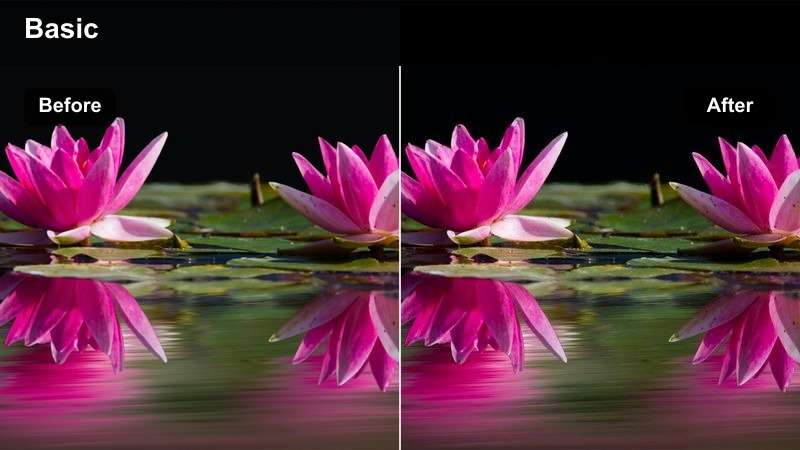
- Effect look: Deep high contrast with pronounced shadows that sculpt muscle definition and barbell lines.
- Best for: Heavy lifting sets, bench press close-ups, and slow-motion strength shots.
- Editing tip: Boost midtone clarity slightly after applying the filter to enhance muscle definition without over-sharpening.
Iron Shadow Press is perfect for heavy barbell days where you want every fiber and striation to stand out on camera. In Filmora, apply this filter to close-ups of chest, shoulders, and triceps, then increase midtone clarity just enough to carve extra separation between muscles and background.
For slow-motion bench presses or deadlifts, combine this high contrast look with Filmora speed ramping and stabilization to keep each rep smooth and impactful. Keep an eye on crushed blacks in darker gyms; if weight plates or racks disappear, raise the shadow slider slightly until you get rich, detailed contrast instead of flat black areas.
Plate Stack Focus
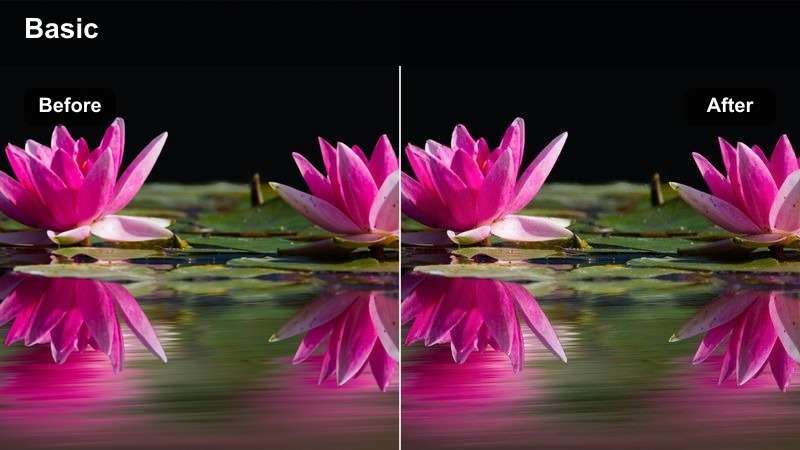
- Effect look: High contrast with slightly muted color, drawing attention to shapes like weight plates and dumbbells.
- Best for: Close-up B-roll of plates, dumbbells, cable stacks, and grip details in strength montages.
- Editing tip: Use shallow depth of field when shooting so this filter can enhance separation between gear and background.
Plate Stack Focus is designed to turn simple shots of equipment into cinematic transitions between your main lifts. In Filmora, drop this filter onto your B-roll of plates, dumbbells, handles, and cable stacks, then keep colors slightly muted so the strong shapes and lines remain the star of the frame.
Record these clips with shallow depth of field in-camera, then use Filmora speed changes and rhythmic cuts to match your music. This high contrast look works especially well between sets or when cutting from coaching A-roll into training B-roll, giving your YouTube fitness videos a polished, LUT-style montage feel.
Power Rack Contrast
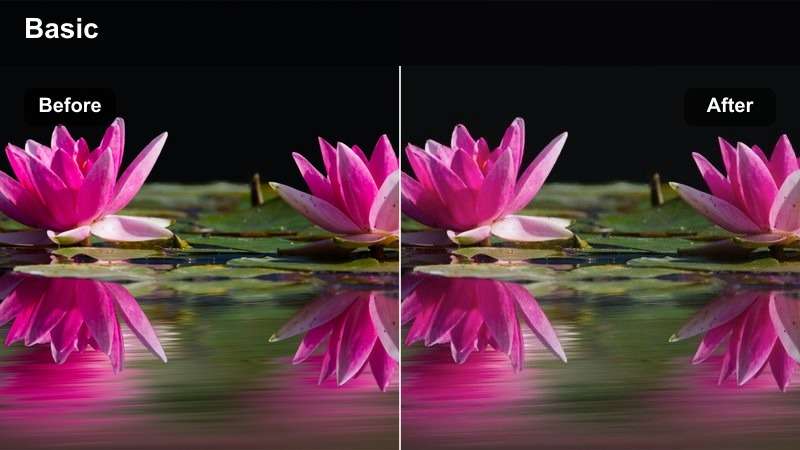
- Effect look: Bold high contrast with neutral color balance to keep skin tones natural during compound lifts.
- Best for: Squats, deadlifts, and overhead presses shot inside or around a power rack.
- Editing tip: Keep the white balance consistent across clips before applying the filter to avoid color shifts between angles.
Power Rack Contrast adds intensity and structure to big compound lifts without making athletes look overly orange or washed out. In Filmora, correct white balance on each camera angle first, then apply this filter and copy its settings across all squat, deadlift, and overhead press clips for a uniform rack aesthetic.
This neutral, high contrast style keeps metal, chalk, and safety bars punchy while preserving realistic skin tones, which is crucial for longer, educational strength videos. If your gym lighting is mixed, use Filmora color wheels to gently nudge temperature and tint on problem clips before or after adding the filter to keep every angle consistent on your YouTube channel.
High Contrast Filters for HIIT and Cardio Energy
Sweat Session Impact
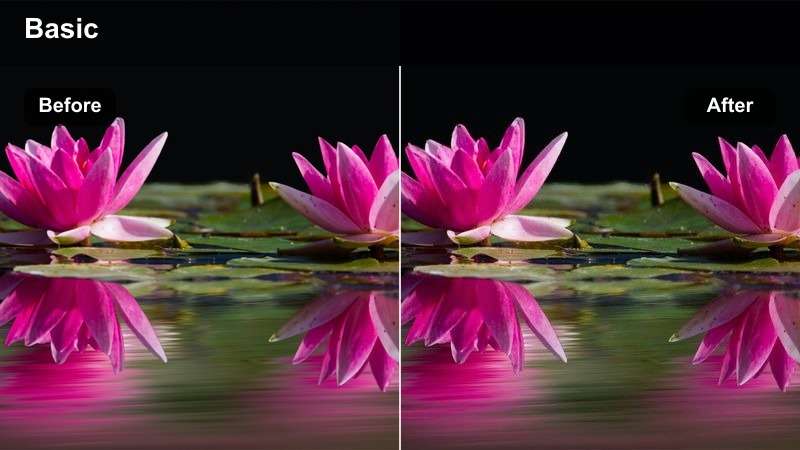
- Effect look: Punchy high contrast with slightly boosted saturation that makes sweat, mats, and outfits pop.
- Best for: Intense HIIT circuits, burpees, jump squats, and fast-paced follow-along workouts.
- Editing tip: Use higher shutter speed for sharp movement, then let the filter add punch without relying on motion blur.
Sweat Session Impact is made for high-intensity follow-along routines where every jump, lunge, and burpee needs to look explosive. In Filmora, pair this filter with footage shot at a higher shutter speed so limbs stay crisp, then let the boosted contrast and saturation emphasize sweat, mats, and bold outfits.
To keep the energy under control, reduce background brightness with Filmora color curves or masks so the viewer focuses on your movements instead of a cluttered gym. Use this LUT-style look on your main workout segments, and pair it with dynamic text timers and on-screen prompts for a cardio-friendly, high contrast YouTube experience.
Neon Cardio Crisp
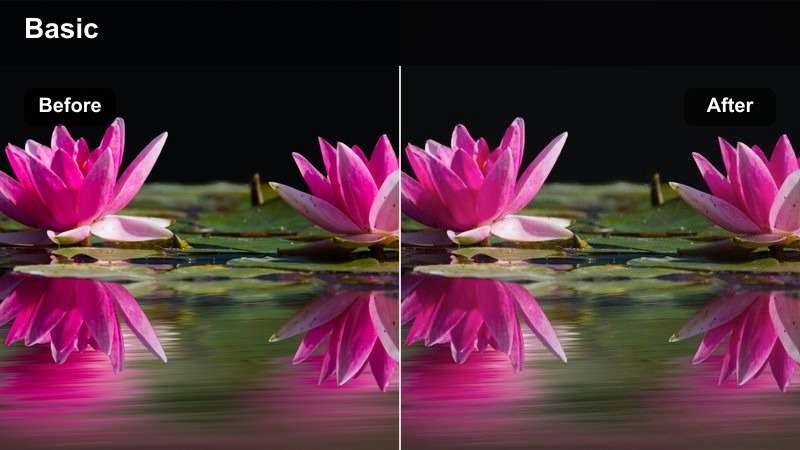
- Effect look: Sharp high contrast with vibrant pops of color on workout clothes and LED or neon accents.
- Best for: Evening or indoor cardio classes with colorful lights, LED strips, or branded backdrops.
- Editing tip: Lower saturation in the background only so neon or bright gear stays the focal point.
Neon Cardio Crisp is perfect for dark studios that use LED strips, colored smart bulbs, or neon signs to set the mood. In Filmora, apply this filter and then selectively reduce saturation or exposure in the background using masks so your neon edges and bright leggings remain the clear focus.
To avoid blown-out signs or LED strips, slightly underexpose during filming and then let this filter stretch contrast and color during editing. Combine this look with Filmora motion graphics or animated text around the main athlete for a modern, class-style YouTube cardio video that feels like a boutique studio session.
Rooftop Sprint Boost
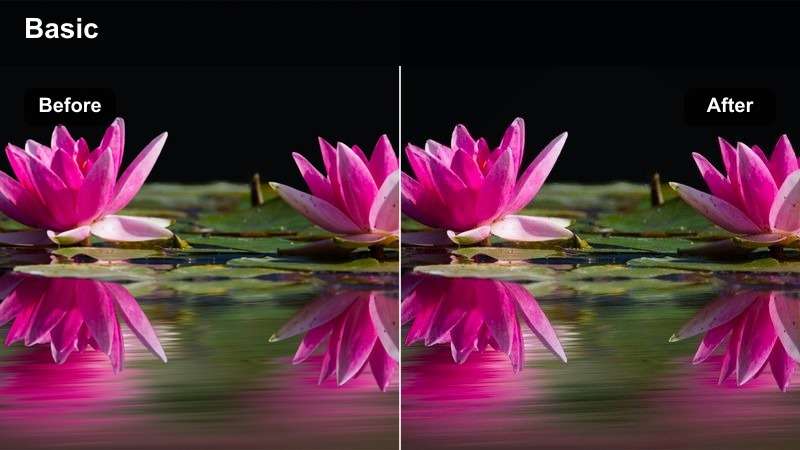
- Effect look: High contrast with bright highlights and slightly cooled blues for outdoor rooftop or city cardio.
- Best for: Outdoor runs, staircase sprints, and bodyweight cardio sessions shot in urban rooftop spaces.
- Editing tip: Use slight stabilization in post so the contrasty edges do not make hand-held shots look too shaky.
Rooftop Sprint Boost brings a cinematic, urban edge to your outdoor cardio workouts, emphasizing bright skies, city skylines, and cool-toned concrete. In Filmora, add this filter to your rooftop runs and stair sprints, then apply light stabilization so the crisp edges do not exaggerate handheld shake.
If the sky becomes too bright after adding contrast, use Filmora gradient masks or the Color panel to pull down highlights in the upper part of the frame. This lets your athlete stay well-exposed and detailed while the cooled blues and high contrast treatment give your YouTube fitness videos a dynamic city-training identity.
High Contrast Filters for Tutorials and Coaching Close-Ups
Coach Camera Clarity
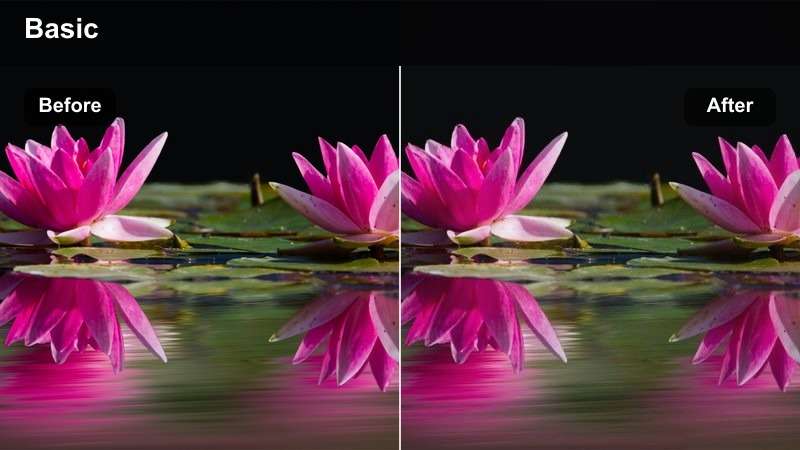
- Effect look: Controlled high contrast with softened highlights to keep talking head segments clear and friendly.
- Best for: Form breakdowns, coaching tips, nutrition talks, and Q&A segments between workouts.
- Editing tip: Add a subtle vignette so the increased contrast does not compete with on-screen text or graphics.
Coach Camera Clarity gives your talking head segments a polished, YouTube-ready look while still feeling approachable and educational. In Filmora, apply this filter to your A-roll explanations and Q and A sessions, then use a gentle vignette so the viewer stays locked on your eyes and any text or diagrams you overlay.
This filter works best with soft, frontal lighting to avoid harsh eye shadows that strong contrast can amplify. If skin highlights start to look too shiny, lower highlight intensity and slightly reduce contrast in Filmora until faces look clean and flattering on both desktop and mobile screens.
Form Focus Frame
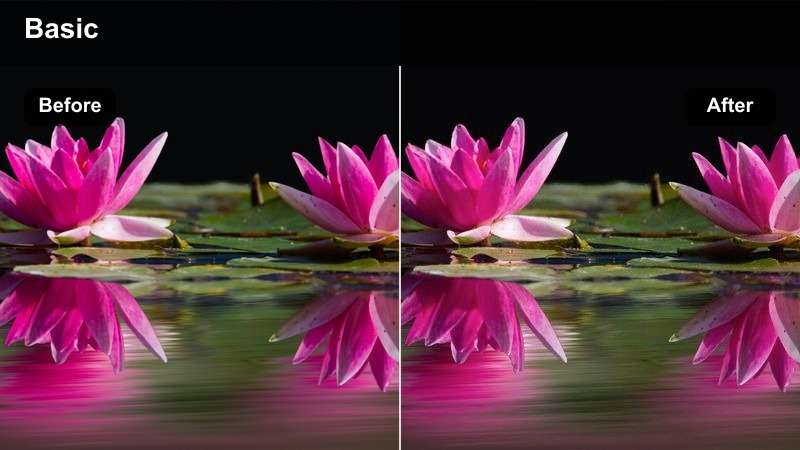
- Effect look: Directional high contrast that emphasizes edge detail around limbs and joints for form demonstration.
- Best for: Slow demonstration clips of squats, push-ups, lunges, and mobility drills in educational videos.
- Editing tip: Use this filter on slightly slowed clips so viewers can clearly study joint angles and positioning.
Form Focus Frame is built for technique breakdowns where viewers need to see exactly how knees, hips, shoulders, and spine are aligned. In Filmora, apply this high contrast look to side and front view demos, then slow the footage down slightly so the extra edge detail around joints is easy to study frame by frame.
Keep backgrounds uncluttered and mid-toned so the contrast mainly affects the athlete rather than random objects behind them. You can also add arrows, circles, or text in Filmora around key joints; this filter will help those overlays stand out sharply against the body, making your YouTube tutorials more educational and professional.
Brand Banner Punch
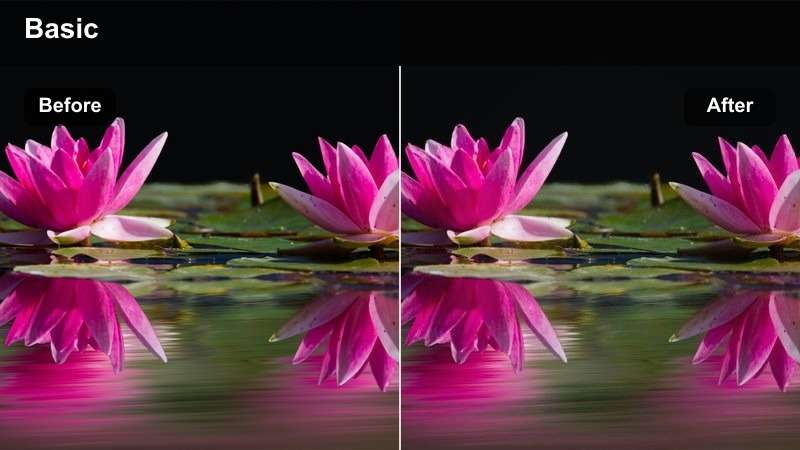
- Effect look: Strong high contrast with slightly saturated brand colors ideal for thumbnails and channel banners.
- Best for: Thumbnail poses, static channel intros, and end screen shots featuring your logo and branding.
- Editing tip: Export a few frames from your finished videos with this filter to build a cohesive thumbnail library.
Brand Banner Punch is your go-to look for attention-grabbing thumbnails and branded frames that appear at the start or end of your videos. In Filmora, apply this filter to posed shots in front of your logo or branded backdrop, then nudge saturation so your brand colors pop without oversaturating skin or text.
Once your thumbnail frame looks right, export still images directly from the Filmora timeline to reuse across your channel. By consistently using this high contrast, color-rich style for thumbnails and end screens, your YouTube fitness brand will become instantly recognizable in search results and suggested video feeds.
Tips for Using Youtube Fitness Video Luts High Contrast Filters in Filmora
- Shoot with a slightly flatter picture profile in-camera, then use Filmora high contrast filters and curves to recover punch while protecting highlight and shadow detail.
- Keep at least one neutral or lightly graded shot in each video for timers, lower thirds, and detailed instructions so text remains easy to read.
- Test your high contrast looks on both phones and desktops using Filmora exports to ensure muscles and movements stay clear on smaller YouTube screens.
- Use stronger filter intensity on B-roll training clips and a softer version on coaching A-roll to keep faces flattering but workouts intense.
- Match white balance and exposure across all angles in Filmora before applying filters so your high contrast style looks consistent from shot to shot.
- If shadows start to crush, gently raise blacks and shadows in the Color panel instead of just lowering filter intensity to preserve your LUT-style punch.
- Save your favorite combinations of contrast filters, LUTs, and sharpening as presets in Filmora so every new workout uploads with a consistent brand look.
- Combine high contrast filters with Filmora stabilization and noise reduction when shooting in darker gyms so edges stay crisp without distracting grain.
High contrast filters can turn regular workout clips into bold, cinematic YouTube fitness videos that show every rep and drop of sweat with clarity.
By building a small toolkit of LUT-style high contrast looks for intros, workouts, and coaching segments, you can maintain a strong, consistent brand identity across your entire channel.
secure download