

 100% Security Verified | No Subscription Required | No Malware


 ChatGPT
 Perplexity
 Gemini
 Claude
 Grok
Grok
You upload a product photo and instantly wonder what exactly you are looking at. Instead of manually searching or guessing, AI image analyzer tools can break down the picture in seconds. They give you clear, structured insights for the photos.
These tools make visual understanding effortless for identifying objects and reading text inside images. In this guide, we will explore the best AI image analyzer tools that help you turn any image into meaningful information quickly and easily.
In this article
Part 1. How to Choose the Right AI Image Analyzer
Remember that every tool is not created equal and some may have less accuracy or features. Below are some tips on the selection of the appropriate tool based on your needs:
- See how well the software detects objects, text and scenes in images. Professional applications such as research or marketing require higher accuracy.
- Check for features like object detection and scene interpretation based on your requirements.
- It is important that it has a clear and simple interface for people who are beginners.
- Fast processing is essential when dealing with large numbers of images and/or performing real-time operations.
- Make sure the tool can easily integrate with other applications or workflows you are currently using.
Part 2. Best Free & Paid AI Image Analyzer Tools You Can Use
Once you understand how to choose the right AI photo analyzer, the next step is exploring the tools that actually work. Let us have a look at some of the best free and paid AI image analyzer tools:
PixelPanda
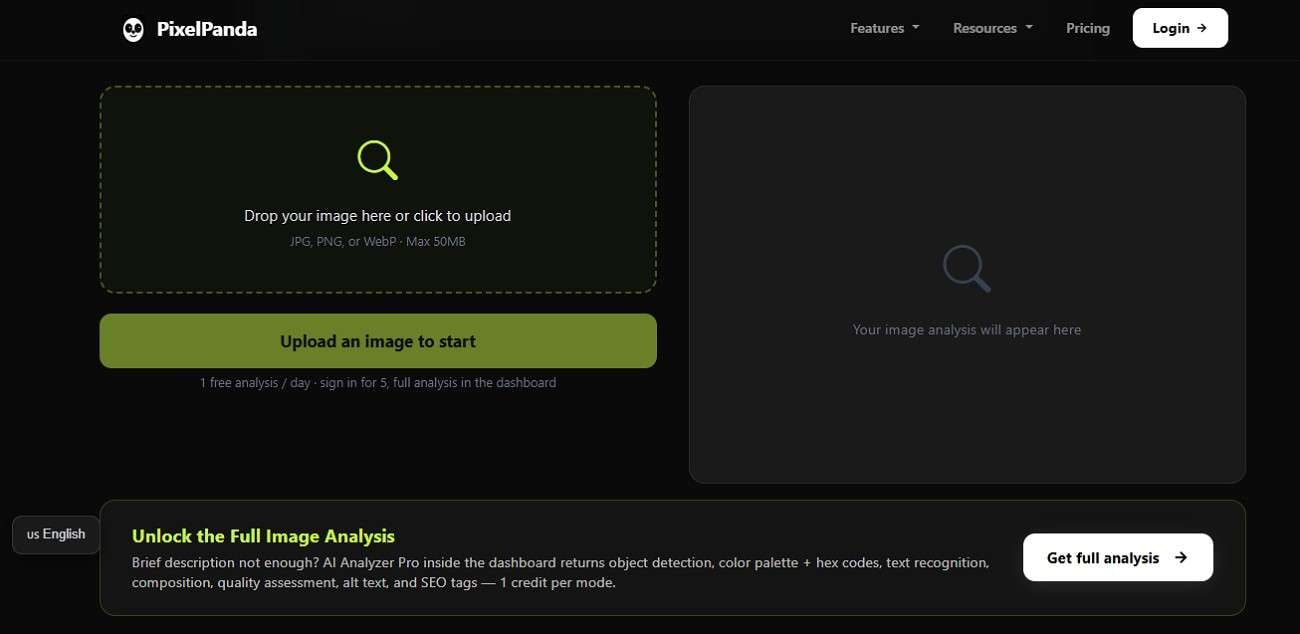
PixelPanda helps users examine visuals with fast recognition and detailed tagging features. This AI image analyzer can identify objects and elements within seconds. This makes it useful for creators and researchers. Its clean dashboard also simplifies uploading and analysis for beginners who want quick visual insights without a complicated learning process.
Key Features
- Multiple image format support enables easy handling of various file types.
- 111+ AI models provide diverse and advanced modeling options.
- The upscaling feature enhances resolution while preserving sharpness and fine details.
ChatGPT Image Analyzer
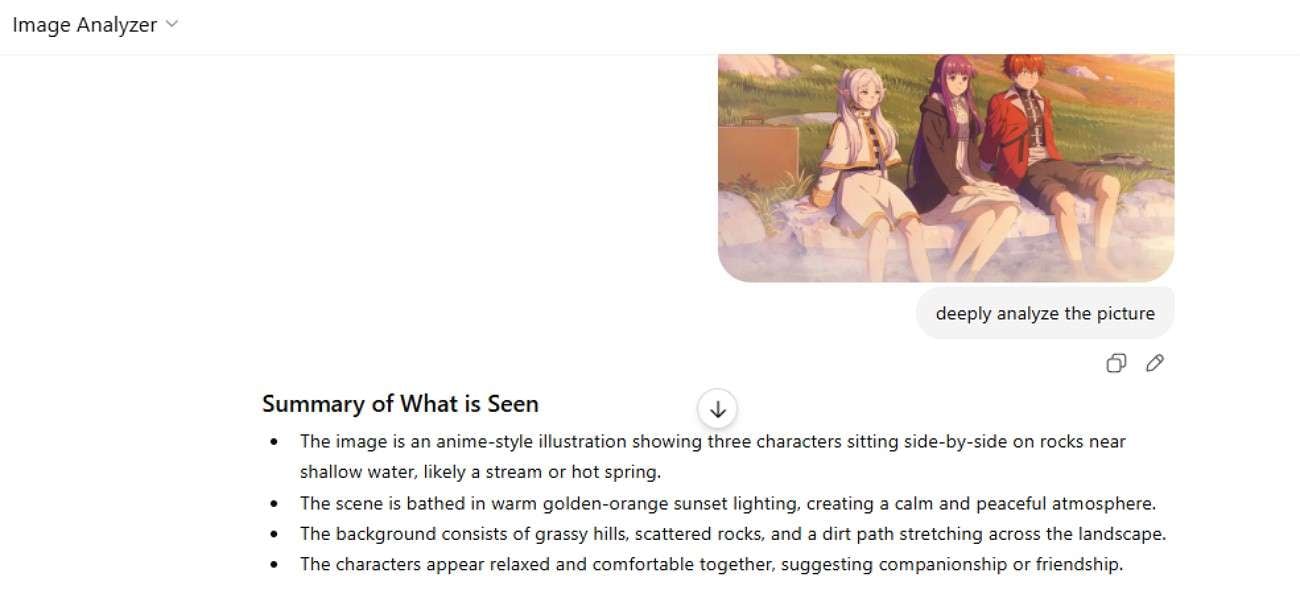
The tool combines conversational AI with visual understanding to explain photos in a natural and detailed way. As an AI photo analyzer, it can describe scenes, recognize objects, and interpret image context. The tool is especially helpful for content creation, educational tasks, and understanding complex visuals through explanations.
Key Features
- Instantly copies AI output to the clipboard for quick sharing and reuse.
- Reprocesses input to generate improved or alternative AI analysis results.
- Converts written analysis into natural speech for hands-free understanding easily.
iWeaver Image Analyzer
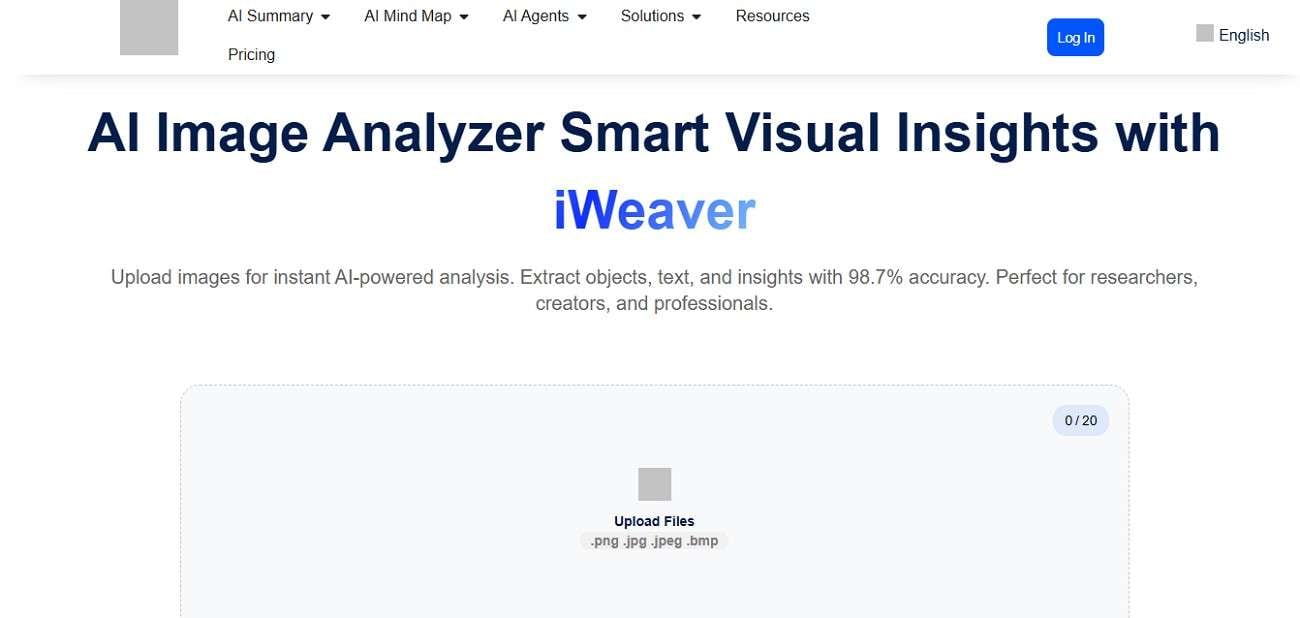
It focuses on smart visual recognition and fast processing for users handling different image types. This image analyzer AI solution can detect objects and organize visual information efficiently. Its user-friendly design makes it suitable for students and businesses looking for reliable image analysis.
Key Features
- Supports various image formats for seamless upload and flexible processing.
- Lets you export detailed analysis results directly into professional, shareable PDF documents.
- Processes multiple images in batches for faster and more efficient workflow handling.
Poe Image Analyzer
The tool offers automatic scene detection and visual detail recognition in a lightweight interface. This AI picture analyzer performs scans on uploaded photos and creates descriptive outputs within seconds. Users can also benefit from its fast cloud-based processing and remove the need for complicated installations.

Key Features
- Removes earlier inputs to start fresh analysis without stored context interference.
- Accepts spoken commands to control and guide image analysis effortlessly.
- Enables uploading multiple files simultaneously for faster bulk image processing.
Aicado AI
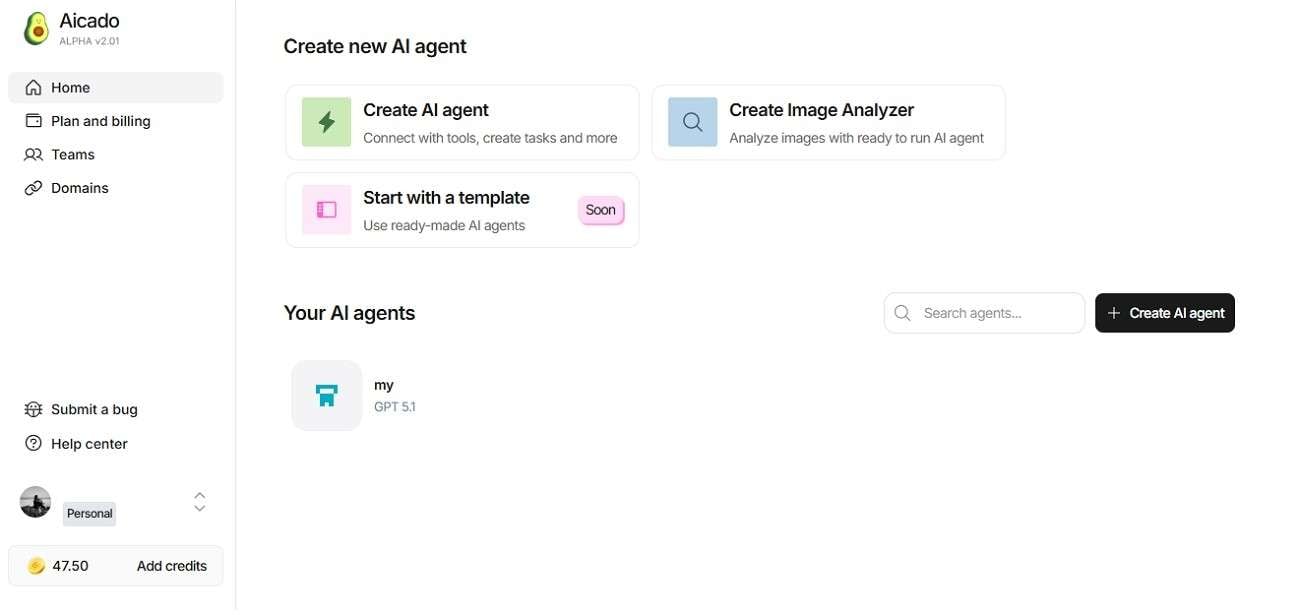
Aicado AI combines visual pattern detection and intelligent tagging features for creative professionals. Working as a reliable photo analyzer AI, it can process high-resolution visuals and generate structured insights instantly. The platform also supports workflow optimization by helping teams analyze branding materials and marketing visuals more accurately.
Key Feature
- Builds intelligent agents that automate image analysis tasks with minimal effort.
- Allows adding interactive text prompts and buttons for customized agent workflows.
- Copies AI-generated output instantly for easy sharing and external use.
ScreenApp Image Analyzer
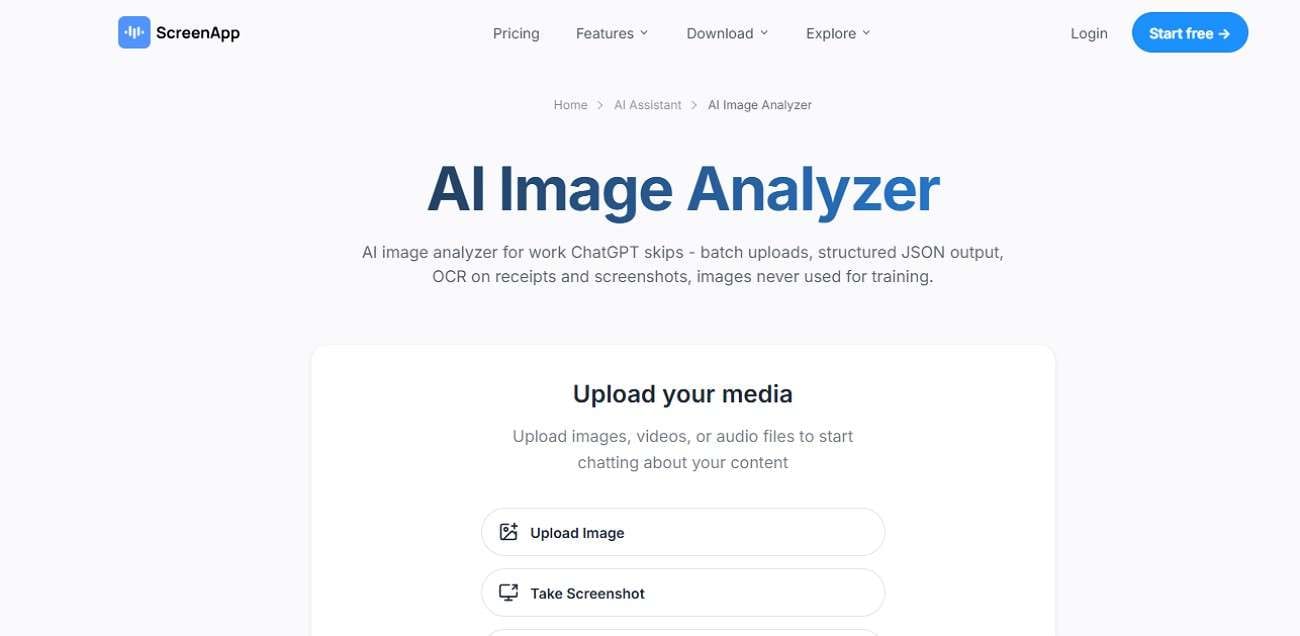
ScreenApp Image Analyzer specializes in screenshot analysis, layout detection, and on-screen text extraction for digital workflows. This free AI image analyzer can recognize interface elements from presentations, documents, and shared visuals with impressive speed. Browser-based accessibility also allows users to analyze images online without downloading.
Key Features
- Enables uploading images directly or capturing screenshots for instant analysis processing.
- Extends the capability to analyze video content frame by frame accurately.
- Allows downloading generated results for offline use and easy sharing access.
Magica AI Image Analyzer
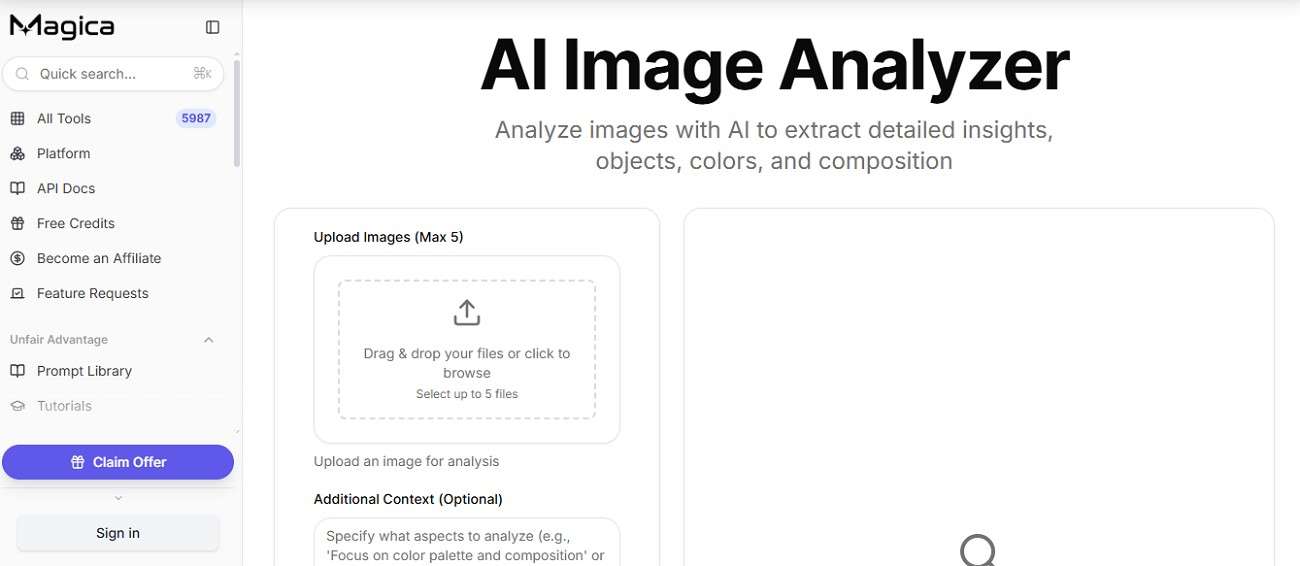
The tool delivers real-time object recognition, smart image summaries, and quick visual scanning through a simple interface. This AI image analyzer free tool supports multiple image formats while maintaining smooth performance across devices. Its lightweight design makes image analysis more accessible for beginners who need fast results.
Key Features
- Uses advanced AI models for accurate object detection and image classification.
- Accepts custom datasets to train and refine personalized analysis outputs effectively.
- Generates detailed visual reports with structured insights and clear interpretations.
Part 3. Best AI Image Analyzer Tools Compared
After exploring the standout features of each platform, it becomes easier to see how these AI image analyzers differ. Let us now have a side-by-side comparison of these tools for easy decision-making:
| Tool | Best For | Key Features | Supported Formats | Unique Strengths |
|---|---|---|---|---|
| PixelPanda | Ecommerce and product visuals | Object detection, OCR, color extraction, SEO tags, image quality analysis | JPG, PNG, WebP | Includes composition analysis, accessibility alt text, and SEO-focused outputs |
| ChatGPT Image Analyzer | Conversational image understanding | Scene interpretation, visual explanations, contextual responses, image reasoning | Multiple uploaded image formats | Allows natural language interaction for detailed image discussions |
| iWeaver Image Analyzer | Research and professional workflows | OCR, chart interpretation, batch processing, PDF export, prompt generation | JPG, PNG, screenshots, documents | Designed for academic, legal, and financial image analysis with 98.7% accuracy claims |
| Poe Image Analyzer | Quick AI-powered image explanations | Image descriptions, object identification, cloud-based processing | Standard image uploads | Lightweight interface with fast AI-generated visual summaries |
| Aicado AI | AI workflow automation | AI agent creation, workflow customization, image analysis integration | Multiple image inputs | Focuses on creating AI-powered automated workflows and agents |
| ScreenApp Image Analyzer | Screenshot and presentation analysis | Screenshot recognition, OCR, layout detection, browser-based processing | Screenshots and image files | Strong browser-based accessibility for remote collaboration workflows |
| Magica Image Analyzer | Everyday AI image analysis | Object recognition, image summaries, fast processing | Multiple image formats | Beginner-friendly interface with simple and fast image interpretation |
Part 4. How Filmora Complements AI Image Analysis in Your Workflow
You have a free image analyzer, but still cannot figure out the right prompt to recreate something similar for videos. The visual idea is clear in your mind, yet turning that image into a usable creative prompt feels difficult and time-consuming. This is where Wondershare Filmora fits naturally into the workflow. Filmora helps convert visual inspiration into actual output with tools like Image to Prompt.
Users can upload a reference image and instantly generate prompts or video concepts based on it. The AI Idea to Video feature of the tool takes this process even further by changing simple text ideas into visuals. It adds transitions and cinematic effects automatically to the generated video.


How to Use Filmora's Image-to-Prompt Feature for AI Video Creation
The next step is putting those insights into action using Wondershare Filmora. Here's a clear step-by-step guide to help you get started smoothly:
Step 1. Add Your Image to the Project Workspace
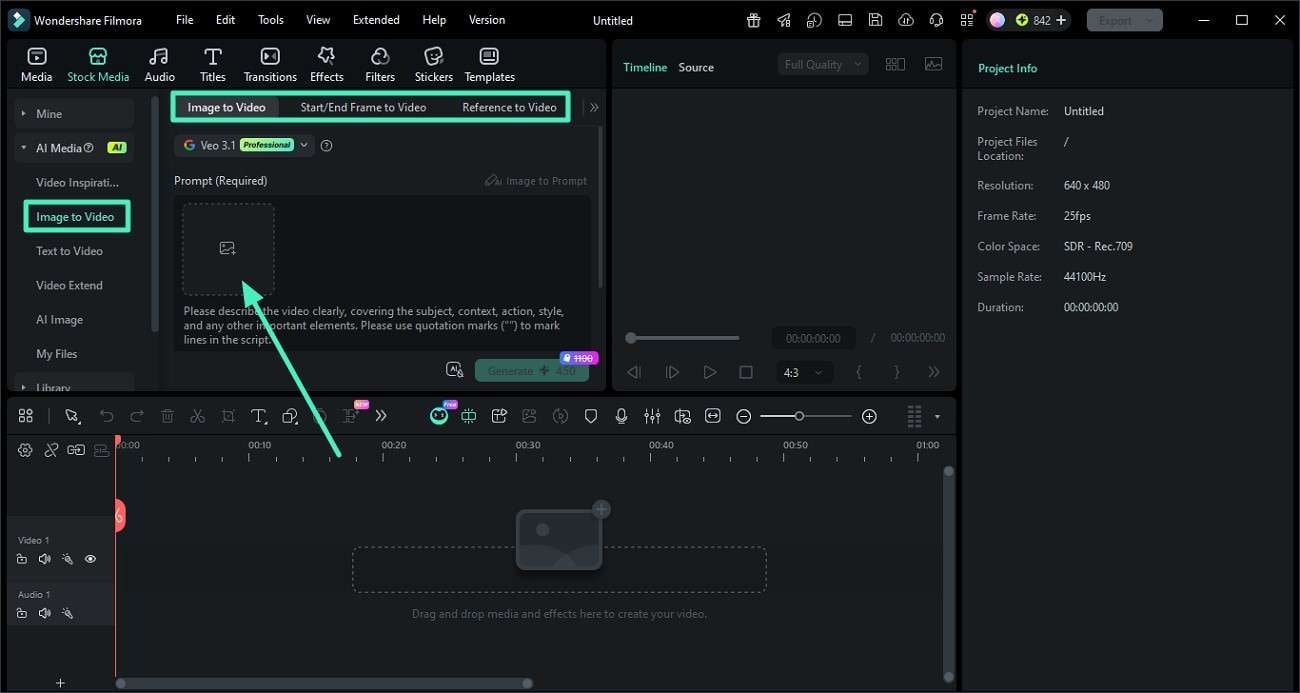
Choose the "Image to Video" option and select a mode according to your preferences. Upload your image by dragging it into the workspace or selecting it directly from your device files.
Step 2. Create an AI-Generated Prompt from the Visual
Locate the "Image to Prompt" tool in the left panel once the photo is uploaded. Click on it, and the tool will automatically study the visual details to generate a structured prompt.
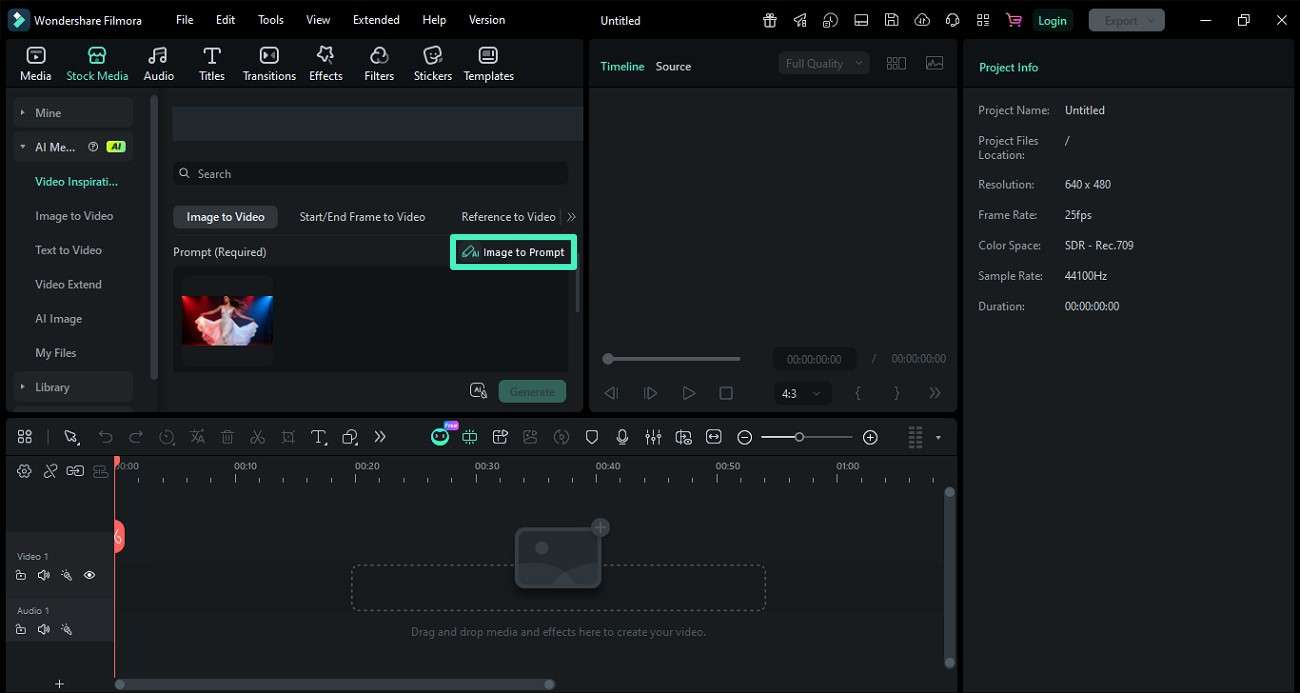
Step 3. Adjust the Prompt and Produce Your Video
Review the generated prompt and refine it based on your creative direction. Click the "Generate" option to convert the prompt into a video.
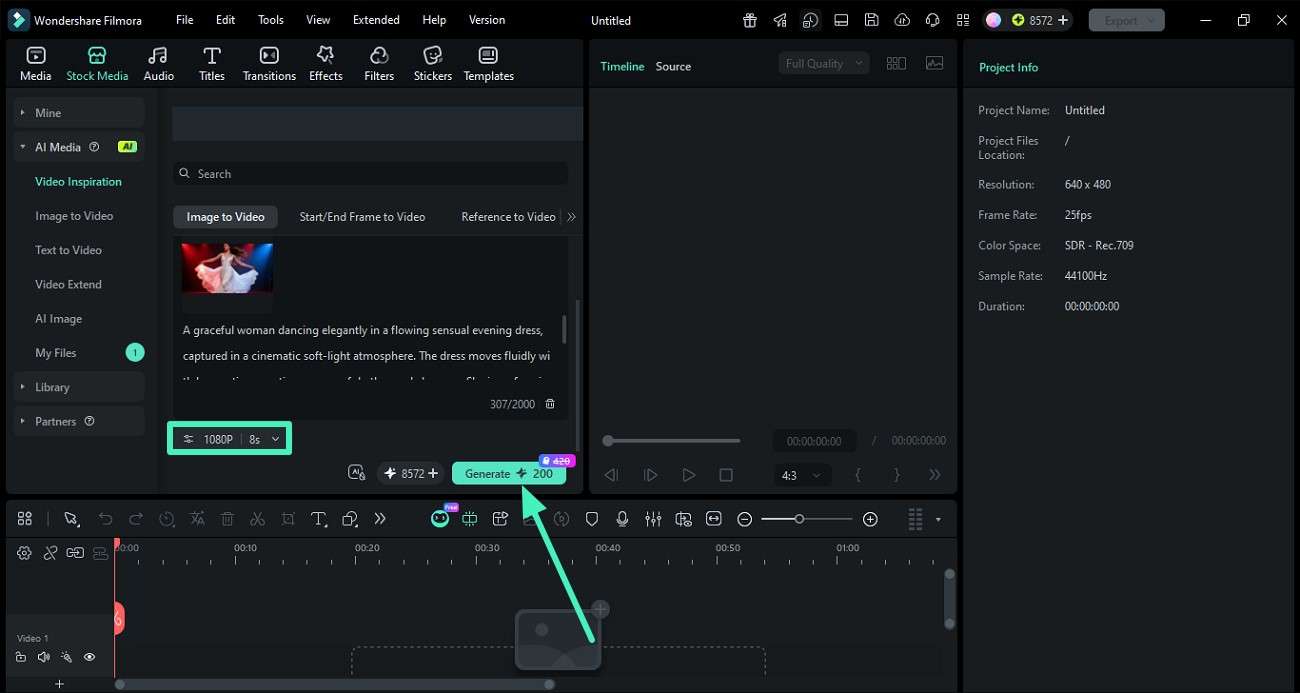
Step 4. Review and Save Your Final Video Output
Play the video in the preview window to check timing and overall quality. Proceed by clicking the "Export" button once you are satisfied.
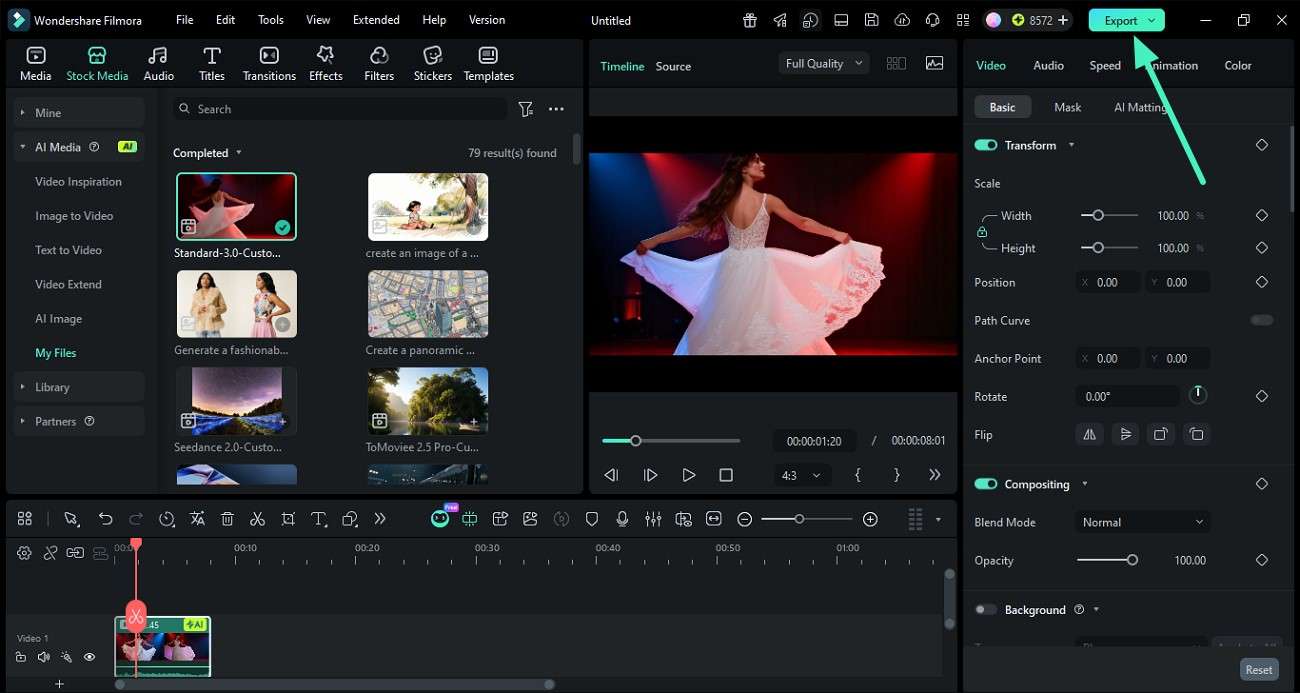
 secure download
 Steps to Use an Idea to Video in Filmora
After generating creative prompts using an AI photo analyzer, Filmora takes the next step by transforming those ideas into fully structured videos. Here is how you can use the feature to generate videos from ideas:
Step 1. Access AI Idea to Video Tool
Go to the "Toolbox" section within Filmora and select the "AI Idea to Video" option to begin converting your idea into a video project.
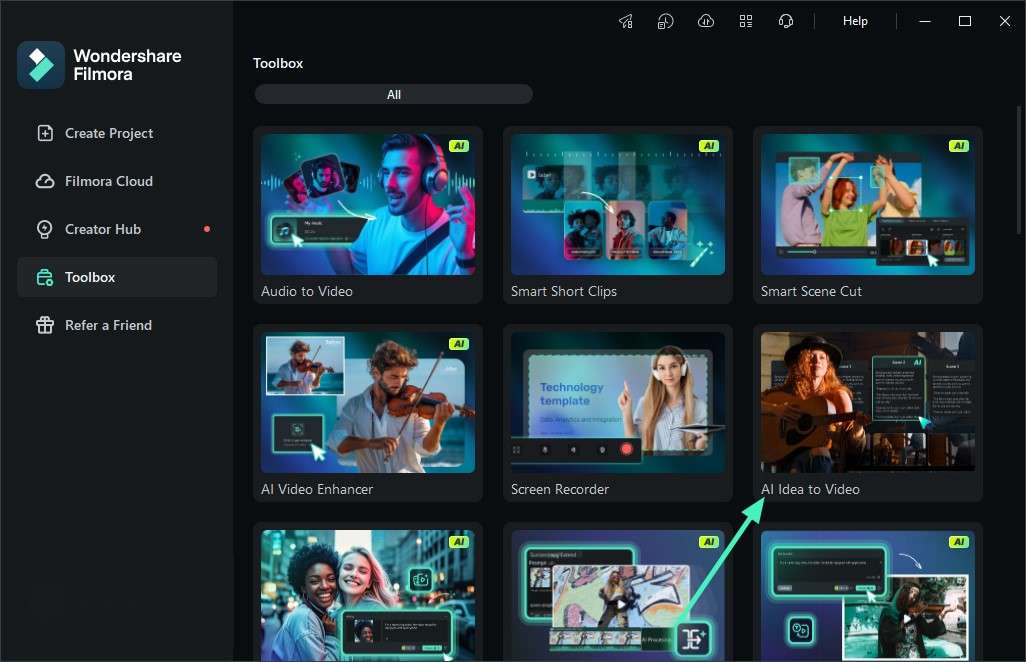
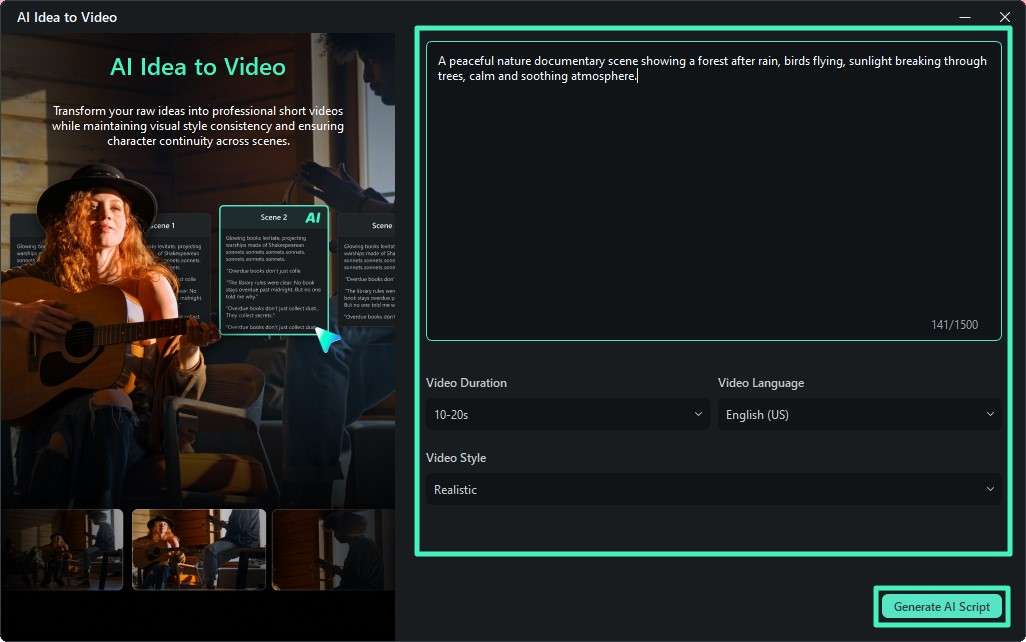
Paste your generated prompt into the input field. After that, set your preferences such as video duration, language, and visual style. Click "Generate AI Script" to let the system create a structured storyline.
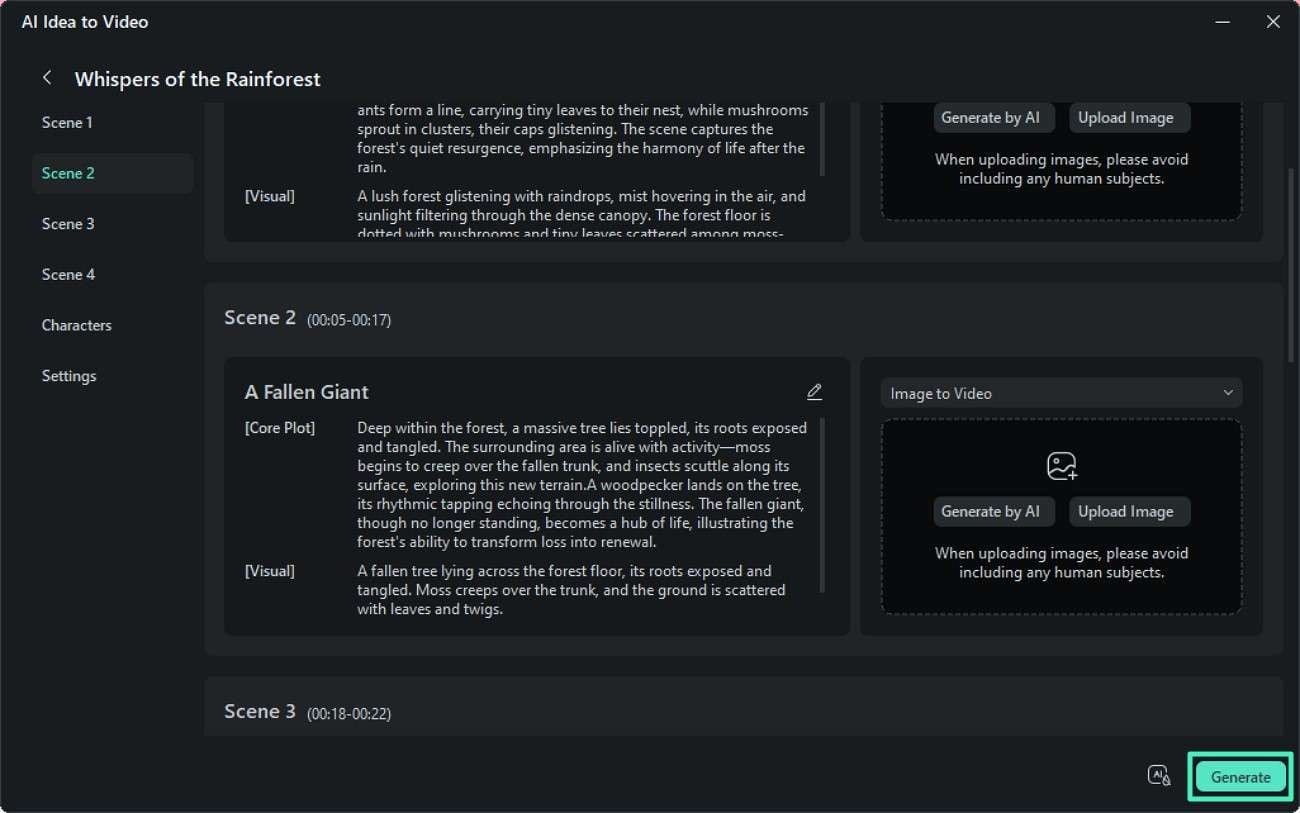
Step 3. Preview AI-Generated Scenes
The tool will automatically divide your idea into multiple scenes. Review each segment carefully and hit the "Generate" button.
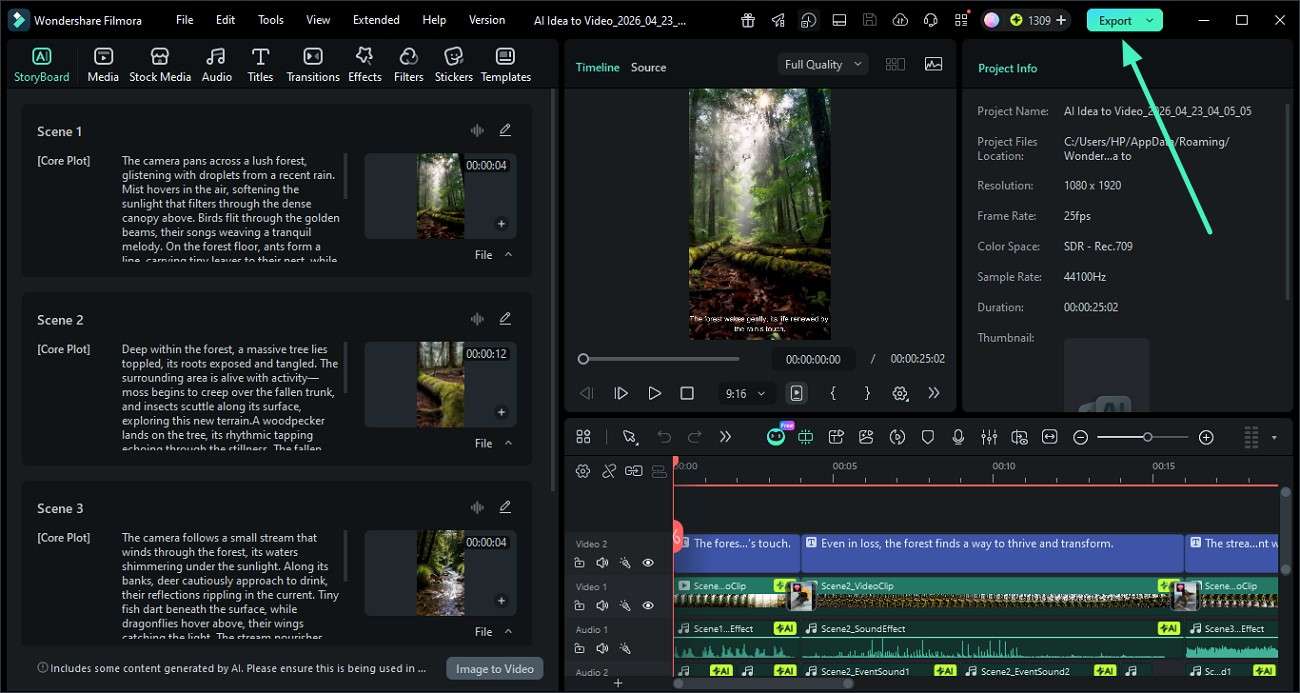
Step 4. Finalize, Edit, and Export Video
Once the video is generated, open it in the editor for final refinements. Click "Export" to save your completed video to your device.
Conclusion
To conclude, this article provided a complete guide on some of the top AI image analyzers that you can try. Each tool offers unique strengths depending on your workflow and goals. However, Wondershare Filmora is a highly recommended choice for advanced feature to turn images into prompt. It bridges the gap between image understanding and video creation.
secure download Frequently Asked Questions
-
1. What is an AI image analyzer used for?
This tool is used to understand visual content by detecting objects and providing analysis from photos automatically. -
2. Are AI image analyzers free to use?
Many platforms offer free versions with basic features. Advanced tools with higher accuracy and API access are usually part of paid plans. -
3. Which AI image analyzer is best for beginners?
Tools like PixelPanda, Poe, and ScreenApp are beginner-friendly due to their simple interface. They offer an easy upload process without technical setup. -
4. Can AI image analyzers be used for business purposes?
Businesses use them for product tagging and content organization to improve workflow efficiency. Use Filmora for more advanced functionalities beyond simple image analysis.
