

 100% Security Verified | No Subscription Required | No Malware


 ChatGPT
 Perplexity
 Gemini
 Claude
 Grok
Grok
You open Hugging Face, type a simple prompt, and hit generate, only to get results that feel off or incomplete. Sound familiar? Crafting effective prompts isn't just about typing what you want; it's about structuring ideas in a way AI truly understands. This guide walks you through the best Hugging Face prompt examples, proven formats, and valuable resources to refine your results.
Whether you're a beginner experimenting with AI or a creator aiming for precision, learning prompt techniques can transform your outputs from average to impressive with just a few smart adjustments.
In this article
Part 1. Best Places to Discover Prompts on Hugging Face
It is important to know where to find high-quality inspiration. Let's dive into the best places on Hugging Face where you can discover powerful prompts in the section below:
Official Docs
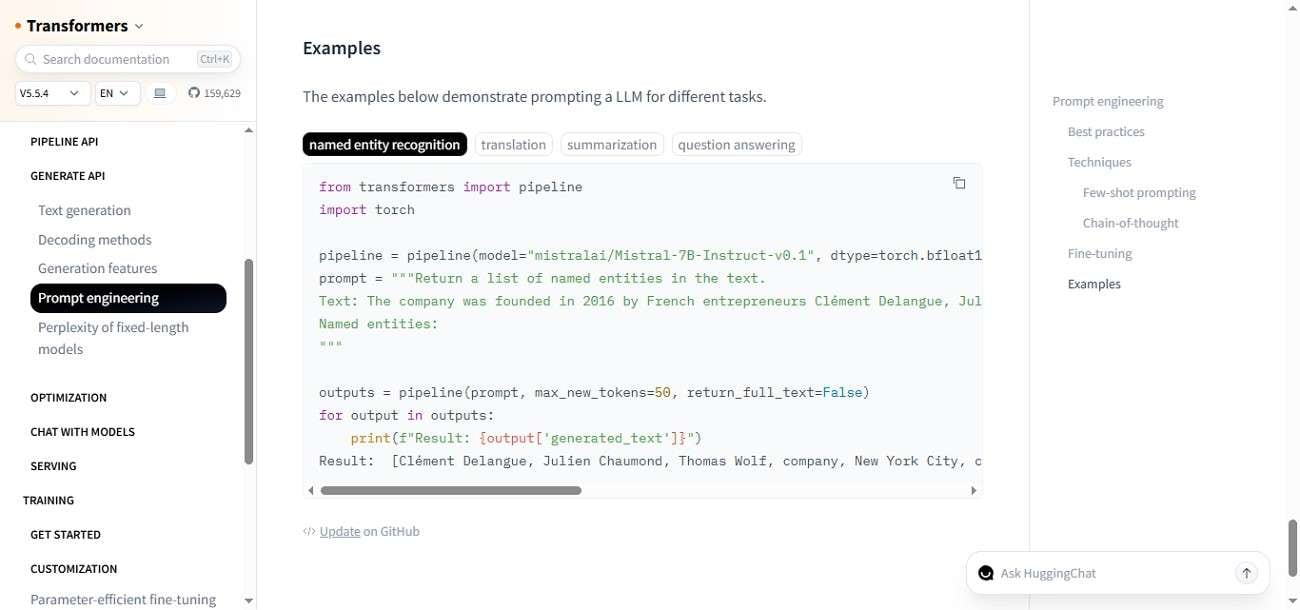
The HuggingFace prompts official documentation is the best starting point for prompt learning, offering structured guides, tutorials, and API references. The prompt examples on the documentation page demonstrate how simple, well-structured inputs can solve tasks like classification, summarization, and question answering. It highlights using clear instructions, context, and output cues to guide models effectively. The guide also shows how prompt placement and specificity significantly impact results.
Model Pages
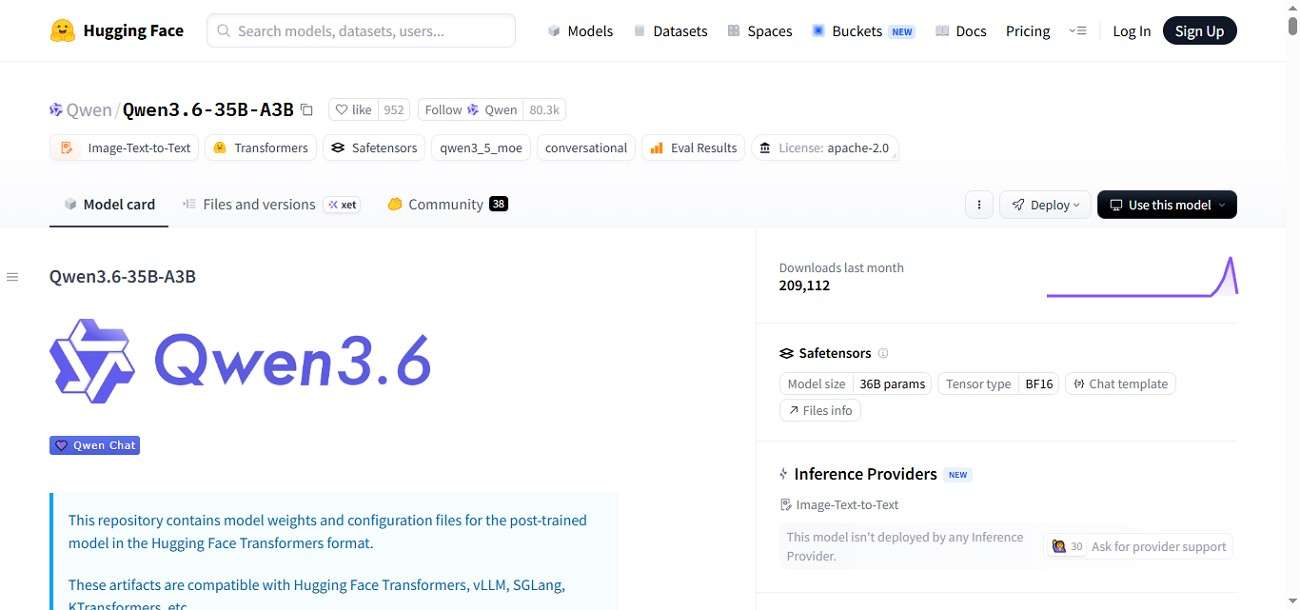
Model pages on Hugging Face prompts showcase real-world prompt examples, usage instructions, and limitations for each AI model. These pages often include sample inputs and outputs, helping you understand prompt behavior in context. For instance, the Qwen model page highlights a high-performance MoE language model built for reasoning, coding, and long-context tasks. The page also includes prompt examples, configuration details, and benchmarks, helping users understand how to structure inputs.
Spaces
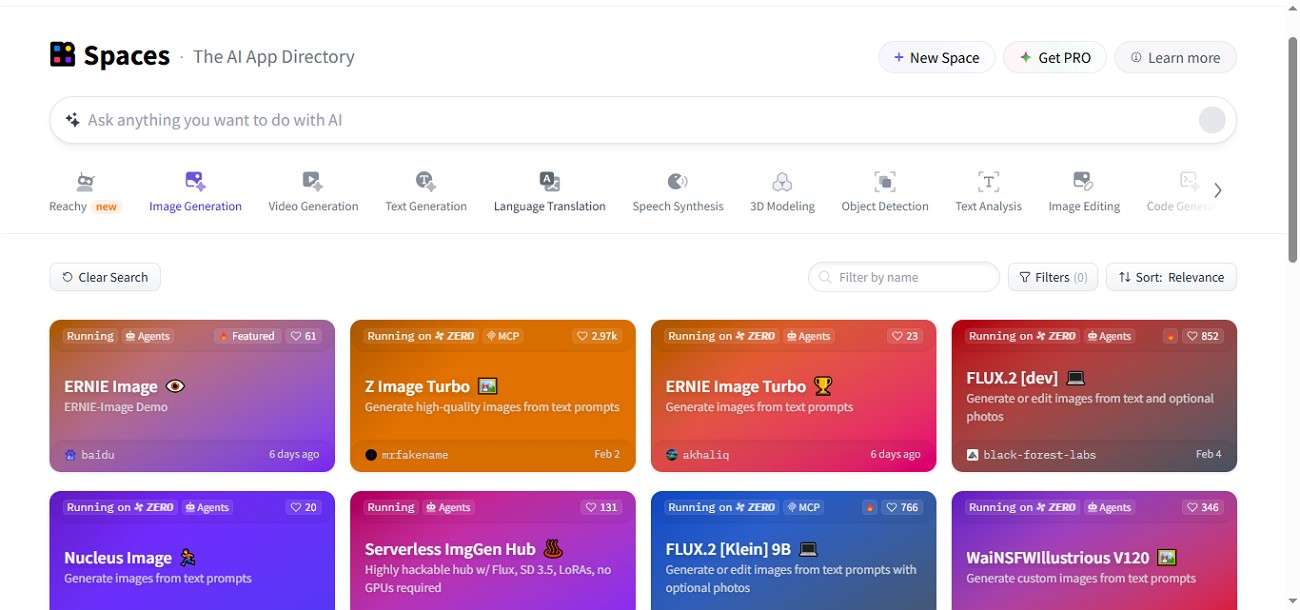
These are the powerful sections of prompt Hugging Face where users can explore and test prompts through live AI demos. These Spaces host community-built apps for text, image, and multimodal generation, allowing real-time experimentation without coding. By observing how prompts perform across different tools, users can refine inputs, learn practical techniques, and discover creative prompt ideas.
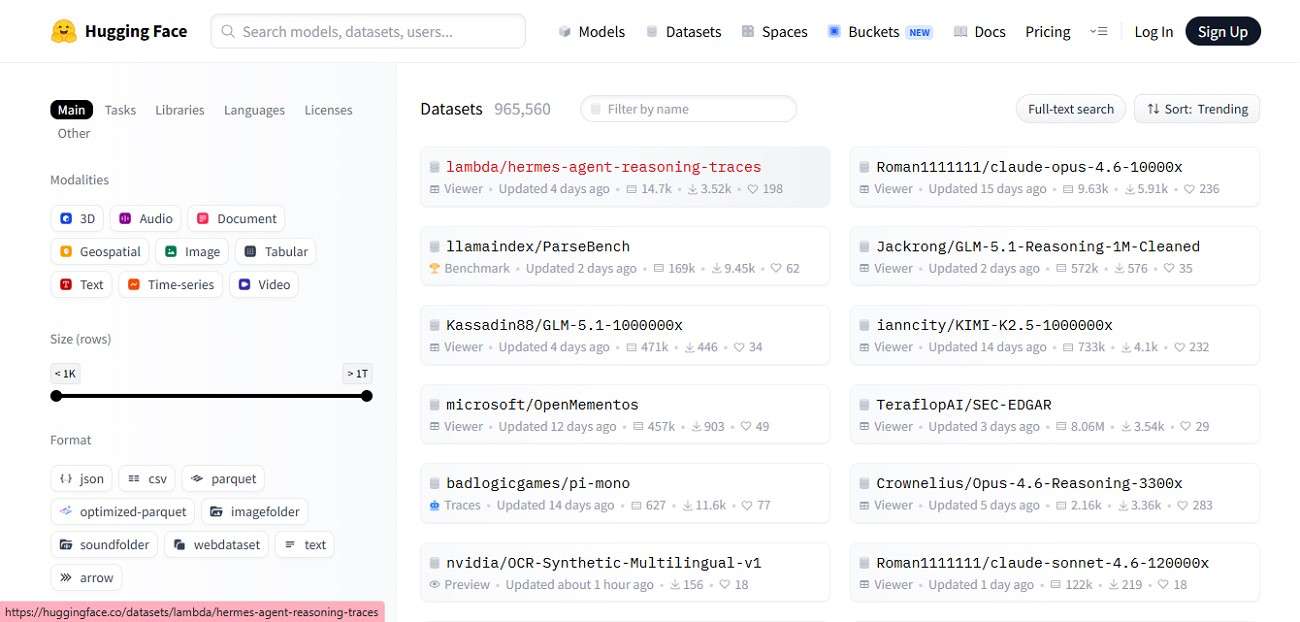
Prompt Datasets
The datasets offer valuable prompt examples through curated collections of text, instruction, and conversation data. These datasets often include prompt-response pairs used to train models, helping users understand structure, tone, and formatting. Exploring them provides inspiration, reveals real-world patterns, and improves your ability to craft effective, high-performing prompts.
Part 2. Popular Prompt Formats on Hugging Face
After exploring where to find high-quality HuggingFace prompt examples, the next step is understanding how they're structured. Let's break down the most popular prompt formats you'll encounter and how they shape better AI outputs:
Structured Prompt
A structured prompt organizes instructions clearly using sections like task, context, and expected output. This format helps models on HuggingFace prompts understand intent precisely, reducing ambiguity and improving consistency. It's widely used for tasks like summarization, classification, and data extraction, where clarity matters most. Structured prompts often follow predictable patterns, making outputs easier to control and replicate across different models and use cases.
Example
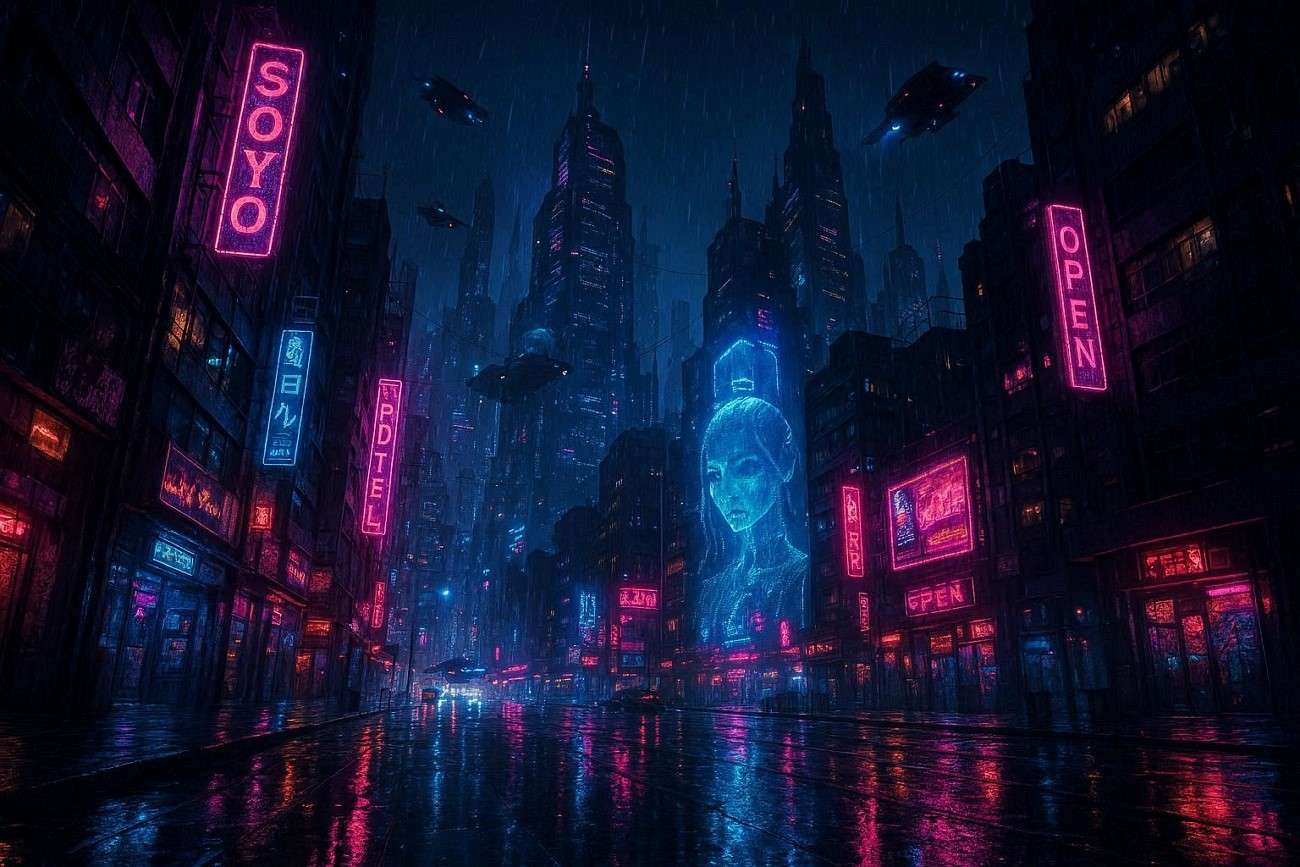
Subject: A futuristic city skyline at night
Style: Cyberpunk, highly detailed, cinematic
Lighting: Neon lights reflecting on wet streets, glowing billboards
Environment: Dense city with flying vehicles and tall skyscrapers
Color Palette: Blue, purple, and pink neon tones
Camera Angle: Wide-angle, low perspective looking up
Mood: Mysterious, futuristic, high-tech atmosphere
Details to Include: Holograms, rain effects, sharp reflections, ultra-realistic textures
Output Quality: 4K, highly detailed, realistic rendering
Style-Driven Prompt
This type of prompt focuses on tone, voice, or writing style rather than just content. On Hugging Face prompts, this format is useful for generating creative outputs like blogs, stories, or marketing copy. By specifying style elements, such as formal, humorous, or poetic. You guide the model to match a desired personality, making outputs more engaging and aligned with your brand or audience expectations.
Example
"Create a Studio Ghibli-inspired illustration of a young girl walking through a magical forest filled with glowing fireflies and ancient trees. Soft mist flows between the paths while warm golden sunset light filters through the leaves. The scene has a peaceful and dreamy mood with soft greens, warm yellows, and pastel tones. Use hand-painted animation style with whimsical fantasy details and soft brush strokes."

Negative Prompt
A negative prompt tells the model what to avoid in the output. Commonly used in image and text generation on prompt Hugging Face, it helps refine results by excluding unwanted elements like tone, objects, or errors. This improves precision and reduces irrelevant or low-quality outputs, especially when generating visuals or detailed creative content where control is essential.
Example
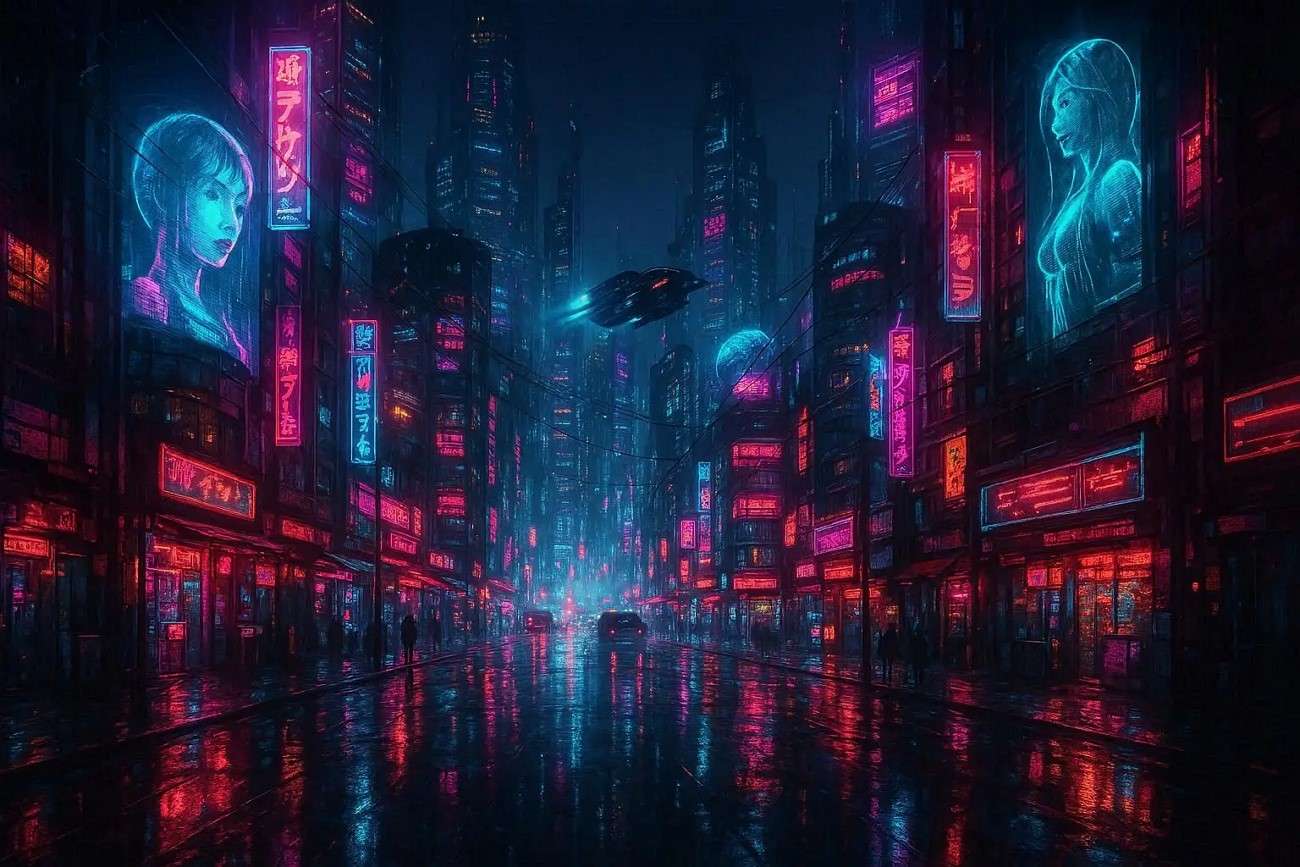
"Create a highly detailed futuristic cyberpunk city at night with glowing neon lights reflecting on wet streets. The scene includes tall skyscrapers, flying vehicles, and holographic billboards.
Negative prompt: low quality, blurry, pixelated, distorted buildings, bad architecture, extra limbs, deformed objects, duplicate elements, cartoon style, oversaturated colors, flat lighting, messy composition, noise, artifacts, watermark, text, logo."
Layered Prompt
It builds instructions step by step, combining multiple elements like context, task, constraints, and style. This approach enhances output quality on the HuggingFace prompt by guiding the model through a logical flow. It's especially useful for complex tasks such as storytelling, coding, or multi-step reasoning, where a single instruction may not be sufficient.
Example
"A futuristic female warrior standing in a neon-lit cyberpunk city street at night. The background shows tall skyscrapers, glowing holographic billboards, and rain-soaked reflective roads. Cinematic ultra-realistic sci-fi style with dramatic blue and purple neon lighting, creating a mysterious and powerful mood. Low-angle wide shot with depth of field and cinematic composition."

Part 3. Common Prompt Problems on Hugging Face
After learning the most effective prompt formats, it's equally important to recognize what can go wrong. Even on Hugging Face prompts, poorly written prompts can lead to weak or irrelevant outputs. Understanding these common mistakes will help you refine your approach and consistently generate better, more accurate results:
Vague Instructions
When prompts are too broad or unclear, the model struggles to understand what you actually want. This often leads to generic or off-topic responses. Adding specific instructions, clear goals, and defined outputs significantly improves accuracy and relevance.
Wrong Prompt Format
Using an unsuitable format, like a casual sentence for a structured task, can confuse the model. Different tasks require different prompt styles, such as step-based or instruction-driven formats. Choosing the right structure ensures the model processes your request correctly.
Missing Context
Without enough context, the model fills gaps with assumptions, which may not align with your intent. This results in incomplete or misleading outputs. Providing background information, examples, or constraints helps guide the model toward more precise responses.
Generic Outputs
If your prompt lacks detail, the output will likely be bland and repetitive. Models tend to default to safe, general responses when not guided properly. Adding constraints, tone, or target audience details can make results more unique and useful.
Part 4. How to Write Better Hugging Face Prompts
Now that you've seen the common pitfalls, the next step is improving how you write prompts for better results. On the HuggingFace prompt, small changes in wording and structure can dramatically enhance output quality. Here are practical tips to help you craft stronger, more effective prompts:
- Be Specific and Clear: Clearly define what you want instead of using vague language. Precision reduces confusion and improves relevance.
Example: "Generate a realistic aerial view of New York City at night, showing Times Square with bright neon billboards, heavy traffic on wet streets reflecting lights, and clear skyscraper details."

- Use a Structured Format: Organize your prompt into sections like task, context, and output format to guide the model better.
Example:
Task: Generate a detailed digital artwork of a fantasy castle.
Context: The castle is floating on a large island in the sky, surrounded by clouds, waterfalls falling into the void, and glowing magical runes on the walls. The environment should feel mystical and surreal.
Output Format: High-resolution fantasy illustration, cinematic lighting, ultra-detailed textures, wide-angle composition, 4K quality.

- Add Context and Details: Provide background information so the model understands the situation fully.
Example: "A quiet evening scene inside a small countryside cottage where a young girl is reading an old storybook by the fireplace. Outside the window, it is raining softly, creating a calm and cozy atmosphere."

- Define Tone or Style: Mention the desired tone to shape how the output sounds.
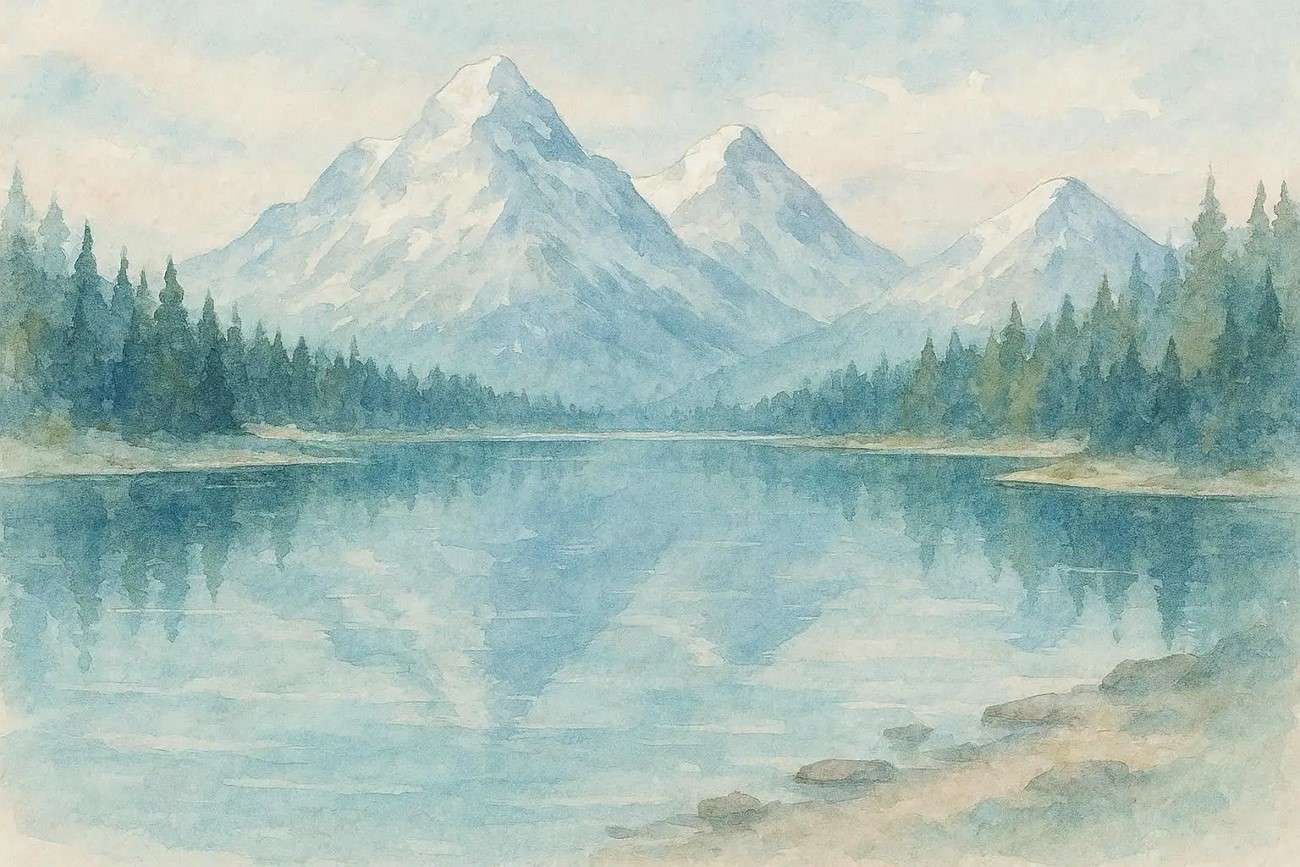
Example: "A serene mountain landscape with a crystal-clear lake reflecting snow-covered peaks and pine forests. The scene is illustrated in a calm, dreamy watercolor style with soft brush strokes and pastel tones. The atmosphere feels peaceful, gentle, and soothing, like a relaxing nature painting."
Part 5. How to Use Hugging Face Prompts with Filmora Image-to-Prompt
Wondershare Filmora is a powerful, beginner-friendly video editing tool that has evolved beyond traditional editing into AI-driven creativity. Among its standout features is the Image-to-Prompt tool, designed to convert visuals into detailed text prompts for AI generation. This makes it especially useful for creators who want to bridge the gap between visual inspiration and prompt-based workflows on platforms like Hugging Face Prompt.
 secure download

Steps to Use Filmora Image to Prompt
As discussed, Filmora converts the images into accurate prompts for the further visual generation. Follow the steps mentioned below to learn how to use this Filmora feature:
Step 1. Import Your Image into Filmora
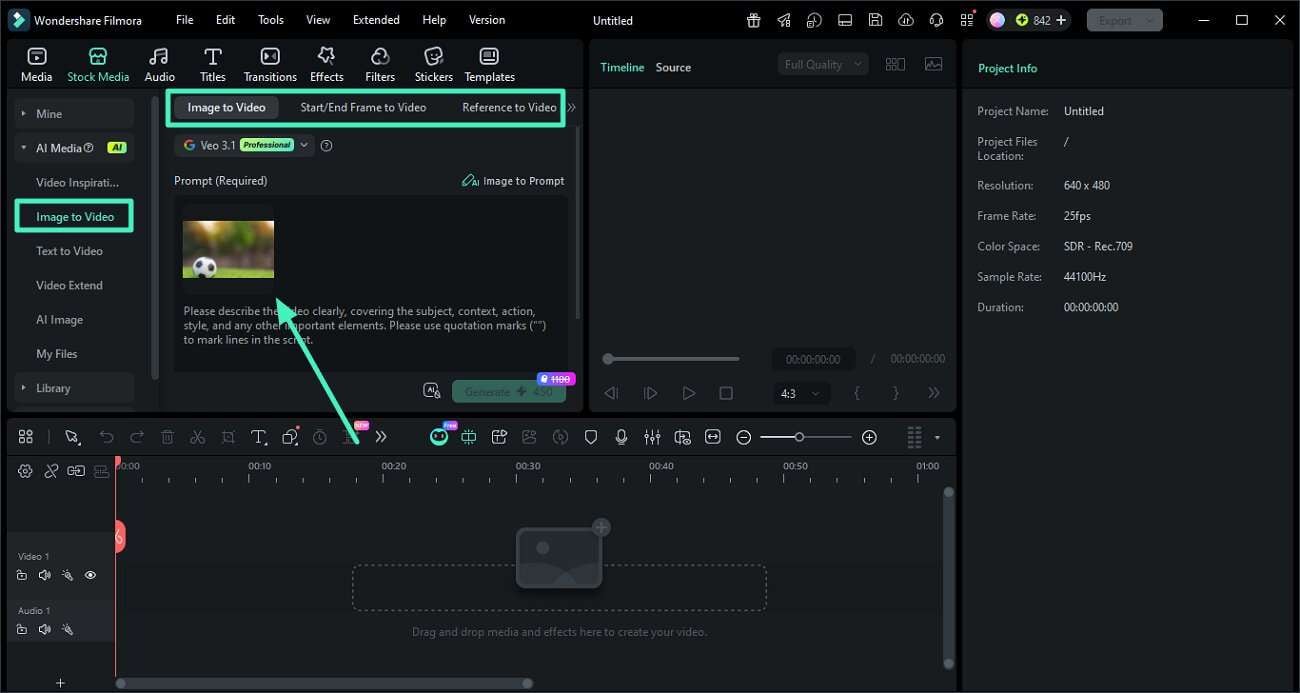
Start by opening a new project in Filmora. Navigate to the "Image to Video" section from the left panel, choose your desired mode, and upload your image by dragging it in or selecting it from your device.
Step 2. Generate a Prompt Using AI
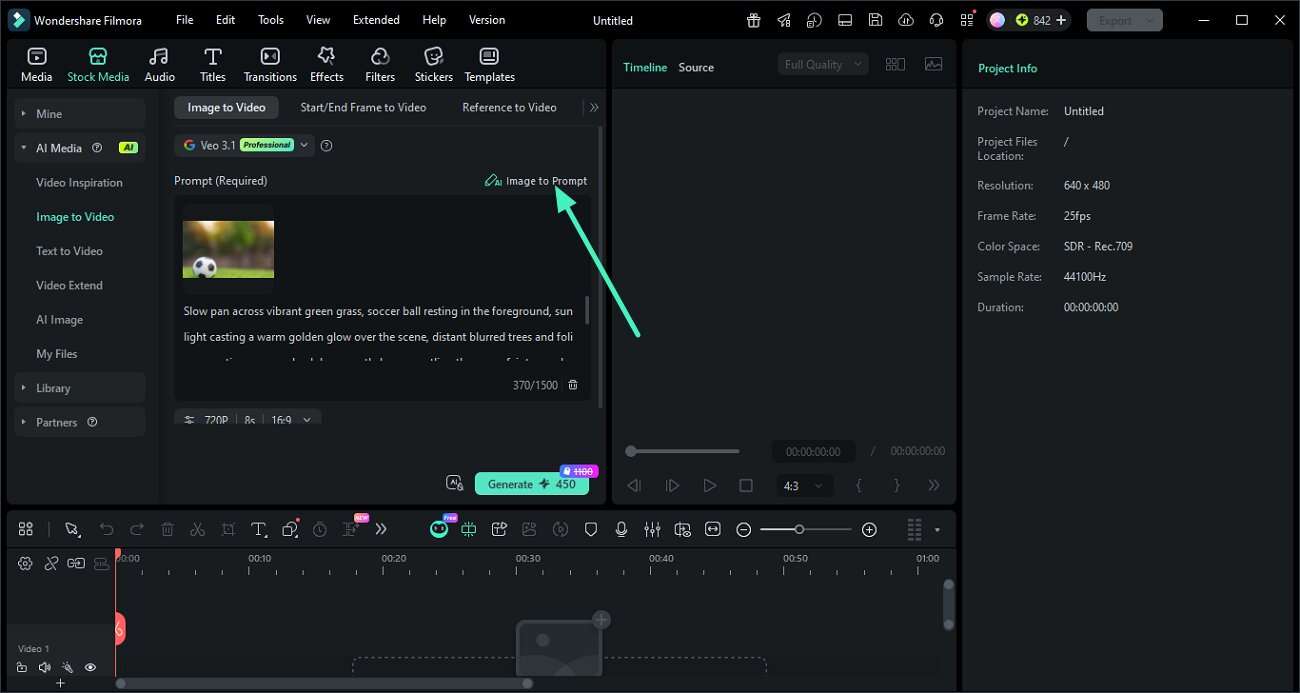
After uploading the image, locate the "Image to Prompt" feature and click on it. Filmora will automatically scan the image and create a detailed AI prompt based on its visual elements.
 secure download
 Step 3. Use the Prompt in Hugging Face
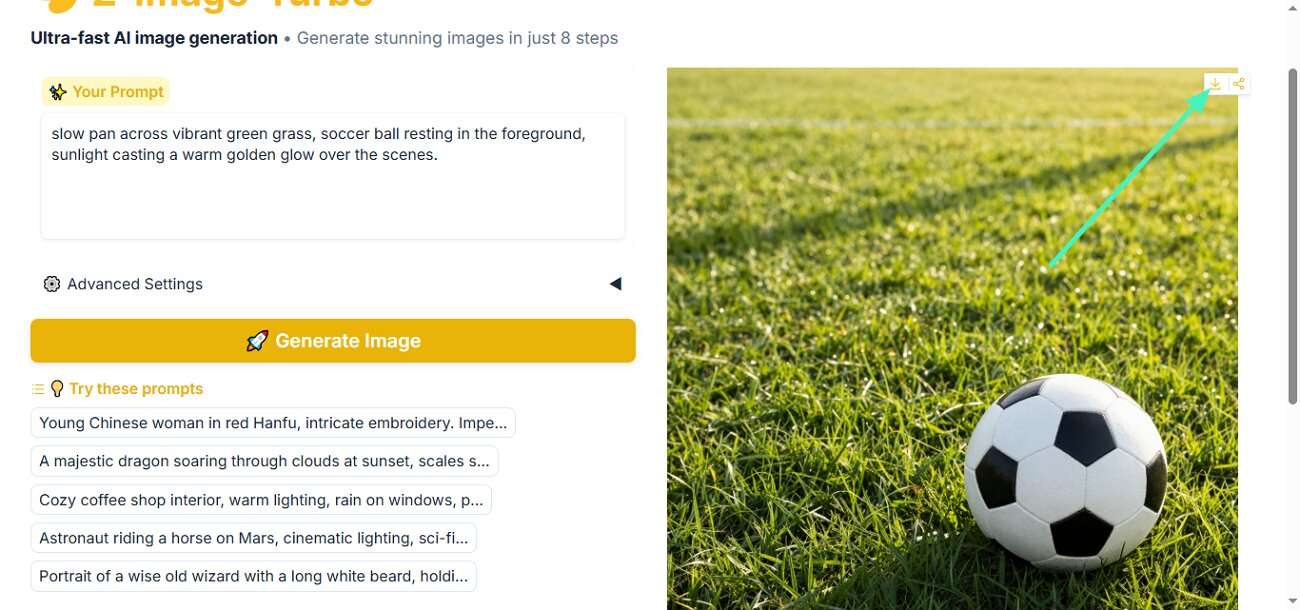
After preparing your prompt, copy it and paste it into a suitable AI model on Hugging Face. Execute the model to generate results based on your input.
Step 4. Enhance and Export with Filmora
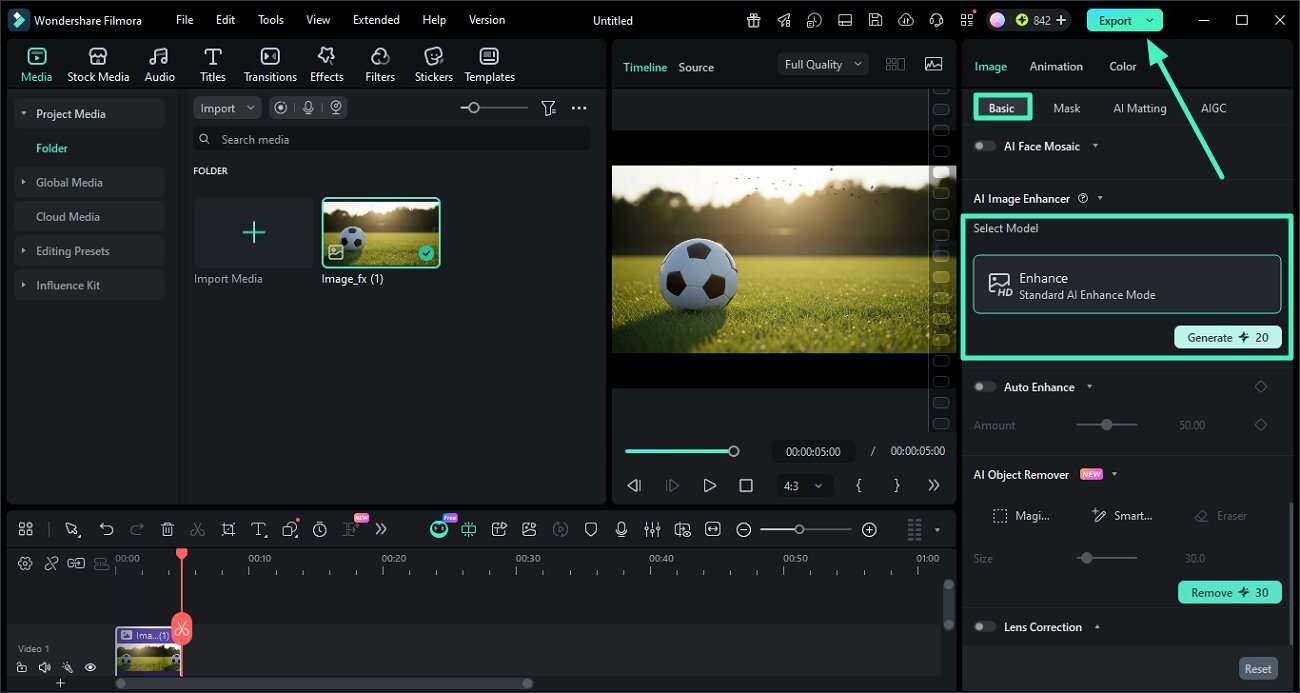
Bring the generated output into Wondershare Filmora for final editing. Apply the "AI Enhance" feature from the "Basic" panel to boost quality, then export the final file to your device.
Conclusion
All in all, this article provided a detailed guide on Hugging Face prompts and their types. It also explored formats, common mistakes, and practical ways to improve results using structured techniques. For an even smoother workflow, Filmora stands out with its Image-to-Prompt feature, helping creators turn visuals into accurate prompts effortlessly.
secure download Frequently Asked Questions
-
1. What are Hugging Face prompts used for?
Hugging Face prompts are used to guide AI models in generating text, images, or code. They help define the task, context, and output format to produce accurate and relevant results. -
2. How can I improve my prompt quality on Hugging Face?
Focus on clarity, structure, and adding context to your prompts. You can also use tools like Wondershare Filmora to generate detailed prompts from images, making the process easier and more accurate. -
3. What is the best prompt format to use?
There's no single best format; it depends on the task. Structured prompts work well for accuracy, while style-driven prompts are ideal for creative outputs. Testing different formats helps you find what works best. -
4. Can beginners create effective prompts easily?
Yes, beginners can start with simple instructions and refine them over time. Using tools like Filmora can simplify prompt creation by automatically generating detailed descriptions from images.
