100% Security Verified | No Subscription Required | No Malware


 ChatGPT
 Perplexity
 Gemini
 Claude
 Grok
Grok
Dogs already look expressive on their own. Add a googly eyes dog effect, and that chaos turns straight into comedy. The trend works because it exaggerates the dog's facial reactions and stays funny even on mute.
The dog with googly eyes trend started with a Snapchat filter. It's quick to apply, easy to share, and everyone loves it. But once you've tried it, the limits show up. You can't control timing, music, captions, or how long the joke lands.
To push the joke further, you can use a dog with googly eyes template in Wondershare Filmora for Mobile. It gives you more variations, better timing control, and room to build on the joke. Below, we'll show how to do that step by step.
In this article
Part 1. From Snapchat Filters to Full Edits: Why Creators Want More Control
For many people, the googly eyes Snapchat filter acts as the first step into the trend. You open the app, point the camera at your dog, and the joke lands right away. No setup, no planning, just instant chaos on screen.
That speed makes it fun for quick laughs, but the limits appear after a few tries. The googly eyes dog filter locks the animation in place, which means the joke always plays out the same way. You can't slow a reaction, extend a pause, or match a movement to music.
This is where many creators hit the same thought: the idea works, but the joke could go further. If this situation hits you, you can go beyond filters and into full video editing. Try Filmora Mobile and keep the dog with googly eyes joke while adding control over timing, sound, text, and cuts.
 Secure Download
Part 2. Make a Googly Eyes Dog Video in 3 Taps (No Manual Editing)
Create googly eyes for dog videos and make further edits without jumping between apps using Filmora for Mobile. Instead of applying a filter and stopping there, you generate the clip first and edit the video further.
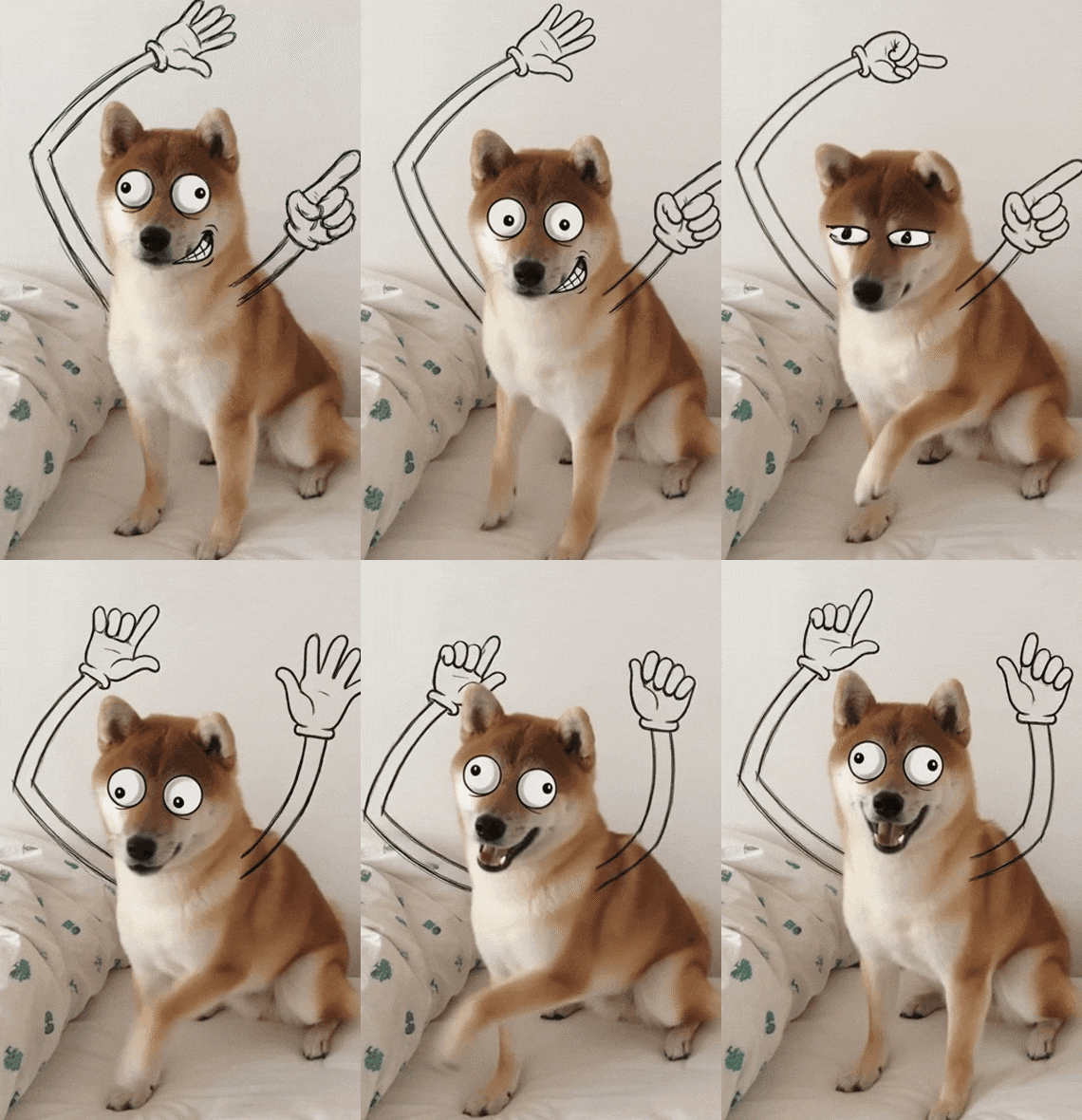
Follow the simple steps below to try the googly eyes filter in Filmora:
- Download Filmora on your phone; it's available on both the Google Play Store and Apple App Store.
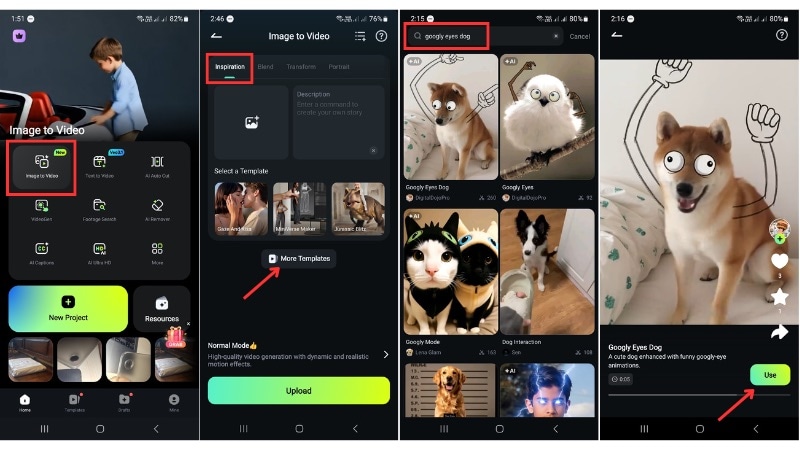
- Once installed, launch the app and go to the Image to Video feature from the home screen.
- In Inspiration mode, tap the More Templates button and search for “Googly eyes dog.”
- Select the template, and tap on the Use button.
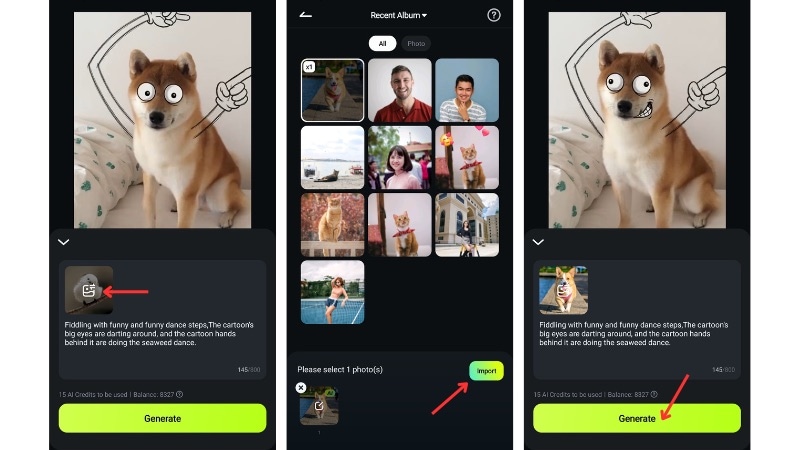
- Tap on the Image icon to select your dog's photo from your gallery.
- Select the photo where its face and eyes show well, and click Import to upload the photo.
- Next, tap Generate to start the process.
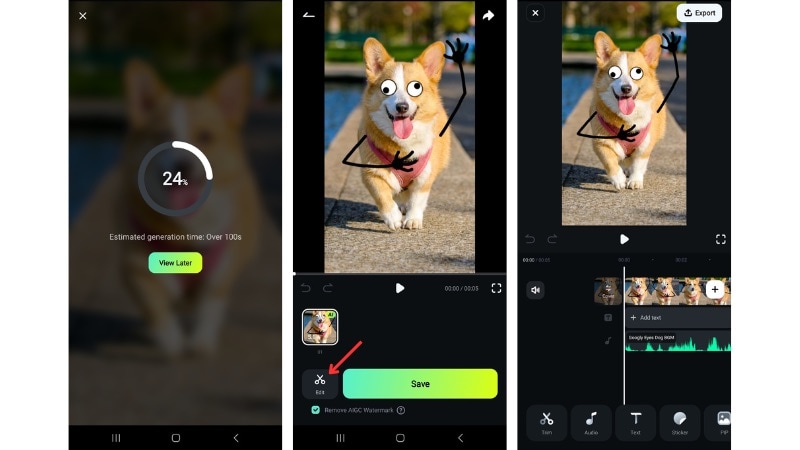
- When the AI generation is complete, you can preview the result. Click Save if you're satisfied with the googly eye dog video.
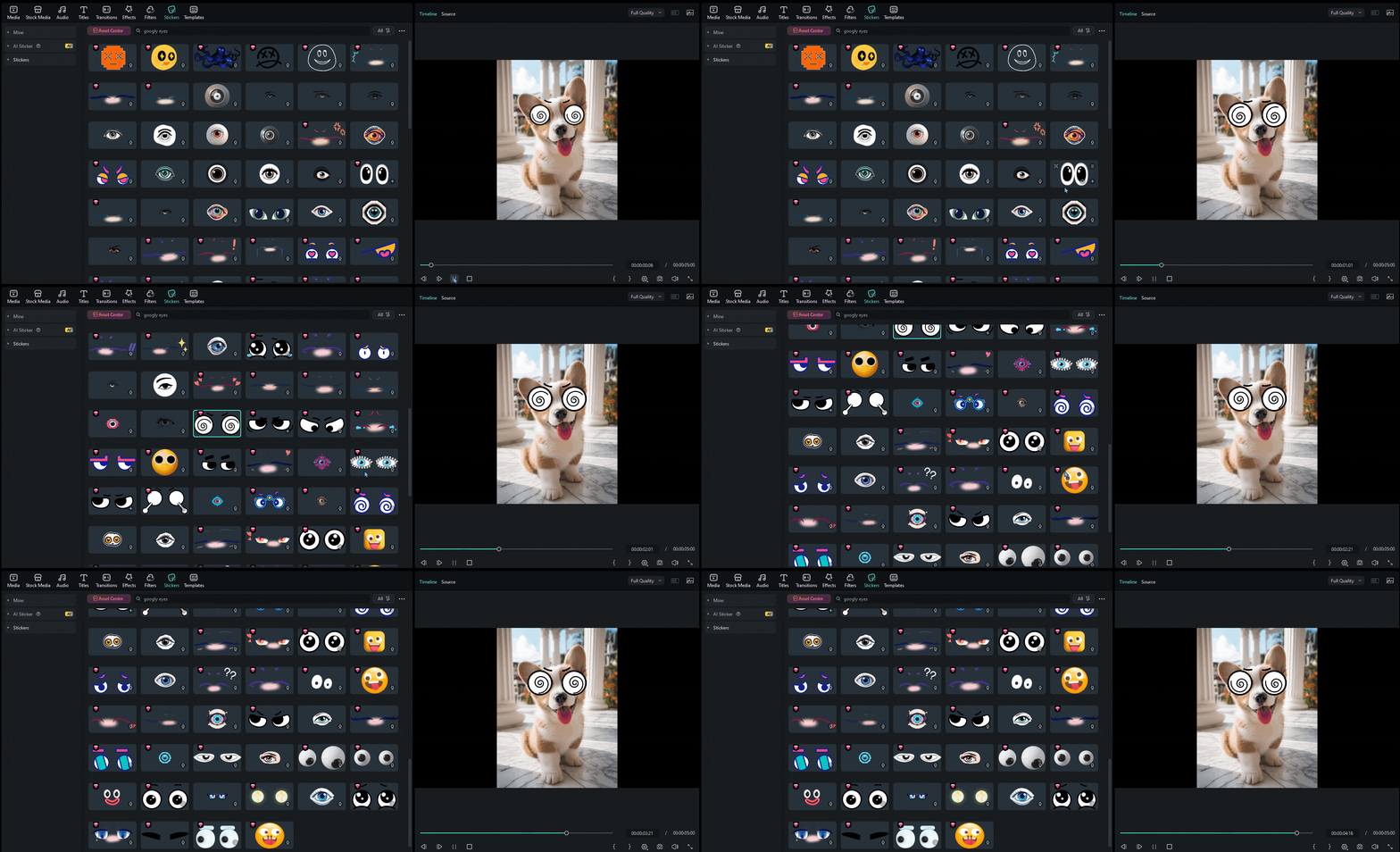
- But, if you want to edit further, click the Edit button to enter Filmora Mobile's timeline editing workspace.
 Secure Download
Part 3. Make It Funnier: Small Tweaks That Push the Video Further
A googly eyes dog clip already starts with a strong joke, but small tweaks decide how hard it hits. This is where Filmora Mobile helps you shape the moment instead of letting it rush past. You don't change the idea, you stretch the laugh.
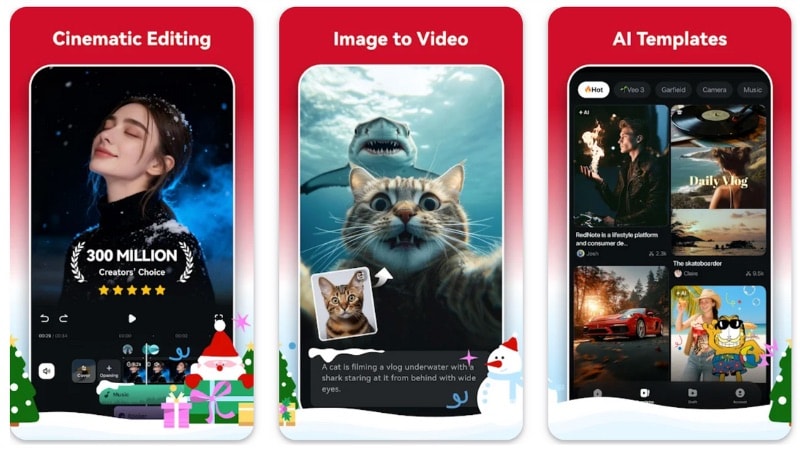
Once you enter Filmora Mobile's editing workspace, you can add more funny elements instead of letting the effect run on its own:
- Trim for impact: Cut the clip to the exact second where the head tilt or side-eye works best.
- Control pacing: Freeze, extend a pause, or slow down the pace so the googly eyes linger before the next move.
- Replace the background music: You can change the background music if you don't like the one AI generated.
- Match sound to motion: Drop a beat, bark, or sound effect right when the eyes wobble or snap back.
- Add short captions: Three to six words can add context or hint at the joke without dragging the clip.
This approach keeps the joke intact while giving you control over how long a stare lasts or when a beat hits. You decide where the laugh lands, not the filter.
Part 4. Other Dog Video Ideas to Try in Filmora Mobile
After trying a googly eyes template, there's plenty more to try in Filmora Mobile. It offers many AI pet templates that turn pet photos into short videos.
To find more templates, you can go to the Templates tab in Filmora Mobile's home screen. Find the Pet category, scroll through the options, and generate another clip in just a few taps.
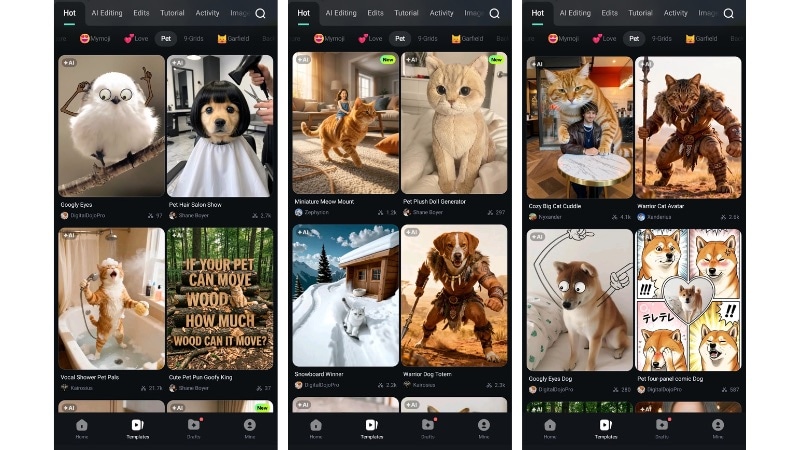
Here are a few pet video templates worth trying next:
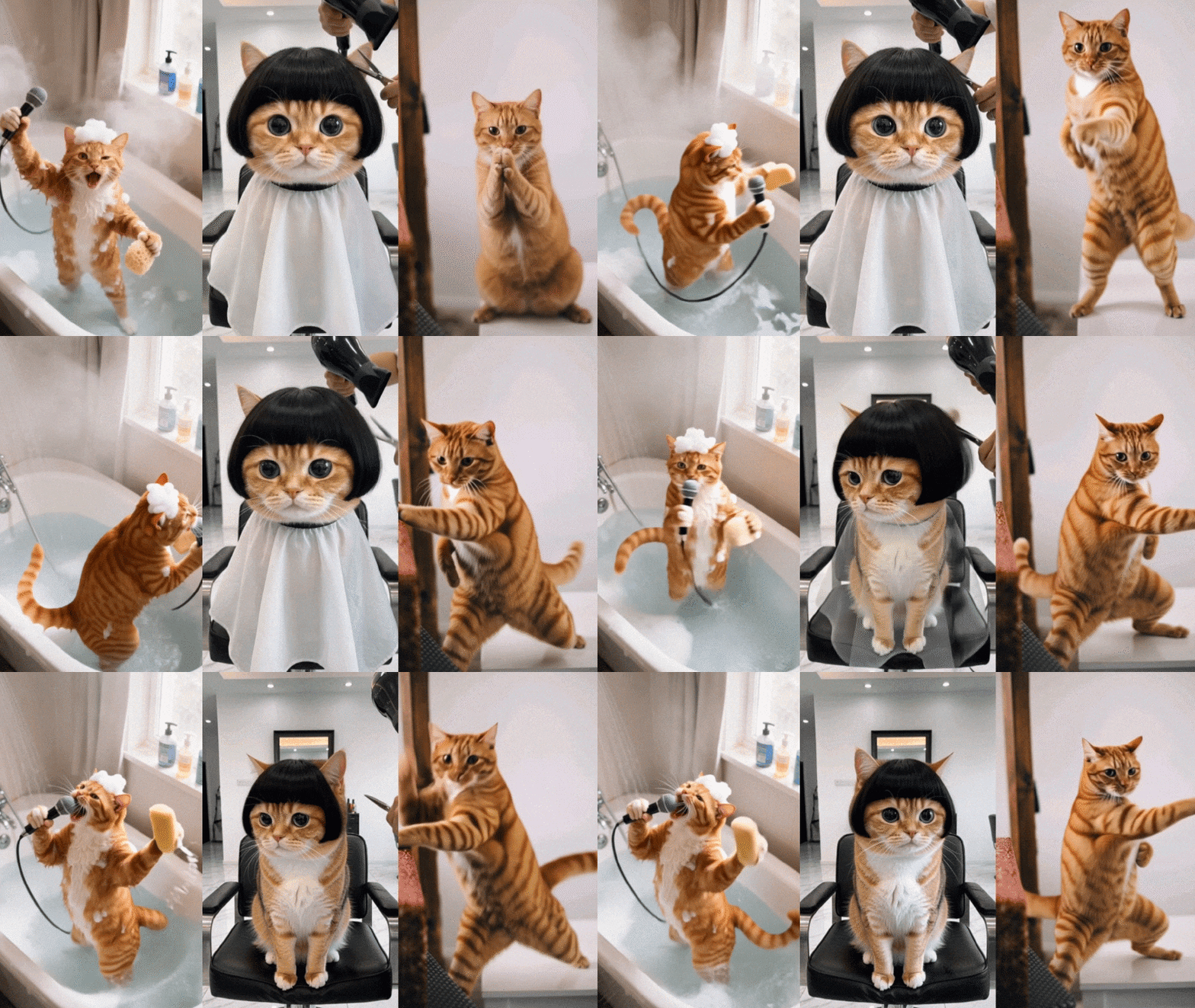
- Vocal Shower Pet Pals - Turns your pet's photo into a video where it appears to sing in a shower scene, with animated mouth movement and synced audio.
- Pet Hair Salon Show - Use this template to give your pet a playful makeover scene, complete with grooming motions and transformation.
- Pet Kung Fu - Transforms your pet photo into an action-style clip, making your dog look like it reacts to martial arts moves or training poses.
Conclusion
The googly eyes dog trend stays popular because the joke reads fast and doesn't need much setup. A small movement, a pause, or a look can carry the whole clip on its own.
With a bit of control, a dog with googly eyes video can hold that joke longer instead of rushing past it. Timing, sound, and pacing turn a quick gag into something people replay.
Using a googly eyes template in Filmora Mobile keeps the process easy while giving you room to adjust the result. Try a clip, make a few changes, and post the result to everyone!