


 100% Security Verified | No Subscription Required | No Malware


 ChatGPT
 Perplexity
 Gemini
 Claude
 Grok
Grok
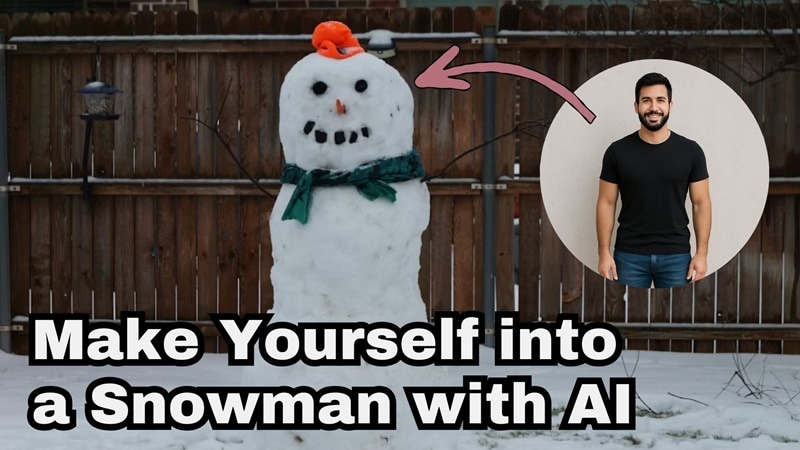
Every winter, there's always that one thing everyone can agree on: snowmen never go out of style. They're iconic, nostalgic, and somehow still adorable every single year.
And thanks to snowman AI tools, you can now make yourself into a snowman without rolling a single snowball. That said, most people still don't know where to start or which tool actually makes the transformation look good instead of… well, cursed.
That's why this guide breaks down how to snowman yourself the fun way using an AI video editor, so you get a winter-themed clip that looks clean, magical, and totally shareable.
In this article
Part 1. Meet Filmora: Your All-in-One AI Playground for Snowman Transformations
If you want to pull off a cute snowman AI transformation without messing around with complicated tools, you need an editor that actually makes the process easy. And honestly, Wondershare Filmora should be your number one because there's no better option if you want something fast, simple, and fun to use.
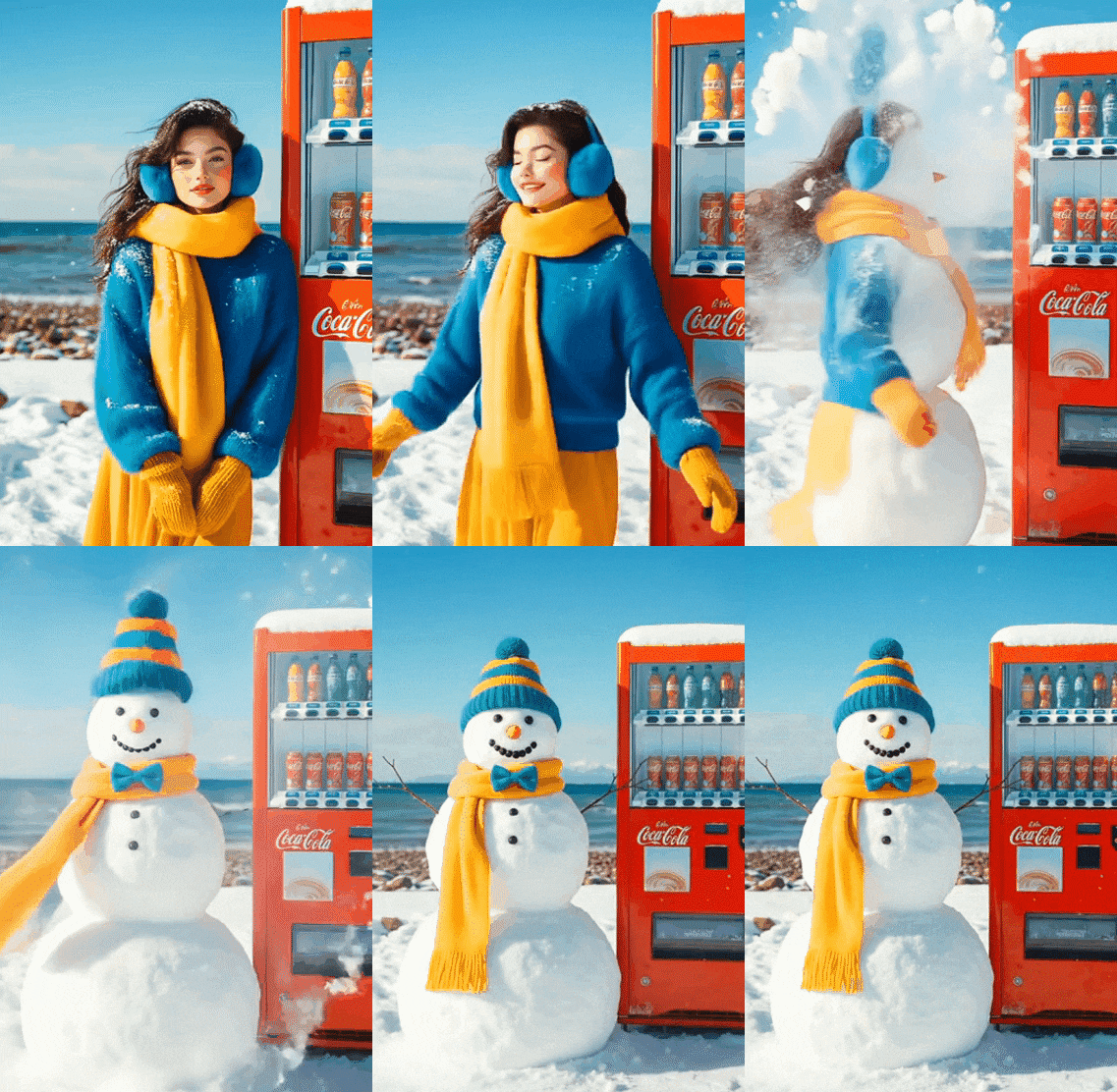
Inside Filmora, you get a bunch of AI tools to play with, but the most fun one for this trend is AI Image to Video. And if you are using Filmora Mobile, it gets even better because there are plenty of AI snowman templates ready to go. You just drop in your selfie and let the app turn you into a Frosty-style character in minutes.
 Secure Download
How to Snowman Yourself in Seconds Using Filmora
- Open the latest version of Filmora Mobile after installing it on your phone.
- Tap on "Templates" on the main screen.
- Use the search bar and type "Snowman" to browse all available options.
- Choose your preferred template, tap it, and select "Use".
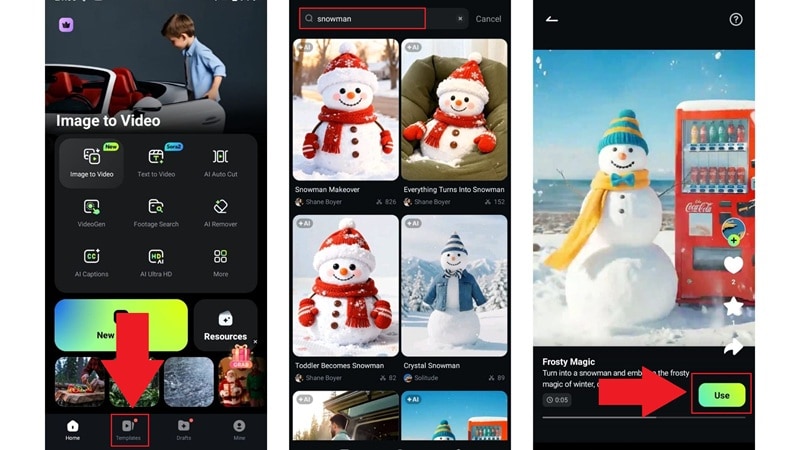
- Choose a photo from your library, then select "Import" to upload it.
- Tap "Generate" and wait for Filmora to create your Snowman look.
- Preview the result and select "Edit" if you want to adjust anything.

- Inside the Filmora timeline, add music, effects, filters, stickers, or anything else you like.
- Tap "Export" in the top right corner when done editing.
- Choose your resolution and fps, then export to save the video to your device.
- To share directly, tap your preferred social media icon.
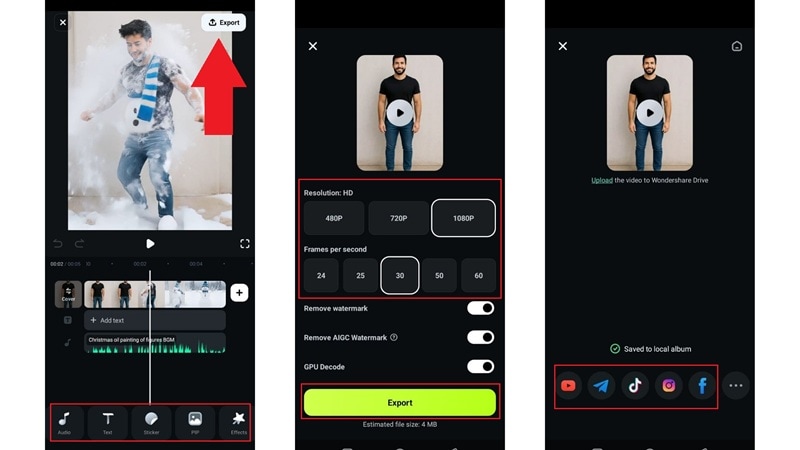
With just three easy steps, you've officially turned yourself into a snowman. Take a look at your frosty new self and enjoy the festive magic!
Why This Snowman Method Works So Well
When you look at how simple the whole process is, it's pretty clear why this should be your first choice for making yourself into a snowman. Everything just works together in a way that feels quick, fun, and honestly kind of addictive.
Here are the things that really make this method shine:
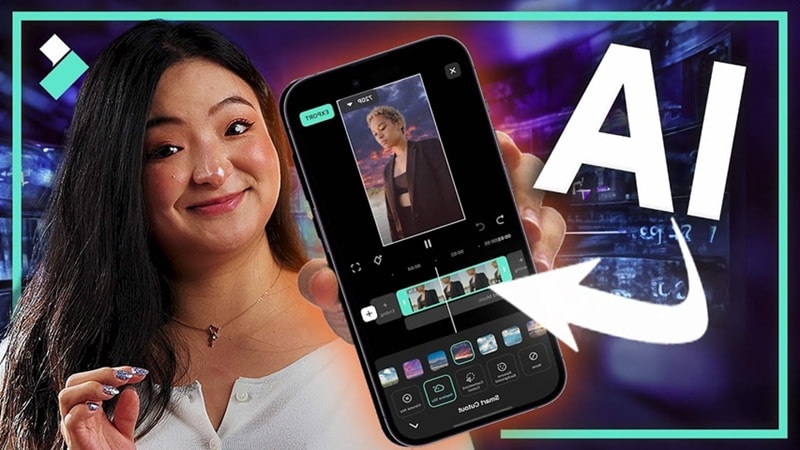
- Plenty of Styles: You get lots of snowman templates to choose from, so your look never feels limited.
- Fast Result: It only takes a few seconds to generate your snowman AI, so you are not stuck waiting.
- Easy Tweaks: You can make quick adjustments after it generates to match the vibe you want.
- Instant Sharing: You can post your snowman video straight to your social apps from Filmora Mobile.
Secure DownloadPart 2. Snowman Yourself With a Custom Prompt (For More Creative Control)
If the template method feels too simple and you want your snowman AI to have more personality, Filmora has another trick. The same AI Image-to-Video tool includes prompt-based generation, letting you describe the exact snowman vibe you want. Cute, weird, dramatic, cinematic, totally unhinged, anything goes here.
This method gives you way more freedom to shape the whole vibe, including details like:
- Style: cartoon, 3D, clay, realistic, kawaii, watercolor.
- Background: blizzard, cozy cabin, snowy town square.
- Genre: funny, cinematic, magical.
- Mood: soft, festive, dramatic, dreamy.
If you are curious to try it, the guide below shows how simple it is to create your own custom snowman AI look.
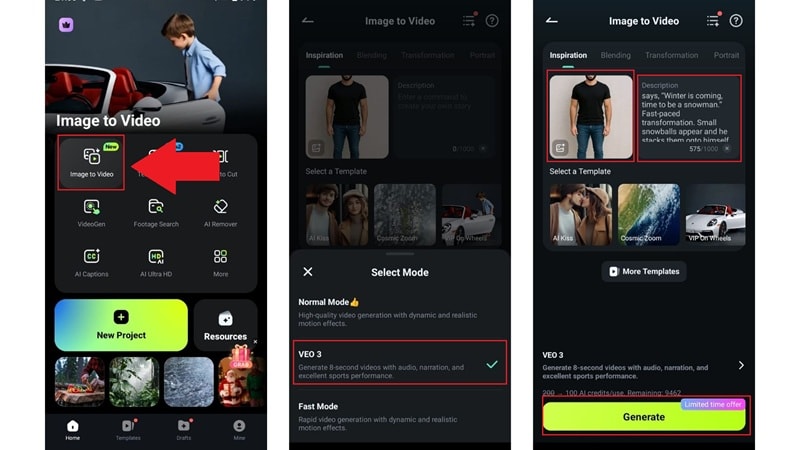
- Select "Image to Video" from the Filmora main menu.
- On the feature page, change the mode to "Veo 3" for best quality.
- Upload your picture and write your prompt in the description box, making sure your details are clear.
- Tap "Generate" and wait a few seconds for the snowman AI to load.
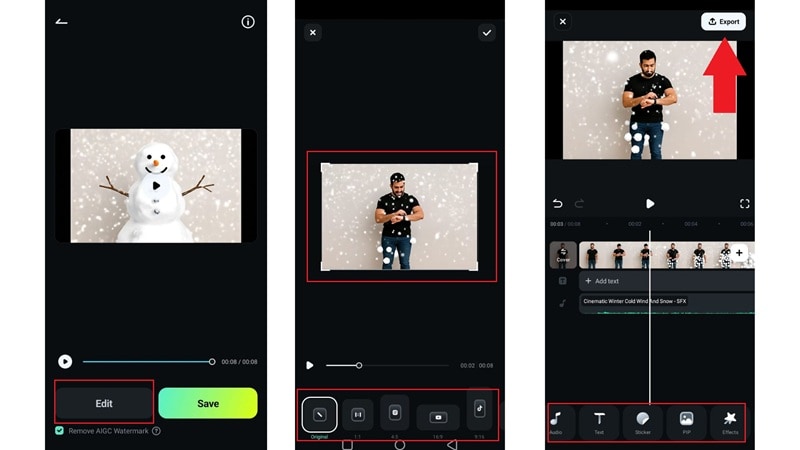
And that is all you need to do. This method is just as easy as the first one, but now you have way more room to play and make your snowman look completely your own. Take a look at your creation now!
Part 3. Fun Snowman Ideas and Prompts to Bring Your Imagination to Life
If you want to make yourself into a snowman using the prompt method, you are no longer stuck with a simple snowman look because you can shape the whole scene however you want. The limit is pretty much your imagination.
To get your ideas flowing, here are some fun snowman transformations you can play with along with creative prompts that make them happen:
Idea 1: The Snowman Dance Break
Prompt to use: "A cheerful snowman made from my selfie breaking into a fun winter dance under glowing lanterns, soft snowflakes drifting through the night, cozy colors, smooth and playful animation."
Idea 2: Blizzard Hero Snowman
Prompt to use: "Turn this photo into a bold snowman standing strong in a roaring blizzard, swirling snow, icy dramatic lighting, powerful winter mood."
Idea 3: Snowman Ski Adventure
Prompt to use: "Take this picture and turn it into a snowman speeding down a snowy mountain slope with motion blur, bright winter sky, energetic and fun cartoon style."
Idea 4: Snowman Musician in the Snow
Prompt to use: "Craft this image into a musical snowman playing a guitar in a snowy park with falling snow, warm orange lights behind the trees, soft dreamy glow, gentle animated movement."
Idea 5: Snowman Reading by the Fireplace
Prompt to use: "Evolve this selfie into a snowman relaxing by a fireplace with a glowing book, soft firelight, warm shadows, peaceful winter storybook style."
You May Also Like
How to Add Snow Effect to Your Videos for a Magical Winter Look
AI Snow Trend: How to Add Snow Filters to Photos and Videos
Conclusion
Making yourself into a snowman is honestly one of the most fun things you can do during the winter season. That is why we put together this guide to help you create snowman AI from your own photo using Wondershare Filmora.
The AI image to video feature gives you a bunch of snowman templates to try, so you can pick the look that feels right for your winter vibe. If you want something more personal, the prompt option lets you build your snowman transformation in any style you want and go as wild as your imagination allows. Filmora keeps everything simple and enjoyable, giving you an easy way to bring your snowy ideas to life.

