

 100% Security Verified | No Subscription Required | No Malware


 ChatGPT
 Perplexity
 Gemini
 Claude
 Grok
Grok
This preset pack, Aesthetic Couple Video Filters: Soft Dreamy Pastels, is designed for aesthetic creators and lifestyle editors who want every cute date and soft relationship moment to feel like a scene from a dreamy indie film.
Below you will find 12 handpicked aesthetic couple video filters organized by vibe, so you can quickly match the perfect pastel glow or soft moody tone to your romantic clips without overthinking the color work.
In this article
Soft Pastel Glow Aesthetic Filters
Blush Morning Pastel
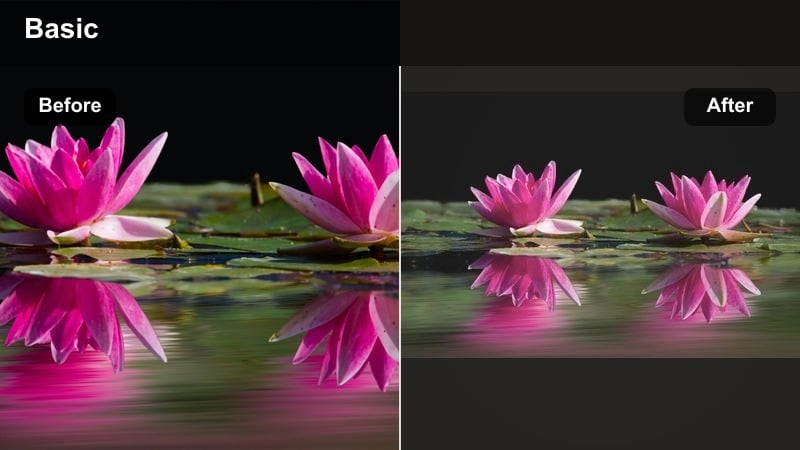
- Effect look: Gentle blush tint with low contrast and a hazy softness that makes skin look angelic and light filled.
- Best for: Slow brunch dates by the window, soft couple vlogs, and handheld clips of coffee, flowers, and intertwined hands.
- Editing tip: Lower the sharpness slightly and add a subtle vignette to keep attention on faces and small romantic details in the frame.
A warm blush pastel filter that wraps couple shots in a soft, dreamy morning glow. Blush Morning Pastel is ideal when you want a delicate romantic tint without doing complex color grading, giving your footage that airy lifestyle aesthetic straight out of Filmora.
Use this look on softly lit indoor scenes, window light moments, or any clip where skin and small gestures are the focus. In Filmora, combine it with gentle vignettes, reduced sharpness, and slow cross dissolve transitions to create a cohesive, dreamy romance effect across your entire sequence.
Pro tip: Match the blush tones to skin for a natural pastel feel. If the blush feels too strong on warmer skin tones, gently lower saturation in the reds and oranges until cheeks look naturally flushed, not overly tinted. Pair this filter with slower cuts and cross dissolve transitions so the dreamy romance effect feels fluid instead of rushed.
Use Filmora AI to Match Your Couple Aesthetic
Filmora s AI tools help you quickly balance exposure, color, and contrast so your aesthetic couple filter choices stay consistent across an entire vlog or reel. Instead of correcting every clip manually, you can let AI establish a clean base, then layer your favorite dreamy pastels or moody tones on top.
Once you apply your favorite dreamy romance effect, save the look as a preset and reuse it on new clips so every cute date and soft relationship edit fits the same visual story. This keeps your TikTok, Reels, and YouTube aesthetics aligned without extra work each time you edit.
 secure download

Preview the Aesthetic Couple Filters in Action
Test each filter on a short 10 to 15 second clip that includes faces, background detail, and at least one light source so you can see how the tones really behave. This helps you quickly decide whether a soft pastel, warm amber, or moody indigo look best fits your couple story.
Compare before and after versions side by side in Filmora s preview so you know whether the filter enhances emotion, softens flaws, and fits your music choice. When you find the right match, apply it across selected clips or the whole timeline for a unified aesthetic.
secure downloadSave and Share Your Couple Filter Looks
After you dial in exposure, color, and grain with these filters, save the result as a custom preset or export a LUT so you can reuse it on future couple projects. This is the fastest way to keep your romantic edits visually consistent across multiple date nights and trips.
Sharing your aesthetic couple filter looks across devices keeps TikTok, Reels, and YouTube Shorts aligned under one recognizable romance aesthetic. Whenever you start a new project, you can instantly apply your saved look and focus on storytelling instead of rebuilding the grade from scratch.
secure downloadCotton Candy Date
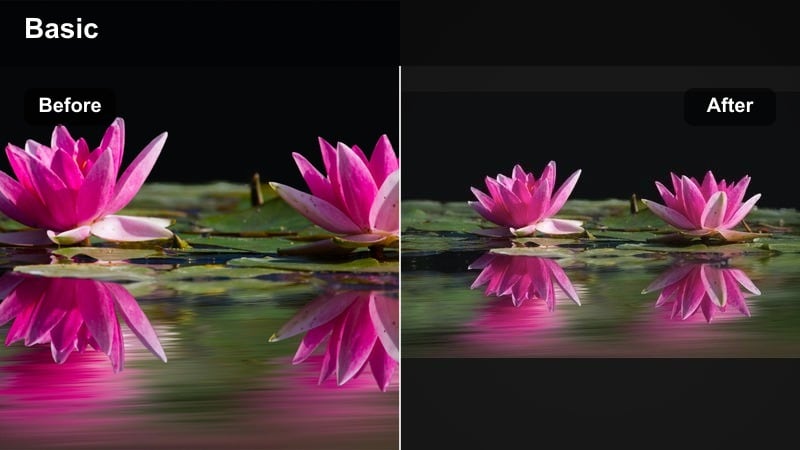
- Effect look: Light pink and baby blue pastels with lifted shadows and a slightly faded, cotton candy film look.
- Best for: Carnival dates, amusement park clips, or playful couple montages with neon signs and colorful backgrounds.
- Editing tip: Use slightly slower playback speed, like 0.9x, on close up shots so the floating pastels feel dreamy instead of chaotic.
Cotton Candy Date turns bright, colorful scenes into candy toned memories with a soft, nostalgic twist. The lifted shadows and pastel highlights give your couple footage a dreamy, almost animated energy that still feels cinematic.
Apply this filter in Filmora to clips packed with color, like funfair rides, murals, or arcade signs, and slightly slow the motion so details do not blur into chaos. This creates a soft, romantic fantasy vibe that is perfect for playful couple edits and Reels.
Pro tip: Highlight pastel props and backgrounds. Film near colorful rides, murals, or cotton candy stands so this filter has rich pastel surfaces to work with. Avoid very dark outfits or dim indoor spaces, which can fight against the soft date video tones and wash out the aesthetic.
Vanilla Sky Hues
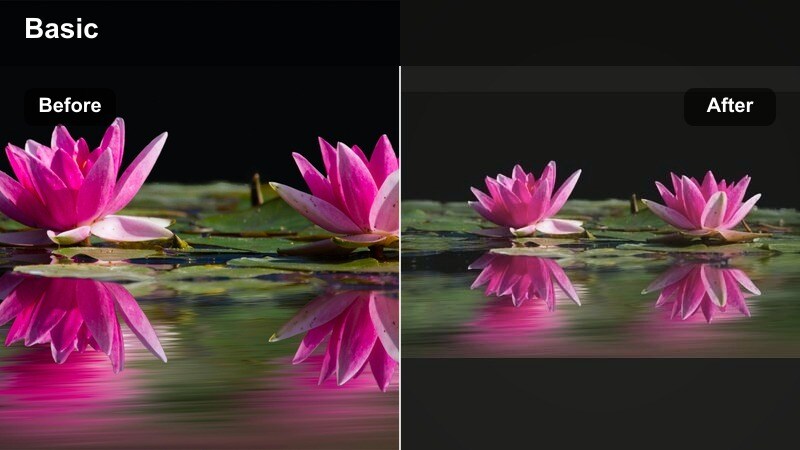
- Effect look: Soft cream and pale blue wash with mild grain that mimics a gentle film scan on bright, airy scenes.
- Best for: Golden hour walks, rooftop sunsets, and couple clips shot against open skies or bright windows.
- Editing tip: Slightly overexpose your footage in camera, then apply the filter so the highlights feel glowy but not clipped.
Vanilla Sky Hues is made for airy, sky heavy compositions where you want the environment to echo your couple s mood. The pale blues and cream tones give your footage a calm, cinematic sheen with subtle film grain for texture.
Use it in Filmora on wide shots that include lots of sky or bright backdrops, then mix in closer moments to keep the emotional focus on your couple. Light overexposure combined with this filter produces a glowing, romantic halo without losing important details.
Pro tip: Use negative space for cinematic romance. Frame your couple smaller in wide shots with lots of sky so the pastel tones create an emotional sense of distance and intimacy. Alternate those wides with tighter shots on hands and profiles to keep the dreamy romance effect grounded in real details.
Dreamy Romance and Soft Focus Filters
Whisper Soft Focus
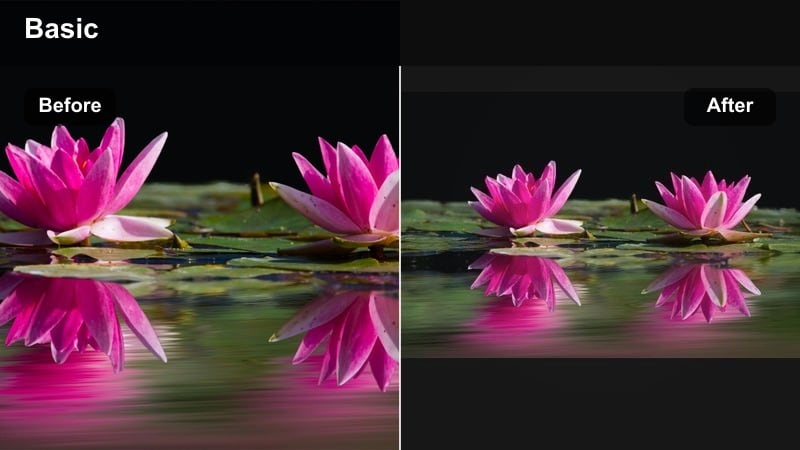
- Effect look: Delicate bloom on highlights with a gentle soft focus that smooths skin and blurs harsh edges.
- Best for: Close up cuddles on the couch, slow dancing in dim rooms, and soft spoken couple confession videos.
- Editing tip: Keep camera movement slow and intentional so the soft focus effect feels romantic instead of accidental or out of focus.
Whisper Soft Focus gives your close ups a hazy, cinematic softness that flatters skin and hides small imperfections. It is perfect when you want your couple s expressions and emotions to feel like still frames from a romantic film.
Inside Filmora, combine this filter with slow, gentle keyframed zooms and minimal transitions. This makes the soft focus feel deliberate and artistic, rather than like a camera mistake, and keeps the viewer immersed in the intimacy of the moment.
Pro tip: Let light sources melt into glow. Include fairy lights, candles, or phone screens in the frame so the highlights can bloom and add dimension to the softness. If the image starts to feel too hazy, lightly bump local contrast on faces only using mask tools inside Filmora.
Daydream Overlay
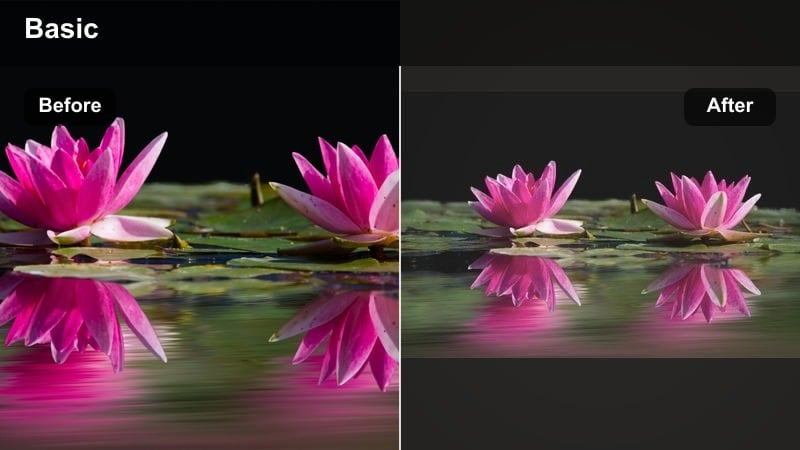
- Effect look: Light misty veil across the frame with slightly lifted blacks and pastel tinted midtones.
- Best for: Flashback style couple edits, relationship recaps, and soft montage videos set to nostalgic music.
- Editing tip: Cut on music beats and use gentle zoom in keyframes so each shot feels like a memory gently resurfacing.
Daydream Overlay makes your clips feel like floating memories, with soft haze and gentle color shifts that suggest time passing. It works especially well when you are building highlight reels or flashbacks across different years and locations.
Apply it in Filmora to mixed footage from phones and cameras to smooth out differences in sharpness and color. Pair the look with beat matched cuts and slow zooms so every clip feels like a memory you are slowly revisiting.
Pro tip: Use text overlays like diary entries. Add minimal text in a handwritten style font describing dates, locations, or inside jokes to match the dreamy overlay. Keep text lower in opacity so it blends into the soft date video tones instead of overpowering the visuals.
Pearl Lens Haze
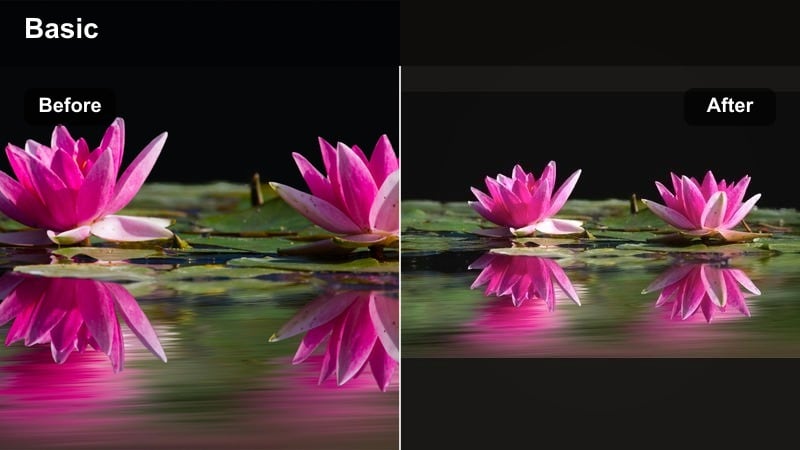
- Effect look: Milky highlights with subtle warm undertones and a pearl like glow on bright areas of the frame.
- Best for: Bedroom or indoor morning scenes, getting ready together, and clips with lots of white or cream decor.
- Editing tip: Reduce clarity a touch and bump warm temperature slightly so skin looks luminous without turning orange.
Pearl Lens Haze adds a luxurious glow to everyday routines, turning simple getting ready clips into magazine style lifestyle moments. The milky highlights and warm undertones are flattering for skin and soft fabrics alike.
In Filmora, use this filter on shots with white bedding, curtains, or light toned interiors so the glow can bounce across the frame. Dial back clarity and carefully warm the temperature to keep the look luminous yet natural.
Pro tip: Lean into neutrals and soft textures. Style your scene with white bedding, beige knits, and light curtains so the filter has reflective surfaces for the pearl glow. Avoid strong saturated colors in the background so the focus stays on skin, fabric texture, and tiny relationship gestures.
Warm Date Night and Cozy Couple Filters
Candlelit Cozy
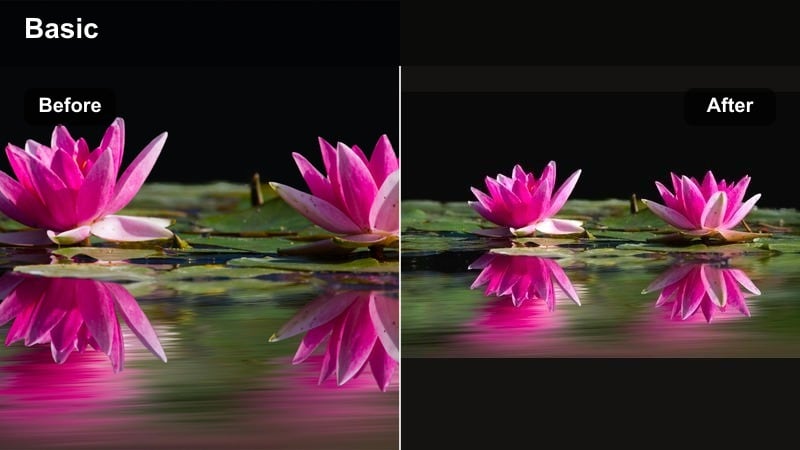
- Effect look: Rich amber glow with deepened shadows and soft contrast that mimics candle or string light warmth.
- Best for: Dinner dates, movie nights on the couch, and low light clips where warmth matters more than detail.
- Editing tip: Expose a little brighter than usual in camera, then apply this filter and pull back highlights to keep detail in faces.
Candlelit Cozy is designed for dimly lit, intimate evenings where you want warmth to dominate the frame. It deepens shadows while wrapping faces in amber light, giving low light footage a romantic, intentional look.
Use it in Filmora on restaurant dates, home movie nights, or any clip lit by candles or string lights. Keep your exposures slightly bright during filming, then add this filter and refine highlights so expressions still read clearly.
Pro tip: Let darkness frame your couple. Do not try to brighten the entire frame evenly, instead let the background fall into shadow so the warm light hugs your couple. Combine this filter with slow push in shots to make the scene feel like a private, shared moment rather than a staged setup.
Honey Date Film
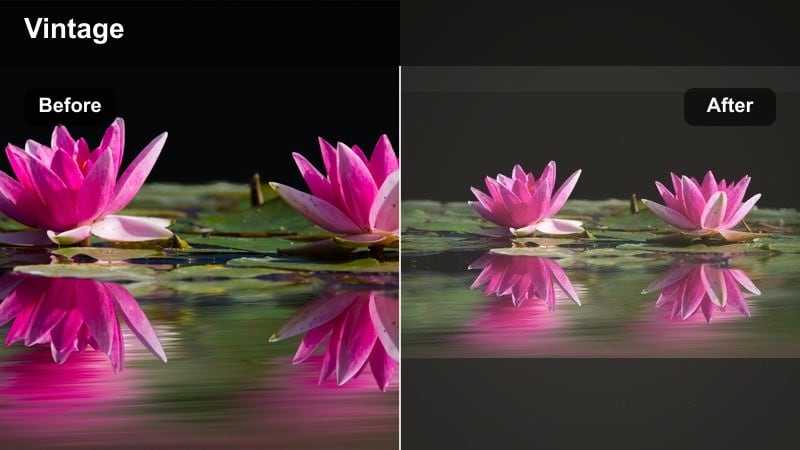
- Effect look: Soft honey tint with gentle film grain and slightly muted primaries for a retro cozy aesthetic.
- Best for: Cafe dates, bookstore hangs, and lifestyle vlogs centered on small, warm rituals together.
- Editing tip: Keep saturation modest so the honey tint feels cinematic instead of looking like a heavy filter over reality.
Honey Date Film gives your cozy rituals a warm, retro finish with subtle grain and muted colors. The honey cast feels nostalgic, like a remembered afternoon rather than a raw recording.
Apply it in Filmora to indoor scenes with warm lights, wooden decor, or coffee tones. Combine it with light film grain overlays and gentle background ambience to sell the analog romance feeling without overwhelming the story.
Pro tip: Use layered sound to sell the nostalgia. Mix soft ambience sounds like pages turning or cups clinking under your music so the warm visuals feel grounded. Add a faint film grain or dust overlay in Filmora to reinforce the analog romance aesthetic.
Amber Night Street
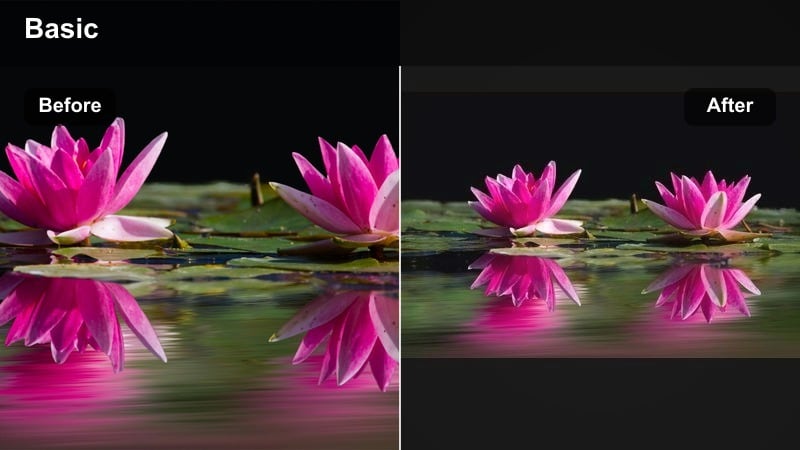
- Effect look: Deep amber highlights with cooler shadows and gentle fade that brings out street lights and car reflections.
- Best for: Night walks, city dates, and rainy window clips where street lights catch on faces and wet surfaces.
- Editing tip: Stabilize handheld clips slightly so light streaks feel romantic and cinematic instead of messy and chaotic.
Amber Night Street transforms city light into glowing romantic accents, great for urban date montages and late night walks. The warm highlights and cooler shadows add depth and style without crushing detail.
In Filmora, apply this filter to footage shot around neon signs, car headlights, or reflective streets after rain. Use built in stabilization and slow motion carefully to make light trails smooth and intentional.
Pro tip: Play with reflections and silhouettes. Film your couple reflected in shop windows, puddles, or car mirrors so the amber lights multiply across the frame. Alternate between backlit silhouettes and close ups to show both the city mood and the relationship details.
Moody and Muted Aesthetic Couple Filters
Misty Movie Tones
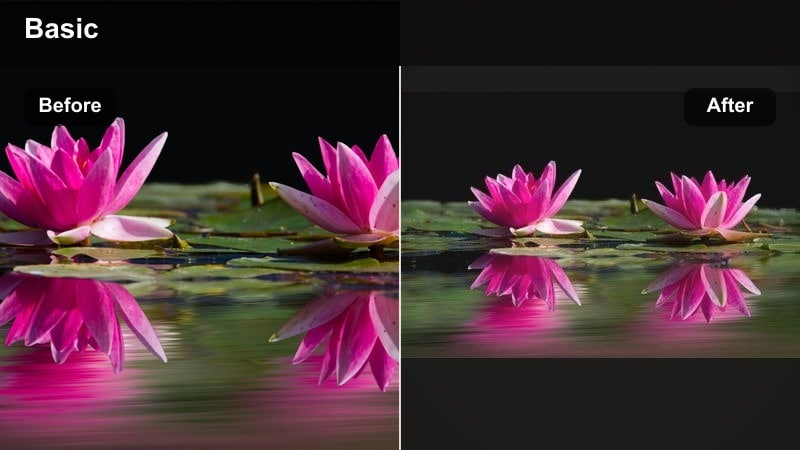
- Effect look: Muted color palette with cool leaning shadows, soft grain, and a gentle cinematic fade in blacks.
- Best for: Moody couple edits, rainy day vlogs, and quiet car rides where the vibe is introspective but loving.
- Editing tip: Cut out any overly saturated shots that break the cool muted palette so your sequence feels like one emotional storyline.
Misty Movie Tones is ideal when you want a moodier atmosphere without making your footage feel harsh or overly dramatic. Cool shadows and soft grain give your couple clips that understated film look associated with indie dramas.
Use it in Filmora on overcast days, car rides, or quiet indoor moments, and keep bright, saturated inserts to a minimum. This helps the color story stay cohesive, so the viewer focuses on body language and expressions.
Pro tip: Lean into natural overcast light. Shoot on cloudy days or near windows without direct sun so the misty toning has an even canvas to work with. Layer in subtle ambient rain or city sounds to amplify the moody couple video filters aesthetic without making it sad.
Faded Polaroid Love
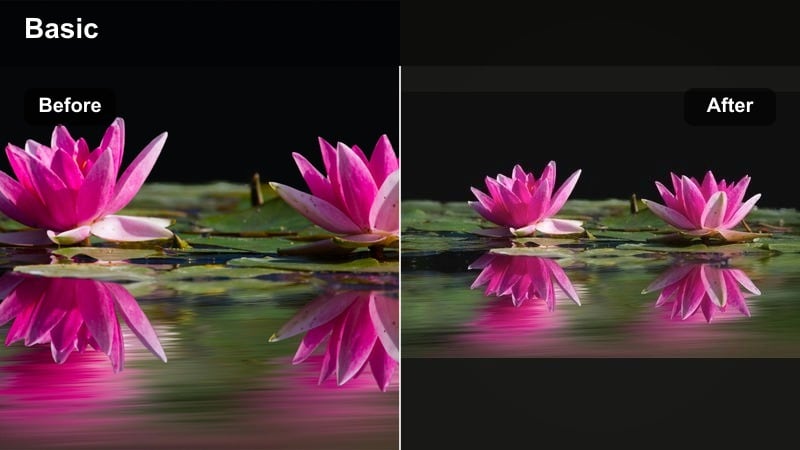
- Effect look: Desaturated midtones with a slight warm tint, soft vignette, and gentle fade reminiscent of old instant film.
- Best for: Relationship timelines, long term couple edits, and story driven reels about how you met.
- Editing tip: Use jump cuts between different years or locations and anchor them with a recurring shot to emphasize growth over time.
Faded Polaroid Love makes your story driven couple edits feel timeless, like flipping through a stack of old instant photos. The gentle fade and vignette subtly frame your subjects while the warm tint keeps everything sentimental.
Apply this look in Filmora across clips from different eras and cameras to visually tie them together. Combine jump cuts, date captions, and recurring visual motifs to show how your relationship has evolved.
Pro tip: Integrate real photos into the edit. Film your couple flipping through photo albums or pinning Polaroids so the filter connects physical memories and digital footage. Add soft date captions or meaningful dates in a typewriter font to strengthen the nostalgic feeling.
Smoky Indigo Mood
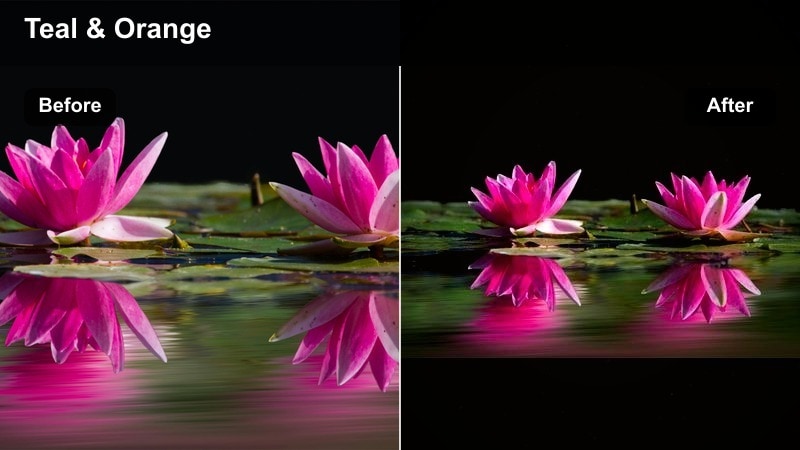
- Effect look: Deep indigo shadows with cooled highlights and a subtle cinematic teal shift that keeps skin still natural.
- Best for: Late night room clips, moody silhouette shots, and dramatic couple edits with emotional music.
- Editing tip: Use more negative space in framing and longer shot durations so the moody tones feel intentional and story driven.
Smoky Indigo Mood pushes your color palette into stylish blues and teals, perfect for emotional, music driven edits. The deep shadows and cool highlights give your couple footage a polished music video edge while keeping skin tones believable.
Use it in Filmora on late night interiors, silhouette shots, or scenes lit by a single lamp or window. Longer cuts, slow camera moves, and soft transitions will make the color grading feel like part of the storytelling, not just an effect.
Pro tip: Balance darkness with highlight focus. Keep at least one highlight source like a lamp, window, or screen in frame so the indigo shadows have contrast and shape. Use slow zooms and crossfades instead of hard cuts to keep the smoky mood flowing smoothly between shots.
Tips for Using Couple Aesthetic Tone Filters in Filmora
- Shoot in soft natural light whenever possible so pastel and dreamy romance filters glide over the footage instead of fighting harsh shadows.
- Plan outfits and props in muted or complementary colors so your aesthetic couple filter does not have to work against clashing tones.
- Keep your color palette consistent across an entire edit by avoiding random saturated clips that break the mood.
- Use subtle motion effects like slow zooms or gentle pans to enhance the dreamy feeling without distracting from the couple.
- Export a short test montage with music before committing so you can see how the filters interact with pacing and sound.
- Experiment with combining filters and manual color tools in Filmora to refine the exact couple aesthetic that matches your brand.
- Save your favorite filter and adjustment combos as presets so future date edits stay visually consistent with minimal effort.
- Check how your graded clips look on both phone and desktop screens to be sure your soft tones and shadows translate well everywhere.
Aesthetic couple video filters make it easy to turn everyday moments into soft, cinematic memories, especially when you lean into dreamy pastels and gentle moody tones that match your story.
Experiment with a few of these looks inside Filmora, save your favorite presets, and build a signature couple aesthetic that followers recognize the moment your video appears on their feed.
secure downloadNext: Explore Moody Couple Video Filters for Deeper Emotional Edits
