

 100% Security Verified | No Subscription Required | No Malware


 ChatGPT
 Perplexity
 Gemini
 Claude
 Grok
Grok
Aesthetic family video filters are an easy way to turn everyday home clips into soft, dreamy memories that feel curated and cinematic. With the right tones, blur, and light, your family moments can look like they came straight from a lifestyle film or moodboard.
Below you will find 12 Filmora filter ideas designed for aesthetic creators and lifestyle editors who love cozy home videos and family memory edits, all inspired by soft dreamy pastels and a gentle, nostalgic glow.
In this article
Soft Pastel Warmth for Cozy Home Videos
Blush Haze Pastel
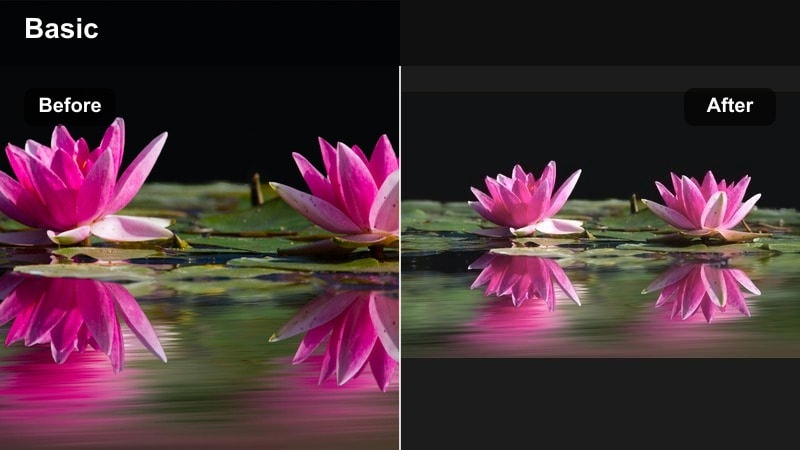
- Effect look: Soft pink veil with low contrast and slightly muted saturation for skin-friendly glow.
- Best for: Cozy living room hangouts, kids playing on the floor, candid weekend mornings.
- Editing tip: Lower clarity slightly and add a gentle vignette to pull focus toward faces and hands.
This gentle blush filter wraps family scenes in soft pink warmth without overpowering natural tones. In Filmora, it is perfect for clips where everyone is gathered in the living room, creating a unified pastel mood that smooths out clutter and busy backgrounds.
Apply Blush Haze Pastel on an adjustment layer over your cozy home videos and fine-tune contrast so that faces stay luminous but never washed out. Use the vignette controls to subtly darken the corners, guiding the eye toward hugs, hand-holding, and playful expressions at the center of the frame.
Pro tip: Soften harsh light with pastel haze
If your footage was shot in harsh midday sun, combine this filter with Filmora s color temperature slider and pull slightly toward warm to even out patches of bright light on skin.
Keep saturation gently reduced so toys, blankets, and decor feel cohesive rather than visually noisy in the frame.
Use Filmora AI Tools to Find Your Family Pastel Palette
Filmora s AI-driven color tools can quickly analyze your footage and suggest balance adjustments before you apply aesthetic family video filters. This helps your soft memory effects and dreamy home video tones sit naturally on top of real-life colors.
Experiment with AI-based color matching between different clips shot in mixed lighting, then save the result as a reusable preset so your family videos feel cohesive from scene to scene.
 secure download

See Aesthetic Family Filters in Action
Load a short sequence of cozy home videos or family memory edits into Filmora and test these filters on a duplicate track so your original footage stays untouched. Toggle visibility on and off to compare before-and-after results in real time.
Pay attention to skin tones, wall colors, and small details like toys and blankets as you preview each look. This will help you decide which aesthetic family filter best matches your brand, feed, or storytelling style.
secure downloadTurn Your Favorite Filter Looks into Reusable Presets
Once you dial in a mix of color, blur, and glow that feels right for your family aesthetic, save it as a custom preset in Filmora. This lets you apply the same dreamy home video tones to every new project with a single click.
You can even build variations, like a softer version for indoor scenes and a brighter one for outdoor playtime, so your aesthetic family video filters adapt to different lighting while remaining instantly recognizable.
secure downloadButtercream Glow
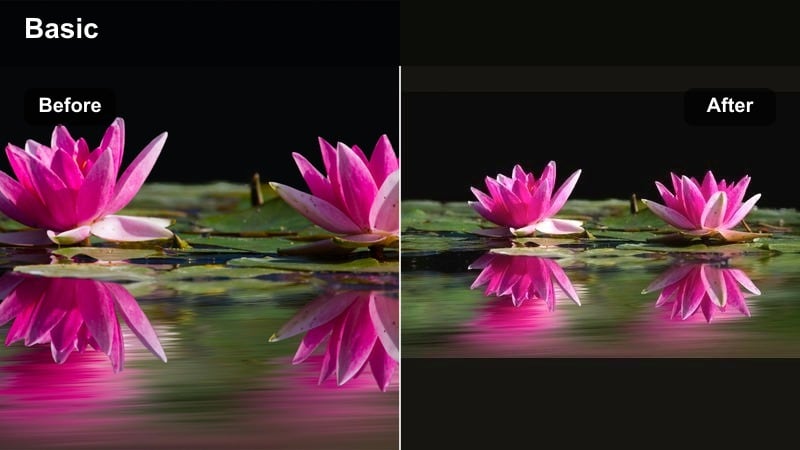
- Effect look: Creamy highlights, lifted shadows, and a soft yellow tint that mimics golden indoor lamplight.
- Best for: Kitchen baking sessions, bedtime routines, and warm evening family gatherings.
- Editing tip: Lift blacks slightly to avoid harsh contrast and pair with subtle film grain for an analog home-movie feel.
Buttercream Glow creates buttery soft highlights and cozy yellow warmth that makes any home space feel instantly inviting. In Filmora, it works especially well on kitchen counters, dining tables, and bedtime stories where you want lamps and string lights to feel magical instead of harsh.
Apply this filter, then carefully raise the black level so shadows stay gentle and never crush into deep black. Add a light film grain effect on an adjustment layer for that nostalgic, analog home-movie texture that flatters both faces and warm-toned interiors.
Pro tip: Balance warm tones for skin
If faces start to look too yellow, pull the midtones slightly cooler while keeping the highlights warm to maintain the cozy mood without unnatural skin color.
Use Filmora s HSL controls to soften bright reds from clothing so they do not dominate the soft buttercream palette.
Peach Fog Memory
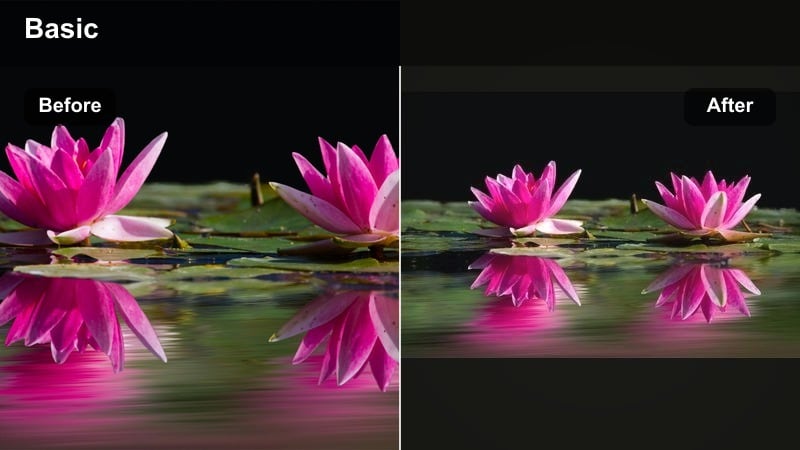
- Effect look: Mist-like softness with a warm peach tint and lowered texture for dreamy, smoothed-out details.
- Best for: Slow-motion hugs, first steps, and nostalgic recap edits set to gentle music.
- Editing tip: Reduce sharpness and add a tiny bit of glow to highlights for a subtle soft-focus lens effect.
Peach Fog Memory gives your clips a soft memory effect that wraps every frame in peach-tinted mist. It is ideal for emotional milestones like first steps, first days at school, or slow-motion hugs that you want to feel delicate and almost cinematic.
In Filmora, slightly reduce overall sharpness and apply a light glow to highlights so that windows, lamps, and sun patches bloom softly without turning faces into blur. Use this look in recap sequences or end-of-year edits to visually signal that viewers are watching treasured memories.
Pro tip: Use blur creatively, not excessively
Keep the blur gentle enough that eyes and smiles still read clearly, especially on close-ups of kids and parents.
For sequences, start with a slightly sharper clip and transition into the peach fog effect to signal a shift into memory or reflection.
Dreamy Home Video Tones in Soft Pastels
Cotton Cloud Pastel
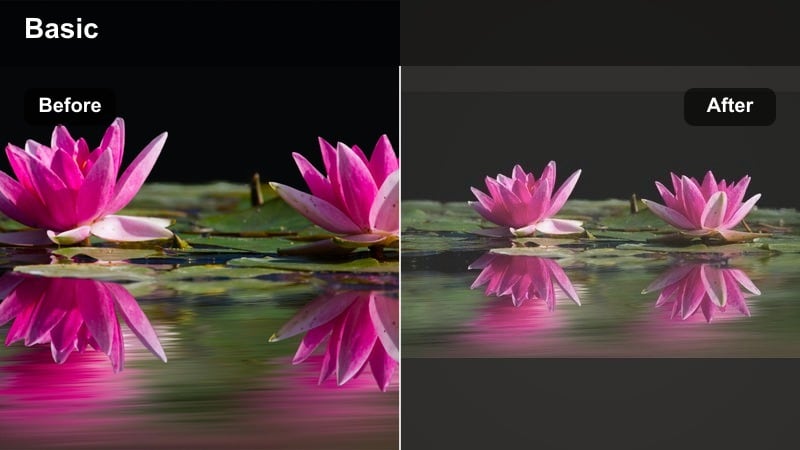
- Effect look: Low-contrast, airy whites with pastel blues and pinks, giving a cloud-soft, washed light look.
- Best for: Light-filled bedrooms, nursery moments, and slow, peaceful morning routines.
- Editing tip: Lift exposure slightly, then reduce contrast to keep shadows light and airy instead of deep and dramatic.
Cotton Cloud Pastel turns bright rooms into pastel clouds with soft blues and pinks that feel gentle and weightless. It works beautifully in nurseries, on white bedding, and around big windows where natural light already fills the scene.
In Filmora, nudge exposure up just enough to brighten midtones, then pull back contrast so shadows stay soft and veil-like. Use this filter across a full morning routine sequence to create a cohesive, dreamy home tone that feels clean and calm.
Pro tip: Keep whites from clipping
Use Filmora s scopes or highlight warnings to avoid losing detail in white sheets and walls when you brighten the image.
If highlights start to blow out, pull back exposure slightly and raise shadows instead for a similar airy effect without losing texture.
Lavender Naplight
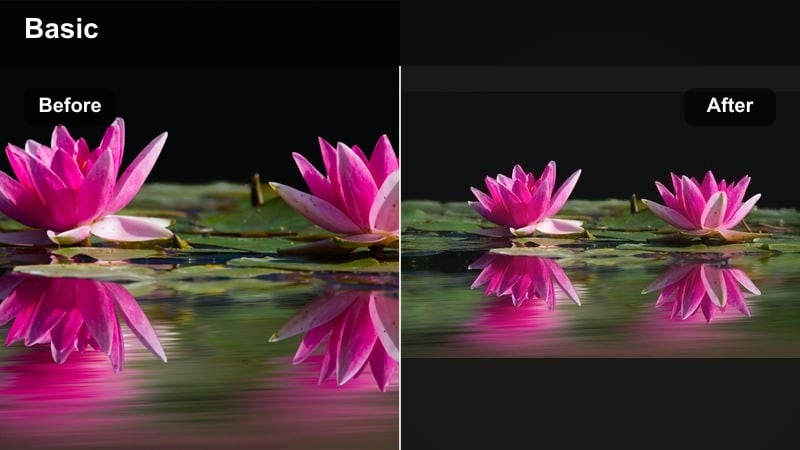
- Effect look: Soft lavender midtones with cooler highlights and gentle fade, ideal for quiet rest scenes.
- Best for: Afternoon naps, lullaby moments, and reading time on the couch or bed.
- Editing tip: Reduce vibrance a touch so the lavender cast feels intentional and not like a color mistake.
Lavender Naplight adds a muted lavender wash that turns calm nap-time clips into dreamy, serene vignettes. The coolish tint feels soothing and cinematic, perfect for lullabies, bedtime stories, or quiet cuddle shots.
Inside Filmora, apply a modest lavender cast and then gently lower overall vibrance so the color reads as an artistic choice instead of an accidental color shift. Use this filter on slower-paced clips and pair it with subtle crossfades to reinforce your relaxed, sleepy-time storytelling.
Pro tip: Subtle color casts feel more cinematic
Dial back saturation in the lavender channel if toys or blankets start to appear unnaturally purple.
Blend this filter in at 60 to 80 percent intensity to keep skin tones believable while still leaning into the dreamy aesthetic.
Mint Morning Soft
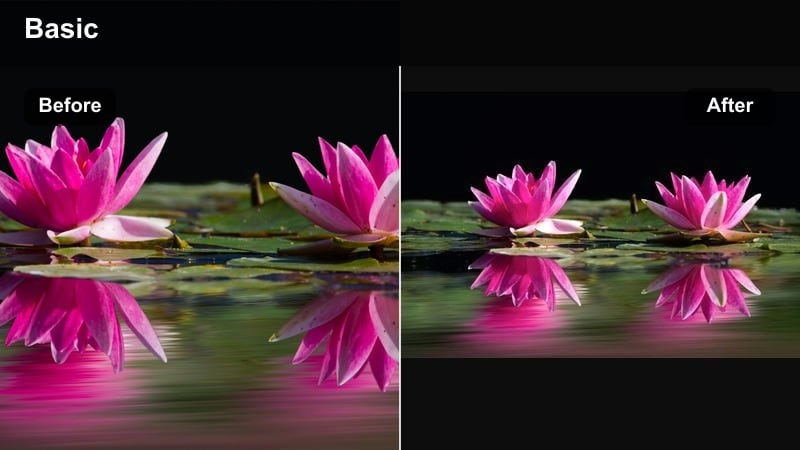
- Effect look: Cool mint undertones with soft highlights and a fresh, clean pastel palette.
- Best for: Breakfast scenes, cleaning montages, and light, minimal living spaces.
- Editing tip: Use selective color to keep greens and cyans soft while avoiding overly teal skin tones.
Mint Morning Soft creates a fresh mint filter that makes kitchens, dining areas, and minimal living rooms feel bright, airy, and modern. It is great for lifestyle-style family vlogs where you want an organized, clean visual brand.
In Filmora, cool the white balance slightly before applying mint tones if your footage comes from warm bulbs, then refine greens and cyans using HSL so they stay pastel instead of neon. This ensures your minty palette looks editorial while preserving natural skin tones at the breakfast table.
Pro tip: Use mint for a clean lifestyle look
Pair this filter with tidy compositions and slow camera moves to lean into lifestyle editorial vibes.
If your footage has warm bulbs, slightly cool the white balance before applying the mint tone for cleaner pastel greens.
Soft Memory Effects for Emotional Family Edits
Gauzy Memory Fade
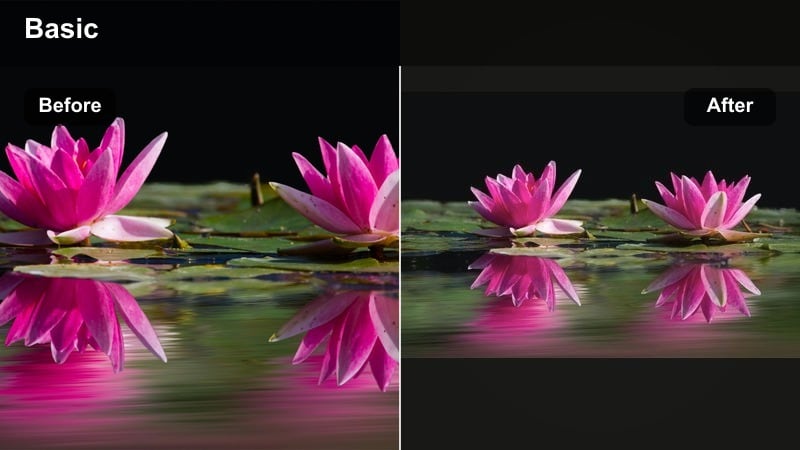
- Effect look: Lifted blacks, faded colors, and a gentle haze overlay that feels like an old film still.
- Best for: Year-in-review family montages and milestone recap videos set to nostalgic music.
- Editing tip: Add a slow, subtle zoom-in on key moments to increase emotional impact without heavy transitions.
Gauzy Memory Fade delivers a soft, faded effect that instantly makes clips feel like treasured memories pulled from the past. Colors lose their harshness, and slight haze helps separate the present-day narrative from flashbacks.
Inside Filmora, lift blacks and lower saturation just enough to evoke old film, then add a slow Ken Burns style zoom on hugs, smiles, and reunions. This creates emotional emphasis without needing flashy transitions or effects.
Pro tip: Use fade to signal the passage of time
Start present-day clips with a cleaner look, then cut to the gauzy fade effect for flashbacks or earlier years.
Layer gentle film grain and subtle dust overlays on top in Filmora to complete the old-film memory illusion.
Pale Sunbeam Flare
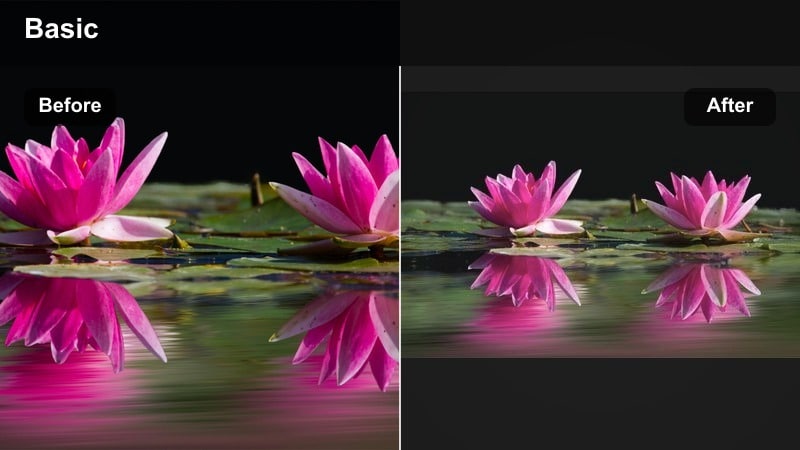
- Effect look: Soft lens flares, brightened highlights, and delicate pastel yellows across the frame.
- Best for: Backlit window shots, outdoor park scenes, and kids playing in the yard during golden hour.
- Editing tip: Position flares near natural light sources in your frame for a believable dreamy effect.
Pale Sunbeam Flare adds delicate sunbeams and pale yellow flares to make simple outdoor moments feel magical. It works especially well with backlit shots, where the sun or a bright window naturally suggests flare.
In Filmora, place flare overlays on a higher track and move them so they align with real light sources, then reduce opacity until they look airy and believable. Use this style sparingly across a sequence to highlight peak joy moments like running, spinning, or laughing in the yard.
Pro tip: Keep flares soft and purposeful
Avoid placing flares directly over faces where they can distract from emotion or obscure expressions.
Use Filmora s opacity controls on overlay effects to fine-tune how visible the sunbeams are in each clip.
Sepia Rose Remembrance
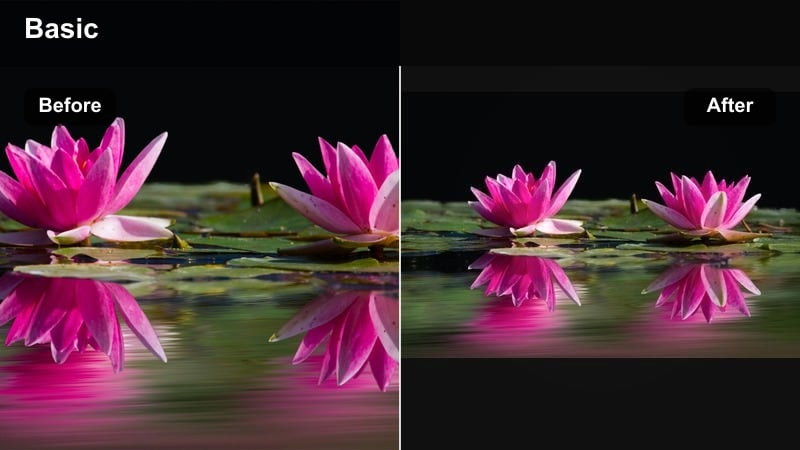
- Effect look: Gentle sepia base with a rose tint, softly desaturated for a timeless, romantic mood.
- Best for: Grandparent visits, old printed photo recreations, and anniversary family tributes.
- Editing tip: Mix in black-and-white stills at the start of your sequence, then transition into this tinted look for added emotion.
Sepia Rose Remembrance offers a rose-tinted sepia treatment that makes family history clips feel warm and lovingly preserved. It is ideal for celebrating grandparents, anniversaries, and any moment connected to family heritage.
In Filmora, apply this tone to both video and scanned photo stills, slightly softening newer digital clips so they visually match older material. Use gentle crossfades between black-and-white and sepia rose to tell a story of time passing while keeping the palette cohesive.
Pro tip: Blend old and new footage gracefully
When combining scanned old photos with modern clips, bring down the sharpness on new footage to match the softness of older material.
Use slow crossfades between stills and video and keep the sepia rose tone consistent to unify different sources.
Pastel Family Filter Workflow in Filmora
Vanilla Air Base Grade
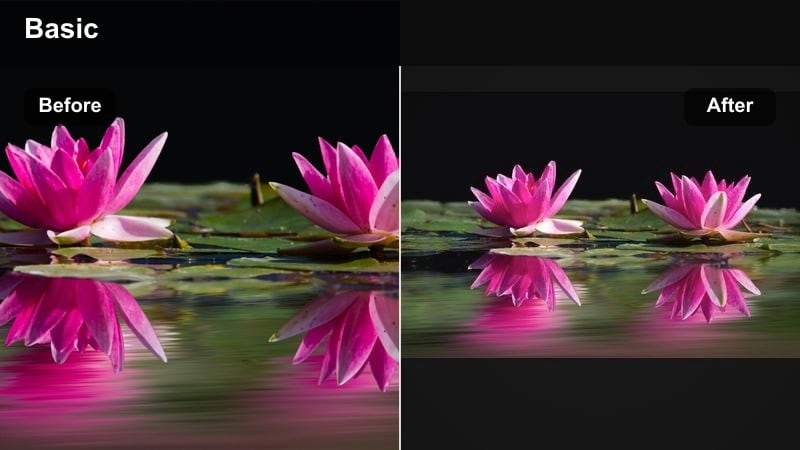
- Effect look: Neutral, slightly warm base grade with softened contrast that prepares clips for pastel overlays.
- Best for: Any family footage you plan to stylize with dreamy home video tones or soft memory effects.
- Editing tip: First correct exposure and white balance, then apply this filter as your foundation for consistent coloring.
Vanilla Air Base Grade is a simple base grade that evens out footage before you layer on stronger aesthetic family filters. It ensures that mixed camera angles and lighting conditions look like they belong in the same project.
In Filmora, start by correcting exposure and white balance clip by clip, then save a gentle, slightly warm base look as a preset. Apply this across your whole timeline before experimenting with pastels so every additional filter behaves predictably.
Pro tip: Always build pastels on a clean base
Fix exposure problems first so pastel filters do not exaggerate noise or clipped highlights.
Save the base grade as a custom preset in Filmora to reuse across different projects for a consistent family aesthetic.
Powder Pastel Stack
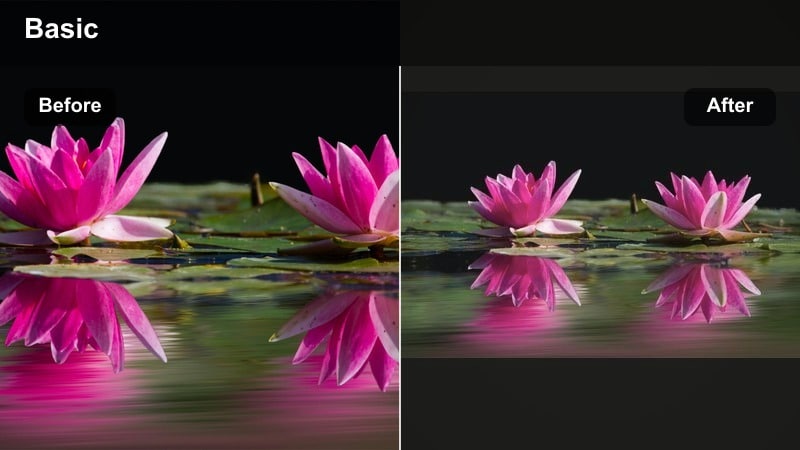
- Effect look: Layered pastel tones with gentle highlight bloom and softened edges on bright objects.
- Best for: The main aesthetic sequence in a family highlight reel or Instagram Reels compilation.
- Editing tip: Stack this on top of your base grade and adjust opacity per clip so different scenes still feel cohesive.
Powder Pastel Stack is a flexible pastel stack approach that lets you dial in intensity while keeping your style recognizable. Instead of depending on a single filter, you layer soft color casts, glow, and contrast adjustments for fine-grained control.
Use adjustment layers in Filmora to stack pastel effects, then reduce or increase opacity on each layer depending on how bright or dark a scene is. This lets you keep a unified family aesthetic tone across varied locations, from kitchens to playgrounds.
Pro tip: Match intensity to each scene
Reduce filter strength on already colorful rooms so the image stays balanced and not overly washed out.
For darker clips, start with exposure and shadow adjustments before increasing pastel strength to avoid muddy tones.
Creamgrain Film Softener
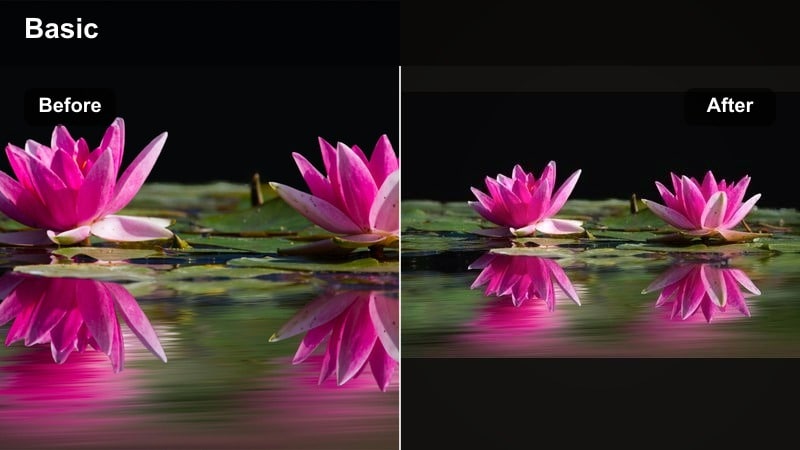
- Effect look: Subtle film grain with warm cream highlights and a barely-there vignette at the corners.
- Best for: Final polish on family memory edits, especially horizontal YouTube uploads and long-form videos.
- Editing tip: Apply sparingly at the adjustment layer level so the texture stays consistent across every cut.
Creamgrain Film Softener is a finishing filter that adds texture and warmth, tying your entire family project together visually. The cream highlights and soft vignette make your final export feel cohesive and gently cinematic.
In Filmora, place this effect on an adjustment layer that spans your full timeline so the grain and vignette never jump between cuts. Keep intensity low enough that viewers feel the warmth and texture without being distracted by obvious noise.
Pro tip: Use grain to hide minor flaws
Light grain can disguise slight focus issues or digital noise from low-light shots without feeling distracting.
Keep grain size small for 4K exports and reduce intensity on clips with large uniform areas like walls or skies.
Tips for Using Family Aesthetic Tone Filters in Filmora
- Always correct exposure and white balance before applying strong pastel or memory filters.
- Keep skin tones natural by adjusting midtones and using HSL tools when color casts get too strong.
- Use adjustment layers in Filmora to control filter intensity across multiple clips at once.
- Lower contrast slightly for a soft memory effect, then fine-tune saturation to avoid dull-looking footage.
- Mix one primary filter per sequence and only add small variations so the edit feels cohesive.
- Trim clips tighter when working with dreamy slow-motion shots to keep the pacing intimate and emotional.
- Add subtle soundtrack choices that match your visual softness instead of overly energetic tracks.
- Export a short test edit and watch it on your phone to check if the aesthetic reads well on small screens.
Soft, pastel-driven aesthetic family video filters can transform everyday home footage into dreamy, emotionally resonant memories that feel curated but still honest. By layering gentle color casts, haze, and film-like texture, you can build a signature family look that works across cozy home videos and longer memory edits.
Start with a clean base grade, experiment with the filters above, then save your favorite combinations as presets like Aesthetic Family Video Filters: Soft Dreamy Pastels so you can recreate your tone instantly in every new Filmora project.
secure download