

 100% Security Verified | No Subscription Required | No Malware


 ChatGPT
 Perplexity
 Gemini
 Claude
 Grok
Grok
Black brown sits where rich earth tones meet deep shadows. It feels grounded, timeless, and quietly powerful, which is why it shows up so often in luxury branding, cinematic color grading, and minimalist design. In psychology, these dark neutrals suggest stability, warmth, and intimacy, but with more sophistication than pure brown and more softness than pure black.
For video creators, black brown is perfect for moody intros, cinematic titles, cozy vlogs, and thumbnails that look premium without being loud. The palettes below give you ready-made black brown color combinations with HEX codes, so you can match your branding, overlays, and color grading in Filmora and keep every frame looking consistent.
In this article
Cinematic Black Brown Neutrals
Velvet Cinema Shadows
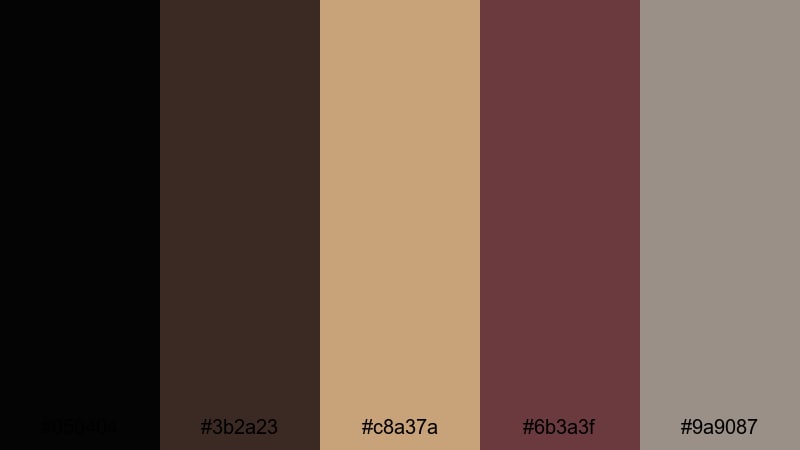
- HEX Codes: #050404, #3b2a23, #c8a37a, #6b3a3f, #9a9087
- Mood: Moody, cinematic, and intimate with soft spotlight warmth.
- Use for: Ideal for narrative short films, title cards, and dramatic YouTube intros with a classic cinema feel.
Velvet Cinema Shadows is built around inky near-black and deep brown, softened by warm beige and muted mauve. It feels like sitting in an old cinema, where the screen is bright but everything else melts into plush shadow. The palette is subtle but expressive, perfect when you want your visuals to feel serious and story-driven.
Use this black brown color palette for opening titles, lower thirds, and end cards where you want text to pop against dark backgrounds without looking harsh. In thumbnails, combine the darkest shade (#050404) as a base with #c8a37a for headlines and #6b3a3f for accent shapes or borders. In Filmora, you can match your overlay graphics, subtitles, and color grading to these HEX codes so your filmic aesthetic stays consistent from intro to credits.
Pro Tip: Build a Cinematic Black Brown Look in Filmora
To keep a Velvet Cinema Shadows mood across your whole edit, pick one or two of the lighter tones (like #c8a37a and #9a9087) as your universal text and overlay colors in Filmora. Then use the darkest shade for backgrounds, frames, and letterboxing. This contrast keeps your titles readable while preserving that intimate cinema feel.
In Filmora, save these HEX values in your custom color presets for text, shapes, and backgrounds. That way every intro, B-roll label, and chapter card automatically uses the same black brown scheme, whether you are editing a short film, a commentary video, or a series trailer.
AI Color Palette
If you already have a poster, mood board, or still frame that uses this palette, you can turn it into a full video look with Filmora's AI Color Palette feature. Import your reference image, then let Filmora analyze its tones and apply that same black brown grading to your whole timeline.
This is a fast way to sync your A-roll, B-roll, and overlays so they all share the same velvet-black shadows and warm highlights. You can start with a single cinematic frame and transform your entire project into a cohesive, black-brown-driven story.
 secure download

HSL, Color Wheels & Curves
Once your basic look is in place, use Filmora's HSL sliders, color wheels, and curves to refine your black brown tones. Slightly lift the shadows curve if the image feels too heavy, or push the midtones towards warm oranges to emphasize the cinema-hall glow. Tools like those in Filmora's color correction controls let you darken blacks without losing skin detail and keep beiges creamy instead of washed out.
On the color wheels, push highlights toward a soft warm tint that matches #c8a37a, while keeping shadows close to #050404. This split-tone approach gives you deep, velvet blacks and gentle, inviting highlights that stay true to the Velvet Cinema Shadows palette.
secure download1000+ Video Filters & 3D LUTs
If you want a faster workflow, start from Filmora's presets and then guide them toward your chosen black brown palette. Filmora's video filters and 3D LUTs make it easy to drop a cinematic look onto your clips, then fine-tune the blacks and browns until they match HEX references like #3b2a23 or #6b3a3f.
For intros and thumbnails, you can combine LUTs with vignette and glow effects to echo the feeling of an old theater. Apply the same filter stack to multiple clips, so your entire edit feels like a single, cohesive black brown universe.
secure downloadStudio Spotlight Noir
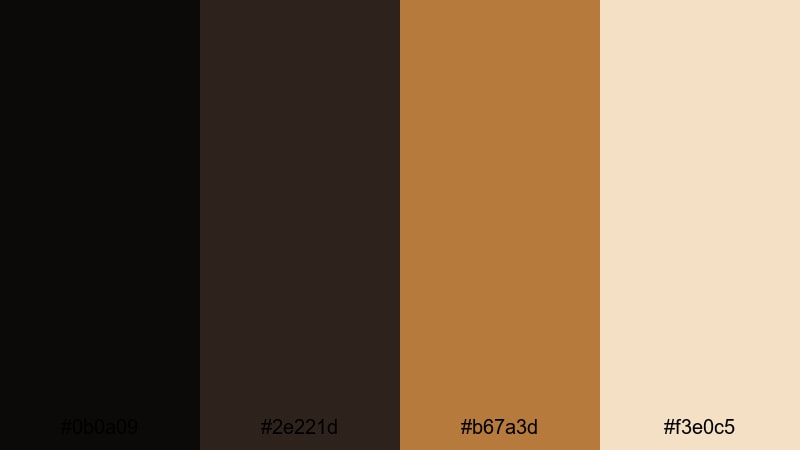
- HEX Codes: #0b0a09, #2e221d, #b67a3d, #f3e0c5
- Mood: Polished and professional with a subtle cinematic edge.
- Use for: Great for creator branding, channel trailers, and clean lower thirds that still feel filmic.
Studio Spotlight Noir combines deep black brown with warm bronze and soft cream. It feels like a modern studio set lit by a single key light, sharp and intentional but still flattering. The limited palette gives your visuals a clean, professional look instead of a cluttered one.
Use the darkest shade for backgrounds in your channel banner, intro slides, and end screens. Let #b67a3d handle accents like icons, underlines, and call-to-action buttons, while #f3e0c5 keeps text readable on thumbnails and lower thirds. In Filmora, set your title templates to these HEX codes so your brand colors repeat across every new video.
Grainy Film Coffee
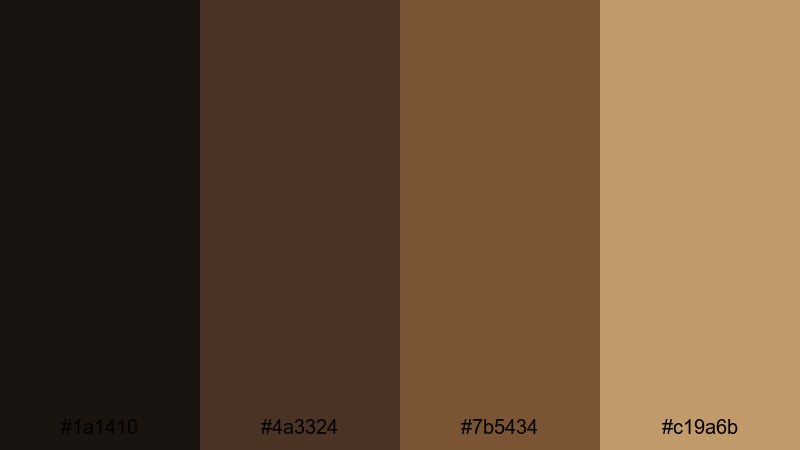
- HEX Codes: #1a1410, #4a3324, #7b5434, #c19a6b
- Mood: Nostalgic and cozy with a subtle film-grain vibe.
- Use for: Perfect for lifestyle vlogs, travel diaries, and aesthetic reels with a warm analog feel.
Grainy Film Coffee layers tones from dark roast to latte foam. The darkest brown grounds your image, while the mid browns and creamy highlight create a soft, analog charm. It feels like an old photo of a cafe table, slightly faded yet full of texture.
Use this palette when you want your vlogs and travel diaries to feel warm and human rather than hyper-digital. In thumbnails, pair #1a1410 as a frame with #c19a6b for handwritten-style titles. In Filmora, add a subtle grain effect and warm up the midtones to push your footage toward this coffee-inspired black brown aesthetic.
Night Theater Seats
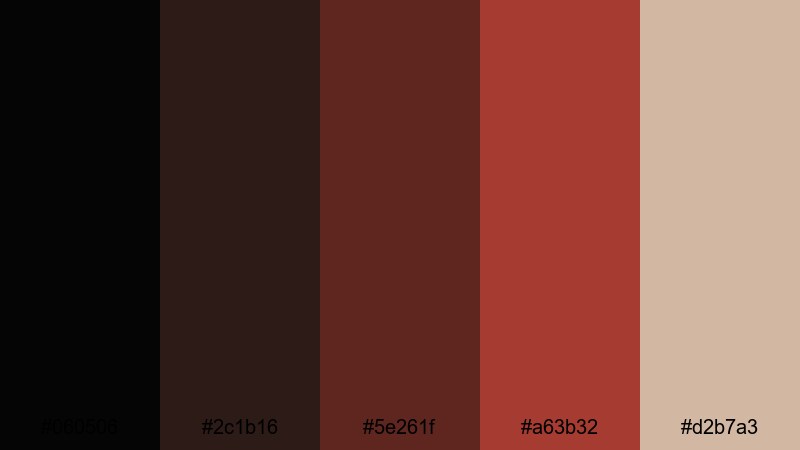
- HEX Codes: #060506, #2c1b16, #5e261f, #a63b32, #d2b7a3
- Mood: Dramatic and immersive, like waiting for the curtain to rise.
- Use for: Use for movie review channels, trailer breakdowns, and suspenseful countdown screens.
Night Theater Seats mixes deep black brown with seat-reds and a warm highlight tone. It feels dramatic and slightly tense, like the few seconds before a movie starts. The reds bring energy, while the dark base keeps everything grounded and cinematic.
Try this palette for review thumbnails, countdown timers, and chapter markers in film commentary videos. Let #060506 be your canvas, #a63b32 your accent for progress bars and badges, and #d2b7a3 for text highlights or rating labels. In Filmora, you can build title presets with these colors to give every episode in a series the same theater-inspired identity.
Warm & Cozy Black Brown Palettes
Fireside Storytime

- HEX Codes: #18100d, #3d2416, #7b4320, #d48a3a, #f4e0c0
- Mood: Inviting, homely, and comforting like a quiet evening by the fire.
- Use for: Ideal for storytelling podcasts, cozy study streams, and slow living vlogs.
Fireside Storytime blends smoky black brown with ember orange and gentle cream. It instantly suggests warm blankets, low light, and soft voices. The gradient from shadows to glowing highlights feels both intimate and safe, ideal for long-form content where viewers stay with you for a while.
Use #18100d and #3d2416 for backgrounds in your podcast cover art, stream overlays, or intro cards. Bring #d48a3a into line icons, progress bars, or animated accents to mimic flickering fire, and keep #f4e0c0 for body text or subtitles. In Filmora, lower color temperature slightly and add a subtle vignette to push your footage fully into this fireside black brown mood.
Rustic Latte Vlog
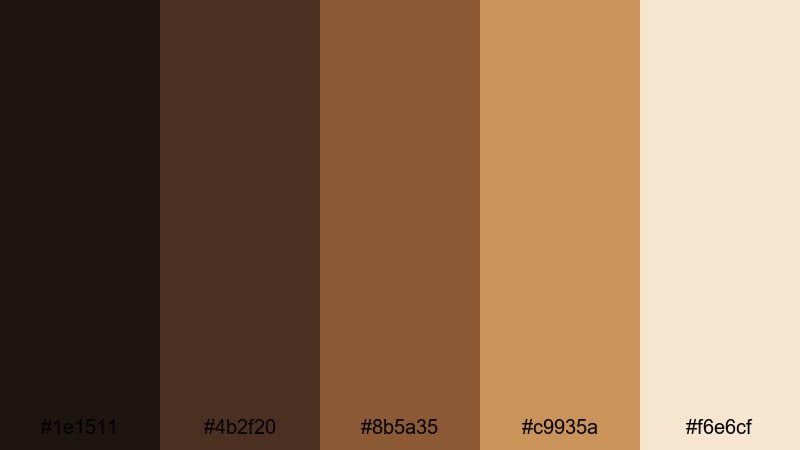
- HEX Codes: #1e1511, #4b2f20, #8b5a35, #c9935a, #f6e6cf
- Mood: Comforting and artisanal, like a handcrafted coffee shop corner.
- Use for: Perfect for cafe reviews, morning routines, and lifestyle branding that feels warm and grounded.
Rustic Latte Vlog moves from dark espresso to light milk foam, with a handcrafted, organic feel. It is ideal for creators who film in cafes, kitchens, and wood-filled interiors. The mix feels approachable but still curated, great for personal brands and lifestyle channels.
Let #1e1511 and #4b2f20 anchor your logo backgrounds and title bars, while #c9935a and #f6e6cf take care of text, icons, and callouts. For thumbnails, stack these colors in simple shapes: a dark base, a mid-brown banner, and cream text. In Filmora, use color grading to warm up whites toward #f6e6cf and soften contrast, matching the cozy latte atmosphere.
Autumn Trail Bokeh
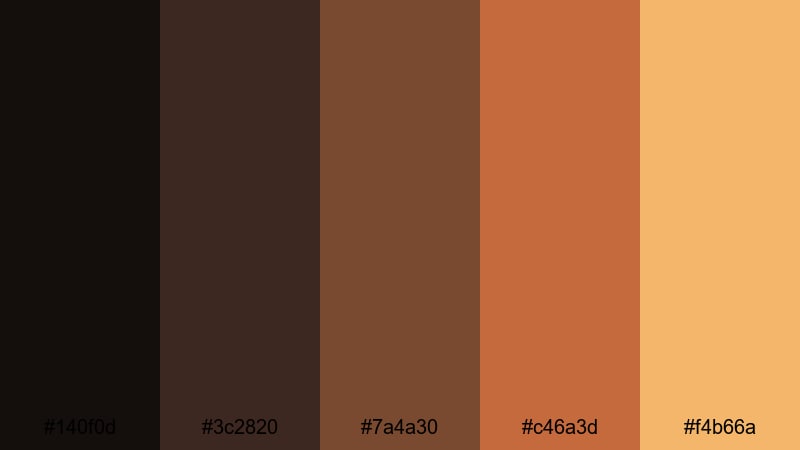
- HEX Codes: #140f0d, #3c2820, #7a4a30, #c46a3d, #f4b66a
- Mood: Warm, nostalgic, and outdoorsy with a golden-hour glow.
- Use for: Use for hiking reels, seasonal lookbooks, and cinematic B-roll of nature scenes.
Autumn Trail Bokeh combines dark tree-trunk browns with pumpkin orange and golden highlights. It recreates the feeling of walking through a forest at golden hour, with soft blur and floating dust motes. The palette is energetic but still earthy, perfect for outdoor storytelling.
Use #140f0d and #3c2820 as overlays or letterbox bars around your footage, and let #c46a3d and #f4b66a power your titles and accent lines. For seasonal playlists or lookbooks, stick to this palette for all graphic elements so your series feels like one long walk through autumn. In Filmora, bump saturation in oranges and warm up midtones to mirror these HEX codes on real footage.
Cabin Woodgrain Frames
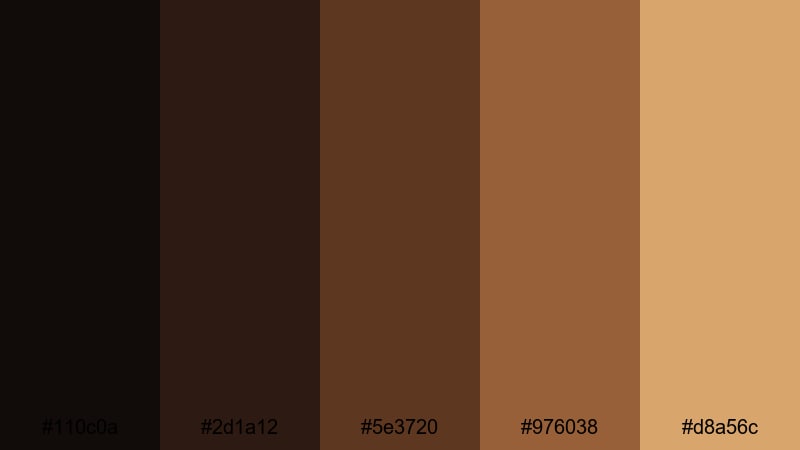
- HEX Codes: #110c0a, #2d1a12, #5e3720, #976038, #d8a56c
- Mood: Grounded and rustic, evoking wood, leather, and candlelight.
- Use for: Great for travel cabins, tiny home tours, and product shots with a crafted, natural feel.
Cabin Woodgrain Frames stacks multiple wood-inspired browns over a black brown base. It evokes timber beams, leather chairs, and soft candle glow. The palette feels solid and timeless, making it great for content that highlights craftsmanship, handmade objects, or slow travel.
Use #110c0a as a strong framing color for borders and letterbox bars. Combine #5e3720 and #976038 in panels, info boxes, and thumbnail blocks to mimic woodgrain, while #d8a56c keeps text legible and warm. In Filmora, you can create simple rectangular frames or split-screen layouts using these shades to make your visuals feel like they are set inside a cozy cabin.
Modern Black Brown Accents
Minimal Ink Interface
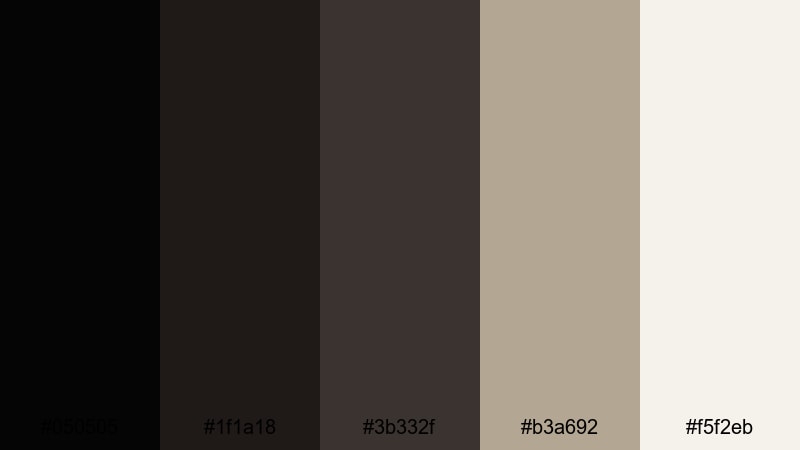
- HEX Codes: #050505, #1f1a18, #3b332f, #b3a692, #f5f2eb
- Mood: Clean, understated, and modern with a UX-friendly contrast.
- Use for: Ideal for app-style lower thirds, UI mockups, and modern tutorial overlays.
Minimal Ink Interface pairs near-black and soft brown-gray with two light neutrals for clear readability. It feels like a sleek UI theme in dark mode: easy on the eyes, minimal, and tech-ready. This black brown color palette is great when your content focuses on tutorials, apps, or software reviews.
Use the darkest tones for backgrounds behind text, while #b3a692 and #f5f2eb keep labels and subtitles crisp. In Filmora, build UI-style lower thirds by layering rectangles in #1f1a18 and #3b332f, then placing text in #f5f2eb. This gives your videos a polished product-demo feel without distracting from the screen recordings.
Carbon Copper Titles
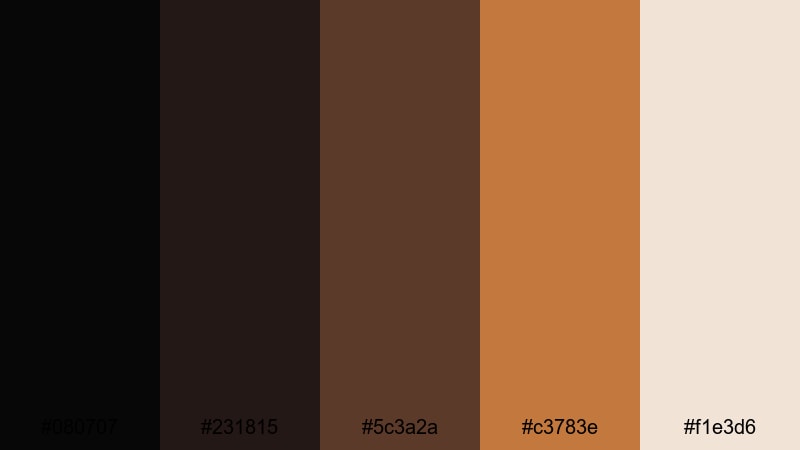
- HEX Codes: #080707, #231815, #5c3a2a, #c3783e, #f1e3d6
- Mood: Luxurious and sharp, with metallic energy and impact.
- Use for: Use for logo reveals, cinematic title sequences, and premium brand intros.
Carbon Copper Titles combines rich carbon black with copper and cream. It feels like engraved metal on a dark surface, making it perfect for premium intros, brand stingers, and high-end product promos. The contrast between dark base and glowing accent gives your titles real presence.
Let #080707 and #231815 set the stage as pure, deep backgrounds. Use #c3783e for outlines, strokes, and key words in your titles, and #f1e3d6 as a backing glow or soft shadow. In Filmora, pair this palette with light flares and subtle motion graphics to create powerful logo reveals and cinematic openers.
Graphite Teal Contrast
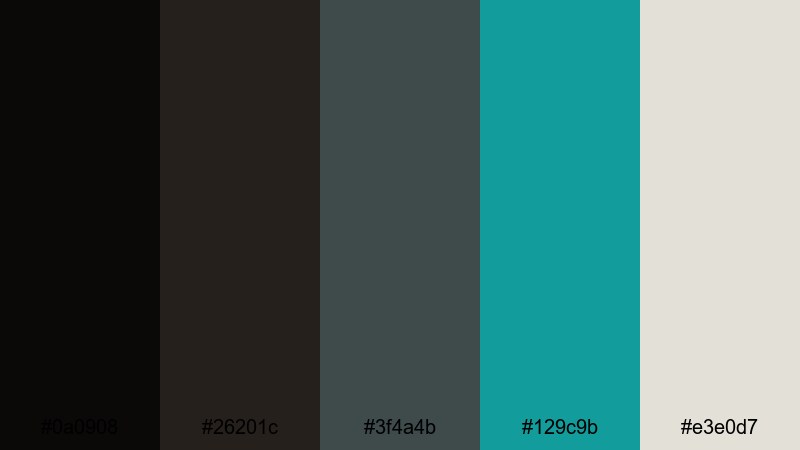
- HEX Codes: #0a0908, #26201c, #3f4a4b, #129c9b, #e3e0d7
- Mood: Cool, contemporary, and techy with a pop of color.
- Use for: Perfect for tech reviews, gaming overlays, and modern brand kits needing a striking accent hue.
Graphite Teal Contrast mixes black brown and graphite neutrals with a bright teal punch. It feels modern and slightly futuristic, ideal for tech channels, gaming content, or any brand that wants a clean but vibrant identity.
Use #0a0908 and #26201c as your main darks, then let #129c9b handle key accents like subscribe buttons, progress lines, and social icons. #e3e0d7 keeps text readable without going pure white. In Filmora, combine this palette with minimal shapes and smooth transitions to create sleek overlays and HUD-style elements.
Concrete Amber Glow
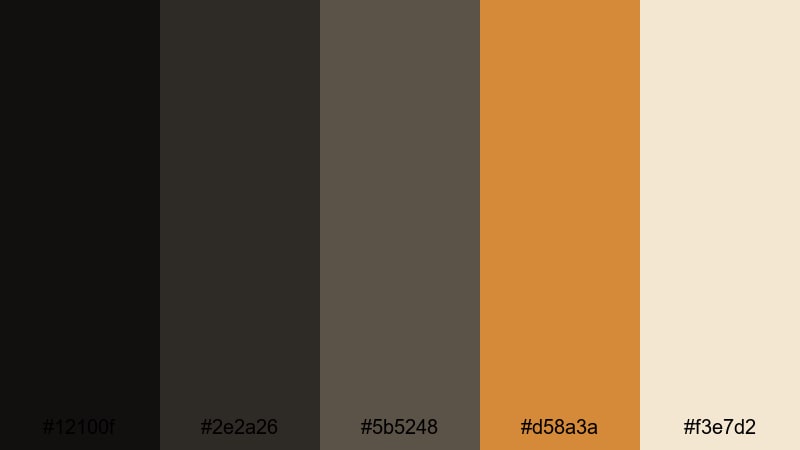
- HEX Codes: #12100f, #2e2a26, #5b5248, #d58a3a, #f3e7d2
- Mood: Urban and refined with a hint of warm neon glow.
- Use for: Great for city vlog intros, fashion edits, and street photography slideshows.
Concrete Amber Glow balances cool, concrete-like browns with a bold amber accent. It feels urban and stylish, like city lights bouncing off stone at night. The amber adds just enough warmth to keep things inviting rather than cold.
Let #12100f and #2e2a26 form the structure of your intros and frames, using #5b5248 for subtle panels or borders. Make #d58a3a your statement accent for titles, call-to-action text, or animated lines, and #f3e7d2 for legible captions. In Filmora, apply this palette to text, overlays, and gentle glow effects to give street footage and fashion edits a polished, editorial look.
Moody Black Brown Aesthetics
Midnight Writer Desk
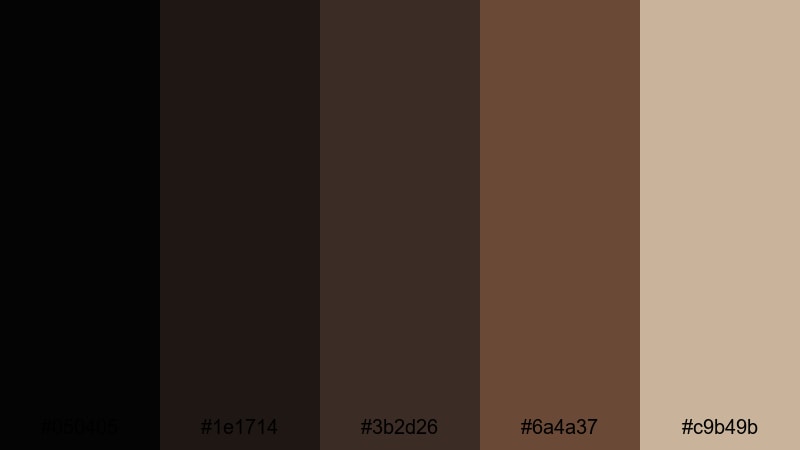
- HEX Codes: #050405, #1e1714, #3b2d26, #6a4a37, #c9b49b
- Mood: Quiet, introspective, and creative, like late nights drafting ideas.
- Use for: Ideal for study-with-me videos, writing vlogs, and ambient background loops.
Midnight Writer Desk draws from inky shadows, worn wood, and aged paper. It suggests long nights working by desk lamp, surrounded by notebooks and coffee cups. The palette is moody but not sad, more reflective and creative.
Use #050405 and #1e1714 for deep backgrounds, #3b2d26 and #6a4a37 for panels or sidebars, and #c9b49b for text and highlights that feel like old pages. In Filmora, this works beautifully for lo-fi study beats, channel art for writers, or any content where you want viewers to feel calm and focused.
Stormy Espresso Skies
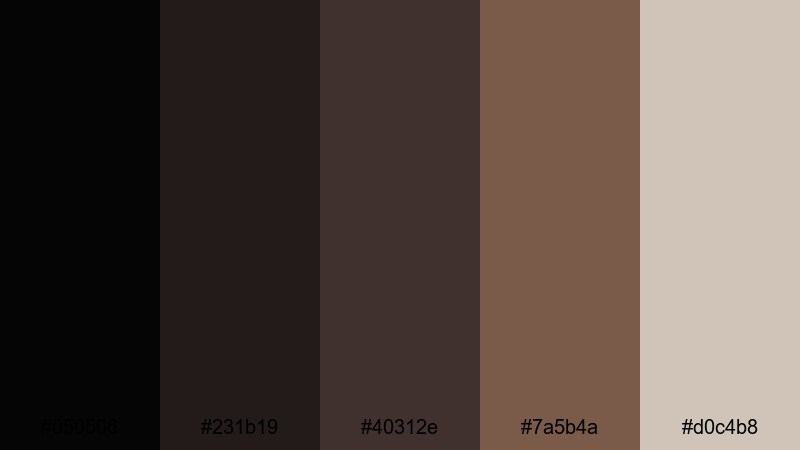
- HEX Codes: #050506, #231b19, #40312e, #7a5b4a, #d0c4b8
- Mood: Stormy and dramatic with a soft, cinematic fade.
- Use for: Use for dramatic B-roll, emotional storytelling, and music videos with a brooding tone.
Stormy Espresso Skies blends very dark espresso tones with cloudy browns and diffused light. It feels like a storm rolling in at dusk: dramatic but softened by haze. This black brown aesthetic is powerful for emotional narratives and slow, cinematic edits.
Use #050506 for hard fades and letterboxing, #231b19 and #40312e for overlays and text backplates, and #d0c4b8 for gentle titles and lyrics. In Filmora, lower contrast slightly and add a bit of fade in the blacks to capture that stormy, filmic softness without losing the moody atmosphere.
Underground Vinyl Cuts
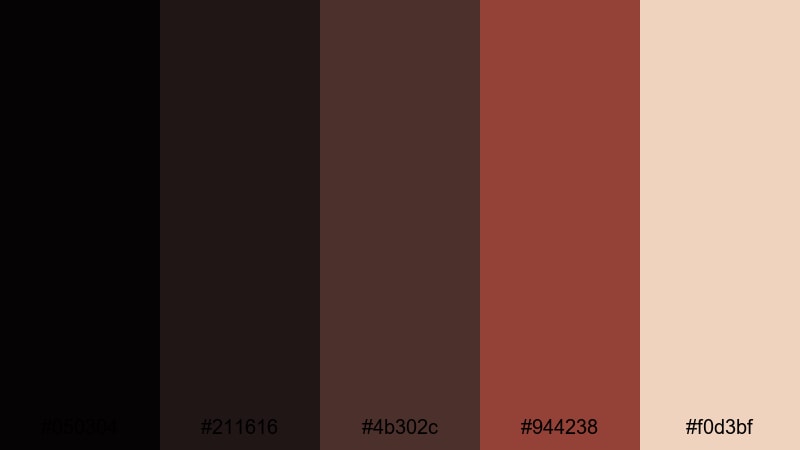
- HEX Codes: #050304, #211616, #4b302c, #944238, #f0d3bf
- Mood: Edgy, nostalgic, and artsy with underground music vibes.
- Use for: Perfect for music visualizers, concert promos, and edgy lifestyle edits.
Underground Vinyl Cuts pairs deep black brown with brick red and soft light, echoing dim record bars and basement venues. It feels gritty yet artistic, a mix of nostalgia and edge that suits music-driven content.
Let #050304 and #211616 drive your backgrounds and frames, with #4b302c and #944238 adding energy in shapes, strokes, and waveform accents. #f0d3bf works well for track titles, artist names, and event info. In Filmora, sync this palette to animated equalizers, retro transitions, and typography to make your music content feel like a curated underground show.
Tips for Creating Black Brown Color Palettes
Black brown is versatile, but it works best when you balance depth, contrast, and accent colors. Here are practical ways to build and use black brown color combinations in video and design.
- Pair deep black brown with at least one light neutral (cream, ivory, or light beige) so titles, captions, and UI elements stay readable on small screens.
- Use one accent color only (such as copper, teal, or amber) to avoid diluting the moody black brown aesthetic; repeat that accent in buttons, icons, and key words.
- Check contrast on mobile by zooming out on your thumbnails; if text disappears against the dark background, brighten your highlight tone or add a subtle shadow behind text in Filmora.
- Keep brand consistency by saving your main HEX codes in Filmora as custom colors for titles, shapes, and backgrounds, and reuse them across intros, lower thirds, and end screens.
- Match footage to your palette with gentle color grading: push shadows toward your chosen black brown value and align midtones with your main brown or highlight color.
- For cinematic looks, combine black brown with slight vignettes, soft film grain, and letterboxing to reinforce the mood without overwhelming the image.
- When using black brown in UI-style overlays, separate layers with subtle borders or drop shadows so panels do not blend into each other on dark footage.
- Test both light-on-dark and dark-on-light layouts using the same palette so you can adapt for different platforms (YouTube, Instagram Reels, channel banners) while staying on-brand.
Black brown color palettes can completely reshape how your videos and designs feel. From cozy vlogs and cabin tours to dramatic reviews and underground music promos, these 15 combinations give you ready-to-use HEX codes that set the tone for your storytelling and strengthen your brand identity.
Try dropping a few of these palettes into your next Filmora project as title colors, overlays, and LUT-inspired grades. Once you see which black brown combinations fit your channel or brand, save them as presets so every new upload looks instantly recognizable.
Whether you lean into warm, rustic browns or sleek, modern neutrals, Filmora gives you the tools to keep your black brown aesthetic consistent across intros, B-roll, shorts, and thumbnails.
secure download