

 100% Security Verified | No Subscription Required | No Malware


 ChatGPT
 Perplexity
 Gemini
 Claude
 Grok
Grok
Black is one of the most powerful colors in visual storytelling. It suggests elegance, mystery, authority, and focus, while also acting as a perfect backdrop for bright accents and typography. In video, black can make your footage look cinematic, help subjects pop out from the background, and give your brand a polished, professional feel.
For thumbnails, intros, overlays, and UI-style motion graphics, the right black color palette can be the difference between something that looks flat and something that feels premium. Below you will find ready-made black color palettes with HEX codes that work beautifully in Filmora and other tools, so you can keep a consistent dark aesthetic across your edits, social posts, and channel branding.
In this article
Cinematic & Moody Black Color Palettes
Midnight Neon Pulse
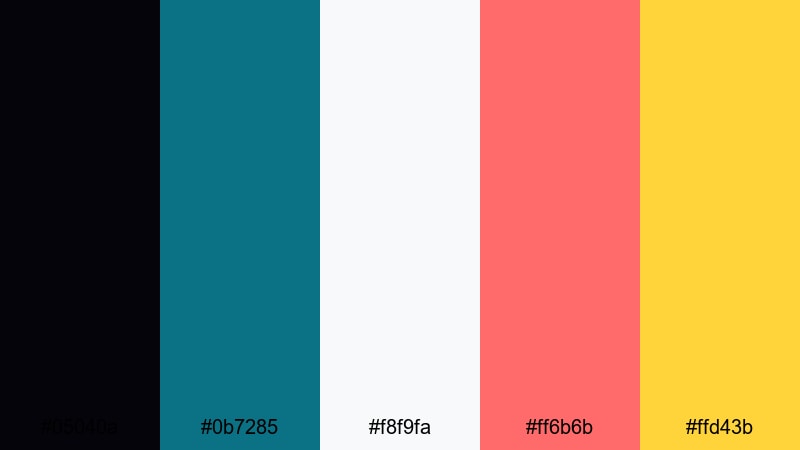
- HEX Codes: #05040a, #0b7285, #f8f9fa, #ff6b6b, #ffd43b
- Mood: Energetic yet dark, with a cyberpunk edge.
- Use for: Perfect for gaming intros, tech reviews, and fast-cut urban vlogs that need high contrast and electric highlights.
This palette layers an almost pitch-black base (#05040a) with teal, coral, and yellow accents that feel like neon signs in a rainy city. The bright #ff6b6b and #ffd43b give you electric pulses of color, while #f8f9fa adds just enough light to keep text crisp and readable over dark footage.
Use the deep black for backgrounds, overlays, and letterboxing, then reserve the teal and warm neons for HUD-style graphics, glitch transitions, and social handles. It works especially well for YouTube thumbnails and channel art where you want a dark aesthetic that still pops on mobile screens and in Filmora previews.
Pro Tip: Build a Cinematic Black Neon Look in Filmora
To keep a moody neon-black look consistent, build a simple style guide inside Filmora. Use #05040a for solid color backgrounds or adjustment layers, and keep your titles and lower thirds in #f8f9fa with small accents of #0b7285, #ff6b6b, or #ffd43b. Reuse the same fonts, shadow strength, and glow settings across intros, talking-head segments, and end screens.
Once you have a look that feels right, save title and overlay presets in Filmora. That way every new gaming intro, tech review, or short can instantly match the same dark cyberpunk vibe without rebuilding the design from scratch.
AI Color Palette
If you already have a reference image for this palette, such as a neon street photo or a past thumbnail, you can use Filmora's AI Color Palette feature to spread that same color mood across your entire edit. Import the reference frame, apply it as the source, and let Filmora analyze the blacks, teals, and warm highlights.
This is an easy way to match B-roll, A-roll, and overlay graphics so they all share the same deep blacks and bright accent tones. Instead of manually grading every clip, the AI Color Palette helps your whole timeline feel like one unified midnight cityscape.
 secure download

HSL, Color Wheels & Curves
To refine this dark neon look, use Filmora's HSL controls to gently desaturate skin tones while keeping the teal and coral accents punchy. Then, in the color wheels, cool down the shadows and slightly warm the midtones so details do not disappear into flat black.
A subtle S-curve in the curves panel will deepen the blacks while protecting highlight detail in signs, screens, and glowing UI. For more ideas on balancing shadows and contrast, you can follow a dedicated Filmora color correction tutorial and adapt the steps to this palette.
secure download1000+ Video Filters & 3D LUTs
If you want to push this palette into a stronger cyberpunk or sci-fi direction, Filmora's video filters and 3D LUTs make it easy to test different cinematic looks in seconds. Stack a teal-and-orange LUT with a glow or light leak filter to add depth without losing your black foundation.
You can also save custom LUTs based on this palette and apply them across your whole channel for instant consistency. This is ideal for creators who want every upload, short, and live highlight to share the same midnight neon identity.
secure downloadUrban Noir Grit
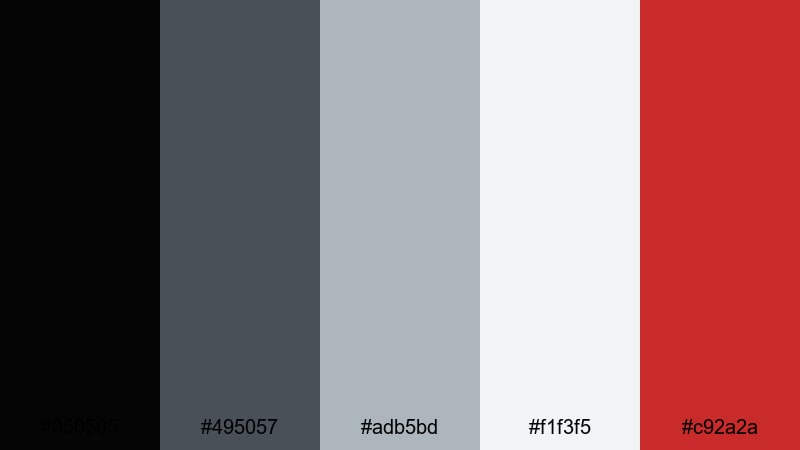
- HEX Codes: #050505, #495057, #adb5bd, #f1f3f5, #c92a2a
- Mood: Gritty, dramatic, and grounded in street realism.
- Use for: Use in documentary-style city pieces, hip-hop visuals, and moody channel trailers with a raw vibe.
Urban Noir Grit stacks a deep black base (#050505) with gunmetal and concrete grays, then slices through with #c92a2a for a powerful crimson accent. It feels like night streets, brick walls, and hard shadows under a single light source.
Use the neutral grays for text, borders, and lower thirds, then bring in the red only when you want attention on a hook line, subscribe button, or logo mark. This is a strong choice for documentary intros, music visualizers, and gritty thumbnails where you want the story and faces to feel raw but still carefully designed.
Rainy Asphalt Glow

- HEX Codes: #060811, #343a40, #74c0fc, #ced4da, #f8f9fa
- Mood: Quiet, reflective, and slightly melancholic.
- Use for: Great for travel vlogs, late-night city montages, and narrative shorts that lean into soft cinematic moods.
Rainy Asphalt Glow mixes inky black (#060811) and asphalt gray with a cool blue highlight (#74c0fc) that feels like light bouncing off wet streets. The soft grays and whites keep the palette calm and cinematic rather than harsh.
On thumbnails, use the blue accent on small elements like location tags, timestamps, or playlist labels so they pop against the dark scene. In Filmora, you can color your subtitles, map graphics, and transitions with this palette to create introspective travel pieces, slow city B-roll, or late-night storytime videos.
Shadow Theater Reds
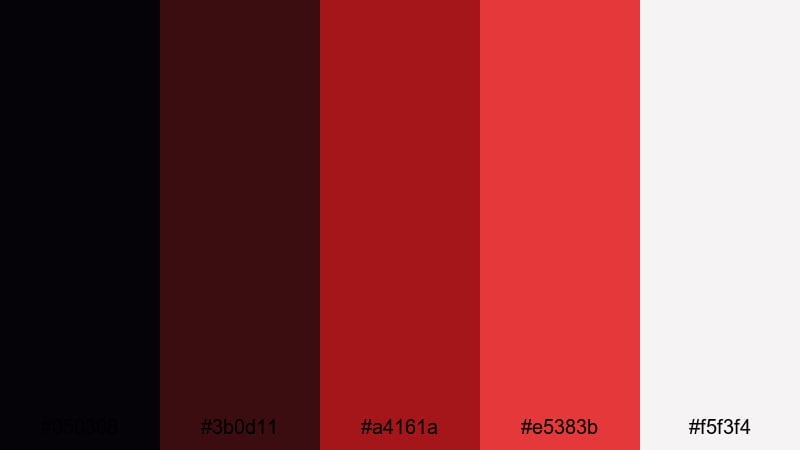
- HEX Codes: #050308, #3b0d11, #a4161a, #e5383b, #f5f3f4
- Mood: Intense, passionate, and theatrical.
- Use for: Ideal for film trailers, music videos, and dramatic storytelling where emotion and tension need to stand out.
Shadow Theater Reds builds from a black stage (#050308) into layered reds that look like velvet curtains and spotlights warming up. The rich crimson and brighter scarlet tones contrast with a soft off-white highlight, giving you dramatic light against a dark void.
Use the reds on key frames, titles, and motion graphics whenever you want to emphasize passion, danger, or high emotion. In trailers, commentary videos, or performance recaps, this palette makes your titles feel like they belong on a cinema screen, while the off-white keeps credits and lower thirds easy to read.
Minimal & Modern Black Color Palettes
Monochrome Studio Grid
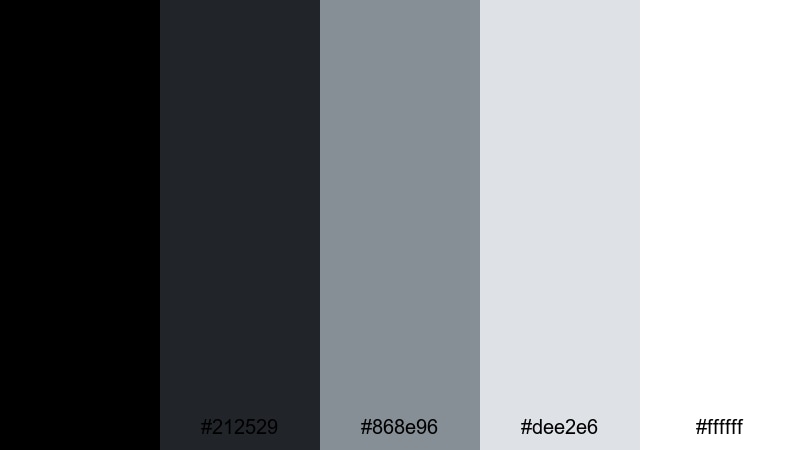
- HEX Codes: #000000, #212529, #868e96, #dee2e6, #ffffff
- Mood: Clean, professional, and sharply minimal.
- Use for: Use for tech explainer videos, sleek YouTube branding, and UI-focused motion graphics that need a neutral yet stylish base.
Monochrome Studio Grid is a pure black and gray system that feels intentional and timeless. #000000 and #212529 give you strong dark areas, while #868e96 and #dee2e6 offer softer grays for dividers, panels, and icon backgrounds. #ffffff ensures perfect clarity for titles and body text.
This palette is ideal when color is not the focus and you want your product, tutorial steps, or on-screen UI to be the hero. Build your lower thirds, subscribe bars, and info cards around these neutral tones in Filmora, and your channel will instantly look more like a pro studio.
Graphite Interface Clean
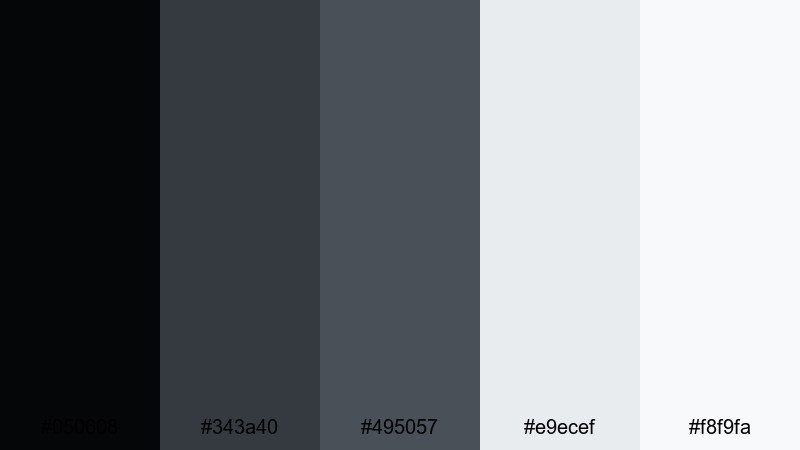
- HEX Codes: #050608, #343a40, #495057, #e9ecef, #f8f9fa
- Mood: Modern, balanced, and versatile for digital layouts.
- Use for: Great for product demos, app walkthroughs, lower thirds, and clean overlays in social content.
Graphite Interface Clean leans into cool, professional grays over a dark digital black base. The combination of #343a40 and #495057 gives you depth and hierarchy for sidebars, buttons, and highlight boxes, while #e9ecef and #f8f9fa brighten text and background cards.
In app demos or software reviews, you can mirror this palette in your on-screen callouts and annotations so they feel native to the UI. It is also a great choice for reels or shorts where you add simple, modern overlays on top of existing footage without drawing too much attention to the graphics.
Ink On Ivory
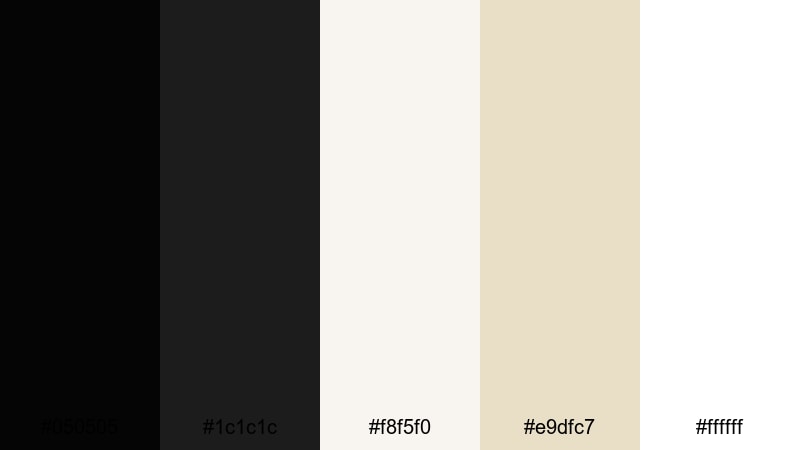
- HEX Codes: #050505, #1c1c1c, #f8f5f0, #e9dfc7, #ffffff
- Mood: Quiet, editorial, and subtly artistic.
- Use for: Perfect for educational videos, minimalist channels, and title cards that feel like premium print design brought to screen.
Ink On Ivory softens the harshness of pure black by pairing deep ink tones (#050505, #1c1c1c) with warm ivory and parchment colors. #f8f5f0 and #e9dfc7 evoke book pages and gallery walls, while #ffffff stays available for extra-bright text.
This palette is excellent for talking-head explainers, essays, and course content where you want a calm, thoughtful atmosphere. Use the warm light tones as backgrounds for chapter titles, quotes, and graphics in Filmora, then set your main typography in the near-black shades for a high-end editorial feeling.
Slate Dashboard Fresh
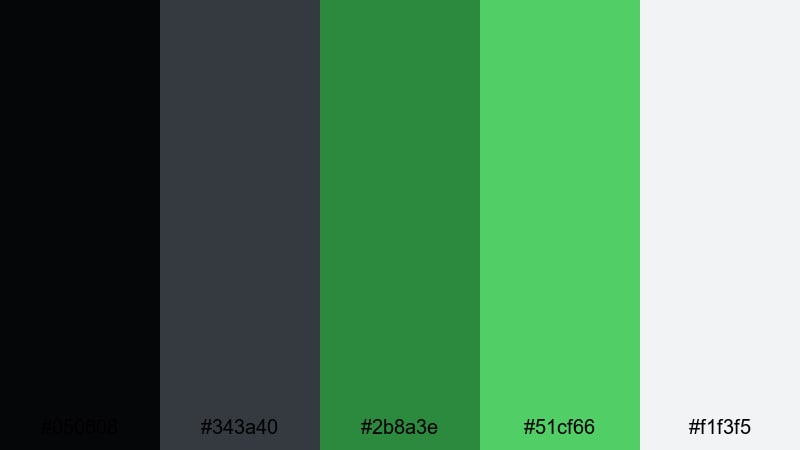
- HEX Codes: #050608, #343a40, #2b8a3e, #51cf66, #f1f3f5
- Mood: Optimistic, crisp, and productivity-driven.
- Use for: Use in productivity tutorials, startup explainers, and UI animations that need a focused yet friendly visual system.
Slate Dashboard Fresh keeps the dark interface backbone but energizes it with fresh greens (#2b8a3e, #51cf66). The contrast between the slate blacks and the light background (#f1f3f5) feels like a modern analytics dashboard or a startup landing page.
Use the greens for progress bars, checkmarks, and key stats to signal success and growth in your videos. On thumbnails, a dark slate background with a single green accent line or badge can make your productivity or business content stand out without looking chaotic.
Luxury & Editorial Black Color Palettes
Black Tie Champagne
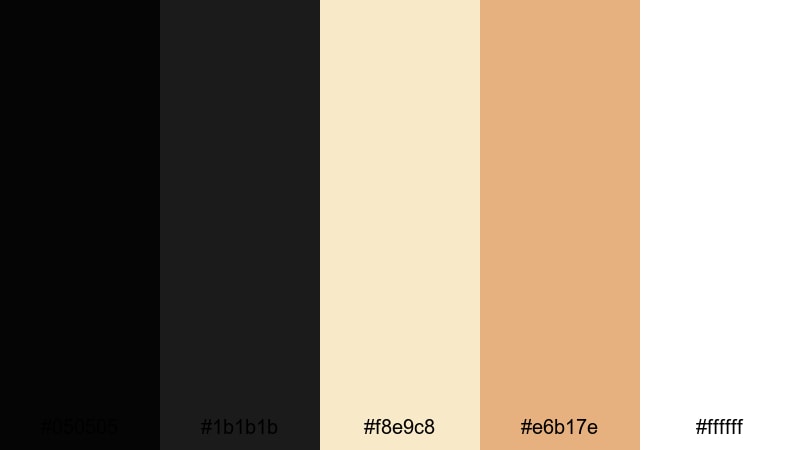
- HEX Codes: #050505, #1b1b1b, #f8e9c8, #e6b17e, #ffffff
- Mood: Elegant, celebratory, and high-end.
- Use for: Perfect for event promos, wedding highlight reels, and premium brand intros that need a formal yet warm tone.
Black Tie Champagne combines velvety blacks with soft champagne golds (#f8e9c8, #e6b17e) and clean white. It feels like candlelit dinners, luxury hotels, and late-night celebrations.
Use the golden tones for names, dates, and logos in wedding videos or upscale promos, while the blacks handle backgrounds and cinematic bars. In Filmora, this palette works beautifully with slow motion, lens flares, and soft transitions for clients who want their brand or event to feel premium from the first frame.
Onyx Gold Prestige
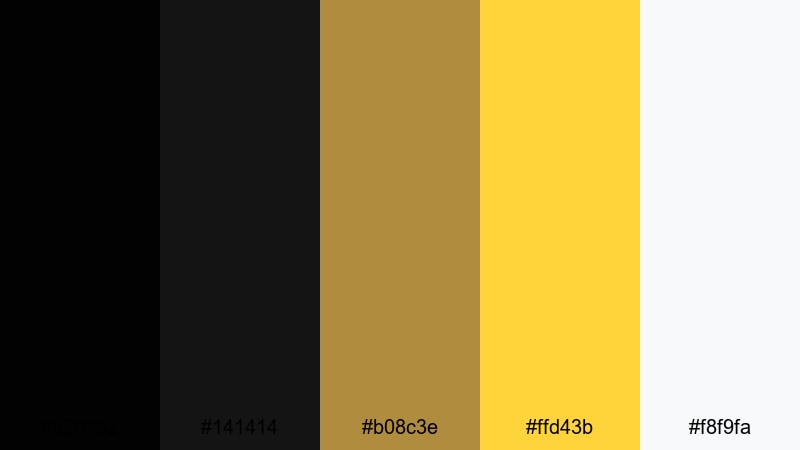
- HEX Codes: #020202, #141414, #b08c3e, #ffd43b, #f8f9fa
- Mood: Powerful, confident, and undeniably luxurious.
- Use for: Great for luxury product promos, logo reveals, and brand identities centered on exclusivity and status.
Onyx Gold Prestige pushes contrast to the extreme with near-absolute blacks (#020202) and strong metallic golds (#b08c3e, #ffd43b). The light accent (#f8f9fa) helps fine text and small UI elements stay readable without diluting the richness.
Use this palette when you want your title cards and product shots to feel like high-end jewelry campaigns or premium tech launches. Make the background pure onyx, then add subtle gold lines, frames, and logo animations in Filmora to communicate status at a glance.
Velvet Plum Noir
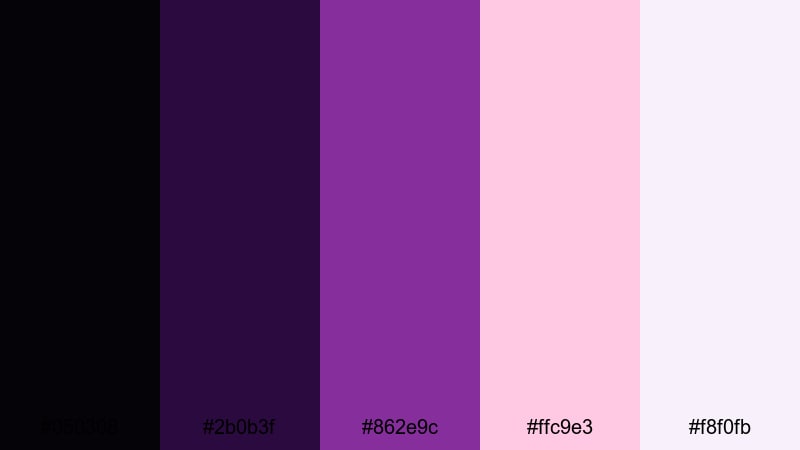
- HEX Codes: #050308, #2b0b3f, #862e9c, #ffc9e3, #f8f0fb
- Mood: Sensual, artistic, and slightly mysterious.
- Use for: Ideal for fashion lookbooks, beauty channels, and cinematic portraits with a soft yet dramatic mood.
Velvet Plum Noir blends deep black with plum and violet tones (#2b0b3f, #862e9c) plus soft blush highlights (#ffc9e3, #f8f0fb). It feels like studio portraits lit with colored gels and softboxes, with an artistic twist.
Use the darker tones as backgrounds behind beauty shots or fashion film titles, then bring in the blush highlights for call-to-action buttons, product names, or quote overlays. This palette can give your thumbnails and reels a signature editorial look that stands out from typical flat black designs.
Marble Lobby Luxe
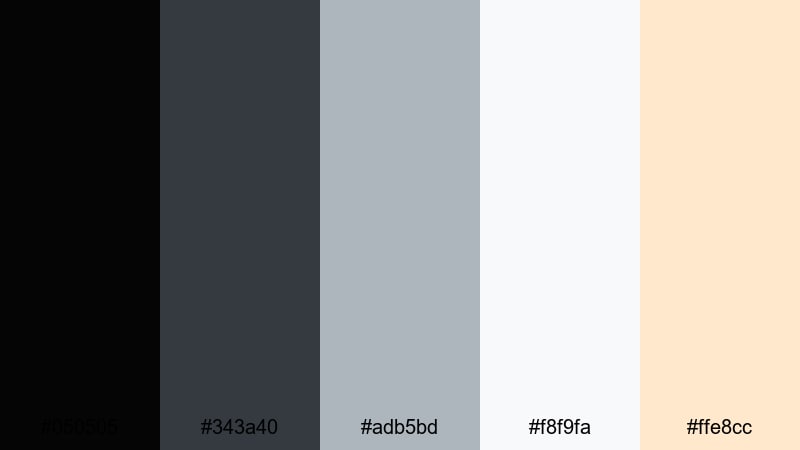
- HEX Codes: #050505, #343a40, #adb5bd, #f8f9fa, #ffe8cc
- Mood: Polished, architectural, and refined.
- Use for: Use in real estate tours, hotel promos, and design portfolios where you want sleek architectural energy.
Marble Lobby Luxe combines a rich black base with stone grays and bright white, then adds a touch of warm beige (#ffe8cc) to suggest marble veining and soft lighting. It feels like stepping into a designer lobby or gallery space.
In real estate walkthroughs or design showreels, apply this palette to labels, room names, and animated floor-plan graphics. The warm accent is perfect for subtle highlights on price tags or brand marks, keeping everything refined without feeling cold or sterile.
Soft & Atmospheric Black Color Palettes
Foggy Harbor Dawn
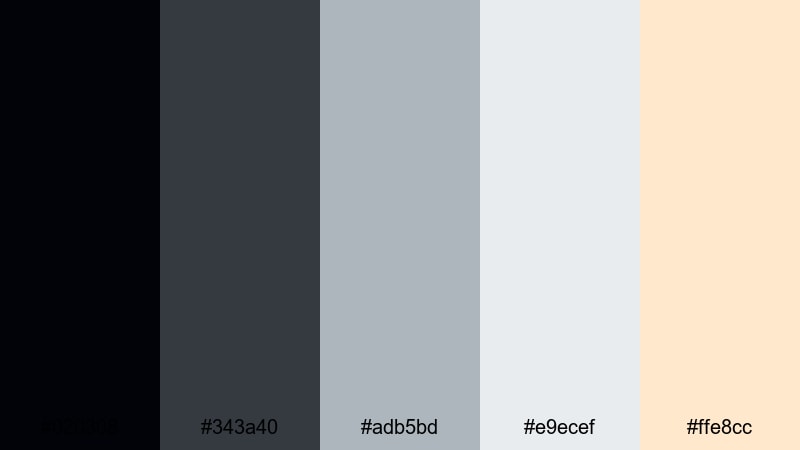
- HEX Codes: #020308, #343a40, #adb5bd, #e9ecef, #ffe8cc
- Mood: Calm, introspective, and gently cinematic.
- Use for: Great for travel diaries, reflective voiceovers, and ambient b-roll sequences with slow pacing.
Foggy Harbor Dawn moves from a soft black (#020308) into layers of misty gray, then catches a faint warm glow (#ffe8cc) like early sunlight cutting through haze. It creates depth and atmosphere without aggressive contrast.
Use the grays as background cards for captions, timestamps, and story beats in reflective vlogs. The warm accent works nicely for subtle icons or chapter markers, helping viewers follow the narrative while the images stay calm and cinematic.
Candlelit Studio
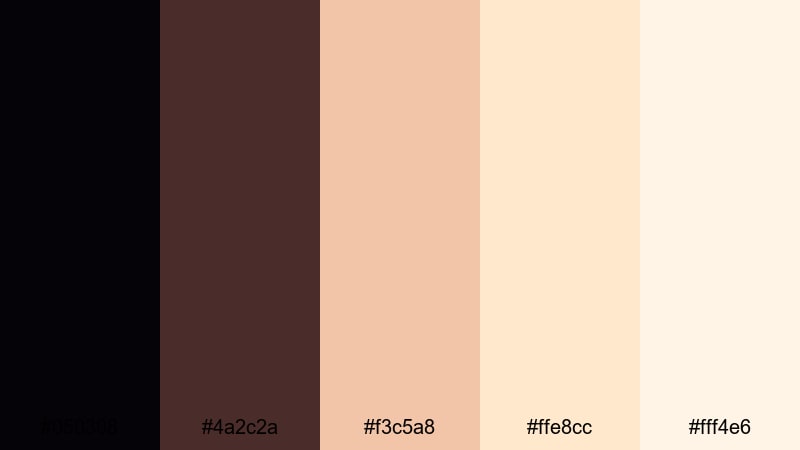
- HEX Codes: #050308, #4a2c2a, #f3c5a8, #ffe8cc, #fff4e6
- Mood: Cozy, intimate, and handcrafted.
- Use for: Perfect for creator intros, craft tutorials, and behind-the-scenes videos that emphasize warmth and personality.
Candlelit Studio pairs dark, brownish shadows (#050308, #4a2c2a) with soft peach and cream highlights (#f3c5a8, #ffe8cc, #fff4e6). The result is a warm, inviting palette that feels like a home studio lit with lamps and candles.
Apply this palette to intro cards, video titles, and lower thirds in lifestyle vlogs or DIY tutorials. It is especially effective when your footage already has warm light; the graphics and typography will echo that glow and make your whole channel feel more personal and handcrafted.
Moonlit Forest Echo
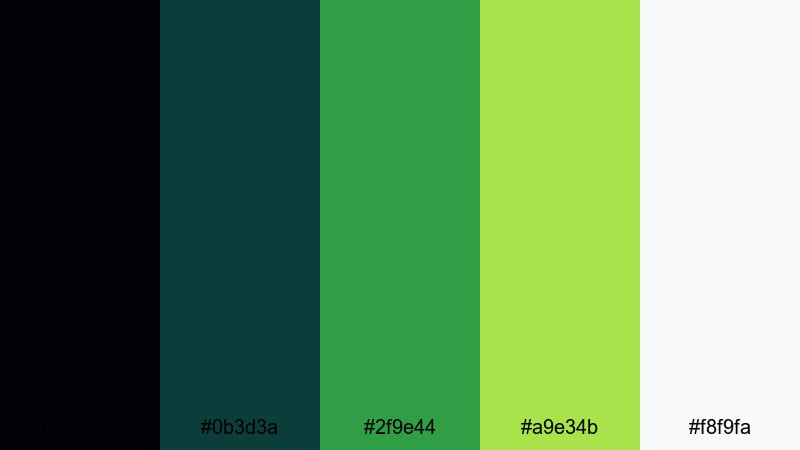
- HEX Codes: #020308, #0b3d3a, #2f9e44, #a9e34b, #f8f9fa
- Mood: Quietly magical, natural, and contemplative.
- Use for: Use for nature vlogs, hiking recaps, and cinematic B-roll where you want nighttime depth with lively natural accents.
Moonlit Forest Echo mixes inky black with deep teal greens (#0b3d3a, #2f9e44) and bright leaf highlights (#a9e34b), plus a clean light accent for text. It feels like walking through a forest at night with just enough moonlight to catch the leaves.
For nature vlogs, camping stories, or eco content, use the greens for section titles, map markers, and subtle graphic flourishes. The black and teal tones work well for letterboxing and title screens in Filmora, giving your footage a contemplative, cinematic frame without straying from an organic, nature-driven mood.
Tips for Creating Black Color Palettes
When you build your own black color palette for video and design, the goal is to balance depth and readability while keeping a clear brand personality. These practical tips will help you use black creatively instead of letting it swallow your visuals.
- Avoid relying only on pure black (#000000); near-blacks and very dark grays keep more detail and feel less harsh on modern screens.
- Always test text contrast on both desktop and mobile. Light text on black needs enough brightness and weight to stay readable in small thumbnails.
- Limit accent colors to one or two strong hues so your black palette feels intentional, not random. Use accents for calls to action and key information.
- Match your black level to your footage. Very bright, airy clips often work better with softer charcoal backgrounds than with heavy, pure blacks.
- Keep UI elements and lower thirds slightly lighter than your background black to create subtle layers, especially in minimal and tech-focused designs.
- For cinematic looks, use warm highlights with black for romantic or lifestyle content, and cool highlights with black for tech, gaming, and sci-fi.
- Save presets or LUTs in Filmora once you dial in a black-based grade, so every new video, intro, and short automatically fits your chosen aesthetic.
- Revisit your palette regularly. If click-through or watch time drops, try small tweaks to background darkness or accent saturation rather than changing your whole brand.
Black color palettes are incredibly flexible, from hard-edged neon for gaming to soft candlelight for lifestyle channels. Choosing the right mix of blacks, grays, and accents shapes your mood, supports your storytelling, and makes your brand feel consistent wherever viewers see you.
Use these ready-made palettes as starting points: plug the HEX codes into Filmora, apply them to titles, overlays, and graphics, then fine-tune with AI Color Palette, HSL, and LUTs until they match your footage. Once you lock in a look you love, you can carry it through thumbnails, intros, outros, and shorts with very little extra work.
The more intentional you are with black, the more your videos will feel cinematic, recognizable, and professional. Experiment with a few of these combinations in your next projects and let Filmora handle the heavy lifting on color consistency and style.
secure download