

 100% Security Verified | No Subscription Required | No Malware


 ChatGPT
 Perplexity
 Gemini
 Claude
 Grok
Grok
Black, green, and yellow together create a bold visual language that feels powerful, energetic, and a little bit futuristic. Black gives you deep contrast and sophistication, green adds vitality and tech or eco vibes, while yellow cuts through as a clear signal color for attention, alerts, or highlight moments. When combined carefully, a black green yellow color palette can look anything from toxic gamer neon to soft, cinematic glow.
These tones are perfect for video intros, YouTube thumbnails, streaming overlays, logos, and animated titles where you need strong contrast that still feels modern. Below you will find 15 ready-made black green yellow color palettes with HEX codes that work beautifully for creators and Filmora users, whether you are color grading footage, designing a channel brand, or building cohesive visuals across an entire series.
In this article
Bold & Energetic Black Green Yellow Palettes
Urban Night Neon
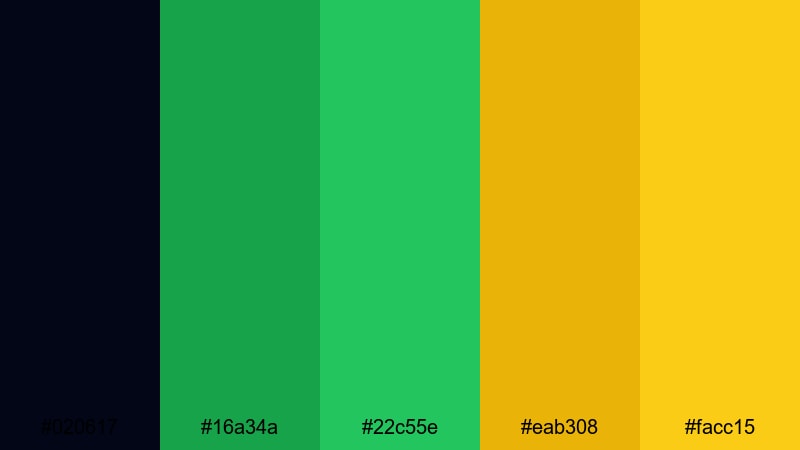
- HEX Codes: #020617, #16a34a, #22c55e, #eab308, #facc15
- Mood: electric, bold, and high-contrast with a gritty city edge
- Use for: Perfect for YouTube intros, esports highlight reels, and bold channel branding that needs to stand out in dark UI themes.
Urban Night Neon combines a near-black midnight tone (#020617) with vivid greens and sharp yellow highlights for a look that feels like glowing signs over wet city pavement. The greens cut through the darkness with a digital, HUD-style intensity, while the yellows behave like streetlights and caution signals.
Use this palette for gaming intros, neon glitch titles, or thumbnails where your text and characters need to explode off a dark background. In Filmora, it works especially well for animated lower-thirds, subscribe buttons, and logo reveals placed over dark footage or gradient backdrops.
Pro Tip: Enhance Your Black Green Yellow Visuals with Filmora
When you commit to a bold black green yellow color palette like Urban Night Neon, consistency across your edit is what makes the whole project feel professional. In Filmora, you can build a simple style guide by reusing the same HEX values for text, shapes, and overlays, then save them as custom presets so every intro, transition card, and end screen carries the same electric look.
Try pairing this palette with high-contrast footage and subtle vignette effects. Use black as your negative space, keep your greens for key UI elements (buttons, scores, health bars), and reserve yellow for the most important calls to action like titles, chapter markers, and end-screen CTAs.
AI Color Palette
If you have a reference frame or graphic that already nails your ideal black green yellow balance, you can turn it into a global look using Filmora. Filmora's AI Color Palette feature analyzes your reference colors and applies a matching style to the rest of your footage with just a few clicks.
Export a still from your favorite neon city scene or capture a frame of your channel banner that uses this palette. Load it into AI Color Palette, let Filmora read the blacks, greens, and yellows, and then match your A-roll, B-roll, overlays, and even slow-motion clips so every shot feels like part of the same urban universe.
 secure download

HSL, Color Wheels & Curves
To really polish a black green yellow look, use Filmora's color correction tools to refine each channel. In HSL, you can deepen the greens so they feel more cyber and less pastel, desaturate any stray colors in your footage, and nudge yellows slightly warmer for a golden glow. Color wheels let you keep your shadows rich and neutral while pushing midtones toward green and highlights toward yellow.
For more control, use curves to lift or drop specific parts of the luminance range. A gentle S-curve can make black backgrounds feel punchier without crushing detail, while tightening the highlight curve keeps bright yellows from clipping. You can explore these techniques in Filmora's advanced color correction tools and quickly adapt them to any black green yellow aesthetic you create.
secure download1000+ Video Filters & 3D LUTs
Once your base colors are set, Filmora's effects library makes it easy to stylize different versions of your black green yellow palette. You can stack glow, glitch, and light-leak filters to push the neon feeling, or apply cinematic LUTs to tone the greens and yellows into something more grounded and filmic while still keeping your core palette intact.
Filmora's video filters and 3D LUTs make it easy to keep a consistent brand look across multiple videos. Save your favorite combinations as custom presets so you can grade new episodes, shorts, or trailers in a few clicks and keep your channel identity locked in.
secure downloadToxic Gamer Glow

- HEX Codes: #000000, #22c55e, #4ade80, #facc15, #fde047
- Mood: hyperactive, edgy, and competitive
- Use for: Designed for streaming overlays, esports logos, and animated lower-thirds that need aggressive energy.
Toxic Gamer Glow is built on pure black (#000000) with glowing greens and almost radioactive yellows that feel straight out of a competitive arena. The combination delivers instant energy and a sense of danger, perfect for high-intensity gameplay or tech-heavy edits.
Use it for streaming overlays, alerts, and facecam frames in Filmora, or design thumbnails where your character cutouts and bold titles are rimmed with neon green and yellow strokes. It also works well for logo stingers and esport team animations that need to feel fast, aggressive, and unforgettable.
Streetlight Graffiti Pop
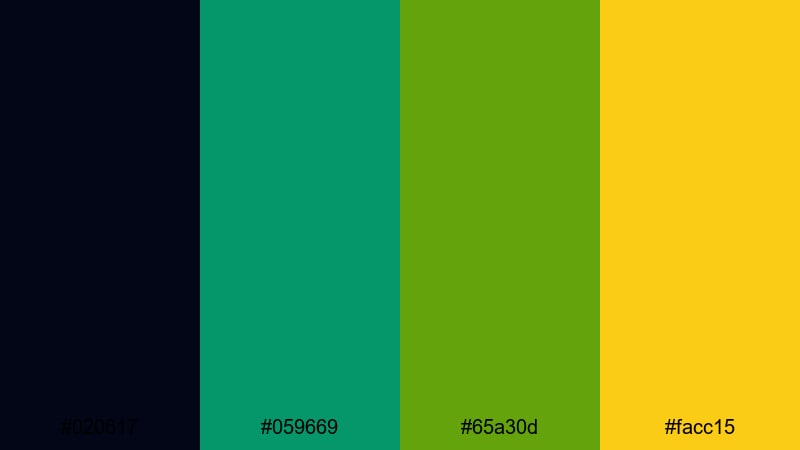
- HEX Codes: #020617, #059669, #65a30d, #facc15
- Mood: rebellious, urban, and punchy
- Use for: Great for music videos, streetwear promos, and edgy vlogs with fast cuts and kinetic text.
Streetlight Graffiti Pop balances a deep, asphalt-like black with saturated greens and a bold yellow accent that feels like crosswalk signals and spray paint. The palette is gritty but still clean enough to use in modern layouts and kinetic typography.
This is a strong choice for hip-hop videos, skate vlogs, or streetwear product promos. In Filmora, combine this palette with fast cuts, text animations, and overlay textures like grain or light leaks to create title cards, transitions, and social clips that look like they are tagged across city walls.
Cyber Jungle Intro
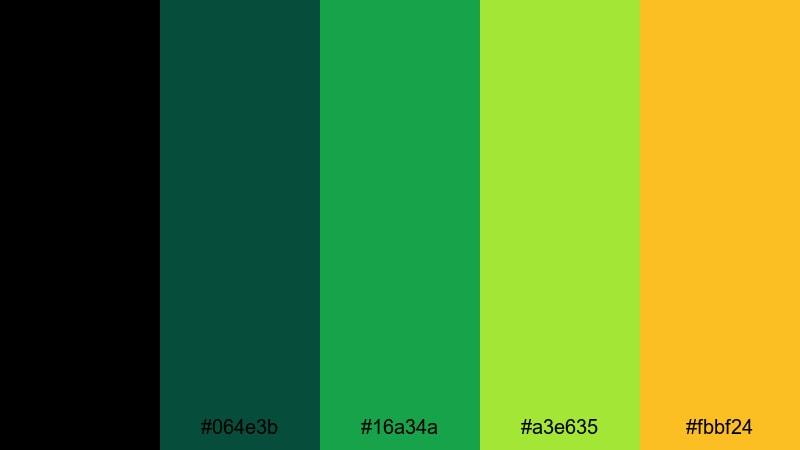
- HEX Codes: #000000, #064e3b, #16a34a, #a3e635, #fbbf24
- Mood: futuristic, adventurous, and techy
- Use for: Use in motion graphics, sci-fi title sequences, and tech explainers that blend nature and digital aesthetics.
Cyber Jungle Intro blends deep, almost forest-like greens with lime and warm yellow highlights growing out of pure black. It feels like navigating a digital rainforest, where lines of code and glowing leaves overlap.
This palette is ideal for sci-fi intros, tech explainers about sustainability, or brand visuals that mix eco themes with futuristic UI. In Filmora, use black as your base, layer in animated shapes in dark green, and let the lime and yellow bring attention to key text, icons, or timelines in your motion graphics.
Esports Victory Surge

- HEX Codes: #020617, #0f766e, #22c55e, #eab308, #fef08a
- Mood: triumphant, dynamic, and competitive
- Use for: Perfect for victory screens, match recaps, animated scoreboards, and sponsor bumpers.
Esports Victory Surge uses a dark, muted base with energized turquoise and green accents, plus celebratory yellows that feel like trophies and spotlights. The lighter yellow tones (#fef08a) soften the harshness and make it suitable for professional esports brands.
Use this palette for match recap videos, animated scoreboards, leaderboard graphics, and sponsor bumpers. In Filmora, you can create dynamic split-screen layouts where team colors sit on black, while the yellow draw lines, arrows, and shapes highlight key plays and winners.
Modern Cinematic Black Green Yellow Palettes
Noir Signal Pulse
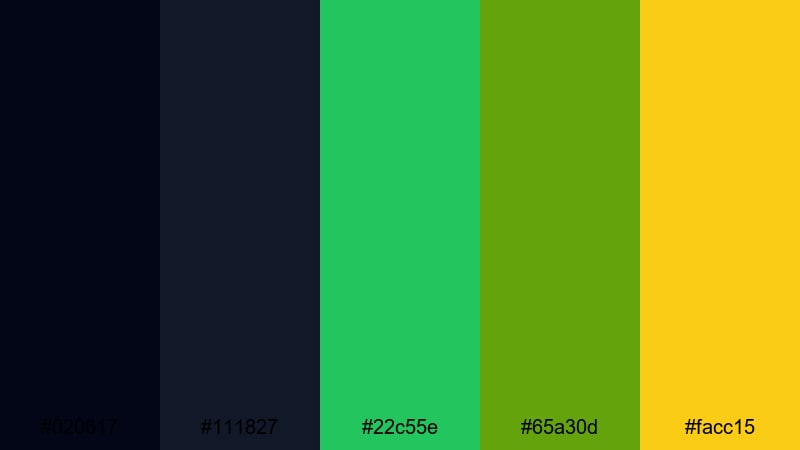
- HEX Codes: #020617, #111827, #22c55e, #65a30d, #facc15
- Mood: moody, suspenseful, and cinematic
- Use for: Ideal for thriller trailers, tech docu-series, and cinematic B-roll with subtle motion graphics.
Noir Signal Pulse starts with layered blacks and charcoals, then introduces carefully controlled green and yellow accents. It feels like warning indicators blinking on in a dark control room, perfect when you want tension without going full neon.
Use this palette for cinematic trailers, cybersecurity explainers, or documentary intros about technology and surveillance. In Filmora, you can apply it to lower-thirds, HUD overlays, and animated diagrams, letting black dominate the frame while greens and yellows highlight only the most important information.
Metro Platform Haze
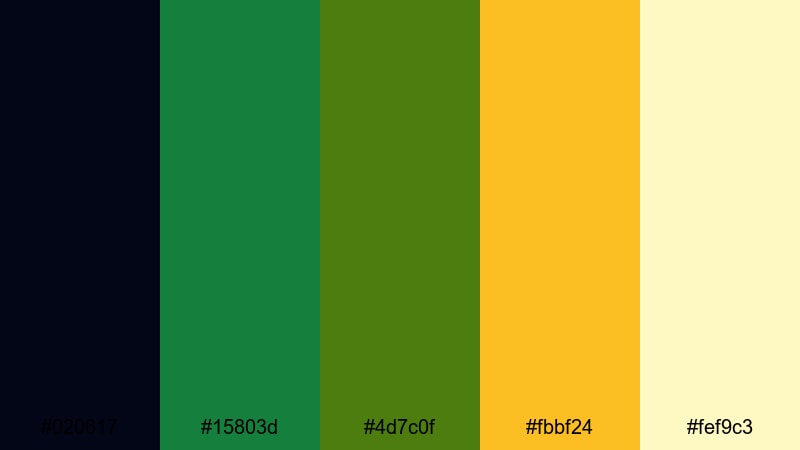
- HEX Codes: #020617, #15803d, #4d7c0f, #fbbf24, #fef9c3
- Mood: cinematic, grounded, and atmospheric
- Use for: Great for travel vlogs, city b-roll, and brand films that want an urban yet approachable look.
Metro Platform Haze uses muted greens and soft yellows glowing against a dark base, like hazy station lights reflected on train windows. The palette is more grounded than harsh neon, so it feels cinematic but still warm and human.
This is a strong match for travel vlogs, lifestyle edits shot in subways or city streets, and brand stories with an urban backdrop. In Filmora, you can grade your footage toward these greens and yellows while using black in titles and overlays, creating a cohesive look across b-roll, talking-head shots, and montage sequences.
Industrial Hazard Lines
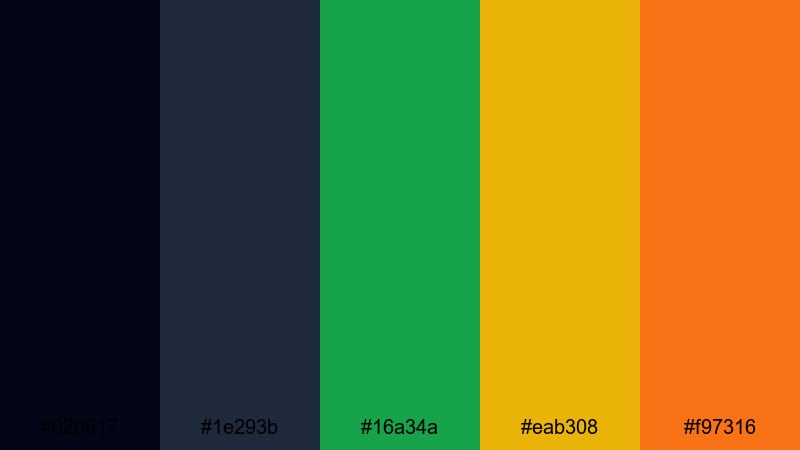
- HEX Codes: #020617, #1e293b, #16a34a, #eab308, #f97316
- Mood: tense, industrial, and technical
- Use for: Use for safety explainers, factory tours, or tech breakdowns that need a controlled yet intense scheme.
Industrial Hazard Lines combines dark steel blues and blacks with sharp green accents and hazard-colored yellow and orange. It resembles warning tape, safety icons, and industrial signage, giving any video a clear technical and cautionary feel.
Choose this palette for training videos, factory walkthroughs, equipment explainers, or engineering presentations. In Filmora, style your callouts, arrows, and captions in yellow and orange while keeping interface elements and diagrams in black and green for a structured, easy-to-read layout.
Subway Safety Signals
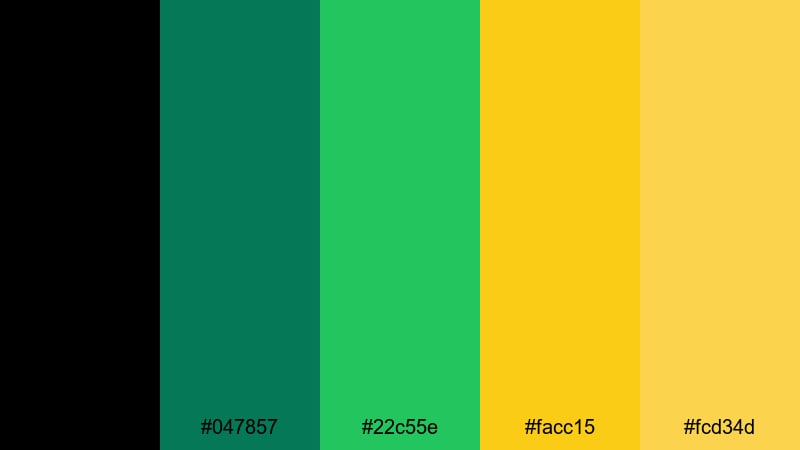
- HEX Codes: #000000, #047857, #22c55e, #facc15, #fcd34d
- Mood: alert, structured, and urban
- Use for: Well suited to instructional videos, motion infographics, and transport themed edits.
Subway Safety Signals is a disciplined mix of signal greens and yellows on black, inspired by transport signage and alert systems. It feels organized and official, while still bright enough to capture attention on-screen.
Use this palette for animated infographics, subway or transit content, or any tutorial where you need clear wayfinding visuals. In Filmora, keep backgrounds dark, then animate routes, timelines, and icons in green, with important warnings or steps highlighted in yellow.
Neon Caution Tape
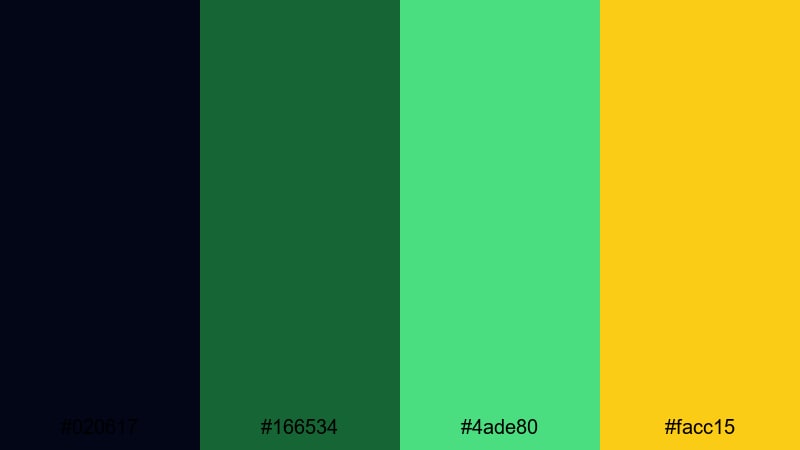
- HEX Codes: #020617, #166534, #4ade80, #facc15
- Mood: urgent, graphic, and modern
- Use for: Great for glitch transitions, warning overlays, and fast-paced social edits.
Neon Caution Tape uses dark frames sliced by bright diagonal greens and a punchy yellow, echoing tape and warning banners. It is bold without being messy, and works especially well over glitchy or high-speed edits.
Try it for countdown sequences, emergency-style overlays, or transitions in tech and gaming content. In Filmora, animate diagonal bands or shapes using these colors over your footage, then add motion blur and glitch effects for a modern, high-impact look that still reads clearly on mobile screens.
Soft Neon Black Green Yellow Palettes
Midnight Lime Mist
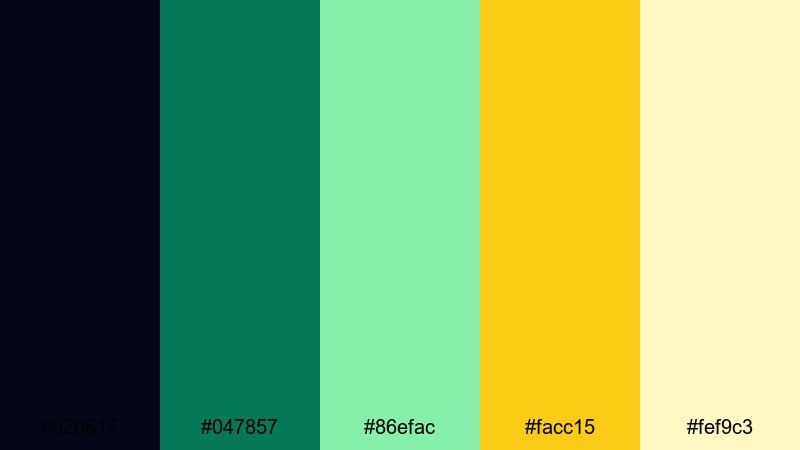
- HEX Codes: #020617, #047857, #86efac, #facc15, #fef9c3
- Mood: dreamy, futuristic, and slightly surreal
- Use for: Use for chill playlists, late night vlogs, and ambient animations with a soft cyber feel.
Midnight Lime Mist softens the usual neon contrast by pairing deep black with teal green, airy lime, and pale yellow. The result is a dreamy, vapor-like glow that feels futuristic but calm rather than aggressive.
Use this palette in lo-fi beats playlists, late-night vlogs, or ambient motion graphics. In Filmora, combine it with slow camera moves, gentle particle overlays, and minimal typography to create intros, looped backgrounds, or live stream waiting screens that feel smooth and relaxing.
Electric Forest Dawn
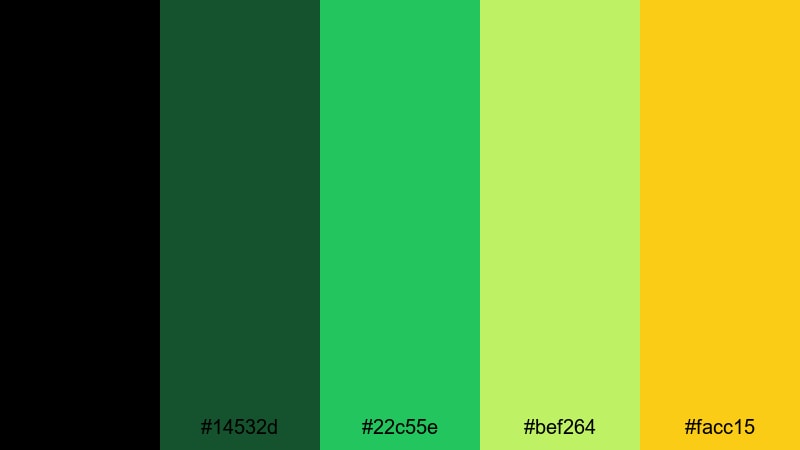
- HEX Codes: #000000, #14532d, #22c55e, #bef264, #facc15
- Mood: fresh, optimistic, and slightly mystical
- Use for: Perfect for nature-tech mashup visuals, eco brand stories, and upbeat motion graphics.
Electric Forest Dawn rises from pure black into deep forest green, then transitions to soft lime and morning yellow. It feels like sunrise in a digital woodland, making it a great bridge between organic footage and tech-inspired graphics.
Apply this palette to eco-friendly product videos, sustainability explainers, or outdoor vlogs with a modern twist. In Filmora, you can color grade your nature shots toward these greens and yellows, then match your titles, icons, and animated charts to keep the entire video feeling cohesive and on-brand.
Pixel Arcade Shine
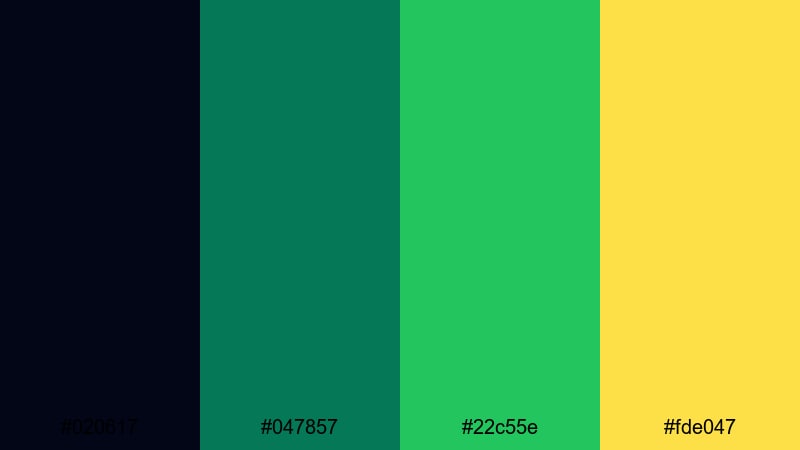
- HEX Codes: #020617, #047857, #22c55e, #fde047
- Mood: playful, retro, and techy
- Use for: Great for retro gaming edits, pixel graphics, and playful channel bumpers.
Pixel Arcade Shine brings together dark backgrounds, glossy greens, and a soft arcade yellow reminiscent of classic game cabinets and HUDs. It feels nostalgic without looking dated, which is ideal for creators blending retro and modern aesthetics.
Try it for pixel-art intros, leaderboards, or nostalgic montage edits. In Filmora, build blocky, pixel-style titles using these HEX codes, and layer them over gameplay, speedruns, or commentary videos to give your channel a recognizable, playful identity.
Retro Highlight Fade
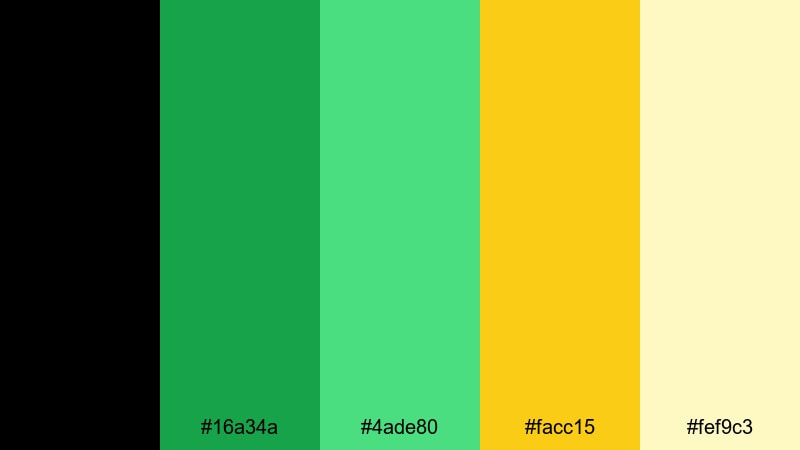
- HEX Codes: #000000, #16a34a, #4ade80, #facc15, #fef9c3
- Mood: nostalgic, smooth, and uplifting
- Use for: Ideal for lifestyle vlogs, rewind edits, and graphic titles with a soft vintage glow.
Retro Highlight Fade uses soft neon greens and buttery yellows over black, evoking the glow of old monitors and arcade signage, but with a gentle, modern twist. It feels optimistic and slightly nostalgic at the same time.
Use this palette for lifestyle vlogs, year-in-review edits, or aesthetic reels where you want a friendly, throwback vibe. In Filmora, pair it with subtle film grain, rounded fonts, and slow zooms to create title cards, flashback sequences, or end screens that feel warm and welcoming.
Glowing Metro Map
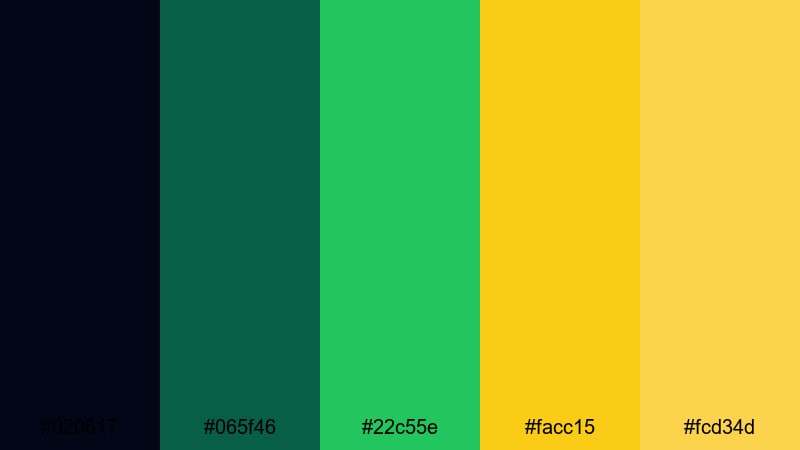
- HEX Codes: #020617, #065f46, #22c55e, #facc15, #fcd34d
- Mood: organized, modern, and lightly futuristic
- Use for: Use for animated maps, UI mockups, timeline graphics, and clean explainer videos.
Glowing Metro Map looks like a schematic diagram lit up at night: precise green and yellow lines on dark backgrounds. It feels organized and modern, with just enough glow to suggest a futuristic UI without becoming overwhelming.
This palette shines in motion infographics, animated maps, product roadmaps, and clean explainer videos. In Filmora, map your timelines, routes, and process steps using these greens and yellows while keeping backgrounds and text areas mostly black, so the viewer always knows where to look next.
Tips for Creating Black Green Yellow Color Palettes
Black green yellow color combinations are powerful, but they can easily become too harsh or chaotic if not balanced. These practical tips will help you design palettes that stay readable, on-brand, and cinematic across video, thumbnails, and motion graphics.
- Use black as your anchor color. Let it handle most of the background so greens and yellows can pop without fighting each other.
- Assign clear roles: pick one main accent (usually green or yellow) for key information, and keep the other as a secondary or subtle highlight.
- Check text readability on small screens. Neon green or bright yellow text on black should have enough contrast and proper font weight to read clearly in thumbnails and mobile feeds.
- Control saturation in footage. If your video already contains strong greens or yellows, use Filmora color tools to tone them down slightly so your designed overlays still stand out.
- Limit extra colors. If you add blues, oranges, or reds, keep them muted so the black green yellow palette remains the star and your brand look stays consistent.
- Match your palette to your niche. Hard neon greens and yellows suit gaming, tech, and esport content, while softer, muted tones work better for travel, lifestyle, and documentary pieces.
- Reuse HEX codes across assets. Use the exact same values in your intros, lower-thirds, end screens, and social posts to build strong brand recognition over time.
- Test on different backgrounds. Preview your graphics on dark footage, solid black, and gradient backdrops inside Filmora to be sure your palette works in multiple situations.
Black green yellow color palettes can push your visuals from basic to iconic when they are chosen and applied with intention. Whether you want sharp neon for gaming intros or softer cinematic tones for travel and brand videos, the palettes above give you ready-made HEX codes that translate well across thumbnails, overlays, and full edits.
Load these palettes into Filmora, experiment with AI Color Palette, HSL, color wheels, and LUTs, and see how quickly a consistent color story can pull your whole channel together. With a few saved presets, your black green yellow themed videos, logos, and intros will start to feel like part of a single, recognizable visual world.
secure downloadNext: Cartoon Color Palette
