

 100% Security Verified | No Subscription Required | No Malware


 ChatGPT
 Perplexity
 Gemini
 Claude
 Grok
Grok
Black and red is one of the most iconic color pairings in visual storytelling. Black brings depth, mystery, and authority, while red adds energy, passion, and urgency. Together, they create high-impact visuals that feel bold, cinematic, and unforgettable. That is why this Black Red combination is everywhere in movie posters, game covers, sports branding, and dramatic YouTube thumbnails.
For video creators and designers, a well-planned Black Red color palette can define the entire mood of your project, from channel branding and intros to lower-thirds, titles, and social teasers. Below you will find 15 carefully curated Black Red color palettes with HEX codes, plus tips on how to use them in Filmora to keep your visuals consistent across your whole edit.
In this article
Bold & Dramatic Black Red Color Palettes
Crimson Noir Impact
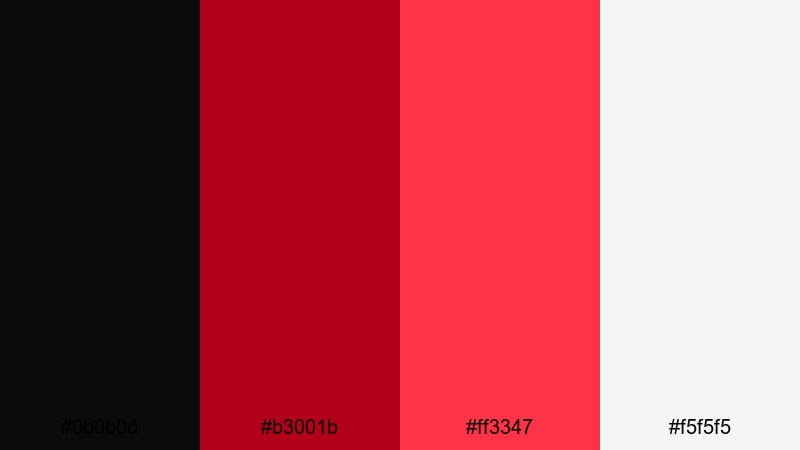
- HEX Codes: #0b0b0d, #b3001b, #ff3347, #f5f5f5
- Mood: High-contrast, intense, and cinematic with a sharp spotlight feel.
- Use for: Ideal for high-energy YouTube thumbnails, reaction videos, and dramatic title cards that need instant impact.
Crimson Noir Impact combines almost-jet black with searing reds and a clean white highlight, creating a visual punch that feels unapologetic and bold. The deep background lets the red accents behave like a spotlight on faces, objects, or key text.
Use this palette for strong hero shots in your intros, bold YouTube thumbnails, or bold lower-thirds where you want maximum readability over dark footage. In Filmora, it works especially well when you keep backgrounds nearly black and reserve the brightest red and white for titles, subscribe buttons, and crucial UI-style elements.
Pro Tip: Build a Cinematic Black Red Look in Filmora
To keep a powerful Black Red aesthetic consistent across your whole video, start by locking in your background and accent colors in your titles and overlays. In Filmora, you can save your favorite color swatches and reuse the same reds and blacks for intros, chapter cards, and end screens so the entire edit feels like one cohesive visual world.
Combine this with subtle vignettes, light leaks, or film grain, and your Crimson Noir Impact palette will feel like a considered cinematic choice instead of just random red text on black. This approach is perfect for creators who want their channel to feel like a branded series, not a collection of disconnected uploads.
AI Color Palette
If you have a reference image, poster, or mood board that already nails this Black Red look, Filmora's AI Color Palette feature can automatically transfer its tones to your footage. Import one clip or still with the palette you like, then apply that look across your entire timeline in a few clicks.
This is especially useful when you mix different cameras or lighting conditions. AI Color Palette helps pull everything back to the same deep blacks and rich reds so your intro, A-roll, B-roll, and outro all feel like they belong to the same cinematic universe.
 secure download

HSL, Color Wheels & Curves
Once your overall Black Red mood is in place, refine it with Filmora's HSL, color wheels, and curves. Use HSL to push reds toward a slightly cooler crimson or a hotter scarlet, and use the color wheels to keep shadows deep and neutral while adding a gentle warm tint to midtones for skin tones.
Curves are ideal for adding contrast without crushing details: lower the shadows slightly for richer blacks, then lift the highlights to make your white accent pop. If you need more ideas on shaping your tones, explore Filmora's guidance on color correction tools in Filmora and adapt the techniques to your Black Red style.
secure download1000+ Video Filters & 3D LUTs
To speed up your Black Red styling, you can stack creative filters and LUTs on top of your base palette. Filmora's video filters and 3D LUTs make it easy to move from standard footage to a moody, high-contrast noir look with just a few presets.
Apply a cinematic LUT that deepens shadows and then fine-tune opacity so your crimson accents remain vivid without overpowering skin tones. This workflow helps you maintain the core Crimson Noir Impact colors while adding subtle film-like character to vlogs, trailers, or reaction videos.
secure downloadNeon Inferno Edge
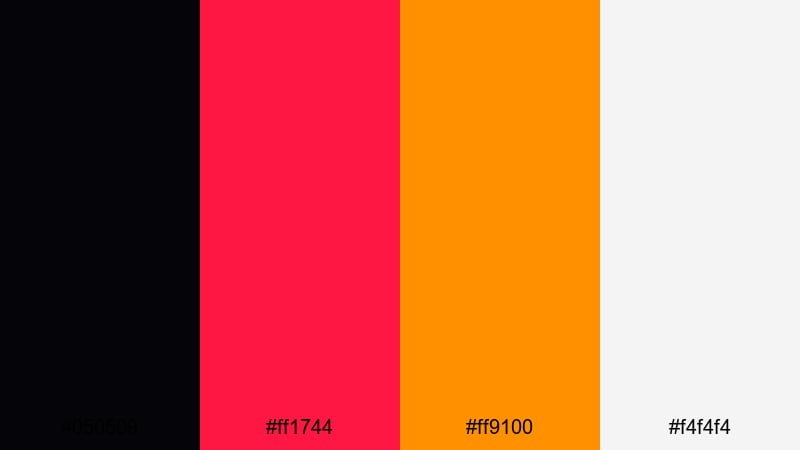
- HEX Codes: #050509, #ff1744, #ff9100, #f4f4f4
- Mood: Electric, rebellious, and urban with a hint of cyberpunk heat.
- Use for: Great for gaming intros, esports overlays, and tech reviews that need a fierce, neon-charged identity.
Neon Inferno Edge fuses deep black with glowing red and blazing orange, giving your visuals a hot, neon strip-light energy. The light gray keeps text legible while the reds and oranges feel like they are pulsing off a dark city street.
Use this palette for game highlight reels, RGB-themed setups, or tech thumbnails that need to look fast and aggressive. Pair dark backgrounds with neon-colored borders and buttons in Filmora, and let the white or light gray handle text so thumbnails remain readable even on mobile.
Midnight Ember Pulse
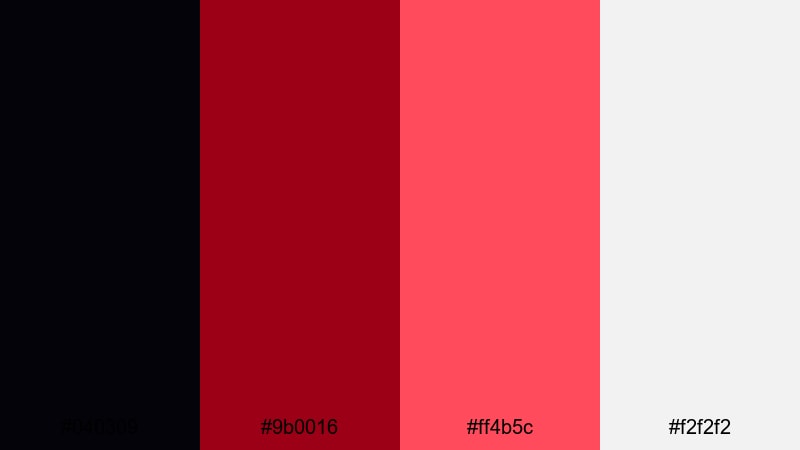
- HEX Codes: #040309, #9b0016, #ff4b5c, #f2f2f2
- Mood: Smoldering, rhythmic, and dramatic like embers glowing in the dark.
- Use for: Use this palette for music videos, dance edits, or cinematic B-roll sequences with dramatic beats.
Midnight Ember Pulse layers rich crimson over inky black, with a bright red highlight that feels like sparks breaking through the dark. The soft off-white keeps things from becoming too heavy, offering a subtle space for captions or logos.
It is a great fit for music-driven edits: use deep blacks for negative space, warmed reds for lights and accents, and the light neutral for clean, minimal titles. In Filmora, combine this palette with beat-synced cuts and glow effects to make every accent feel like a pulse in time with your soundtrack.
Rogue Hero Contrast
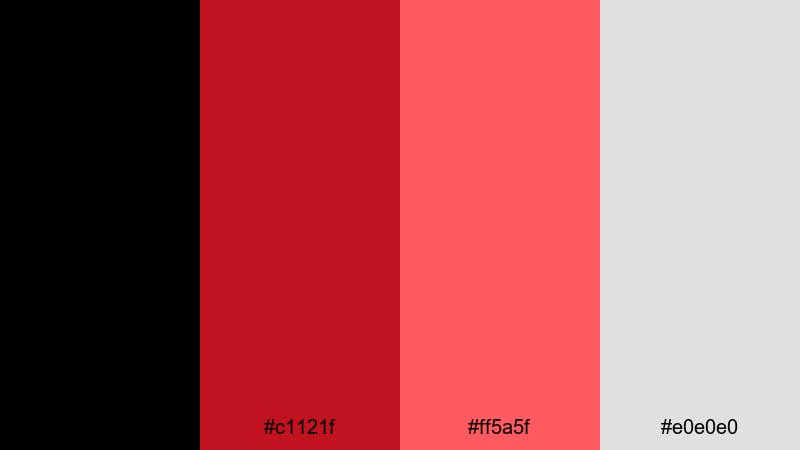
- HEX Codes: #000000, #c1121f, #ff5a5f, #e0e0e0
- Mood: Confident, heroic, and bold with comic-book style contrast.
- Use for: Perfect for action trailers, creator brand logos, and bold lower-third graphics in story-driven content.
Rogue Hero Contrast pairs pure black with punchy reds and a soft light gray that feels like speech bubbles in a graphic novel. The combination instantly gives your visuals a heroic, high-stakes atmosphere.
Use it for creator intros where you present yourself as the main character, with bold red shapes framing your face and gray or white text for titles. In Filmora, mix this palette with sharp transitions, speed ramps, and sound effects for trailer-style openers that stand out in any feed.
Elegant & Luxurious Black Red Color Palettes
Velvet Gala Luxe
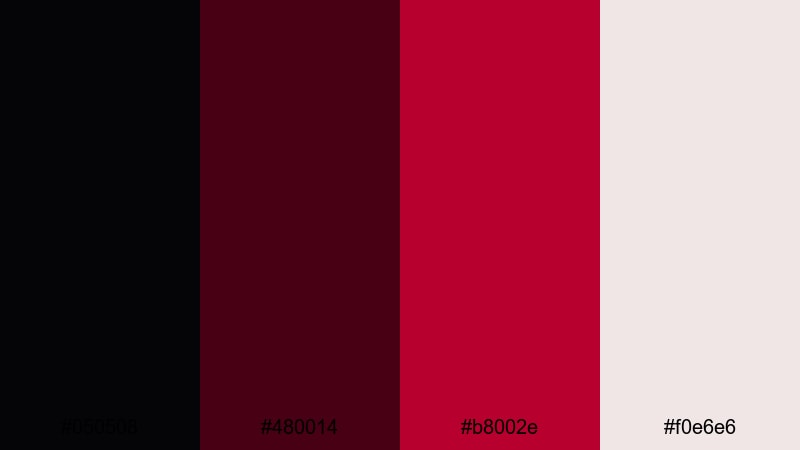
- HEX Codes: #050508, #480014, #b8002e, #f0e6e6
- Mood: Luxurious, intimate, and refined like a velvet-draped theater.
- Use for: Best for brand films, beauty content, and elegant announcement cards or event promos.
Velvet Gala Luxe leans into deep burgundy and almost-black, softened by a pale blush highlight. The result feels like candlelight on velvet curtains - rich, romantic, and premium.
Use this Black Red palette for beauty campaigns, jewelry close-ups, or luxury event promos. In Filmora, you can design clean lower-thirds using the pale blush as a base with deep burgundy text, and then bring in the brightest red only for key callouts or product shots.
Scarlet Champagne Night
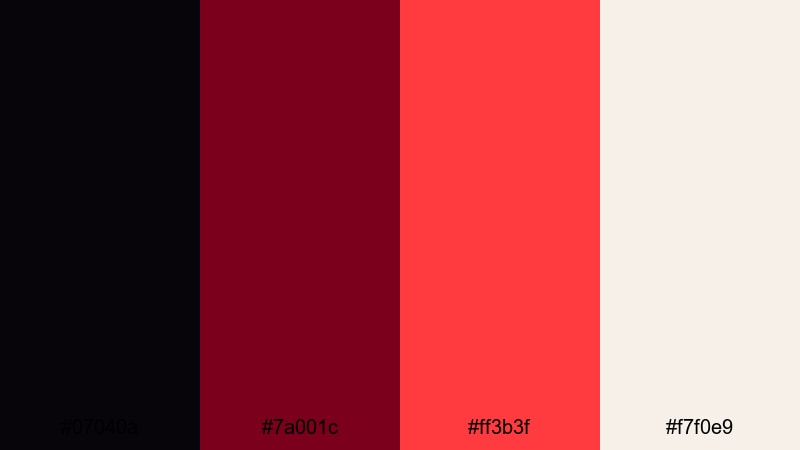
- HEX Codes: #07040a, #7a001c, #ff3b3f, #f7f0e9
- Mood: Festive, glamorous, and polished with champagne highlights.
- Use for: Great for holiday promos, product launches, and luxury unboxings where you want celebration and style.
Scarlet Champagne Night mixes deep scarlet with soft champagne white for a glamorous evening feel. The rich black base keeps everything grounded, while the bright red behaves like a spotlight or red carpet.
Use it when you want your unboxing videos, holiday deals, or launch teasers to feel like an event. In Filmora, pair soft vignette effects with sparkling overlays and use the champagne tone for clean typography over darker shots.
Royal Cabaret Stage
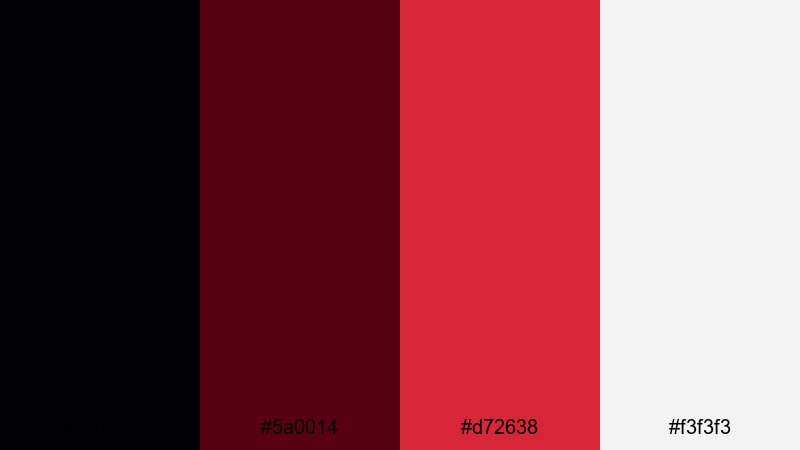
- HEX Codes: #020205, #5a0014, #d72638, #f3f3f3
- Mood: Theatrical, classy, and slightly vintage like an old cabaret stage.
- Use for: Use this palette for stage performance videos, short films, and title sequences that need a classic showtime vibe.
Royal Cabaret Stage balances velvet black, deep stage red, and a lighter, slightly vintage red with a neutral light tone. It recalls old theater posters and cabaret curtains.
Apply it to performance recordings, musical shorts, or narrative intros. In Filmora, use the lighter neutral tone for intertitles or act breaks, and keep your credits and title cards in the stronger reds for a classic showtime look.
Opulent Opera Velvet
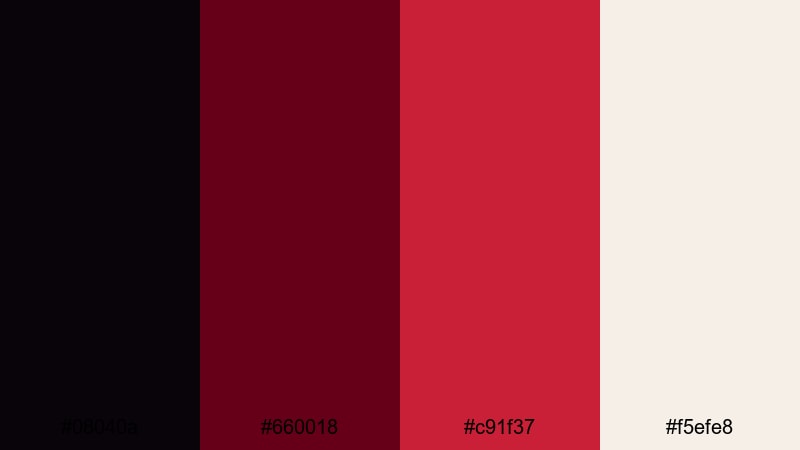
- HEX Codes: #08040a, #660018, #c91f37, #f5efe8
- Mood: Dramatic yet graceful, with an operatic sense of grandeur.
- Use for: Perfect for trailers, cinematic title cards, and brand intros that want a rich, story-driven aesthetic.
Opulent Opera Velvet combines wine-like reds with a creamy light accent, supported by a rich, dark backdrop. It feels big and emotional but still sophisticated.
Use it for film-style trailers, storytelling brand videos, or passion projects where you want every frame to feel important. In Filmora, try slow push-in shots with text in the creamy tone over deep red gradients for a dramatic, prestige cinema effect.
Moody Cinematic Black Red Color Palettes
Shadowframe Thriller
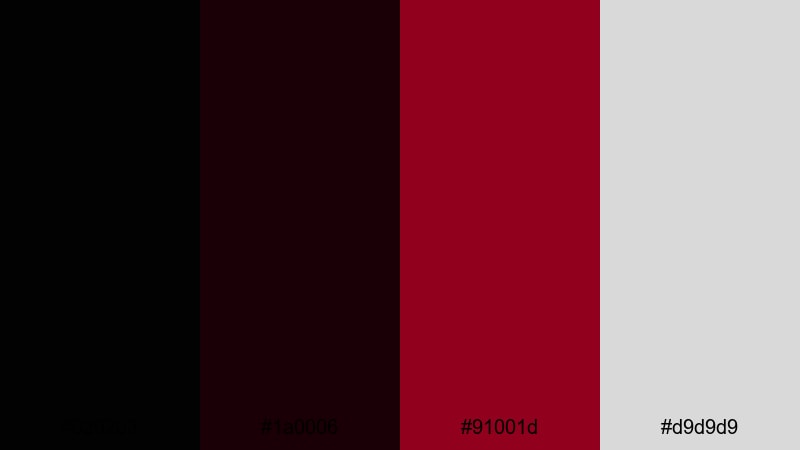
- HEX Codes: #020203, #1a0006, #91001d, #d9d9d9
- Mood: Tense, mysterious, and cinematic with noir influences.
- Use for: Ideal for thriller edits, storytelling vlogs, and cinematic b-roll with suspenseful pacing.
Shadowframe Thriller stacks near-black tones with a precise, sharp red accent and a muted light gray. It creates strong separation between dark environments and the few elements you want viewers to notice.
Use this palette for mystery vlogs, crime-inspired edits, or tense storytelling pieces. In Filmora, keep most of the frame in deep shadows and let red appear only on key props, text, or overlays, using the gray for subtitles to maintain readability without breaking the mood.
Blood Moon Horizon
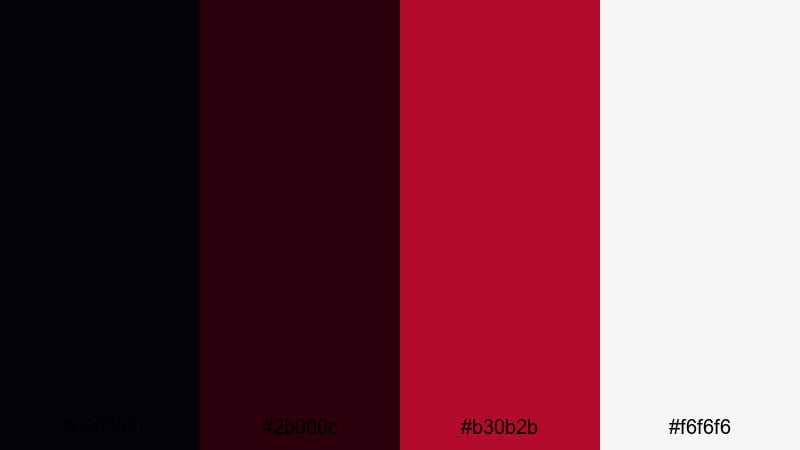
- HEX Codes: #050309, #2b000c, #b30b2b, #f6f6f6
- Mood: Eerie, atmospheric, and slightly surreal like a blood moon rising.
- Use for: Great for travel montages, night cityscapes, and horror or mystery intros with a surreal twist.
Blood Moon Horizon blends dark maroons with deep black and a soft white glow, creating an eerie yet stylish feel. It evokes late-night skies, distant city lights, and surreal, dreamlike horizons.
Use it for night-time B-roll, foggy landscapes, or horror-inspired intros. In Filmora, grade your footage toward maroon in the highlights and keep skies or negative space nearly black, then use the white tone for minimal, floating titles.
Afterhours Neon Alley
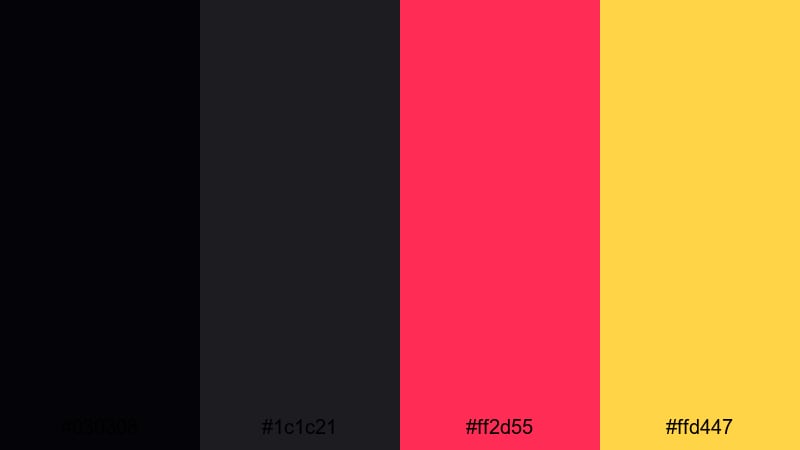
- HEX Codes: #030308, #1c1c21, #ff2d55, #ffd447
- Mood: Urban, moody, and neon-lit with late-night city energy.
- Use for: Use for street photography edits, nightlife recaps, and social teasers that live after dark.
Afterhours Neon Alley combines muted blacks and grays with hot pink-red and electric yellow accents. It captures the look of glowing billboards and street lights reflecting on wet pavement.
Use this palette for nightlife recaps, street-style fashion content, or lo-fi city montages. In Filmora, keep frames mostly dark and let the neon colors appear in title strokes, shapes, and subtle light leak overlays to sell the late-night vibe.
Obsidian Heart Drama
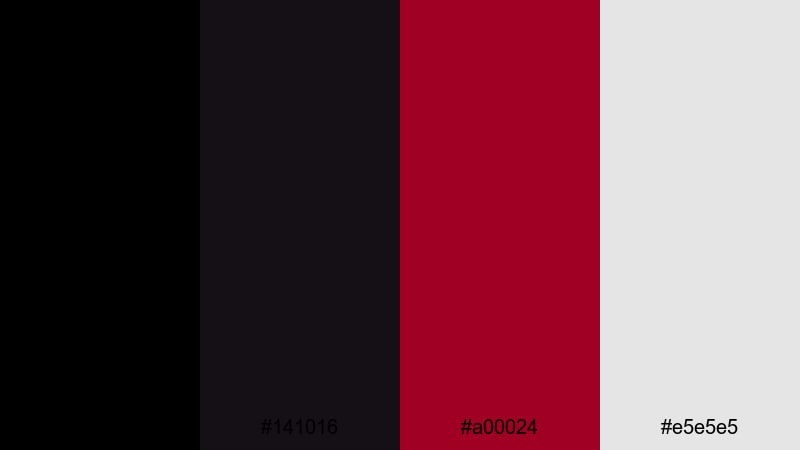
- HEX Codes: #000000, #141016, #a00024, #e5e5e5
- Mood: Brooding, emotional, and dramatic with strong character focus.
- Use for: Perfect for dialogue-heavy scenes, emotional vlogs, and dramatic portrait sequences.
Obsidian Heart Drama layers pure black with a soft charcoal, a heartfelt red, and a gentle gray. It feels introspective and emotional, ideal for character-driven stories.
Use it for confession-style vlogs, short films, or interviews where emotion is central. In Filmora, combine close-up framing with subtle color grading that keeps backgrounds dark and neutral, then add red only to typography or a few symbolic objects in the frame.
Modern Minimal Black Red Color Palettes
Minimalist Signal Alert
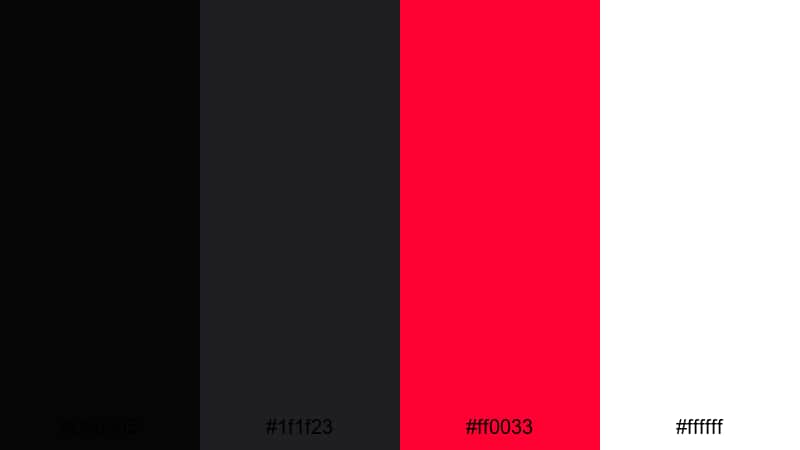
- HEX Codes: #050505, #1f1f23, #ff0033, #ffffff
- Mood: Clean, sharp, and urgent like a modern alert system.
- Use for: Great for lower-thirds, call-to-action screens, and UI-style overlays in tutorials or tech content.
Minimalist Signal Alert uses a dark monochrome base with one intense red accent and crisp white. It feels like a modern notification system or dashboard, with attention pulled exactly where you need it.
Use it for tutorial overlays, subscribe screens, error callouts, and any on-screen UI in your edits. In Filmora, let the dark grays be your panels and backgrounds, the red highlight your buttons or key numbers, and the white handle simple, readable labels.
Monochrome Glitch Pop
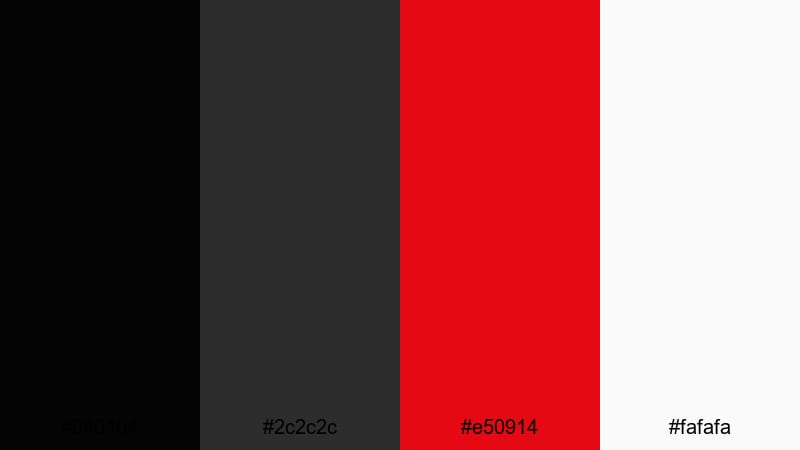
- HEX Codes: #040404, #2c2c2c, #e50914, #fafafa
- Mood: Sleek, digital, and slightly retro with glitch-art flair.
- Use for: Use for motion graphics, channel idents, and edit transitions that reference streaming-era aesthetics.
Monochrome Glitch Pop stays mostly grayscale but injects one vivid streaming-inspired red and a clean near-white. It looks like a modern video platform UI with a hint of retro glitch energy.
Use it for channel idents, logo animations, or transition cards between segments. In Filmora, mix this palette with glitch effects, digital noise, and simple geometric shapes for stylish, minimal motion graphics that feel instantly recognizable.
Clean Stream Overlay
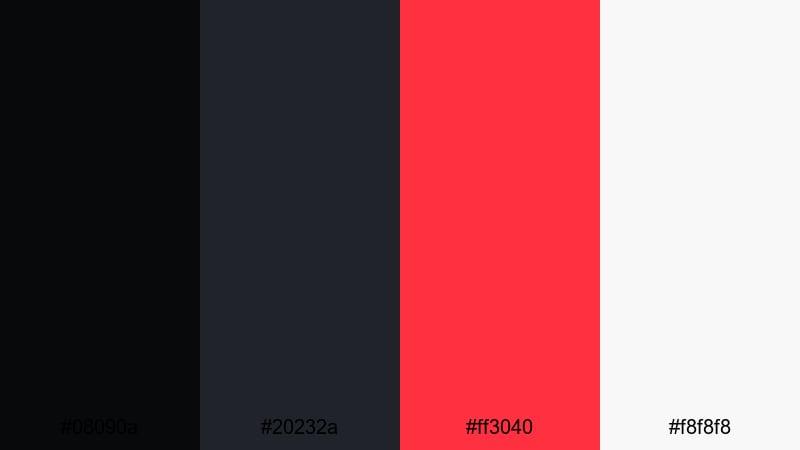
- HEX Codes: #08090a, #20232a, #ff3040, #f8f8f8
- Mood: Professional, balanced, and creator-friendly with a studio polish.
- Use for: Perfect for streaming overlays, tutorial frames, and talking-head layouts that need structure without clutter.
Clean Stream Overlay balances near-black, muted blue-gray, a clear red accent, and a bright neutral base. It feels like a tidy streaming studio or polished tutorial layout.
Use this palette to build borders, chat boxes, webcams frames, and info banners around your content. In Filmora, design one master overlay using these colors and then reuse it as a template for all your episodes to keep your brand consistent and professional.
Tips for Creating Black Red Color Palettes
Black Red palettes can be intense, so the key is controlling contrast, highlights, and how often you use your strongest red. Here are some practical ways to build and apply these palettes in video and design.
- Use black or near-black for backgrounds and large shapes, then reserve bright reds for accents like titles, buttons, and important objects.
- Always test readability: put your text over both dark and red areas to ensure it is clear on small screens and in bright environments.
- Add a soft neutral (off-white, gray, or champagne) to break up heavy contrast and give your eyes a place to rest.
- Keep brand consistency by reusing the same HEX codes for your logo, thumbnails, intro cards, and end screens across all videos.
- In Filmora, color grade your footage first, then match your overlays and text colors so they sit naturally on top of the image.
- For cinematic looks, avoid fully saturated reds everywhere; instead, use deeper burgundies in the footage and save pure red for UI and titles.
- When working with skin tones, use color wheels or HSL adjustments to keep faces natural while shifting backgrounds toward black and red.
- Export a test frame or short clip and view it on a phone and a desktop to confirm your Black Red palette looks balanced in different viewing conditions.
Conclusion
Black Red color palettes are powerful tools for shaping mood, from bold and aggressive to luxurious and cinematic. With the right mix of deep blacks, carefully chosen reds, and soft neutrals, you can build a visual identity that makes your channel, brand, or short film instantly recognizable.
The 15 palettes above give you ready-made HEX codes you can plug straight into your thumbnails, intros, overlays, and title designs. Combine them with Filmora's color tools, AI Color Palette, and filters to keep everything consistent across your whole edit.
Experiment with a few different Black Red combinations, save your favorites as presets in Filmora, and refine them over time. With a strong palette and a solid edit, your videos will look as intentional and cinematic as they feel.
secure downloadNext: Black Blue Color Palette
