

 100% Security Verified | No Subscription Required | No Malware


 ChatGPT
 Perplexity
 Gemini
 Claude
 Grok
Grok
The Casual Lifestyle Indoor Filter collection is designed for content creators who film at home and want their daily moments to look polished without feeling over-edited. These filters balance soft tones, natural skin, and cozy lighting to turn everyday scenes into shareable lifestyle content.
Use these presets to keep your indoor vlogs, daily routine videos, and cozy sit-down clips visually consistent across different rooms, lighting conditions, and times of day, all while staying true to an authentic casual mood.
In this article
Soft Morning Light at Home
Soft Morning Glow
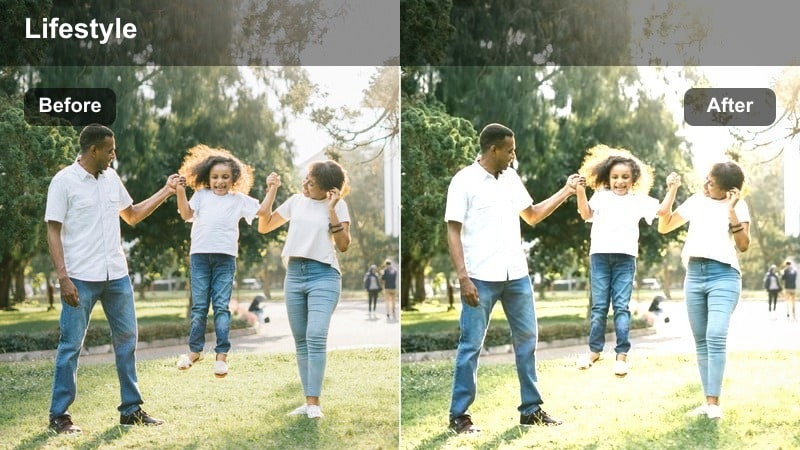
- Effect look: Gentle warm lift with softened contrast and slightly brightened shadows for a fresh morning feel.
- Best for: Calm morning routines, making coffee by the window, quiet reading clips in natural light.
- Editing tip: Lower the filter intensity if your window light is already strong to avoid clipping highlights on white walls.
Soft Morning Glow is ideal when you want your indoor morning footage to feel airy and inviting without losing detail. In Filmora, this filter gently lifts warm tones and softens contrast so window light looks flattering on skin while keeping whites from appearing too stark.
Use it on A-roll of you talking by the window and on B-roll like coffee pours or page turns to keep color and brightness consistent. Expose for your face first, then apply the filter and slightly fine-tune exposure or contrast so both your features and bright window areas look balanced.
Match Your Indoor Vibe with AI-Driven Color Balance
Filmora s AI color tools help you normalize mixed indoor lighting before you even start styling with casual lifestyle indoor filters. Let AI quickly balance white balance and exposure so your walls, furniture, and skin tones start from a clean, natural baseline.
Once the clip looks neutral, layer a filter like Soft Morning Glow or Pajama Cozy Bright on top to shape the mood instead of fixing color problems. This keeps your grade light, fast, and repeatable across many vlogs.
 secure download

Preview Filters on Real Home Footage
To pick the best casual indoor filter for your channel, test them directly on clips from your own rooms. Drop a short morning or living room shot into Filmora, then cycle through presets like Soft Morning Glow, Pajama Cozy Bright, and Focus Desk Neutral.
Watching quick before-and-after changes on your actual walls, bedding, and decor makes it obvious which filter feels most natural to your space. Save your favorite looks as presets so you can apply them with one click in future edits.
secure downloadTurn Indoor Filters into Cinematic LUT Workflows
When you want certain parts of your casual vlogs to feel extra cinematic, combine your favorite indoor filter with Filmora s 1000 plus video filters and 3D LUTs. Keep most of your day under a soft, neutral preset, then stack a cinematic LUT on top for hero shots or transitions.
This two-step workflow lets you keep your overall aesthetic cozy and approachable while giving B-roll, montages, and emotional moments more depth and style, all without complex manual color grading.
secure downloadPajama Cozy Bright
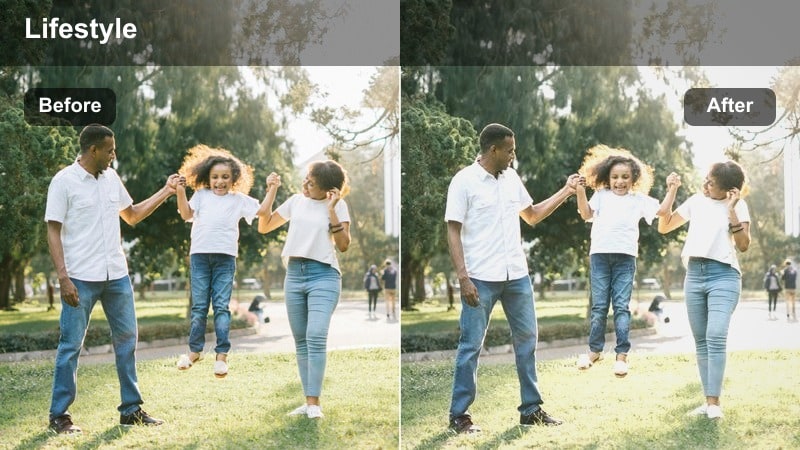
- Effect look: Bright, low-contrast look with soft whites and subtle creamy skin tones.
- Best for: Casual bed clips, getting-ready vlogs, talking to the camera from your bedroom.
- Editing tip: Reduce saturation slightly if your bedding or wall colors are very bold to keep the aesthetic calm and cohesive.
Pajama Cozy Bright works best in bedrooms and cozy nooks where you want everything to feel clean, soft, and inviting. In Filmora, it lifts overall brightness while keeping contrast gentle, which smooths minor skin imperfections and makes white or neutral bedding look crisp but not clinical.
Apply this filter to talking-head clips on your bed, outfit try-ons, or slow shots of making your bed. If your room has colorful decor, use the Color tools to pull saturation back a touch so the filter can keep the scene balanced and soothing.
Kitchen Sunrise Warmth
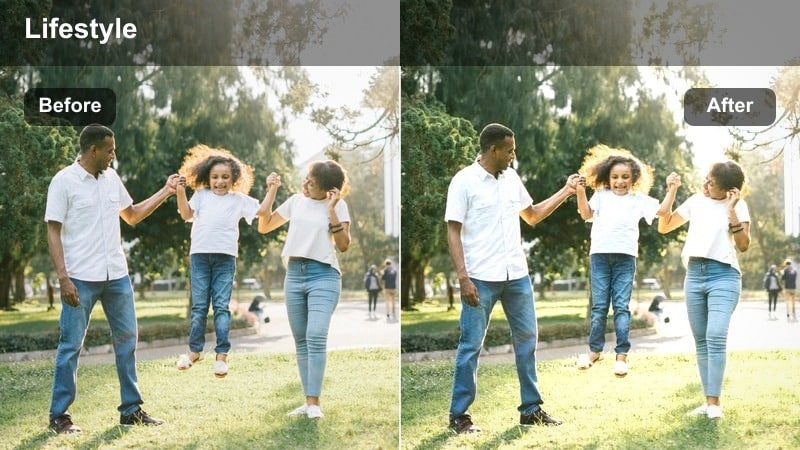
- Effect look: Warm, slightly golden shift with softened shadows for a relaxed early breakfast vibe.
- Best for: Cooking coffee, prepping breakfast, or chatting at the kitchen counter in the morning.
- Editing tip: If your kitchen has yellow bulbs, cool the white balance a little before applying the filter to avoid overly orange footage.
Kitchen Sunrise Warmth leans into that golden, weekend-breakfast feeling by enhancing warm tones and softening contrast around countertops and cabinets. In Filmora, this preset helps stainless steel, mugs, and wood textures look cozy rather than stark, especially in mixed daylight and bulb lighting.
Use it on clips of coffee brewing, cutting fruit, or chatting at the counter for a unified, sunlit aesthetic. For very warm kitchens, lightly cool the color temperature first, then apply the filter so you keep a pleasant golden tone without pushing into deep orange hues.
Relaxed Afternoon Desk and Living Room Scenes
Focus Desk Neutral
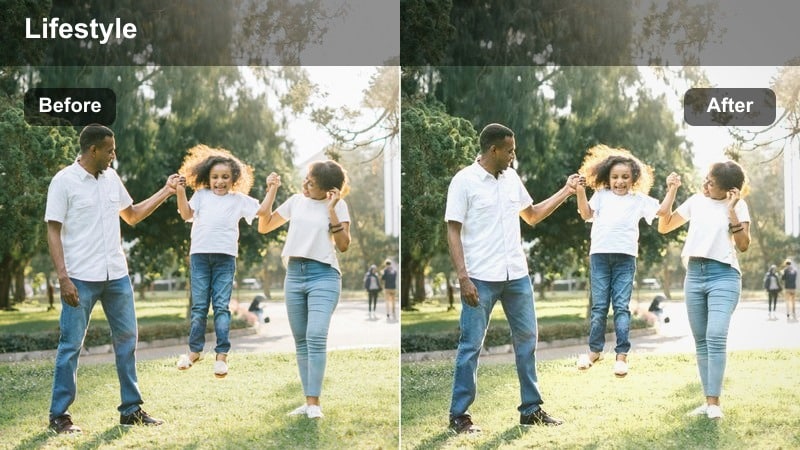
- Effect look: Clean, neutral color balance with gentle contrast and softened highlights for screens and paper.
- Best for: Study sessions, remote work clips, typing at a laptop at your desk.
- Editing tip: Drop clarity slightly after applying the filter to keep monitors and text readable without looking too harsh.
Focus Desk Neutral is designed for productivity and study content where readability and a tidy look matter more than heavy stylization. In Filmora, this filter keeps whites on notebooks and screens neutral, reduces glare, and keeps your skin tone natural against a simple desk backdrop.
Apply it to top-down shots of notebooks, keyboard close-ups, and talking clips at your desk for a cohesive work-from-home series. If your scene includes bright monitors, use the Highlights control after the filter to tame any remaining hot spots while preserving the clean, focused aesthetic.
Soft Couch Afternoon
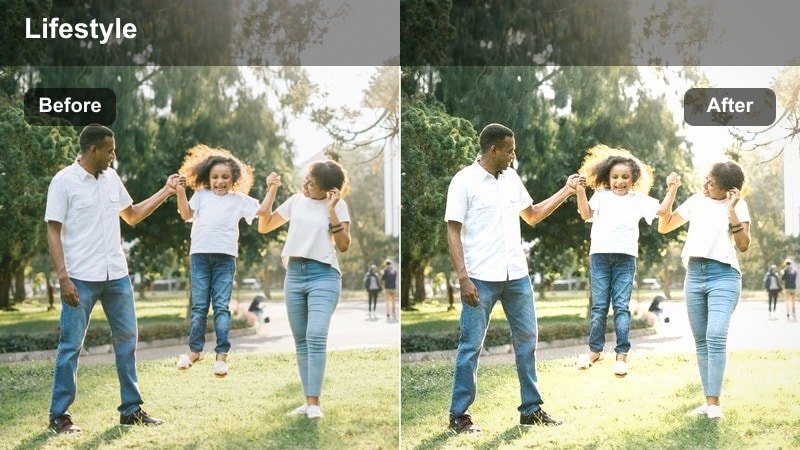
- Effect look: Softened shadows with a slight warm lift and reduced saturation for a relaxed, quiet mood.
- Best for: Chill couch vlogs, scrolling on your phone, casual B-roll in the living room.
- Editing tip: Crop a bit tighter on your subject when using this filter so the muted colors feel intentional, not dull.
Soft Couch Afternoon turns casual lounging shots into calm, cinematic moments by gently muting colors and softening shadows. In Filmora, this filter is great for bringing harmony to living rooms that mix multiple decor colors, creating a unified, laid-back palette.
Use it on A-roll where you are talking from the sofa as well as B-roll of feet up on a coffee table, flipping through a book, or glancing at your phone. If the frame feels too desaturated, nudge saturation up a little or add a slight vignette to draw attention to your face.
Afternoon Corner Calm
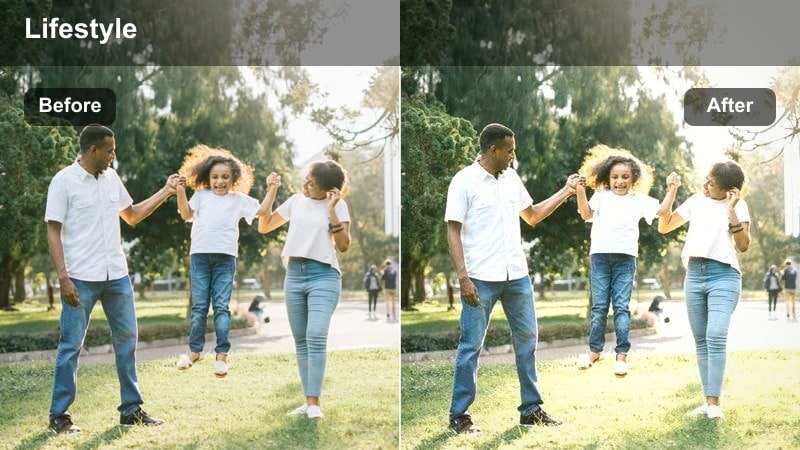
- Effect look: Balanced midtones with softly lifted shadows and a hint of warm green balance for corners with decor.
- Best for: Shooting quiet corners of your living room, reading chairs, or styled shelves in afternoon light.
- Editing tip: Slightly decrease saturation of greens or bold decor so the overall frame keeps a relaxed, minimalist mood.
Afternoon Corner Calm is tailored for those aesthetic home corners filled with plants, books, and decor pieces. In Filmora, it evens out midtones so shelves, chairs, and greenery all feel part of one soft, curated scene, without letting any single color dominate.
Apply it when you film reading chairs, plant nooks, or small decor arrangements as B-roll for your vlogs. If your plants pop too much, dip into the HSL controls to desaturate greens slightly so the shot remains calm and minimalist while still showing texture and detail.
Warm Evenings and Cozy Indoor Routines
Warm Lamp Evening
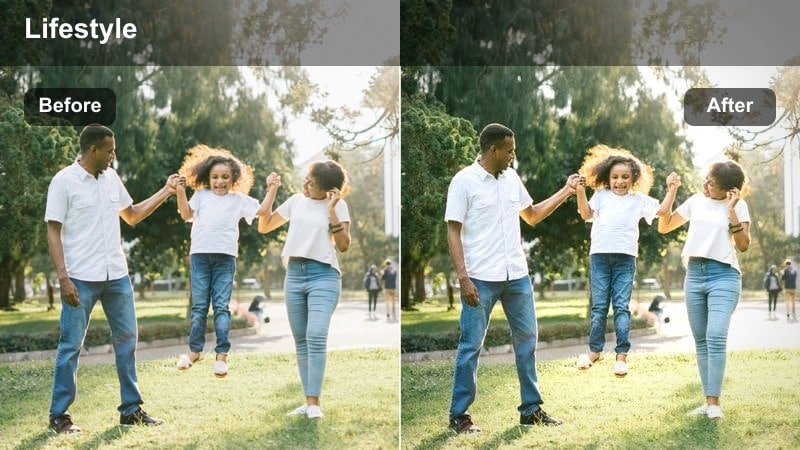
- Effect look: Rich, warm tones that lean into lamp light while gently reducing harsh orange casts.
- Best for: Evening journaling, end-of-day talking clips, slow B-roll under warm bedside lamps.
- Editing tip: If your footage looks too orange, cool the temperature just a little before applying the filter for natural warmth.
Warm Lamp Evening is built for intimate nighttime scenes where a single lamp is your main light source. In Filmora, this filter deepens the cozy warmth while smoothing out strong orange spikes, so skin tones look flattering and the room feels softly lit rather than tinted.
Use it for journaling, reading, or reflective end-of-day monologues on your bed or at a side table. To keep detail in shadows, slightly lift exposure or shadows after applying the filter, but avoid over-brightening so you preserve the moody, cocoon-like atmosphere.
Cozy TV Time
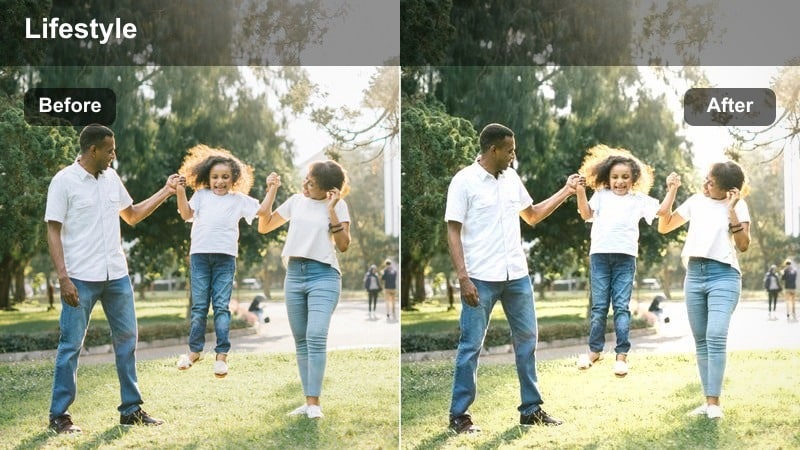
- Effect look: Soft low-light boost with controlled highlights and gentle cool balance for screens and darker rooms.
- Best for: Watching shows on the couch, gaming clips in the living room, screen-focused evening vlogs.
- Editing tip: Lower the filter intensity on very dark clips to avoid grainy or washed-out blacks when brightening shadows.
Cozy TV Time is optimized for screen-lit scenes where the TV or monitor is a major light source. In Filmora, it gently lifts shadows so you are visible on the couch while preventing the screen from blowing out to pure white, and adds a subtle cool balance that suits digital displays.
Apply it to gaming sessions, movie nights, or reaction-style clips filmed in dim rooms. If you notice extra noise in the dark areas after brightening, slightly reduce the filter intensity and add a touch of Filmora s noise reduction for a smoother final look.
Night Routine Soft
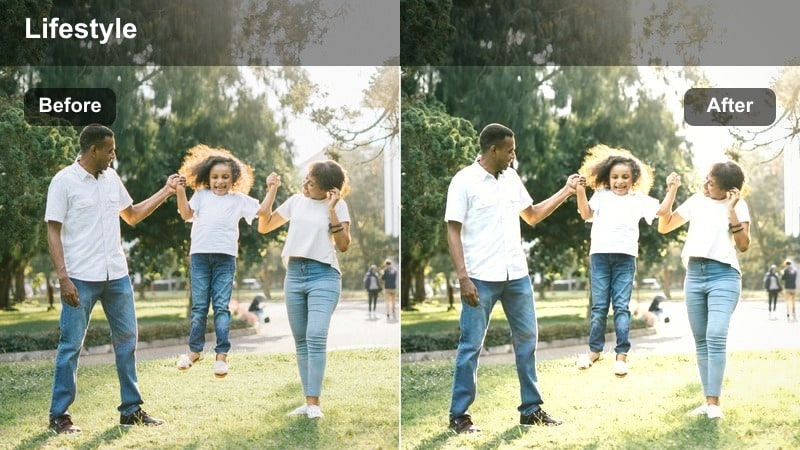
- Effect look: Low-contrast, slightly cool-neutral tone that softens bathroom and bedroom lighting for night routines.
- Best for: Skincare routines, brushing teeth, before-bed check-ins in small indoor spaces.
- Editing tip: If your bathroom lights are very harsh, lower contrast slightly more to flatten shadows under the eyes.
Night Routine Soft is perfect for mirror shots and tight bathroom spaces where overhead light can look unflattering. In Filmora, this filter flattens contrast just enough to reduce harsh shadows and gives a cooler-neutral tone that keeps white tiles and sinks from looking too yellow.
Use it on skincare steps, brushing teeth, and short night check-ins to keep your face gently lit and your background clean. For especially bright vanities, follow the filter with minor adjustments to contrast and highlights to keep your features soft but still clearly defined.
All-Day Casual Vlog and B-Roll Moments
All-Day Soft Neutral
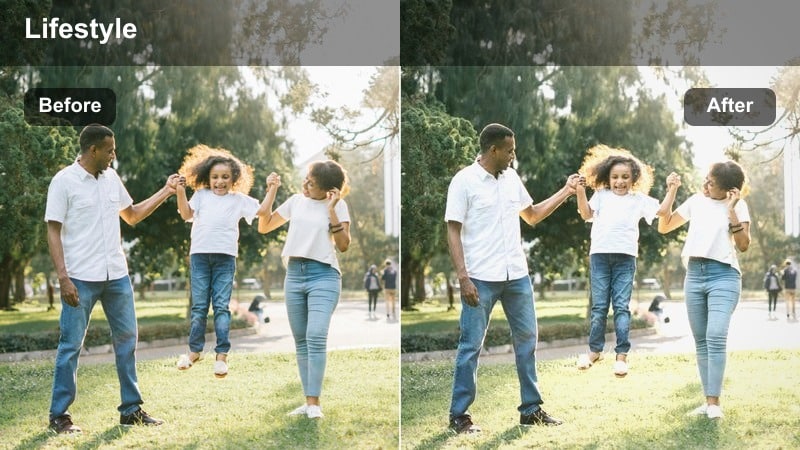
- Effect look: Versatile soft contrast with neutral color balance that works across different rooms and times.
- Best for: Full-day vlogs that move from room to room, quick handheld B-roll, grab-and-go clips.
- Editing tip: Use this as your base filter and slightly adjust exposure per clip to keep your whole vlog visually consistent.
All-Day Soft Neutral is your go-to foundation filter for casual lifestyle vlogs that travel through multiple rooms and lighting changes. In Filmora, it smooths contrast and keeps colors neutral, so your footage from the kitchen, living room, and bedroom all feels like part of the same story.
Apply it across your entire timeline first, then fine-tune each clip with minor exposure and white balance tweaks as needed. This workflow gives you a recognizable channel-wide look while keeping editing time short and predictable.
Handheld Daily Moments
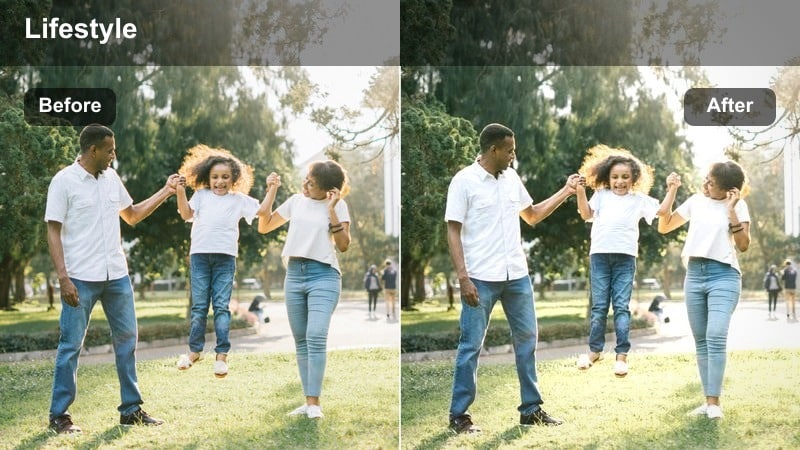
- Effect look: Slightly lifted shadows and subtle motion-friendly contrast for quick handheld shots.
- Best for: Walking through rooms, grabbing items from shelves, quick cutaway shots in a daily routine.
- Editing tip: Add a small amount of stabilization before applying the filter so the soft look stays clean and watchable.
Handheld Daily Moments is tuned for POV shots and quick movements, where you want softness without losing clarity. In Filmora, the filter gently brightens shadows and keeps contrast moderate, which helps reduce the harshness of motion blur and small camera shakes.
Apply it to clips of opening doors, picking up items, or walking from room to room as connective tissue in your vlogs. For the smoothest results, add Filmora s stabilization and maybe a touch of motion blur first, then apply the filter so the final look stays casual yet pleasing to watch.
Home B-Roll Cinematic
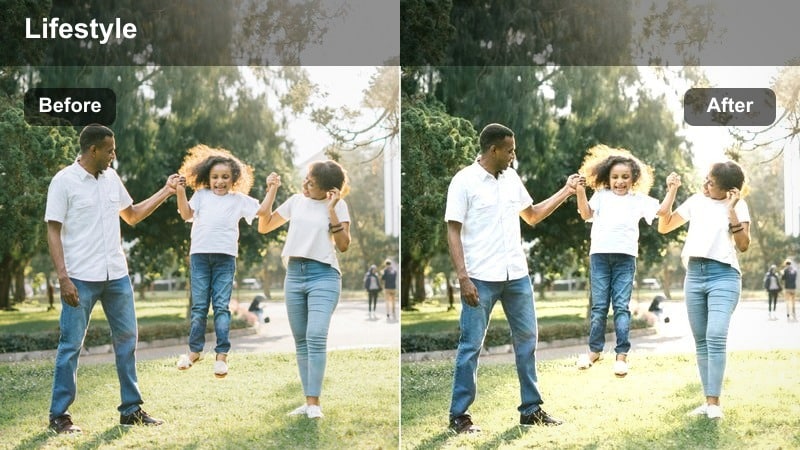
- Effect look: More pronounced contrast with gently desaturated tones for cinematic shots of everyday indoor objects.
- Best for: Slow pans of your room, detail shots of your desk, doorway transitions in casual lifestyle vlogs.
- Editing tip: Shoot at a slower frame rate or use slow motion so the cinematic contrast has time to be appreciated in each shot.
Home B-Roll Cinematic is meant for stylized sequences where you want your home to look like a film set, even if it is just everyday decor. In Filmora, this filter adds stronger contrast and slightly mutes colors, giving furniture and objects a polished, editorial feel.
Layer it over slow pans, push-ins, and detail shots of candles, mugs, or shelves to break up your vlog with richer visuals. To maximize the effect, record these clips with smoother camera moves and consider slowing them down in the timeline so viewers can really take in the cinematic texture.
Tips for Using Casual Lifestyle Indoor Filter Filters in Filmora
- Shoot near windows or soft indoor lights and let filters refine the mood, instead of trying to fix very dark or mixed lighting later.
- Lower filter intensity on close-up shots so skin tones stay natural and do not look overly stylized or washed out.
- Stick to one or two main indoor filters per video to keep your casual lifestyle aesthetic consistent across all scenes.
- After choosing a filter, make small exposure and contrast tweaks on each clip to avoid crushed blacks or blown-out white walls.
- Film a short test clip in every room you use often, then save your favorite filter-plus-adjustment combo as a custom preset in Filmora.
- Combine a soft base filter like All-Day Soft Neutral with a more cinematic option only for B-roll or key moments to keep edits simple.
- Use Filmora s AI color and basic white balance tools before adding filters so your presets work more reliably on every clip.
- When editing low-light footage, prioritize clean noise levels first, then apply gentle filters to avoid overly grainy results.
These casual lifestyle indoor filters are designed to make everyday home moments look cohesive, soft, and intentional without losing the relaxed feel that your audience connects with. Whether you are filming in a small apartment or a larger home, they help unify your rooms into a single, recognizable aesthetic.
Experiment with a few presets in Filmora, tweak intensity and exposure for each room, and pair them with a daily routine cinematic LUT when you want select scenes to feel extra polished. Over time, you can build a simple, repeatable color workflow that makes your channel feel consistent and professional with minimal effort.
secure downloadNext: Explore Daily Routine Cinematic LUT Styles for Indoor Vlogs
