

 100% Security Verified | No Subscription Required | No Malware


 ChatGPT
 Perplexity
 Gemini
 Claude
 Grok
Grok
Cinema Blue instantly feels cinematic because it sits between cool teal and deep navy, echoing twilight skies, movie theater seats, and glowing screens. It suggests calm, clarity, and depth, but can also flip into high energy when paired with bright accents. That makes it a powerful base color for video edits, channel branding, thumbnails, intros, and overlays.
Below you will find 15 ready-made Cinema Blue color palettes with HEX codes, crafted for creators and Filmora users. Each palette is tuned for specific moods and formats, from soft travel vlogs to bold trailers and premium brand films, so you can match your grading, titles, and graphics with a cohesive Cinema Blue look.
In this article
Soft And Dreamy Cinema Blue Color Palettes
Midnight Cinema Haze

- HEX Codes: #0b1726, #1e3a5f, #3f5f8c, #8ba4cc, #f4f7fb
- Mood: Calm, introspective, and slightly mysterious.
- Use for: Ideal for cinematic travel vlogs, late‑night city montages, and moody title cards.
Midnight Cinema Haze is built around deep navy shadows that slowly rise into soft, powdery sky tones. It feels like walking through quiet streets after a movie, when the city is dark but the air still glows. The near-white highlight keeps everything readable while the mid blues carry a reflective, story-driven atmosphere.
Use this palette to grade late-night b-roll, add subtle Cinema Blue overlays to your narration shots, or design thumbnails where dark backgrounds contrast with light titles. In Filmora, you can match your intro, lower thirds, and end screen graphics to the same stack of blues so your channel feels cohesive from frame to frame.
Pro Tip: Build a Cinematic Cinema Blue Look in Filmora
To keep a Midnight Cinema Haze mood across your whole video, treat these HEX codes as your visual brand. In Filmora, use deep navy for backgrounds, mid blues for shapes and subtitles, and the lightest tone for key text or UI-style lines. Applying the same Cinema Blue range to lower thirds, title cards, and transition screens makes your edit feel intentional and filmic.
You can also sample these colors for overlay elements such as letterbox bars, gradient vignettes, or simple shapes behind text. Combined with gentle blur and a bit of fade, the palette gives even simple vlog footage a composed, cinematic finish that fits both YouTube and social clips.
AI Color Palette
If you have a reference still graded in Midnight Cinema Haze, you can turn it into a full video look using Filmora. Filmora's AI Color Palette feature analyzes the colors in your reference frame and transfers that Cinema Blue balance to all your selected clips.
Simply choose a shot that captures your ideal deep navy shadows and soft highlights, then let AI apply the same tones to the rest of the timeline. This is perfect for keeping intros, b-roll, talking heads, and end cards visually consistent, even if they were filmed in different locations or lighting setups.
 secure download

HSL, Color Wheels & Curves
Once your Cinema Blue grade is in place, you can refine it with Filmora's HSL, color wheels, and curves tools. Use HSL to slightly desaturate blues in the shadows while keeping mid-tone blues vivid, then adjust color wheels to cool down shadows and leave skin tones closer to neutral. Small changes in curves can deepen contrast without crushing details in night shots.
If you want a more advanced walkthrough, check out Filmora tutorials on using color wheels and curves for cinematic grading on YouTube, then apply those steps to your own Midnight Cinema Haze clips. This workflow lets you keep your blues consistent across multiple projects while adapting contrast and warmth to each scene.
secure download1000+ Video Filters & 3D LUTs
If you want to move even faster, you can start from existing looks and then nudge them toward this Cinema Blue palette. Filmora's video filters and 3D LUTs make it easy to drop a cinematic base grade on your footage, then fine-tune the blues and highlights until they align with your chosen HEX codes.
Try stacking a cool cinematic LUT with a soft vignette or film grain filter, then adjust opacity so the effect feels natural. From there, small tweaks in color controls help you lock in that Midnight Cinema Haze feeling for YouTube videos, trailers, and social teasers without having to build a full grade from scratch.
secure downloadBlue Hour Whisper

- HEX Codes: #0f2233, #234666, #4f7ba3, #9fc2e4, #f6fbff
- Mood: Peaceful, cinematic, and contemplative.
- Use for: Great for soft cinematic b‑roll, documentary interviews, and emotional voiceover sequences.
Blue Hour Whisper layers dusky navy with gradually brighter sky blues and a faint, almost white glow. It feels like the few quiet minutes after sunset, when colors are soft and emotions sit closer to the surface. The result is calm and cinematic without feeling cold or clinical.
Use this palette to grade reflective scenes, interview setups with soft light, or b-roll that needs a gentle emotional push. In thumbnails and title cards, dark tones provide a strong base while pale blue and near-white keep text clear and inviting for viewers.
Coastal Cinema Mist
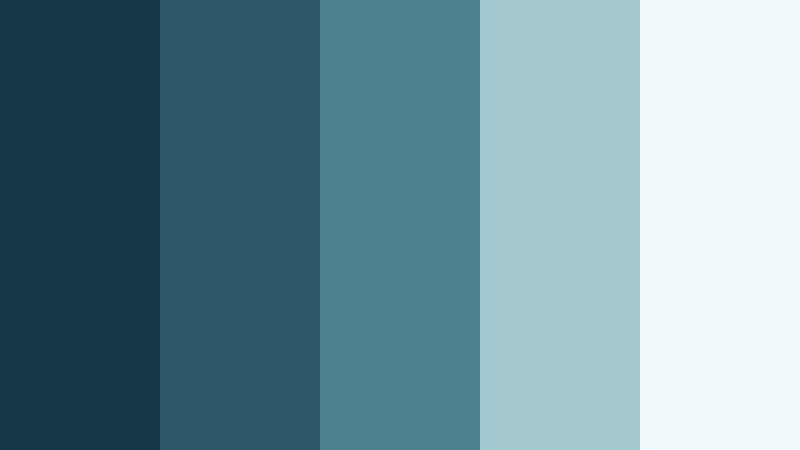
- HEX Codes: #163747, #2d5667, #4f8191, #a4c8cf, #f2f9fa
- Mood: Airy, refreshing, and nostalgic.
- Use for: Perfect for seaside vlogs, lifestyle reels, and calm product showcases with a coastal feel.
Coastal Cinema Mist blends ocean-depth blues with misty, desaturated highlights, creating the feel of sea air on a slightly overcast day. It is refreshing but not overly bright, with enough contrast to stay cinematic rather than pastel.
Apply this palette to beach trips, travel vlogs, or lifestyle edits where you want a gentle, coastal mood. For branding, use the mid blues for buttons and frames, and reserve the soft light tones for backgrounds and packaging-style mockups in your video content.
Silent Studio Glow

- HEX Codes: #101826, #222c3f, #40506f, #7e94b5, #ebeef5
- Mood: Quiet, intimate, and studio‑polished.
- Use for: Works well for talking‑head videos, educational content, and minimalist brand explainers.
Silent Studio Glow focuses on muted studio blues that transition into soft, neutral highlights. It feels controlled and professional, like a dedicated filming space with balanced lights and clean backdrops. Nothing screams for attention, which keeps the focus on the subject.
Use the darkest tones for background walls or graphic blocks, the mid blues for interface-style elements, and the palest tone as your main background for slides or text overlays. This palette is ideal for channels that want a calm, trustworthy Cinema Blue identity without loud contrast.
Cloudscreen Serenity

- HEX Codes: #1a3247, #355674, #6287a6, #b5cadc, #f7fafc
- Mood: Light, serene, and cloudlike.
- Use for: Ideal for wellness channels, calm productivity videos, and dreamy opening sequences.
Cloudscreen Serenity moves from grounded mid blues into airy, cloud-tinted highlights. The palette is bright enough to feel optimistic, yet soft enough to stay soothing. It brings a modern, almost app-like freshness to your visuals.
Wellness creators and productivity channels can use this scheme for title cards, chapter markers, and simple animations. The mid-range blues work for icons and callouts, while the lightest shade is perfect for clean backgrounds and gentle gradients behind on-screen text.
Bold And Dynamic Cinema Blue Color Palettes
Neon Marquee Nights

- HEX Codes: #050814, #133a69, #1f6bb5, #07f0ff, #fefefe
- Mood: Energetic, futuristic, and electric.
- Use for: Perfect for gaming intros, tech promos, and fast‑cut social edits with bold graphics.
Neon Marquee Nights combines deep midnight blue with punchy cyan and bright white, echoing neon signs and LED screens. It feels fast, digital, and ultra-modern, ideal for motion graphics and high-energy edits.
Use the darker tones for backgrounds and frames, the intense blue for logos and titles, and the neon cyan to highlight key buttons, subscribe prompts, or animated accents. On thumbnails, that cyan stripe or glow will stand out instantly in crowded feeds.
Action Reel Teal Blue
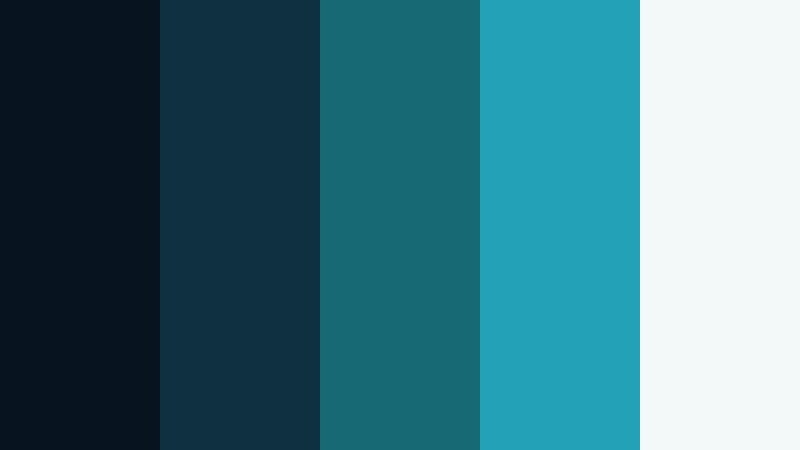
- HEX Codes: #07131e, #0f3040, #176a74, #23a1b5, #f3f8f9
- Mood: High‑impact, cinematic, and action‑driven.
- Use for: Great for trailers, fitness promos, and dynamic brand reels needing a blockbuster edge.
Action Reel Teal Blue pushes Cinema Blue toward teal, echoing the classic blockbuster teal-and-orange look but keeping things firmly on the cool side. The darker shades bring strong contrast, while the vivid teals add energy and modern style.
Use it to grade fast-moving sequences, sports edits, or high-intensity trailers. In graphics, let the bright teal drive call-to-action buttons or bold text, while the light neutral keeps lower thirds and info boxes legible.
Premiere Title Pop
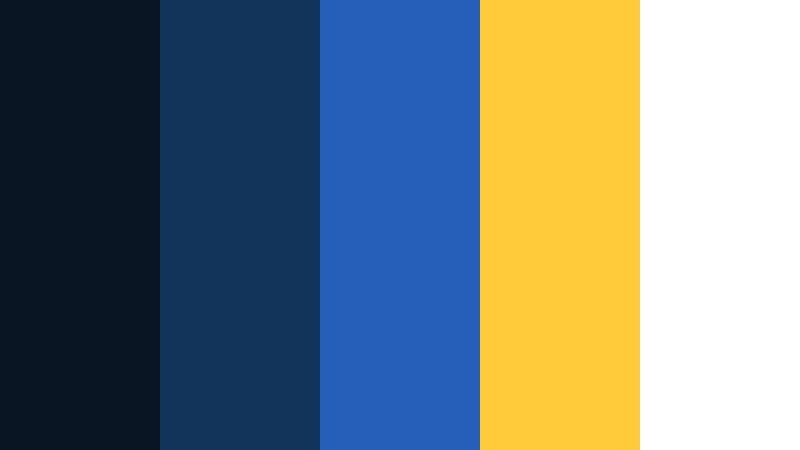
- HEX Codes: #0a1524, #12345b, #255fb9, #ffcb3b, #ffffff
- Mood: Bold, confident, and attention‑grabbing.
- Use for: Designed for YouTube thumbnails, punchy lower thirds, and title cards that must stand out.
Premiere Title Pop pairs strong Cinema Blue tones with a golden accent that instantly grabs the eye. The combination feels authoritative and clickable, great for channels that rely on clear titles and bold branding.
Use the blues for backgrounds and typography, then drop in the warm yellow as a highlight color on keywords, icons, or badges like NEW or EP1. The clean white ensures your main text always stays readable against richer colors.
Studio Lens Flare
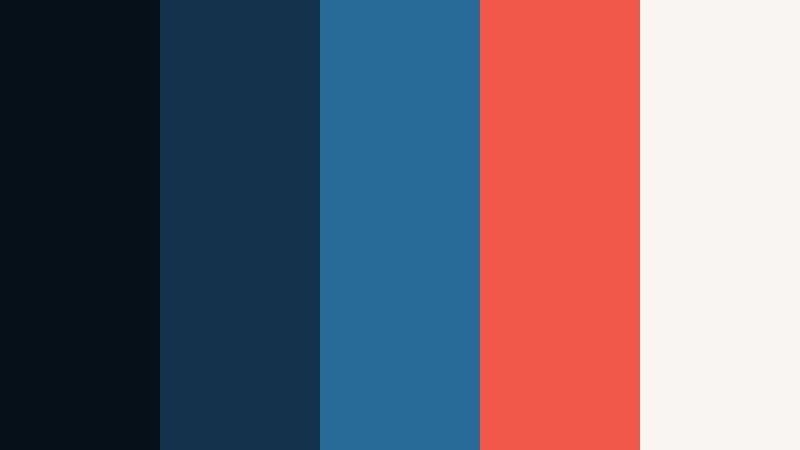
- HEX Codes: #051018, #14324b, #286b99, #f1584a, #f8f5f2
- Mood: Dramatic, cinematic, and expressive.
- Use for: Ideal for film trailers, music videos, and brand intros with bold lens‑flare style motion graphics.
Studio Lens Flare sets cool, inky blues against a warm flare accent, simulating the look of a bright light streak cutting through a dark scene. The contrast between cold and warm makes each frame feel dramatic and charged.
Use the warm accent color sparingly to mimic real lens flares, light leaks, or key typography. The softer off-white keeps your credits or logo reveals legible while the darker blues maintain a cinematic, studio-grade atmosphere.
Hyperlink Horizon

- HEX Codes: #081423, #124578, #1d7fe0, #46e0ff, #f1f7ff
- Mood: Digital, energetic, and modern.
- Use for: Great for SaaS promos, app walkthroughs, and tech channel visuals that lean into a clean digital blue.
Hyperlink Horizon uses sharp, digital-leaning blues with bright cyan accents and a gentle white base. It feels like a modern UI brought to life, perfect for product demos, software walk-throughs, and tech explainers.
Use darker tones for hero backgrounds, mid blues for lines and icons, and the cyan as an accent on cursor movements, highlights, or animated arrows. The pale blue-white keeps your interface screenshots or feature lists clear on both desktop and mobile screens.
Elegant And Modern Cinema Blue Color Palettes
Editorial Cinema Slate

- HEX Codes: #0b1018, #1f2733, #3a4a63, #8d9bb0, #f3f4f7
- Mood: Sophisticated, polished, and editorial.
- Use for: Perfect for brand films, agency showreels, and minimalist portfolio sites.
Editorial Cinema Slate layers slate blues with soft neutrals, creating a refined, magazine-like feel. It is cinematic but understated, ideal for professional brands and creators who want their work to look curated rather than flashy.
Use the mid and dark blues for elegant title cards and section dividers, and keep the lighter tones for background panels behind testimonials, case studies, or portfolio grids in your videos. This palette works especially well with minimal motion graphics and clean typography.
Festival Curtain Blue

- HEX Codes: #111827, #1f3650, #32527a, #c29f6c, #f7f2ea
- Mood: Luxe, theatrical, and award‑night ready.
- Use for: Great for festival bumpers, award graphics, and glamorous event highlight reels.
Festival Curtain Blue combines rich, curtain-like blues with a muted gold and a warm off-white. It feels like an awards gala or film festival opener, bringing a sense of prestige and celebration to your visuals.
Use the gold accent for trophies, laurels, and key text like Official Selection, while the deep blues hold the background like stage curtains. The pale tone can frame credits and sponsor logos so they remain easy to read against the darker colors.
Streaming Suite Luxe

- HEX Codes: #050b13, #182434, #334763, #6f829c, #e9edf4
- Mood: Modern, premium, and quietly cinematic.
- Use for: Ideal for streamer branding, sleek overlays, and channel rebrands that feel upscale.
Streaming Suite Luxe mixes dark, almost charcoal blues with soft, cool grays to create a premium streaming-service look. It is perfect for overlays that need to sit on top of busy gameplay or live video without distracting from the content.
Use the deepest blue for panels and bars, the mid blues for icons and labels, and the light neutral for text and small UI details. The overall effect suggests a subscription platform: tidy, modern, and worth spending time with.
Glassframe Interface

- HEX Codes: #060e17, #163046, #2f5875, #7fb1cf, #f0f7fb
- Mood: Clean, futuristic, and UI‑focused.
- Use for: Excellent for app demos, overlays, and motion UI where legibility and clarity matter.
Glassframe Interface is built around layered blue glass tones, moving from deep blue frames to translucent sky highlights. It feels like a futuristic interface with panels, cards, and windows floating in 3D space.
Apply this palette when designing UI-style animations, product demos, or HUD overlays. Darker hues can frame the screen, mid blues define cards and modules, and the lightest shade can simulate frosted glass backgrounds behind icons and text.
Monochrome Cinema Fade

- HEX Codes: #05070b, #151b28, #25334a, #50618a, #d6dde9
- Mood: Minimal, moody, and timeless.
- Use for: Works for short films, narrative edits, and logo reveals needing a restrained, classic blue grade.
Monochrome Cinema Fade stacks multiple Cinema Blue shades from near-black to soft steel blue, skipping bright accent colors entirely. It feels timeless and serious, like classic film stills modernized with cooler tones.
Use it when you want a strong identity without visual noise. Title sequences, chapter cards, and logo reveals can all live within this single-hue world, letting composition, typography, and motion carry your story instead of bright color accents.
Tips for Creating Cinema Blue Color Palettes
Cinema Blue is flexible enough to cover dreamy vlogs, bold thumbnails, and premium brand films, as long as you balance contrast, warmth, and brightness. Use these tips to shape your own combinations or adapt the palettes above to your footage and design.
- Start with one anchor blue: pick a mid-tone Cinema Blue, then build darker and lighter variants around it so your project feels unified.
- Add a single accent color: gold, cyan, or Film Grain Brown can create focus points on buttons, key titles, or calls to action without overwhelming the frame.
- Protect readability: always test white and near-white text against your darkest blue; if it feels low contrast, either darken the background or add a subtle shadow or panel.
- Match your footage: if your clips have warm skin tones or sunset light, lean your blues slightly toward teal; for night city scenes, deepen shadows and desaturate slightly for a moodier grade.
- Keep branding consistent: reuse the same HEX codes in your logo stings, lower thirds, and end screens so viewers instantly recognize your channel or brand.
- Balance cool and warm: if your palette is very cool, introduce a small warm highlight (text, flare, or icon) to keep the frame feeling human and inviting.
- Think by platform: use higher contrast Cinema Blue combinations for small-screen thumbnails, and more subtle gradients for full-screen cinematic edits.
- Test in Filmora: drop your HEX colors into text, shapes, and overlays on a few sample clips, then adjust saturation and brightness until the palette feels natural in motion.
Cinema Blue palettes can quietly guide how your audience feels, whether that means calm reflection, high-energy excitement, or premium brand trust. By choosing the right combination of deep shadows, mid-tone blues, and balanced highlights, you can give your videos and graphics a clear identity that stands out across platforms.
Use the palettes above as plug-and-play starting points in Filmora: apply them to titles, overlays, filters, and LUTs, then refine the grade so it matches your story, subject, and niche. Once your Cinema Blue look is locked in, save it as a repeatable style so every new upload feels like part of the same cinematic universe.
Spend a little time experimenting with color tools, and your edits, thumbnails, and branded assets will look more cohesive, professional, and memorable in every feed.
secure download