

 100% Security Verified | No Subscription Required | No Malware


 ChatGPT
 Perplexity
 Gemini
 Claude
 Grok
Grok
This Cinematic Fade Film LUT-inspired filter collection is designed for content creators who love a soft, nostalgic film look with gentle contrast and creamy highlights.
Use these filters to introduce subtle fades, desaturated tones, and cinematic depth that make everyday footage feel like scenes from an indie film.
In this article
Faded Street Scenes at Dusk
Soft Fade Twilight
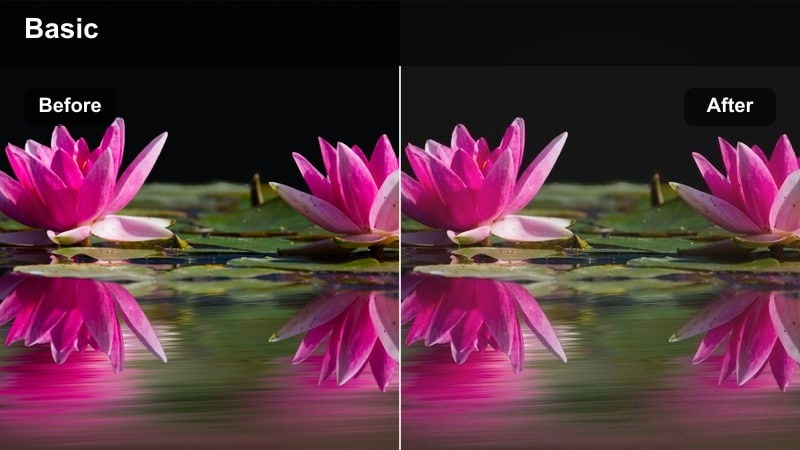
- Effect look: Muted contrast with a gentle lift in blacks and a pastel dusk tonality.
- Best for: Golden hour city walks, handheld vlog sequences, and moody B-roll of streets and sidewalks.
- Editing tip: Slightly lower saturation in the reds and oranges to keep skin tones natural while the background stays dreamy.
Soft Fade Twilight gives your dusk footage a pastel, film-inspired finish with lifted blacks and gentle contrast, ideal for vlogs and narrative city walks. In Filmora, you can apply this fade-style filter to even basic smartphone clips to create a cohesive twilight sequence that feels cinematic instead of casual.
After applying the filter, fine-tune saturation in the Color panel and slightly reduce reds and oranges to preserve realistic skin tones. Combine the look with Filmoras stabilization and a subtle vignette to keep attention on your subject while the surrounding streets fall into a soft, dreamy dusk atmosphere.
Match Cinematic Fade Tones with AI Color Tools
Use Filmoras AI-driven color tools to quickly match your clips to the soft, faded film palette you want for your project. Let AI handle the heavy lifting on exposure and contrast so your Soft Fade Twilight shots align with the rest of your timeline.
You can pull a reference frame from your favorite indie film, run AI color matching on a key scene, then apply the Cinematic Fade Film LUT-style filters on top for a polished, unified look.
 secure download

Preview Faded Film Filters in Real Time
Filmora lets you hover over cinematic fade filters on the timeline and instantly preview how they will shape your midtones, highlights, and blacks. This speeds up the process of testing Soft Fade Twilight against other options without committing to each one.
By previewing in real time, you can quickly decide whether a softer pastel fade or a stronger matte finish works better for your city sequences and transitions.
secure download1000+ Video Filters and 3D LUTs
Beyond this Cinematic Fade Film LUT-style collection, Filmora includes a large library of creative filters, overlays, and 3D LUTs. You can stack these with your favorite faded looks to build a distinctive visual identity for your channel or short film.
Use the built-in HSL and color wheels alongside LUTs to tweak specific color ranges, keeping skin tones natural while backgrounds lean into more stylized palettes.
secure downloadMetro Fade Glow
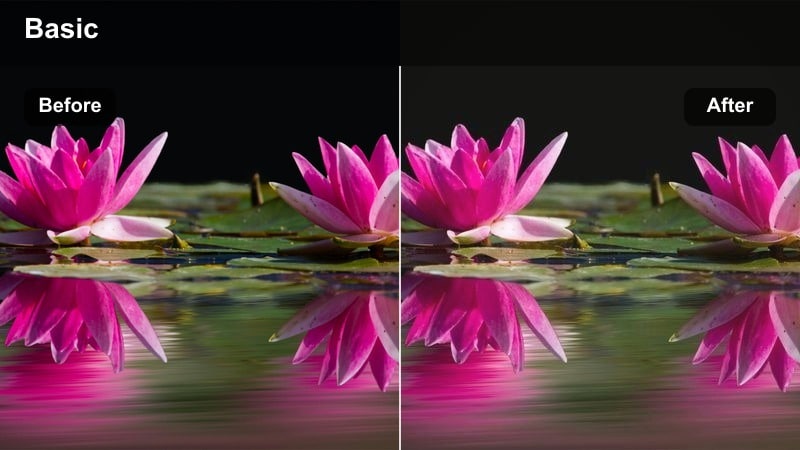
- Effect look: Soft blooming highlights with faded shadows for a dreamy transit atmosphere.
- Best for: Subway platforms, train windows, and urban commuting B-roll with mixed light sources.
- Editing tip: Reduce clarity slightly and add a touch of vignette to keep focus on faces and key details.
Metro Fade Glow adds a dreamy filmic softness to transit scenes by blooming highlights and gently fading shadows. It is especially effective on mixed lighting environments where fluorescent tubes, station signs, and window light can feel harsh straight out of camera.
In Filmora, apply the filter and then slightly reduce clarity or sharpness to smooth out edges, pairing it with a subtle vignette so faces and primary details stay readable. This combination turns ordinary metro commutes into cinematic beats that work well under voiceover or music-driven montages.
Neon Fade Soft
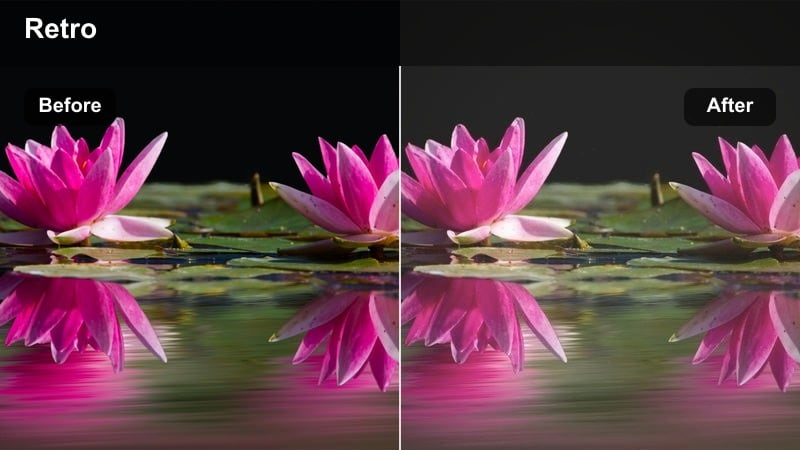
- Effect look: Desaturated shadows with softened neon colors and lifted blacks for a retro city vibe.
- Best for: Night street scenes, shopfronts, and signs where neon can overwhelm the frame.
- Editing tip: Drop overall saturation a touch but increase vibrance to let key neon colors pop without oversaturation.
Neon Fade Soft is built to tame intense city lights by lifting blacks and softening saturated neon hues into a retro, film-inspired look. It keeps your night streets moody and atmospheric without blowing out colors or crushing shadow detail.
After adding the filter in Filmora, slightly reduce global saturation and then increase vibrance so only the most important neon accents stand out. You can also combine the effect with HSL tuning to subdue specific neon tones while still preserving readable skin tones for portraits shot near bright signs.
Intimate Indoor Stories
Window Fade Portrait
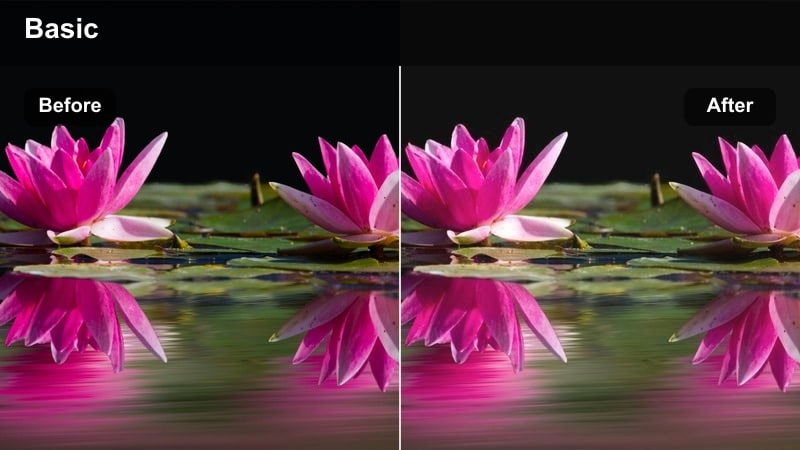
- Effect look: Creamy highlights, gentle contrast, and a soft roll-off around window light.
- Best for: Indoor talking-head shots, lifestyle vlogs, and quiet documentary moments by a window.
- Editing tip: Expose slightly to the right in-camera so the lifted blacks stay clean after applying the fade.
Window Fade Portrait is tailored for natural-light interiors, giving window-lit faces creamy highlights and a smooth roll-off from light to shadow. It is ideal for talking-head segments and lifestyle vlogs where you want a soft, cinematic presence without harsh contrast.
In Filmora, apply the filter and then fine-tune exposure in the Color panel to keep highlights controlled while blacks remain gently lifted. You can complement this with a subtle skin-tone mask to protect facial detail, ensuring your portraits stay flattering and filmic even in small apartments or home studios.
Coffeehouse Fade
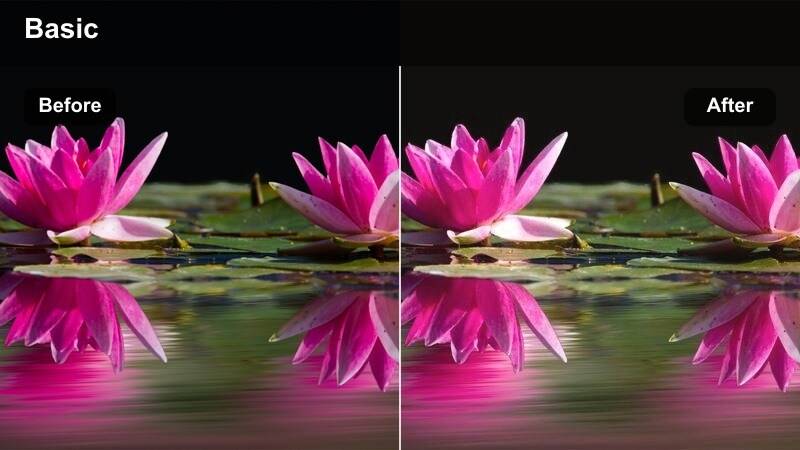
- Effect look: Warm midtones with faded blacks and a subtle matte finish across the scene.
- Best for: Cafe vlogs, laptop B-roll, and storytelling moments in cozy indoor spaces.
- Editing tip: Lower contrast slightly then boost midtone detail to keep text and screens crisp within the fade.
Coffeehouse Fade wraps your indoor scenes in warm, cozy tones with a light matte finish, perfect for cafes, work sessions, and intimate storytelling. The faded blacks give your footage a relaxed, analog charm while keeping the mood inviting and comfortable.
After dropping this filter on a clip in Filmora, slightly reduce contrast and then increase midtone detail so menus, notebooks, and laptop screens stay legible. Pair it with gentle background music and slower cuts to create a calming edit that feels like a slice of everyday life captured on film.
Loft Fade Mute
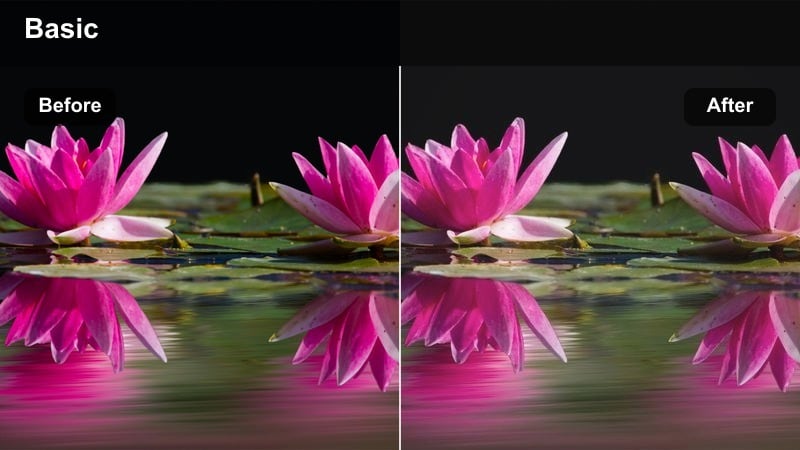
- Effect look: Muted colors, slight green tint in shadows, and a gentle matte for art-house interiors.
- Best for: Minimalist loft spaces, desk setups, and product shots with neutral backgrounds.
- Editing tip: Dial down saturation in blues and greens to keep the loft space calm and design-focused.
Loft Fade Mute gives your interiors a restrained, art-house aesthetic by muting colors and adding a subtle green cast in the shadows. It suits minimalist studios, desk setups, and product shots where the focus is on clean lines and composition rather than bold color.
Inside Filmora, apply this filter and then lower blue and green saturation to reinforce the quiet, design-forward mood of your space. You can also use the Color Wheels to keep skin tones neutral while backgrounds lean cooler and more subdued, creating a sophisticated editorial feel for lookbooks and workspace tours.
Soft Outdoor Journey Montages
City Rooftop Fade
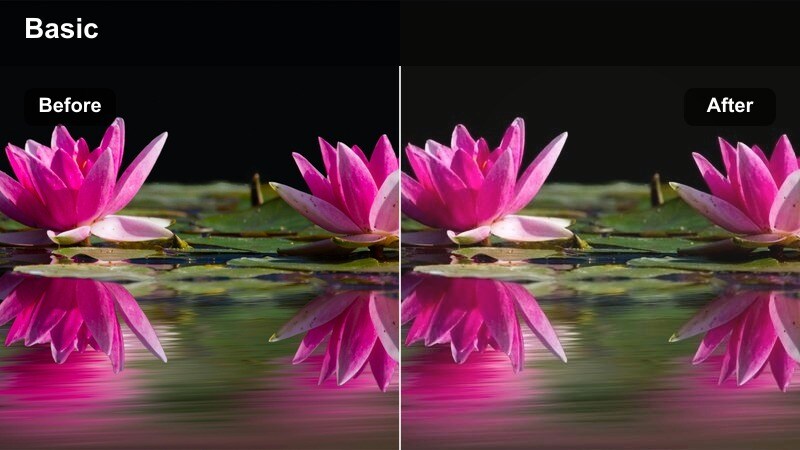
- Effect look: Lifted blacks, cool highlights, and gentle desaturation for expansive rooftop vistas.
- Best for: B-roll of city skylines, drone shots across rooftops, and reflective monologues on top of buildings.
- Editing tip: Add a slow zoom or push-in to rooftop clips to enhance cinematic scale alongside the faded grade.
City Rooftop Fade cools down highlights and gently desaturates your skyline shots, creating spacious, reflective city views with a soft cinematic edge. The lifted blacks soften hard edges and help blend sky, buildings, and foreground into a cohesive, film-like palette.
In Filmora, combine this fade-style filter with keyframed scale for a slow push-in on your subject or skyline, adding a sense of scale and emotion. You can also fine-tune the coolness of highlights in the Color controls to match other scenes, keeping your rooftop shots seamlessly integrated into larger travel or vlog edits.
Alleyway Fade Run
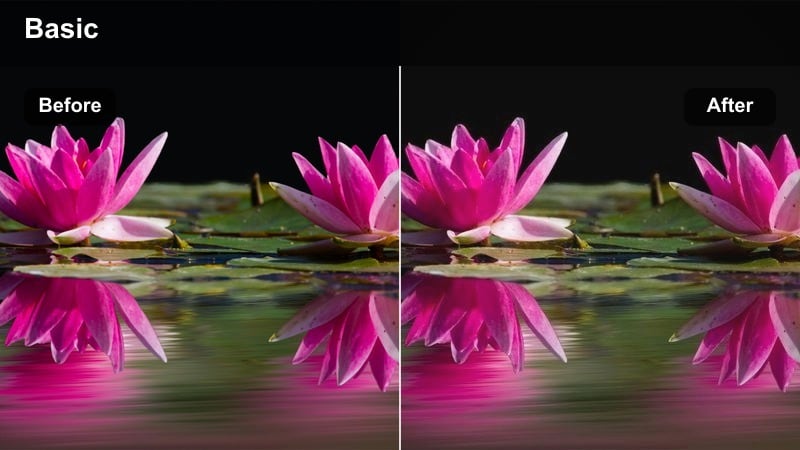
- Effect look: Subtle motion-friendly fade with cooler shadows and slightly crushed midtones.
- Best for: Running shots down narrow streets or alleys, handheld chase sequences, and dynamic B-roll.
- Editing tip: Stabilize only the heaviest shakes so the natural movement works with the gritty faded look.
Alleyway Fade Run is crafted for kinetic shots, adding cooler shadows and a restrained matte finish that handles motion gracefully. The slightly crushed midtones enhance texture on walls and pavement, giving chase scenes and run-and-gun B-roll a gritty but still cinematic character.
Apply the filter in Filmora, then use the stabilization tool sparingly so you keep some natural movement that suits the energetic fade. You can cut on motion and add a light sound design layer to turn simple alley runs into engaging sequence moments with a polished, film-inspired grade.
Riverfront Fade Walk
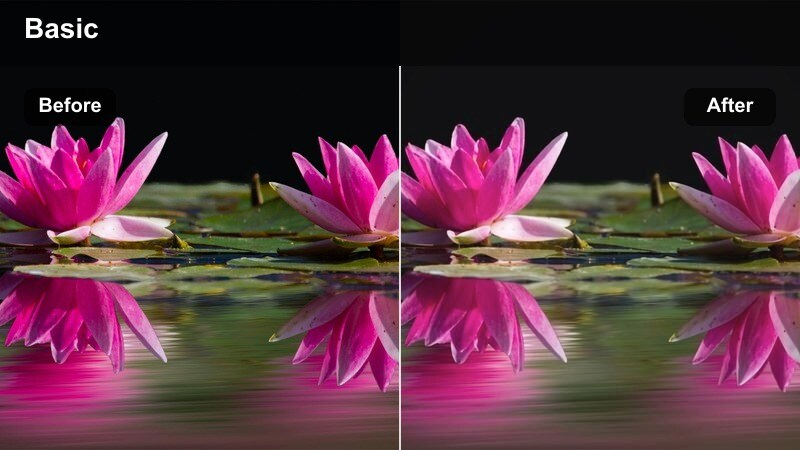
- Effect look: Soft rolled highlights over water, mild fade in blacks, and balanced midtones.
- Best for: Boardwalk strolls, riverside paths, and bridges that run through urban or suburban areas.
- Editing tip: Drop highlights slightly to maintain texture in water and clouds once the fade is applied.
Riverfront Fade Walk is tuned for paths, piers, and waterfronts, rolling off highlights over water while keeping midtones stable and natural. The gentle lift in blacks introduces a soft, contemplative mood that fits reflective walks and travel diaries.
Inside Filmora, after adding this filter, pull back highlights to preserve detail in clouds and reflections, then adjust white balance so skin and skies feel cohesive. This approach turns simple walking shots into serene montage material that can bridge chapters in your vlog, travel film, or narrative short.
Nighttime City Reflections
Taxi Window Fade
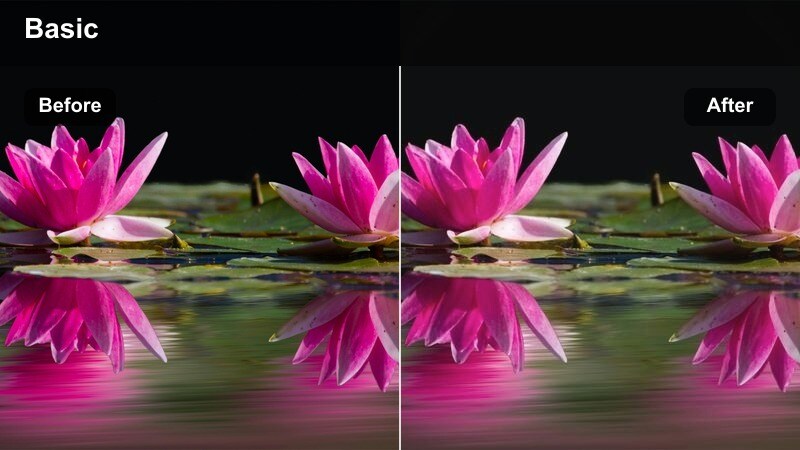
- Effect look: Soft reflections, lifted blacks, and subdued city lights through a car window.
- Best for: Ride-along shots in cars, moody reflection moments, and narrative voiceover sequences.
- Editing tip: Use a slightly slower shutter or lower frame rate to introduce subtle motion blur that pairs with the fade.
Taxi Window Fade brings out the emotional side of night city rides, softening reflections on glass and toning down harsh highlights from streetlights and signs. The lifted blacks add a hazy, introspective feeling that pairs well with voiceover, diaries, or inner monologue scenes.
In Filmora, apply the filter and then adjust exposure and contrast just enough to keep your subjects face visible through the reflections. You can also introduce mild motion blur through speed ramping or frame blending to match the soft fade, turning simple car windows into layered, cinematic storytelling tools.
Bridge Lights Fade
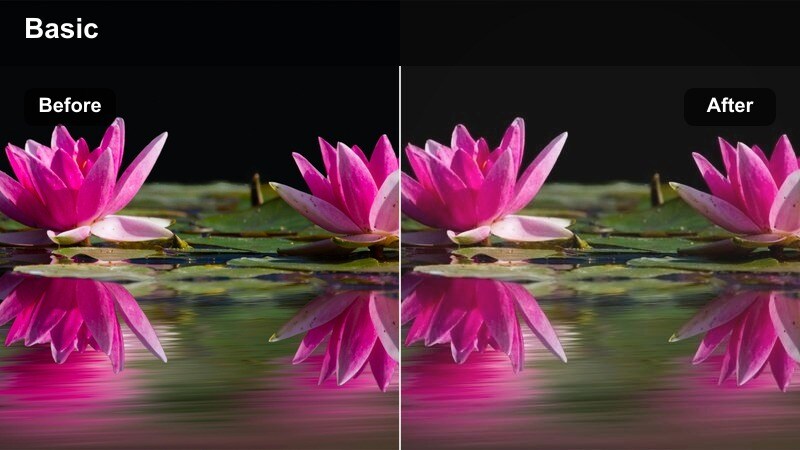
- Effect look: Matte contrast with softly blooming bridge lights and cooler shadow tones.
- Best for: Night bridges, overpasses, and long-exposure B-roll of traffic and city movement.
- Editing tip: Add a slight glow or diffusion on the brightest lights to deepen the dreamy film feeling.
Bridge Lights Fade enhances night bridges and overpasses by giving lamps and headlights a soft glow against cooler shadows. The matte contrast profile keeps the scene cinematic, allowing light trails and structural lines to stand out without overpowering the frame.
Once applied in Filmora, you can add a light diffusion or glow effect on the brightest highlights to push the dreaminess further. Combine this with gentle speed ramps or time-lapses of traffic to build atmospheric sequences that work great as intros, outros, or transitions in nighttime city edits.
Late Night Corner Fade
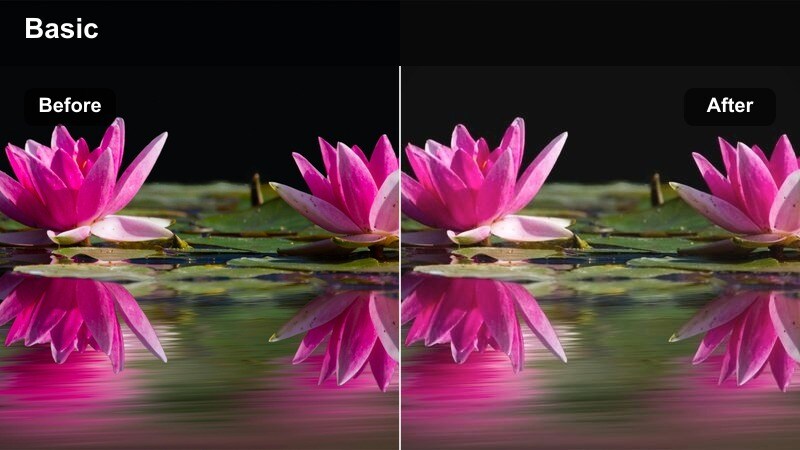
- Effect look: Subtle film-like grain, faded blacks, and gentle saturation for lone street corners.
- Best for: Quiet intersections, late-night bodega exteriors, and reflective character moments.
- Editing tip: Add a soft vignette and slightly warm the midtones to keep the corner light feeling inviting.
Late Night Corner Fade is built for solitary night scenes, introducing light film-style grain and faded blacks that evoke classic street photography. The restrained saturation and soft contrast keep your corner lights, shop fronts, or lone characters feeling intimate and contemplative.
In Filmora, pair this filter with a soft vignette and a small warm push in the midtones so the main pool of light feels welcoming rather than stark. Leave some negative space in your compositions and hold shots a beat longer than usual to give the fade time to breathe and communicate mood.
Tips for Using Cinematic Fade Film Lut Filters in Filmora
- Shoot with a slightly flatter picture profile so Cinematic Fade Film LUT-style filters have room to shape contrast and color without clipping highlights or crushing shadows.
- Balance exposure across clips before applying your fades in Filmora to avoid noticeable jumps in brightness between shots within the same sequence.
- Use subtle vignettes and basic masking tools to guide the viewers eye toward faces or key objects inside soft, low-contrast frames.
- Reduce heavy digital sharpening in the Effects or Color settings, since filmic fades look more authentic with smoother, organic detail.
- Combine these fade filters with Filmoras AI color tools and LUTs, using the filters to refine mood while LUTs handle overall color balance.
- Save custom presets that capture your preferred fade intensity, grain amount, and vignette so you can apply your signature look in one click.
- Test each cinematic fade on a short reference sequence first, then copy the settings across your timeline for a consistent, story-driven grade.
A Cinematic Fade Film LUT-inspired filter set can transform everyday footage into moody, story-driven visuals with soft contrast and nostalgic character. Whether you are filming city walks, indoor vlogs, or late-night reflections, these looks help unify your story with a cohesive film aesthetic.
Experiment with different fade strengths, blend them with AI color tools and LUTs, and adjust framing and pacing so the grade supports your storytelling. With Filmora, it is easy to refine these faded film styles until they feel uniquely yours across YouTube videos, short films, and social content.
secure download