

 100% Security Verified | No Subscription Required | No Malware


 ChatGPT
 Perplexity
 Gemini
 Claude
 Grok
Grok
These Coffee Shop Morning Vlog Filters are crafted for content creators who love filming quiet cafe scenes, latte pours, and laptop work sessions in soft early light.
Use these presets in Filmora to instantly add warmth, depth, and a calm morning mood to your coffee shop footage without spending hours on manual color grading.
In this article
Soft Window Light Mornings
Gentle Dawn Warmth
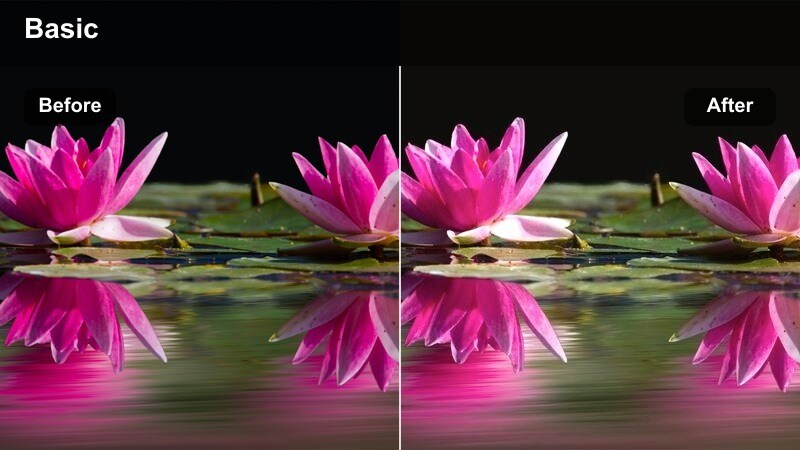
- Effect look: Creamy warm tones with soft highlights and a gentle glow on skin and tabletops.
- Best for: Vlogs filmed near large cafe windows during early morning with natural light.
- Editing tip: Slightly lower exposure after applying the filter to keep bright windows from clipping.
Gentle Dawn Warmth wraps your morning cafe vlog in soft, creamy warmth that flatters skin tones and wooden tables without looking artificial. In Filmora, this preset is ideal for opening shots where you sip your first coffee, journal, or set up your laptop beside a big window, letting the glow hint at that just-after-sunrise calm.
Apply the filter, then nudge exposure and highlights down a touch so window areas keep detail instead of blowing out. If you want even more focus on your face and coffee cup, add a light vignette in Filmora around the subject area, keeping the overall frame bright but gently guiding the viewer’s eye to the center of the story.
Match Your Coffee Shop Mood with AI Color Tools
Filmora’s AI-powered color tools help you quickly match Gentle Dawn Warmth and other coffee shop morning vlog filters to footage shot in different cafes and lighting conditions. Let the AI analyze your clip, correct color balance, and even out skin tones before you lock in your cozy aesthetic.
Use the AI color correction panel to standardize temperature and tint across your project so every scene feels like part of the same warm morning episode, even if you filmed on different days or in different locations.
 secure download

Preview Coffee Filters in Real Time
Filmora lets you preview coffee shop morning vlog filters in real time so you can quickly compare options like Gentle Dawn Warmth, Window Seat Soft Focus, and Sunrise Sip Glow on the same clip. You can scroll through presets and hover to see how each one handles highlights, shadows, and skin tones before you commit.
Drag a cafe clip into the timeline, open the Effects panel, and audition several filters to find the exact cozy vibe that best supports your story and the lighting you captured in-camera.
secure downloadCombine Filters with LUTs for a Signature Cafe Look
Filmora includes 1000 plus video filters and 3D LUTs that you can stack with these coffee shop presets to create a signature look for your channel. Start with a gentle LUT for overall color direction, then layer a morning cafe filter on top to fine-tune mood and warmth.
Once you find a combination you like, save it as a custom preset so future coffee vlogs can match the same cinematic tones with a single click, keeping your visual branding consistent from episode to episode.
secure downloadWindow Seat Soft Focus
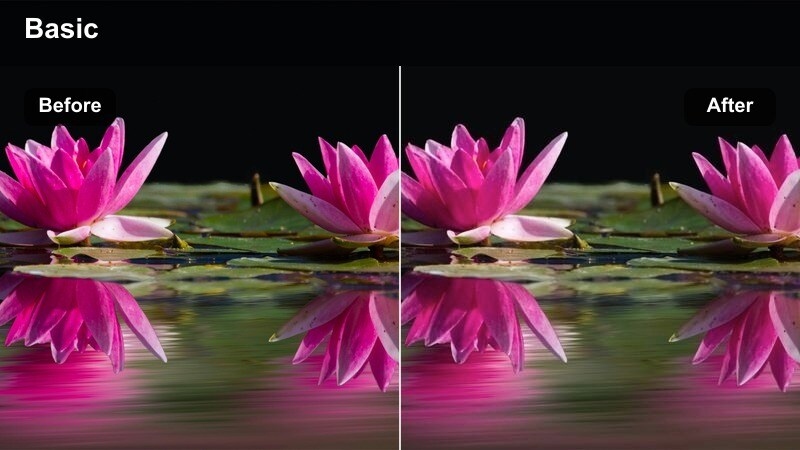
- Effect look: Muted contrast with a slight haze, cool shadows, and softened details for a dreamy cafe mood.
- Best for: Slow B-roll shots of coffee cups, books, and street views from a window seat.
- Editing tip: Boost clarity just a little if your shot already has strong natural haze from the window.
Window Seat Soft Focus creates a hazy, daydream feel that is perfect for quiet cutaway shots of your coffee cup, journal, or the street outside. In Filmora, this filter works beautifully on slowed-down pans and tilts, where the slightly cooler shadows give your cafe scene a subtle cinematic depth.
If your original footage is already foggy from backlighting or condensation, lightly raise clarity or sharpness in Filmora to avoid overdoing the blur. Combine this filter with gentle camera movement and longer clip durations so the softness feels intentional and relaxing rather than simply out of focus.
Sunrise Sip Glow
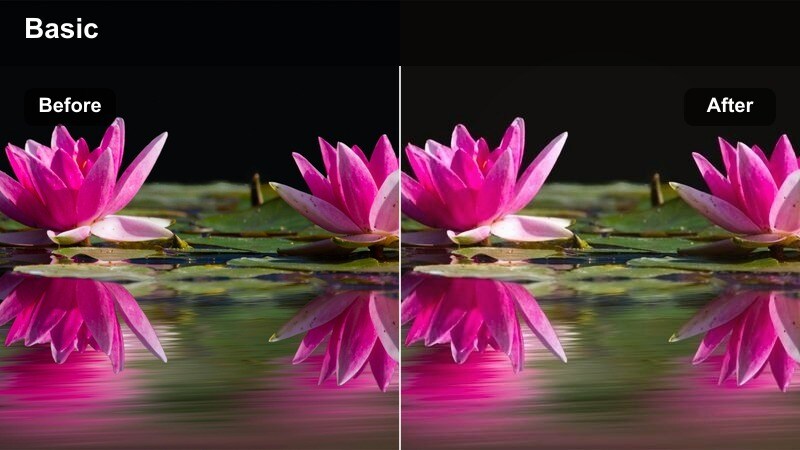
- Effect look: Golden tint with lifted midtones and subtle bloom around bright edges.
- Best for: Talking segments where you hold your coffee toward the camera in warm morning light.
- Editing tip: Increase saturation for reds and oranges slightly to make latte art and wooden tables pop.
Sunrise Sip Glow surrounds your cafe footage with a soft golden halo, making steam, mug edges, and hair highlights shimmer just enough to feel cinematic. In Filmora, it is especially strong on talking-to-camera clips where you raise your cup toward the lens, emphasizing the warmth of the drink and the room.
Set your clip’s white balance slightly warm before you add the filter to avoid any green cast in skin tones, then fine-tune saturation in the reds and oranges so latte art, wood grain, and pastry details stand out. If the scene tips too yellow, pull back global temperature and let the preset carry most of the warmth.
Productive Laptop and Cowork Sessions
Workspace Warm Desk
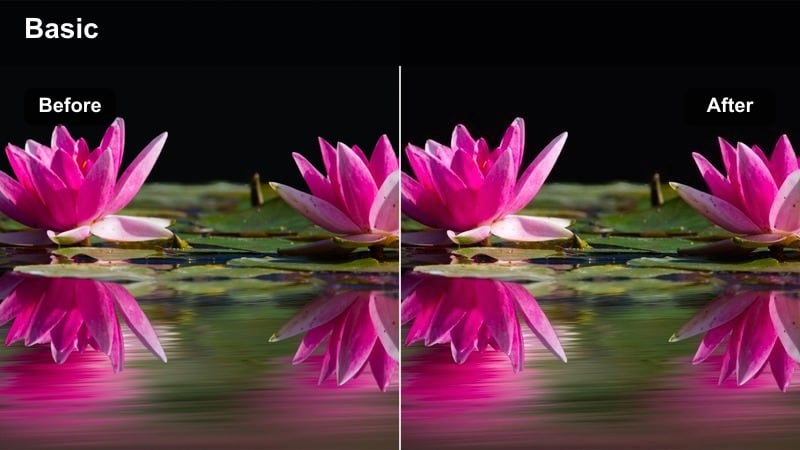
- Effect look: Balanced contrast with warm highlights and neutral shadows for a clean but cozy workspace feel.
- Best for: Overhead desk shots of typing, planning, and editing in a coffee shop.
- Editing tip: Crop in closer after applying this filter to emphasize hands, keyboard, and coffee instead of background clutter.
Workspace Warm Desk is designed for top-down and medium desk shots where you want a tidy, productive atmosphere without losing that inviting cafe warmth. Filmora uses gentle contrast and warm highlights to make notebooks, mugs, and keyboards look organized and intentional on the table.
After applying the filter, try cropping in tighter on your hands, planner, and laptop so the viewer focuses on your workflow, not background mess. If your laptop screen casts a cool blue glow, slightly desaturate blues in the Color tools to keep the overall palette cohesive and maintain the warm-desk mood.
Focus Mode Minimal
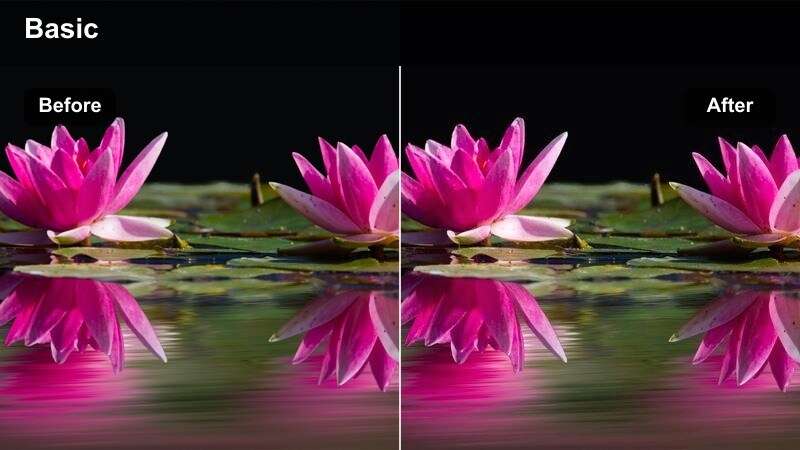
- Effect look: Soft desaturation with subtle coolness in shadows and clean whites for a minimalist study-cafe vibe.
- Best for: Study-with-me or work-with-me morning sessions in a modern cafe setting.
- Editing tip: Use slower cuts and longer clips so the minimal color palette supports a calm, focused rhythm.
Focus Mode Minimal strips away noisy colors and leaves your cafe study sessions looking calm, neutral, and modern. In Filmora, this filter gently cools the shadows while keeping whites clean, so your laptop, notebooks, and neutral decor feel like part of a minimal productivity setup.
Pair this preset with slower edits and longer clip durations to let the desaturated tones breathe. Avoid stacking heavy text overlays and bright graphics on top; instead, keep any on-screen titles simple, centered, and sparse so the visual quietness of the filter becomes part of your channel’s relaxing, focus-driven style.
Cowork Cozy Tone
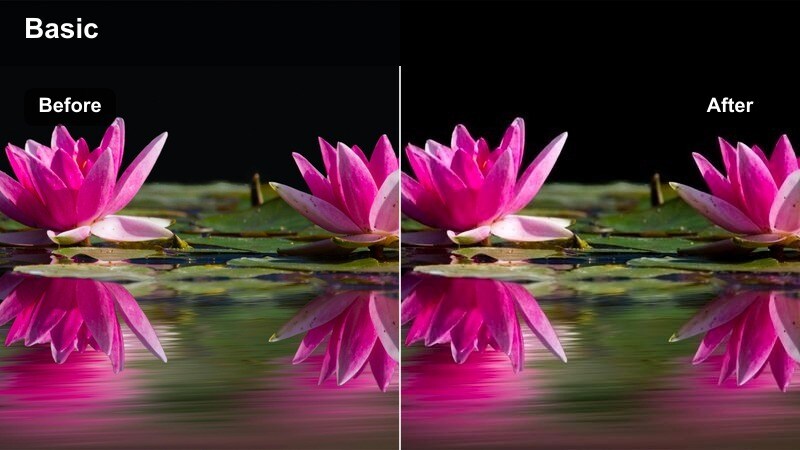
- Effect look: Warm midtones with slightly lifted blacks and subtle amber highlights for a friendly cowork feel.
- Best for: Clips where you film with friends or collaborators around a big cafe table.
- Editing tip: Raise shadows only a bit so faces remain flattering but the shot still holds depth.
Cowork Cozy Tone is tuned for group shots, adding soft warmth and lifted blacks that flatter everyone around the table. In Filmora, it creates a friendly, approachable look that makes brainstorming sessions, co-editing, or casual chats with fellow creators feel welcoming and intimate.
Because group scenes often include a variety of skin tones, apply the filter first, then slightly reduce global warmth if any faces start looking too orange. Use Filmora’s selective color or HSL controls to refine individual hues so you maintain natural skin while keeping the overall amber, social cafe vibe intact.
Bar Counter Coffee Pours and B-Roll
Barista Pour Cinematic
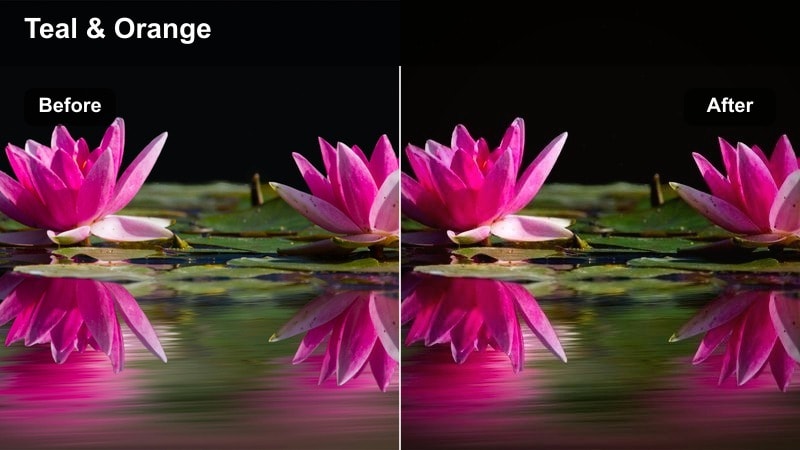
- Effect look: Rich contrast with deep browns and subtle teal in shadows for cinematic bar counter shots.
- Best for: Slow-motion pours, espresso extractions, and close-ups of the coffee-making process.
- Editing tip: Shoot at a higher frame rate and stabilize in post to let this cinematic filter really shine.
Barista Pour Cinematic dials up contrast and rich coffee browns, giving every drip and swirl at the bar a dramatic, film-like presence. In Filmora, this preset works best on tight macro shots of kettle pours, espresso streams, and milk frothing where the subtle teal shadows create depth against warm highlights.
Capture your footage at a higher frame rate, then slow it down in Filmora and apply light stabilization so the viewer can enjoy every texture and movement. Clean up any noise in the darkest parts before or after adding the filter to keep black tones smooth and cinematic, especially in dimly lit bars.
Latte Art Soft Cream
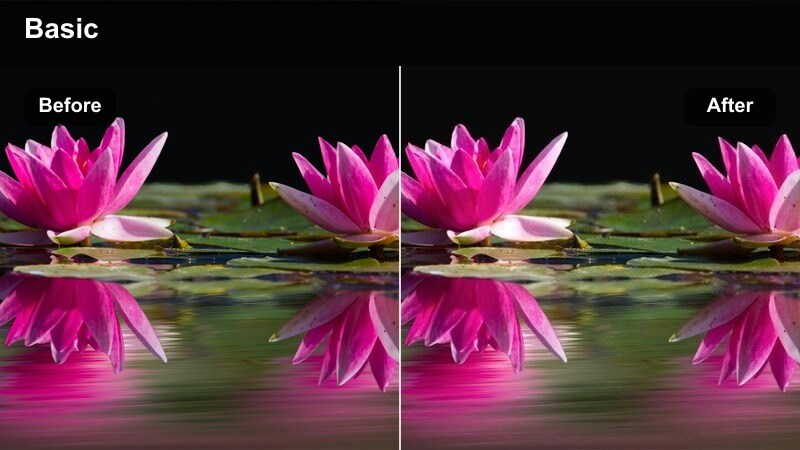
- Effect look: Soft contrast with creamy highlights and slightly warm whites for smooth latte close-ups.
- Best for: Macro shots of latte art, foam textures, and milk swirling in the cup.
- Editing tip: Slow down the clip a bit and add a gentle push-in zoom for a satisfying, ASMR-like effect.
Latte Art Soft Cream is tailored to make foam textures, microbubbles, and delicate latte designs look silky and inviting. In Filmora, this filter lifts highlights just enough to feel creamy while keeping overall contrast soft, which is ideal for macro close-ups of your drink on the bar.
Once applied, slightly lower highlights to preserve detail in the brightest parts of the foam, then add a subtle push-in keyframe zoom to enhance that ASMR-style satisfaction. If the shot feels too flat, boost local contrast around the cup using Filmora’s masking or vignette tools rather than increasing global contrast, which could break the gentle, smooth look.
Espresso Bar Mood
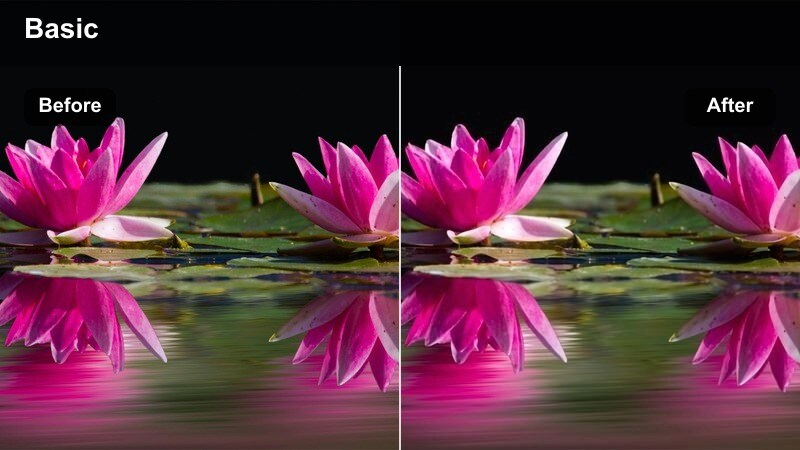
- Effect look: Moody contrast with slightly desaturated colors and a warm-brown tint for an intimate bar feel.
- Best for: Dimmer coffee bars, backlit machines, and close-ups of espresso shots.
- Editing tip: Use this filter on clips with good side lighting so details are visible in darker corners.
Espresso Bar Mood gives your darker cafe footage a cinematic, intimate tone with warm-brown tints and controlled desaturation. In Filmora, it is perfect for shots of machines, portafilters, and cups on a dim bar where you want a cozy, late-morning feel rather than bright, airy vibes.
Apply the filter, then raise black levels slightly if your source footage is very dark, ensuring you keep texture in the shadows rather than crushing them. For an extra filmic touch, consider adding a light grain overlay and subtle vignette in Filmora, keeping the viewer’s attention on the glow of the machine lights and the richness of the espresso crema.
Streetfront Cafe Arrivals and City Transitions
City to Cafe Transition
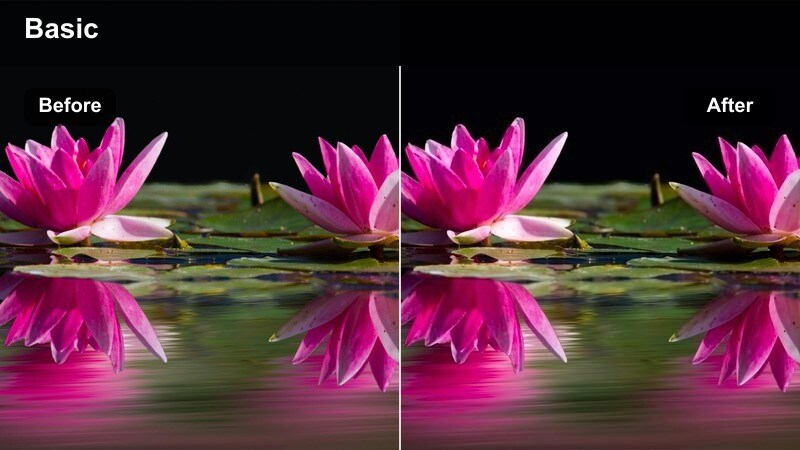
- Effect look: Cool outdoor shadows with warm interior highlights for clips that move from street to cafe.
- Best for: Walk-up shots from the sidewalk into the coffee shop door at morning.
- Editing tip: Cut on movement, like pushing the door open, so the color shift from street to cafe feels seamless.
City to Cafe Transition is built to handle that classic move from cool city streets into a warm interior without jarring color jumps. In Filmora, the preset keeps outdoor shadows slightly cooler and shifts to cozy highlights once you are inside, making it ideal for a single take that follows you through the door.
Apply the filter to both your street and interior clips if you shoot them separately, then adjust exposure so brightness feels continuous. Cut on an action moment, like grabbing the door handle, and let the filter’s balanced tones smooth out the visual change from sidewalk bustle to cafe calm.
Streetfront Sign Soft
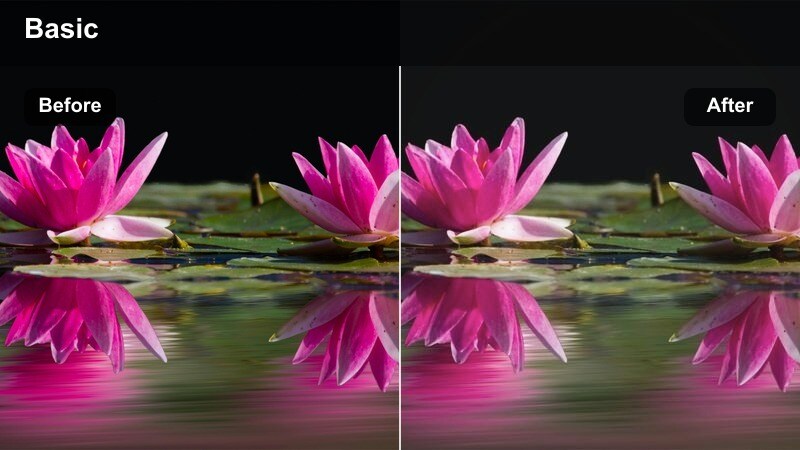
- Effect look: Soft contrast with pastel-like colors and gentle highlights on signs and windows.
- Best for: Establishing shots of the cafe exterior, signage, and facade on a clear morning.
- Editing tip: Keep your camera angle steady and let the filter's softness create the aesthetic instead of using heavy motion.
Streetfront Sign Soft turns your exterior cafe shots into gentle, pastel-leaning scenes that set a cozy tone before you ever step inside. In Filmora, it smooths contrast and brightens highlights on windows and signage, giving you thumbnails and openers that feel inviting and aesthetic.
Use a tripod or stable handheld framing, letting the filter’s softness do the stylistic heavy lifting instead of quick pans or zooms. If the sky is particularly bright, pull down highlights slightly in Filmora’s Color controls so you retain that pastel quality without losing detail in clouds or building edges.
Morning Commute Cafe Stop
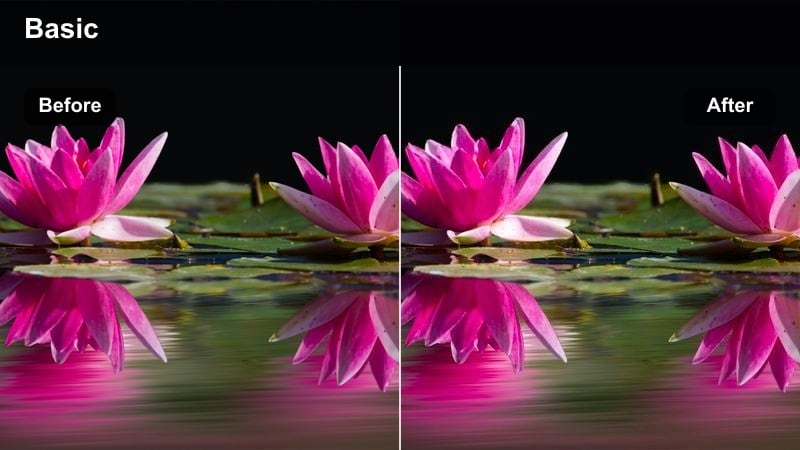
- Effect look: Natural contrast with slightly warm skin tones and subtle saturation for realistic yet polished morning streets.
- Best for: Walking vlogs where you talk to camera on the way to your favorite coffee shop.
- Editing tip: Stabilize handheld shots lightly so the viewer can focus on your story and the street ambiance.
Morning Commute Cafe Stop is meant for on-the-go talking clips where you walk through the city toward your coffee ritual. In Filmora, it adds a gentle warmth to skin tones and a touch of saturation to the environment without making the footage look over-filtered or artificial.
Apply it to all your outdoor talking segments in the same vlog to keep your face looking consistent from clip to clip. Add light stabilization to smooth out handheld shake, then make only minimal exposure tweaks between shots so brightness transitions feel natural and the viewer stays focused on your narrative.
Tips for Using Coffee Shop Morning Vlog Filter Filters in Filmora
- Shoot near windows during early morning hours to capture soft natural light that pairs beautifully with warm coffee filters in Filmora.
- Lock your camera’s white balance before recording so each filter applies consistently across multiple cafe clips in the same vlog.
- Film a mix of talking segments, desk shots, and detailed B-roll so you can reuse the same preset on varied footage for a cohesive look.
- Use slower, smoother camera movements in tight cafe spaces so cozy color grades do not feel chaotic or overwhelming.
- Keep your scene’s color palette simple with neutrals, wood tones, and soft textiles to let the filter define the mood.
- Test two or three similar presets in Filmora’s preview before deciding on one, and save your favorite grading as a custom preset.
- Adjust exposure and highlight levels after applying a filter to protect window details and foam textures while keeping the scene warm.
- Stabilize handheld walking shots lightly so viewers can appreciate both your story and the subtle cafe-inspired color grading.
With the right coffee shop morning vlog filter, even simple cafe moments like typing at a table, waiting for your drink, or watching the street can look cinematic and on-brand for your channel. Filmora’s presets give you a polished, cozy style without needing complex manual color grading on every clip.
Test several of these filters on your next coffee vlog, tweak exposure and saturation to match your personality, and then save the winning look as your go-to preset. Over time, your audience will recognize your signature cafe aesthetic the moment your video starts playing.
secure download