

 100% Security Verified | No Subscription Required | No Malware


 ChatGPT
 Perplexity
 Gemini
 Claude
 Grok
Grok
The Daily Commute Lifestyle Filter pack is designed for content creators who want to turn routine rides into cinematic, on-brand visuals without heavy color work. These Filmora filters help you build a consistent look across subway, bus, car, and bike footage so every morning and evening vlog feels part of the same story.
Whether you are shooting at dawn, under office fluorescents, or on a rainy metro platform, you can match contrast, color, and mood in a few clicks. Use these presets as your daily commute base grade, then layer text, b-roll, and music on top to finish your lifestyle edits faster.
In this article
Early Morning Commute Routines
Soft Dawn Commute
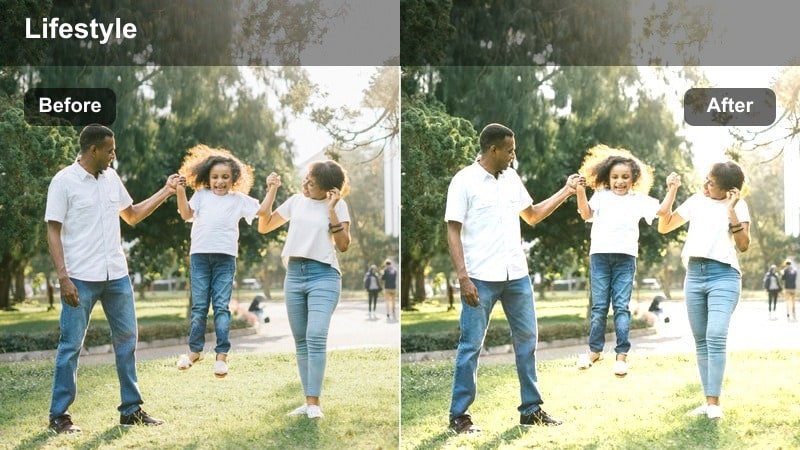
- Effect look: Soft, low-contrast glow with lifted shadows and warm highlights for gentle sunrise starts.
- Best for: 6-8 a.m. walks to the station, quiet coffee stops, and first train or bus shots with cool ambient light.
- Editing tip: Dial back the highlight intensity if your sky is already bright, and slightly increase sharpness to keep street details crisp.
Soft Dawn Commute wraps your early-morning footage in a gentle, cinematic warmth that turns flat, blue-tinted scenes into cozy lifestyle visuals. By lifting the shadows and slightly lowering contrast, Filmora helps you hold detail in darker sidewalks and building facades while giving the sky a smooth glow that feels like a natural sunrise grade.
Use this preset as your base look for the first blocks of your vlog, then tweak highlight and sharpness sliders in Filmora to suit your camera. It works especially well on phone footage with limited dynamic range, letting you keep exposure under control without complex color wheels. Once your base is set, you can add text overlays, time stamps, or lo-fi music to complete that calm, morning-ritual vibe.
Use AI Color Tools to Match Commute Clips Fast
Filmora's AI color tools help you keep your daily commute lifestyle filter consistent even when you shoot in different trains, streets, and weather conditions. Instead of correcting every clip by hand, you can take one well-graded hero shot and let AI match the rest of your timeline to that look.
Capture a reliable reference shot on your usual route, apply your favorite Daily Commute Lifestyle Filter, then use AI color matching so subway platforms, car interiors, and bike lanes all share the same tone. This speeds up weekday edits and makes your channel feel like a cohesive series, even if you switch between phones and cameras.
 secure download

Preview Commute Filters on Real-Life Scenarios
Before locking in a daily commute lifestyle filter, it helps to see how each preset behaves on real clips from your route. In Filmora, drop subway, bus, car, and walking shots into a short sequence, then cycle through different filters to find the look that best matches your brand and storytelling style.
Pay attention to how skin tones, window highlights, and dark corners on platforms react as you switch filters. Once you pick your favorites, save them as custom presets so you can apply them in one click for every episode of your commute vlog series.
secure download1000+ Video Filters and 3D LUTs
Alongside the Daily Commute Lifestyle Filter pack, Filmora includes more than a thousand video filters and 3D LUTs so you can refine your weekday visuals or create completely different moods for weekends. You can stack commute filters with subtle LUTs to shift the tone without rebuilding your entire grade.
Use your commute preset as a base layer, then gently blend in a warm or cool LUT at low intensity to separate office days from relaxed weekend rides. This way, you keep a consistent identity while still giving each type of vlog its own cinematic flavor.
secure downloadOffice District Morning
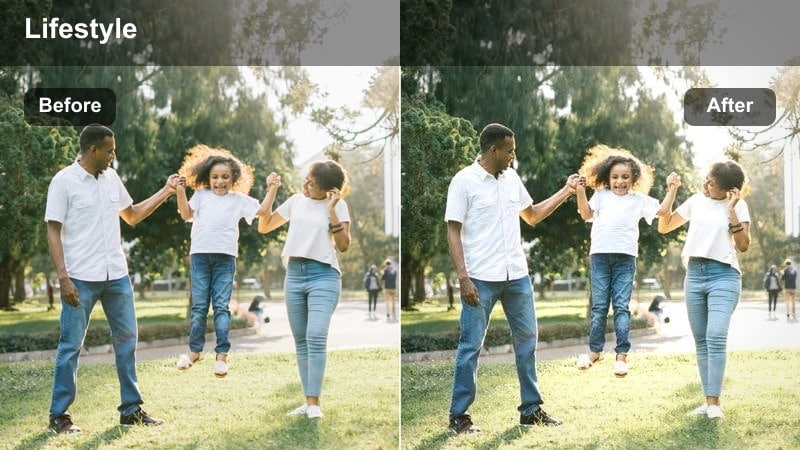
- Effect look: Clean, neutral contrast with slightly cooled shadows and subtle clarity for business-district streets.
- Best for: Walking shots past glass buildings, crosswalk time-lapses, and lobby walk-ins before work.
- Editing tip: Combine this filter with a gentle vignette to draw focus to your subject when framing wide city intersections.
Office District Morning brings a polished, productivity-driven tone to your commute by tightening contrast and cooling down shadows without over-stylizing the scene. Glass facades, crosswalks, and traffic lines appear crisp, giving your vlog an organized, professional feel that pairs nicely with workday routines and tech-focused content.
In Filmora, this preset is ideal for wide walking shots and time-lapses where you want the city geometry to read clearly. Add a light vignette and minor sharpening for talking-walk segments so your face stands out against the tall buildings, then slightly reduce intensity as you move indoors to keep lobby lighting from looking too harsh.
Sleepy Suburb Start
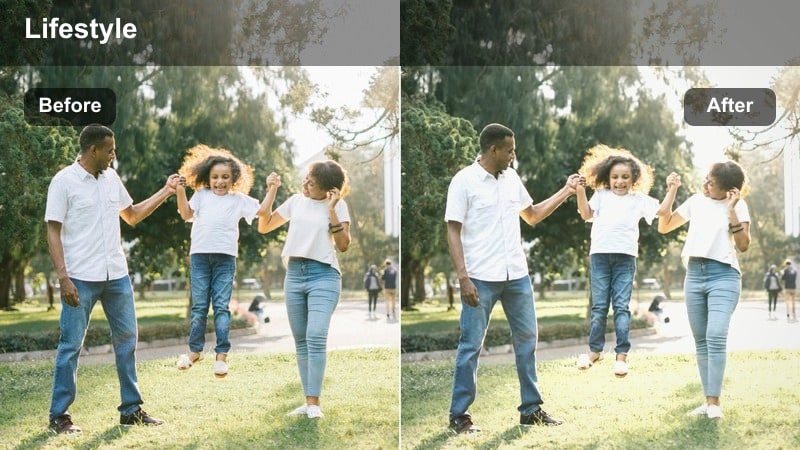
- Effect look: Muted contrast with gentle pastel tones that soften parked cars and residential streets.
- Best for: Front-yard goodbyes, driveway car mount shots, and quiet residential walking intros.
- Editing tip: Lower saturation slightly if your houses are brightly painted to maintain a calm, minimalist lifestyle feel.
Sleepy Suburb Start softens busy residential details into a calm, pastel backdrop that eases viewers into your day. By muting contrast and reducing saturation, it keeps driveways, lawns, and parked cars from stealing attention, which is perfect for personal voiceovers or simple morning routines filmed outside your home.
Apply this filter to the opening shots of your commute vlog in Filmora, then transition to a stronger city look once you reach downtown. It works especially well paired with slower cuts and gentle background music, helping your audience feel the shift from home comfort to the energy of the workday as you change filters later in the edit.
Public Transit and Platform Moments
Subway Platform Grit
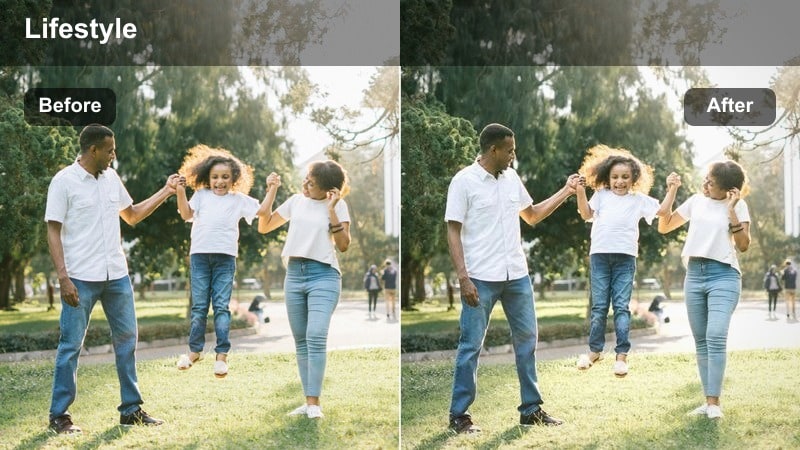
- Effect look: High contrast with slightly desaturated colors and lifted texture for gritty underground stations.
- Best for: Train arrivals, standing on crowded platforms, and handheld clips inside subway cars.
- Editing tip: If your footage is noisy, reduce grain or apply light denoising before this filter to prevent shadows from looking too rough.
Subway Platform Grit is designed to handle the harsh, mixed lighting of underground stations while emphasizing the texture of walls, tracks, and crowds. With higher contrast and slightly muted colors, it gives your clips a cinematic, documentary feel that matches the intensity of rush-hour platforms without turning them overly stylized.
In Filmora, use this preset on all your underground sequences and then fine-tune exposure with curves to avoid crushing important shadow detail. Apply denoising first on grainy phone footage, then layer the filter to keep grimy tiles and train edges sharp while skin tones stay believable under fluorescent lights.
Golden Metro Window
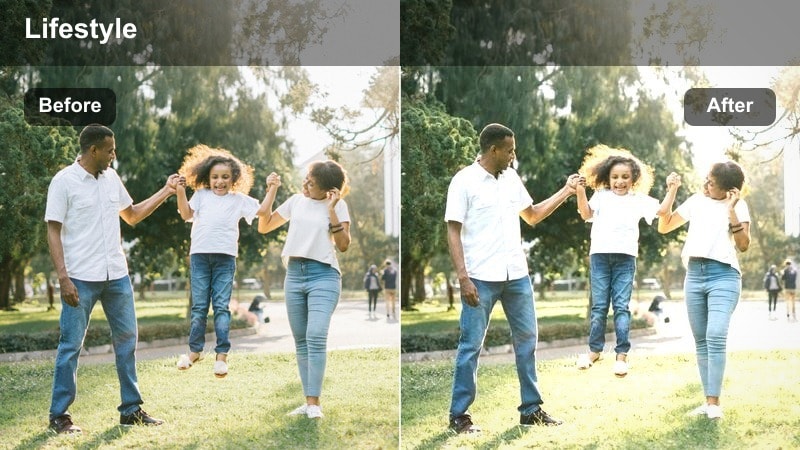
- Effect look: Warm, glowing highlights with gentle bloom around windows and softened midtones for dreamy transit rides.
- Best for: Window-seat shots on trains or trams during golden hour, especially when city light streaks by.
- Editing tip: Lower the bloom effect if your original footage is already flaring to avoid losing detail outside the window.
Golden Metro Window transforms ordinary train rides into dreamy travel sequences by boosting warm highlights and adding a subtle glow around windows. It smooths midtones to flatter skin while letting passing buildings blur into soft streaks of light, ideal for reflective moments, voiceovers, or b-roll between talking segments.
Apply this filter in Filmora to your best golden-hour transit clips, then adjust bloom and highlight sliders so exterior details remain visible. Combine it with gentle motion blur or speed ramps on outside scenery to emphasize movement, keeping your subject correctly exposed by slightly reducing highlights when necessary.
Bus Route Neutral
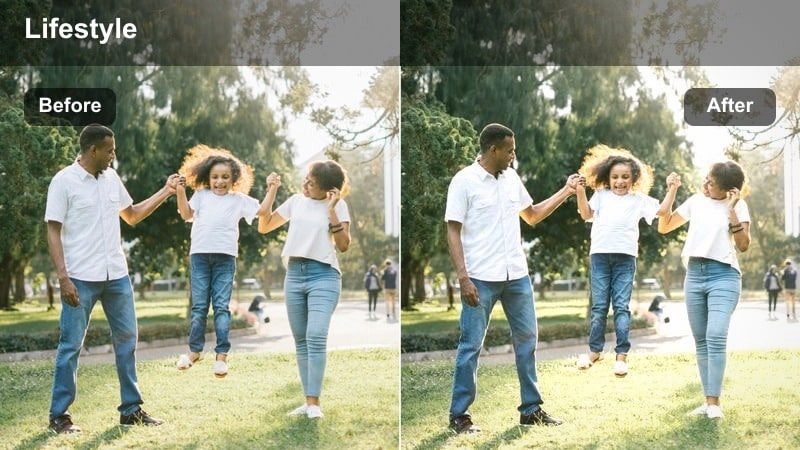
- Effect look: Balanced contrast and skin tones with minimal color shift for consistent bus interior footage.
- Best for: Front-facing seat shots, overhead grip handles, and quick cutaways of city streets from a bus window.
- Editing tip: Adjust midtone saturation to taste; raising it slightly helps fight flat fluorescent lighting common in buses.
Bus Route Neutral keeps your transit clips looking clean and true-to-life, correcting the flat, greenish cast that often comes from fluorescent bus lighting. It evens out contrast and balances skin tones so your face looks natural whether you are filming yourself, the seats around you, or quick views out the window.
Use this preset in Filmora as your default grade for buses and trams, then tweak midtone saturation to add just enough color back into your shots. Once all your public-transit clips share this neutral base, you can layer more stylized filters only on key moments, maintaining a cohesive vlog while still highlighting standout scenes.
Car and Bike Commute Angles
Dashboard City Cruise
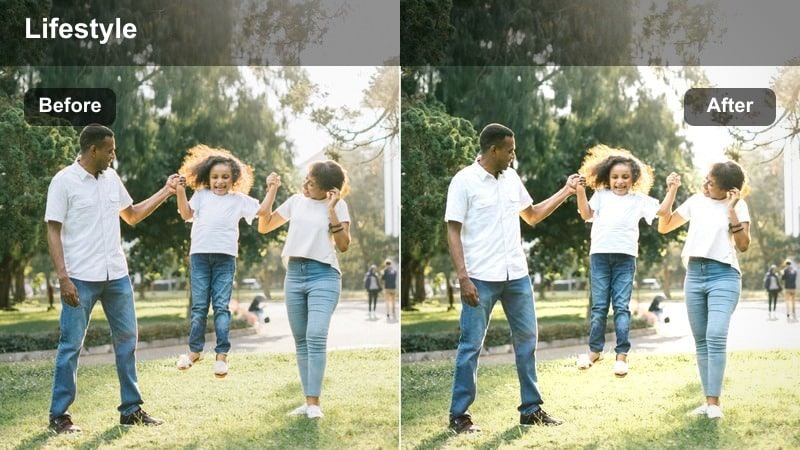
- Effect look: Punchy contrast with vibrant city highlights and slightly cooled shadows for dashboard-mounted shots.
- Best for: Car POV clips through the windshield, steering wheel shots, and talking-to-camera moments in traffic.
- Editing tip: Use Filmora’s face-enhancement or skin-smoothing tools after this filter to keep your face natural under harsh windshield light.
Dashboard City Cruise adds energy to your driving footage by strengthening contrast, cooling the shadows, and making city highlights like billboards and traffic lights pop. It is great for POV angles through the windshield, giving streets a crisp, modern look that matches productivity or city-lifestyle vlogs.
In Filmora, apply this filter to your in-car sequences, then check exposure on both the sky and your face. Use gradient masks to darken the upper part of the frame if the sky is too bright, and apply face-enhancement tools afterward to smooth harsh lighting on your skin while keeping the dashboard and road details sharp.
City Bike Flow
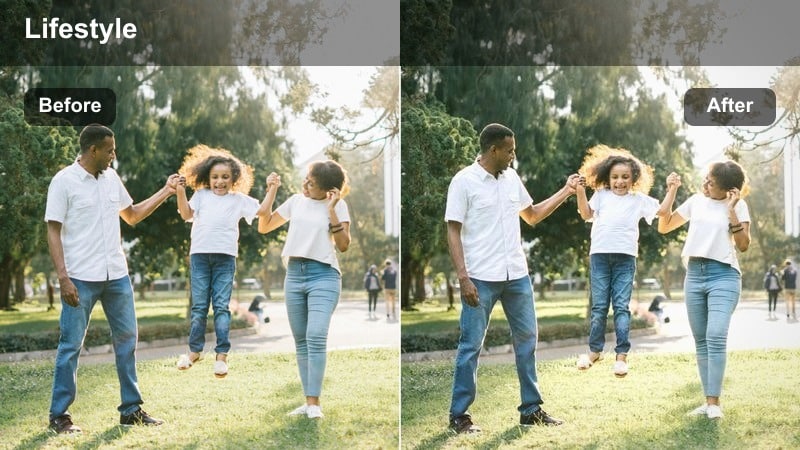
- Effect look: Slightly teal shadows with lifted brightness and crisp edges for fast-moving city bike shots.
- Best for: Handlebar or helmet-mounted clips weaving through streets, bike-lane views, and over-the-shoulder riding angles.
- Editing tip: Add a small amount of stabilization in Filmora before the filter so edges stay sharp while motion remains dynamic.
City Bike Flow gives your cycling footage a modern, kinetic style by lifting overall brightness, cooling shadows toward teal, and sharpening edges. The result is an energetic, urban look that makes bike lanes, road markings, and passing cars feel dynamic without overwhelming the viewer with heavy color grading.
Stabilize your helmet or handlebar footage in Filmora first, then apply this preset to keep buildings and lane lines clear while still conveying speed. Cut your commute to the beat of your soundtrack and use consistent grading across all bike clips so the focus stays on motion, route changes, and traffic patterns instead of shifting colors.
Parking Lot Check-In
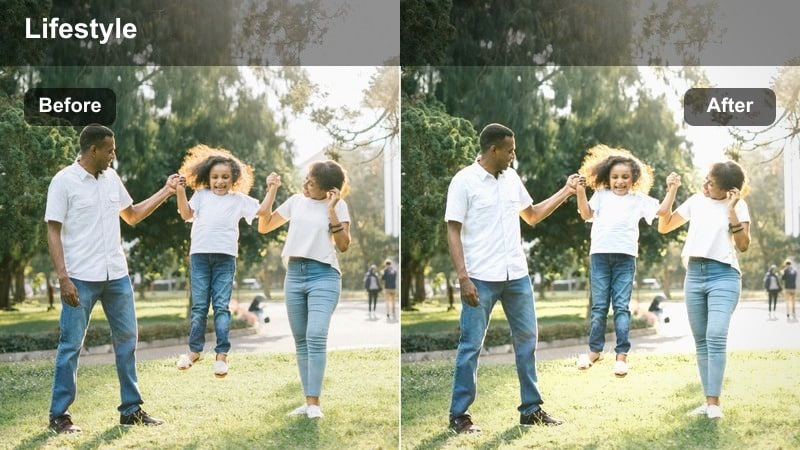
- Effect look: Balanced, vlog-style contrast with slightly warm midtones for quick parking lot updates.
- Best for: Talking to camera when you arrive at work, closing the trunk, or locking up your bike.
- Editing tip: Keep exposure a bit lower than usual if shooting under midday sun to stop asphalt and cars from looking blown out.
Parking Lot Check-In is tailored for short, to-camera updates filmed between your car and the office. It keeps contrast natural and adds a touch of warmth to midtones so your skin looks welcoming, while still holding detail in bright pavement, cars, and building reflections around you.
Use this preset in Filmora for A-roll moments at the start or end of your commute, slightly underexposing footage shot in harsh midday sun. Once you have a consistent look for these check-ins, you can mix in more stylized b-roll filters for driving or walking segments without losing continuity in your main storytelling shots.
Evening and Night Commute Wind-Down
Blue Hour Return
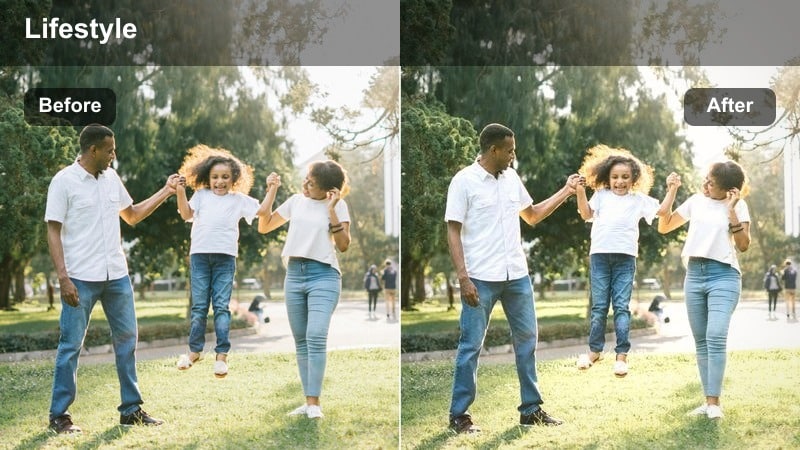
- Effect look: Cool, moody highlights with slightly faded blacks and subtle saturation for after-work blue hour.
- Best for: Walking out of the office, city lights turning on, and skyline views from bridges or platforms.
- Editing tip: Increase local contrast only in the midtones to keep the sky soft while making street details pop.
Blue Hour Return captures the calm mood of the end of the workday by cooling highlights, gently fading blacks, and dialing in a restrained level of saturation. Streetlights, windows, and the remaining color in the sky feel cinematic without being overly dramatic, which suits reflective or recap-style segments of your vlog.
Apply this preset in Filmora to your after-work walking shots, skyline views, and bridge crossings, then nudge midtone contrast higher if you want signs and street details to stand out more. Keeping the sky soft and slightly desaturated lets you layer text or outro titles over these clips while maintaining a relaxed, winding-down aesthetic.
Neon Night Ride
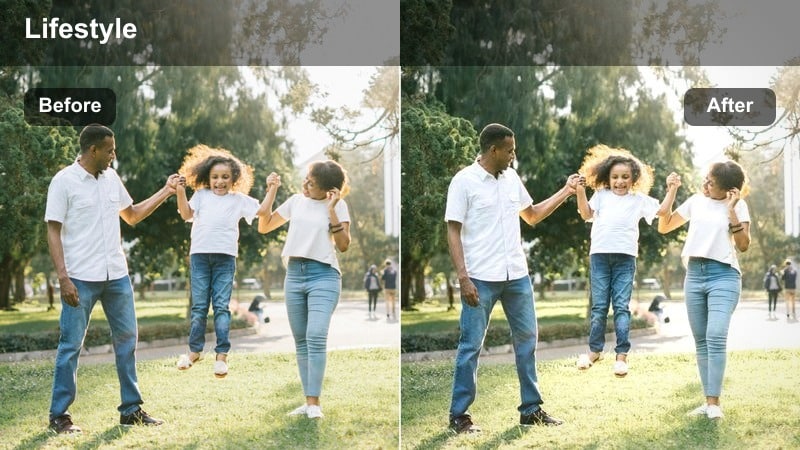
- Effect look: Deep contrast with boosted saturation in neon signs and taillights for high-energy nighttime streets.
- Best for: Late bus or train rides, car POV through nightlife districts, and street crossing scenes with bright signage.
- Editing tip: Lower orange saturation slightly if skin tones start to look too intense under mixed street lighting.
Neon Night Ride brings out the drama of nighttime commutes by deepening contrast and selectively boosting saturation in neon signs, taillights, and illuminated shop fronts. It is ideal for high-energy sequences that show nightlife, busy intersections, or late buses weaving through colorful city streets.
In Filmora, use this filter on clips where bright signage and traffic lights are the focus, slightly underexposing when filming so billboards and headlights retain detail after grading. If your face appears too orange under mixed street lamps, roll back orange saturation and lift only the darkest shadows with curves to keep sidewalks and facial features visible.
Home Stretch Cozy
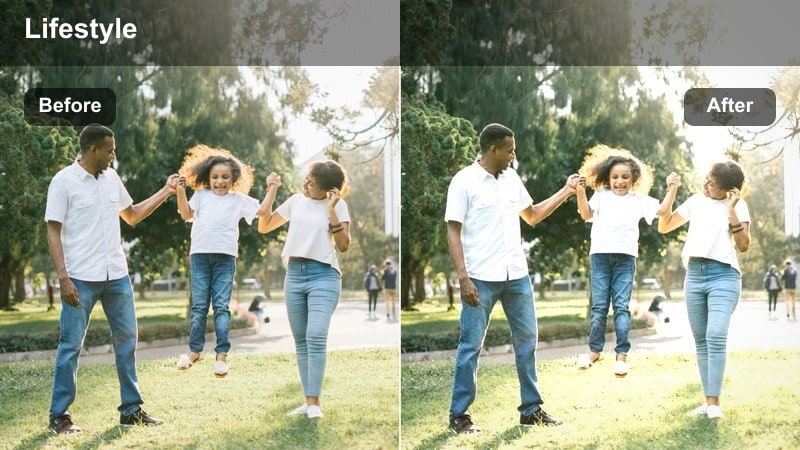
- Effect look: Soft contrast with warm midtones and slightly lowered clarity to create a relaxed, end-of-day vibe.
- Best for: Final bus stops, walking up your apartment stairs, elevator rides, and keys-in-the-door shots.
- Editing tip: Combine this filter with a gentle fade-to-black transition at the end of your sequence for a smooth vlog sign-off.
Home Stretch Cozy softens the final minutes of your commute with warm midtones, gentle contrast, and a touch of reduced clarity to blur away harsh details. Hallways, stairwells, and elevator interiors take on a comforting glow that signals to viewers that your day and vlog are coming to a close.
Use this preset in Filmora on your recurring arrival-home shots like unlocking the door, dropping your bag, or turning off lights. Pair it with slower cuts and a fade-to-black transition to create a recognizable nightly ritual, making your audience feel the transition from the busy commute to relaxed home life every time you upload.
Tips for Using Daily Commute Lifestyle Filter Filters in Filmora
- Pick two or three commute filters as your core set and reuse them across episodes to build a recognizable channel style.
- Shoot a few consistent anchor shots every day, like your station entrance or bus stop, and grade them first to set the tone for the rest of the vlog.
- Avoid pushing exposure too bright when filming through windows so your chosen filter has room to shape highlights without clipping.
- Use adjustment layers in Filmora to apply the same filter across multiple clips, then fine-tune individual shots only where necessary.
- Tag your presets clearly by time of day and location, such as morning-subway or night-drive, so you can apply them quickly while editing.
- Build a short commute test sequence for each season and try your filters on it so you know they work in different weather and lighting.
- Combine subtle stabilization with your filters on handheld transit clips to keep the image clean while retaining a sense of movement.
With a focused set of Daily Commute Lifestyle Filters, you can turn routine rides into watchable, on-brand stories that require far less color work each time you post.
Once your weekday look is locked in, you can confidently explore more expressive styles, like a weekend home vlog video LUT, knowing your everyday commute content already has a strong visual foundation.
secure downloadNext: Weekend Home Vlog Video LUT Ideas for Relaxed Storytelling
