

 100% Security Verified | No Subscription Required | No Malware


 ChatGPT
 Perplexity
 Gemini
 Claude
 Grok
Grok
This Daily Life Home Vlog Filter pack is built for content creators who film real moments in real homes, from slow mornings and desk sessions to meal prep and quiet nights on the couch.
Each filter is tuned for common indoor lighting, making it easy to keep your daily vlog shots consistent, cozy, and cinematic with just a few clicks in Filmora.
In this article
Soft Morning Light & Slow Starts
Cozy Morning Glow
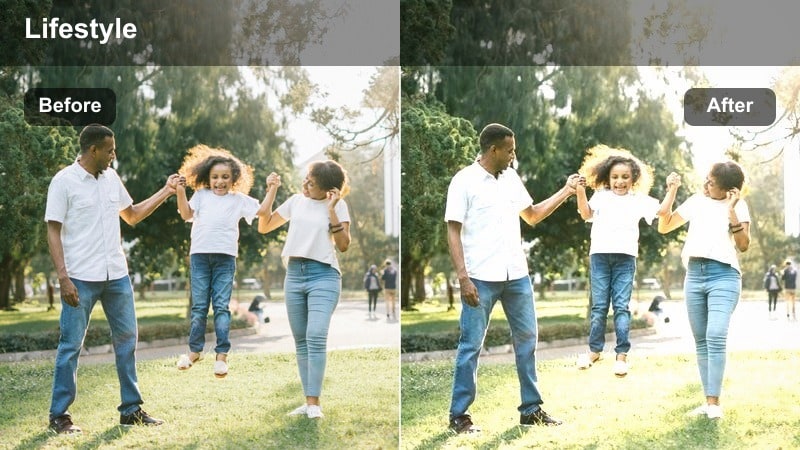
- Effect look: Soft, warm glow that brightens shadows and adds gentle contrast for a cozy wake-up feel.
- Best for: Bedside shots, making coffee, quiet morning routines near a window.
- Editing tip: Lower the filter intensity to around 60% if your room already has strong golden sunlight to avoid over-warming skin tones.
Cozy Morning Glow is designed to wrap your morning scenes in a gentle warmth that feels like natural sunrise, even if your bedroom lighting is not perfect. It subtly lifts shadows and adds a soft contrast curve, so details in blankets, mugs, and hair remain visible while the overall frame feels inviting and intimate.
In Filmora, apply this filter to your first clips of the day, then fine-tune using the intensity slider to match how much real sun you have in the room. If your walls and bedding are already warm-toned, slightly cool the white balance before applying, then keep midtone contrast modest so skin stays flattering and the scene feels authentically cozy instead of heavily stylized.
Match Your Home’s Real Colors with Filmora AI
Filmora AI Color tools help these Daily Life Home Vlog filters adapt to the true colors of your walls, bedding, and furniture. Even if your clips come from different days or cameras, AI-driven color correction can bring them into the same baseline so every morning routine feels consistent.
Run AI color correction on your imported footage first, then apply Cozy Morning Glow or any other filter from this pack as your creative layer. This workflow keeps white balance, exposure, and color cast under control while the filter adds warmth and mood on top.
 secure download

Preview Filters on Real Home Vlog Clips
To see how each Daily Life Home Vlog Filter behaves in your space, import a few seconds of real footage from your kitchen, bedroom, or desk and cycle through the presets in Filmora. Watching them side by side makes it easier to decide which look feels soft and cinematic versus too intense for your lighting.
Try pairing similar filters, like Cozy Morning Glow and Linen Morning Soft, on the same clip and compare contrast, saturation, and warmth. Once you choose your favorite, save it as a preset so your entire morning routine series can keep a consistent visual mood.
secure downloadCombine Filters with Lifestyle LUTs for Extra Depth
Filmora includes 1000 plus video filters and 3D LUTs that can sit on top of your Daily Life Home Vlog filters for added depth. Use the filter as your subtle base to fix contrast and mood, then layer a gentle indoor lifestyle LUT at low intensity to enhance color separation and give your vlog a signature style.
This approach keeps your home looking true to life while letting you push certain tones, like warm wood or cool night blues, just a bit further. Start around 20 to 30 percent LUT intensity in Filmora so your footage stays natural and does not look overprocessed.
secure downloadLinen Morning Soft
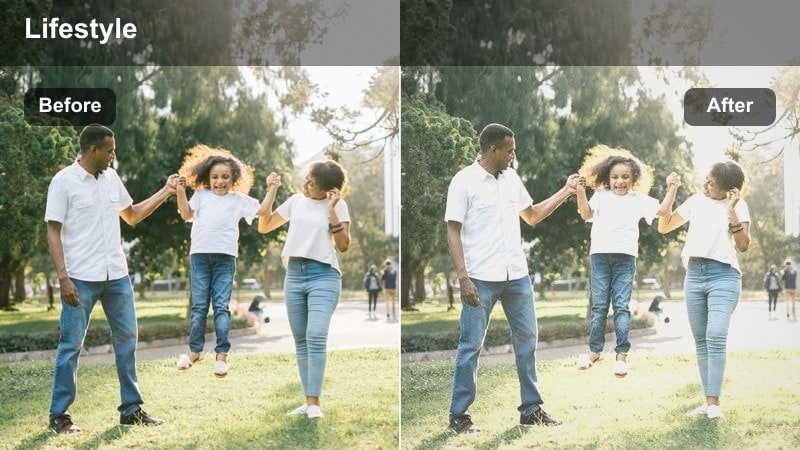
- Effect look: Softly faded contrast with a light matte finish and subtle desaturation for a calm, airy mood.
- Best for: Making the bedroom, living room, and hallway look brighter and more minimal on cloudy mornings.
- Editing tip: Increase exposure slightly after applying to keep faces from looking flat and lift midtones for a clean lifestyle look.
Linen Morning Soft adds a gentle matte finish to your footage, reducing harsh indoor shadows and taming saturated colors so your space feels calmer and more minimal. The slightly faded contrast is especially helpful on overcast days, when natural light is flat but you still want your room to feel bright and styled.
In Filmora, use this filter on clips where you are making the bed, tidying shelves, or walking through the hallway, then nudge exposure and midtones upward to keep skin lively. If your background is busy, reduce saturation a bit more so decor and clothing do not compete with your face, and consider adding a subtle vignette to keep attention toward the center of the frame.
Sunny Window Brew
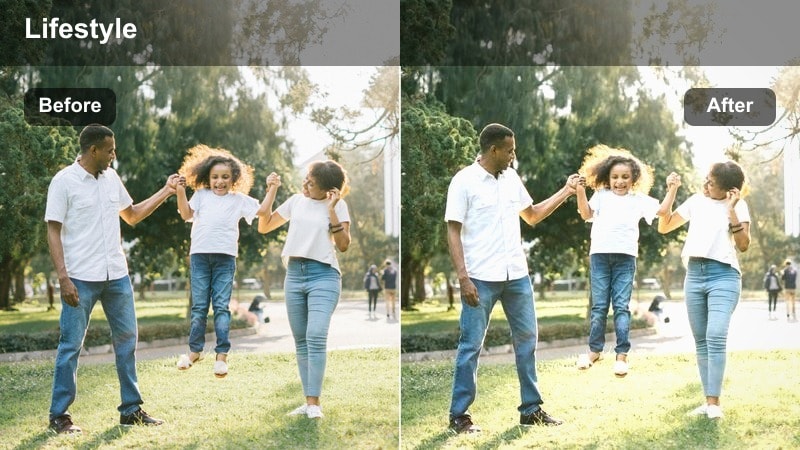
- Effect look: Bright, crisp highlights with a subtle golden tint that makes window light pop and drinks shimmer.
- Best for: Coffee shots at the kitchen counter, journaling by the window, and handheld walk-throughs in sunlit rooms.
- Editing tip: Bring highlights down a touch to keep bright window areas from clipping, then add a bit of sharpness for a clean, modern vlog style.
Sunny Window Brew is tailored for those pockets of strong natural light that hit your counters and tables. It brightens the overall image while adding a soft golden tint, making steam, glassware, and reflective surfaces sparkle without blowing out the details.
In Filmora, apply this filter to clips shot near windows, then slightly lower the highlights slider if you see clipping in curtains or the sky. Add a modest boost of sharpness to emphasize textures in coffee foam, notebooks, and hands, and angle your camera so the light hits from the side rather than directly behind to keep your subject out of silhouette.
Daytime Routines, Work From Home, and Desk Setups
Clean Desk Daylight
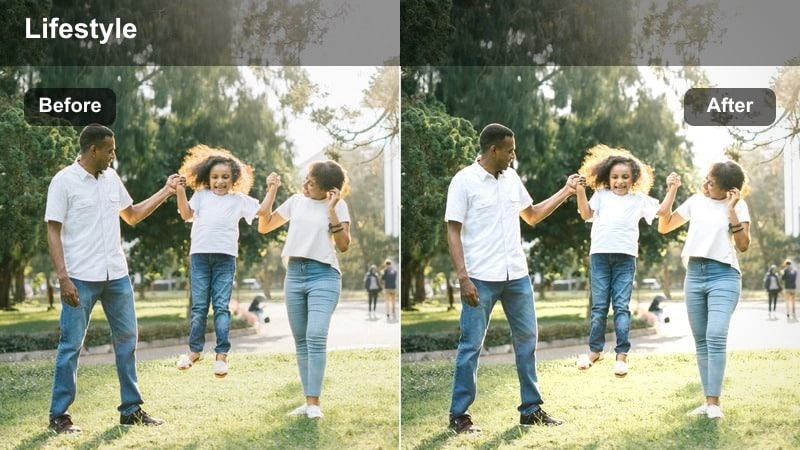
- Effect look: Neutral, bright, and slightly cool with clear whites that make screens and stationery look sharp.
- Best for: Work-from-home desk vlogs, screen recordings with face cams, and productivity timelapses.
- Editing tip: Use this at full strength on footage from warm indoor bulbs to balance color and keep whites from looking yellow.
Clean Desk Daylight is built to make your workspace look crisp and professional, even if you are filming in a small corner of your bedroom. By leaning slightly cool and neutral, it cleans up yellow casts from indoor bulbs so paper, keyboards, and monitors appear bright and true white.
In Filmora, drop this filter onto your A-roll desk shots, top-down B-roll, and productivity timelapses to keep everything visually aligned. If your lighting is very warm, leave intensity at or near 100 percent; otherwise, dial it back slightly and fine-tune exposure so your face is well lit without losing detail on screens or notebooks.
Minimal Lifestyle Flat
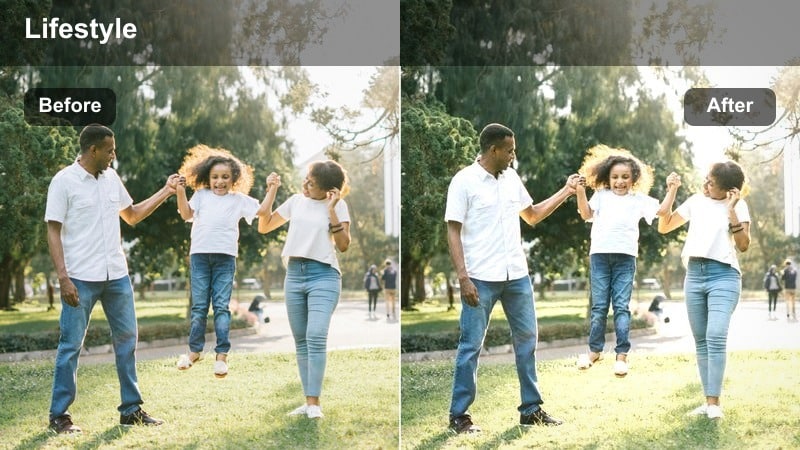
- Effect look: Soft contrast with slightly muted colors and gentle highlights for a curated, minimal lifestyle feel.
- Best for: Flat lay shots on tables, organizing clips, and aesthetic cutaways around the house.
- Editing tip: Crop tighter and reduce saturation for busy scenes so the filter emphasizes clean shapes rather than clutter.
Minimal Lifestyle Flat tones down contrast and saturation to give your everyday objects a calm, editorial look. It helps transform regular tables, shelves, and storage bins into intentional compositions by softening bright distractions and focusing attention on shapes and layout.
In Filmora, use this filter on flat lays, organizing sequences, and aesthetic cutaways, then experiment with tighter crops to reinforce the minimal feel. If your footage includes lots of mixed colors, slightly reduce saturation after applying the filter and consider adding a low-intensity vignette to guide the viewer’s eye toward the most important part of the frame.
Real Life True Color
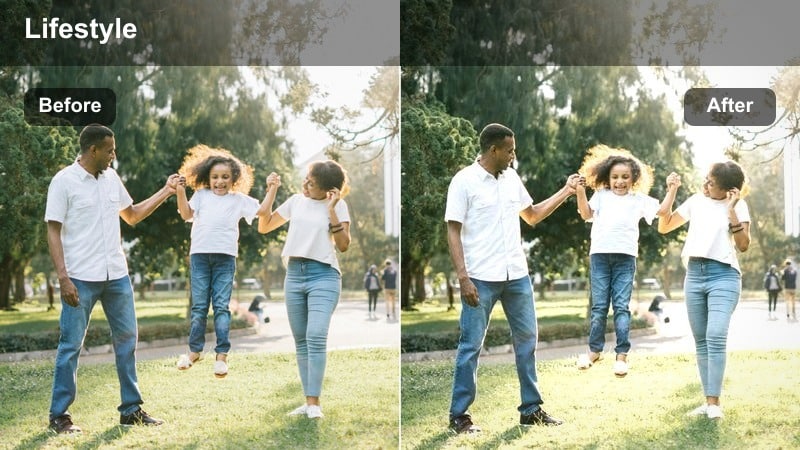
- Effect look: Balanced color correction with slightly lifted shadows to keep skin tones natural and rooms accurately represented.
- Best for: Talking-to-camera updates, check-ins around the house, and realistic lifestyle content without heavy stylization.
- Editing tip: Use this as your base correction filter, then layer subtle creative filters on top only when a scene needs an extra mood.
Real Life True Color focuses on accuracy and consistency, giving your clips a clean baseline before you add any creative styling. It gently lifts shadows and evens out color balance so skin looks natural and rooms appear the way they do in real life, which is ideal for honest lifestyle and chatty vlogs.
In Filmora, apply this filter first across your entire project to normalize clips from different rooms, days, or cameras. Afterward, adjust exposure on a per-clip basis to keep your face correctly lit, and only stack additional mood filters on top where you want a distinct look, like for morning routines or late-night reflections.
Kitchen Moments and Living Room Life
Warm Kitchen Haze
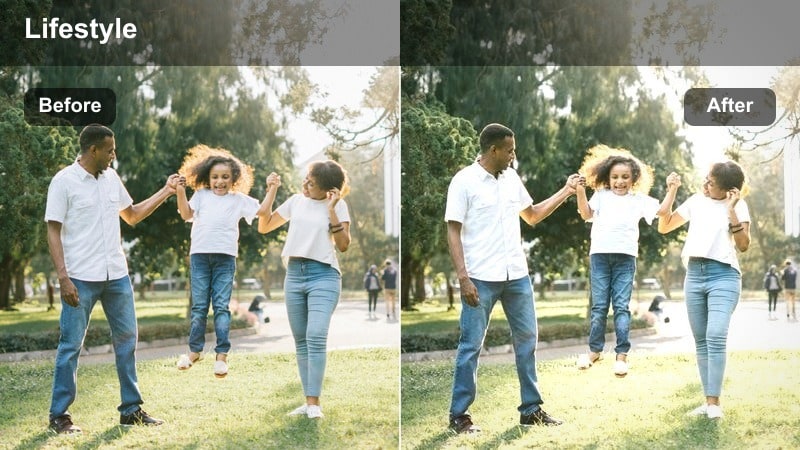
- Effect look: Subtle golden warmth with softened highlights and a hint of haze that flatters overhead kitchen lighting.
- Best for: Cooking vlogs, cleaning the counters, and casual chatting in the kitchen under mixed bulbs and window light.
- Editing tip: Reduce the haze if your lens is already blooming from bright windows to keep the footage from looking foggy.
Warm Kitchen Haze is designed to be forgiving in typical apartment kitchens, where overhead lights and window glare can clash. It adds a gentle golden tone and softens highlights, helping harsh reflections on counters, sinks, and stainless steel appear smoother and more cinematic.
In Filmora, apply this filter to your cooking and cleaning clips, then tweak the intensity if you notice too much softness around bright windows or fixtures. If your lens already has natural bloom from daylight, reduce the haze or lower the filter strength slightly, and lift shadows a bit to keep your expressions clear while maintaining that cozy, lived-in feel.
Living Room Cozy Tone
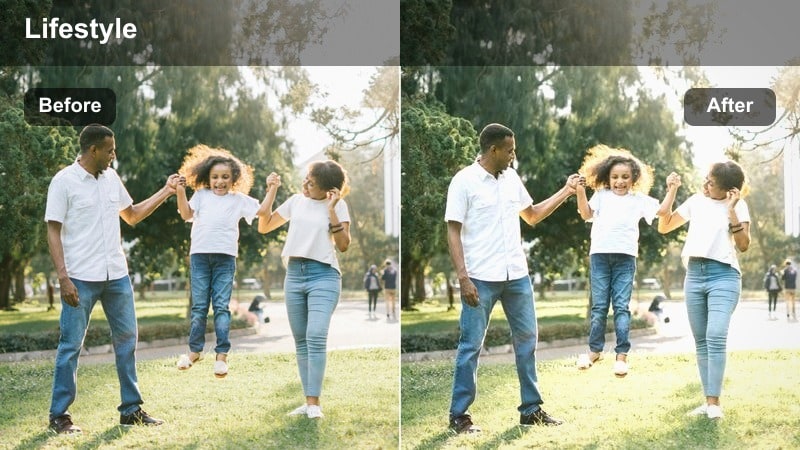
- Effect look: Warm midtones with soft contrast and gentle saturation that makes couches, blankets, and decor feel homier.
- Best for: Couch chats, movie night setups, folding laundry, and hanging out in the main living area.
- Editing tip: Apply a slight vignette and keep the filter around 70% for evening clips to avoid muddying darker corners.
Living Room Cozy Tone focuses on warmth and texture, perfect for scenes where you are relaxing on the couch, watching TV, or tidying up. It enhances midtone warmth so fabrics, pillows, and wooden furniture look inviting, while keeping contrast soft enough that the room does not feel harsh.
In Filmora, use this filter on your living room A-roll and B-roll, especially during late afternoon and evening. Keep intensity around 60 to 80 percent for low-light clips, add a light vignette to pull focus toward you, and cool the white balance slightly if lamp light makes the scene push too far into orange territory.
Clean Apartment Neutral
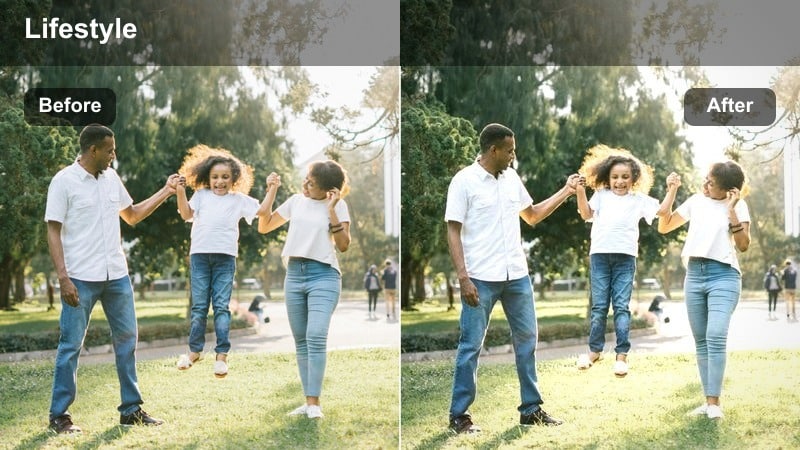
- Effect look: Neutral whites with lightly boosted clarity, making small apartments appear brighter and more spacious.
- Best for: Room tours, cleaning montages, reorganizing shelves, and wide shots of your home layout.
- Editing tip: Slightly widen your lens and add a tiny bit of sharpness to emphasize lines and corners when showing room makeovers.
Clean Apartment Neutral is ideal for showing off your space in a clear, honest way. It brightens whites, adds a touch of clarity, and avoids strong color shifts, which makes small rooms feel more open and tidy without looking staged.
In Filmora, apply this filter to wide shots, room tours, and before-and-after cleaning sequences. Pair it with a wider focal length and a subtle boost in sharpness so corners, shelves, and decor lines stand out, and slightly dial back saturation if you have lots of colorful items that might otherwise overwhelm the frame.
Evening Chill and Night Routine Scenes
Soft Night Ambient
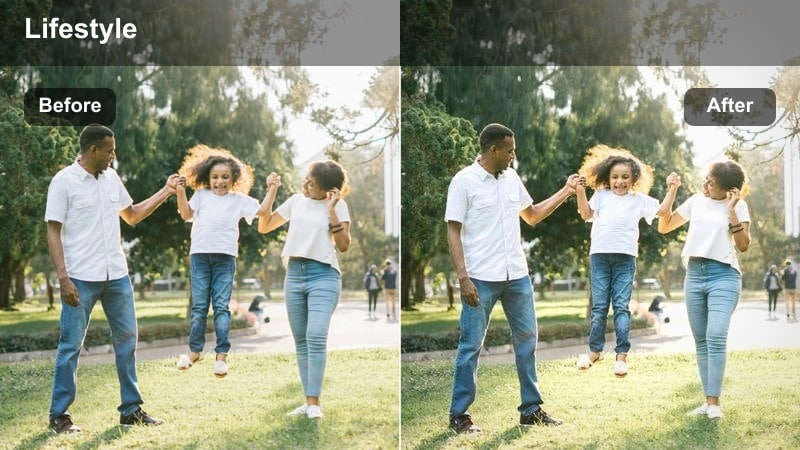
- Effect look: Gentle softening with warm highlights that reduce harsh noise and make dim rooms feel inviting.
- Best for: Night routines, couch relaxation, and winding-down clips when the sun is gone and only lamps are on.
- Editing tip: Raise exposure slightly and avoid pushing shadows too high so the image stays smooth instead of noisy.
Soft Night Ambient works to smooth out the roughness that often appears in low-light footage from home cameras or phones. It introduces a mild softness and warm highlights, which helps reduce the appearance of noise while keeping lamp glow and candlelight looking gentle and flattering.
In Filmora, apply this filter to your night routine vlogs and then carefully raise exposure just enough to see your face without brightening the entire room. Avoid lifting shadows too aggressively; instead, let some areas stay dark so the filter can keep noise under control and maintain a calm, intimate atmosphere.
Bedtime Blue Soft
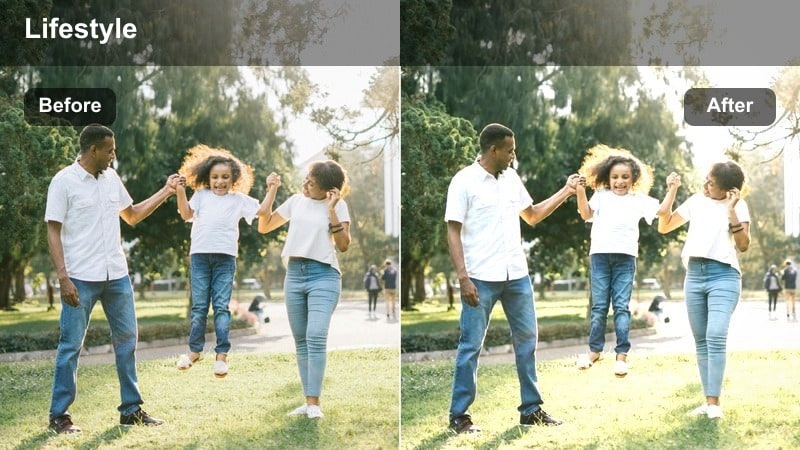
- Effect look: Slightly cooler tones with softened contrast and a calm, muted palette that matches late-night screens and quiet rooms.
- Best for: Bedtime check-ins, scrolling on the phone, journaling in bed, and late-night editing sessions.
- Editing tip: If your room is lit by a screen, keep this filter under 80% to avoid making faces look too blue or washed.
Bedtime Blue Soft introduces a cool, muted tone that pairs naturally with laptop and phone light, capturing the quiet mood of late-night moments. The reduced contrast helps blend shadows and highlights so your bedroom feels peaceful instead of stark, even when the light source is primarily a screen.
In Filmora, use this filter on clips where you are journaling, editing, or winding down in bed. Keep the intensity below 80 percent when your face is lit by a device to prevent overly blue skin, and consider adding a slight vignette to keep the viewer’s focus on your face or hands while the rest of the room fades gently into darkness.
Cinematic Home Night
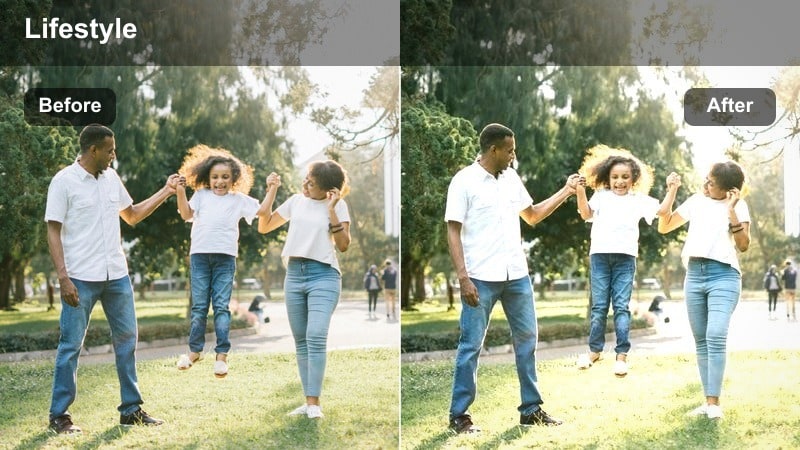
- Effect look: Deeper contrast with rich shadows and warm highlights that can turn simple night scenes into cinematic moments.
- Best for: Moody storytelling, talking about feelings, reflecting on the day, and B-roll of night city light through windows.
- Editing tip: Use manual focus and hold the camera steady, then apply this filter; heavy contrast will emphasize any camera shake.
Cinematic Home Night is for when you want your footage to feel more like a film scene than a casual clip. It pushes contrast and deepens shadows while preserving warm highlights from lamps and city lights, adding drama and depth to simple evening shots.
In Filmora, apply this filter to reflective monologues, window B-roll, and moody room shots, then lower your exposure so bright sources retain their detail. If the darkest areas become too crushed, gently lift blacks to keep some background context, and stabilize or trim out shaky portions since the added contrast makes any movement more noticeable.
Tips for Using Daily Life Home Vlog Filter Filters in Filmora
- Shoot near windows whenever possible so these filters work with soft natural light instead of fighting dim, uneven corners.
- Choose two or three filters as your go-to looks and reuse them across multiple uploads to build a recognizable channel aesthetic.
- Adjust exposure and white balance before adding any filter so the final effect stays clean and does not require heavy correction.
- Record a short 5 to 10 second test clip in each main room, then save custom Filmora presets based on your favorite filter and tweaks.
- For mixed lighting, turn off extra yellow bulbs or overly bright fixtures so neutral and warm filters can perform more consistently.
- When filming night routines, rely on fewer, closer light sources so warm evening filters can shape depth and mood more effectively.
- Use Real Life True Color as a base correction on all clips, then add creative filters only to scenes where you want a stronger vibe.
- Combine a subtle filter with a low-intensity lifestyle LUT to build a distinct yet still natural home vlog visual identity.
With the Daily Life Home Vlog Filter pack, you can turn simple moments like making coffee, working at your desk, or relaxing on the couch into clean, cozy, and cinematic footage that feels true to your everyday routine.
Test a few filters in each room, save your favorites as Filmora presets, and pair them with gentle indoor lifestyle LUTs so your home vlogs feel consistent, comfortable, and unmistakably yours.
secure download