

 100% Security Verified | No Subscription Required | No Malware


 ChatGPT
 Perplexity
 Gemini
 Claude
 Grok
Grok
Ginger sits between orange and brown, carrying the warmth of sunlight and the grounded comfort of earth tones. In color psychology it feels cozy, approachable, and a bit nostalgic, which is why ginger shades work so well for story-driven content, lifestyle branding, and thumbnails that should feel human and inviting instead of harsh or neon. In video, it can soften skin tones, warm up cool footage, and instantly suggest fall, candles, or golden-hour vibes.
This guide collects ready-to-use ginger color palettes with HEX codes so you can build consistent visuals across thumbnails, titles, intros, and full edits. Whether you are designing a YouTube banner, grading a vlog, or setting up a branded Filmora preset, these ginger color combinations give you a solid starting point.
In this article
Warm & Cozy Ginger Color Palettes
Autumn Studio Glow
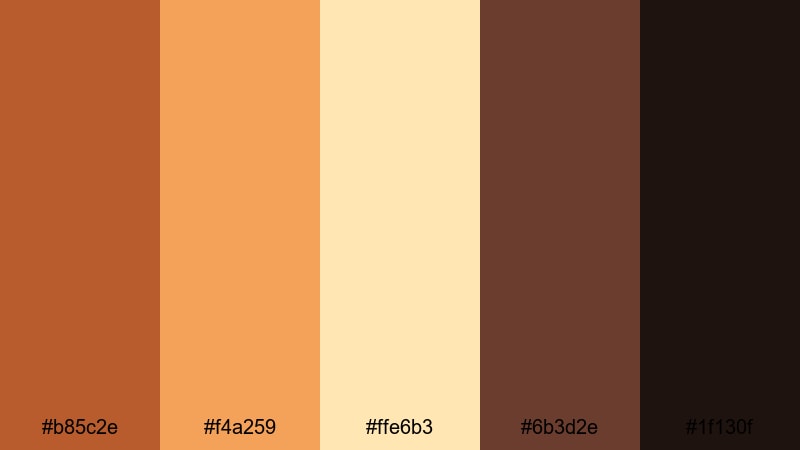
- HEX Codes: #b85c2e, #f4a259, #ffe6b3, #6b3d2e, #1f130f
- Mood: Cozy, nostalgic, and softly cinematic like a golden fall afternoon.
- Use for: Perfect for lifestyle vlogs, fall lookbooks, and homely cooking intros that need a warm, storytelling vibe.
This palette layers burnt ginger, pumpkin gold, and creamy beige over deep browns to mimic a room lit only by late-afternoon sun. It feels like sweaters, blankets, and stories told over tea, which makes it ideal for talking-head shots, sit-down Q and A, and any footage where you want viewers to linger.
Use the lighter tones for backgrounds, titles, and lower thirds, while the darker chocolate and near-black shades frame your subject or add depth to thumbnails. In Filmora, you can apply this palette to overlays, intro templates, and end screens so your entire channel feels like one continuous cozy narrative.
Pro Tip: Build a Cinematic Ginger Glow in Filmora
To keep that autumnal ginger warmth consistent across your whole edit, treat this palette as your brand kit inside Filmora. Drop in a background solid using one of the mid-ginger HEX codes for title cards, then reuse the same accent color on subtitles, callouts, and subscribe buttons. This keeps even mixed lighting footage looking unified.
You can also save your favorite adjustments as custom presets. Once you have dialed in a warm, soft contrast look for one clip, apply it to B-roll, cooking close-ups, and even vertical shorts so viewers always recognize your ginger glow at a glance.
AI Color Palette
If you already have a thumbnail, photo, or mood board that nails this ginger vibe, you do not have to recreate it from scratch. Filmora's AI Color Palette feature lets you grab the color style from that reference and apply it across your entire timeline.
Import a still frame that reflects your ideal autumn studio look, open AI Color Palette, and match your other clips to it. The tool will analyze contrast, warmth, and tones, then push your footage toward that same cozy ginger atmosphere in just a few clicks.
 secure download

HSL, Color Wheels & Curves
Once the broad ginger look is in place, refine it with Filmora's HSL, color wheels, and curves. Slightly boosting saturation in the orange and red channels makes ginger tones richer, while lifting the shadows curve a touch keeps your cozy scenes from looking too heavy or muddy.
Use the midtone and highlight wheels to lean skin into soft peach while keeping backgrounds in deeper rusty ginger. You can see how these tools shape mood step by step in Filmora's color correction tutorial, then apply the same logic to your own fall vlogs and studio setups.
secure download1000+ Video Filters & 3D LUTs
To move from simple warm footage to a stylized ginger signature, use Filmora's filters and LUTs as finishing layers. A subtle film-style LUT plus a warm vignette can push this palette into a more cinematic direction without losing the cozy feeling of your original colors.
Filmora's video filters and 3D LUTs make it easy to test multiple looks on the same clip: a vintage fade for storytime sequences, a crisp clean filter for recipe close-ups, or a richer contrast LUT for thumbnails and YouTube intros that need extra punch.
secure downloadSpiced Latte Morning
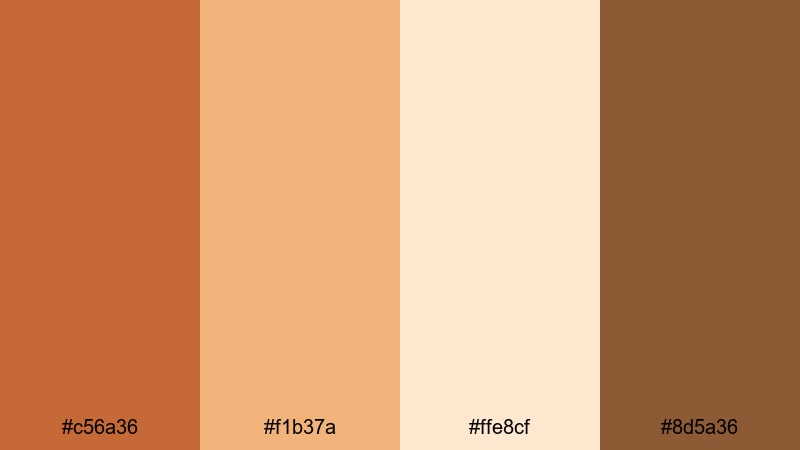
- HEX Codes: #c56a36, #f1b37a, #ffe8cf, #8d5a36
- Mood: Comforting and calm, like a slow morning with coffee and soft light.
- Use for: Ideal for cafe reviews, morning routines, and productivity vlogs with a relaxed pace.
Spiced Latte Morning blends creamy latte tones with warm ginger browns for a low-contrast, welcoming look. It suggests quiet mornings, journaling, and gentle acoustic soundtracks rather than high-energy edits.
Use the lighter creams for backgrounds in your productivity tips, text boxes, or chapter markers, while the deeper ginger browns highlight important buttons and icons in thumbnails. In Filmora, this palette works well for subtle gradients behind timers, checklists, and habit trackers on screen.
Gingerbread Storytime
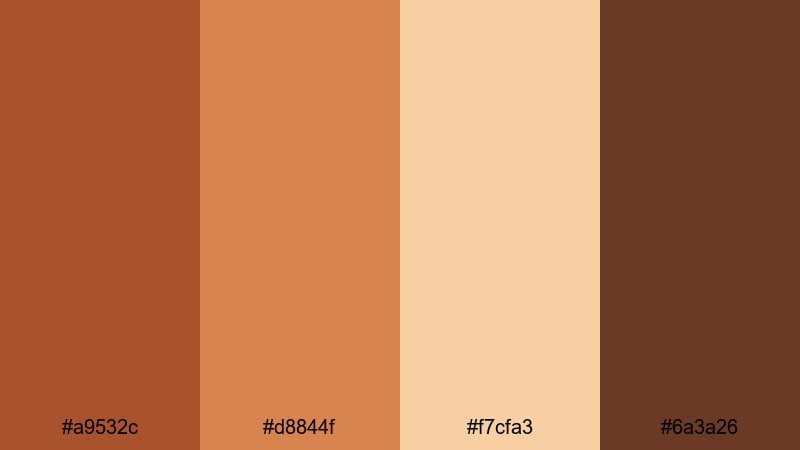
- HEX Codes: #a9532c, #d8844f, #f7cfa3, #6a3a26
- Mood: Whimsical, nostalgic, and slightly sweet, like a childhood bedtime story.
- Use for: Great for family content, kids crafts tutorials, and whimsical animation overlays.
This palette mixes soft cookie browns with ginger notes and a gentle cream to feel playful yet safe. It has the warmth of freshly baked cookies and hand-drawn illustrations, perfect for content that is friendly to kids and parents.
Use it for animated lower thirds, illustrated transitions, or frames around vertical clips. In thumbnails, combine the lighter beige with the brighter ginger for text and icons so your titles stay readable while still feeling soft and storybook-like.
Campfire Vlog Nights
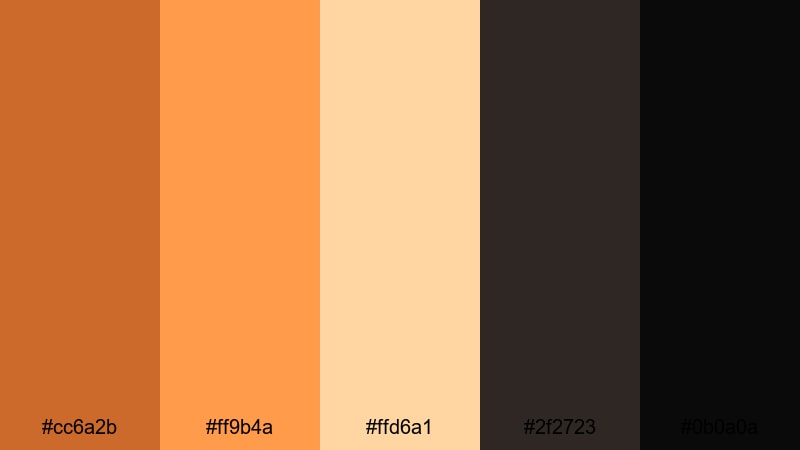
- HEX Codes: #cc6a2b, #ff9b4a, #ffd6a1, #2f2723, #0b0a0a
- Mood: Intimate and adventurous, with glowing embers against deep night shadows.
- Use for: Perfect for travel diaries, outdoor storytelling, and camping recaps shot in low light.
Campfire Vlog Nights contrasts bright ember gingers with deep charcoal and black, capturing that feeling of faces lit by firelight against a dark forest. It is made for low-light scenes where you still want warmth and clarity.
Use the bright ginger and soft highlight tones for titles, chapter markers, and map overlays on dark footage. In Filmora, you can add a gentle vignette and warm color grade using these HEX references so tents, lanterns, and faces glow against the night without losing detail.
Bold & Cinematic Ginger Color Palettes
Neon Ginger Spotlight
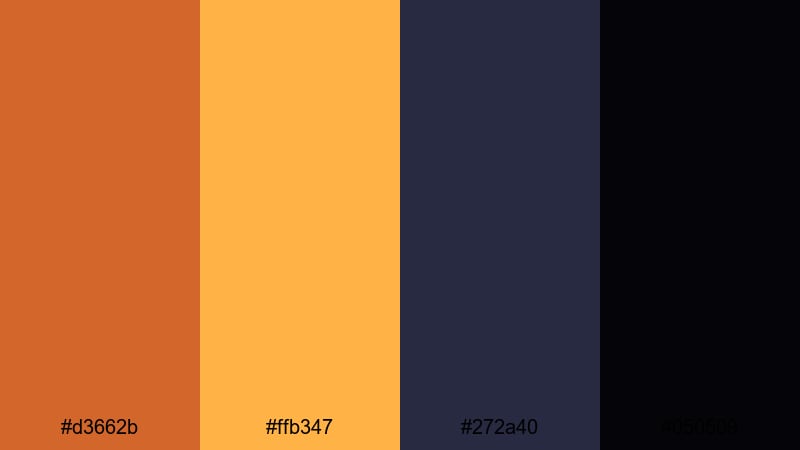
- HEX Codes: #d3662b, #ffb347, #272a40, #050509
- Mood: Energetic and dramatic, with punchy contrast for high-impact frames.
- Use for: Suited for bold channel intros, dynamic trailers, and performance videos that need to pop on small screens.
Neon Ginger Spotlight throws vivid ginger and hot gold against deep navy and black, creating a strong graphic look that grabs attention instantly. The high contrast makes text, logos, and motion graphics stand out even on small mobile displays.
Use the dark shades as full-frame backgrounds and the ginger tones for titles, animated shapes, and subscribe buttons. In Filmora, pair this palette with fast cuts, light leaks, and motion blur to build punchy openers, music video titles, or esports highlight reels.
Midnight Copper Contrast
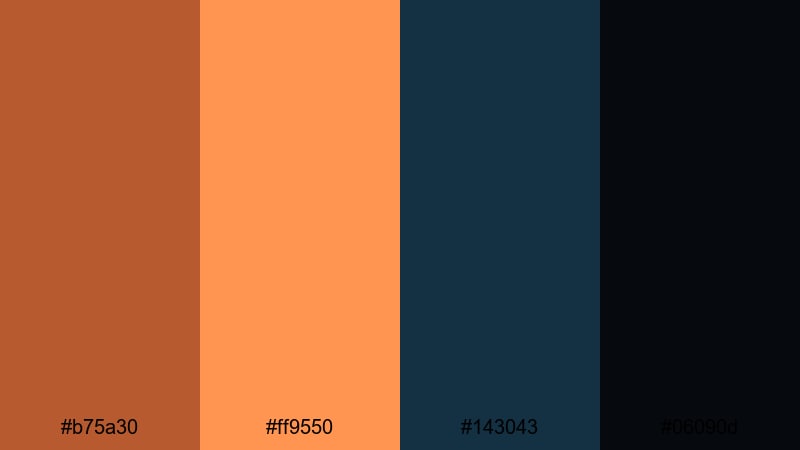
- HEX Codes: #b75a30, #ff9550, #143043, #06090d
- Mood: Moody and cinematic with a strong teal-and-orange inspired tension.
- Use for: Great for short films, action sequences, and cinematic b-roll where drama and depth matter.
This palette leans into the classic teal-and-orange dynamic by pairing fiery copper gingers with deep midnight blues. It immediately feels like a movie still, with drama baked into every frame.
Use the copper tones to lift skin and key props, while the teal blues shape backgrounds, skies, or cityscapes. In Filmora, you can grade your footage toward these HEX values using color wheels, then use the darker blue and black tones in credits, lower thirds, and cinematic title cards.
Urban Ember Titles
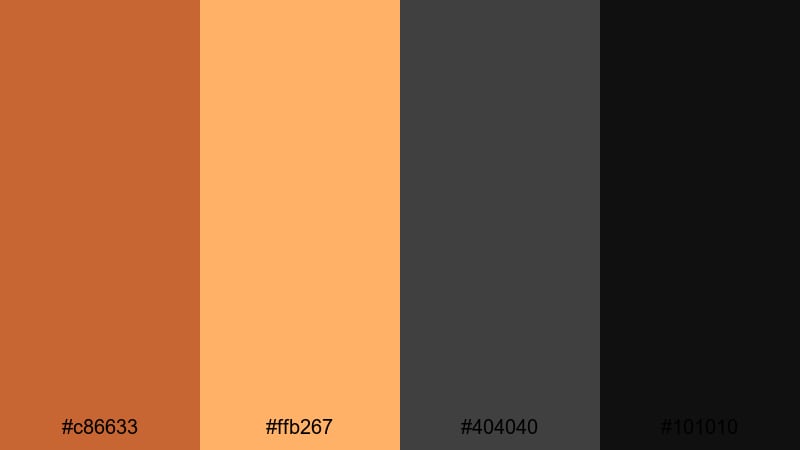
- HEX Codes: #c86633, #ffb267, #404040, #101010
- Mood: Edgy and urban, like glowing streetlights against concrete and asphalt.
- Use for: Ideal for title cards, kinetic typography, and edgy lifestyle or street fashion edits.
Urban Ember Titles mixes smoldering ginger with mid and dark grays, evoking streetlights and city reflections on wet pavement. It feels modern and gritty but still inviting thanks to the warm accents.
Use the ginger tones purely as accents on top of grey or black backgrounds: text outlines, stroke effects, and kinetic typography highlights. In Filmora, this works especially well with glitch transitions, speed-ramped B-roll, and bold overlay graphics for streetwear or skate content.
Desert Action Trailer
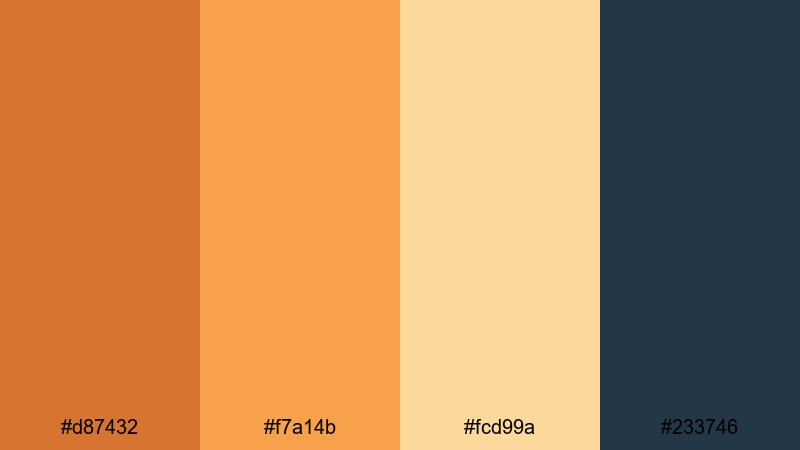
- HEX Codes: #d87432, #f7a14b, #fcd99a, #233746
- Mood: Expansive, sun-baked, and intense like a desert chase scene.
- Use for: Works well for travel montages, drone shots, and trailers featuring wide outdoor landscapes.
Desert Action Trailer leans into sandy gingers and sunlit golds, offset by a steel-blue sky tone. It feels hot, wide, and cinematic, like sweeping drone passes over dunes or mountain ridges.
Use the warm tones to grade ground and skin while reserving the steel blue for skies, shadows, or text overlays to add tension. In Filmora, this palette is perfect for travel teasers, hiking recaps, and dramatic B-roll sequences where you want every shot to look like a movie poster.
Soft & Romantic Ginger Color Palettes
Blush Ginger Sunrise
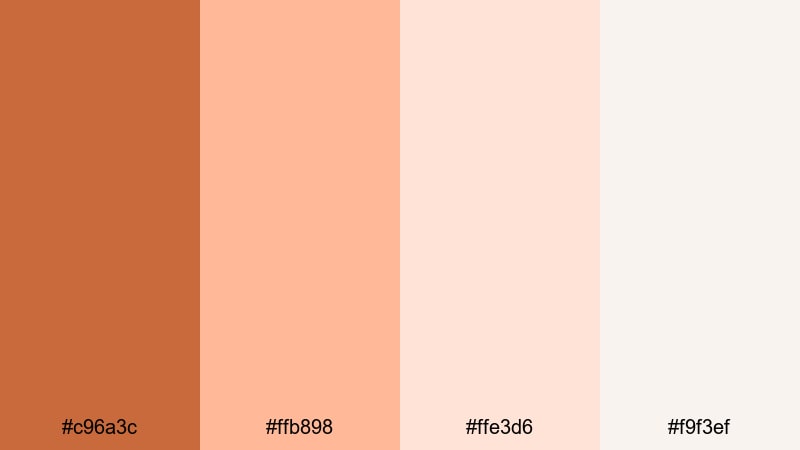
- HEX Codes: #c96a3c, #ffb898, #ffe3d6, #f9f3ef
- Mood: Gentle, romantic, and hopeful like first light on a quiet morning.
- Use for: Beautiful for wedding highlights, morning skincare content, and dreamy storytelling reels.
Blush Ginger Sunrise wraps a cozy ginger accent in soft blush and off-white tones, giving everything a hazy, delicate feel. It flatters skin, smooths harsh edges, and adds a gentle glow ideal for emotional or intimate content.
Use the lightest tones as backgrounds for captions and lower thirds, reserving the ginger for key buttons, names, and subtle frames around portrait shots. In Filmora, a slight blur or glow effect paired with this palette can turn everyday scenes into dreamy, shareable reels and highlight films.
Peachy Storybook Fade
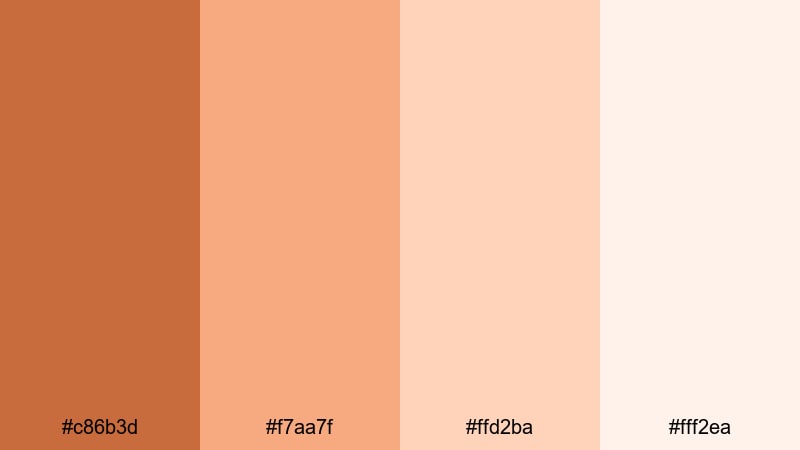
- HEX Codes: #c86b3d, #f7aa7f, #ffd2ba, #fff2ea
- Mood: Lighthearted and dreamy, with a soft-focus fairytale feel.
- Use for: Great for illustrated titles, whimsical animations, and gentle talking-head videos.
This palette fades peachy gingers into creamy whites, producing very low contrast and a soft-focus look. It is perfect when you want your visuals to feel sweet, approachable, and easy on the eyes.
Use it for animated title sequences, pastel lower thirds, and overlay graphics on top of softly lit footage. In Filmora, combine this palette with slower transitions, light leaks, and gentle zooms to create a fairytale or storybook mood.
Candlelit Wedding Ginger
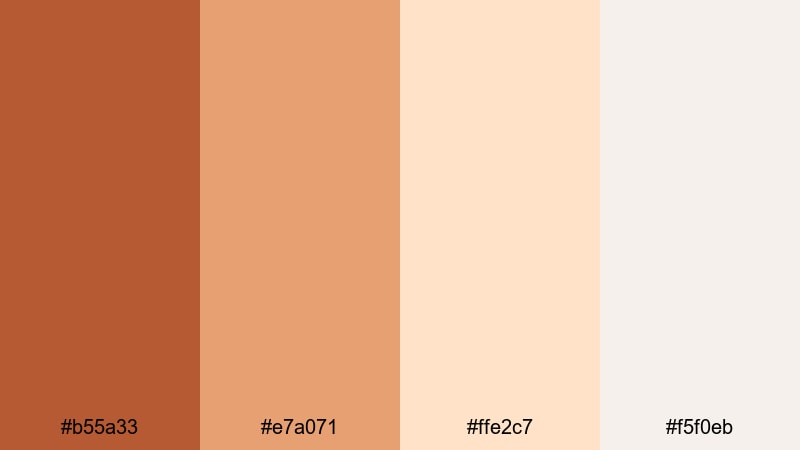
- HEX Codes: #b55a33, #e7a071, #ffe2c7, #f5f0eb
- Mood: Intimate and elegant, echoing candlelight and soft linen at dusk.
- Use for: Perfect for weddings, engagement films, and romantic highlight reels with lots of close-ups.
Candlelit Wedding Ginger combines muted ginger candlelight tones with creamy neutrals, creating a timeless, elegant look. It suggests linen tablecloths, flickering candles, and golden-hour vows.
Use the neutrals for clean lower thirds and title backgrounds, with the ginger shades accenting couple names, dates, and key captions. In Filmora, soft fades, cross-dissolves, and slow motion graded to this palette will give your highlight reels a boutique wedding-film feel.
Vintage Film Ginger Wash
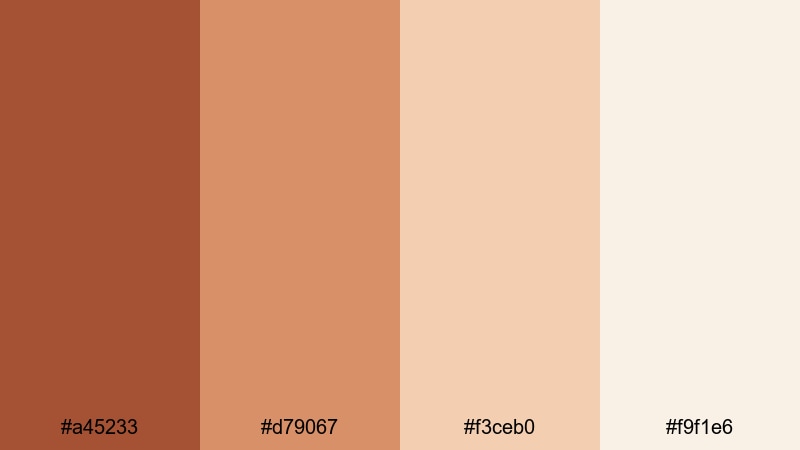
- HEX Codes: #a45233, #d79067, #f3ceb0, #f9f1e6
- Mood: Nostalgic and mellow, with a washed-out analog film character.
- Use for: Ideal for retro edits, memory montages, and documentary-style storytelling.
Vintage Film Ginger Wash uses dusty ginger and faded cream to mimic the look of old film prints. It has that soft, slightly desaturated quality that makes memories feel gentle and distant.
Use this palette to grade home videos, childhood footage, or retro-style B-roll. In Filmora, combine it with film grain, subtle flicker, and 4:3 aspect ratio bars to create nostalgic intros, memory montages, or documentary chapter breaks.
Modern Minimal Ginger Color Palettes
Clean Studio Ginger
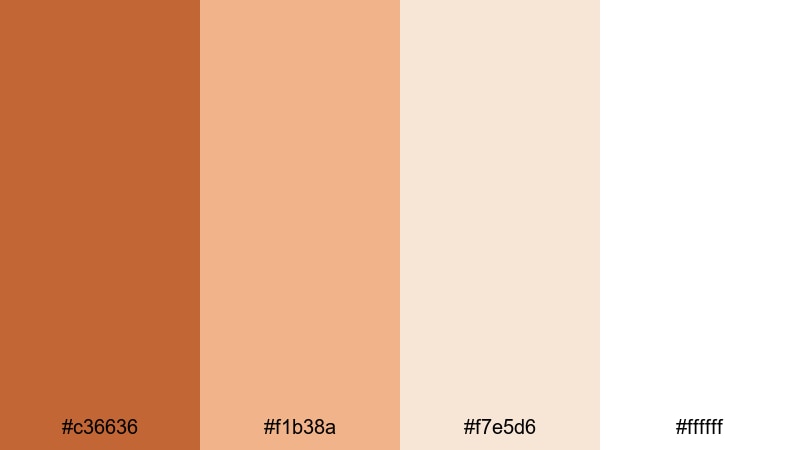
- HEX Codes: #c36636, #f1b38a, #f7e5d6, #ffffff
- Mood: Fresh, bright, and professional with a warm signature accent.
- Use for: Suited for educational content, product demos, and clean brand intros in a minimalist style.
Clean Studio Ginger sits on a crisp white base with soft beige tones and a focused ginger accent. It feels modern, organized, and professional while still being warmer than pure black-and-white.
Use white and pale beige for backgrounds and layout, then reserve the ginger for your logo, key headings, and call-to-action buttons. In Filmora, you can build simple, consistent lower thirds and title templates in these colors and reuse them across tutorials, reviews, and webinars.
Muted Tech Ginger UI
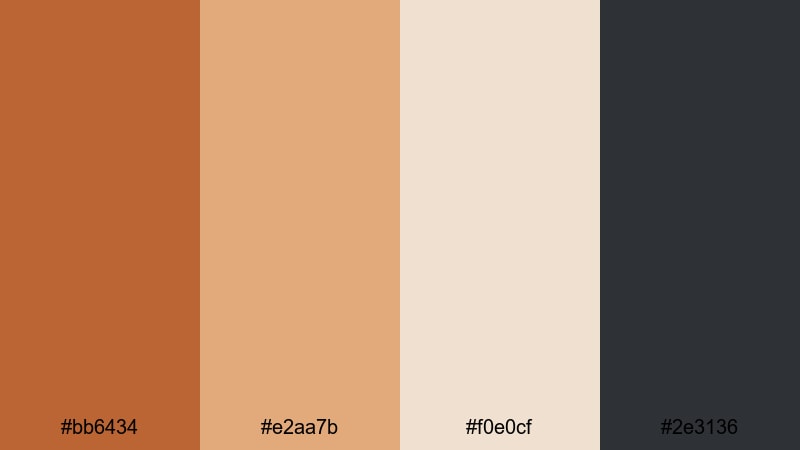
- HEX Codes: #bb6434, #e2aa7b, #f0e0cf, #2e3136
- Mood: Cool-headed and contemporary with a subtle warmth for human-centered design.
- Use for: Great for motion graphics, app mockups, and UI-style explainer videos.
Muted Tech Ginger UI combines desaturated ginger accents with soft neutrals and a grounded charcoal background. It looks like a modern app interface that still feels human and approachable.
Use the charcoal tone for device frames and full-screen backdrops, the neutrals for panels and cards, and the muted ginger for icons, progress bars, and key metrics. In Filmora, this palette fits clean explainers, SaaS promos, and UI animation sequences where clarity and subtle warmth matter.
Editorial Ginger Monochrome
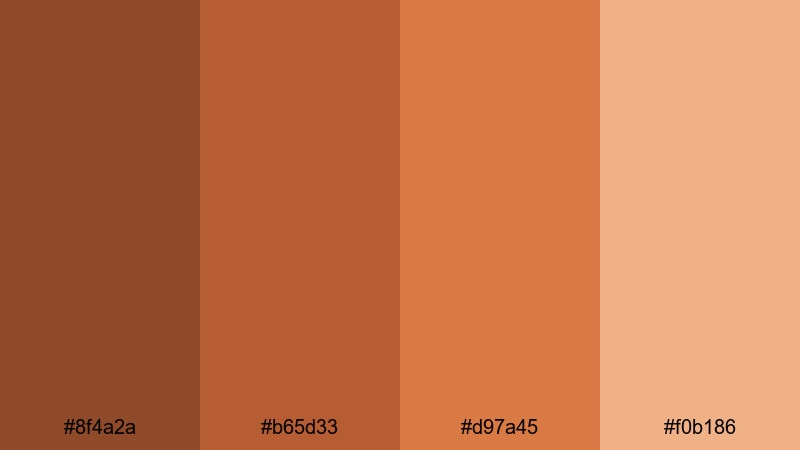
- HEX Codes: #8f4a2a, #b65d33, #d97a45, #f0b186
- Mood: Sophisticated and fashion-forward with a focused monochrome depth.
- Use for: Ideal for editorial lookbooks, fashion reels, and cohesive brand grids on social.
Editorial Ginger Monochrome stacks multiple ginger shades from deep rust to light caramel, creating depth without introducing new hues. The result feels curated, stylish, and instantly recognizable as a brand choice.
Use darker tones for backgrounds and frames, mid-tones for blocks and overlays, and the lightest ginger for text and highlight elements. In Filmora, you can grade your footage slightly toward ginger, then design titles, split screens, and grid layouts using only these tones for a magazine-style aesthetic.
Scandinavian Ginger Accent
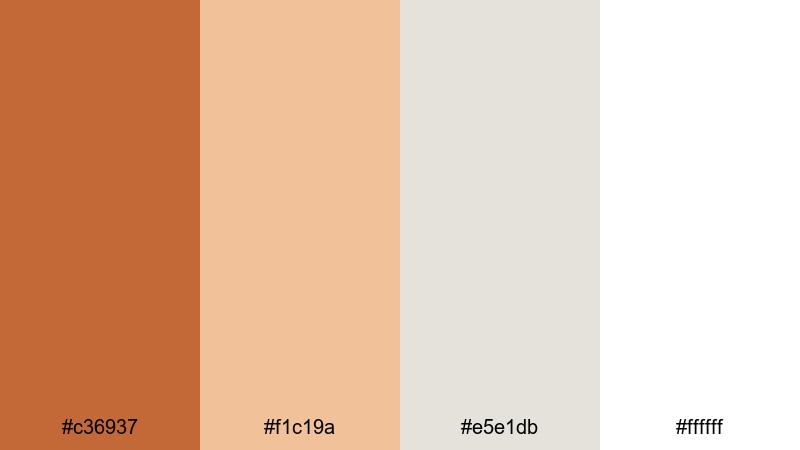
- HEX Codes: #c36937, #f1c19a, #e5e1db, #ffffff
- Mood: Airy and minimalist with a single warm accent that feels curated and calm.
- Use for: Perfect for interior design tours, desk setups, and branding that leans into slow living aesthetics.
Scandinavian Ginger Accent balances soft off-whites and pale greige with one clear ginger accent. It stays bright and minimal but gains personality and warmth from that single color.
Use whites and greiges for most of the frame and let ginger appear only in logos, key words, and small icons. In Filmora, this palette works well with clean typography, slow camera moves, and natural light footage of interiors, workspaces, and lifestyle scenes.
Tips for Creating Ginger Color Palettes
Ginger is flexible enough to feel cozy, cinematic, or minimal depending on what you pair it with. Use these practical tips to build ginger-based color palettes that look great in both video and design.
- Decide the mood first: pair ginger with deep blues and charcoals for cinematic tension, or with creams and off-whites for cozy or romantic content.
- Control contrast for readability: use the darkest tones behind text and keep key titles in light beige or white so they stay clear on mobile screens.
- Limit accents: pick one primary ginger HEX and use others as subtle variations, rather than mixing too many competing warm shades.
- Match your footage: if your raw clips are very cool or green, use Filmora color correction to neutralize them before pushing toward your chosen ginger palette.
- Unify thumbnails and intros: reuse the same ginger background and text colors in all thumbnails, openers, and end screens to strengthen your brand identity.
- Test on different devices: export a frame and check it on both phone and desktop to ensure ginger tones are not too dark or oversaturated.
- Use neutrals as breathing space: balance ginger with beige, gray, or soft white so the warm tones feel intentional, not overwhelming.
- Save presets in Filmora: once you dial in a ginger grade you like, save it as a preset so you can apply the same look to future videos instantly.
Ginger color palettes can make your videos feel warmer, more cinematic, or more stylish with just a few well-chosen HEX codes. Whether you are shooting fall vlogs, romantic highlight films, or sleek explainers, the right ginger combination helps shape mood and makes your channel feel cohesive.
Use these palettes as starting points, then refine them inside Filmora to match your footage, lighting, and story. Once you have a signature ginger look saved as presets and templates, you can keep your thumbnails, intros, and social cutdowns visually consistent with almost no extra effort.
Open Filmora, pick a palette that fits your next project, and start experimenting with AI Color Palette, HSL, and LUTs until your ginger tones feel exactly right for your brand.
secure downloadNext: Beige Gray Color Palette
