

 100% Security Verified | No Subscription Required | No Malware


 ChatGPT
 Perplexity
 Gemini
 Claude
 Grok
Grok
The Home Relaxation Cinematic LUT filter collection is designed for content creators who film in living rooms, bedrooms, and small indoor corners and want a soft, cinematic finish without complex color grading.
These curated filters gently balance warm tones, soften contrast, and add subtle depth so your home relaxation footage looks like a calm, atmospheric movie scene straight out of your camera.
In this article
Golden Hour Living Room Vibes
Golden Sofa Glow
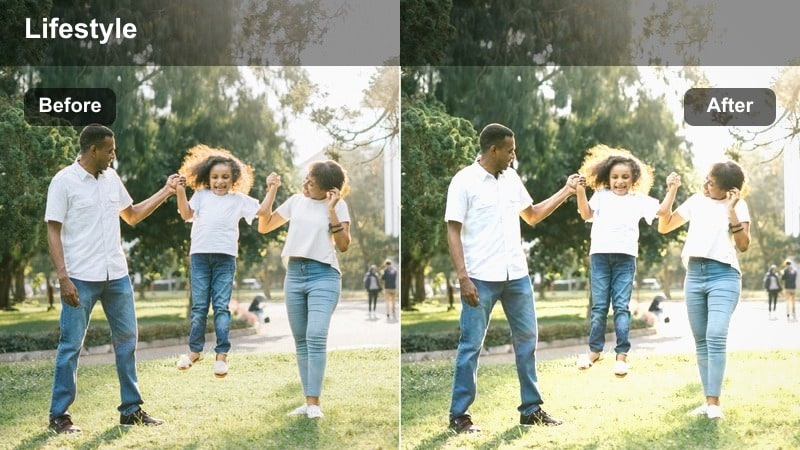
- Effect look: Warm, low-contrast glow that wraps your subject in amber living room light.
- Best for: Talking-head clips on the couch, casual evening vlogs, relaxed book-reading shots.
- Editing tip: Lower overall saturation slightly to avoid oversaturated skin when your room lights are already warm.
Golden Sofa Glow is perfect when you want your living room couch to feel like a golden-hour hideout, even if you are only using a lamp or overhead light. In Filmora, this LUT gently smooths contrast and leans into amber midtones so faces look soft and inviting instead of harsh or flat.
Use it on A-roll talking heads, reaction videos, or b-roll of you lounging with a book to instantly give your space a cinematic warmth. Apply the filter, pull saturation down a bit, and fine-tune exposure so highlights on your cheeks and sofa cushions stay creamy while the rest of the room falls into a relaxed, movie-like glow.
AI-Assisted Home Relaxation Color Harmony
Filmora AI tools help keep your home relaxation cinematic LUT looks consistent, even when you shoot in different rooms with changing daylight and lamp setups. Instead of tweaking every clip manually, you can let AI analyze and align the tones for you.
After you grade one favorite Golden Sofa Glow shot, use AI color matching to bring your other living room, bedroom, and desk clips into the same calm palette so your entire video feels like one continuous, cozy film.
 secure download

Preview Home Relaxation Filters in Real Time
Filmora lets you hover and preview each home relaxation cinematic filter directly on your timeline, so you can test Golden Sofa Glow against Sunset Window Drift or other looks without committing. This makes it easy to dial in the exact warmth and softness that matches your room lighting.
Stack these filters with simple exposure, saturation, and vignette adjustments to fine-tune your aesthetic, all inside an intuitive interface that does not require pro color grading experience.
secure download1000+ Video Filters and 3D LUTs
Beyond this home relaxation pack, Filmora includes a large library of filters and 3D LUTs that you can layer with your favorite cozy looks. You can push your footage toward a classic film style, a modern lifestyle grade, or a dreamy pastel aesthetic with just a few clicks.
Combine these cinematic LUTs with your indoor relaxation filters, then save the mix as a custom preset so every home vlog, room tour, or slow morning routine opens with a recognizable signature grade.
secure downloadSunset Window Drift
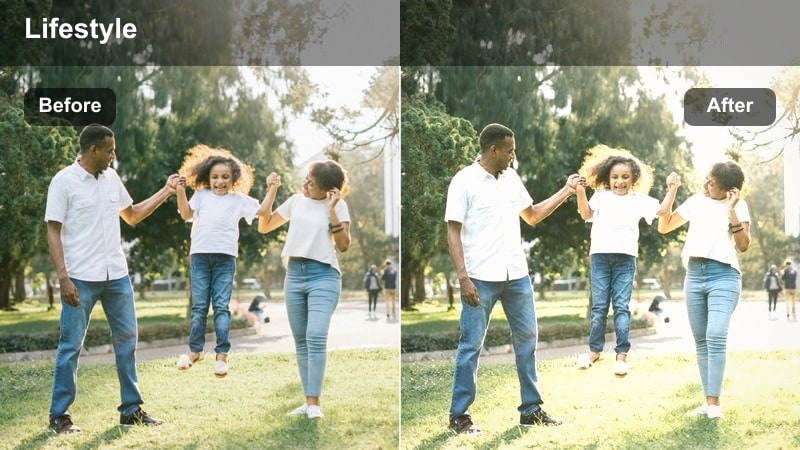
- Effect look: Soft sunset wash with slightly lifted blacks for a dreamy living room atmosphere.
- Best for: Relaxed window-gazing scenes, journaling by the window, reflective talking segments.
- Editing tip: Reduce contrast a touch more and nudge the temperature warmer if your original shot feels too cold.
Sunset Window Drift wraps your window-side scenes in a gentle, late-afternoon haze, ideal for reflective monologues and cozy journaling clips. The lifted blacks in Filmora give your footage a subtle fade that mimics film, keeping shadows from feeling too heavy.
Apply this LUT to shots facing or side-lit by a window, then slightly warm the temperature in the Color panel if your footage was captured under cool daylight. Soft contrast and slow camera movement will help you build calm, introspective b-roll that connects emotionally with your viewers.
Amber Lamp Haven
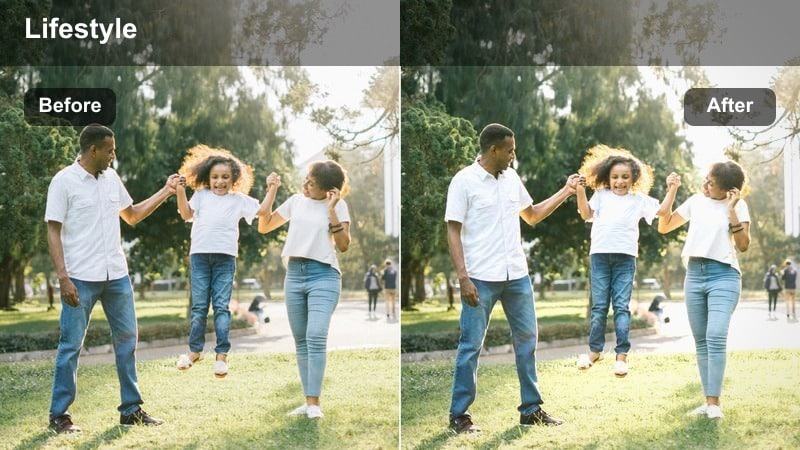
- Effect look: Cozy amber tint that enhances lamp light while gently muting harsh overhead lighting.
- Best for: Nighttime living room routines, quiet TV-watching shots, evening chats on the couch.
- Editing tip: Lower the whites slider and lift shadows slightly to preserve detail in both lamps and dark corners.
Amber Lamp Haven turns basic evening lamp setups into cinematic, story-ready scenes, smoothing the harshness that overhead bulbs often introduce. In Filmora, the LUT boosts amber tones around practical lights while softening contrast so your living room looks calm rather than crunchy.
Use it on night vlogs, slow b-roll of your evening routine, or cozy conversations lit mainly by floor and table lamps. After applying the LUT, gently pull whites down in the Color controls and raise shadows until both illuminated areas and background corners retain soft, pleasing detail.
Slow Mornings in the Bedroom
Linen Soft Morning
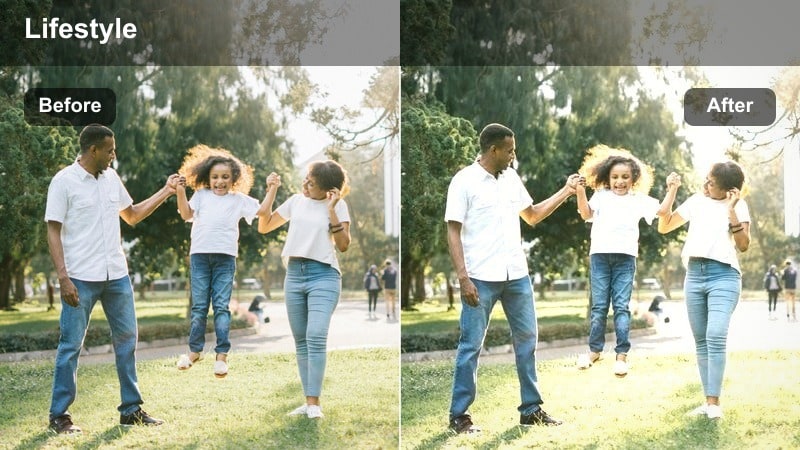
- Effect look: Muted, airy contrast with gentle warm highlights and soft whites for a calm bedroom feel.
- Best for: Bed-making routines, morning skincare, quiet stretching or meditation clips.
- Editing tip: Slightly reduce clarity or add a tiny blur to the background to enhance the soft, linen-like atmosphere.
Linen Soft Morning is ideal for bedroom scenes that you want to feel bright yet soothing, with whites that stay creamy instead of stark. In Filmora, this look mutes contrast and adds a touch of warmth to highlights, making bedding, curtains, and skin appear soft and inviting.
Apply it to your morning routine sequences and then gently reduce clarity or use a slight background blur effect to mimic the feel of soft-focus lenses. Paired with higher exposure and controlled highlights, this LUT will make your bedroom vlogs look like serene lifestyle films.
Pillow Talk Fade
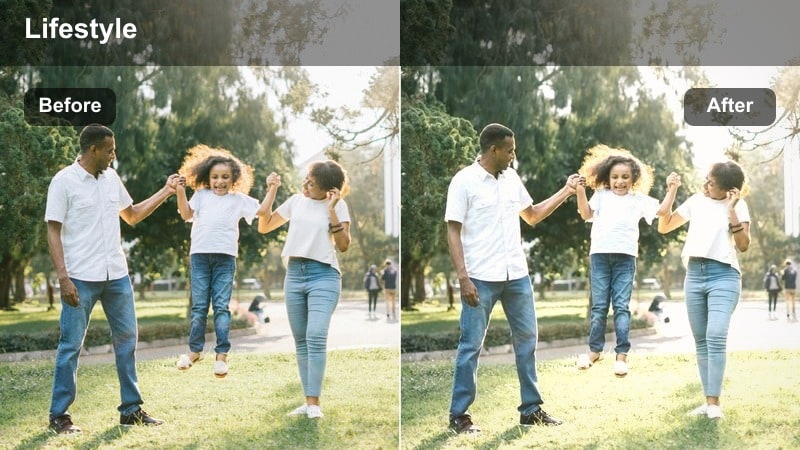
- Effect look: Low-saturation, gently faded tones that make bedroom conversations feel intimate and cinematic.
- Best for: Candid chats on the bed, podcast-style bedroom recordings, soft storytelling clips.
- Editing tip: Reduce saturation of reds and oranges slightly to keep skin tones relaxed and not too punchy.
Pillow Talk Fade gives your bedroom content a low-key, story-driven mood by dialing back saturation and adding a soft fade to the image. This LUT in Filmora is great when you want viewers focused on your words and expressions rather than bold colors in the background.
Use it for bedroom podcasts, Q and A sessions, or late-night reflections on camera. After applying, open the advanced color controls and gently lower red and orange saturation so skin tones stay calm, complementing the desaturated, cinematic atmosphere you are creating.
Soft Blinds Breeze
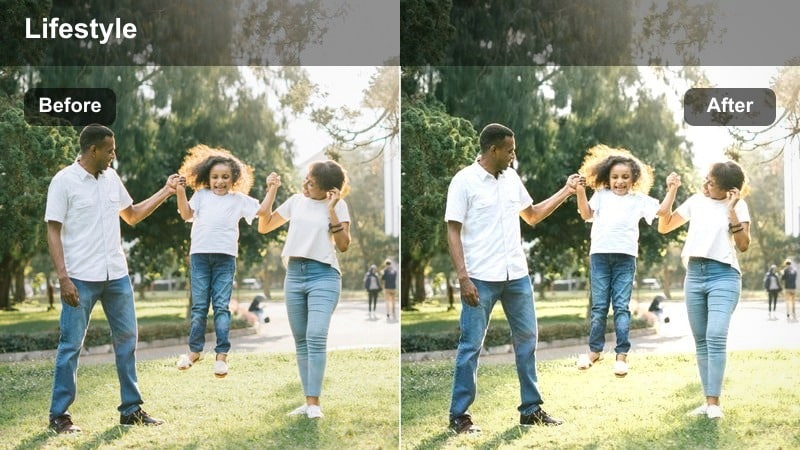
- Effect look: Cool-to-neutral balance with soft shadows and gentle highlight roll-off through window blinds.
- Best for: Shots of light streaking through blinds, calm wardrobe picks, quiet planning moments by the bed.
- Editing tip: Raise shadows a bit more if the blinds create heavy lines across the face to keep the scene soothing.
Soft Blinds Breeze is tailored for window-blind lighting, smoothing out the strong lines those shadows can create while keeping the room feeling peaceful. In Filmora, this LUT keeps the color temperature balanced and softens highlight roll-off so light streaks look intentional, not distracting.
Apply it to b-roll of sunlight slipping through blinds or moments where you are choosing outfits and journaling near the window. If the blinds draw harsh patterns on your face, raise the shadows slider so your expression remains clear and the overall look stays gentle and cinematic.
Desk and Creative Corners
Studio Desk Calm
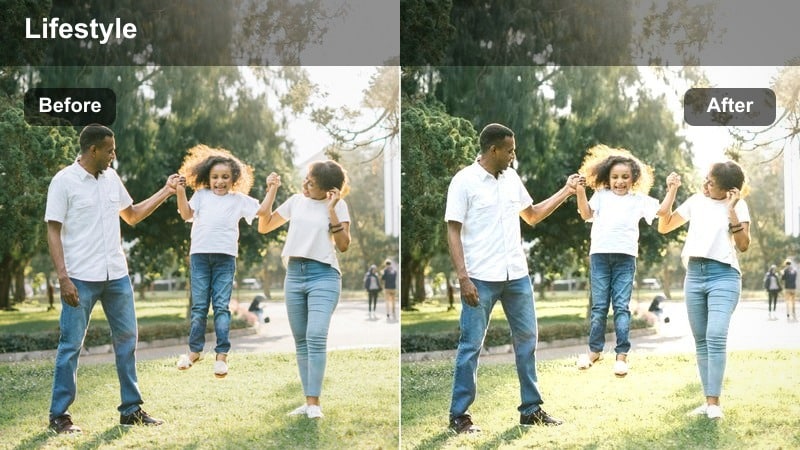
- Effect look: Neutral cinematic contrast with slightly warm midtones for calm productivity scenes.
- Best for: Desk setups, planning sessions, editing b-roll, typing or drawing shots.
- Editing tip: Add a soft vignette and subtly darken the background to keep attention on your hands or laptop screen.
Studio Desk Calm brings a clean, focused look to your workspace clips, adding just enough warmth to make productivity shots feel inviting rather than clinical. The neutral contrast in Filmora helps your keyboard, notebook, and screen stand out clearly without overpowering the frame.
Use this LUT on overhead and side-angle desk shots, then apply a soft vignette and slightly darken the background in the Color panel to guide viewers eyes toward your hands or display. The result is tidy, cinematic desk content that pairs well with timelapses, screen recordings, or planning voiceovers.
Notebook Evening Dew
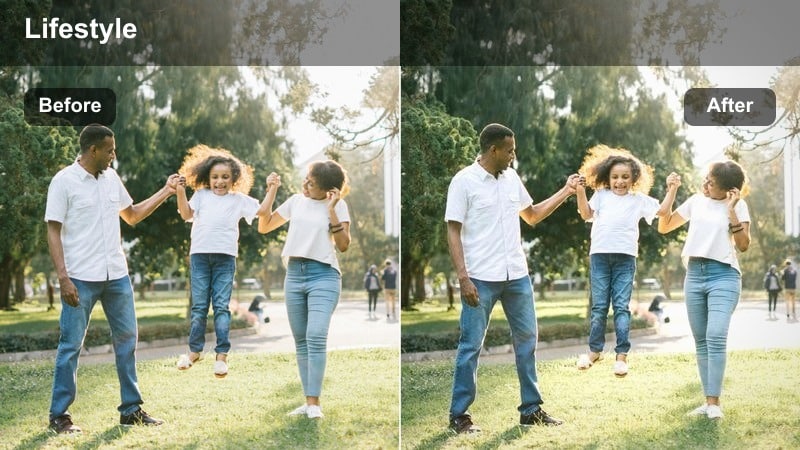
- Effect look: Soft low-light enhancement with lifted shadows and gentle warmth on wood and paper.
- Best for: Evening journaling, planning content, drawing or handwriting close-ups at the desk.
- Editing tip: Lower contrast slightly and add a tiny amount of grain to enhance the tactile, analog feeling.
Notebook Evening Dew is designed to flatter dim desk scenes lit by a single lamp or candle, lifting shadows so your notebook and hands are clearly visible. In Filmora, the LUT wraps wood, paper, and skin in gentle warmth, reinforcing the analog, tactile mood of quiet writing sessions.
Apply it to close-ups of journaling, sketching, or planning, then reduce contrast slightly and add a subtle film grain effect for extra texture. This setup makes even simple pen strokes feel cinematic and intentional, perfect for reflective segments or montage sequences in your home vlogs.
Screen Glow Serenity
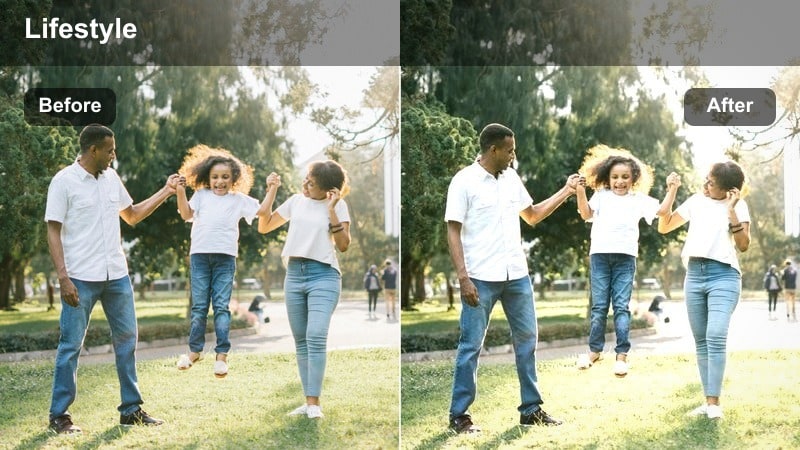
- Effect look: Cool-neutral correction that tames harsh monitor blues and adds subtle cinematic depth.
- Best for: Working late at a computer, relaxed gaming setups, editing or browsing footage in the dark.
- Editing tip: Reduce blues in the midtones and add a mild vignette to keep the monitor from overpowering your face.
Screen Glow Serenity helps balance the intense blue light from monitors so your late-night desk shots look calm and polished. In Filmora, this LUT neutralizes the harshness of the screen while adding depth to the surrounding darkness, making your face and setup feel cinematic instead of washed out.
Use it for editing sessions, gaming clips, or productivity b-roll captured in low light. After applying, gently reduce blue saturation in the midtones and add a light vignette so the monitor does not dominate the frame, giving more focus to your reactions and subtle background lights.
Hallway Walks and Cozy Corners
Hallway Soft Steps
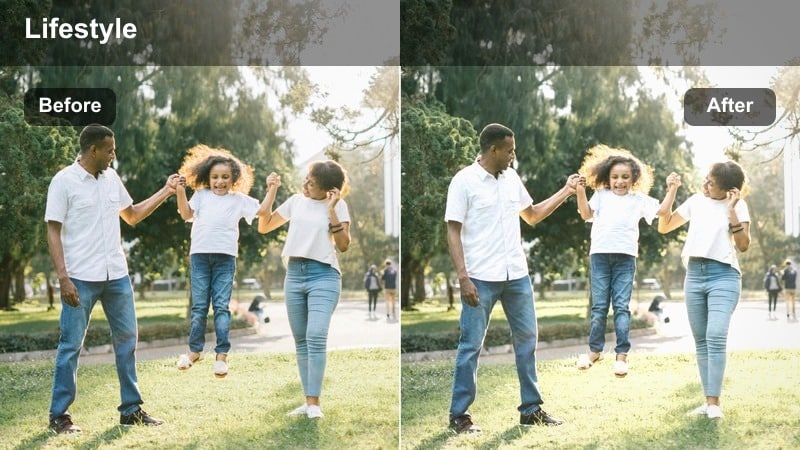
- Effect look: Slightly desaturated, soft contrast look that makes hallway walks feel cinematic and calm.
- Best for: Transition shots between rooms, walking towards or away from camera, robe or loungewear b-roll.
- Editing tip: Use slower playback or gentle slow motion to match the smoothed-out contrast of this filter.
Hallway Soft Steps turns simple walks between rooms into smooth, film-like transitions that tie your home story together. In Filmora, this LUT lowers saturation and softens contrast so walls, doors, and floors feel cohesive and unobtrusive in the background.
Apply it to clips of you moving from bedroom to living room or kitchen, and then experiment with subtle slow motion to enhance the relaxed mood. When combined with leading lines and gentle camera movement, this LUT makes even everyday hallway shots feel intentional and cinematic.
Reading Nook Cinema
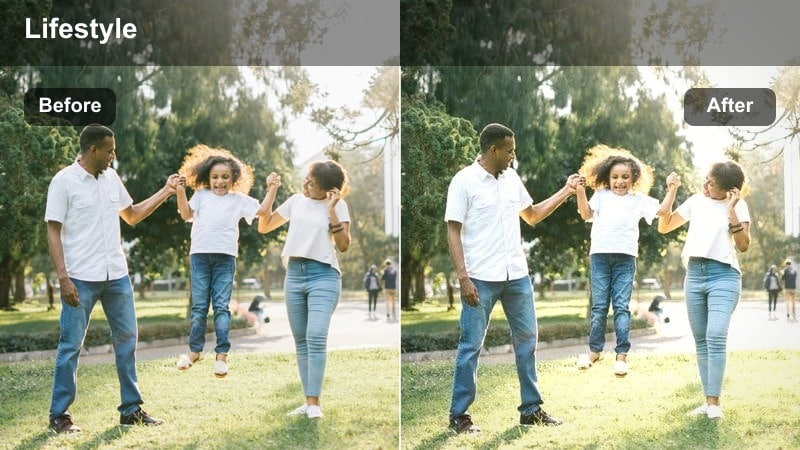
- Effect look: Warm, slightly matte finish that emphasizes quiet corners and comfortable seating areas.
- Best for: Reading in a chair, sitting in a corner with cushions, quiet scrolling on a phone in a cozy spot.
- Editing tip: Lift blacks gently and pull down saturation a bit to keep the scene soft and not overly colorful.
Reading Nook Cinema highlights the charm of small, tucked-away spaces by adding a warm, matte finish that feels like a page from a lifestyle magazine. In Filmora, this LUT softens contrast and enriches warm tones so chairs, blankets, and walls look cinematic without screaming for attention.
Use it on shots of you curled up with a book, journaling in a corner, or simply scrolling on your phone in a cozy chair. After applying, gently lift the blacks and ease saturation down to maintain a restrained, sophisticated palette that reinforces the sense of quiet comfort.
Doorway Daydream
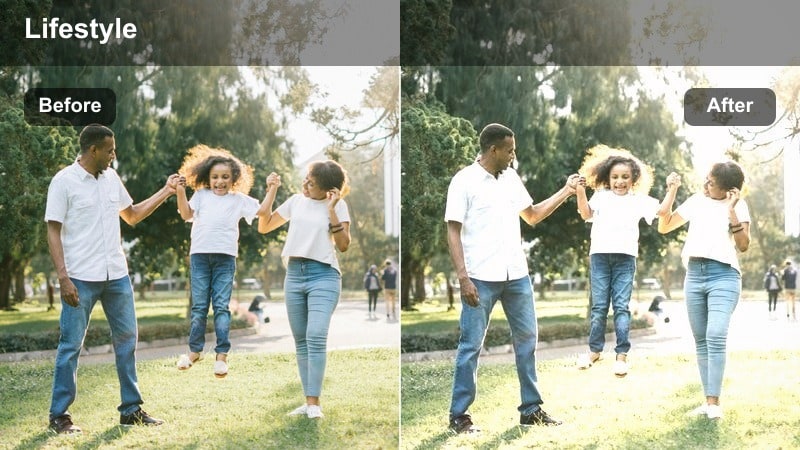
- Effect look: Soft backlit glow for doorway shots with slightly hazy highlights and gentle midtones.
- Best for: Leaning in doorways, peeking into another room, reflective pauses before entering a space.
- Editing tip: Increase highlight roll-off and slightly reduce clarity around the brightest parts to accentuate the dreamy backlight.
Doorway Daydream is built for those in-between moments when you pause in a doorway, letting light spill around you in a gentle halo. In Filmora, this LUT adds a hazy softness to highlights and smooths midtones so backlit scenes feel dreamy rather than blown out.
Apply it to transition shots where you or your subject move between rooms, then adjust highlight roll-off and dial down clarity near the brightest areas to enhance the ethereal look. This creates a natural, cinematic bridge between locations in your home relaxation videos.
Tips for Using Home Relaxation Cinematic Lut Filters in Filmora
- Shoot with a consistent white balance in each room so home relaxation cinematic LUT filters do not have to correct mixed color temperatures from different lights.
- Favor soft window light, lamps, or bounced light instead of strong overhead fixtures to give these filters a clean, flattering base to work with.
- Capture slower, more intentional movements and avoid rapid pans so the calm tone of your cinematic filters feels natural.
- Use subtle vignettes and blur effects in Filmora to draw attention to your face or hands during intimate indoor moments.
- Group similar scenes, such as sofa, desk, and bedroom shots, and apply the same LUT preset to create a cohesive visual flow.
- Leverage Filmora AI color matching to keep skin tones and warmth consistent when cutting between clips from different rooms.
- Experiment with stacking a single LUT and light HSL adjustments instead of many filters to avoid overprocessing your footage.
- Create a reusable preset for your favorite home relaxation look so future vlogs and routines match your established style instantly.
The Home Relaxation Cinematic LUT filter collection in Filmora makes it easy for content creators to give ordinary indoor moments a polished, movie-like calm.
Apply these filters across your living room, bedroom, and cozy corners, then fine-tune with small exposure and saturation tweaks to design a relaxing, cinematic home series your viewers will want to revisit.
secure download