

 100% Security Verified | No Subscription Required | No Malware


 ChatGPT
 Perplexity
 Gemini
 Claude
 Grok
Grok
Jungle Green sits between deep forest green and refreshing aqua. It evokes growth, vitality, and a sense of being surrounded by nature. On screen, this color feels confident yet calm, making it perfect for stories about travel, wellness, sustainability, and grounded lifestyles. Paired with the right supporting colors, Jungle Green can look earthy and organic, or sleek and modern.
For video creators, YouTubers, and brands, Jungle Green works brilliantly in thumbnails, intros, lower thirds, and color grading. Below, you will find 15 Jungle Green color palettes with HEX codes you can copy directly into your Filmora projects, whether you are shaping a cinematic vlog, a soothing study video, or a bold channel rebrand.
In this article
Earthy Jungle Green Color Palettes
Rainforest Canopy Calm
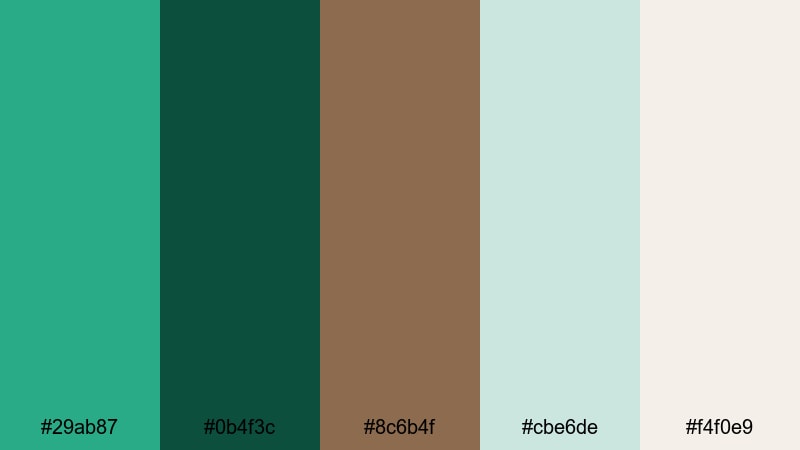
- HEX Codes: #29ab87, #0b4f3c, #8c6b4f, #cbe6de, #f4f0e9
- Mood: Grounded, lush, and quietly adventurous.
- Use for: Use for nature vlogs, eco-brand intros, and calm travel documentaries where you want a grounded yet cinematic feel.
Rainforest Canopy Calm wraps your visuals in deep Jungle Green (#29ab87) and forest shadow tones (#0b4f3c), balanced with warm earth brown (#8c6b4f) and soft sky tints (#cbe6de, #f4f0e9). The palette feels like standing under tall trees just after rain, with muted light and rich textures everywhere.
Use Jungle Green as your hero shade for logos, titles, and lower thirds, then let the browns and neutrals support your backgrounds, overlays, and B-roll grading. The lighter tones help your text stay readable in thumbnails and intro cards while still keeping a natural, cinematic atmosphere in Filmora.
Pro Tip: Build a Cinematic Jungle Green Look in Filmora
To keep this calm rainforest mood consistent, pick Jungle Green and the darker teal as your anchor colors for all on-screen elements. In Filmora, you can set these HEX codes for titles, shapes, and overlays so your intro, B-roll, and end screen all share the same visual language.
Use the warm brown and soft off-whites for supporting details: buttons, subscribe callouts, or chapter markers. This keeps your visuals grounded and easy on the eyes, especially for longer travel or nature-focused videos.
AI Color Palette
If you already have a photo of a rainforest, a hiking trail, or your brand moodboard, you can turn it into a Jungle Green-driven grade across your whole video. Filmora's AI Color Palette feature analyzes a reference image and applies its color style to clips in your timeline.
Import a frame with rich Jungle Green foliage, select it as your reference, and let AI Color Palette match your other shots. This helps you keep skin tones natural while giving the greens, browns, and neutrals a unified, cinematic feel that matches this palette.
 secure download

HSL, Color Wheels & Curves
Once your palette is applied, you can refine the Jungle Green tones using Filmora's HSL, color wheels, and curves. Gently push the greens toward teal for a cooler, documentary look, or warm them up to highlight earthy, sunlit scenes. Adjusting shadows and highlights with curves can make the forest tones feel either misty and soft or more contrasty and dramatic.
If you want a deeper dive into color control, explore Filmora's guide to color correction tools and experiment with small tweaks until foliage, sky, and skin tones all sit comfortably together in the frame.
secure download1000+ Video Filters & 3D LUTs
To speed up your grading, combine this palette with Filmora's ready-made filters and LUTs. Nature, cinematic, and vintage looks can all push your Jungle Green footage in slightly different directions, from warm golden-hour forests to cooler, misty rainforest tones.
Filmora's video filters and 3D LUTs make it easy to test several styles on the same palette until you find a signature look for your channel or brand. Save your favorite presets so every new upload keeps the same recognizable Jungle Green identity.
secure downloadMossy Trail Retreat
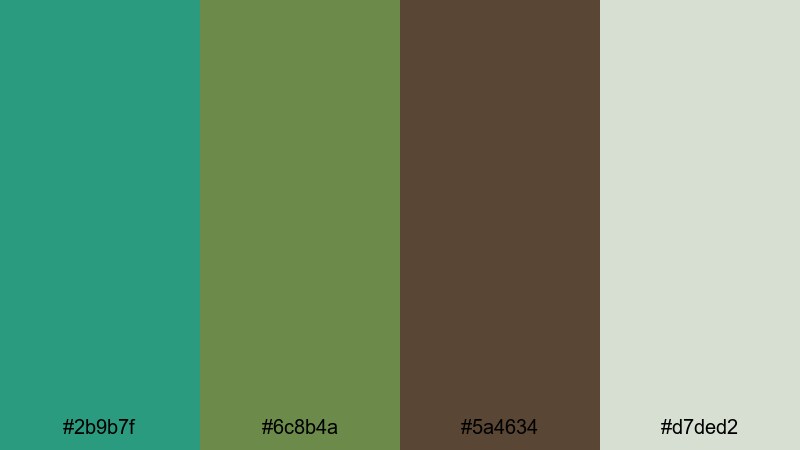
- HEX Codes: #2b9b7f, #6c8b4a, #5a4634, #d7ded2
- Mood: Cozy, organic, and quietly rustic.
- Use for: Perfect for slow-living lifestyle channels, camping videos, and cozy brand visuals focused on sustainability.
Mossy Trail Retreat softens Jungle Green (#2b9b7f) with mossy olive (#6c8b4a), bark brown (#5a4634), and a pale misty neutral (#d7ded2). Together they create a snug, cabin-in-the-woods feeling that works beautifully for slow-living and outdoor content.
Use Jungle Green for your hero accents, then lean on the olive and brown shades for backgrounds, frames, or overlays in Filmora. The soft neutral is ideal for text blocks in thumbnails and end screens, ensuring your titles stay readable while the overall look stays organic and grounded.
Tropical Understory Glow
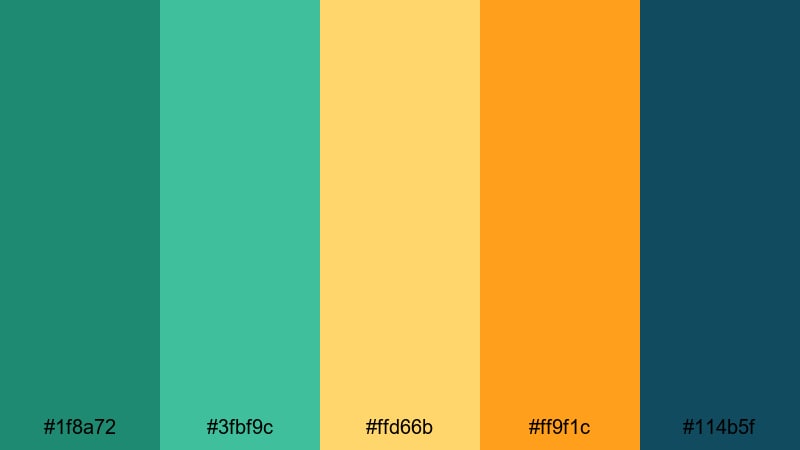
- HEX Codes: #1f8a72, #3fbf9c, #ffd66b, #ff9f1c, #114b5f
- Mood: Warm, adventurous, and full of hidden energy.
- Use for: Use for travel reels, island adventure edits, and energetic tourism promos needing a tropical yet grounded feel.
Tropical Understory Glow pairs Jungle Green (#1f8a72) with luminous teal (#3fbf9c), sunlit yellow (#ffd66b), bold orange (#ff9f1c), and deep teal shadows (#114b5f). The mix feels like filtered jungle light bouncing off tropical fruit and water.
Use the yellows and oranges to highlight key actions in your video: call-to-action buttons, arrows, or important timestamps. Jungle Green and deep teal can carry your lower thirds and borders, giving your travel vlogs and destination guides a cohesive, warm adventure vibe.
Verdant Canyon Stone
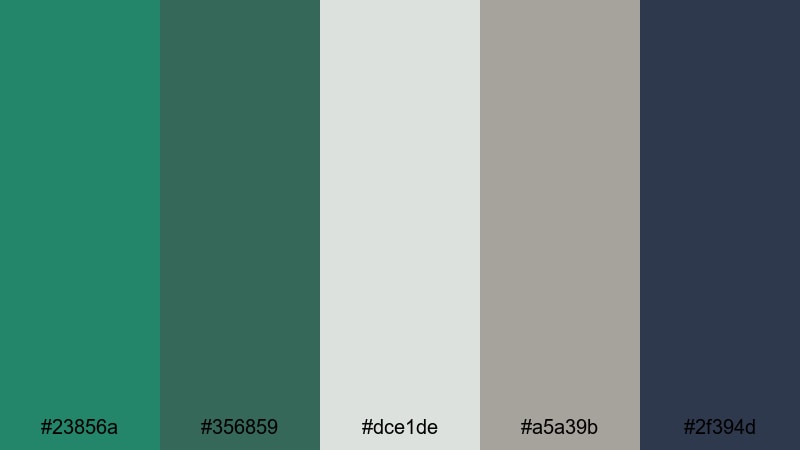
- HEX Codes: #23856a, #356859, #dce1de, #a5a39b, #2f394d
- Mood: Stable, cinematic, and subtly dramatic.
- Use for: Great for documentaries, brand films, and minimalist titles where you want earthy sophistication with quiet depth.
Verdant Canyon Stone builds a layered story around Jungle Green (#23856a) and darker foliage tones (#356859), contrasted with stone neutrals (#dce1de, #a5a39b) and an inky blue-grey (#2f394d). The result is calm but dramatic, ideal for more serious, story-focused pieces.
Use the light neutrals as clean canvases for titles and infographics, while Jungle Green and the deep blue-grey shape your frames, sidebars, or subtle vignettes in Filmora. This palette works especially well for interviews, documentary-style edits, and brands that want to look grounded and trustworthy.
Vibrant Jungle Green Color Palettes
Neon Jungle Rhythm
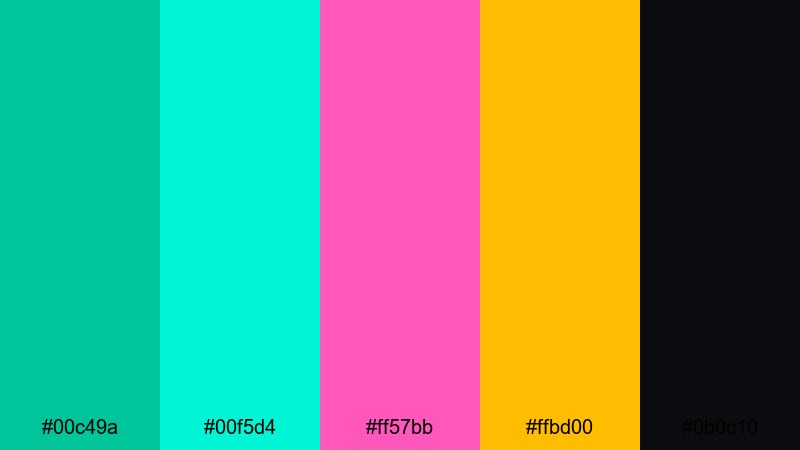
- HEX Codes: #00c49a, #00f5d4, #ff57bb, #ffbd00, #0b0c10
- Mood: Electric, playful, and high-energy.
- Use for: Use for music videos, gaming intros, and fast-paced social edits where bold color hooks viewers instantly.
Neon Jungle Rhythm transforms Jungle Green into a punchy neon (#00c49a), surrounded by aqua glow (#00f5d4), hot pink (#ff57bb), and bold gold (#ffbd00) against deep black (#0b0c10). It feels like a night-time city jungle filled with LED lights.
Use black as your background for thumbnails and title cards, then let the neon Jungle Green and pink highlight key text, icons, and motion graphics in Filmora. This palette is perfect for EDM tracks, gaming montages, and shorts where you need instant impact on mobile screens.
Toucan Market Morning
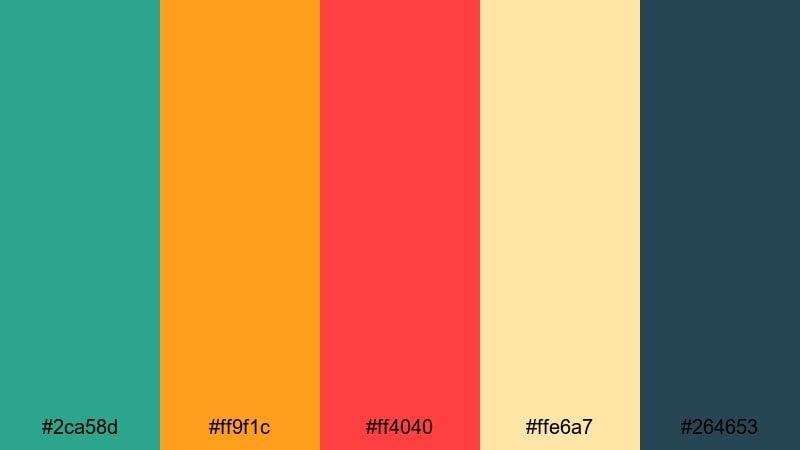
- HEX Codes: #2ca58d, #ff9f1c, #ff4040, #ffe6a7, #264653
- Mood: Lively, sunny, and bustling.
- Use for: Ideal for travel vlogs, street food content, and upbeat creator intros with a colorful, friendly mood.
Toucan Market Morning mixes fresh Jungle Green (#2ca58d) with mango orange (#ff9f1c), toucan red (#ff4040), creamy highlights (#ffe6a7), and deep slate blue (#264653). It feels like a bright market full of fruit, street food, and chatter.
Use Jungle Green and slate blue as your base for frames and lower thirds, then drop in orange and red as accents for price tags, timestamps, and callouts in your edits. The creamy yellow is a great background for text in thumbnails, especially for food titles and city guides.
Safari Festival Lights

- HEX Codes: #1aa981, #f4a261, #e76f51, #f7ede2, #1d3557
- Mood: Warm, festive, and cinematic.
- Use for: Use for event recaps, festival promos, and brand launches where warmth and excitement are key.
Safari Festival Lights sets a glowing Jungle Green (#1aa981) alongside warm desert oranges (#f4a261), coral (#e76f51), soft cream (#f7ede2), and deep navy (#1d3557). It feels like lanterns and sunset colors over a lively gathering.
Use cream and navy for alternating backgrounds in title cards, then reserve Jungle Green for logos, subscribe panels, and channel name treatments. The warm accent colors are great for animated stickers and transitions in Filmora that suggest music, dancing, or celebration.
Urban Jungle Pop

- HEX Codes: #00a37a, #2ec4b6, #ff3366, #ffd23f, #141414
- Mood: Modern, bold, and street-smart.
- Use for: Perfect for creator branding, fashion lookbooks, and TikTok style edits with a clean but edgy punch.
Urban Jungle Pop combines crisp Jungle Green (#00a37a) with aqua (#2ec4b6), hot magenta (#ff3366), punchy yellow (#ffd23f), and deep charcoal (#141414). It has a graphic, poster-like quality that feels very at home in modern social feeds.
Use charcoal as your primary background to make Jungle Green and magenta accents really stand out. In Filmora, apply these colors to bold typography, split-screen layouts, and kinetic transitions for lookbooks, fashion hauls, or edgy street photography edits.
Soft Jungle Green Color Palettes
Morning Dew Jungle
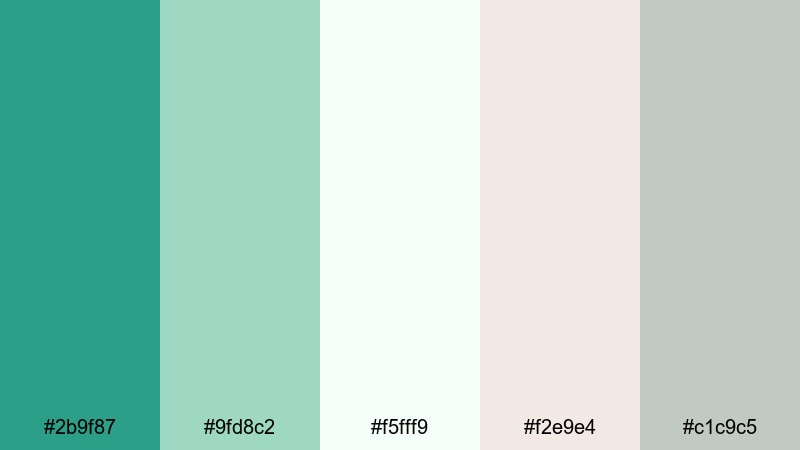
- HEX Codes: #2b9f87, #9fd8c2, #f5fff9, #f2e9e4, #c1c9c5
- Mood: Fresh, gentle, and hopeful.
- Use for: Use for wellness content, morning routines, and brand intros that focus on calm clarity and renewal.
Morning Dew Jungle softens Jungle Green (#2b9f87) with airy mint (#9fd8c2), near-white (#f5fff9), blush beige (#f2e9e4), and gentle grey (#c1c9c5). It feels like a quiet morning with open windows, plants, and soft daylight.
Use the lightest tones as your background for overlays, captions, and YouTube chapter markers, then let Jungle Green define your logo, key icons, and call-to-action text. This palette works beautifully for spa content, productivity tips, and minimal brand intros made in Filmora.
Mist Over Palms
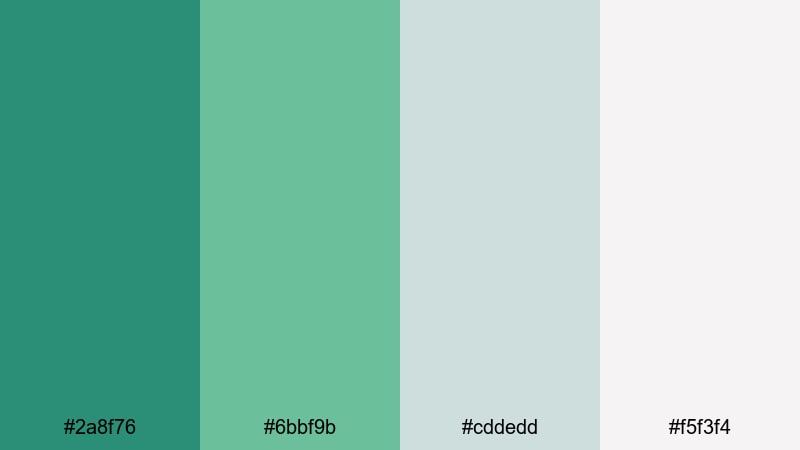
- HEX Codes: #2a8f76, #6bbf9b, #cddedd, #f5f3f4
- Mood: Airy, dreamy, and soothing.
- Use for: Ideal for cinematic b-roll, ASMR videos, and calming productivity or study content.
Mist Over Palms places muted Jungle Green (#2a8f76) alongside soft aqua (#6bbf9b) and misty greys (#cddedd, #f5f3f4). It feels like a hazy morning in a palm grove with low clouds and quiet soundscapes.
Use the pale greys for clean, unobtrusive overlays so your footage remains the focus. Jungle Green and aqua can appear in subtle accent lines, progress bars, or ASMR chapter labels in Filmora, giving your channel a calm, cohesive identity.
Sage Jungle Minimal
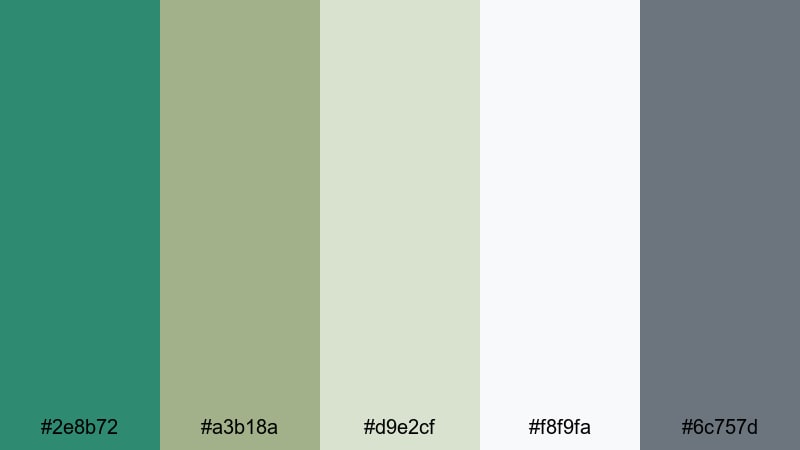
- HEX Codes: #2e8b72, #a3b18a, #d9e2cf, #f8f9fa, #6c757d
- Mood: Clean, balanced, and subtly earthy.
- Use for: Great for modern brands, portfolio videos, and UI-style overlays where simplicity and clarity matter.
Sage Jungle Minimal balances refined Jungle Green (#2e8b72) with sage (#a3b18a), soft ivory (#d9e2cf, #f8f9fa), and cool grey (#6c757d). The palette feels like a modern design studio with plants, concrete, and soft daylight.
Use ivory and light grey for UI-style panels, lower thirds, and captions in Filmora, while Jungle Green becomes your primary brand color for logos and buttons. Sage is a great secondary accent for icons or small design flourishes, keeping the overall look minimal and professional.
Bamboo Studio Serenity
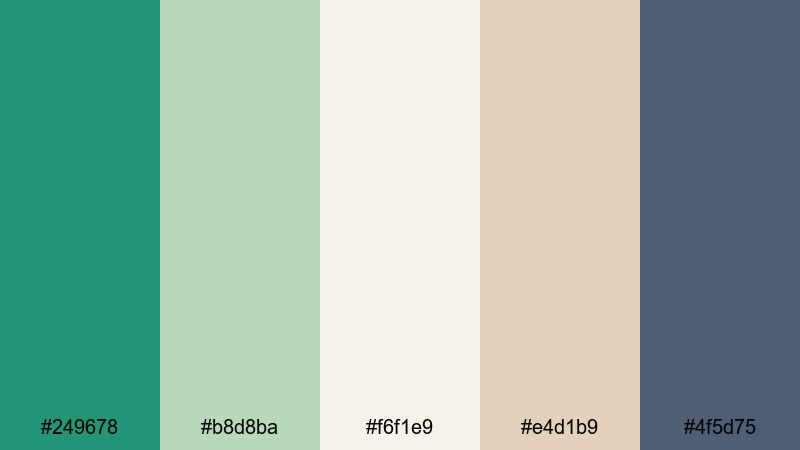
- HEX Codes: #249678, #b8d8ba, #f6f1e9, #e4d1b9, #4f5d75
- Mood: Balanced, creative, and softly focused.
- Use for: Use for studio walkthroughs, design tutorials, and brand explainers needing calm professionalism.
Bamboo Studio Serenity pairs Jungle Green (#249678) with pale bamboo greens (#b8d8ba), warm cream (#f6f1e9), soft tan (#e4d1b9), and muted slate blue (#4f5d75). It feels like a tidy creative studio with wood, plants, and tidy shelves.
Use warm cream or tan as your background for tutorial overlays and step-by-step captions, then highlight important labels with Jungle Green and slate blue. This palette suits design breakdowns, workspace tours, and any content where you want viewers to feel relaxed but focused.
Moody Jungle Green Color Palettes
Midnight Jungle Storm
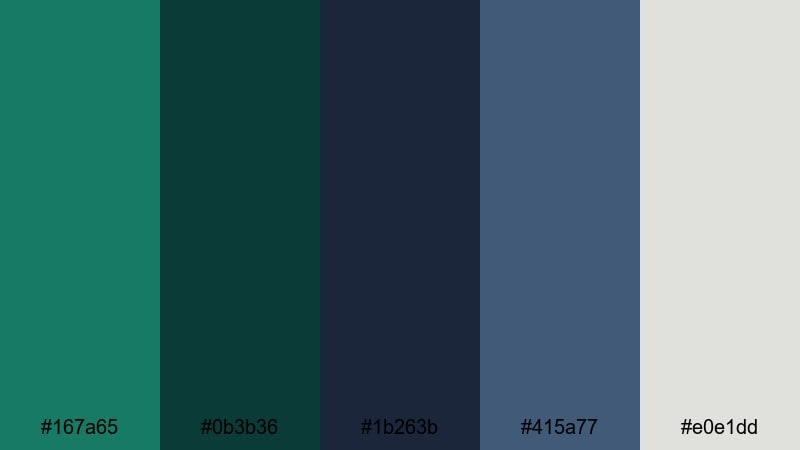
- HEX Codes: #167a65, #0b3b36, #1b263b, #415a77, #e0e1dd
- Mood: Dramatic, mysterious, and cinematic.
- Use for: Perfect for trailers, short films, and moody storytelling where tension and depth are essential.
Midnight Jungle Storm dives into deep Jungle Green (#167a65), inky teal (#0b3b36), and midnight blue (#1b263b, #415a77), balanced by a soft grey highlight (#e0e1dd). It feels like a storm building over a dark forest.
Use the darkest shades for backgrounds, frames, and letterboxing, then reserve Jungle Green and grey for titles and on-screen text effects in Filmora. This palette suits thriller intros, dramatic storytime videos, and cinematic travel edits shot in low light or rain.
Emerald Shadow Lounge
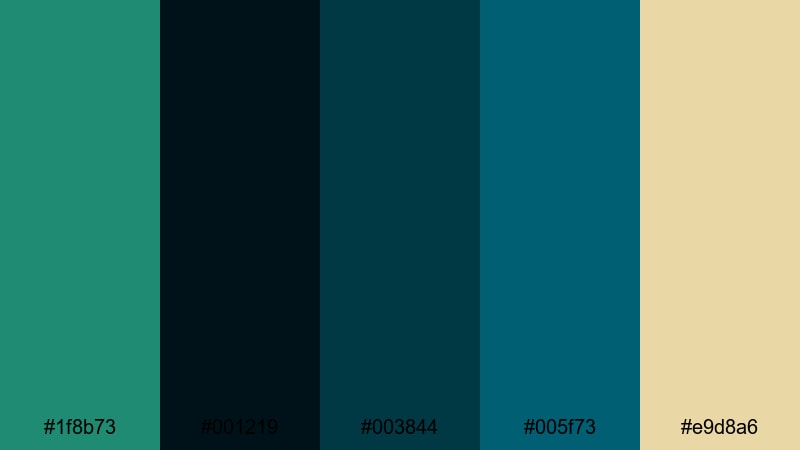
- HEX Codes: #1f8b73, #001219, #003844, #005f73, #e9d8a6
- Mood: Luxurious, intimate, and refined.
- Use for: Use for cocktail videos, lounge-style podcasts, and premium product promos with a dark luxe feel.
Emerald Shadow Lounge places opulent Jungle Green (#1f8b73) in deep teal and navy shadows (#001219, #003844, #005f73), with a warm golden highlight (#e9d8a6). It feels like a speakeasy, jazz bar, or high-end product showcase.
Use the darkest tones for backgrounds and vignettes, then let Jungle Green color your logo, outlines, or waveform visuals in Filmora. The golden highlight is perfect for accent borders, price tags, or subtle glows around premium products.
Monsoon Jungle Noir

- HEX Codes: #1a7963, #102a43, #243b53, #d9e2ec, #ba181b
- Mood: Stormy, intense, and cinematic.
- Use for: Great for dramatic vlogs, thriller intros, and story-driven edits that need a punch of tension.
Monsoon Jungle Noir uses brooding Jungle Green (#1a7963) with stormy blues (#102a43, #243b53), pale mist (#d9e2ec), and a sharp red accent (#ba181b). It feels like a rain-soaked city or dense jungle shot through a noir lens.
Use Jungle Green and deep blues for your backgrounds, then let pale mist handle text areas and info panels in Filmora. Reserve the red accent for key warnings, plot twists, or dramatic thumbnail elements so it immediately draws the eye.
Tips for Creating Jungle Green Color Palettes
When you build your own Jungle Green palette for video and design, focus on balance: rich greens need the right neutrals, contrasts, and accents to stay readable and cinematic across thumbnails, intros, and full-length edits.
- Pair Jungle Green with at least one light neutral (off-white, cream, or pale grey) so text remains easy to read on mobile and small thumbnails.
- Choose one or two accent colors only (such as yellow, orange, or coral) so Jungle Green stays the hero and your branding feels consistent.
- Test light vs dark backgrounds: Jungle Green pops differently on charcoal compared to ivory, so preview both options in Filmora before deciding.
- Match your palette to footage: if your shots are already very green, lean on neutrals and warm accents instead of adding more saturated green overlays.
- Keep skin tones natural by using HSL adjustments to refine only the green and aqua ranges rather than pushing the entire image toward Jungle Green.
- Reuse the same HEX codes for titles, lower thirds, and end cards so viewers recognize your brand instantly across videos and platforms.
- Use stronger contrast (dark backgrounds, bright accents) for fast-paced content and softer contrast (light neutrals, muted greens) for calm or study videos.
- Export a few style frames from Filmora to check how your Jungle Green palette looks in both light mode and dark mode interfaces on different devices.
Jungle Green is versatile enough to feel earthy, luxurious, or neon-bright depending on what you pair it with. By choosing a palette that matches your story and sticking to the same HEX codes, you can shape a strong visual identity that carries through your thumbnails, intros, and full edits.
Use these 15 palettes as ready-made starting points in Filmora. Drop the HEX codes into your titles and overlays, then refine the mood with AI Color Palette, HSL, and filters until your channel, brand, or series has its own signature Jungle Green look.
The more consistently you use your chosen palette, the more familiar your content will feel to viewers. Experiment, save your favorite presets in Filmora, and let Jungle Green become a recognizable part of your creative style.
secure download