

 100% Security Verified | No Subscription Required | No Malware


 ChatGPT
 Perplexity
 Gemini
 Claude
 Grok
Grok
These Metro Train Station Cinematic Filter presets are designed for content creators who want to turn everyday metro commutes into atmospheric, story-driven visuals with just a few clicks in Filmora.
From moody platforms and rushing trains to quiet underground corridors, use these filters to shape color, contrast, and mood so every metro scene feels like a frame from a cinematic travel film.
In this article
Quiet Platforms and Waiting Moments
Dusky Platform Glow
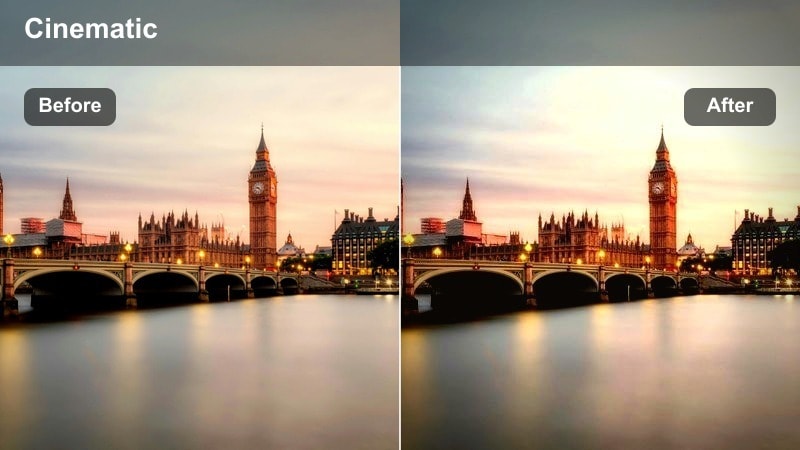
- Effect look: Soft, low-contrast glow with warm highlights and slightly muted shadows for late-evening platforms.
- Best for: Slow-motion shots of commuters waiting, close-ups of feet by the edge line, and static frames of near-empty platforms.
- Editing tip: Lower the clarity slightly and add a subtle vignette to keep focus on the subject while preserving station details.
Dusky Platform Glow wraps your metro platform clips in a warm, cinematic softness that feels perfect for late-evening commutes and reflective moments. In Filmora, this preset gently pulls down contrast while pushing warmth in the highlights so overhead lights, edge lines, and platform signage take on a pleasing glow without harsh edges.
Apply this filter to slow-motion B-roll, quiet waiting shots, and detail close-ups when you want the metro to feel like a calm, story-driven scene instead of a purely functional space. Fine-tune the look by slightly reducing clarity and adding a vignette in Filmora, then adjust intensity so your subject remains clear while the walls, tracks, and background commuters melt into a soft, cinematic atmosphere.
Match Metro Moods with AI-Powered Color Tools
Filmora's AI color tools help you fine-tune each metro train station cinematic filter so it perfectly matches the mood of your footage, from quiet platforms to crowded interchange hubs. You can let AI analyze your clip to automatically correct exposure, contrast, and color balance while keeping the stylized feel of your chosen preset.
Use AI to tame strong fluorescent color casts, protect skin tones, and keep both shadows and highlights under control so the glow from your metro lights looks intentional instead of accidental. After you apply a preset, let AI color tools refine the final grade in seconds right on the Filmora timeline.
 secure download

See Metro Filters in Action on the Timeline
In Filmora, you can drag any Metro Train Station Cinematic Filter preset directly onto your clips to preview the transformation in real time. This makes it easy to compare different looks on the same shot, from quiet platforms to in-train B-roll, without committing to a complex grade.
Once you find a look you like, refine it with the filter intensity slider and stack it with Filmora effects like vignettes, blur, and grain. This combination helps you build a cohesive metro travel aesthetic that carries across platforms, tunnels, and exits in your edit.
secure downloadBlend Filters with LUTs for a Signature Urban Look
Filmora lets you layer metro cinematic filters with 3D LUTs so you can craft a signature urban style that works across stations, street scenes, and night rides. Start by applying your preferred metro preset, then gently mix in a city-themed LUT to polish the grade and unify different lighting conditions.
This combination is ideal when you move between underground platforms, train interiors, and outdoor streets in one sequence. By controlling LUT intensity, you can keep your colors consistent while still letting each location retain its unique metro atmosphere.
secure downloadCool Commuter Hush
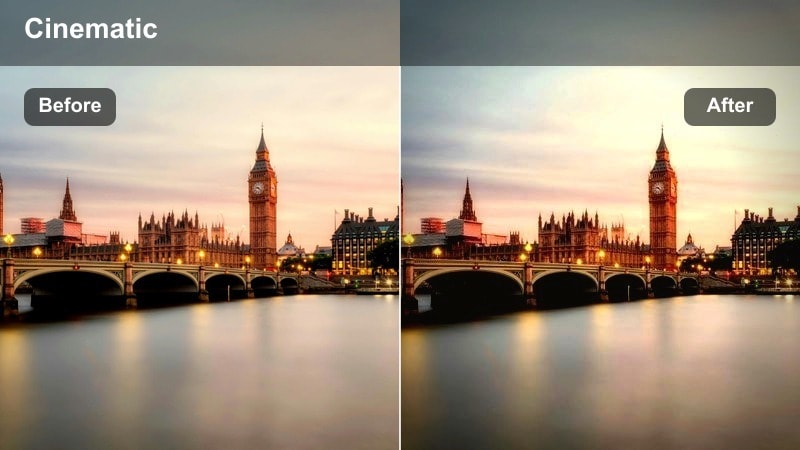
- Effect look: Cool, desaturated tone with subtle blue highlights and crisp contrast for calm, early-morning stations.
- Best for: Blue-hour arrivals, empty benches, escalator rides, and establishing shots of quiet platforms before rush hour.
- Editing tip: Reduce saturation of primary colors slightly and sharpen midtones to give tiled walls and signage a clean, cinematic crispness.
Cool Commuter Hush gives your metro footage a calm, blue-tinted character that works especially well in early-morning or late-night scenes. The cooler palette and reduced saturation make metal surfaces, tiled walls, and overhead lights feel minimal and modern, while a touch of added contrast keeps edges clean.
In Filmora, pair this filter with wide compositions that emphasize negative space, showing a single commuter against long stretches of platform. Slight midtone sharpening will make textures like tiles, benches, and signs pop, while slower cuts and subtle camera movement will let the cool tones highlight solitude, quiet, and reflective moods in your travel stories.
Golden Announcement
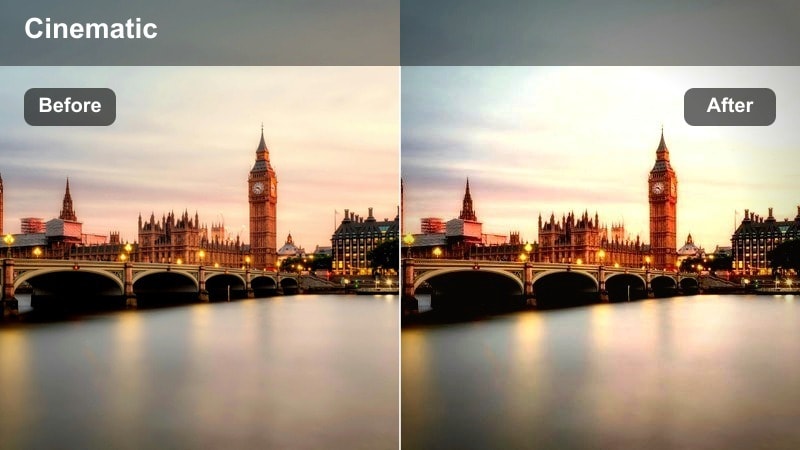
- Effect look: Golden midtones and slightly lifted blacks that make overhead lights and announcement boards glow softly.
- Best for: Moments when announcement screens flicker on, reaction shots, and handheld walk-and-talk scenes on the platform.
- Editing tip: Increase midtone contrast a touch and keep highlights under control to avoid clipping on bright LED boards.
Golden Announcement wraps your metro platforms in a rich, amber glow that highlights screens, overhead fixtures, and warm architectural details. The lifted blacks soften harsh contrast so your footage feels cinematic and story-first, ideal for vlogs, walk-and-talk clips, and those in-between moments when travelers react to new information.
Use this filter in Filmora on shots where digital boards, ticket machines, or backlit ads appear in frame, placing them near the top third of the composition to guide the viewer's eye. Balance the effect by slightly boosting midtone contrast and managing highlight levels, ensuring text on bright LED displays remains readable while your subjects stay naturally lit within a warm, inviting color story.
Inside the Train: Moving Journeys
Carriage Cinema Fade
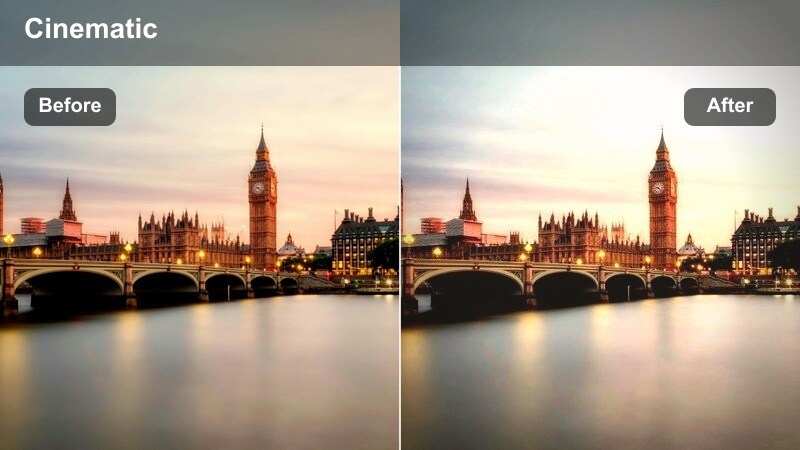
- Effect look: Faded contrast with gentle film-style grain and slightly warm skin tones tailored for handheld shots inside the carriage.
- Best for: Talking-to-camera shots, seated travel moments, and documentary-style clips of commuters inside metro cars.
- Editing tip: Dial grain strength according to your footage resolution and keep exposure balanced to retain detail in windows and overhead lights.
Carriage Cinema Fade turns everyday metro interiors into soft, nostalgic film scenes by reducing harsh contrast and layering in delicate grain. This filter is especially flattering on skin tones, adding subtle warmth that helps interviews, vlogs, and candid passenger shots feel more personal and cinematic.
In Filmora, apply this preset to handheld carriage clips, then use stabilization to smooth bumps from train movement and complete the documentary-style aesthetic. Adjust grain intensity to match your resolution, and monitor exposure so window views and overhead lights keep detail; this balance lets your subject stand out while the soft, textured background hints at motion and travel without stealing focus.
Window Rail Drift
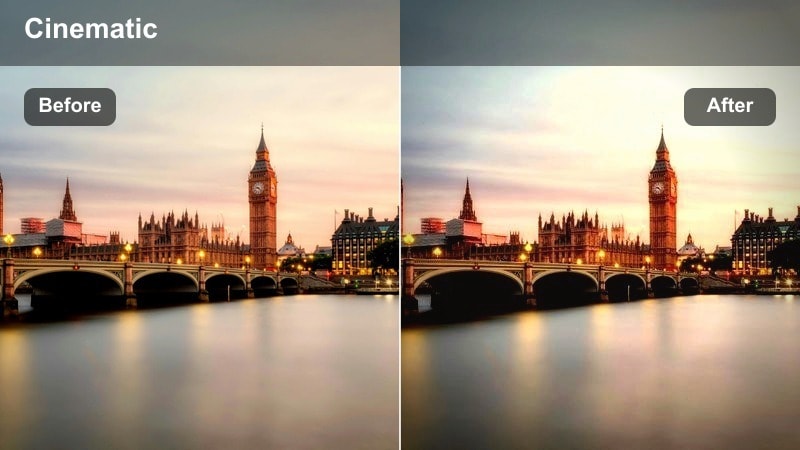
- Effect look: High contrast with deepened shadows and slightly tinted highlights that emphasize reflections and streaking lights outside windows.
- Best for: Shots of city lights passing by, reflections of faces in glass, and moody B-roll of tunnels rushing past.
- Editing tip: Slow down your footage and add slight motion blur so light streaks and reflections feel smooth and dreamlike.
Window Rail Drift is designed to amplify the drama of what you see through and on metro windows: racing tunnel lights, city glows, and ghostly reflections of passengers. By deepening shadows and enhancing highlight tints, it creates striking contrast that makes silhouettes and reflections feel emotional and cinematic.
Use this preset in Filmora on clips where the outside world is the main character, such as nighttime rides or fast-moving tunnels. Combine it with slow motion and a hint of added motion blur so light trails glide smoothly across the frame, then fine-tune exposure to preserve exterior highlight detail while using masks or local adjustments to subtly lift your subject's face when backlighting becomes too strong.
Neon Carriage Noir
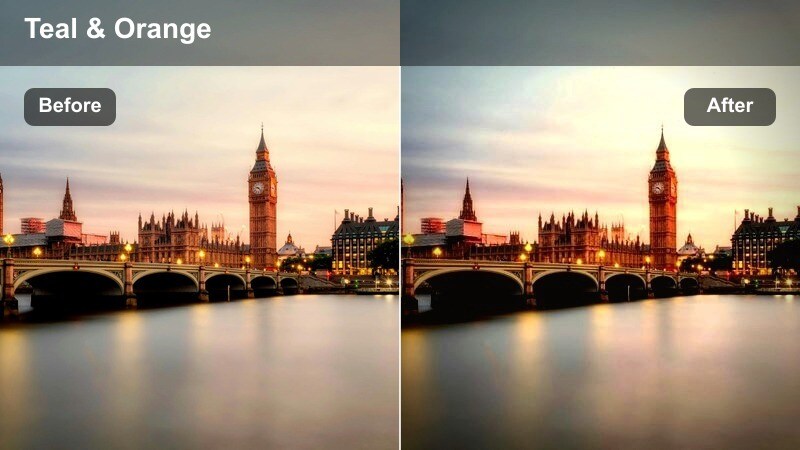
- Effect look: Deep cinematic shadows with neon-emphasized colors and a subtle teal tint in midtones for night-time rides.
- Best for: Night metro rides, neon-lit carriage interiors, and stylized music video shots on the train.
- Editing tip: Lean into silhouettes and side-lighting, and slightly desaturate non-neon colors so colored lights become the focal point.
Neon Carriage Noir pushes your night metro footage into a bold, stylized world of strong shadows and glowing neon accents. The filter emphasizes colored lights with rich saturation while keeping the rest of the scene moody and restrained, ideal for music videos, cinematic B-roll, or edgy travel sequences shot after dark.
Apply it in Filmora to clips where colored LEDs, station ads, or external neon signs spill into the carriage, then frame your subjects in profile or silhouette to create graphic outlines. You can slightly desaturate non-neon hues using Filmora's color tools so the brightest colors steal the show, and sync quick cuts or whip pans with music beats where neon reflections flare across windows, poles, and seats.
Tunnels, Corridors, and Transitions
Tunnel Motion Blend
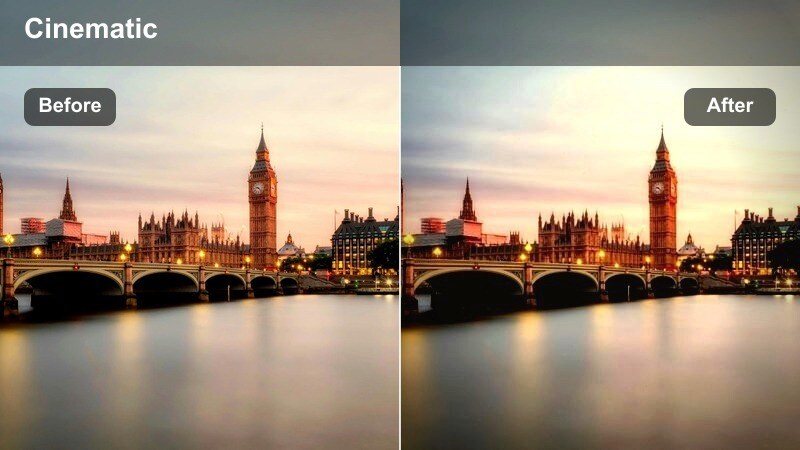
- Effect look: Slightly darkened midtones with boosted clarity and subtle cyan highlights to emphasize depth in long tunnels.
- Best for: Tracking shots through underground corridors, escalator rides, and POV walks toward the platform.
- Editing tip: Speed ramp your walk-through shots and add a gentle zoom-in to make the tunnel lines pull viewers deeper into the scene.
Tunnel Motion Blend is tailored to bring out depth and perspective in long metro corridors, walkways, and escalators. Darkened midtones and boosted clarity sharpen leading lines such as railings, floor tiles, and wall panels, while cyan highlights lend a cool, modern edge to otherwise plain tunnels.
Use this preset in Filmora on POV walks or tracking shots that move toward a platform or exit, then experiment with speed ramping and subtle zoom-ins to accentuate the feeling of being drawn through the space. Center strong perspective lines in your composition so the filter's clarity enhancements guide the viewer's eye, and place these clips as transitions between city exteriors and underground sequences to maintain a visually cohesive journey.
Underground Film Grit
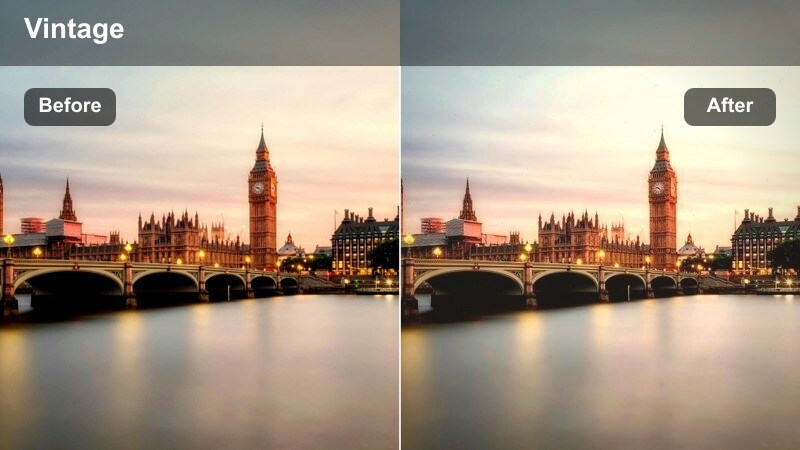
- Effect look: Muted colors with a grainy, vintage film texture and slightly lifted blacks to soften harsh fluorescent lighting.
- Best for: Handheld walk-throughs in tiled corridors, gritty B-roll of signage, and urban documentary sequences.
- Editing tip: Stack this filter with a tiny bit of blur on the background only, using masks, to separate your subject from gritty details.
Underground Film Grit gives metro corridors and passageways a textured, documentary-style character inspired by vintage film. Colors are gently muted, fluorescent lights are softened, and fine grain adds a tactile layer that makes tiled walls, signage, and worn surfaces feel lived-in and authentic.
In Filmora, apply this preset to handheld walk-throughs, signage close-ups, or cutaway shots that establish the gritty side of city transit. For sequences with a main subject close to camera, use masking tools to keep their face slightly cleaner and warmer while allowing the background to carry the full grain and desaturation, then blend these shots with L-cuts and ambient tunnel audio so the visual grit supports your narrative without overwhelming it.
Corridor Flare Dream
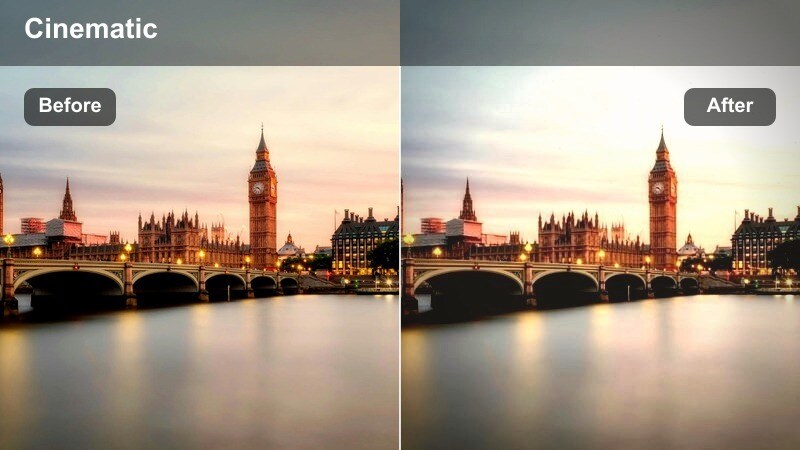
- Effect look: Soft highlights and bloom on bright lights with a gentle pastel shift in shadows for dreamy underground sequences.
- Best for: Slow-motion walks under fluorescent tubes, silhouette shots in long corridors, and dreamy narrative intros.
- Editing tip: Shoot directly toward ceiling lights or backlit entrances to maximize flare, then slightly lower contrast to enhance the dreamlike feel.
Corridor Flare Dream turns everyday metro hallways into ethereal, dreamy environments by blooming bright lights and nudging shadow tones toward pastel hues. The result is a soft, surreal look that works beautifully for narrative intros, reflective transitions, or sequences where you want the underground to feel otherworldly rather than purely urban.
Apply this filter in Filmora to backlit or light-facing shots, especially where ceiling fixtures or bright exits sit in frame. Lower overall contrast a touch to reinforce the hazy mood, then pair the visuals with slow gimbal moves, careful handheld pushes, and subtle ambient reverb on corridor sounds to fully sell the dreamlike, cinematic vibe.
Arrivals, Exits, and City Connections
City Link Cool Film
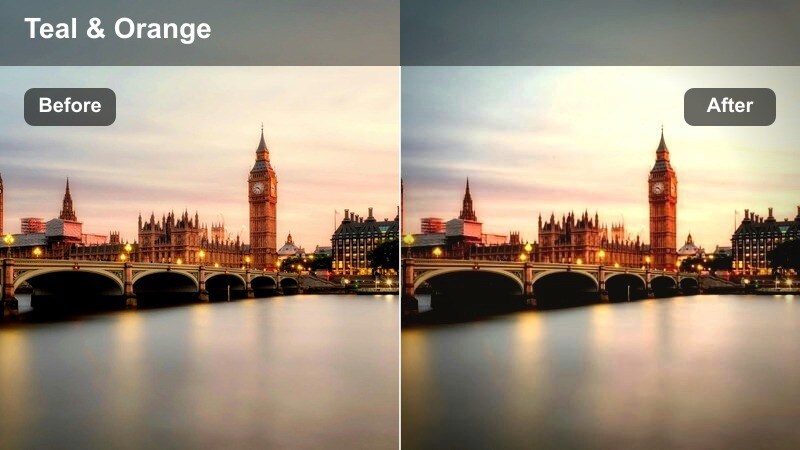
- Effect look: Balanced teal-and-orange inspired grade with soft film fade, ideal for bridging underground stations and city streets.
- Best for: Exiting the station, escalators opening to the street, and reveal shots from dark tunnels into bright city light.
- Editing tip: Expose for midtones and apply this filter across both metro and street clips to create a seamless transition in your travel vlog.
City Link Cool Film uses a gentle teal-and-orange palette and faded contrast to unify metro interiors with street-level scenes. The cooler tones accent walls, shadows, and city elements, while warmer hues emphasize skin tones and highlights, giving your footage a cinematic travel look that feels consistent from tunnel to sidewalk.
In Filmora, apply this preset across all clips around your arrivals and exits, including escalator rides, stair climbs, and first steps onto the street. Expose for midtones so both underground details and outdoor skies stay balanced, and consider adding on-screen text for each new location at the moment you emerge from the station to reinforce the narrative transition visually and emotionally.
Arrival Highlight Beat
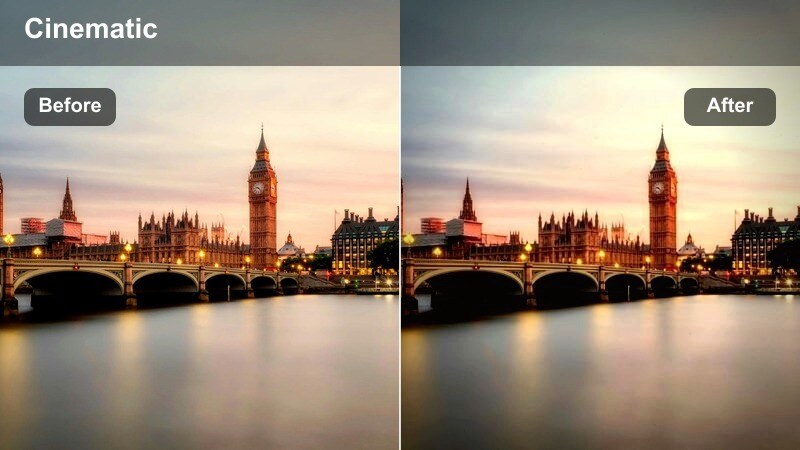
- Effect look: Brightened highlights and punchy contrast designed to make train arrivals and door openings feel energetic and vivid.
- Best for: Fast cuts of trains pulling in, opening doors, flowing crowds, and music-synced arrival sequences.
- Editing tip: Cut on the beat of your soundtrack and use short, 1–2 second clips with this filter to create high-energy metro montages.
Arrival Highlight Beat is crafted for high-energy moments when trains rush into the station, doors slide open, and crowds surge on and off the platform. The filter boosts highlights and contrast to make motion, sparks of light, and quick gestures pop, ideal for dynamic montage sequences cut tightly to music.
Use it in Filmora on short, 1 to 2 second clips of trains pulling in, feet stepping over the threshold, and waves of commuters moving through doors. Cut these shots on the beats of your soundtrack and layer in sound effects like screeching brakes and door chimes; the elevated brightness and contrast will help every movement feel impactful while keeping the overall sequence cohesive and exciting.
Exit Stair Halo
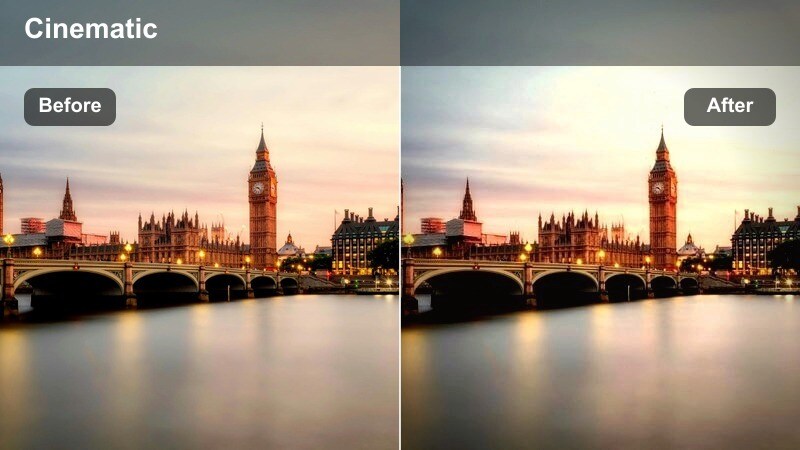
- Effect look: Backlit halo effect with slightly overexposed highlights and soft shadows to emphasize emerging from underground to daylight.
- Best for: Climbs up station stairways, silhouettes at the top of exits, and POV shots walking toward bright city light.
- Editing tip: Shoot toward the exit light, then apply this filter and gently lower texture so the glow around your subject feels smooth and airy.
Exit Stair Halo highlights the dramatic transition from dark underground spaces to bright open air by embracing a gentle halo and controlled overexposure around exit light sources. The look creates soft silhouettes and airy shadows, making each ascent up the stairs feel like a cinematic reveal or a new chapter in your travel story.
Apply this preset in Filmora to shots framed toward the station exit, especially where your subject is walking away from camera into a bright doorway or up a staircase. Slightly lower texture or clarity to smooth the glow around them, and consider slowing the moment your subject reaches the top step so the light bloom lingers; this helps viewers feel the shift from metro environment to the surrounding city in a visually memorable way.
Tips for Using Metro Train Station Cinematic Filter Filters in Filmora
- Shoot with stable handheld or gimbal support in the metro so cinematic filters enhance your look instead of emphasizing camera shake.
- Expose slightly darker in harsh fluorescent stations to protect highlights, then use Filmora filters to lift shadows and shape mood.
- Capture plenty of B-roll in tunnels, escalators, platforms, and exits so you can match different filters to each part of your metro journey.
- Keep white balance consistent for each location before applying filters, especially when cutting between underground and outdoor city shots.
- Vary preset intensity within one project so calm or emotional moments stay soft and energetic sequences feel more punchy and vivid.
- Combine filters with Filmora tools like stabilization, vignettes, blur, and grain to create a cohesive metro travel style.
- Use audio design alongside your visual grades, pairing each metro mood with matching ambience such as carriage hum, steps, or crowd noise.
- Save successful filter and adjustment combinations as custom presets in Filmora to reuse your signature metro look across future videos.
With these Metro Train Station Cinematic Filter presets, you can turn everyday commutes into visually rich story beats that carry your audience through each stop of your journey.
Experiment with different combinations, tweak intensity, and pair them with Filmora's creative tools until your metro footage feels like it belongs on the big screen.
