

 100% Security Verified | No Subscription Required | No Malware


 ChatGPT
 Perplexity
 Gemini
 Claude
 Grok
Grok
Night videos on TikTok can look noisy, flat, or washed out, but the right filters can turn them into cinematic, moody clips that match your dark aesthetic. Instead of relying on random in app effects, you can build a consistent look using dedicated night video filters tailored for TikTok creators.
Below are 12 Filmora style night filters designed for TikTok night creators and lifestyle influencers, grouped by vibe so you can quickly match a look to your night clips, dark aesthetic shorts, and city after dark vlogs.
In this article
Cinematic City Nights Filters
Neon Noir Glow
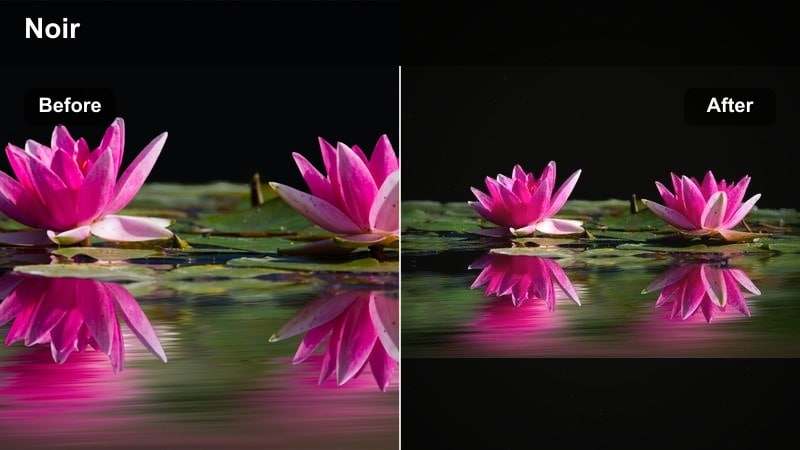
- Effect look: Soft contrast with lifted blacks, neon signs pushed to magenta and teal, subtle bloom on highlights for a dreamy night city feel
- Best for: TikTok night clips in downtown streets, neon storefronts, rainy sidewalks, and POV walks under colorful signs
- Editing tip: Lower contrast slightly and add a bit of blur or glow to the brightest spots so neon reflections on wet pavement feel cinematic instead of harsh
Neon Noir Glow is built for creators who love late night city walks, wet asphalt, and glowing shop windows. By lifting the blacks slightly and softening contrast, this night video TikTok filter turns harsh digital noise into a smoother, more film like base. Pushing neon tones toward magenta and teal gives your streets a stylized cyber city look while still keeping skin tones workable for close ups.
In Filmora, drop this filter on your clip, then fine tune bloom by adding a light glow or Gaussian blur to just the brightest areas with a mask. This keeps faces and outfits sharp while signage and reflections smear into a dreamy glow. For rainy nights, increase saturation in cyans and magentas to make puddles and car reflections pop, and keep overall exposure slightly brighter than you think so TikTok compression does not crush your details.
Speed up your night color with AI powered presets
Instead of rebuilding your favorite TikTok night filter from scratch every time, Filmora style AI tools can analyze your clip and suggest a matching palette in one click. This is especially useful when you film in different areas of the city and want your neon nights to feel consistent from video to video.
You can then fine tune contrast, shadow tint, and saturation to keep a consistent dark aesthetic across all your night short video color grades. Save the versions you love as reusable looks so your entire feed carries the same signature night style.
 secure download

Preview multiple night looks on one clip
To pick the strongest night video TikTok filter for each upload, drop a single test clip into Filmora and quickly cycle through several filter presets. Seeing Neon Noir Glow, a warmer street look, and a cool cinematic grade side by side makes it easy to choose what fits your sound and story.
Viewing options next to each other helps you spot which filters stay clear after TikTok compression and which ones crush shadows too hard. Build a short reference timeline with your go to locations so you can audition new Filmora night looks in seconds before committing.
secure download1000+ Video Filters and 3D LUTs
Filmora includes a large library of filters, overlays, and 3D LUT style looks so you can match almost any dark aesthetic on TikTok. From subtle clean corrections to extreme glitch chrome and noir grain, you can stack multiple effects and save them as a single preset for faster night editing.
Once you land on a combination that feels like your personal night brand, save it and reuse it across TikTok, Reels, and YouTube Shorts. This keeps your night short video color consistent and saves you from rebuilding the same grade over and over.
secure downloadPro tip: Boost neon without blowing out faces
Use the filter on your entire clip, then add a subtle mask around your face and reduce exposure inside the mask. This keeps skin tones controlled while lights stay punchy.
If your night short video color looks too purple, nudge tint slightly toward green and reduce saturation in magentas while keeping blues vivid.
Midnight Cinema
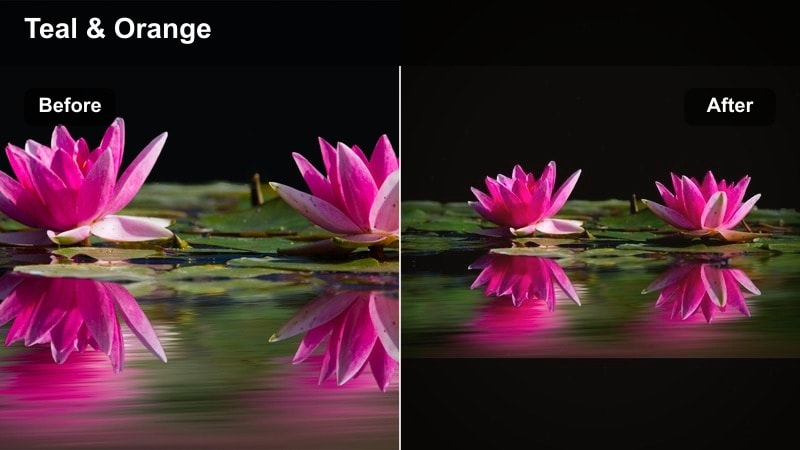
- Effect look: Deep shadows, slightly faded highlights, teal shadows and warm orange mids for a classic blockbuster day for night vibe
- Best for: Story driven TikTok night videos, cinematic B roll, and lifestyle monologues filmed under soft streetlights
- Editing tip: Pair this filter with a 21 or 24 fps timeline and a subtle letterbox crop to instantly give your TikTok night filter setup a film like feel
Midnight Cinema is for creators who want their night TikToks to look like movie scenes rather than casual phone clips. The teal shadows and warm orange midtones create a familiar blockbuster palette, while deep shadows and slightly rolled off highlights keep streetlights and windows from feeling too digital. It is ideal for narrative shorts, voiceover walks, and cinematic B roll of the city after dark.
Inside Filmora, combine this filter with a 24 fps timeline, gentle motion blur, and a cinematic aspect ratio crop. Use keyframes on exposure to keep your face readable when you pass under brighter lights, and lean on the Color panel to soften overly green streetlights. Avoid over sharpening; let the contrast plus color separation do the heavy lifting so TikTok compression does not introduce halos in dark areas.
Pro tip: Control crushed blacks for TikTok
If you lose too much detail in dark jackets or hair, raise shadows slightly and use local contrast instead of global contrast changes.
On TikTok, avoid extreme black crush because compression will add blocky noise; keep just enough detail in dark areas so the algorithm does not destroy texture.
City Fog Soft Amber
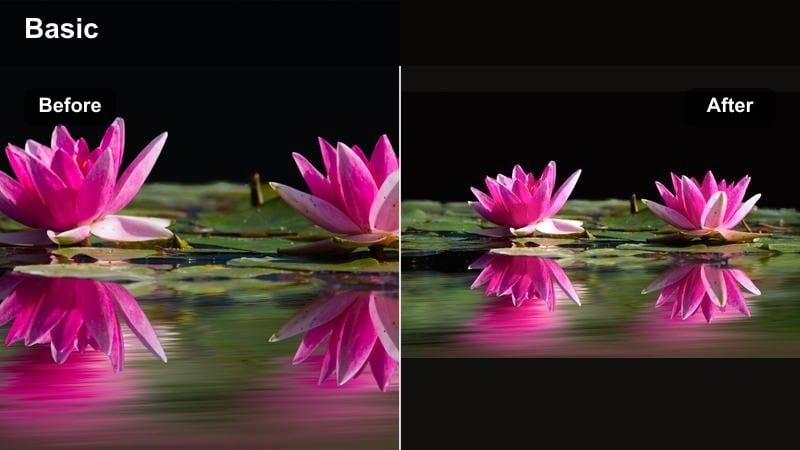
- Effect look: Soft focus feel with reduced clarity and warm amber highlights, gentle haze that smooths skin and streetlights
- Best for: Night selfies, couple shots, lifestyle outfit reveals, and romantic city strolls recorded under orange streetlights
- Editing tip: Decrease clarity but add a small amount of midtone contrast so your face stays defined while the background glows softly
City Fog Soft Amber leans into the warmth of sodium streetlights, turning harsh yellow bulbs into a flattering amber glow. Reduced clarity and a bit of haze help smooth blemishes and soften busy backgrounds, which is perfect for handheld night selfies and date night vlogs. The overall effect is dreamy and romantic rather than gritty.
When grading in Filmora, start with this filter, then dial in midtone contrast so facial features remain defined. Use a vignette to keep attention on you or your partner, and lightly brighten eyes and teeth with masks if they get too soft. If the scene tips toward muddy yellow, cool the white balance slightly and pull back on yellow saturation in the HSL panel while keeping oranges warm for natural skin.
Pro tip: Smooth low light skin without blurring details
Combine this filter with subtle skin smoothing only on the face, leaving hair and clothes sharp for a natural look.
If your clip feels too yellow, reduce saturation in yellows and push white balance slightly cooler to keep the romantic vibe without muddy tones.
Moody Dark Aesthetic Filters
Ink Black Matte
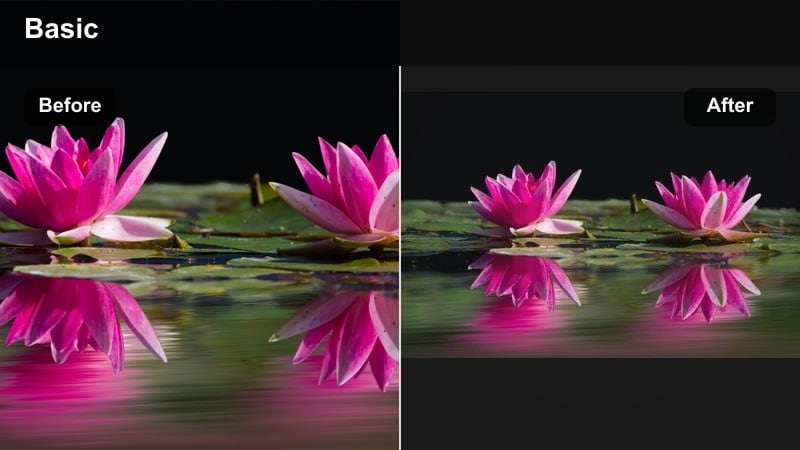
- Effect look: Crushed blacks with a matte film lift, desaturated colors, and a cold blue cast over shadows for a deep moody moodboard feel
- Best for: Dark aesthetic shorts, outfit of the night clips, and static fashion poses against plain or textured backdrops
- Editing tip: Dial back saturation in reds and greens so your TikTok grid keeps a monochrome flow while small color pops still stand out
Ink Black Matte is your go to if your TikTok style board is full of black outfits, metal accents, and minimal lighting. The combination of crushed blacks and a lifted matte curve gives shadows a rich, inky depth without looking completely clipped. A cool blue cast sits mainly in the shadows, pulling the whole image toward a cohesive moody tone that works especially well for static outfit poses.
In Filmora, apply this filter and then lower saturation in bright colors so your grid feels intentionally monochrome. You can selectively protect skin tones by raising their luminance slightly and steering hue toward neutral beige. For backgrounds, use masks to deepen walls or curtains so your silhouette stands out, and add a subtle grain layer to make the dark areas feel smooth and intentional instead of just noisy.
Pro tip: Keep detail in black clothing
Increase shadow detail slightly after applying the filter so black jackets and pants show folds and texture instead of becoming a flat shape.
Use selective color to protect skin tones from going too gray while letting the rest of the frame stay subdued.
Deep Violet Night
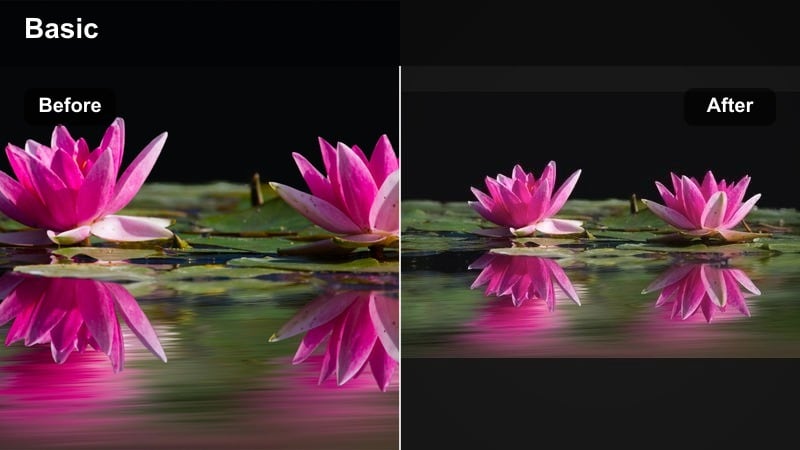
- Effect look: Muted overall saturation with a deep violet tint in shadows and cyan in highlights for a dreamy, moody palette
- Best for: Lyrics videos, lo fi edits, slow motion hair flips, and night dancing clips with LED strips or soft neon lights
- Editing tip: Slow down your clip slightly and add a light flicker or film grain effect so the violet tones feel intentional and stylized
Deep Violet Night dives into a purple cyan color story that works beautifully with RGB LED strips and neon signage. The overall saturation is kept slightly muted, which lets the deep violet shadows and cool cyan highlights stand out without overwhelming the viewer. This palette is especially effective for slow, emotional edits synced to lyrics or chill beats.
Inside Filmora, start with this filter, then fine tune purple saturation so it feels expressive without turning skin into an unnatural hue. You can add subtle film grain and a gentle flicker overlay for that lo fi, analog inspired atmosphere. To emphasize movement, slow your footage to around 80 percent speed and use smooth, minimal transitions so your dark TikTok LUT style grade remains the star of the show.
Pro tip: Balance stylized color with skin realism
After applying the filter, slightly warm up midtones and reduce saturation in purples along the skin tone range to avoid unnatural faces.
If the background feels too busy, lower overall saturation by a few points while keeping luminance contrast strong so movement remains the focus.
Shadow Frame Focus
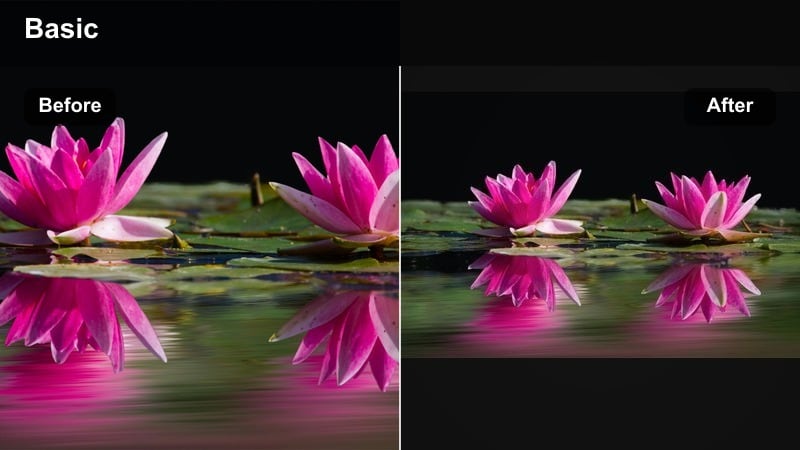
- Effect look: Vignette heavy filter that darkens frame edges and keeps center bright, with neutral color and clean contrast
- Best for: Night story times, talking to camera, product highlights, and face centered TikTok content in dim rooms
- Editing tip: Place your face or subject in the center third of the frame so the natural vignette draws attention and hides messy backgrounds
Shadow Frame Focus is designed to cut visual clutter by sinking the edges of your frame into darkness. Colors stay fairly neutral and contrast remains clean, so all attention goes to whatever sits in the bright center. This makes it ideal for story time TikToks, product showcases, or any clip where you need viewers to focus on your face or a single object.
In Filmora, use this filter on top of talking head clips shot in low light or messy rooms. The strong vignette naturally hides background distractions and even some edge noise from high ISO footage. You can refine the look by adding a circular mask with slightly boosted exposure and sharpness around your face, making it pop even more against the darkened edges.
Pro tip: Hide noise at the edges of dark clips
Combine this filter with a slight noise reduction pass, then add a vignette so remaining grain hides in darker edges instead of mid frame.
For extra drama, slightly lower overall exposure and raise midtones only on your face using a circular mask.
Clean Night Vlog and Lifestyle Filters
Street Neutral Clean
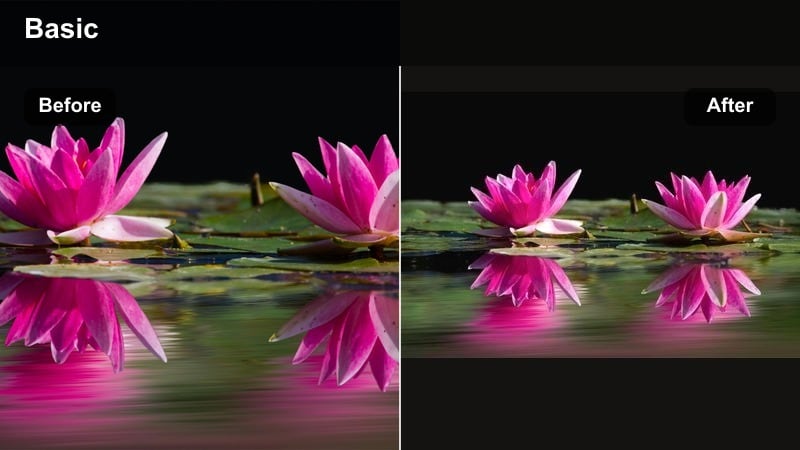
- Effect look: Balanced contrast, gentle sharpening, true to life colors with a tiny push toward warm mids for flattering skin
- Best for: Night vlogs, food runs, convenience store hauls, and casual lifestyle walks filmed under mixed city lights
- Editing tip: Use this filter as a base, then adjust white balance per clip to fix weird store lighting instead of applying heavy color shifts
Street Neutral Clean aims to fix the muddy, mixed light issues you often get from gas stations, convenience stores, and random street lamps. It gently boosts contrast and clarity while keeping colors natural, adding just a touch of warmth in the midtones for better skin tones. Your night vlogs still look real, just more polished and readable.
Apply this filter in Filmora as a foundational correction layer for your night lifestyle content. After that, tweak white balance per shot to compensate for greenish fluorescents or too warm interiors. Keep sharpening subtle, especially if your phone footage is already noisy, and rely on the filter s balanced contrast to bring back structure without exaggerating grain.
Pro tip: Stabilize and sharpen smartly
After applying the filter, add light stabilization and very subtle sharpening only if your footage is soft; avoid over sharpening noisy clips.
Keep saturation moderate because TikTok compression exaggerates color, especially in high contrast night scenes.
Late Night Warmth
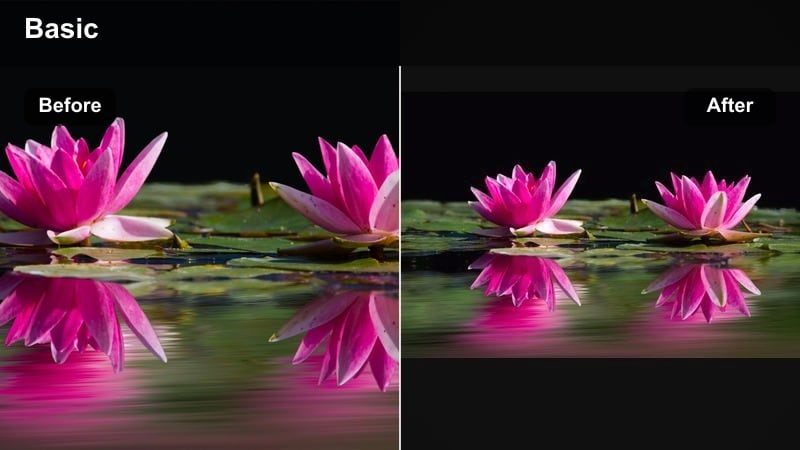
- Effect look: Boosted warmth, lifted shadows, and soft highlight roll off for cozy intimate night shots
- Best for: Bedroom chats, study nights, desk setups, coffee moments, and soft aesthetic b roll in warm lamp light
- Editing tip: Drop contrast a bit and add a tiny fade to blacks so the scene feels gentle and quiet, perfect for voiceover heavy clips
Late Night Warmth is made for quiet bedroom aesthetics, journaling sessions, and soft study vlogs filmed under table lamps or fairy lights. It lifts shadows slightly so your background does not disappear into black, and rolls off highlights to keep lamp bulbs from clipping harshly. Extra warmth in the palette turns everyday rooms into inviting, cozy spaces.
In Filmora, combine this filter with lowered contrast and a mild fade to create a calm, late night vibe. Use HSL controls to manage oranges and yellows so skin remains flattering rather than oversaturated. If your walls start looking dirty or stained, selectively desaturate yellows and adjust luminance while preserving warm skin tones using masks around your subject.
Pro tip: Avoid muddy orange tones
Reduce saturation in oranges and yellows while slightly increasing luminance so skin looks soft but not overly orange.
If walls look dirty or stained after warming, use HSL to desaturate yellows specifically, keeping skin separate with a mask if needed.
Cold Midnight Clean
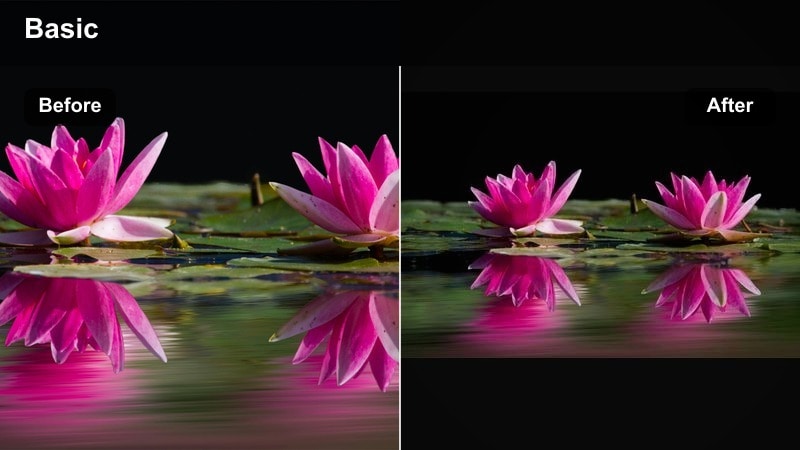
- Effect look: Cool white balance with neutral saturation, brightened midtones, and controlled highlights for crisp night clarity
- Best for: Minimal desk setups, tech content, room tours with LED lights, and late work or study clips
- Editing tip: Pair the filter with a subtle blue LED key light or window light so the cool tone feels intentional and modern
Cold Midnight Clean brings a modern, minimal aesthetic to your night desk and tech shots. The cooler white balance, bright midtones, and controlled highlights keep monitors, keyboards, and LED strips looking crisp without blowing them out. Neutral saturation ensures your scene feels sleek and focused rather than overly stylized.
Use this filter in Filmora for productivity themed TikToks, late night coding sessions, or gaming desk tours. If your LEDs are already intense, lower blue saturation slightly after applying the filter so the frame stays comfortable on small screens. Add a gentle vignette and raise exposure on your face or key subject so the cool palette feels fresh and intentional instead of cold and underexposed.
Pro tip: Mix LEDs with cool grading
If your LEDs are already blue, reduce blue saturation slightly after applying the filter so the frame does not look overly cyberpunk unless that is your goal.
Use a subtle vignette and raise exposure on your face or subject so the cool tones feel fresh, not gloomy.
Experimental Night Effects and Dark LUT Style Filters
Glitch Night Chrome
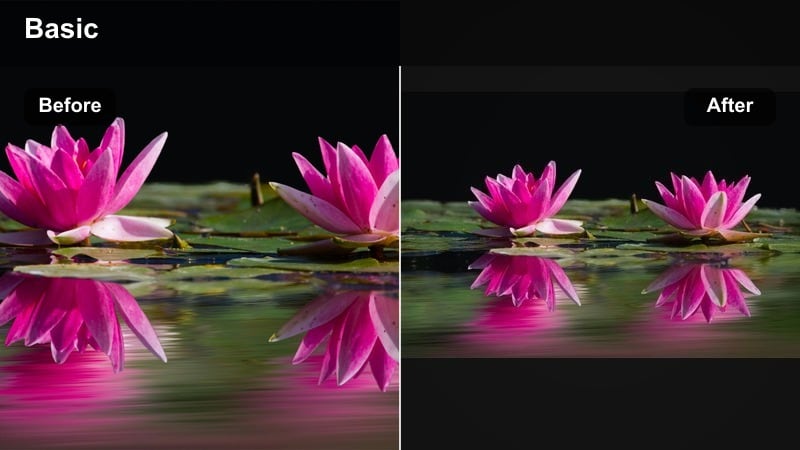
- Effect look: High contrast black base with metallic cyan and magenta accents plus subtle chromatic aberration on edges
- Best for: Edit heavy dark TikTok LUT style transitions, beat synced reels, and experimental night dance or fashion edits
- Editing tip: Cut on the beat and add quick push or spin transitions so the glitchy chrome accents match movement in the music
Glitch Night Chrome is a bold, experimental effect that turns ordinary night streets into a metallic, chrome tinted world. Deep blacks provide a strong base while cyan and magenta accents create a futuristic edge. Subtle chromatic aberration on high contrast edges reinforces the glitchy, digital vibe that pairs well with fast transitions and beat synced edits.
In Filmora, drop this dark TikTok LUT style look onto dance or fashion clips, then cut tightly to the music. Combine it with whip pans, zooms, and glitch transitions from the effects library to intensify the cyber aesthetic. To keep motion readable after TikTok compression, keep additional motion blur and glow modest, and export at a higher bitrate so metallic textures and edge effects stay clean.
Pro tip: Protect motion from smearing
Keep motion blur and added glow low so fast moves stay readable once TikTok compresses the file.
Export at a higher bitrate from Filmora than you think you need so the glitch textures survive the platform recompression.
Noir Grain Reel
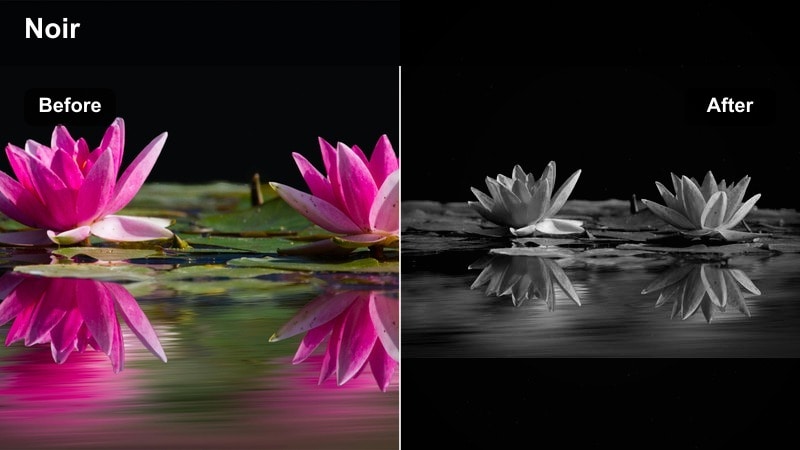
- Effect look: Black and white conversion with strong film grain, lifted shadows, and subtle film gate flicker style look
- Best for: Story driven shorts, poetry overlays, solo walks, and mystery themed TikTok night clips
- Editing tip: Trim your audio for pauses and let the grain and flicker fill the silence to keep viewers locked into your pacing
Noir Grain Reel strips away messy color from mixed city lighting and replaces it with a timeless black and white film look. Strong grain, lifted shadows, and a hint of flicker create a moody, analog atmosphere perfectly suited to spoken word, reflective walks, or mysterious vignettes shot at night. It instantly focuses attention on shapes, light, and emotion instead of distracting hues.
In Filmora, apply this filter to clips where contrast and story matter more than color. Use the curves tool to fine tune how deep your blacks go and how much detail stays in midtones. You can overlay subtle film burn or dust effects from Filmora s asset library to push the old movie aesthetic further, and then keep edits simple and slow so the grain and flicker become part of your pacing.
Pro tip: Match grain size to resolution
If you shoot in 4K but export in 1080p, reduce grain size so it does not overpower small screens.
Avoid stacking extra sharpening on top of grain or the image will start to look crunchy, especially in dark areas.
Haze Lens Night
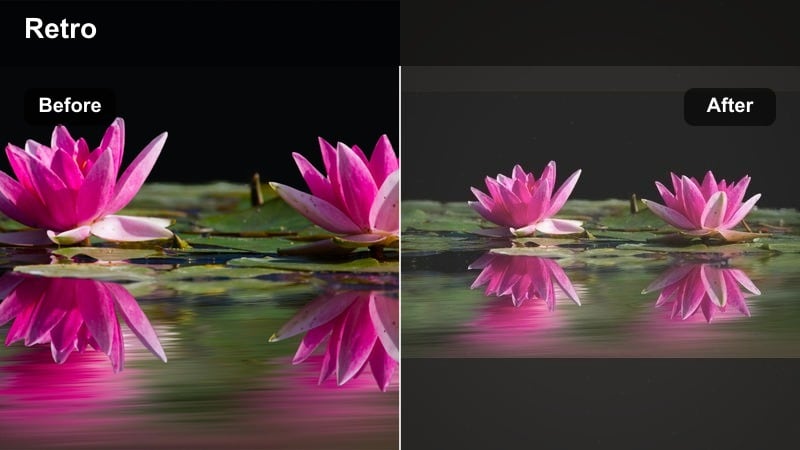
- Effect look: Soft halation around highlights, gentle diffusion, slight cyan shadows for a dreamy analog haze effect
- Best for: Slow motion night b roll, car window reflections, rainy glass close ups, and dreamy romance edits
- Editing tip: Shoot into light sources like headlights or streetlamps, then apply the filter and reduce clarity for strong glowing halos
Haze Lens Night emulates on lens diffusion filters and halation you would get from vintage glass. Streetlamps, headlights, and reflections gain soft glows that spread gently into the surrounding dark, while a mild cyan tint in shadows keeps the mood cool and dreamy. It is perfect for car window scenes, rainy sidewalks, and soft focus romance edits.
When grading in Filmora, aim your camera toward light sources in your original footage so the filter has bright points to bloom. After applying the effect, reduce clarity and contrast slightly to enhance the dreamy feel, and consider adding a slow push in or pan to make static shots feel more cinematic. If faces become too hazy, use a mask to restore sharpness and contrast on eyes and lips while leaving everything else wrapped in glow.
Pro tip: Use haze to hide low light noise
The diffusion and glow naturally soften grain, but also reduce ISO in camera whenever possible for cleaner source footage.
If faces get too soft, use a face mask and raise sharpness only there while leaving the rest of the frame hazy.
Tips for Using Night Video Tiktok Filter Filters in Filmora
- Shoot with the brightest safe exposure at night, then let your night video filters handle contrast instead of underexposing in camera.
- Keep your light sources in frame when possible, because many night filters look best when they have highlights to bloom and stylize.
- Always test your filter at TikTok export resolution and bitrate to make sure dark areas do not turn into noisy blocks.
- Lock white balance in camera before using stylized night filters so colors stay consistent between shots.
- Use masks to protect faces and important details whenever you apply extreme dark aesthetic or glitch heavy night filters.
With a small set of well chosen night video filters for TikTok, you can turn noisy, flat low light clips into cohesive dark aesthetic stories that match your brand.
Experiment with a few of these looks, save your favorites as presets, and you will be able to grade every future night clip in seconds while keeping your feed visually consistent.
secure download