



 100% Security Verified | No Subscription Required | No Malware


 ChatGPT
 Perplexity
 Gemini
 Claude
 Grok
Grok
Shooting at night can make your YouTube videos look noisy, muddy, and flat, even if your story and locations are amazing. The right Filmora filters can rescue dark footage, balance mixed lighting, and add a polished cinematic grade that keeps viewers watching.
Below are 12 curated night video filters for YouTube creators, from street vloggers to cinematic storytellers. Each filter includes what the effect looks like, when to use it, and a quick editing tip so you can dial in a clean, consistent night vlog grade fast.
In this article
Urban Night Vlog Filters
Neon City Glow
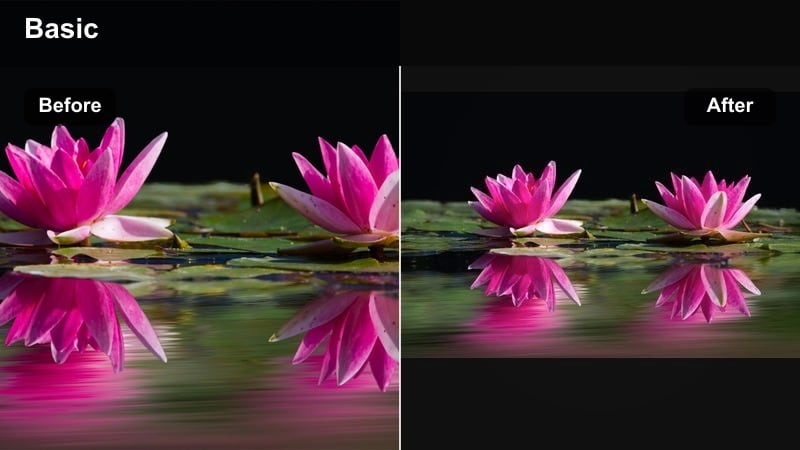
- Effect look: Boosted saturation on signage, subtle teal shadows, gentle highlight bloom around bright neon lights
- Best for: Street YouTube night vlogs with neon signs, downtown walks, city lifestyle channels and B-roll montages
- Editing tip: Lower the filter intensity to around 60-70 percent and pull saturation down slightly if skin tones look oversaturated under strong neon lights.
Neon City Glow is designed to make neon-lit streets look cinematic without turning your subject into a glowing cartoon. In Filmora, this night video YouTube filter enhances colored signs, adds a soft bloom to bright areas, and shifts shadows toward teal so your subject stands out against the city environment.
Apply Neon City Glow from the Effects panel, then adjust the intensity slider until the neon feels rich but skin tones remain believable. For YouTube night vlogs with lots of storefronts and billboards, this filter gives you that polished, cyberpunk city feel in a few clicks while still keeping faces watchable on both mobile and TV screens.
Auto-balance night colors with AI
Filmora s AI tools can quickly correct extreme color casts from sodium-vapor street lamps, neon signs, and mixed lighting before you apply any night video filter for YouTube. This gives Neon City Glow and similar effects a cleaner starting point, so colors pop without going radioactive.
Start with automatic color balance on your clip, then layer your chosen night vlog grade to keep skin tones natural while still leaning into a cinematic mood. This workflow helps you get a consistent look across shots filmed under very different city lights.
 secure download

Preview night filters in real time
Use Filmora s Effects panel to hover and preview how each night video filter will interact with your footage before you commit to a look. You can instantly see how Neon City Glow compares to softer or more neutral grades without rendering or exporting.
Test filters on a section of your timeline that includes faces, bright signs, and dark alleys so you can judge skin-tone accuracy, highlight control, and shadow detail all at once. This speeds up finding the right YouTube night LUT style for your channel.
secure downloadSave your own night LUT-style presets
After stacking filters like Neon City Glow with basic exposure and white balance tweaks, you can save the whole combination as a custom preset that behaves like your own YouTube night LUT. This makes it easy to keep all your night vlogs on-brand.
Reusing a preset on recurring series or city-walk formats dramatically speeds up editing and ensures new uploads match the look of your older videos. Tweak per clip only when lighting is very different, then re-save if you discover a better version of your grade.
 secure download
Street Cinema Soft
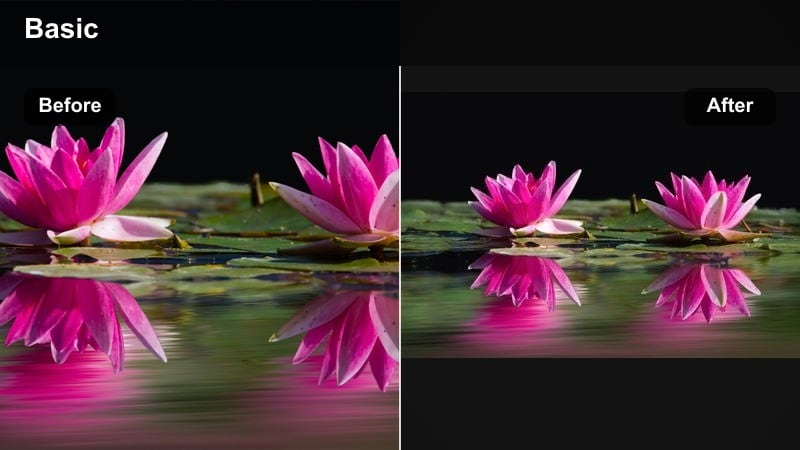
- Effect look: Soft contrast, warm highlights, gentle halation around street lamps, slightly lifted shadows
- Best for: Handheld night vlogs, talking-to-camera walk and talks, urban storytelling with mixed street lighting
- Editing tip: If your footage looks too hazy, add a subtle S-curve in color correction to restore midtone contrast while keeping the soft cinematic feel.
Street Cinema Soft gives night footage a filmic, glowy character, similar to shooting through diffusion filters on a real lens. In Filmora, it smooths harsh street lamps, lifts the darkest shadows, and wraps warm light gently around your subject for flattering skin.
This night video YouTube filter is ideal when your vlog is more about story and mood than bright colors. Apply it to walk-and-talk segments, tweak exposure so faces are still clear, then refine contrast with a gentle curve to avoid overly milky blacks.
Metro Noir
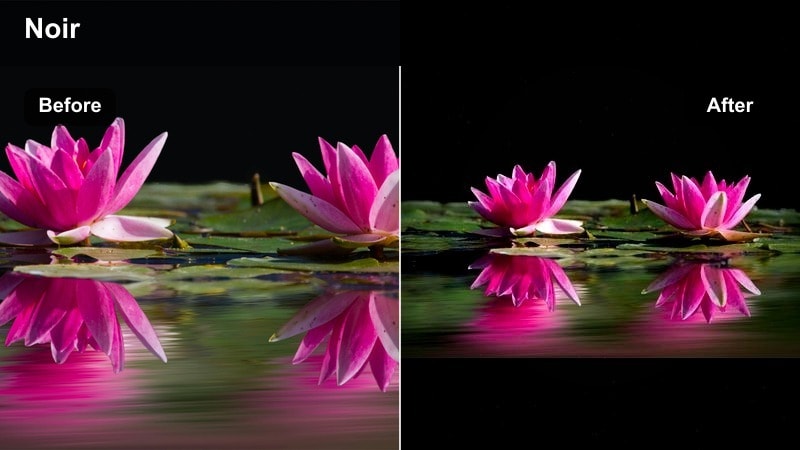
- Effect look: Deep blacks, cool blue shadows, desaturated backgrounds with preserved natural skin tones
- Best for: Moody travel vlogs, cinematic B-roll in subways, rainy streets, and night storytelling sequences
- Editing tip: Crank up contrast only slightly; most of the mood comes from cool shadows and clean blacks, not from crushing all the detail in the dark areas.
Metro Noir pushes your night footage toward a dramatic, noir-inspired look with rich blacks and cool-toned shadows. Background saturation is lowered so the city feels gritty and stylized, while Filmora keeps skin tones relatively neutral for clear storytelling.
Use this filter when you want your YouTube night sequences to feel like scenes from a thriller or art-house film. Apply Metro Noir on B-roll of trains, wet streets, and reflections, then fine-tune shadows to preserve enough detail in jackets, hair, and dark corners.
Clean Low-Light Filters for YouTube
Night Vlog Clean
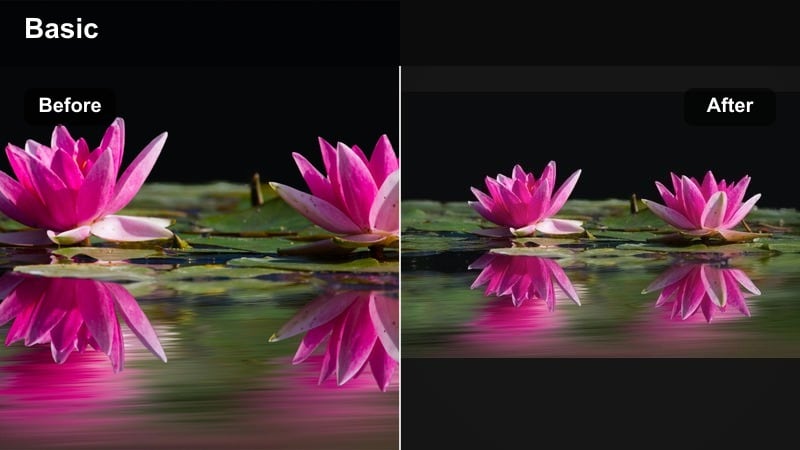
- Effect look: Balanced contrast, gentle color boost, lifted shadows, slightly smoothed noise in dark areas
- Best for: YouTube night vlogs, low light talking head intros, lifestyle and commentary channels that want a natural look
- Editing tip: Combine this filter with Filmora s noise reduction at a low setting and avoid heavy sharpening to keep the image clean and modern.
Night Vlog Clean is a go-to low-light YouTube filter when you want your footage to look natural and bright without obvious grading. It lifts shadows to reveal detail, slightly boosts color, and softens coarse noise so the image feels more expensive than the original capture.
Apply this filter across an entire night vlog, then adjust exposure per clip so faces remain evenly lit. Pair it with light noise reduction in Filmora, and skip aggressive sharpening so your final upload looks crisp yet smooth on phones and large TVs.
Low Light Boost
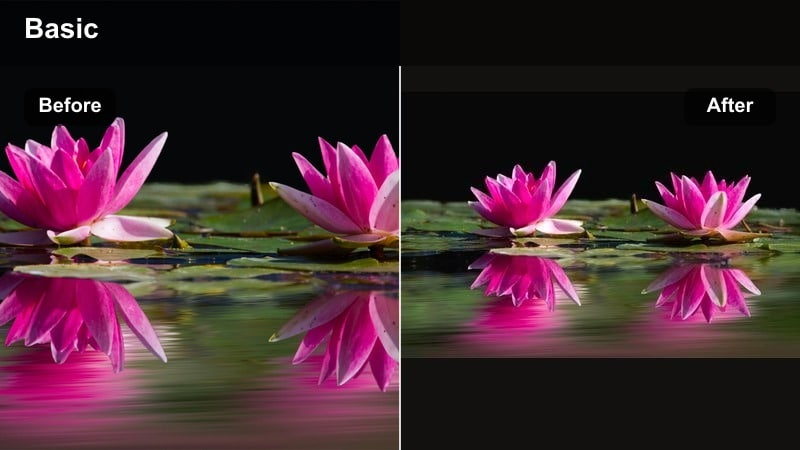
- Effect look: Brightened midtones, subtle highlight protection, slight warmth, gentle saturation increase
- Best for: Low light YouTube content shot in rooms, cafes, home studios or car vlogs with limited lighting
- Editing tip: If your highlights start clipping after applying, reduce overall exposure first, then bring up shadows only so you keep details in light sources.
Low Light Boost is tailored for underexposed indoor or in-car clips where you want a cozy, approachable atmosphere. In Filmora it raises midtones to make faces readable, warms up the color temperature slightly, and protects bright screens and lamps from blowing out.
Use this filter when you film in dim cafes, bedrooms, or cars lit mostly by streetlights and dashboards. Adjust filter intensity until skin looks natural, then balance exposure with the shadows and highlights sliders so the background still shows context.
Parking Lot Neutral
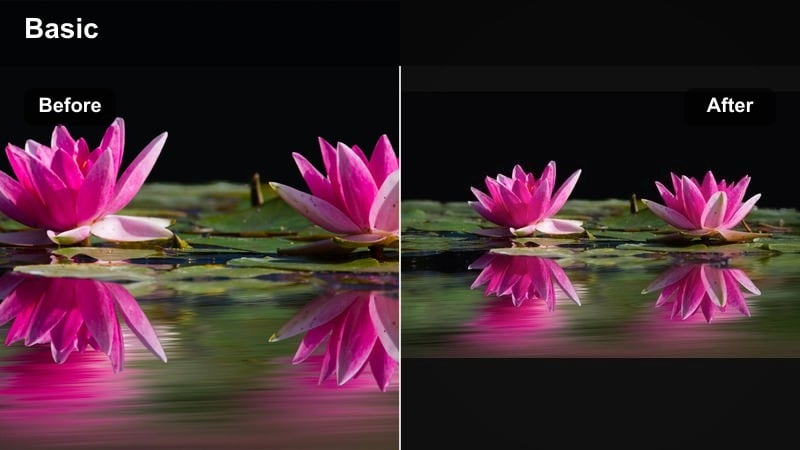
- Effect look: Neutral color balance, slight contrast lift, controlled saturation on harsh mixed lighting
- Best for: Car vlogs, parking lot monologues, night challenge videos with bright overhead lights or store fronts
- Editing tip: Use the white balance tools to nudge the tint slider until white areas look neutral, then let the filter handle the rest of the contrast.
Parking Lot Neutral is built to tame ugly green or orange color casts from industrial lighting. It pulls the image toward a balanced white, subtly increases contrast, and keeps saturation in check so your face does not look sickly or overly yellow.
Apply this night video YouTube filter whenever you are under harsh parking lot fluorescents or mixed storefront lighting. Correct white balance first in Filmora, then drop this filter on top to normalize the scene and give your vlog a clean, professional finish.
Cinematic Night Grades for YouTube
Teal and Orange Night Grade
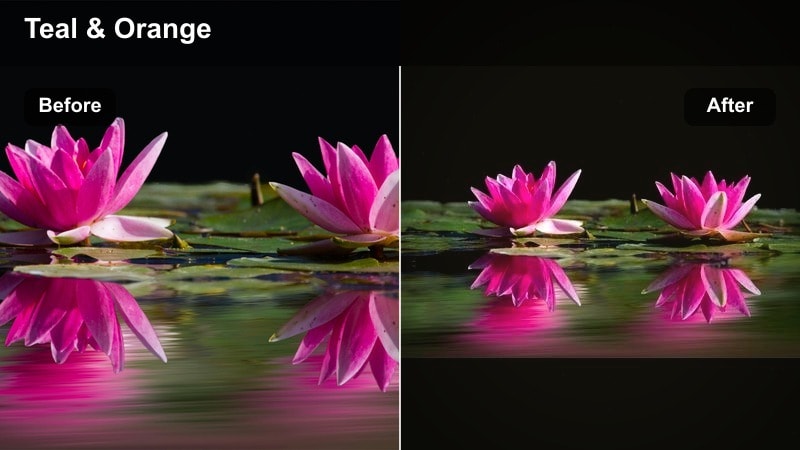
- Effect look: Classic teal shadows and warm skin tones, boosted contrast, slightly cinematic fade in blacks
- Best for: Cinematic night sequences, short film style YouTube content, travel edits and stylized city B-roll
- Editing tip: Use keyframed intensity so dialogue scenes stay softer while B-roll moments get the stronger teal and orange punch.
Teal and Orange Night Grade brings the familiar blockbuster palette to your low-light content. It cools down backgrounds and shadows while giving skin a warm, inviting tone, separating your subject from the environment with a single YouTube night LUT style adjustment.
In Filmora, apply this filter to narrative scenes, cinematic B-roll, and travel montages filmed after dark. Adjust intensity per shot, and if skin turns too orange, slightly reduce saturation in the orange channel so the look stays stylish but believable.
Midnight Cinema Lifted
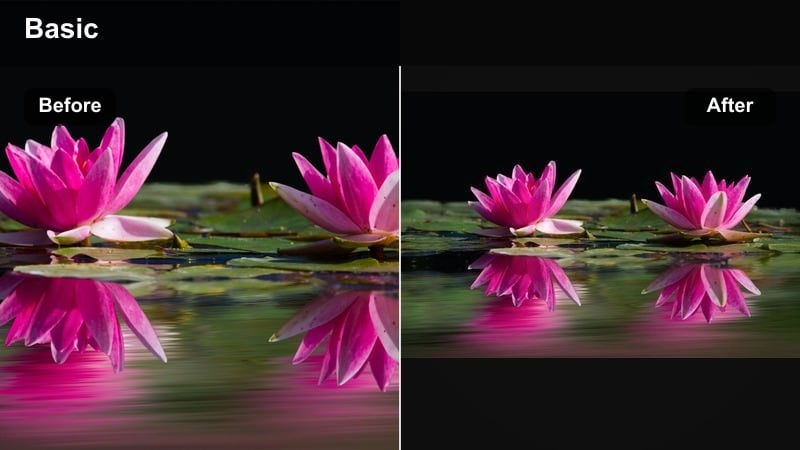
- Effect look: Lifted black levels, soft highlights, cool blue-green tint in shadows, reduced saturation
- Best for: Moody narrative scenes, reflective night monologues, aesthetic b-roll for music or poetry videos
- Editing tip: If the image becomes too flat, add a slight bump to midtone contrast only, leaving blacks lifted for that dreamy midnight feel.
Midnight Cinema Lifted gives your footage a soft, dreamy quality by lifting blacks and muting colors. Night scenes take on a quiet, reflective mood with cool blue-green shadows and gentle highlights that work well with slower pacing and ambient music.
Use this grade in Filmora for introspective monologues, cityscapes at night, and poetic B-roll. Fine-tune the curve so midtones keep enough shape, but avoid pushing blacks back to pure black or you will lose the distinctive airy character of the filter.
Night Vlog Grade Plus
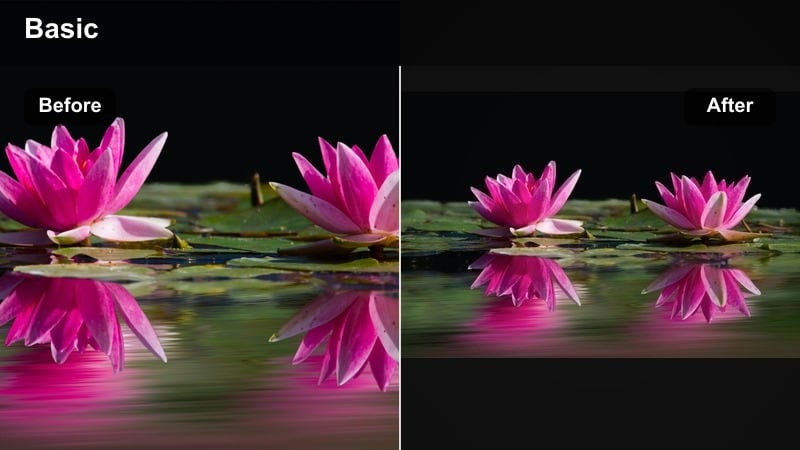
- Effect look: Punchy contrast, slightly cool shadows, vibrant but controlled colors, clean modern YouTube style
- Best for: High-energy night challenges, group vlogs, IRL streaming highlights and event recaps at night
- Editing tip: Apply this filter before adding overlays and text; then adjust text colors to avoid clashing with the boosted saturation.
Night Vlog Grade Plus is built for energetic, fast-cut night content. It adds extra contrast for punch, cools shadows just a touch, and boosts color enough to feel exciting without breaking YouTube-friendly clarity and legibility.
Apply this filter in Filmora to event recaps, group challenges, and IRL highlight reels filmed after dark. Once it is on, tweak text and overlay colors to complement the more saturated image, and add a touch of sharpening for crisp playback on big screens.
Specialty Night Effects and LUT-Style Filters
YouTube Night LUT Soft
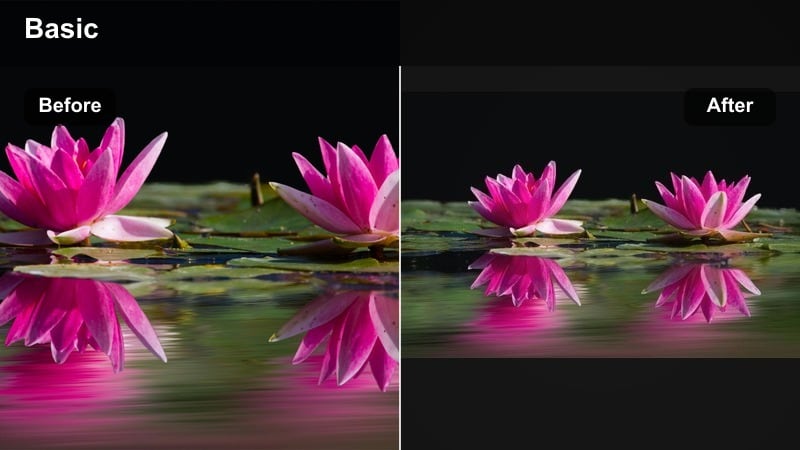
- Effect look: Soft LUT-style grade with gentle contrast, slightly desaturated colors, and smoother gradients in shadows
- Best for: Creators using flat or log night profiles who want a quick one-click YouTube night LUT look
- Editing tip: Normalize exposure and white balance before applying, then fine-tune contrast so the LUT stays soft and does not crush your blacks.
YouTube Night LUT Soft is ideal if you shoot in flat or log profiles and want a quick, polished result. It restores contrast and color in a restrained way, protecting shadow detail and smooth gradients that often get lost in aggressive grades.
In Filmora, first correct exposure and white balance so your flat footage looks neutral, then add this night LUT-style filter on an adjustment layer. Adjust overall intensity to taste and avoid stacking heavy contrast tools on top, which can undo the soft, cinematic feel.
Low Light Clarity Focus
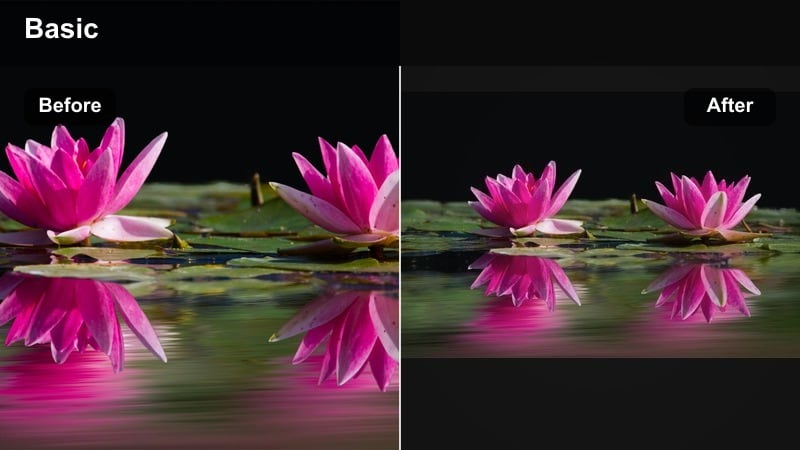
- Effect look: Moderate clarity boost on midtones, slightly reduced saturation in backgrounds, subtle vignette effect
- Best for: Night tutorials, product showcases, and food vlogs where the subject needs to stand out from a dark background
- Editing tip: Dial clarity back if you see noise becoming more visible around edges, especially in underexposed backgrounds.
Low Light Clarity Focus is all about subject separation in dark scenes. It increases micro-contrast around midtones so edges pop, gently darkens frame corners, and slightly tones down background saturation so the viewer looks straight at your product or plate.
Apply this night video YouTube filter to tabletop shots, tutorials, and food close-ups filmed at night. Combine it with Filmora s noise reduction first so the added clarity enhances real detail rather than amplifying high-ISO grain.
Starry Street Dream
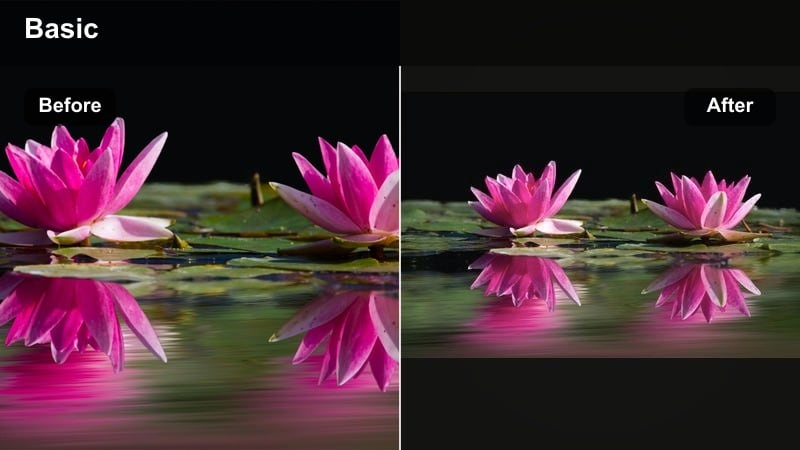
- Effect look: Strong highlight bloom, slightly pastel colors, lowered overall contrast for a dreamy night ambiance
- Best for: Romantic night walks, cinematic B-roll of lights, creative intros and outros on aesthetic channels
- Editing tip: Keep camera movement slow and stable; fast motion with heavy bloom can feel messy and distract from the dreamy aesthetic.
Starry Street Dream transforms headlights, street lamps, and building windows into big, soft orbs of light. Colors lean toward pastel and overall contrast drops, creating a whimsical mood that works beautifully for romantic or aesthetic-focused channels.
Use this filter in Filmora sparingly, focusing on intros, transitions, and B-roll sequences. Slightly underexpose your footage in-camera, then apply the effect and adjust intensity until light blooms stay soft and rounded instead of turning into blown-out patches.
Tips for Using Night Video Youtube Filter Filters in Filmora
- Slightly underexpose in camera at night to protect highlights, then use Filmora filters to lift shadows and restore detail.
- Always fix white balance first so your chosen night video filter for YouTube does not exaggerate green or orange color casts.
- Apply noise reduction before sharpening or clarity-focused filters so grain does not get amplified.
- Keep filter intensity lower on talking segments and stronger on B-roll to maintain a comfortable viewing experience.
- Export night videos at a higher bitrate than daytime content to preserve gradients in dark areas and avoid banding.
- Test a few different night video filters on the same clip in Filmora to see which one best matches your channel branding.
- Save your favorite night vlog grades as custom presets so you can apply a consistent look in one click across future uploads.
- Check your final grade on both a phone and a larger screen to make sure shadows are not too dark for mobile viewers.
With the right combination of night video filters for YouTube, you can turn noisy, flat low-light footage into cinematic night vlogs that fit your channel s aesthetic and keep viewers engaged.
Experiment with two or three of these Filmora grades, save your favorite as a preset, and build a consistent night vlog grade you can reuse across all your low light video channels.
secure downloadNext: Best Night Video Filters for TikTok: Turn Dark Clips into Scroll-Stopping Posts
