

 100% Security Verified | No Subscription Required | No Malware


 ChatGPT
 Perplexity
 Gemini
 Claude
 Grok
Grok
Cool outdoor video filters are perfect for hikers and travelers who want their adventure footage to feel fresh, crisp, and cinematic. By leaning into blue outdoor tones and gentle cool contrast, you can turn simple hiking clips and camping memories into atmospheric travel stories.
In Filmora, the Cool Outdoor Filter. Fresh Trail preset and related cool tone looks give nature scenes a breathable, clean style while keeping skin tones natural. Below are curated filter styles you can use on outdoor adventures, camping nights, and trail vlogs to create a cohesive visual mood for your trips.
In this article
Cool Filters for Bright Daylight Hikes
Cool Outdoor Filter. Fresh Trail
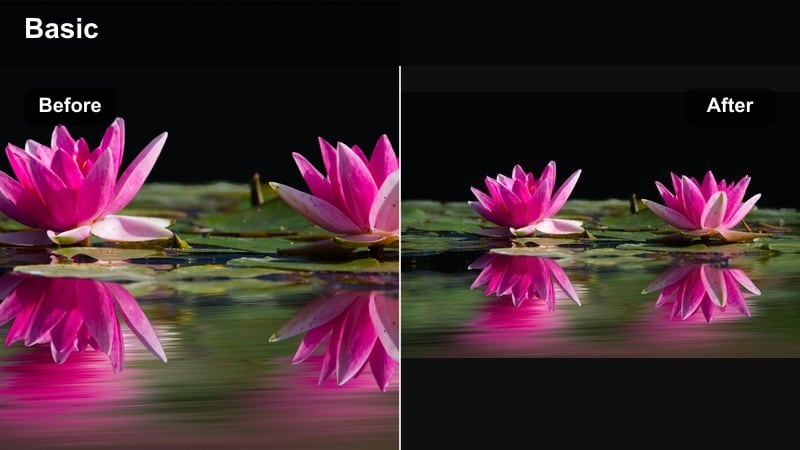
- Effect look: Soft cool contrast with gentle blue outdoor tones that brighten foliage and sharpen trail details without making the image feel harsh.
- Best for: Sunny ridge walks, forest paths, and open mountain viewpoints where you want a clean, airy adventure aesthetic.
- Editing tip: Lower the intensity slightly on skin and close-ups, then add a subtle vignette to pull focus toward hikers on the trail.
This signature cool outdoor preset adds a crisp, fresh nature mood to daytime hiking footage, making skies bluer, foliage cleaner, and distant peaks more defined. In Filmora, you can drop the Cool Outdoor Filter. Fresh Trail preset onto your clip to instantly remove muddy warmth and replace it with a breathable, modern adventure look.
For best results, keep overall exposure slightly on the bright side, then fine-tune intensity so skin tones do not lean too blue. Combine Fresh Trail with Filmora tools like vignettes and slight sharpness boosts to emphasize trail texture and give your hiking vlogs a polished, trail-film aesthetic.
Use AI Color Tools to Refine Cool Outdoor Tones
Filmora s AI-driven color tools help you fine-tune cool outdoor video filters without needing deep color grading experience. You can quickly balance blue outdoor tones, recover detail in shadows, and keep faces looking natural across a full hiking or camping edit.
Apply a cool preset like Cool Outdoor Filter. Fresh Trail, then let AI-guided adjustments refine exposure, white balance, and contrast based on your scene. This makes it easier for hikers and travelers to achieve a fresh nature look even when lighting changes along the trail.
 secure download

Preview Cool Outdoor Filters on Your Adventure Clips
With Filmora, you can quickly preview multiple cool tone filters on the same hiking or camping shot to see which one fits best. This side-by-side experimenting is invaluable when you are deciding between fresh, bright cool looks and moodier matte tones.
Stack different filter presets on duplicate clips, then toggle visibility or switch between them in the timeline. You will immediately see how each cool outdoor style affects skies, foliage, rivers, and camp scenes before committing to one look.
secure downloadCombine Cool Filters with LUTs for a Cinematic Outdoor Style
For hikers and travelers who want an even more cinematic feel, pairing cool outdoor filters with LUTs in Filmora can create a distinctive signature look. Filters handle the base cool tone, while LUTs refine contrast, color separation, and overall mood.
Start with a subtle cool filter, then add a compatible LUT at low intensity so the result still feels natural. This layered approach keeps footage from looking over-processed while giving your outdoor adventures a recognizable visual identity across episodes.
secure downloadRidge Breeze Cool
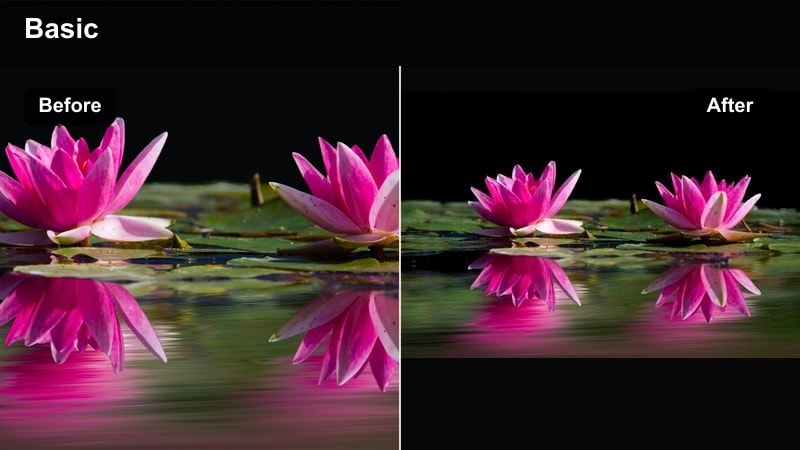
- Effect look: Crisp cool tone with light desaturation that makes skies deeper and ridgelines more defined for a high-altitude vibe.
- Best for: Exposed ridge hikes, summit reveals, and drone passes over mountain ranges in clear weather.
- Editing tip: Increase clarity slightly to enhance rock texture, and dial back contrast a bit if snow highlights look blown out.
Ridge Breeze Cool delivers a clean blue outdoor look that emphasizes depth in mountain landscapes and makes high-altitude scenes feel sharp and expansive. It pulls a bit of saturation from warm tones so rocks and dirt trails look more neutral while the sky and distant peaks gain presence.
In Filmora, pair this filter with clarity and sharpness adjustments to draw attention to ridgeline contours and summit details. When working with snowy summits or bright glaciers, reduce contrast and adjust highlights to keep the cool tone while preserving texture in white areas.
Pine Shade Cooler
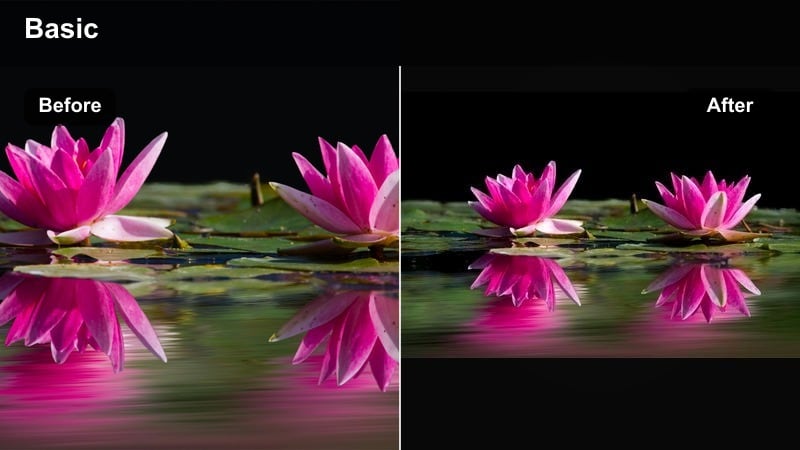
- Effect look: Cool, shadow-friendly look that tames harsh greens and adds subtle blue to midtones for shaded forest trails.
- Best for: Dense pine forests, narrow canyon walks, and overcast trail days where light feels flat.
- Editing tip: Add a light lift to shadows to recover dark tree trunks, then increase vibrance to keep moss and ferns feeling alive.
Pine Shade Cooler is designed for darker trails where raw footage can look muddy or overly green. It neutralizes strong green casts, adds a gentle cool tint to the midtones, and helps separate trunks, branches, and path details in low-contrast forest light.
In Filmora, combine this filter with lifted shadows and a touch of vibrance so forest textures remain visible without becoming neon or cyan. Limiting the filter s effect on highlights preserves brighter sky gaps between trees, while keyframed exposure helps smooth transitions as you move between shade and occasional sun patches.
Cool Filters for Lakes, Rivers, and Waterfalls
Glacier Lake Chill
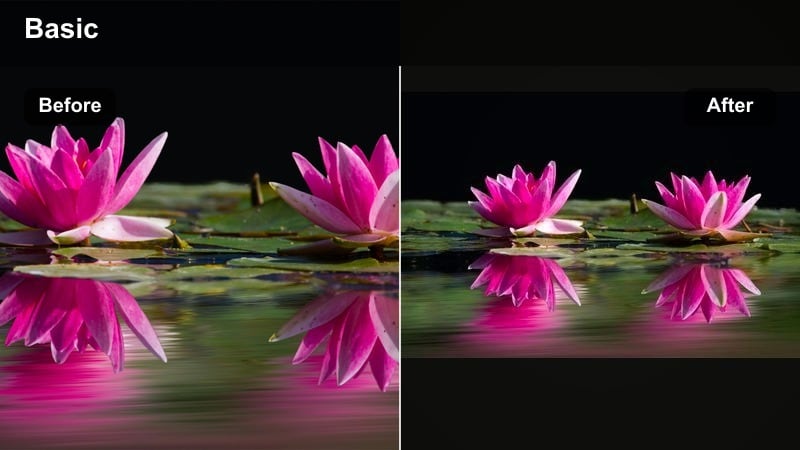
- Effect look: Pronounced blue outdoor shift that makes water look glacial and glassy while pulling warmth out of rocks and shorelines.
- Best for: High-altitude lakes, turquoise rivers, and calm reflections where water is the main subject.
- Editing tip: Slow clips to 60-70 percent speed and add a slight sharpen to ripples so the cool water texture stands out.
Glacier Lake Chill turns ordinary lake footage into icy, cinematic vistas by amplifying blue tones and cooling neutral areas around the water. Reflections become more mirror-like, and shorelines lose excess warmth so the water surface becomes the star of the frame.
Inside Filmora, use this filter on landscape-only clips at full strength, then lower intensity on shots featuring people so skin tones do not look washed out. Combine it with slow motion, light sharpening, and subtle contrast adjustments to emphasize ripples, reflections, and subtle color gradients across the lake.
Misty Falls Cool Mist
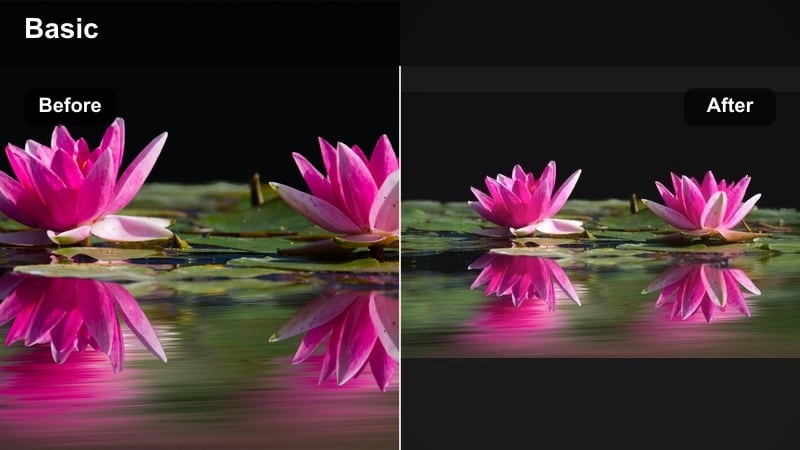
- Effect look: Soft, hazy cool tone that enhances waterfall spray and mist, giving cascades a dreamy, fresh nature glow.
- Best for: Waterfalls, gorges, and wet canyon scenes shot in overcast light or soft backlight.
- Editing tip: Add a slight blur or glow effect to highlights and drop saturation in yellows so rocks do not distract from the water.
Misty Falls Cool Mist wraps waterfalls in a gentle cool haze, accentuating motion and atmosphere instead of pure sharpness. Whites in the spray take on a faint blue tint, while surrounding rocks and foliage become more subdued so the cascade feels like the visual focal point.
In Filmora, apply this filter and then layer in a glow or light blur on highlights to enhance the floating mist effect. If your scene contains bright yellow or brown rocks, reduce their saturation so they do not fight the water for attention, and adjust shutter blur or motion settings in-camera to match the soft, dreamy vibe of the grade.
River Run Teal Cool
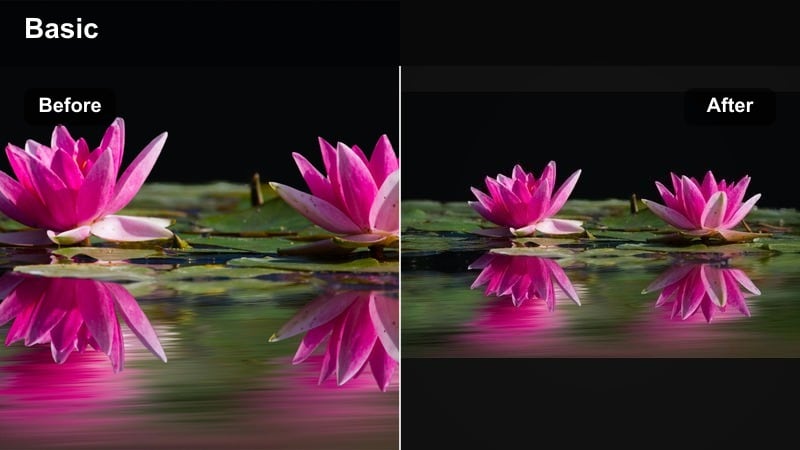
- Effect look: Teal-leaning cool tone that deepens river channels and brings out underwater stones without oversaturating the scene.
- Best for: Mountain streams, river crossings, and shoreline B-roll in hiking and camping montages.
- Editing tip: Use subtle handheld stabilization in Filmora to smooth movement while the cool filter draws focus to flowing water lines.
River Run Teal Cool adds a refined teal cast to moving water, helping river currents look deeper and more defined while underwater stones and banks remain clean. It cools the entire palette but retains enough neutrality that surrounding foliage and rocks stay believable.
Use this preset in Filmora on B-roll cutaways of rivers winding through your route, then stabilize the clip so the viewer can track the flowing lines clearly. Combine the filter with minor contrast and vibrance tweaks to keep foam, ripples, and wet rocks lively without pushing colors into an artificial teal-and-orange style.
Cool Filters for Camping Evenings and Blue Hour
Blue Hour Campsite
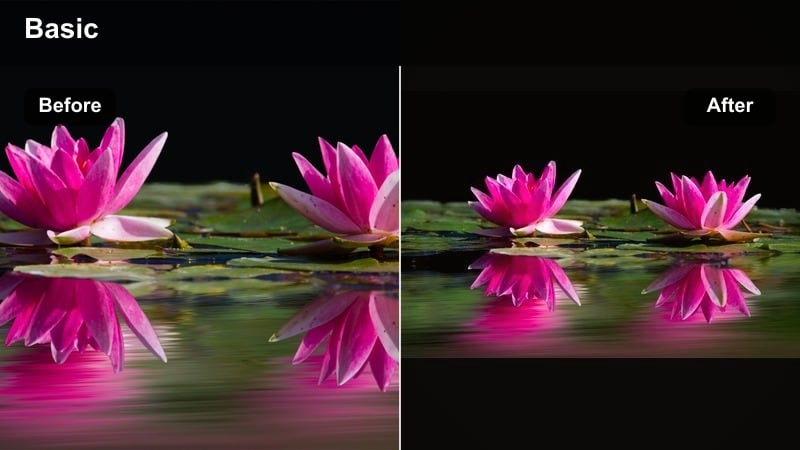
- Effect look: Rich blue hour emphasis that deepens the sky while keeping tent lights and lanterns warm and inviting.
- Best for: Twilight camp setups, silhouettes against fading light, and early dawn pack-up shots.
- Editing tip: Raise exposure slightly and add a medium-strength vignette so glowing tents pop against the darkened horizon.
Blue Hour Campsite is built to intensify the natural coolness of dusk and dawn, enriching blues in the sky while preserving warm glows from tents, lanterns, and headlamps. This contrast between cool surroundings and warm light sources creates a cinematic camping aesthetic.
In Filmora, use this filter on wide campsite establishing shots and then gently lift exposure or shadows so important details do not disappear into black. A vignette or subtle mask around tents helps guide the viewer s eye to the cozy center of the frame, while selective color tools can reinforce the orange warmth of lights against the cooler environment.
Embers and Cool Night
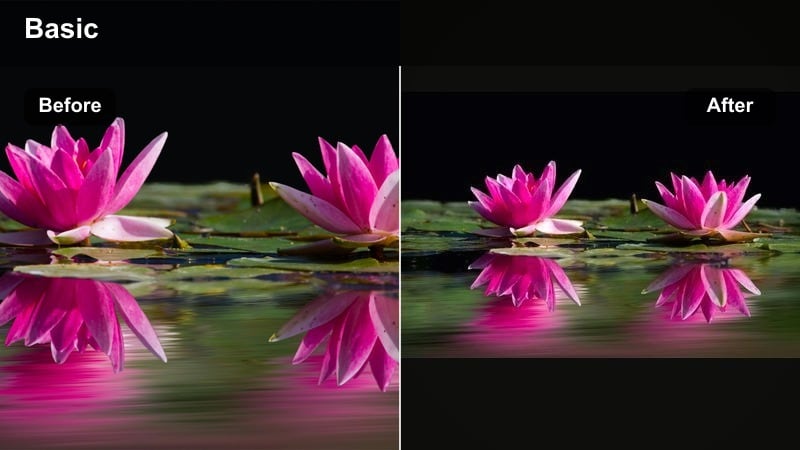
- Effect look: Cool background tones with preserved warm orange highlights, creating strong contrast around campfires and cooking scenes.
- Best for: Campfire storytelling shots, night cooking B-roll, and marshmallow roasting moments.
- Editing tip: Reduce highlight roll-off so sparks and flames stay detailed, then drop overall saturation slightly for a more cinematic look.
Embers and Cool Night cools down the forest and sky while letting firelight stay rich and warm, giving your night camping footage a dramatic, high-contrast feel. Background trees and tents take on bluish shadows that frame the orange glow of the flames.
Within Filmora, combine this filter with careful highlight control to avoid clipping bright embers and fire cores. Slightly lowering overall saturation makes skin and gear look more cinematic under firelight, while raising shadows selectively ensures faces and surroundings stay readable even as the background deepens in cool tones.
Tent Interior Chill
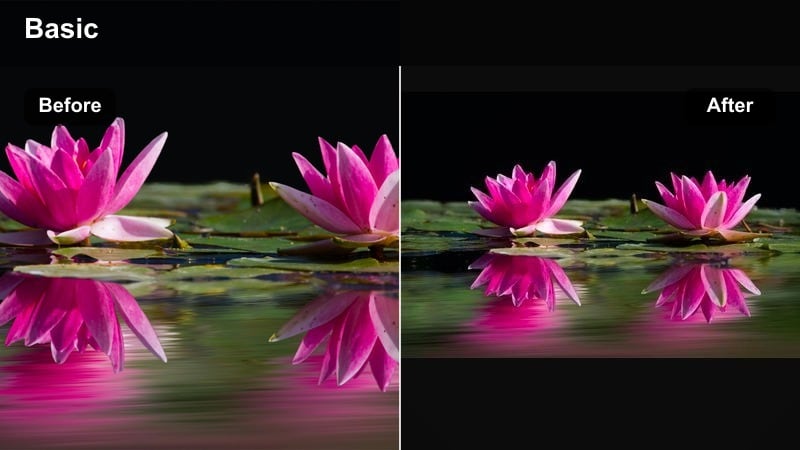
- Effect look: Subtle cool shift that cleans up mixed light inside tents while keeping faces natural and cozy.
- Best for: Inside-tent diaries, packing sequences, and early-morning shots with headlamps or soft lanterns.
- Editing tip: Use Filmora s face enhancement or slight skin smoothing alongside the filter so cooler tones do not emphasize tired features.
Tent Interior Chill is tuned for cramped, mixed-light environments where daylight, lanterns, and headlamps all hit the frame at once. It evens out color temperature, pushes the overall scene slightly cooler, and still maintains realistic skin tones for vlog-style shots.
Apply this preset in Filmora to all your inside-tent diary clips, then add light skin enhancement to prevent cooler shadows from emphasizing fatigue or noise. Local color tuning tools help you warm up specific areas like faces while leaving gear, sleeping bags, and tent fabric in a cleaner, cooler palette.
Cool Filters for Overcast Trails and Cloudy Peaks
Foggy Ridge Cool Matte
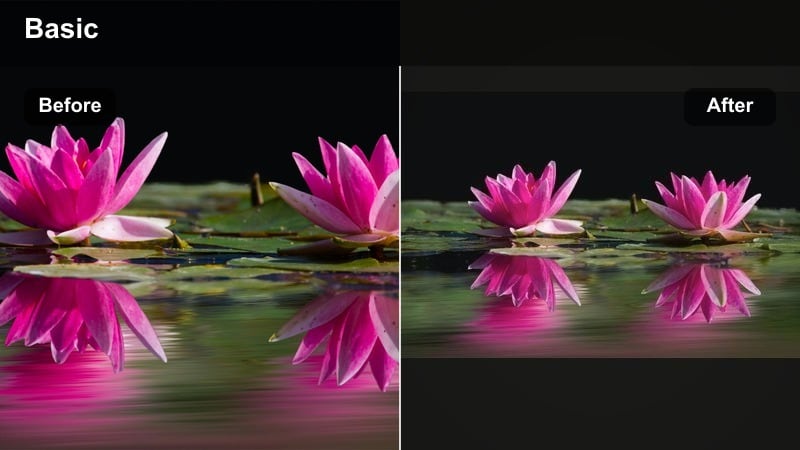
- Effect look: Muted cool tones with a light matte finish that adds mood and depth to foggy or low-contrast scenes.
- Best for: Cloudy summit days, foggy ridgelines, and misty valley overlooks where colors feel dull.
- Editing tip: Lift blacks slightly and reduce saturation in reds to keep jackets from overpowering the moody landscape.
Foggy Ridge Cool Matte transforms flat, gray trail footage into atmospheric scenes with gentle contrast and a soft matte finish. Colors become more subdued, fog gains presence, and distant shapes separate just enough to convey depth without losing the moody feeling.
Inside Filmora, after applying this filter, raise blacks and reduce saturation in bright clothing so hikers remain part of the landscape instead of stealing the frame. Combine the look with slower cuts and lingering shots of clouds and ridgelines to match the quieter, contemplative tone created by the matte cool grade.
Cloudline Cool Clarity
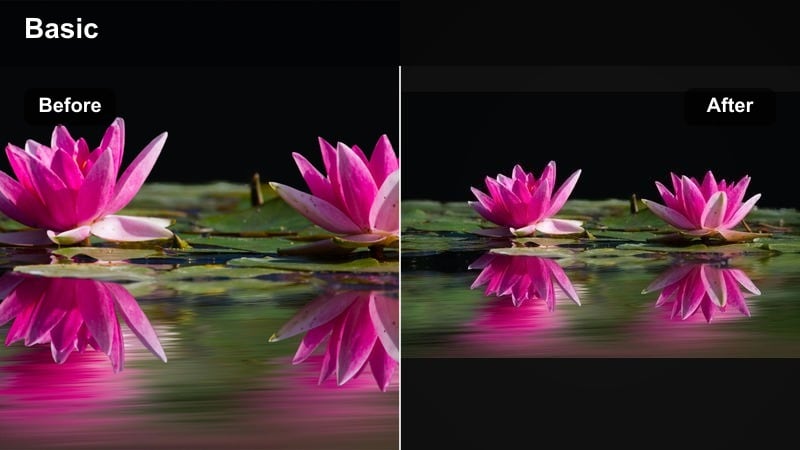
- Effect look: Clean cool tone with boosted midtone clarity that sharpens distant peaks under thick cloud cover.
- Best for: Ridgelines under heavy clouds, windy passes, and wide-angle shots of layered mountains.
- Editing tip: Add a slight dehaze and reduce blue luminance a touch if the sky becomes too intense after applying the filter.
Cloudline Cool Clarity is ideal when clouds flatten your mountain scenes and you need extra definition. It cools the overall image and increases midtone clarity so ridges, valleys, and rock formations stand out more clearly beneath gray skies.
In Filmora, pair this filter with gentle dehaze and controlled blue luminance so the sky looks dramatic without overpowering the terrain. Slightly lowering overall saturation shifts focus toward shapes and layers, letting viewers appreciate the structure of distant peaks and valleys even on gloomy trail days.
Trail Journal Cool Neutral
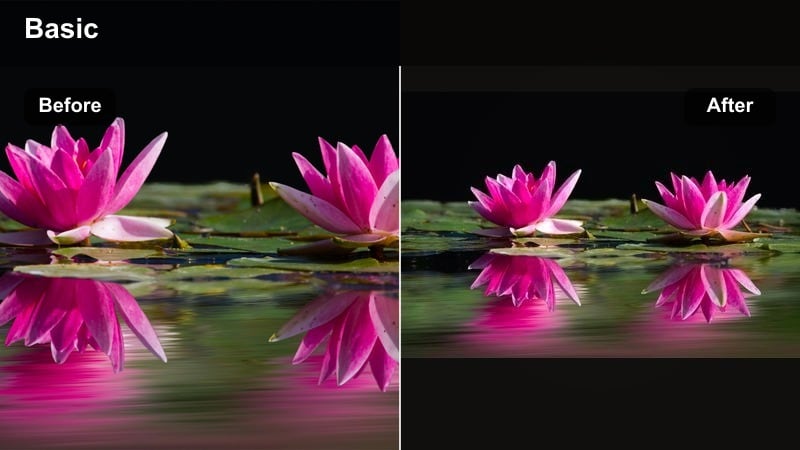
- Effect look: Balanced cool tone that takes warmth out of mud and rocks while preserving accurate skin tones for talking segments.
- Best for: On-trail vlogs, gear reviews, and travel journal entries filmed under flat, cloudy light.
- Editing tip: Pair the filter with a slight boost in vibrance instead of saturation so clothing and backpacks stay colorful but not cartoonish.
Trail Journal Cool Neutral is a versatile, vlog-friendly look that cools down muddy paths and dull rocks without making your face appear lifeless. It gently leans the overall frame into cool territory while prioritizing natural skin color and clean midtones.
Use this preset in Filmora as your base grade for all cloudy-day speaking clips, then add a bit of vibrance to keep jackets, backpacks, and trail markers vibrant. Save your adjusted version as a custom preset so you can apply the same outdoor cool style across multiple episodes of your hiking or travel series with a single click.
Tips for Using Outdoor Cool Filters in Filmora
- Shoot in slightly flatter camera profiles so cool outdoor filters have more dynamic range to work with in Filmora.
- Avoid overexposing bright skies; cool filters often deepen blue, which can highlight clipped areas.
- Apply cool outdoor video filters first, then fine-tune white balance so snow, clouds, and rocks look natural.
- Use keyframes to slowly increase cool tone intensity as you gain altitude or move toward evening scenes.
- Create separate adjustment layers for people and landscapes to keep skin tones natural under strong blue outdoor looks.
- Lower saturation before adding heavy cool tone filters to prevent greens from shifting into unnatural cyan.
- Stabilize handheld hiking shots so crisp cool tones do not accentuate unwanted jitter.
- Match one primary cool filter across your entire trip video to give the story a cohesive, fresh nature aesthetic.
Cool outdoor video filters in Filmora make it easy for hikers and travelers to turn everyday trail and camping clips into clean, cinematic adventures. By leaning into blue outdoor tones, gentle contrast, and selective warmth, you can highlight fresh nature details without sacrificing realism.
Start with the Cool Outdoor Filter. Fresh Trail preset, then explore the related styles above to match different lighting, landscapes, and moods. With a few thoughtful adjustments, your outdoor adventures will feel consistent, polished, and ready to share across vlogs, reels, and full travel films.
secure downloadNext: Try an Outdoor Aesthetic Filter for Warmer Travel Vibes
