

 100% Security Verified | No Subscription Required | No Malware


 ChatGPT
 Perplexity
 Gemini
 Claude
 Grok
Grok
This Outdoor Fashion Shoot Video Filter collection is designed for content creators who film lookbooks, outfit reels, and lifestyle clips in natural light and want a polished, editorial finish in seconds.
From golden-hour glow to bold streetwear contrast, these presets help you balance exposure, enhance fabric detail, and keep skin tones flattering across every outdoor fashion scenario.
In this article
Sunlit Street Style Runways
Golden Hour Glam
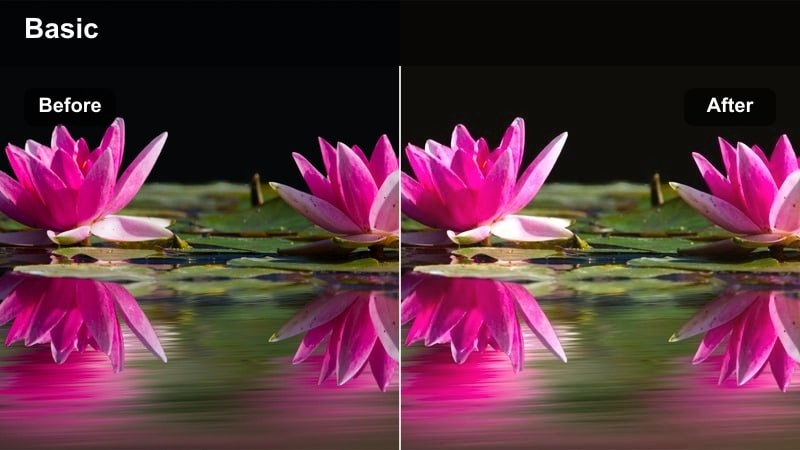
- Effect look: Warm, soft glow that mimics golden-hour sunlight with gentle highlights on skin and fabric.
- Best for: Evening outfit reveals, rooftop fashion shoots, and lifestyle B-roll in warm outdoor light.
- Editing tip: Lower the intensity if your original clip is already very warm to avoid orange skin tones.
Golden Hour Glam wraps your outdoor fashion clips in a luxe, sunlit glow that feels like you shot during the perfect five minutes of sunset, even if you did not. It gently boosts warmth, adds smooth highlights on skin, and subtly enriches fabric tones so outfits look dimensional and expensive on camera.
In Filmora, apply this filter to your lookbooks or rooftop transitions, then fine-tune intensity to keep whites clean and skin tones natural. Combine it with slight exposure adjustments and HSL tweaks for orange and yellow to maintain rich warmth without tipping into oversaturated or overly orange footage.
Match Outdoor Fashion Colors with AI-Powered Controls
Filmora AI color tools can automatically balance exposure and white balance so your Outdoor Fashion Shoot Video Filter presets look consistent from clip to clip. This is especially helpful when your fashion shots jump between direct sun, shade, and reflective city surfaces.
Let AI analyze each frame, even out color shifts, and then refine the look manually to keep skin tones natural while preserving the true color of fabrics, prints, and accessories.
 secure download

Fine-Tune Fashion Colors with HSL and Skin Controls
Once your base filter is in place, Filmora HSL and skin tone tools let you perform precise color corrections that matter for fashion content. You can subtly shift specific hues, like taming over-bright greens or balancing reds, without affecting the entire frame.
This is ideal for protecting skin tones while you push outfit colors, or for normalizing grass, sky, and city elements so that the clothing stays the hero of the shot.
secure downloadPreview Outdoor Fashion Filters in Real Time
Filmora lets you hover over outdoor fashion presets and preview them instantly on your selected clip, so you can compare several looks without interrupting your editing flow. This makes it easy to decide whether a warm, cinematic style or a cool, editorial finish suits your outfit best.
You can quickly audition multiple Outdoor Fashion Shoot Video Filters on the same timeline segment, helping you lock in a consistent style for your full lookbook or vlog episode in just a few clicks.
secure downloadSun-Bleached Denim
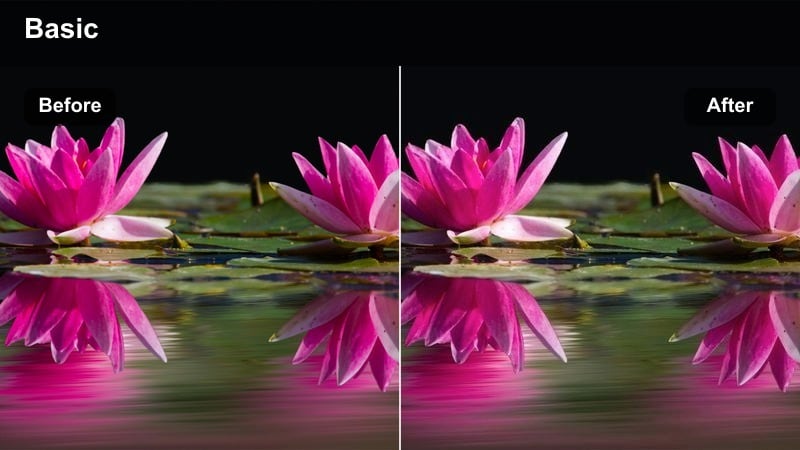
- Effect look: Cool, crisp tones with lifted shadows and bright denim blues that feel airy and editorial.
- Best for: Casual streetwear lookbooks, denim-focused outfits, and sunny mid-day fashion walks.
- Editing tip: Slightly reduce exposure if your highlights are clipping to protect detail in white tees and light-wash jeans.
Sun-Bleached Denim cools down harsh midday sun and gives blue tones a clean, editorial edge that suits denim-heavy outfits. By lifting shadows and toning down heavy contrast, it keeps your footage bright and airy while preserving the subtle textures in stitching and fabric.
In Filmora, drop this filter onto your street-style walk clips or quick OOTD transitions, then dial back exposure and saturation as needed. Light sharpening and clarity further enhance denim grain without making skin look overly textured, keeping your fashion content crisp but flattering.
Sun Flare Street Vogue
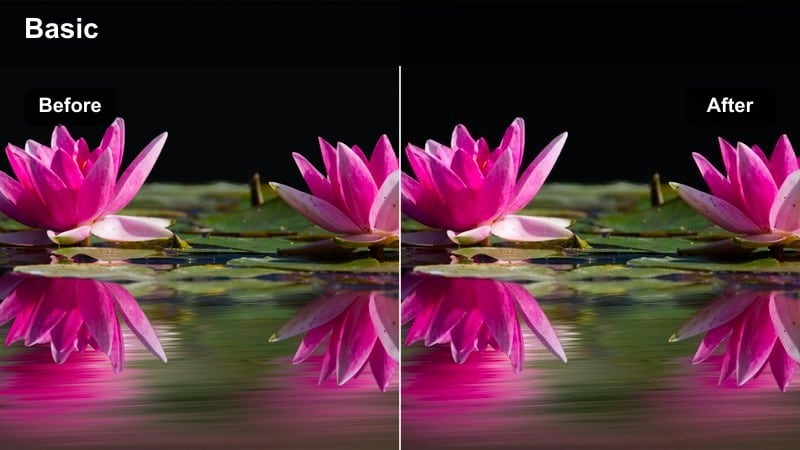
- Effect look: High-impact contrast with accentuated sun flares and a glossy magazine-style finish.
- Best for: Backlit alleyway poses, walking transitions through flares, and dynamic outdoor runway clips.
- Editing tip: Pair this filter with Filmora lens flare overlays, then lower contrast slightly to keep facial detail intact.
Sun Flare Street Vogue turns strong backlighting and natural lens flares into a stylized, editorial feature instead of a distraction. It boosts contrast, polishes highlights, and deepens shadows so silhouettes, accessories, and sharp lines in outfits stand out against bright city backdrops.
Inside Filmora, combine this filter with built-in lens flare overlays and use the highlights slider to keep faces readable. Trim clips around flare peaks for stylish transitions between outfit segments, and reduce contrast just enough to preserve detail in hair, makeup, and fabric folds.
Park and Greenway Lookbooks
Soft Park Editorial
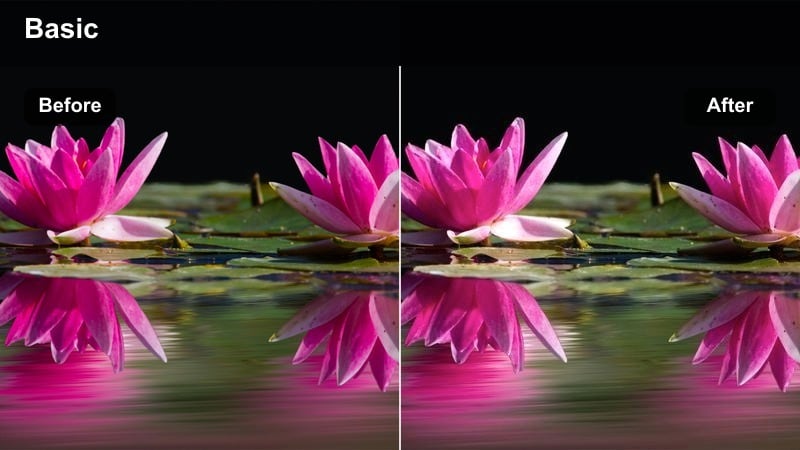
- Effect look: Soft, low-contrast toning with gentle greens and smooth skin for a calm editorial mood.
- Best for: Outdoor park lookbooks, picnic outfit showcases, and slow-motion twirls in natural settings.
- Editing tip: Slightly increase midtone contrast if your outfit patterns look too flat or muted.
Soft Park Editorial smooths out harsh natural light and tames bright foliage so your outfit takes center stage. It lowers contrast, softens greens, and adds a gentle glow to skin tones, giving park footage a calm, magazine-like atmosphere.
Use this preset in Filmora for picnic reels and garden walk lookbooks, then nudge midtone contrast up if details in prints or textures disappear. Fine-tune greens and yellows in HSL to avoid neon grass, and add a subtle vignette when the background feels too busy around your subject.
Pastel Picnic Aesthetic
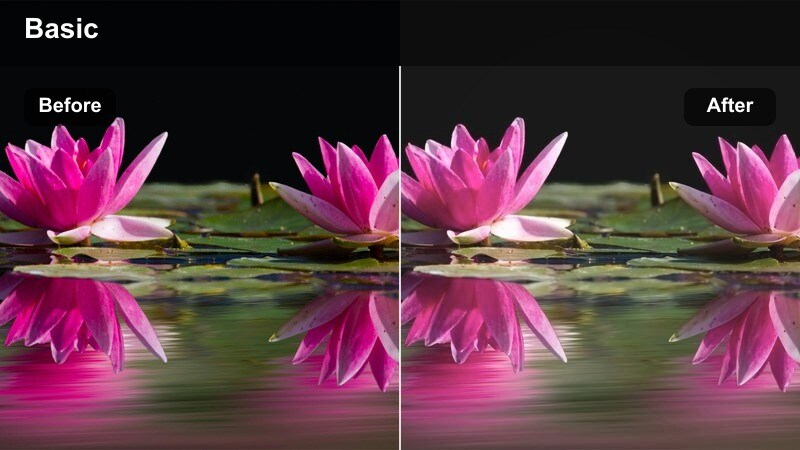
- Effect look: Soft pastel color shift with lifted blacks that gives outfits a whimsical lifestyle vibe.
- Best for: Light-colored outfits, outdoor brunch looks, and romantic park date vlogs focused on fashion.
- Editing tip: Reduce filter intensity on darker skin tones and deepen blacks for better depth and definition.
Pastel Picnic Aesthetic brightens shadows and gently shifts colors into soft pastel tones, perfect for airy, romantic fashion scenes. Blacks lift slightly for a dreamy, filmic look while highlights remain smooth, giving light outfits a whimsical, lifestyle feel.
In Filmora, apply this filter to brunch outfits or soft date looks, then lower intensity on clips with deeper skin tones to keep faces defined. If your wardrobe includes bold color blocking, deepen blacks and add a bit of contrast so shapes and seams stay sharp against the pastel palette.
Shade-Friendly Fit Check
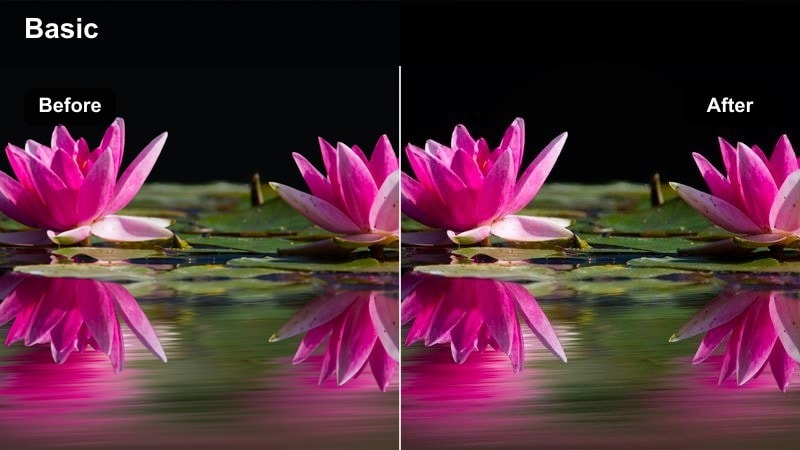
- Effect look: Brightens shadows and neutralizes green color cast for clips shot under trees or in shade.
- Best for: Try-on spins under trees, shaded park benches, and outfit reveals in mixed light.
- Editing tip: Use the color temperature slider to fine-tune for different skin tones while keeping backgrounds neutral.
Shade-Friendly Fit Check is designed to fix muddy, green-tinted clips filmed under trees or in patchy shade. It brightens shadows, reduces unwanted color casts, and restores clean skin tones so both faces and fabrics appear true to life.
When you edit in Filmora, drop this filter onto shaded segments and compare them with your sunlit shots, adjusting temperature until they visually match. Once your shade clips look balanced, you can apply a shared LUT or overall color preset across the project for a seamless outdoor fashion sequence.
Urban Rooftops and Bridge Walks
City Rooftop Editorial
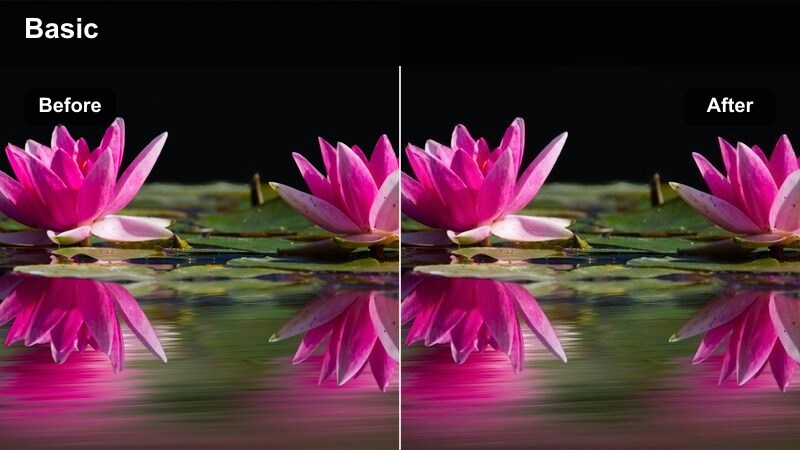
- Effect look: High-fashion contrast with slightly desaturated city tones and crisp outlines around the subject.
- Best for: Rooftop runways, slow-motion hair flips, and bold statement outfits against skyline views.
- Editing tip: Add a touch of Filmora film grain to mimic magazine editorial shoots and reduce digital sharpness.
City Rooftop Editorial emphasizes structure and silhouette, giving skyline shots a bold, fashion-forward punch. It adds strong contrast, mutes background city colors slightly, and sharpens edges so your outfit reads clearly against buildings and sky.
In Filmora, use this filter on rooftop runways or static pose shots, then add a hint of film grain to dial back digital crispness. Keep an eye on sky exposure so highlights do not blow out, and frame your subject against clean negative space to make the outfit and pose feel truly editorial.
Bridge Walk HDR Pop
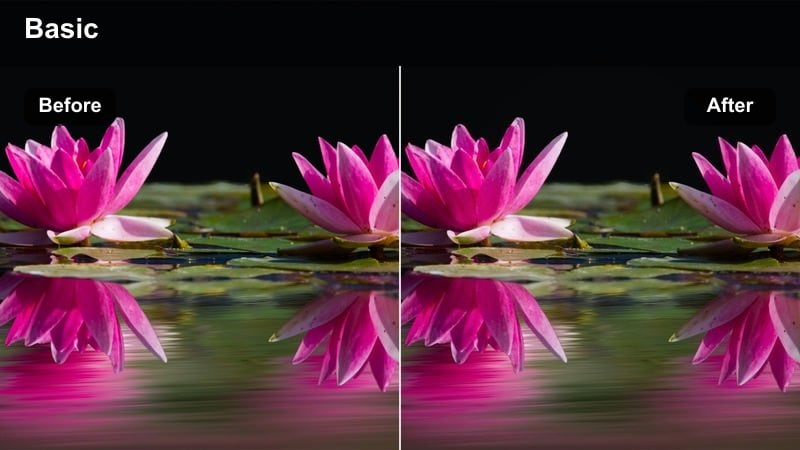
- Effect look: Punchy HDR-style contrast with clear detail in shadows and highlights across the outfit.
- Best for: Walking transitions on bridges, long-lens shots on overpasses, and outfit changes mid-walk.
- Editing tip: Ease off saturation if metal railings or road signs begin to look overly vibrant and distracting.
Bridge Walk HDR Pop brings out every structural line and clothing texture in your bridge or overpass scenes. It adds an HDR-style boost, balancing shadows and highlights so you keep detail in both the outfit and surrounding architecture.
Apply this preset in Filmora to dynamic walk cycles and transition shots, then moderate saturation if background elements start stealing attention. Use gentle sharpening and avoid overdoing clarity so movement stays smooth, especially when slowing 60 fps footage down for cinematic walking sequences.
Skyline Minimal Matte
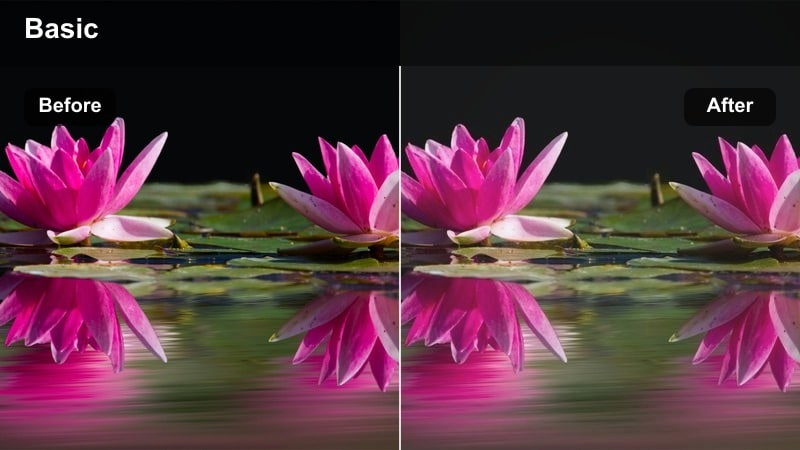
- Effect look: Matte blacks and softened highlights with a minimalist, slightly desaturated urban palette.
- Best for: Monochrome outfits, minimalist style reels, and slow, static poses against city skylines.
- Editing tip: Increase saturation on one accent color like a bag or shoes to create a focal point in the frame.
Skyline Minimal Matte gives your urban fashion clips a chic, understated finish with flattened blacks and muted city colors. The look emphasizes shape, silhouette, and texture, making it ideal for monochrome fits or minimalist styling.
Inside Filmora, use this filter on slow pans and static poses, then selectively boost saturation on one accent color, such as a handbag or shoes. This draws the viewer s eye directly to your chosen focal point while the rest of the frame stays calmly desaturated and refined.
Night Markets and City Neon Fashion
Neon Streetwear Glow
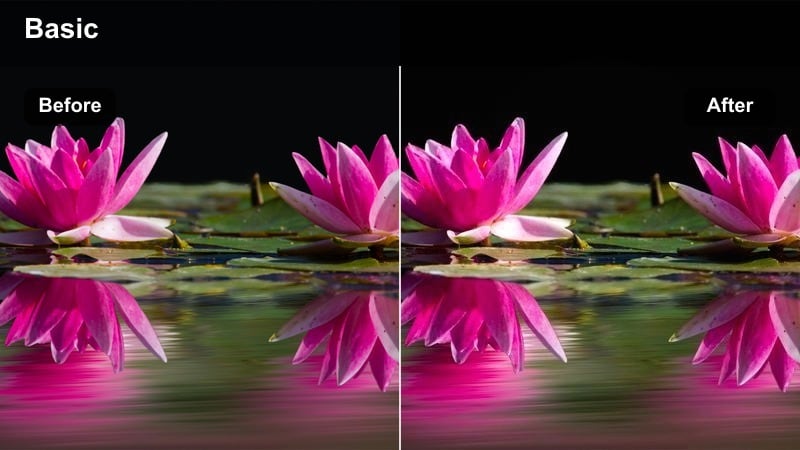
- Effect look: Boosted neon signs, deep blacks, and punchy streetwear colors that pop in low light.
- Best for: Night market outfit tours, neon sign backdrops, and colorful streetwear vlogs.
- Editing tip: Use masks to protect skin tones from becoming too saturated while leaving neon accents strong.
Neon Streetwear Glow supercharges your night footage, making neon signs and bold outfits explode with color while maintaining rich, deep blacks. It enhances saturation where it counts and adds contrast that suits urban streetwear and city nightlife aesthetics.
In Filmora, apply this filter to night market walks or neon-heavy backdrops, then use masking tools to keep faces from becoming overly saturated. Combine it with the denoise feature to smooth grain in dark areas, preserving a polished, modern look across all your low-light fashion clips.
Night Market Film Soft
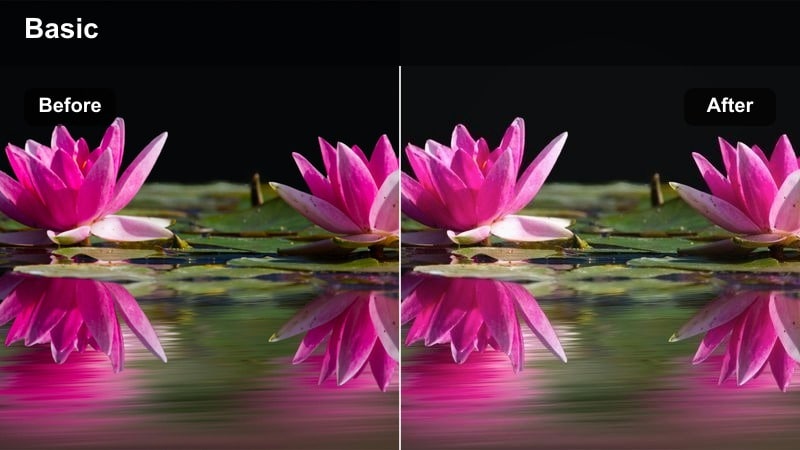
- Effect look: Softened highlights, gentle halation around lights, and a subtle filmic color shift.
- Best for: Slow-motion outfit details, jewelry close-ups, and cinematic walking shots in crowded night streets.
- Editing tip: Raise exposure just enough to see fabric texture while keeping the overall scene moody and low-key.
Night Market Film Soft wraps busy nighttime scenes in a nostalgic, film-inspired glow. It softens harsh light sources, adds a mild halation effect around bright areas, and shifts colors for a subtle, cinematic mood that flatters fabrics and metallics.
In Filmora, use this filter on close-ups of bags, jewelry, and fabric movement, especially when you plan to slow clips down. Bump exposure slightly until outfit textures are visible without losing the moody ambiance, and add gentle camera motion or push-in crops to keep attention centered on fashion details.
After Dark Runway Clean
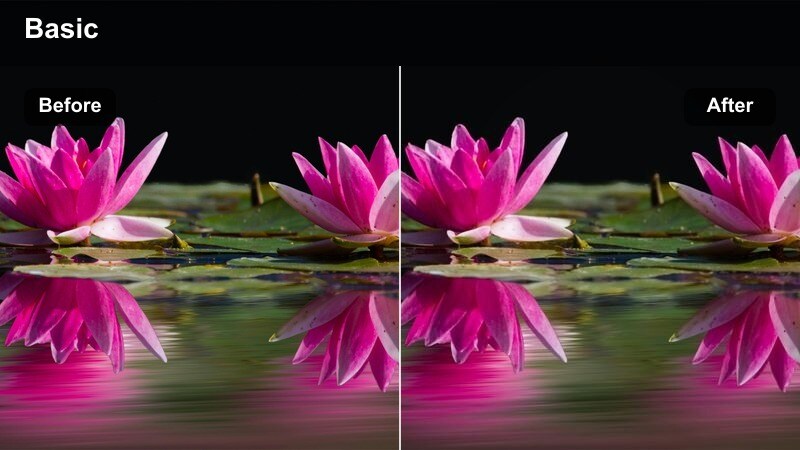
- Effect look: Clean, neutral color grade with lifted shadows and reduced color noise for night fashion runs.
- Best for: Nighttime street runways, parking lot lookbooks, and handheld outfit walks under city lamps.
- Editing tip: Apply Filmora stabilization before this filter to smooth handheld shots and enhance the polished vibe.
After Dark Runway Clean is built to rescue dim outdoor fashion footage by lifting shadows and neutralizing color shifts from mixed street lighting. It reduces color noise and keeps tones balanced so outfits remain clear and true, even under orange lamps and shop lights.
Apply this preset in Filmora to parking lot lookbooks or handheld runway walks, stabilizing your clips first for a smoother finish. Then adjust white balance and tint until skin tones look natural, and use localized corrections to quietly remove stubborn green or magenta casts in specific parts of the frame.
Tips for Using Outdoor Fashion Shoot Video Filter Filters in Filmora
- Shoot test clips in each outdoor location and try several filters in Filmora to see which style best supports your clothing textures and skin tones.
- Keep exposure slightly on the darker side when filming in harsh sunlight so your filters have room to recover highlights without clipping.
- Create a custom preset stack that combines your favorite outdoor fashion filter with grain, vignette, and basic color fixes for consistent edits.
- Mix wide establishing shots with close-up detail clips and use the same filter family so your entire lookbook feels cohesive.
- Adjust filter intensity per clip instead of applying one global setting, especially when moving between shade, sun, and reflective city scenes.
- Use Filmora keyframes to gradually ramp filter intensity during transitions between different lighting conditions in the same sequence.
- Lock white balance in-camera while filming so outdoor fashion filters behave predictably across all your shots.
- Export a short test reel with multiple filters and check it on your phone to confirm the colors and contrast work well on social feeds.
With the right Outdoor Fashion Shoot Video Filter presets in Filmora, you can turn everyday parks, streets, and rooftops into polished fashion sets that highlight your outfits and personal style.
Experiment with different scene-based filters, tweak intensity for each shot, and combine them with Filmora color tools to craft a consistent, cinematic aesthetic across all your outdoor fashion content.
secure download