

 100% Security Verified | No Subscription Required | No Malware


 ChatGPT
 Perplexity
 Gemini
 Claude
 Grok
Grok
The Rainy Night Traffic City Filter collection is designed for content creators who want to turn ordinary wet streets and headlights into cinematic nightscapes with rich reflections and neon colors.
These Filmora filter presets enhance rain, streetlights, and moving traffic to create moody, story-driven city visuals whether you are shooting vlogs, music videos, short films, or B-roll in urban rain.
In this article
Glowing Intersections and Headlight Streams
Neon Glass Trails
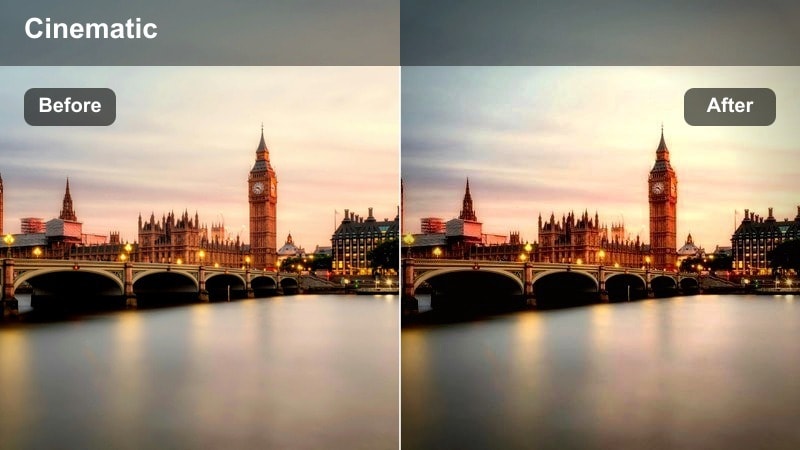
- Effect look: Intensifies neon signage, deepens wet asphalt reflections, and adds a subtle bloom to passing headlights for a glossy, futuristic city vibe.
- Best for: Timelapse shots of busy crosswalks and intersections where neon lights reflect off rain-soaked streets.
- Editing tip: Slightly reduce contrast if skin tones appear too harsh when subjects cross under strong neon signs.
Use Neon Glass Trails in Filmora when you want neon billboards and traffic lights to feel like they are melting into the pavement. The preset pushes saturation and glow in a controlled way, so headlights streak smoothly while the wet road becomes a reflective canvas that sells the rainy-night atmosphere instantly.
For best results, apply the filter to your base clip, then fine-tune exposure and contrast with Filmora color controls to keep halos under control. If you are featuring people at intersections, add a mask on a duplicated layer to protect faces while keeping the surrounding neon and reflections as bold and stylized as possible.
AI-Assisted Color for Rainy City Nights
Filmoras AI-powered color tools work perfectly alongside the Rainy Night Traffic City Filter presets, helping you balance the intense highlights, deep shadows, and midtone details in your rainy city scenes. With a few clicks, you can even out different camera sources or subtly shift the overall color mood.
After applying a rainy traffic preset, use AI color correction or AI color matching to keep skin tones natural while preserving vivid neon reflections and headlight details. This gives you a cinematic look without having to manually tweak every shot.
 secure download

Preview Rainy Night Traffic Filters in Real Time
Filmoras real-time preview lets you quickly audition each Rainy Night Traffic City Filter on your footage so you can see how neon glow, headlight trails, and reflections react before committing. You can adjust intensity and compare before and after views to lock in the exact mood you want.
Load a short rainy traffic clip into the timeline, apply different presets one by one, and toggle them on and off to test how they shape the highlights, midtones, and shadows. This workflow makes it easy to choose the strongest look for your edit before detailed grading.
secure downloadCombine Filters with LUTs for a Signature Urban Look
Once your rainy city footage is shaped with Rainy Night Traffic City Filter presets, you can layer Filmora LUTs on top to create a signature color style. Whether you prefer teal and orange, cyberpunk magentas, or muted documentary palettes, LUTs help you push your night traffic visuals even further.
Apply the rainy filter first to build strong reflections and light structure, then drop in a LUT and reduce its opacity until it complements the base look. This approach keeps your headlights and neon signs vivid while giving your channel a consistent, recognizable color identity.
secure downloadAmber Rain Stream
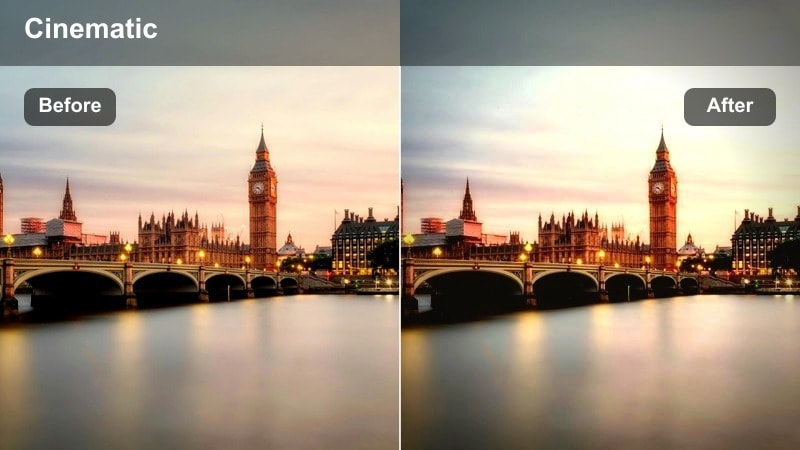
- Effect look: Warms up headlights and street lamps with amber tones while deepening blues in shadows for a cinematic color contrast.
- Best for: Driving POV shots through the city at night in the rain where oncoming traffic creates streaks of light.
- Editing tip: Increase saturation slightly on midtones to emphasize the warm-cool contrast between lights and wet streets.
Amber Rain Stream is ideal in Filmora when you want a strong warm versus cool color split in car POV footage. Amber headlights and street lamps pop against cooler building facades and sky, making every passing car read clearly even in heavy rain.
After applying the preset, fine-tune midtone saturation and use Filmoras color wheels to protect any skin tones inside the car. Pair it with gentle motion blur or speed ramping to heighten the sensation of gliding through a rain-soaked city at night.
Mirror Lane Glow
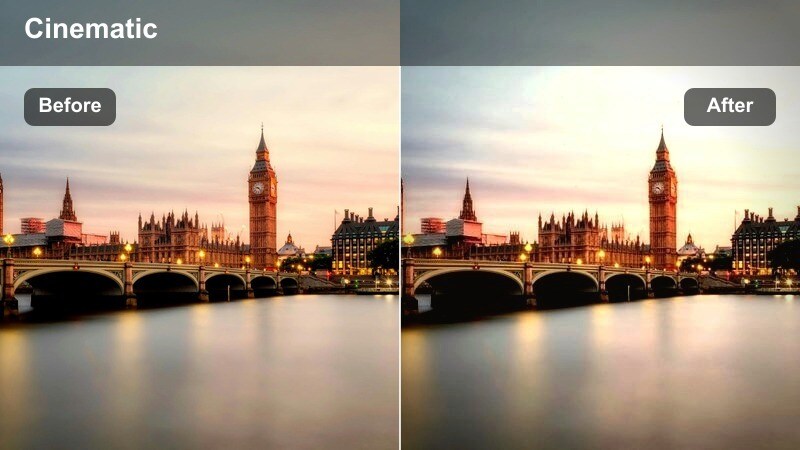
- Effect look: Boosts contrast in road reflections, making lane markings and taillights mirror sharply on wet asphalt with a gentle glow.
- Best for: Low-angle shots of traffic lanes where rainwater forms reflective strips across the roadway.
- Editing tip: Crop slightly lower to highlight the mirrored road surface and let the filter emphasize vertical color streaks.
Mirror Lane Glow is built for shots where the street itself is the star. In Filmora, this preset sharpens the contrast between wet asphalt and light reflections so lane markings, taillights, and signals form crisp mirrored streaks that guide the viewers eye through the frame.
Use it on low-angle or gimbal shots that skim the road surface, then adjust highlight and shadow sliders to keep reflections bright without clipping. Combine with subtle stabilization to make the glowing lanes look like smooth, flowing paths of light under the rain.
Moody Side Streets and Drizzled Alleys
Midnight Alley Mist
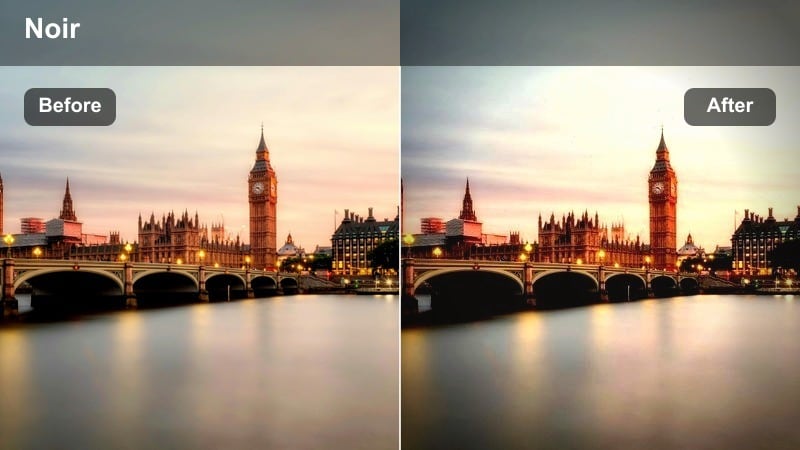
- Effect look: Adds soft haze to distant lights, lifting shadows slightly while preserving deep contrast for a noir-style rainy alleyway.
- Best for: Handheld or static shots down narrow city side streets during light rain or after a shower.
- Editing tip: Lower clarity slightly for an even softer, more mysterious atmosphere in long-lens alley shots.
Midnight Alley Mist brings a cinematic, noir-inspired softness to side streets where the atmosphere matters more than detail. In Filmora, this preset introduces a gentle haze around distant lamps and signs, creating depth and mood without fully flattening contrast.
Apply it to story beats where characters enter or disappear into alleys, then pair it with reduced clarity or added film grain in the color panel. This combination keeps the rain visible while letting the misty glow amplify tension or introspective moments.
Chrome Puddle Reflect
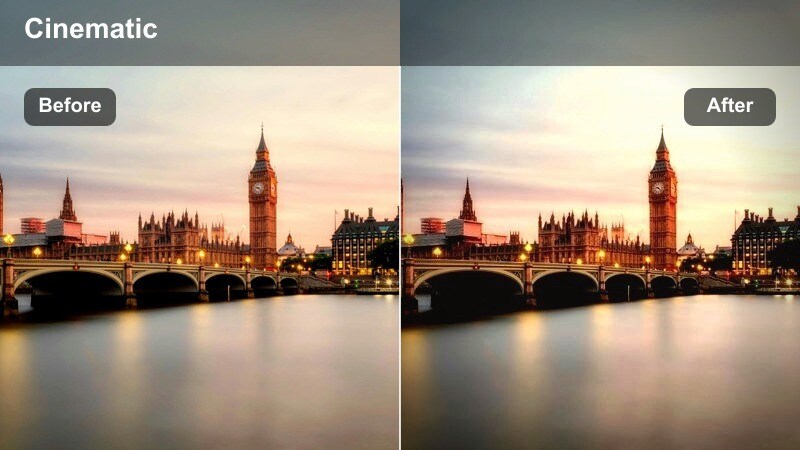
- Effect look: Elevates contrast and clarity in puddles, turning small reflections of traffic lights into crisp chrome-like surfaces.
- Best for: Close-up shots of puddles capturing reflections of cars, signs, and city windows in side streets.
- Editing tip: Slow your footage slightly and use this filter to emphasize ripple detail when raindrops hit puddles.
Chrome Puddle Reflect is designed for macro-style shots of water on the street. In Filmora, this preset sharpens and brightens reflections so puddles look like polished chrome, making red, green, and yellow traffic lights appear as vivid abstract patterns.
Use it on close-ups where the camera is near the ground, then experiment with slow motion and speed changes to highlight ripples from raindrops. A gentle vignette and slight saturation boost will focus attention on the puddle and enhance the metallic, reflective feel.
Quiet Lane Sodium
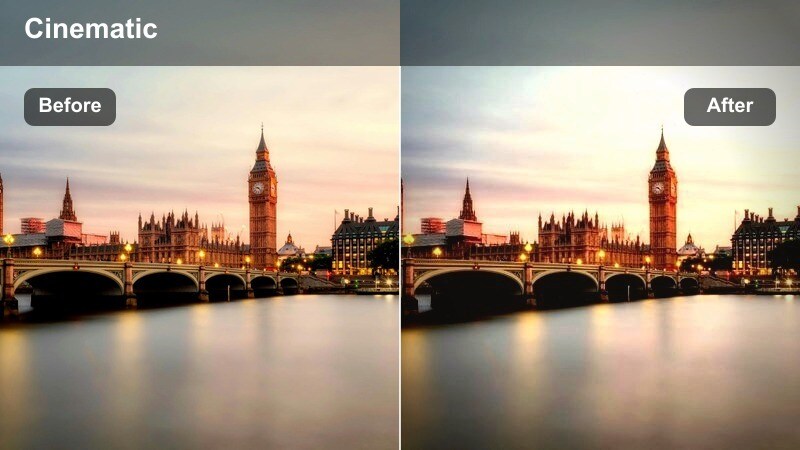
- Effect look: Mimics sodium-vapor streetlights with warm orange highlights and slightly green-tinted shadows for a gritty side-street tone.
- Best for: Low-traffic residential or industrial lanes with older streetlights and occasional passing cars in the rain.
- Editing tip: Desaturate overall by a small amount if the orange cast feels overwhelming on certain camera profiles.
Quiet Lane Sodium recreates the distinct look of older sodium-vapor lighting, perfect for gritty or nostalgic rainy scenes. In Filmora, the preset leans into warm highlights and cooler-green shadows, giving side streets a cinematic, almost analog flavor.
Apply it to sequences set in older neighborhoods or industrial zones, then gently back off saturation if the orange tone feels too strong. Adding a bit of film grain or a vignette in the effects panel will push the look toward documentary realism or retro drama, depending on your story.
Rainy Overpasses and Elevated Highways
Overpass River Lights
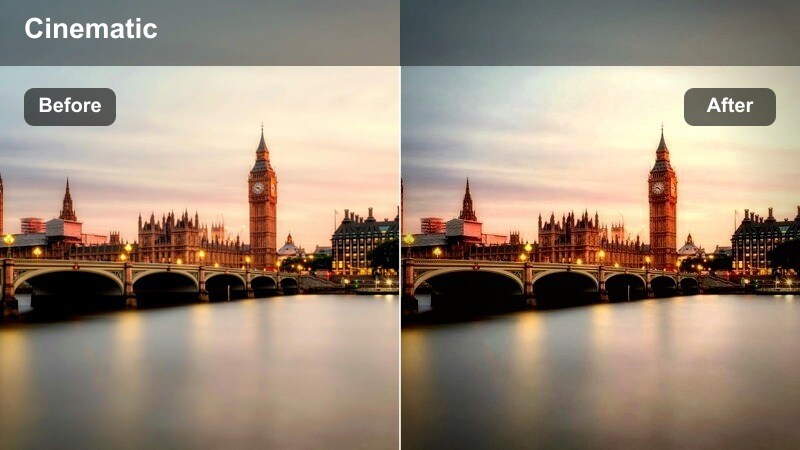
- Effect look: Stretches and brightens light trails from elevated highways to resemble glowing rivers of traffic against dark wet surroundings.
- Best for: Long-exposure timelapses of multilane highways and overpasses on rainy nights.
- Editing tip: Speed up your footage slightly to accentuate the flowing, river-like movement of traffic under this filter.
Overpass River Lights is tailored for high-angle views of busy highways where head and taillights form continuous streams. In Filmora, this preset enhances trail brightness and saturation so the traffic visually reads like glowing rivers weaving through the city.
Use it on timelapse clips or sped-up footage shot from bridges and rooftops, then adjust playback speed to match your music tempo. You can layer additional sharpening on buildings to keep the environment crisp while the light trails stay fluid and luminous.
Steel Bridge Drift
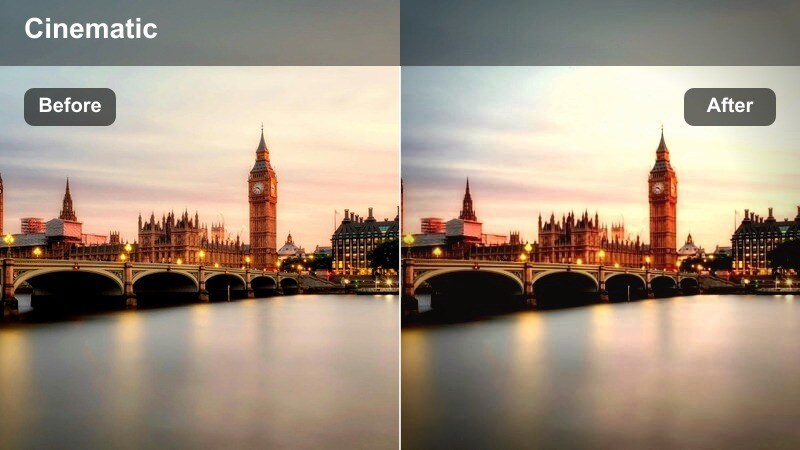
- Effect look: Cools midtones and lifts highlights around metal structures, giving bridges and guardrails a sleek, steel-blue finish.
- Best for: Shots of cars crossing urban bridges and elevated roads in light to moderate rain.
- Editing tip: Add gentle camera shake or post-stabilization combined with this filter to emphasize the rumble of traffic on metal.
Steel Bridge Drift emphasizes the industrial side of the city, tinting metal beams, railings, and wet surfaces with a cool steel-blue sheen. In Filmora, this filter helps separate vehicles and structure, making bridges feel more imposing and cinematic against the night sky.
Apply it to driving or tracking shots that cross bridges, and combine with audio of rumbling traffic or metallic clanks for extra immersion. Use Filmoras stabilization or intentional shake effects to complement the look, depending on whether you want a smooth, controlled glide or a raw, handheld documentary feel.
Urban Tunnel Streak
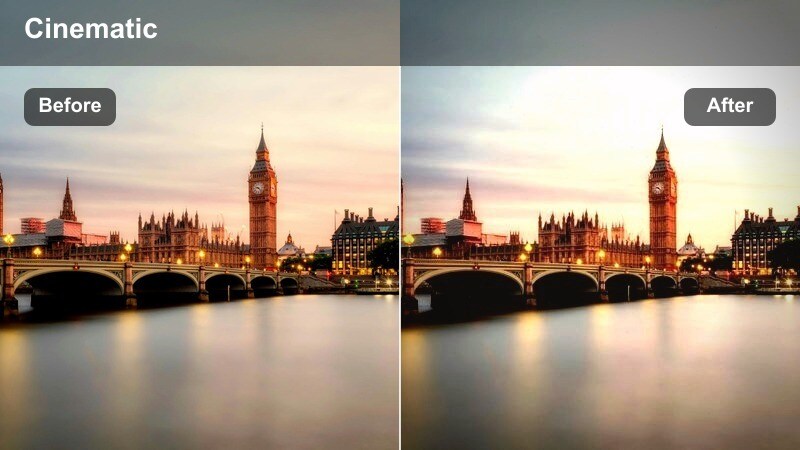
- Effect look: Adds directional glow to tunnel lights, pulling long streaks along the direction of travel and deepening tunnel shadows.
- Best for: Driving shots through city tunnels or underpasses where ceiling lights fly overhead.
- Editing tip: Stabilize your footage lightly so the dynamic tunnel streaks feel smooth rather than jittery.
Urban Tunnel Streak is made for dynamic passages through tunnels and underpasses. In Filmora, it stretches overhead lights into smooth streaks that emphasize speed and direction, while deepening shadows to give the tunnel more drama.
Apply it to interior car shots or motorcycle POVs, then add mild stabilization so the light streaks stay clean and fluid. You can also combine it with subtle motion blur and soundtrack beats to turn simple tunnel drives into visually rhythmic transition sequences.
Rainy Crosswalks and City Squares
Crosswalk Neon Drift
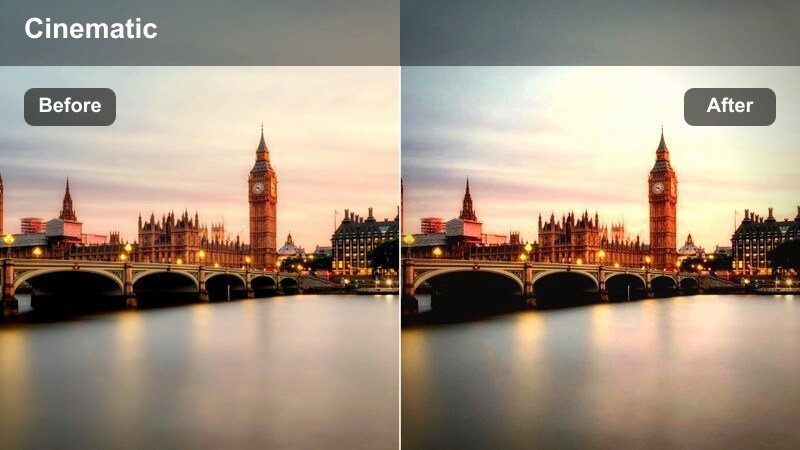
- Effect look: Pushes saturation in crosswalk lines, umbrellas, and signage while adding a soft neon halo to moving traffic in the background.
- Best for: Wide shots of busy crosswalks with crowds crossing in front of slow-moving cars and buses.
- Editing tip: Use slight slow motion to let the filter highlight colorful reflections and umbrella motion in the rain.
Crosswalk Neon Drift turns crowded intersections into vibrant, neon-drenched scenes where every umbrella and crosswalk stripe stands out. In Filmora, this preset amplifies colors and adds a soft halo around moving cars, making your city square shots look energetic and cinematic.
Use it on wide establishing shots or transitions that feature lots of foot traffic and reflections. Combine with moderate slow motion and ambient city audio to let viewers soak in the visual density of the rain, lights, and movement.
Plaza Rain Halo
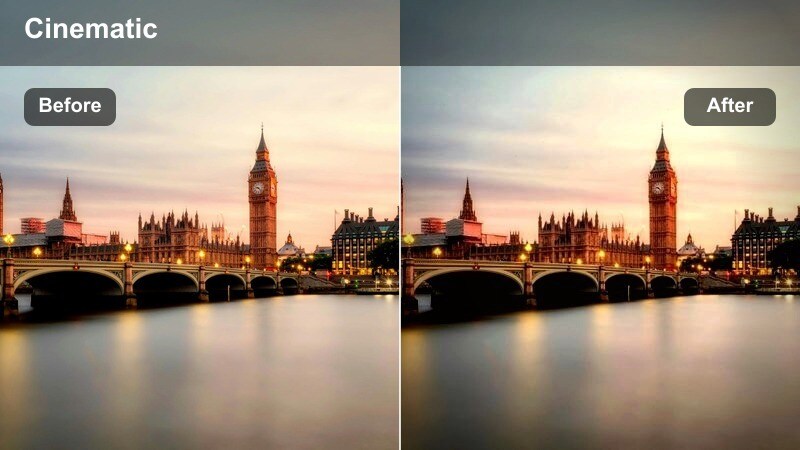
- Effect look: Softens edges around streetlights and storefronts, creating glowing halos on wet stone or concrete in open plazas.
- Best for: Static or slow pan shots across city squares with sparse nighttime traffic and reflective ground.
- Editing tip: Reduce sharpness on your original footage before applying to avoid overly crisp halos around bright lights.
Plaza Rain Halo gives open city squares a dreamy, reflective glow, perfect for slower, more contemplative scenes. In Filmora, the preset softens bright sources like streetlights and storefronts while emphasizing reflections on wet tiles or concrete.
Apply it to locked-off or slow panning shots, then trim your clips slightly longer than usual to let the atmosphere breathe. Pair with soft ambient music or minimal sound design so the halos, reflections, and occasional passing cars feel calm and cinematic.
Signal Rain Chroma
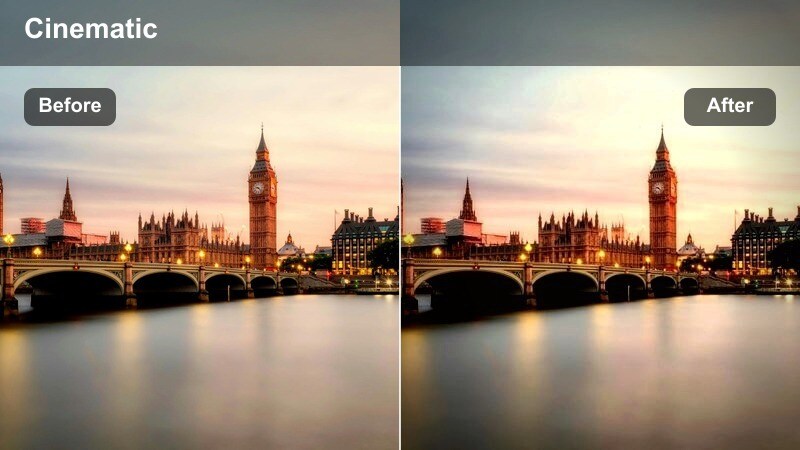
- Effect look: Boosts the colors of traffic lights, pedestrian signals, and LED advertisements while slightly muting neutral tones.
- Best for: Close to medium shots focused on traffic signals and countdown timers with rain streaking in front.
- Editing tip: Use selective color adjustments on top if you want to push specific signal colors, like red or green, even further.
Signal Rain Chroma is a color-accents preset that makes traffic lights and LEDs glow vividly against a darker, more muted city backdrop. In Filmora, it is perfect for insert shots or transitions where the red, yellow, and green of signals need to stand out clearly.
Use it on close-ups of lights, countdown timers, and signs with visible rain streaks, then add selective color adjustments if you want to emphasize one hue for stylistic reasons. These short, punchy clips work well as visual beats between larger rainy-night sequences.
Tips for Using Rainy Night Traffic City Filter Filters in Filmora
- Slightly underexpose your rainy night city footage in-camera so headlight and neon details are preserved when you apply stronger filters.
- Shoot from low angles near the ground to maximize road reflections, then choose filters that emphasize puddles and wet asphalt.
- Use slow motion or timelapse with these filters to turn ordinary traffic flow into cinematic light trails and moving patterns.
- Keep your lens dry and clean; streaks or large water drops may react unpredictably with glow-heavy rainy night filters.
- Stack subtle noise reduction before applying these filters if your footage was captured at high ISO in dark city streets.
- Mix different rainy traffic presets across intersections, alleys, and highways to keep a consistent mood while adding visual variety.
- Adjust filter intensity and blend with Filmoras color tools to maintain natural skin tones when people are present in the frame.
- Use masks and overlays to preserve detail in key areas, such as car interiors, while still pushing strong glow and reflections in the background.
The Rainy Night Traffic City Filter presets in Filmora give content creators a fast way to transform wet streets, headlights, and neon scenes into polished cinematic visuals without complex color grading.
Blend different presets across intersections, alleys, highways, and plazas to build a cohesive rainy-night city story that matches your channels mood and pace. Explore the Urban Street Food Market LUT collection next to extend your night city palette from traffic scenes into lively, rain-slicked food stalls and vendor areas. By pairing these filters with thoughtful framing, motion, and sound design, you can turn any rainy night in the city into a visually rich sequence that keeps viewers watching.
secure download