

 100% Security Verified | No Subscription Required | No Malware


 ChatGPT
 Perplexity
 Gemini
 Claude
 Grok
Grok
The Restaurant Food Vlog Warm Filter preset in Filmora is designed for creators who want every plate, drink, and detail of their dining experience to look rich, cozy, and appetizing on screen.
Use these warm filter variations to bring out golden tones in dishes, add a welcoming glow to restaurant interiors, and give your food vlogs a consistent, cinematic style that keeps viewers hungry for more.
In this article
Cozy Entrance And Ambience Glow
Golden Doorway Glow
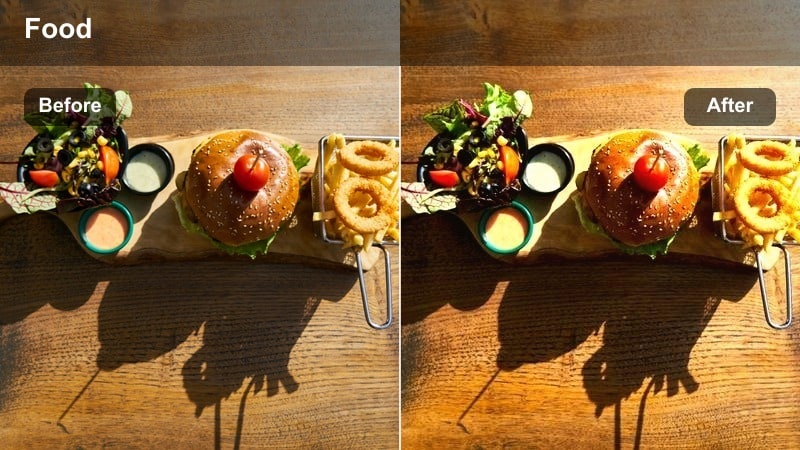
- Effect look: Soft golden warmth that gently lifts highlights and adds a welcoming entrance glow.
- Best for: Restaurant exterior intros, doorway walk-ins, and first establishing shots during golden hour or early evening.
- Editing tip: Lower the filter intensity slightly if your shot is already sunlit to avoid blown-out highlights near windows or signs.
Golden Doorway Glow is ideal for your very first impression of the restaurant, giving entrances and exteriors a cinematic, cozy atmosphere. In Filmora, apply this preset to clips where you approach the door, reveal the sign, or start a vlog intro outside so viewers immediately feel the warm, inviting vibe.
After applying the filter, fine-tune exposure and highlight levels in the Color panel to protect bright signage and reflections. Use subtle vignetting and slight contrast adjustments so the doorway, logo, or neon sign becomes the natural focal point without making your skin tones look washed out.
Instant Warmth With Filmora's AI Color Tools
Filmora's AI-driven color tools help you quickly adapt Restaurant Food Vlog Warm Filter presets to different lighting situations, from bright exteriors to dim, cozy interiors. Let AI auto-balance exposure and white balance so your warm filters always enhance your footage instead of fighting the original light.
Once AI establishes a clean base look, layer your chosen warm preset on top and make minor tweaks to intensity, contrast, and saturation. This workflow keeps your restaurant vlogs consistent even when you shoot across multiple locations and lighting conditions in one episode.
 secure download

Preview Warm Restaurant Filters In Real Time
With Filmora, you can hover over warm filter thumbnails and instantly preview how each look affects your restaurant clips. This makes it easy to compare several Restaurant Food Vlog Warm Filter presets on entrance, tabletop, and kitchen footage without committing to any specific style too early.
Once you like a direction, apply the preset and adjust its intensity slider to fine-tune the warmth and contrast. Try testing a few presets side by side on duplicate clips in your timeline so you can choose the most appetizing and on-brand look for each scene.
secure downloadCombine Warm Filters With LUTs For Consistent Branding
For creators building a long-term restaurant or food vlog series, Filmora lets you combine warm filters with LUTs to lock in a recognizable color identity. Use a LUT to establish your overall contrast and color style, then stack a Restaurant Food Vlog Warm Filter on top to add appetizing golden tones.
Once you dial in a look that flatters skin tones, decor, and food equally, save the effect stack as a custom preset. Reusing this preset across all your episodes keeps your channel visually cohesive and makes your restaurant content instantly recognizable to returning viewers.
secure downloadEvening Street Warmth
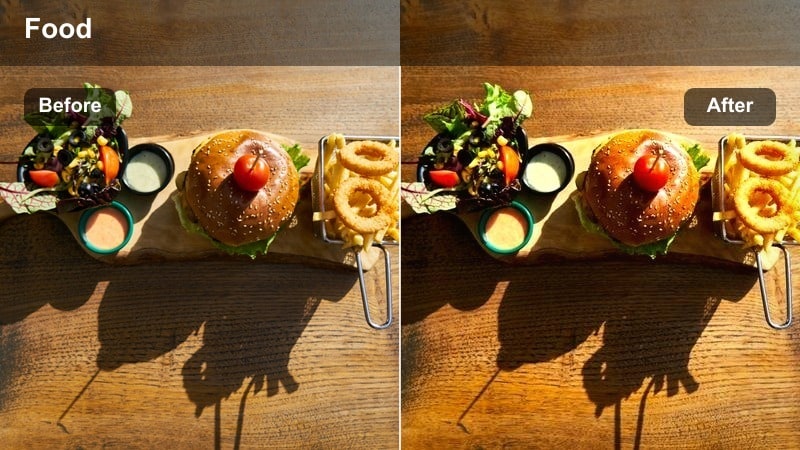
- Effect look: Deeper amber tint with lifted contrast that enhances street lights and storefront reflections.
- Best for: Nighttime restaurant streets, walking B-roll, and outdoor seating areas under warm lamps.
- Editing tip: Pair this filter with a slight noise reduction to keep low-light street scenes clean and professional.
Evening Street Warmth is tailored for night sequences where restaurant signs, window glows, and street lamps define the mood. Apply it to handheld or gimbal shots of busy dining streets to turn ordinary night footage into a cinematic, amber-toned walk through the neighborhood.
In Filmora, combine this preset with stabilization and noise reduction to manage low-light grain and camera shake. You can gently lift midtones and shadows so storefront details stay visible while maintaining the rich, cozy contrast that makes viewers want to explore the area with you.
Host Stand Welcome Tone
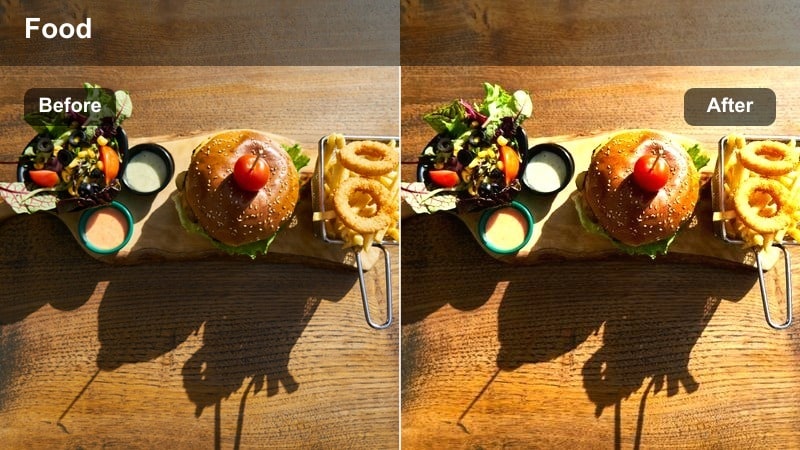
- Effect look: Gentle warm shift with softened shadows and a subtle glow around warm light sources.
- Best for: Host stand greetings, menu close-ups at the entrance, and quick intro dialogues with staff.
- Editing tip: Slightly lower contrast to keep text on menus easily readable while the warm filter adds character.
Host Stand Welcome Tone focuses on making the arrival moment feel friendly and polished while preserving clarity in menus, signage, and faces. It works especially well for talking-head intros with the host behind you or for quick shots of menus being handed to guests.
Inside Filmora, apply this preset, then nudge contrast and sharpness just enough so printed text stays crisp within the warm glow. You can add light vignette or a subtle blur to the background to emphasize the interaction between you and the staff while keeping the environment welcoming.
Tabletop Dining Coziness
Golden Plate Spotlight
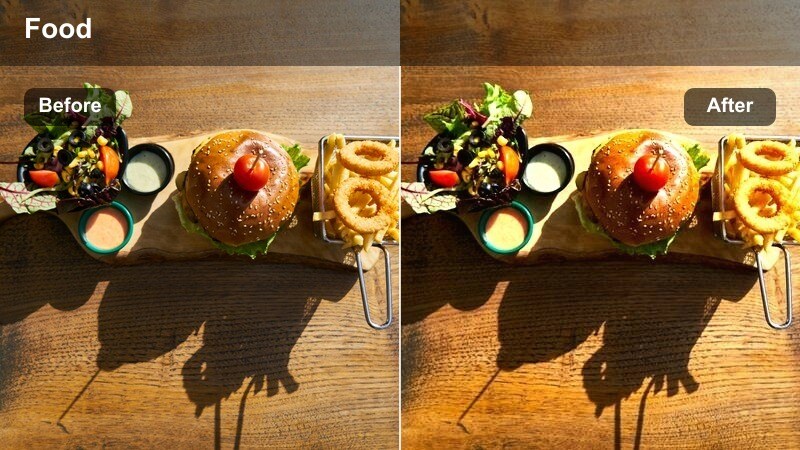
- Effect look: Bright, golden warmth that amplifies highlights on dishes and makes whites look creamy instead of cold.
- Best for: Hero shots of plated food, overhead table spreads, and main course reveals.
- Editing tip: Use a tighter crop and increase saturation slightly on reds and yellows to make sauces and garnishes pop.
Golden Plate Spotlight is built to make hero dishes look glossy, rich, and ready to eat, turning plain overhead shots into centerpiece moments. Use it on close-ups of mains, desserts, or tasting platters where you want viewers to focus entirely on color, texture, and shine.
In Filmora, combine this preset with subtle saturation boosts in the Color panel, targeting warm hues like reds, yellows, and oranges. Keep an eye on bright ceramics and reflective sauces, dialing back highlights or filter intensity if necessary so details remain sharp and appetizing rather than overexposed.
Candlelit Table Soft Warmth
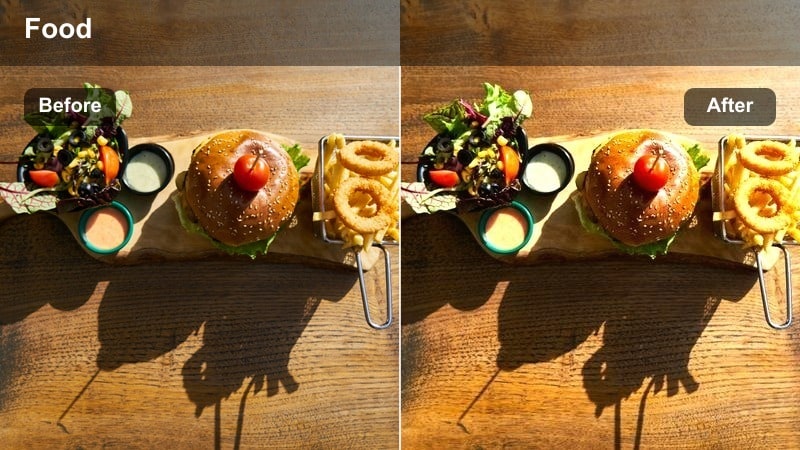
- Effect look: Subtle, diffused warmth with soft contrast that mimics candlelight on tabletops and faces.
- Best for: Romantic table settings, intimate group shots, and low-light dining moments.
- Editing tip: Reduce clarity slightly to keep the candlelit effect dreamy while maintaining sharp focus on the main dish.
Candlelit Table Soft Warmth specializes in low-light, romantic scenes where harsh contrast would ruin the mood. Apply it to couples dinners, quiet family meals, or any table shot where candles and dim fixtures provide most of the illumination.
Within Filmora, add a slight softness by lowering clarity and gently lifting shadows, making sure key faces and dishes remain well defined. If skin tones drift too orange, pull back overall saturation or fine-tune oranges with HSL adjustments so the glow stays flattering and natural.
Rustic Wood Table Heat
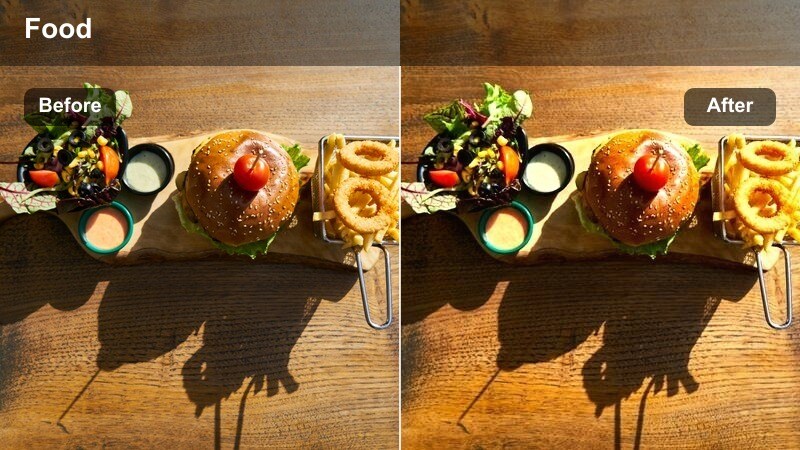
- Effect look: Warm, earthy tones that deepen browns and make wooden tables look rich and textured.
- Best for: Rustic restaurants, wooden tabletops, and shared platters shot from a seated angle.
- Editing tip: Increase local contrast on the food area to separate dishes from the darker, warmer table surface.
Rustic Wood Table Heat enhances the natural grain and warmth of wooden tables, making them feel like part of the story rather than just background. It is perfect for farm-to-table spots, steakhouses, and cozy cafes where the table itself contributes to the restaurant identity.
Use Filmora masks or keyframing to subtly increase contrast and sharpness around the dishes so they stand out against the deeper browns. Adding a small vignette and soft blur toward the table edges can guide the viewer s eye toward shared platters, charcuterie boards, or comfort food mains at the center of the frame.
Chef Counter And Open Kitchen Warmth
Kitchen Flame Glow
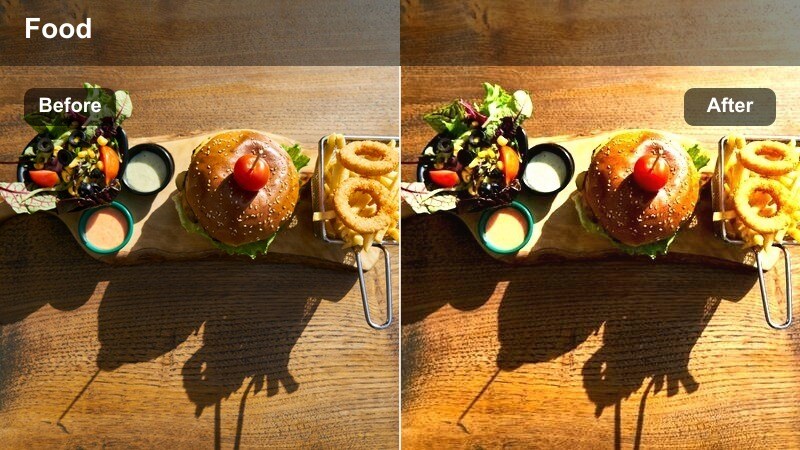
- Effect look: High-energy warmth with boosted highlights and vibrant oranges to emphasize cooking flames.
- Best for: Open kitchen shots, sizzling pans, and chef action B-roll behind the counter.
- Editing tip: Use short clips with this filter and consider slight slow motion to showcase flames and sparks.
Kitchen Flame Glow brings drama to back-of-house footage, especially when pans flare up or grills blaze. Use it to highlight quick, intense cooking moments, such as flambes, wok tosses, or searing steaks, turning them into visual peaks in your edit.
In Filmora, apply slow motion or speed ramping to these clips so viewers can appreciate the movement of flames and ingredients. Then fine-tune highlight and white levels to prevent hot spots on metal or oil while keeping the fiery oranges vivid and energetic.
Chef Counter Showcase
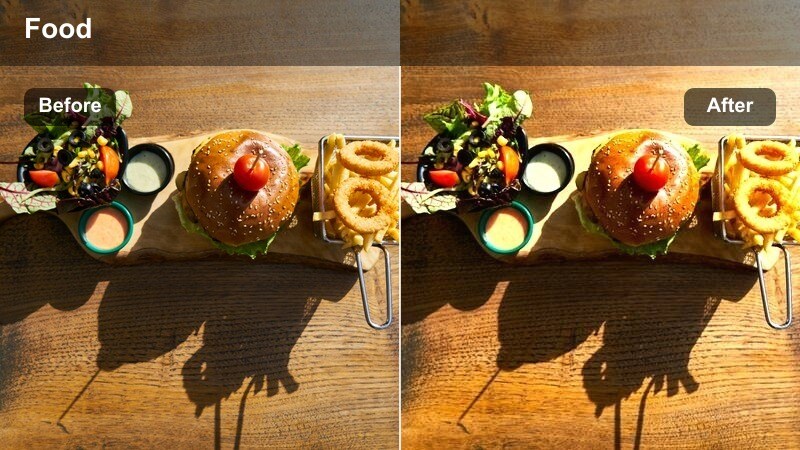
- Effect look: Balanced warm tone with crisp contrast that highlights both chef movements and plated dishes on the counter.
- Best for: Chef presentations, tasting menus served at the counter, and narrative segments with the chef.
- Editing tip: Keep midtones neutral by slightly lowering the midtone saturation to maintain a clean, professional culinary look.
Chef Counter Showcase is designed for moments when chefs step into the spotlight to explain a dish or plate directly in front of you. It balances warm ambiance with professional clarity, ensuring both the chef s expression and the food look equally strong on camera.
After applying the preset in Filmora, slightly reduce midtone saturation if you want a more refined, magazine-style culinary look. Consider adding modest sharpening and lifted shadows, so the chef s hands, tools, and plating details remain clear even in warmly lit environments.
Heat Lamp Service Warmth
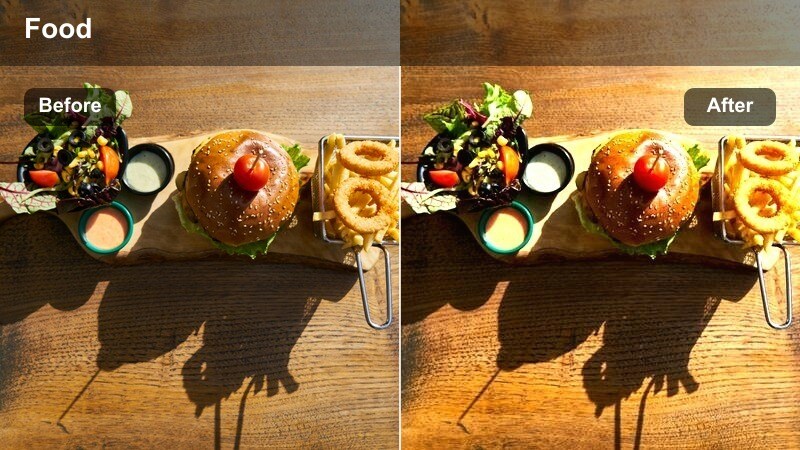
- Effect look: Strong golden-red warmth that mimics the glow of service heat lamps over finished dishes.
- Best for: Pass-through counters, rows of finished plates, and service handoff shots.
- Editing tip: Dial down red saturation slightly if certain sauces or meats start to look too intense or unnatural.
Heat Lamp Service Warmth leans into the intense glow of pass-through stations, making lines of plated dishes look dramatic and ready for service. It works best on quick, rhythmic shots of servers picking up plates, showcasing the restaurant s pace and professionalism.
Inside Filmora, watch how reds and deep browns react to this preset, especially in meats and heavy sauces. If colors begin to look artificial, slightly lower red saturation and add a hint of contrast, then cut these clips tightly to music for energetic montage sequences.
Guest Moments And Warm B-Roll
Friends Toasting Glow
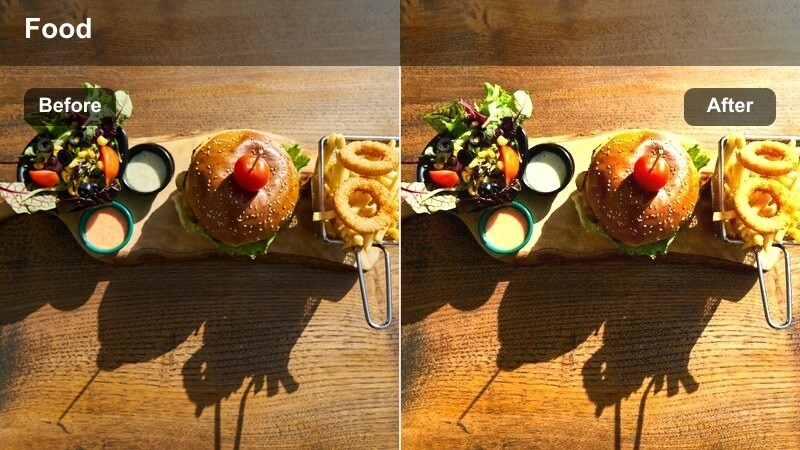
- Effect look: Soft, flattering warmth with gentle highlight bloom around glasses and bright table accents.
- Best for: Toasts, cheers moments, and group shots with drinks raised toward the camera.
- Editing tip: Slow your footage slightly and sync the clink of glasses with the beat of your background music for extra impact.
Friends Toasting Glow is all about celebration, smoothing skin tones and adding sparkle to glasses as they catch the light. It is perfect for birthday dinners, group outings, or any cheers moment where you want to bottle the feeling of togetherness in a single shot.
In Filmora, apply a subtle slow motion effect and align the clink with a beat in your soundtrack to heighten the emotional impact. You can gently raise highlights and slightly lower shadows so faces remain bright and inviting while the drinks glisten at the center of the frame.
Server Pour Warm Focus
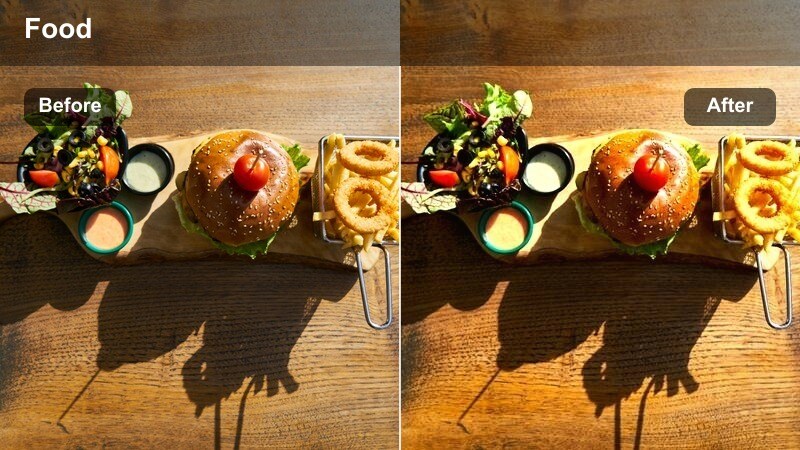
- Effect look: Focused warmth with enhanced midtones that draws attention to pouring actions and hands.
- Best for: Servers pouring drinks, dressing salads, or finishing plates tableside.
- Editing tip: Use a medium close-up and lower background saturation slightly so the pour and glass remain the clear focal point.
Server Pour Warm Focus emphasizes hands, glasses, and flowing liquid, turning routine service into satisfying visual micro-moments. Use it for wine pours, latte art, sauce drizzles, or any finishing touch that happens right at the table.
Within Filmora, crop to a medium or tight framing and slightly desaturate the background so the action in the foreground stands out even more. Consider layering in a clean pour sound effect and trimming the clip to the smoothest section of movement to make the moment feel refined and intentional.
Walkthrough Warm B-Roll
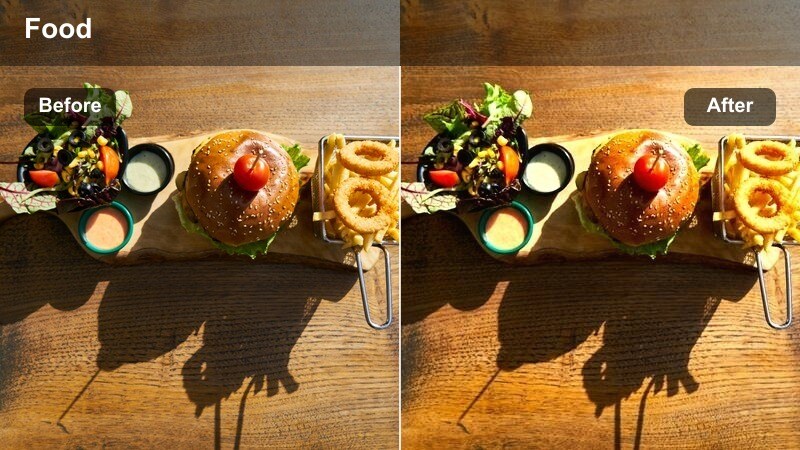
- Effect look: Even, cinematic warmth with moderate contrast for smooth movement shots through the restaurant.
- Best for: Slow walkthroughs between tables, bar areas, decor close-ups, and transition B-roll.
- Editing tip: Stabilize footage in Filmora, then add this filter and a slight vignette to guide attention through the frame.
Walkthrough Warm B-Roll is designed for smooth, atmospheric passes through the restaurant, showing viewers the space as if they were walking alongside you. It adds a cohesive warmth that flatters decor, diners, and lighting while keeping the scene grounded and cinematic.
Use Filmora s stabilization tools to reduce shake, then apply this preset and add a minimal vignette for extra depth. Matching color temperature and filter intensity across multiple walkthrough clips will help your transitions feel seamless as you move from bar to dining room to open kitchen.
Tips for Using Restaurant Food Vlog Warm Filter Filters in Filmora
- Shoot with a slightly cooler white balance so Filmora s warm filters can add rich, appetizing tones without pushing colors into an overly orange cast.
- Keep ISO as low as possible in dark restaurants to minimize noise, which can become more obvious when you increase warmth, contrast, and saturation.
- Record a few extra seconds of clean ambience at each table, counter, or bar so you have warm-toned cutaways that smooth your edits and hide jump cuts.
- Apply the same warm preset or saved custom look to all clips from the same restaurant to maintain a cohesive, professional color story throughout the episode.
- Use Filmora keyframes to gently fade between cooler exterior looks and warm interior filters, creating natural transitions as you move inside and outside.
- Always check how intensely red and orange dishes render after warming; if they look artificial, slightly reduce saturation or tweak HSL values for those hues.
- Add subtle vignette and sharpening on hero shots like mains or desserts to guide attention to the plate and enhance texture without making the image noisy.
- Export a short test sequence and review it on both mobile and larger displays to confirm your warm look stays flattering and readable across devices.
The Restaurant Food Vlog Warm Filter presets in Filmora give you an easy way to turn everyday restaurant scenes into cozy, cinematic storytelling moments that highlight both dishes and atmosphere.
Build your own signature look by mixing these warm filters with Filmora s color tools, then keep using the same combination so every new vlog episode feels familiar, on-brand, and delicious to watch.
secure download