Stunning Gemini AI Saree Photos Generator
Your Ultimate Collection
Whether you're looking for elegant traditional saree designs, modern fusion styles, or celebrity-inspired saree looks, our collection of free Gemini AI saree photo generator prompts delivers stunning high-quality results in seconds. Create breathtaking AI saree photos with Gemini that showcase intricate details, perfect draping, and authentic cultural elements with just a few clicks.
Loading more templates...
 Category:
 Duration:
 Aspect Ratio:
Elevate Your Indian Fashion Collection
With Gemini AI Saree Photo Generator
Remember the last time you saw a stunning saree photograph that captured the perfect drape, vibrant colors, and elegant design? Those weren't just images—they were windows into the rich cultural heritage and fashion elegance we all appreciate. Now, with Gemini AI saree photos, that elegance is accessible to everyone. You're just one step away from creating beautiful saree photographs with Filmora's AI image generator.
Generate Stunning Saree Photos from Prompts with AI Image Generator
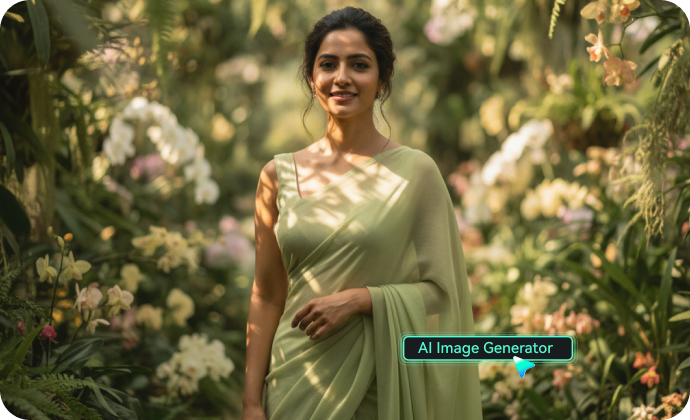
Generate Stunning Saree Photos from Prompts with AI Image Generator
Creating basic saree photo effects is just the beginning. Filmora's Nano Banana AI Image Generator takes your Gemini AI saree photo prompts and transforms them into ultra-realistic 8K visuals with one click. No complicated settings, no manual editing—just pure creative power.
Copy any of our prompts, paste them into Filmora's AI Image Generator powered by Nano Banana, and watch as your imagination transforms into a stunning saree masterpiece.
- Detailed Prompt Support: supports up to 1,500-word descriptions for maximum customization of your saree designs, fabrics, and draping styles.
- Upload Reference Images for Perfect Accuracy: Upload your photo as a reference, add a traditional or modern saree aesthetic prompt, and Filmora's AI saree photo generator will seamlessly blend your image with beautiful saree elements.
- Instant Generation with Real-Time Progress: No more waiting hours for renders. Filmora generates your saree-inspired photos in seconds, with a live progress bar showing each processing stage. Generate multiple variations of Gemini create saree photo styles, compare results, and pick your favorite—all within minutes.
Animate Your Saree Collection: AI Image to Video Magic
Animate Your Saree Collection: AI Image to Video Magic
Static photos capture moments. Filmora's AI Image to Video brings them to life. This is where your Gemini create AI photos of sarees transcend social media posts and become shareable cinematic experiences.
Picture this: Your saree photo with gentle fabric movement? Now the pleats actually flow. The embroidery details? They sparkle and catch the light. The draped pallu? It sways elegantly with subtle motion. This isn't just animation—it's bringing cultural fashion to life through sophisticated motion technology.
Beyond Photo Generation: Your Complete Saree Content Studio
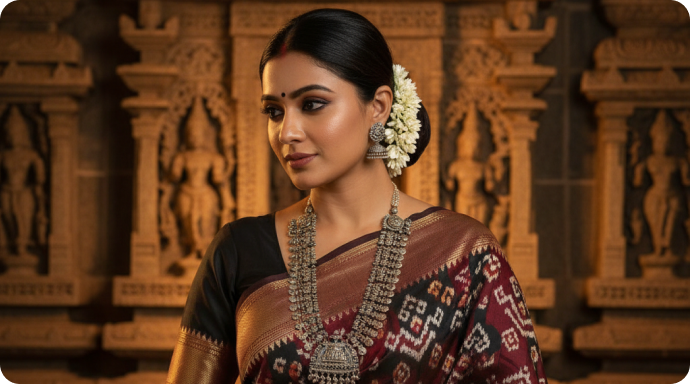
Beyond Photo Generation: Your Complete Saree Content Studio
Filmora isn't just an AI saree photo generator—it's an all-in-one creative powerhouse for every stage of your saree content creation journey. Once you've generated your Gemini AI saree photos and animated them, Filmora's comprehensive editing suite polishes your project to perfection.
- Authentic Cultural Enhancement Effects: Perfect the look of your saree images with built-in color enhancement, fabric texture overlays, and traditional aesthetics. Apply the exact vibrant colors and rich details that define authentic saree photography. Add subtle light effects, soft focus, and elegant backgrounds for true fashion photography quality.
- Creative Masks & Compositing: Isolate elements with AI-powered object removal. Want to enhance just the saree border details? Done. Need to composite multiple Gemini create saree photo variations into one stunning collection? Filmora's masking tools make it effortless.
- Custom Text & Logo Overlays: Add elegant typography to your creations, or design custom text with traditional fonts, gold effects, and decorative elements. Perfect for fashion portfolios, wedding collections, or catalog presentations.
- Royalty-Free Music & Sound Design: Access Filmora's library of traditional and contemporary music tracks, ambient soundscapes, and elegant background scores. Or upload your own audio to perfectly complement your saree content.
FAQs About Gemini AI Saree Photos Generation
How to Create Stunning Gemini AI Saree Photos in Filmora?
Generate and customize breathtaking AI saree photos with Gemini's advanced photo generator in Filmora effortlessly.
Step 1 Activate AI Image Generator

Step 2 Generate Saree Photos From Text or Reference Pictures

Step 3 Download and Export Your Gemini-Created AI Saree Photos

-
1:Activate AI Image Generator
Launch the latest version of Filmora, create a project, and click "Stock Media", choose "AI Image" from the Media panel to begin creating your Gemini AI saree photos. -
2:Generate Saree Photos From Text or Reference Pictures
Select the Nano Banana model, then type in your Gemini AI prompts for saree photos, then click on the "Generate" to start creating beautiful AI saree images. You can also upload a reference picture for face consistency, and finally tap on Generate to enhance your AI saree photo generator experience. -
3:Download and Export Your Gemini-Created AI Saree Photos
After generating the saree photo, you can preview the image, tap on the download button, and drag it to the timeline, edit your Gemini create saree photo if required, take a snapshot, or export to save your beautiful AI-generated saree picture.
More Than Just a Gemini AI Saree Photo Generator
Filmora goes beyond simple Gemini create saree photo capabilities. You can generate stunning AI saree photos with various designs, create captivating AI videos from your saree images, and enhance them with premium editing features using our advanced AI saree photo generator - all within the same powerful tool.