
30+ Gemini AI Wedding Photo Prompts:
Copy, Paste & Cherish
Whether you're envisioning dreamy ceremony scenes with soft sunlight, heartfelt first-look shots, fun wedding party group photos, or classic romantic portraits — these Gemini AI wedding photo prompts make creating unforgettable wedding images easy. Simply browse all Gemini AI wedding photo prompts, tap on the image, copy and paste to Filmora, and enjoy beautiful results fast.
Loading more templates...
 Category:
 Duration:
 Aspect Ratio:
Create Breathtaking Wedding Memories with AI:
Gemini AI Wedding Photo Generator in Filmora
Want to generate stunning Gemini AI wedding photos that capture your dream celebration? With Filmora's AI Image Generator, powered by advanced AI models, you can transform simple wedding photo prompts into high-quality visuals in seconds. From romantic ceremony shots to elegant reception moments, Filmora helps you visualize your perfect wedding day with realistic lighting, dreamy aesthetics, and emotional atmosphere—no photography expertise required.
Transform Wedding Ideas into Professional Photos with Gemini Prompts
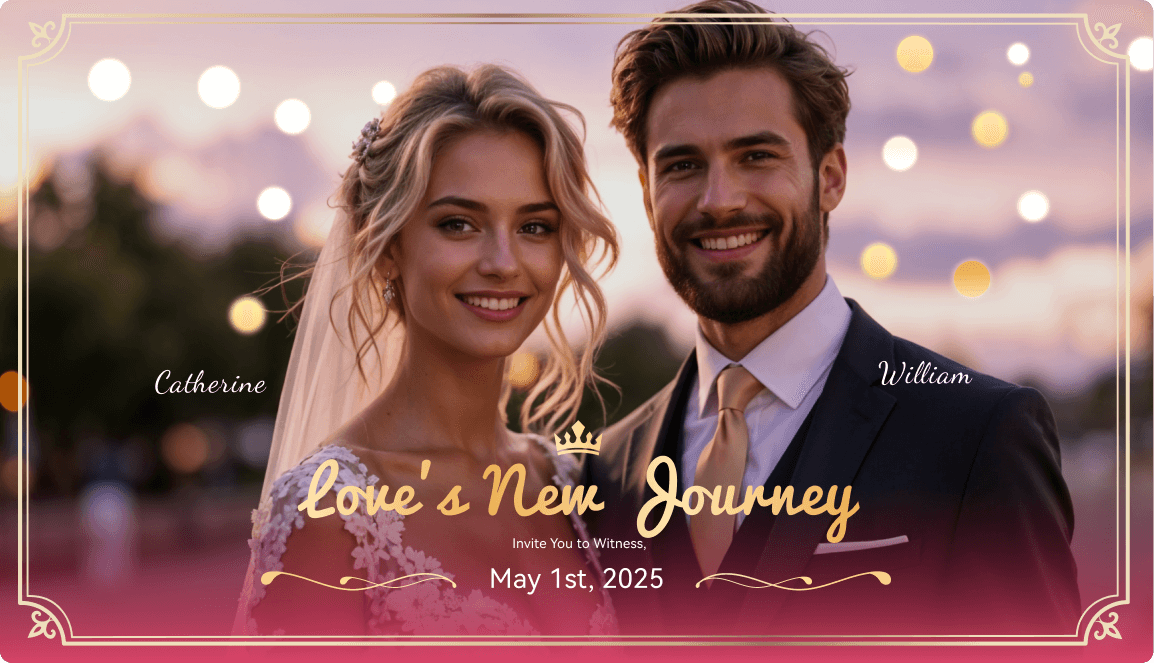
Transform Wedding Ideas into Professional Photos with Prompts
- Reference Image Support: Upload actual wedding photos to guide facial features and styles.
- Prompt-friendly Workflow - Fully compatible with all Gemini wedding photo prompts—just copy, paste, and create.
- Flexible Output Formats: - Add aspect-ratio instructions to generate images optimized for wedding albums, save-the-dates, wedding websites, Instagram posts, or invitation designs.
- Gemini Image Generation Model Support - Select Nano Banana or Nano Banana Pro model directly in Filmora's AI Image Generator according to your preference.
Turn Gemini Wedding Photo Prompts into Emotional Wedding Videos
Turn Gemini Wedding Photo Prompts into Emotional Wedding Videos
Bring your Gemini prompts for wedding photos to life with Filmora's AI Video generator. You can directly create AI wedding videos from prompts with the AI Text to Video Generator, or transform static wedding portraits into short, dynamic videos that highlight romance, emotion, and magical moments with the AI Image to Video Generator.
- Before / After Wedding Reveals: Show a venue's transformation from setup to decorated celebration by converting before-and-after images into smooth reveal videos. Perfect for TikTok, Reels, and wedding websites.
- Wedding Story Clips: Generate multiple visuals using different Gemini AI wedding photo prompts—such as ceremony, first dance, reception moments, or couple portraits—and animate them into a cohesive love story video.
- Simple Motion, Emotional Impact: Add subtle AI-driven motion and camera effects to your wedding images, creating romantic visuals without complex editing.
Complete Editing Suite for AI Wedding Photography
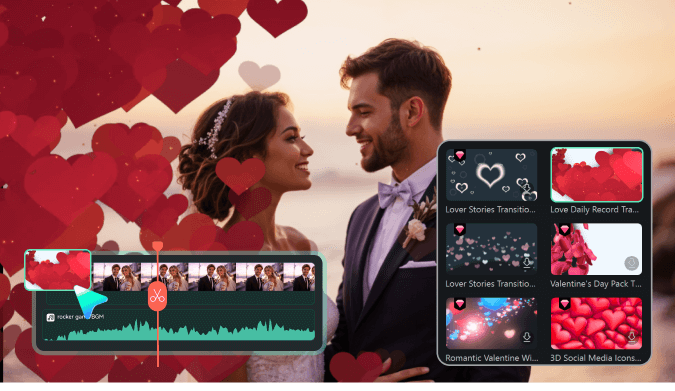
Complete Editing Suite for AI Wedding Photography
Creating visuals with Gemini prompts for wedding photos is just the beginning. Filmora's all-in-one editing suite helps couples and wedding planners turn wedding photos generated by AI into polished, emotion-filled content—perfect for save-the-dates, wedding websites, social media announcements, and cherished memories.
- Music Sync & Emotion-Based Editing: Automatically match video transitions and visual effects to the rhythm of romantic background music. Whether you're creating a wedding highlight reel or save-the-date video, Filmora helps your visuals flow with emotional timing.
- AI Wedding Music & Sound Effects Generator: Generate custom background music that fits your wedding's mood—romantic, emotional, celebratory, or intimate. Ideal for highlight reels, ceremony videos, and reception montages.
- Auto Highlights for Special Moments: Let AI detect the most impactful moments in your wedding footage—vows, first dance, or emotional speeches—and automatically generate highlight clips optimized for sharing with family and friends.
- AI Wedding Invitation & Cover Maker: Turn Gemini AI wedding photos into eye-catching save-the-dates, invitations, or thank-you cards with smart layouts, elegant text, and platform-optimized sizes for print, email, and social media.
FAQs about AI Generated Wedding Photos
How to Use Gemini to Generate
AI Wedding Photos in Filmora
While direct Gemini AI integration in Filmora isn't available just yet, you can still use Gemini's advanced capabilities to craft unique wedding images and import them into Filmora for final touches. Whether you're new to AI photo generation or looking for creative inspiration, this step-by-step guide shows you how to generate and edit Gemini-themed wedding photos in less than a minute.
Step 1 Open the AI Image Generator

Step 2 Create Gemini Wedding Photos From Text

Step 3 Download and Finalize Your Gemini Wedding Photos

-
1:Open the AI Image Generator
Launch Filmora, start a project, and go to "Stock Media" > "AI Image" in the Media panel to kick off your Gemini wedding photo creation. -
2:Create Gemini Wedding Photos From Text
Select the Gemini photo model or import a reference image, enter your Gemini Wedding Photo Prompts, then click "Generate" to produce magical images. -
3:Download and Finalize Your Gemini Wedding Photos
Preview your custom Gemini photo, download it, add to your timeline for editing, apply creative effects, or export and treasure your beautiful wedding image.
More Than Just a Gemini Wedding Photo Maker
Filmora isn't just a Gemini wedding photo creator with AI-powered prompts. You can also design various photography styles, produce videos from images or prompts, and bring your most cherished moments to life with powerful editing tools—all in one place.








