

 100% Security Verified | No Subscription Required | No Malware


 ChatGPT
 Perplexity
 Gemini
 Claude
 Grok
Grok
Aquarium is a fresh, teal-leaning blue that instantly feels clean, modern, and slightly dreamy. It combines the calm of blue with the energy of green, which is why it works so well for vlogs, travel edits, wellness content, and tech visuals. Used thoughtfully, an aquarium color palette can make your thumbnails more clickable, your intros more memorable, and your branding feel both soothing and high-end.
Below you will find 15 aquarium color palettes with ready-to-use HEX codes, designed for YouTube thumbnails, channel art, Instagram reels, intros, and full video color grading. Whether you are editing in Filmora or building a cohesive brand system, these aquarium color combinations give you a clear starting point you can quickly apply to text, overlays, graphics, and LUT-style looks.
In this article
Soft & Dreamy Aquarium Color Palettes
Lagoon Glass Glow
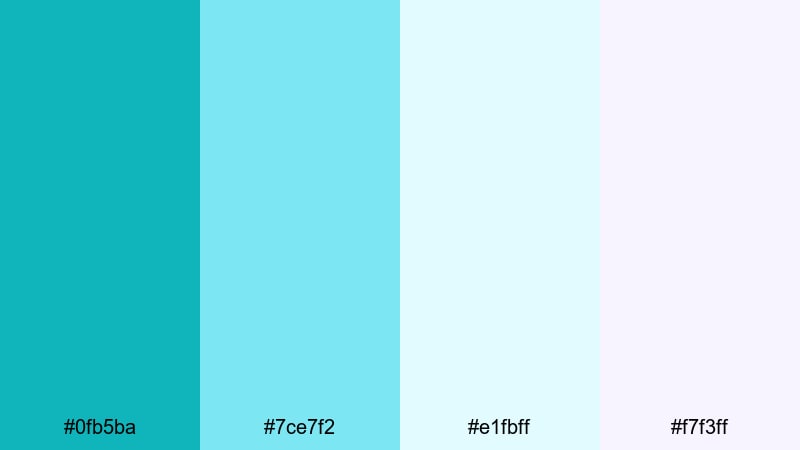
- HEX Codes: #0fb5ba, #7ce7f2, #e1fbff, #f7f3ff
- Mood: Calm, airy, and softly luminous like sunlight through clear water.
- Use for: Ideal for dreamy vlog intros, wellness reels, and minimal title cards with a floaty, relaxed feel.
Lagoon Glass Glow feels like looking through shallow, crystal-clear water. The core aquarium teal (#0fb5ba) is supported by pale aqua and soft whites, which creates a glassy, weightless atmosphere on screen. It is gentle without being dull, so your visuals stay bright while still feeling calm.
Use this palette for lifestyle or wellness channels, minimal YouTube intros, or Instagram reels where you want text and icons to float over footage without harsh contrast. It works beautifully for overlay titles, lower thirds, and thumbnail backgrounds where a clean, spa-like aquarium aesthetic should lead the eye.
Pro Tip: Keep Your Aquarium Aesthetic Consistent in Filmora
When you use a soft aquarium palette like Lagoon Glass Glow, consistency is everything. In Filmora, you can set your main aquarium teal and off-white tones as a style guide for titles, lower thirds, and end screens, then reuse that style across your project so every scene feels like part of the same calm lagoon.
Apply the same color values to shapes, captions, and call-to-action buttons in Filmora so your intro, B-roll overlays, and social cutdowns all share one unified aquarium look. This makes your brand feel intentional and polished, even if you are editing quickly.
AI Color Palette
If you have a reference image with this lagoon feel (for example, a photo of clear tropical water or your own brand mood board), Filmora's AI Color Palette feature can read its colors and apply them directly to your footage. That means you can turn random clips from different days or cameras into one cohesive aquarium-toned sequence.
Import a still frame or design with your chosen HEX colors, let Filmora analyze it, then match that palette to the rest of your clips. This saves a lot of time compared to manual grading, and helps you keep that soft, glassy aquarium look across vlogs, B-roll, and shorts.
 secure download

HSL, Color Wheels & Curves
After matching your aquarium palette, you can fine-tune it in Filmora using HSL, color wheels, and curves. Use HSL to gently shift blue and cyan hues toward your preferred aquarium tint, and desaturate any competing colors that distract from the soft teal mood. With the color wheels, you can cool down shadows and keep highlights slightly warm so skin tones stay natural.
Curves give you precise control over contrast: raise the midtones to keep that airy, backlit look, or deepen the shadows for a slightly more cinematic lagoon atmosphere. If you want a deeper walkthrough, check out Filmora's color correction tools guide and follow along while you grade your own footage.
secure download1000+ Video Filters & 3D LUTs
If you want to stylize your aquarium palette even faster, Filmora's video filters and 3D LUTs make it easy to test different moods. Stack soft film filters over your Lagoon Glass Glow grading, or try teal-and-orange LUTs to add warmth while keeping your signature aquarium base color.
You can save your favorite combination of filters, LUTs, and manual adjustments as a preset, then apply it across an entire series. This is an efficient way to lock in your lagoon-inspired brand look for thumbnails, intros, and long-form videos without rebuilding it every time.
secure downloadMorning Reef Mist
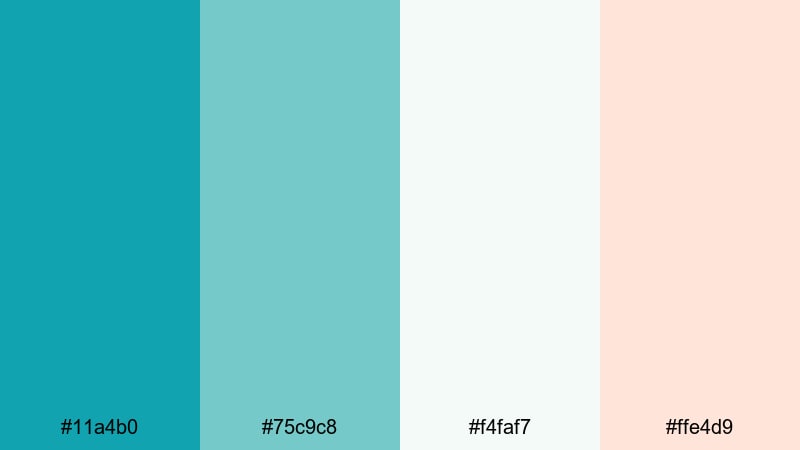
- HEX Codes: #11a4b0, #75c9c8, #f4faf7, #ffe4d9
- Mood: Fresh, optimistic, and slightly nostalgic like an early beach morning.
- Use for: Use in travel vlogs, morning routines, and subtle lower thirds that need a clean, breezy atmosphere.
Morning Reef Mist combines soft aquarium teals with misty neutrals and a gentle peach highlight. It looks like the first light catching waves and sand, giving your visuals a fresh but relaxed tone that works well for day-in-the-life edits and routine content.
Use the warmer accent (#ffe4d9) for subscribe buttons, timestamps, or highlight text on thumbnails, while the cooler tones handle backgrounds and overlays. This palette makes morning content, productivity shots, and quiet beach B-roll feel clear, bright, and welcoming.
Seafoam Storybook
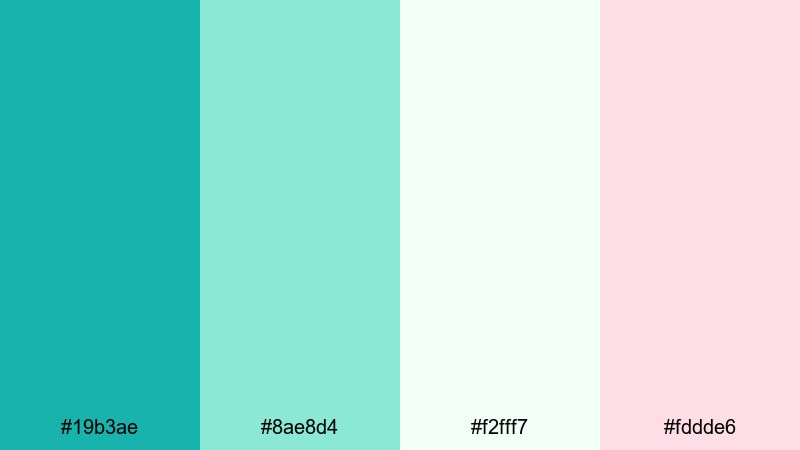
- HEX Codes: #19b3ae, #8ae8d4, #f2fff7, #fddde6
- Mood: Whimsical, gentle, and playful with a pastel seafoam charm.
- Use for: Great for kids content, whimsical animations, and soft branding for creator channels.
Seafoam Storybook leans into pastel aquarium and mint tones, softened by white and blush pink. It feels like an illustrated children’s book set underwater, light and friendly without any harsh edges.
Apply this palette to animated titles, doodle-style overlays, or channel branding for kids, crafting, or cozy gaming content. Use the blush tone to emphasize buttons or key words in thumbnails, while the pale greens and whites keep backgrounds soft and easy to read.
Tidal Daydream Drift
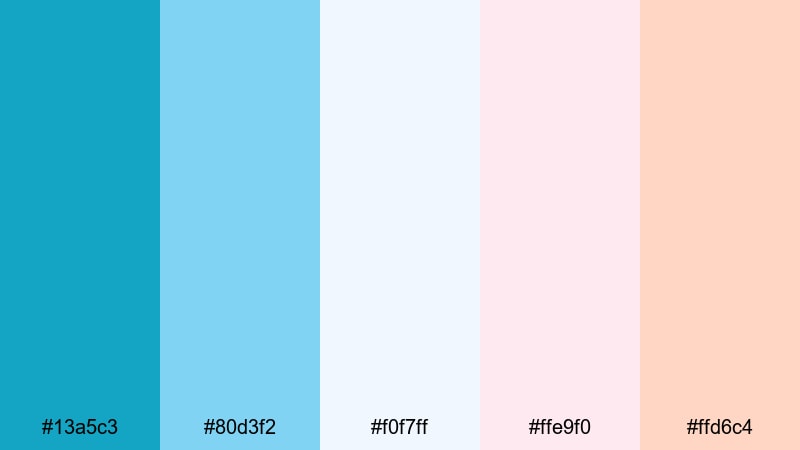
- HEX Codes: #13a5c3, #80d3f2, #f0f7ff, #ffe9f0, #ffd6c4
- Mood: Ethereal, dreamy, and romantic with a soft ocean-sky gradient feel.
- Use for: Ideal for cinematic travel edits, romantic montages, and dreamy typography overlays.
Tidal Daydream Drift blends aquarium blue with pastel sky tones and warm blush colors, creating a subtle gradient from sea to sunset. It adds a nostalgic, almost cinematic romance to your frames without going overly saturated.
Use the deeper aquarium (#13a5c3) for titles or key icons, and let the pale blues and blushes fill your backgrounds, frames, and transitions. This is a great choice for travel reels, engagement or couple montages, and poetic B-roll edits where you want your footage to feel like a gentle memory.
Bold & Cinematic Aquarium Color Palettes
Electric Harbor Lights
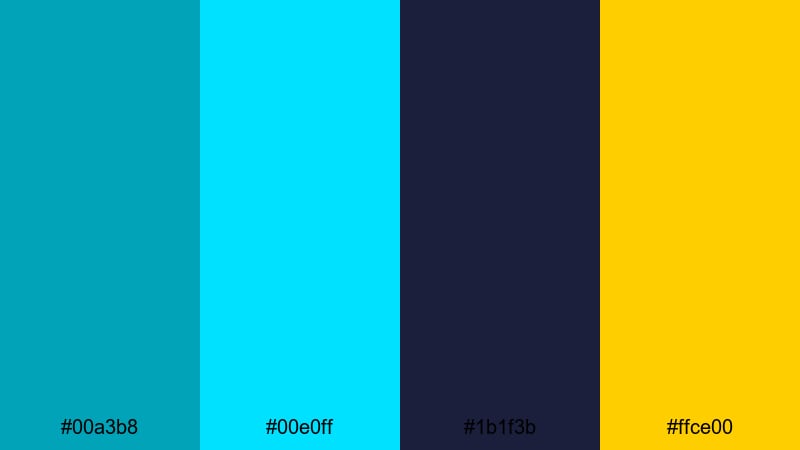
- HEX Codes: #00a3b8, #00e0ff, #1b1f3b, #ffce00
- Mood: High-energy, urban, and cinematic like neon reflections in a night harbor.
- Use for: Perfect for tech intros, gaming highlights, and fast-paced teaser trailers.
Electric Harbor Lights contrasts bright aquarium and cyan against deep navy and electric yellow. The result is a cyber-urban aquarium look that feels like city lights bouncing off dark water.
Use the navy (#1b1f3b) for full-bleed backgrounds in titles and end screens, spotlighting your bright aquarium text and call-to-action buttons in yellow. This palette works especially well for gaming thumbnails, tech countdowns, and kinetic typography where punchy contrast is key.
Neon Abyss Splash
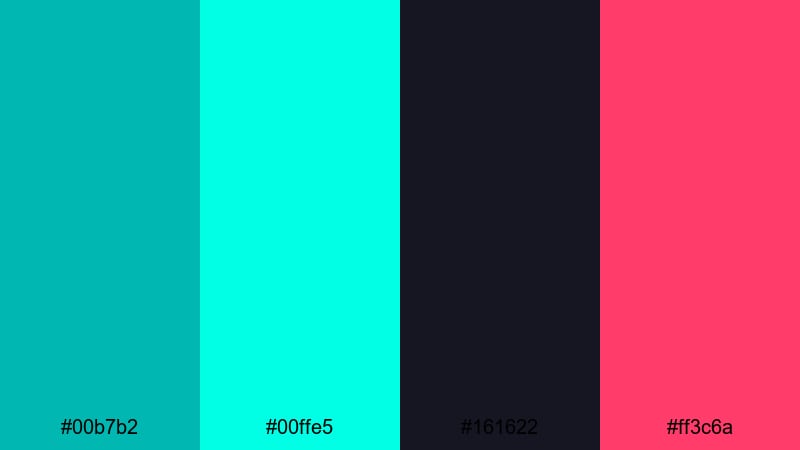
- HEX Codes: #00b7b2, #00ffe5, #161622, #ff3c6a
- Mood: Edgy, futuristic, and club-like with strong contrast and neon drama.
- Use for: Use in music videos, dance edits, and cyberpunk-inspired motion graphics.
Neon Abyss Splash pushes aquarium into full neon mode, pairing vivid aqua with deep near-black and hot magenta. It has a nightlife, club stage aesthetic that jumps off the screen, especially in dark environments.
Use the inky background (#161622) as your canvas and let aqua and magenta guide your strokes for titles, equalizer animations, and motion graphics. This palette is ideal for music videos, performance edits, or cyberpunk content where bold aquarium highlights are part of the story.
Coral Arcade Nights
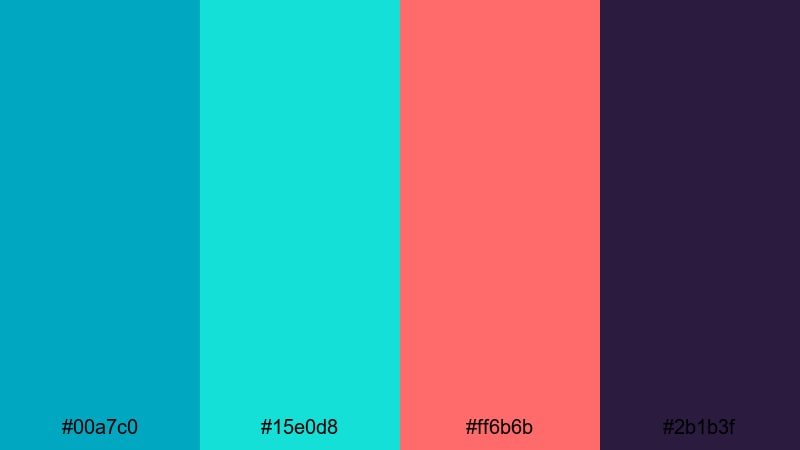
- HEX Codes: #00a7c0, #15e0d8, #ff6b6b, #2b1b3f
- Mood: Retro-futuristic, playful, and a little nostalgic like an 80s arcade by the sea.
- Use for: Great for retro gaming edits, synthwave lyric videos, and bold channel branding.
Coral Arcade Nights fuses bright aquarium cyan with coral red and deep violet. It feels like neon signage and arcade cabinets in a seaside boardwalk, giving your visuals a playful yet intense color story.
Use coral (#ff6b6b) for emphasis on buttons, icons, or key text, while aquarium and mint handle the main interface and outlines. This is a strong choice for synthwave visuals, retro gaming channels, and thumbnails that need eye-catching contrast in the first second of scrolling.
Aqua Cyber Pulse
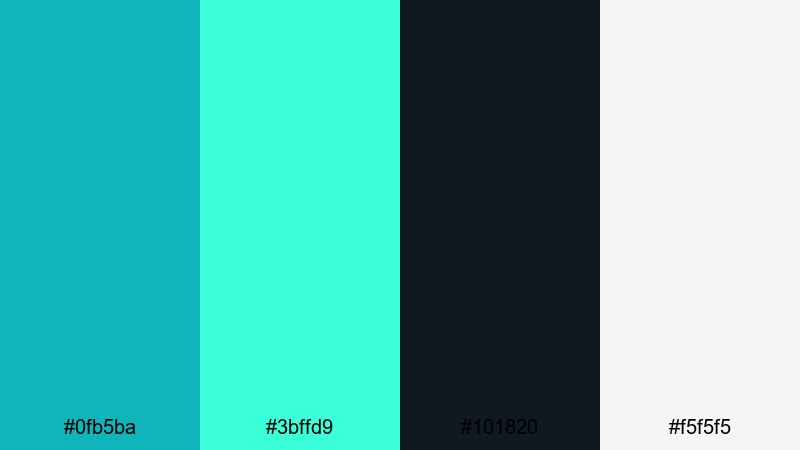
- HEX Codes: #0fb5ba, #3bffd9, #101820, #f5f5f5
- Mood: Sleek, futuristic, and high-contrast with a sci-fi interface feel.
- Use for: Ideal for UI mockups in motion, app promos, and tech review overlays.
Aqua Cyber Pulse pairs clean aquarium tones with near-black and bright neon aqua, balanced by crisp white. It resembles a sci-fi HUD or dashboard, perfect for tech and gadget-focused content.
Use the dark tone (#101820) as a panel background, neon aqua for highlights and outlines, and off-white for readable text. This palette works beautifully for overlay graphics in review videos, app demos, and any content where you want your aquarium branding to feel advanced and polished.
Modern & Minimal Aquarium Color Palettes
Scandi Tide Calm
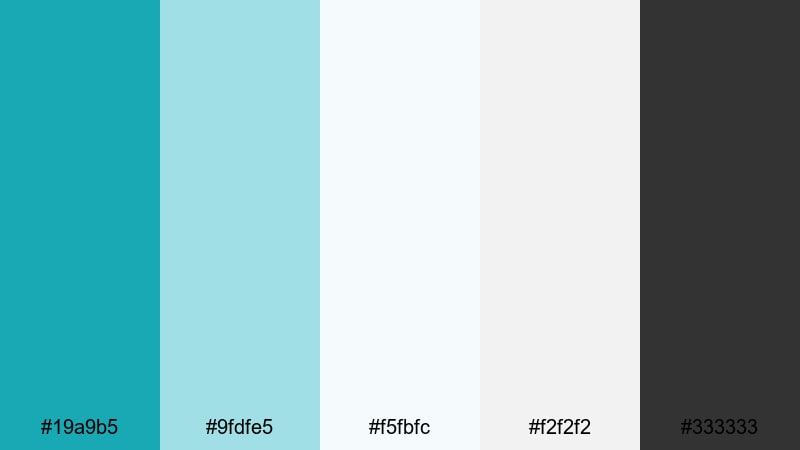
- HEX Codes: #19a9b5, #9fdfe5, #f5fbfc, #f2f2f2, #333333
- Mood: Minimal, balanced, and design-forward with Scandinavian-inspired simplicity.
- Use for: Use in modern brand intros, portfolio reels, and clean explainer videos.
Scandi Tide Calm mixes moderated aquarium teal with pale blues, soft grays, and a deep charcoal accent. It feels structured and contemporary, like a well-designed website translated into motion.
Use white and light gray for main backgrounds and grids, apply aquarium as the primary accent for icons and section titles, and keep charcoal (#333333) for body text and key callouts. This palette suits clean explainers, portfolio showcases, and SaaS-style content where clarity and subtle aquarium branding are the priority.
Glass Dock Interface
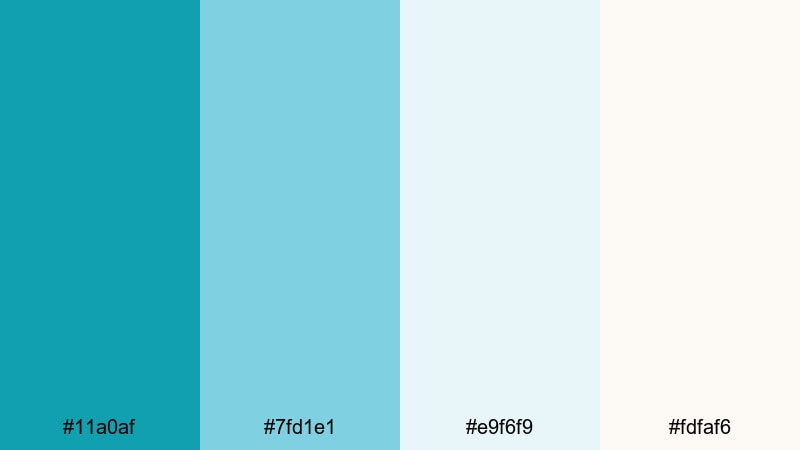
- HEX Codes: #11a0af, #7fd1e1, #e9f6f9, #fdfaf6
- Mood: Light, polished, and airy like a glass dashboard over a bay view.
- Use for: Great for UI-style overlays, SaaS promos, and YouTube tutorials that need clarity.
Glass Dock Interface uses cool aquarium and sky blues over almost white backgrounds to create a translucent, glass-panel mood. It is airy and professional, ideal for on-screen dashboards and tutorial overlays where information density is high.
Keep your main backgrounds in the soft off-whites, reserve aquarium for key interface elements, and use the lighter blue for secondary panels or hover states. This works especially well for explainers and tutorials where you screen-record apps and want to add subtle aquarium framing and labels without clutter.
Marina Workspace Chic
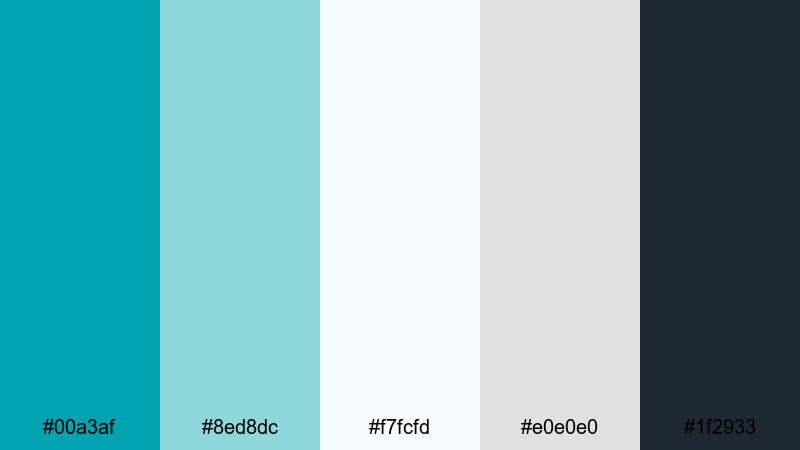
- HEX Codes: #00a3af, #8ed8dc, #f7fcfd, #e0e0e0, #1f2933
- Mood: Professional, cool, and quietly confident like a modern marina office.
- Use for: Ideal for business explainers, productivity videos, and sleek lower-third designs.
Marina Workspace Chic brings together fresh aquarium teal, light seafoam, and disciplined neutral grays, anchored by a darker slate. It feels like a contemporary office with a view of the water: businesslike, but not cold.
Use slate (#1f2933) for text and key shapes, the light seafoam for subtle panels and charts, and aquarium as your accent in logos, progress bars, and main titles. This palette is great for productivity content, LinkedIn-style branding, and business channels that still want a touch of coastal freshness.
Clean Poolside Grid
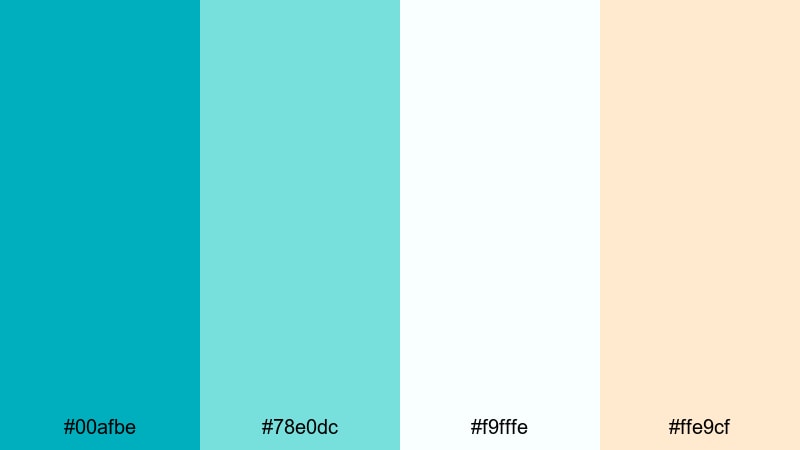
- HEX Codes: #00afbe, #78e0dc, #f9fffe, #ffe9cf
- Mood: Bright, optimistic, and organized with a resort-like lightness.
- Use for: Use for lifestyle channels, fitness content, and grid-based social graphics.
Clean Poolside Grid feels like sunlit tiles around a crystal pool. Crisp aquarium tones are softened by a creamy, warm highlight and bright whites, giving you an upbeat yet still minimal vibe.
Use the cream (#ffe9cf) as a subtle accent behind important labels or metrics, while aquarium and mint lead in buttons, frames, and section dividers. This palette works nicely for fitness dashboards, lifestyle planners, and social templates where you want a structured layout with a relaxing poolside twist.
Retro & Vintage Aquarium Color Palettes
Seaside Motel Sign
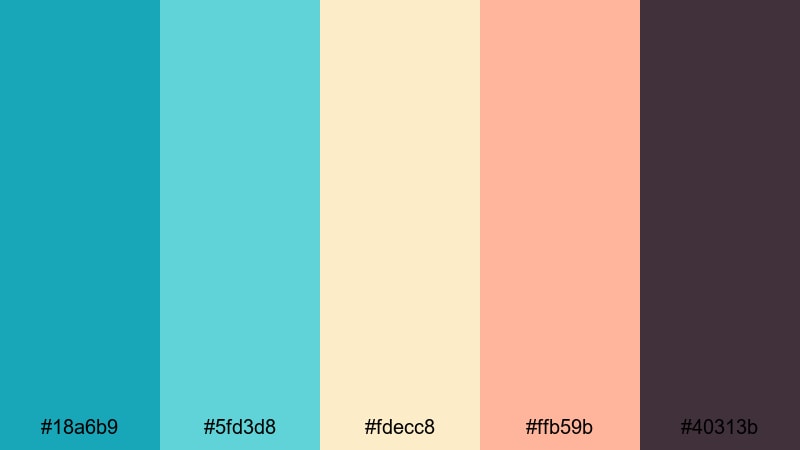
- HEX Codes: #18a6b9, #5fd3d8, #fdecc8, #ffb59b, #40313b
- Mood: Retro, warm, and nostalgic like a faded seaside motel postcard.
- Use for: Perfect for vintage travel edits, title cards, and stylized Instagram reels.
Seaside Motel Sign combines aquarium teal and seafoam with creamy beige, sun-faded coral, and a muted brown. It instantly evokes old postcards, signage, and analog holiday photos.
Use the darker brown (#40313b) for text and outlines to preserve that printed-ink feel, while aquarium and coral act as main color pops in titles and thumbnail elements. This palette is ideal for travel retrospectives, throwback vacation edits, and reels where you want that slightly faded but warm aquarium look.
Analog Surf Club
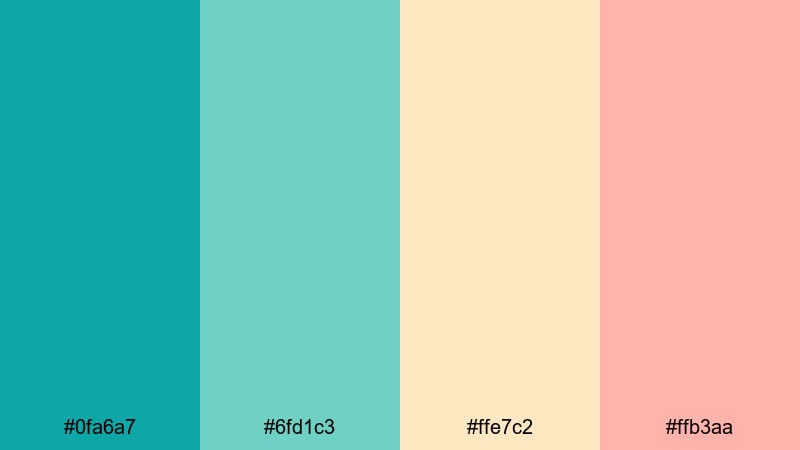
- HEX Codes: #0fa6a7, #6fd1c3, #ffe7c2, #ffb3aa
- Mood: Sunny, carefree, and beachy with a soft film-like warmth.
- Use for: Great for surf edits, retro lifestyle montages, and nostalgic channel branding.
Analog Surf Club balances aquarium and mint tones with warm sand and coral accents. It feels like surf film shot on old stock, slightly warm and sun-kissed but still clean.
Use the warm sand (#ffe7c2) for title blocks or frames, and let aquarium handle key icons and badges. This palette is excellent for surf, skating, or laid-back lifestyle channels that want a consistent, analog-leaning aquarium identity across thumbnails, intros, and story highlights.
Mermaid VHS Memories

- HEX Codes: #15a4c0, #73d7f2, #f2f0ff, #ffcfde, #5c4a72
- Mood: Dreamy, nostalgic, and slightly magical like a taped-over ocean fantasy movie.
- Use for: Ideal for edits with VHS overlays, dreamy flashbacks, and nostalgic lyric videos.
Mermaid VHS Memories weaves shimmering aquarium and sky blues with lavender, soft pink, and deep plum. It feels like an old fantasy or mermaid cartoon recorded onto VHS, with a mix of underwater and dreamy bedroom aesthetics.
Use the plum (#5c4a72) for typography and frame borders, and let the lighter blues and pinks glow in backgrounds and gradients. This palette is perfect for lyric videos, dreamy flashbacks, or VHS-styled edits with tape overlays where you want a magical, nostalgic aquarium tone threading through every frame.
Tips for Creating Aquarium Color Palettes
When you build your own aquarium color combinations for video and design, balancing calm teal tones with contrast and warmth is the key to keeping visuals both soothing and easy to read. Here are some practical tips to guide your choices.
- Pair aquarium with a dark anchor color (navy, charcoal, or deep plum) so text and icons stay readable in thumbnails and lower thirds.
- Add one warm accent (coral, peach, or soft yellow) to prevent your palette from feeling too cold, especially for lifestyle and vlog content.
- Use off-whites and light neutrals instead of pure white to create softer backgrounds that still give strong contrast to aquarium text.
- Limit yourself to 1–2 main aquarium shades and 2–3 supporting colors to avoid cluttered layouts and inconsistent branding.
- Test your palette on both light and dark modes: create a version with aquarium on white, and another with aquarium highlights on a dark base.
- Check legibility on mobile by zooming out on your thumbnail designs; if small text in aquarium or over aquarium is hard to read, adjust contrast or swap colors.
- Match your palette to your footage: if your clips are already very blue, consider desaturating the background and using brighter aquarium tones only in overlays.
- Save your favorite color combinations as presets or templates in Filmora so you can apply the same aquarium look across series, playlists, and platforms.
Aquarium color palettes can quietly transform the mood of your channel, from soft and dreamy to bold and cinematic. By picking the right combination of teals, neutrals, and accents, you can give your thumbnails, intros, and overlays a recognizable identity that viewers remember.
Try dropping a few of these palettes into Filmora, then tweak them with AI Color Palette, HSL, and LUTs until they match your footage and personal style. Once you find your signature aquarium look, re-use it across your series to build a strong, cohesive brand.
Whether you edit casual vlogs or full cinematic travel films, having a reliable aquarium palette ready to go will speed up your workflow and keep your visuals looking professionally designed.
secure downloadNext: Pastel Red Color Palette
