

 100% Security Verified | No Subscription Required | No Malware


 ChatGPT
 Perplexity
 Gemini
 Claude
 Grok
Grok
Aurora Green sits between fresh mint and natural pine, instantly suggesting clarity, renewal, and a quiet kind of energy. It feels modern but still organic, so it works just as well for wellness channels as it does for sleek tech brands. On screen, this hue can soften harsh footage, make skin tones feel calmer, and add a subtle cinematic glow when paired with the right supporting colors.
For editors and designers, Aurora Green is a flexible anchor color for YouTube intros, thumbnails, logo animations, overlays, and social reels. Below you will find ready made Aurora Green color palettes with HEX codes tailored for creators and Filmora users. Each palette includes a mood description and practical ideas for video, branding, and aesthetic posts so you can drop the colors straight into your edit or design system.
In this article
Soft & Serene Aurora Green Color Palettes
Morning Dew Aurora
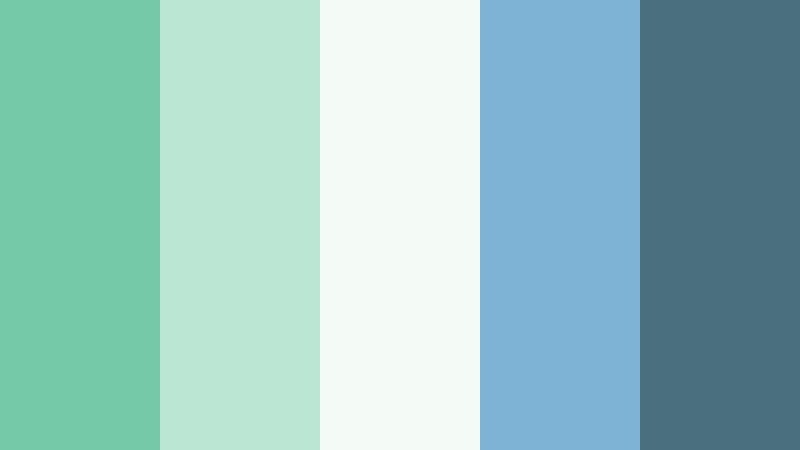
- HEX Codes: #75c9a8, #bce6d4, #f4fbf7, #7fb3d5, #4a6f7f
- Mood: Calm, fresh, and reflective like a quiet morning after rain.
- Use for: Ideal for wellness vlogs, lifestyle intros, and storytelling videos that need a peaceful, airy look.
Morning Dew Aurora blends a soft, leafy Aurora Green with misty blues and gently washed whites. It feels like opening a window onto a cool morning, letting in clean air and a sense of mental reset. The palette is light enough to stay unobtrusive, yet colorful enough to give your visuals personality.
Use these HEX codes for lower thirds, minimalist title screens, or soft gradient backgrounds behind talking head footage. In thumbnails, pair the brighter Aurora Green (#75c9a8) with the deep blue gray (#4a6f7f) for text and outlines so your titles stay readable but still on brand. For channel branding, this palette is perfect for creators who want a calm, reflective, and slightly dreamy aesthetic.
Pro Tip: Build a Soft Aurora Green Visual Language in Filmora
With a gentle palette like Morning Dew Aurora, consistency matters more than intensity. In Filmora, you can apply these HEX colors to text styles, shapes, and overlays, then save them as custom presets. This way, every intro, end screen, chapter card, and social cut shares the same Aurora Green look, even if you film on different days or in different locations.
Try using the lightest tones (#f4fbf7, #bce6d4) as background color blocks and motion graphics, while reserving the deeper hues (#7fb3d5, #4a6f7f) for titles, drop shadows, and callout boxes. Once you lock in this hierarchy across your project panels, it becomes easy to keep your brand style coherent, calm, and instantly recognizable.
AI Color Palette
If you have a still frame, mood board, or brand card that already uses this Morning Dew Aurora scheme, Filmora's AI Color Palette feature can automatically spread that look across your entire edit. Instead of color grading every clip by hand, you set one clip or image as the reference and let the AI match the tones.
This is especially useful for Aurora Green aesthetics, because small changes in saturation and warmth can shift the mood from spa like calm to medical or overly cool. Use AI Color Palette to keep greens, whites, and blues aligned between your A roll, B roll, and cutaways, so the video feels like one coherent visual story.
 secure download

HSL, Color Wheels & Curves
Once your Aurora Green palette is applied, use Filmora's color tools to fine tune it. With HSL sliders, you can gently push the green hue toward teal for a cooler, tech leaning mood or toward a softer mint for wellness content. The color wheels help you warm up midtones and skin while keeping highlights clean, avoiding that flat, overly green cast.
Curves give you precise control over contrast, letting you keep the airy softness of Morning Dew Aurora without losing detail. You can explore these controls in more depth using Filmora's built in tutorials and examples, then save your favorite adjustments as custom presets for future uploads.
secure download1000+ Video Filters & 3D LUTs
You can also layer your Aurora Green palette with ready made looks from Filmora. Filmora's video filters and 3D LUTs make it easy to push the same colors into different moods, from soft filmic fades to crisp commercial contrast. This is perfect when you want a slightly different tone for vlogs, Reels, and sponsored content while keeping your core greens consistent.
Apply a subtle cinematic LUT to give Morning Dew Aurora more depth, then use filters like vignette or glow only on key scenes. With a few clicks, you can turn a simple Aurora Green color scheme into a polished visual identity that works across platforms.
secure downloadForest Canopy Whisper
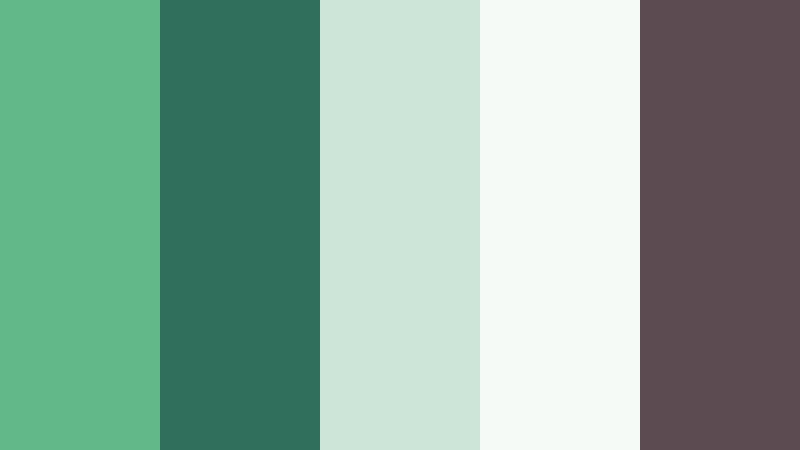
- HEX Codes: #63b889, #2f6f5b, #cde5d8, #f6faf7, #5c4b51
- Mood: Grounded, organic, and quietly cinematic.
- Use for: Works well in nature documentaries, travel b-roll, and cinematic BGM edits with an earthy mood.
Forest Canopy Whisper brings together rich Aurora Green, deep forest shadows, and soft off whites. It feels like standing under tree cover with patches of sky peeking through. The muted cream and green tints keep everything gentle, while the darker teal green and warm brown gray add cinematic depth.
Use the light tones for chapter cards and map style graphics in travel vlogs, and the deeper greens (#2f6f5b, #5c4b51) for lower thirds and main titles. In thumbnails, contrast a bright subject with dark forest accents and Aurora Green strokes around your text to create a grounded, nature driven look that still stands out in feeds.
Sea Mist Minimal
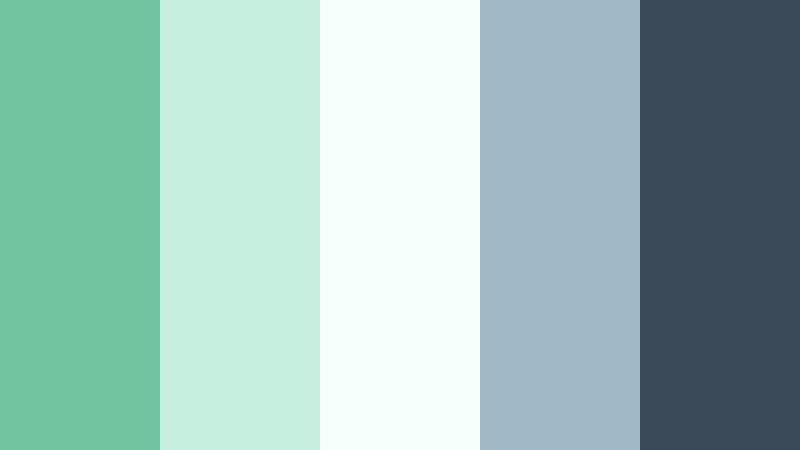
- HEX Codes: #72c4a1, #c7efe0, #f5fffb, #9fb9c7, #3a4a58
- Mood: Minimal, airy, and slightly coastal.
- Use for: Great for clean UI overlays in tutorials, tech explainers, and app demo videos seeking a soft but modern feel.
Sea Mist Minimal pairs Aurora Green with pale aqua, foggy blue, and a grounding charcoal. It feels like a calm seafront morning, crisp but not cold, and has a very modern minimal vibe thanks to the wide use of light space. The mix works especially well on white or light footage.
For video content, use the lightest shades (#c7efe0, #f5fffb) for background panels behind on screen text and tutorial steps. The charcoal (#3a4a58) is ideal for icons, small body text, and progress bars, while Aurora Green (#72c4a1) can highlight buttons, important stats, or key words in your titles. This palette is perfect for tech and productivity creators who still want a natural, human touch.
Glasshouse Daylight
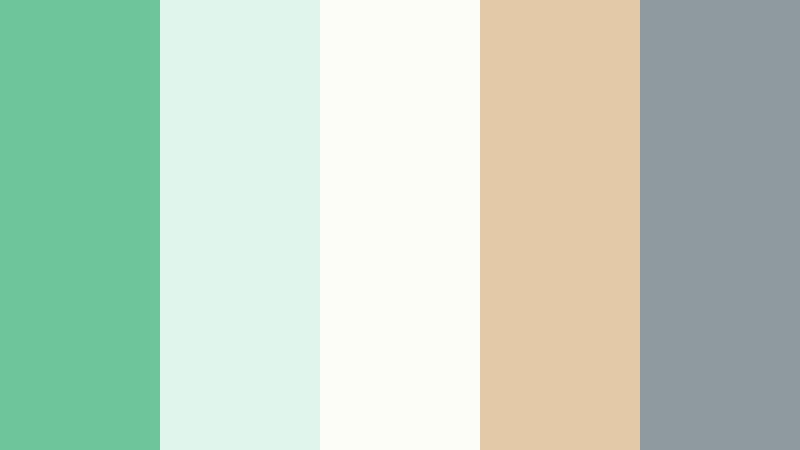
- HEX Codes: #6dc59b, #e0f5eb, #fdfdf8, #e3c9a8, #8e9a9f
- Mood: Light filled, botanical, and warm modern.
- Use for: Perfect for brand films, studio tours, and aesthetic reels set in bright interiors with plants and natural light.
Glasshouse Daylight mixes Aurora Green with airy creams, warm sand, and soft gray. It feels like a sunlit studio with plants, wooden furniture, and big windows. The palette is bright and inviting without losing a polished, editorial edge.
For branding, you can use the warm beige (#e3c9a8) as a base color in thumbnails and intros, with Aurora Green (#6dc59b) for logos, buttons, and scroll prompts. The soft gray (#8e9a9f) keeps typography legible in overlays and end screens. This palette is ideal for lifestyle creators, interior designers, and small brands who want a contemporary yet approachable Aurora Green aesthetic.
Calm Campus Study
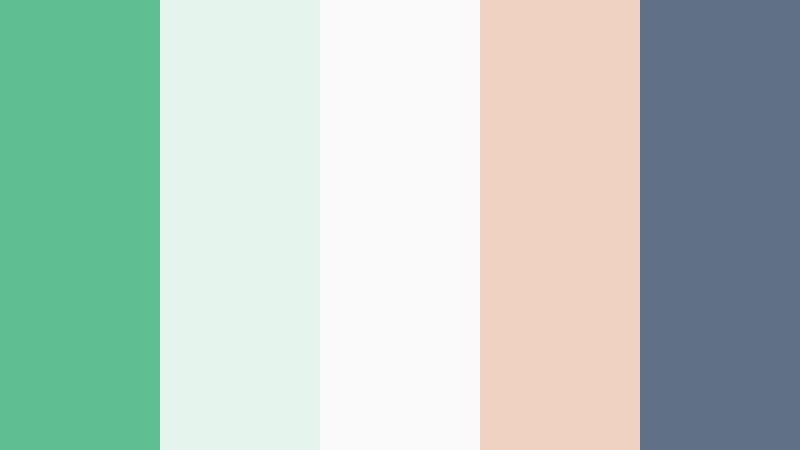
- HEX Codes: #5fbf93, #e5f5ed, #fafafa, #f0d2c3, #607087
- Mood: Focused, studious, and quietly optimistic.
- Use for: Ideal for study vlogs, productivity tutorials, and educational channels needing a soft but focused aesthetic.
Calm Campus Study balances Aurora Green with soft peach, clean white, and muted blue gray. It suggests neat notes, tidy desks, and long but productive study sessions. The palette is gentle enough to stay in the background of educational content, yet distinctive when used consistently for branding.
Use the whites and pale green tones for note overlay boxes, time stamps, and progress trackers in your editing timeline. The muted blue gray (#607087) is strong enough for headings and thumbnail text, while Aurora Green (#5fbf93) and peach (#f0d2c3) can highlight call to action buttons like Subscribe, Download, or Watch Next. This is a great palette for channels that mix productivity content with personal lifestyle clips.
Bold & Cinematic Aurora Green Color Palettes
Neon Aurora Nightscape
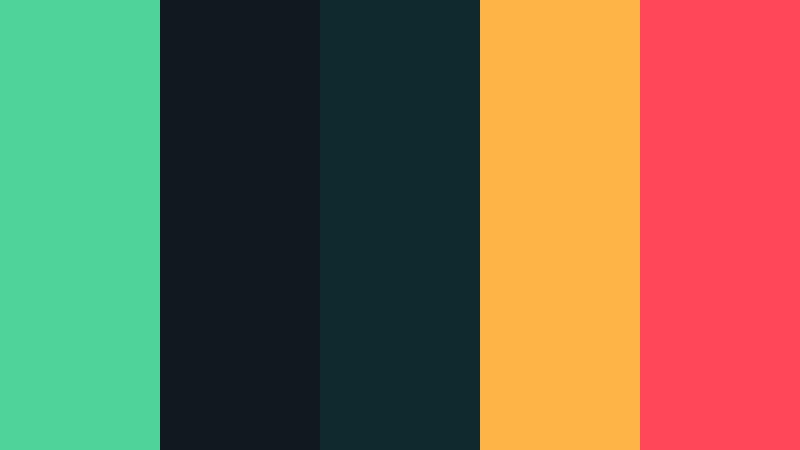
- HEX Codes: #4fd39a, #101820, #0f292f, #ffb545, #ff4757
- Mood: Electric, edgy, and nightlife inspired.
- Use for: Great for gaming intros, music videos, and high energy shorts that need a punchy cyber vibe.
Neon Aurora Nightscape throws vivid Aurora Green against deep noir blacks and teal, then adds hot yellow and red accents. The result is a cyberpunk city at night: intense contrast, saturated signs, and bold light. It is designed to grab attention fast.
Use the darkest blues and blacks (#101820, #0f292f) for backgrounds and frame bars, then let Aurora Green (#4fd39a) outline characters, HUD elements, or glitch text. The warm accents (#ffb545, #ff4757) are perfect for urgent buttons, score indicators, or track titles in music videos and gaming thumbnails. This palette looks especially strong with glow and blur effects in Filmora.
Tropical Stream Burst
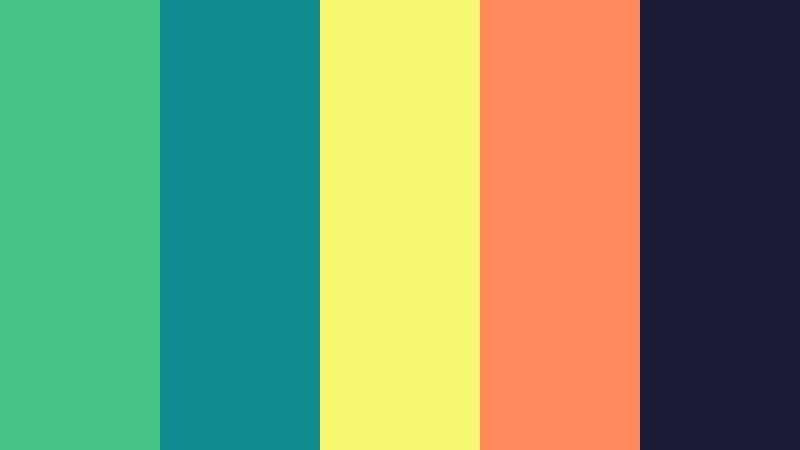
- HEX Codes: #46c488, #0f8b8d, #f9f871, #ff8a5c, #1d1b38
- Mood: Energetic, playful, and summer charged.
- Use for: Perfect for travel vlogs, festival recaps, and upbeat channel trailers targeting a young audience.
Tropical Stream Burst combines punchy Aurora Green with teal, bright citrus yellow, and coral against a deep indigo base. It feels like beach parties, pool lights, and festival stages, all compressed into one saturated scheme. The colors are bold, but still balanced between cool and warm tones.
Use the dark indigo (#1d1b38) as your main background in titles and outro cards, then layer Aurora Green (#46c488) and teal (#0f8b8d) for shapes and borders. The yellow (#f9f871) and coral (#ff8a5c) are perfect for emojis, stickers, and callouts in Shorts or Reels. This palette works brilliantly for cover art, countdown timers, and animated text in Filmora when you want your green aesthetic to feel fun and summery.
Urban Tech Matrix
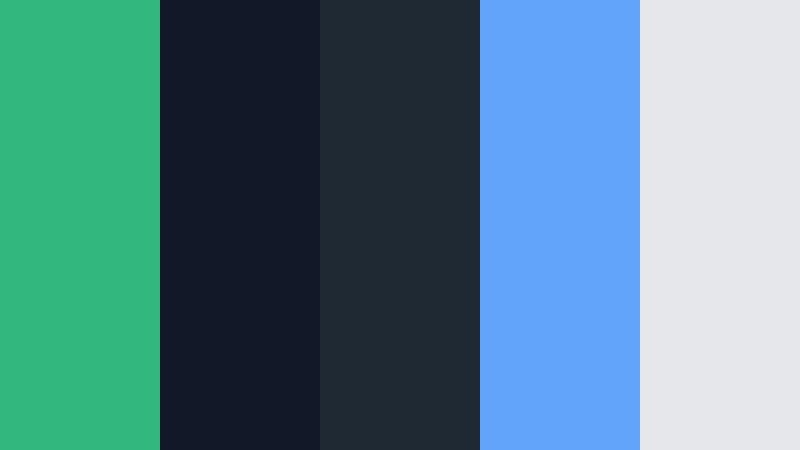
- HEX Codes: #32b77f, #111827, #1f2933, #60a5fa, #e5e7eb
- Mood: Futuristic, sharp, and tech driven.
- Use for: Ideal for app promos, fintech explainers, and motion graphics with a digital or sci fi look.
Urban Tech Matrix slices bright Aurora Green through inky navy and slate, with a clear sky blue accent and clean light gray. It feels like dashboards, holograms, and futuristic UI screens. The understated neutrals keep everything professional, while the greens and blues carry the tech energy.
In your videos, use the dark tones (#111827, #1f2933) as canvases for on screen data, charts, and wireframe style graphics. Aurora Green (#32b77f) and blue (#60a5fa) can highlight important metrics or steps in software tutorials, while the light gray (#e5e7eb) keeps body text readable. This palette is strong for channel rebrands, especially when used for logo animations and intro slates in Filmora.
Aurora Storm Contrast

- HEX Codes: #45c18a, #0b1b1f, #222f3e, #feca57, #ee5253
- Mood: Dramatic, cinematic, and high contrast.
- Use for: Great for trailers, cinematic B roll, and color graded story pieces with emotional tension.
Aurora Storm Contrast pits a vibrant Aurora Green against deep navy, charcoal, and warm highlight tones. It has the drama of a stormy sky lit by city lights: moody, emotional, and very cinematic. The contrast is strong enough to make text and graphics pop on both mobile and desktop.
Use the dark blues (#0b1b1f, #222f3e) for letterbox bars and background plates, then let Aurora Green (#45c18a) edge titles, line up transitions, or frame key scenes. The warm yellow and red (#feca57, #ee5253) can mark plot points, timestamps, or urgent calls to action like Watch The Full Film. This palette works especially well with Filmora's cinematic transitions and subtle grain overlays.
Esports Arena Pulse
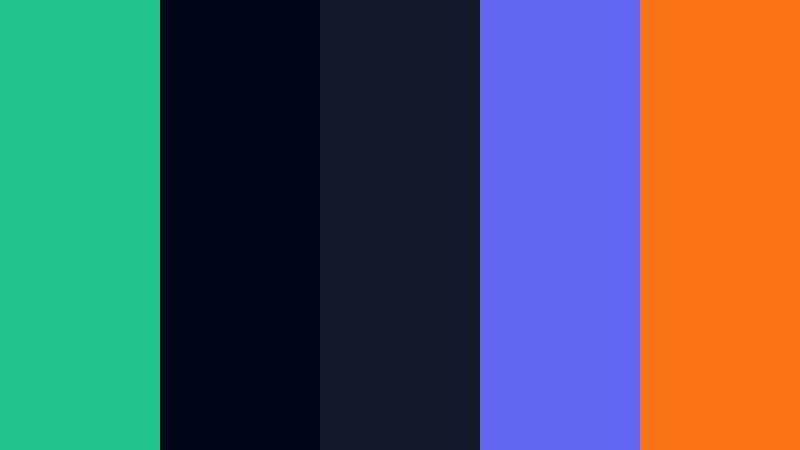
- HEX Codes: #24c48e, #020617, #111827, #6366f1, #f97316
- Mood: Competitive, high energy, and neon lit.
- Use for: Designed for esports overlays, streaming layouts, and logo stings for gaming creators.
Esports Arena Pulse combines a striking Aurora Green with near black, vivid violet blue, and hot orange. It feels like an LED soaked stadium: intense, competitive, and made for fast cuts and bold typography. The palette is dark by design to let neon accents scream on screen.
Use the blacks and deep navy (#020617, #111827) for your overlay base, webcam frame, and chat box background. Aurora Green (#24c48e) and violet (#6366f1) are perfect for team names, health bars, and key stats, while the orange (#f97316) can highlight kills, donations, or alerts. This palette translates well into animated stingers, logo reveals, and alert animations built in Filmora for Twitch or YouTube Gaming.
Elegant & Modern Aurora Green Color Palettes
Aurora Luxe Studio
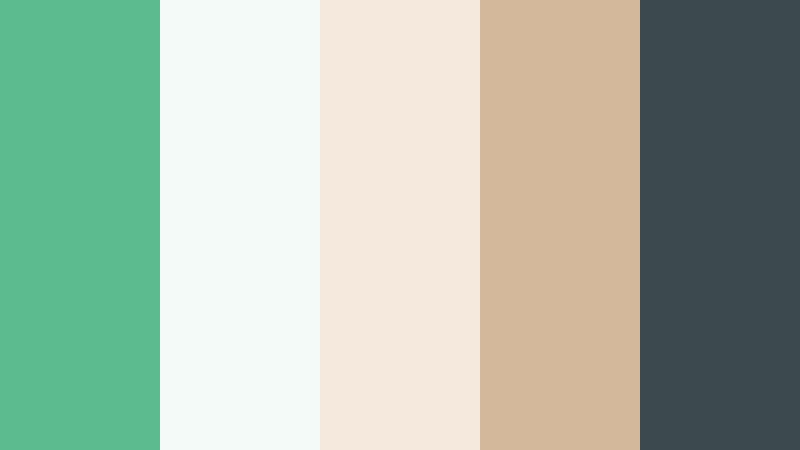
- HEX Codes: #5dbc8f, #f4faf7, #f5e9dd, #d3b89c, #3c4a4e
- Mood: Sophisticated, clean, and editorial.
- Use for: Ideal for brand films, portfolio reels, and modern product promos with a refined tone.
Aurora Luxe Studio pairs soft Aurora Green with ivory, biscuit, and a cool charcoal. The palette feels like a design studio or boutique brand office: tidy, high end, and understated. The green is present but never overpowering, which keeps it perfect for long form viewing.
Use the light neutrals (#f4faf7, #f5e9dd) as your base for product shots, case study slides, and portfolio grids. Aurora Green (#5dbc8f) can color accent lines, logo marks, or subtle gradients behind typography, while charcoal (#3c4a4e) holds headlines and menu text. This is a great direction for creative agencies, designers, and minimalist brands working inside Filmora.
Modern Atrium Glow

- HEX Codes: #58c097, #e4f3ed, #ffffff, #c0c7cf, #272f3a
- Mood: Architectural, bright, and professional.
- Use for: Perfect for corporate explainers, SaaS promos, and office b roll with a fresh but serious aesthetic.
Modern Atrium Glow sets Aurora Green against crisp whites and cool grays, echoing glass and concrete in a bright office atrium. It is clean and professional, with just enough color to feel distinctive without clashing with corporate logos or UI screenshots.
Use white and pale green (#ffffff, #e4f3ed) for clean slides, full screen captions, and device mockups. Aurora Green (#58c097) is ideal for buttons, icons, and KPI highlights, while the darker slate (#272f3a) anchors text and navigation elements. This palette is perfect for B2B SaaS channels, onboarding tutorials, and brand updates edited in Filmora.
Cafe Matcha Brand

- HEX Codes: #76c69b, #f5f2ea, #f3d1a2, #c58b71, #43302e
- Mood: Cozy, artisanal, and brand friendly.
- Use for: Great for cafe branding, small business promos, and food channel intros with a crafted feel.
Cafe Matcha Brand wraps creamy neutrals and latte browns around a soft Aurora Green, creating a cozy, handcrafted atmosphere. It feels like a matcha latte on a wooden counter with warm sunlight streaming in. The palette makes food and coffee content especially inviting.
Use the light creams (#f5f2ea) and warm beige (#f3d1a2) for menu style overlays, price tags, and recipe cards in your videos. Aurora Green (#76c69b) works beautifully for logo marks, dividers, and call to action buttons, while the deeper browns (#c58b71, #43302e) are perfect for typography and background frames. This palette is strong for thumbnails, packaging mockups, and promo clips for cafes or lifestyle brands.
Nordic Aurora Calm
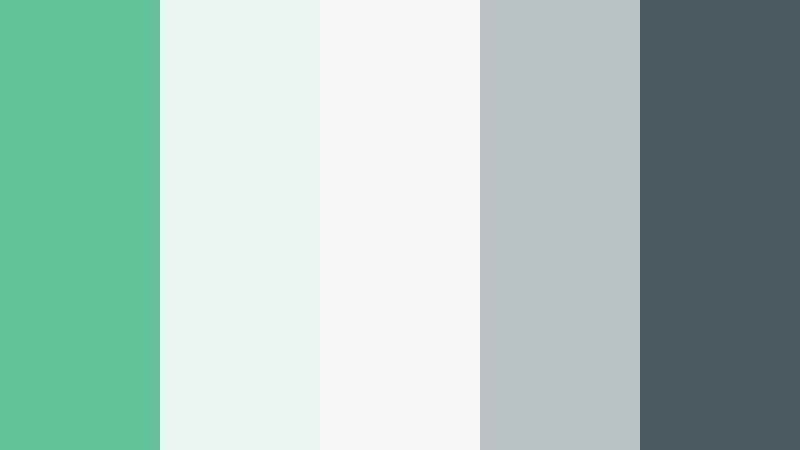
- HEX Codes: #63c29a, #e9f5ef, #f7f7f7, #b8c2c4, #4b5a60
- Mood: Scandinavian, minimal, and quietly luxurious.
- Use for: Ideal for interior design reels, productivity channels, and minimalist brand kits.
Nordic Aurora Calm takes Aurora Green and softens it with pale neutrals and cool gray, echoing Scandinavian interiors and minimal workspaces. It feels airy and decluttered, but still warm enough to avoid a sterile look. This palette is made for creators who love clean lines and negative space.
Use the whites and light greens (#e9f5ef, #f7f7f7) as your main canvas for shots of desks, living rooms, and flat lays. Aurora Green (#63c29a) can highlight key elements like headings, progress rings, or section dividers, while the darker gray (#4b5a60) keeps text and icons sharp. This scheme works very well for planners, Notion builds, and aesthetic how to videos edited with simple, elegant motion in Filmora.
Studio Monochrome Fade
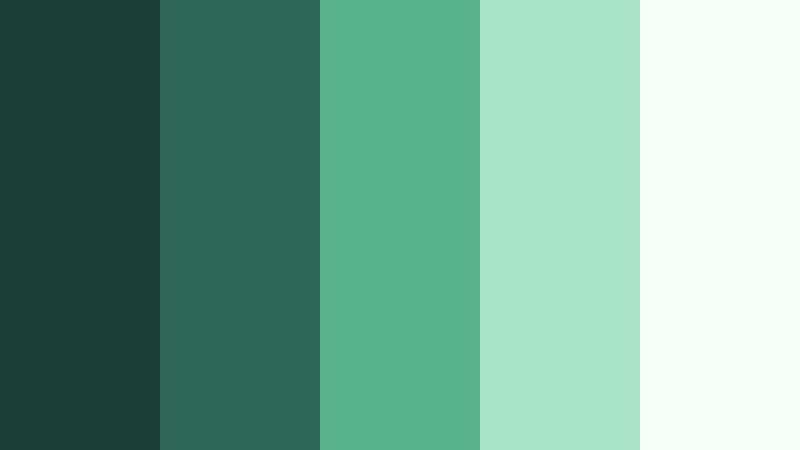
- HEX Codes: #1f3f36, #2e6755, #55b28a, #a8e3c7, #f5fff9
- Mood: Modern, focused, and tonally cohesive.
- Use for: Great for brand systems, channel rebrands, and UI kits that need a flexible monochrome range.
Studio Monochrome Fade is a full Aurora Green spectrum, from deep pine to light mint. It offers a tonally cohesive set of shades, perfect when you want to build an entire brand system around green alone. By staying inside one color family, your visuals feel intentional and unified.
Use the darker greens (#1f3f36, #2e6755) for backgrounds, header bars, and footer strips, mid tones (#55b28a) for buttons and icons, and the light mints (#a8e3c7, #f5fff9) for highlight panels and subtle glows. In Filmora, this palette makes it easy to design title packs, lower third templates, and overlay systems you can reuse across every upload while staying firmly on your Aurora Green theme.
Tips for Creating Aurora Green Color Palettes
Aurora Green is versatile, but it shifts mood dramatically depending on the accent colors, contrast, and brightness you pair with it. Use these tips to build palettes that look great both in design tools and inside your Filmora timeline.
- Decide the mood first. Softer tints of Aurora Green with off whites create calm and wellness vibes, while saturated greens with deep navy or black feel bold and cinematic.
- Balance warm and cool tones. Pair Aurora Green with warm beiges, corals, or yellows to keep content friendly, or with cool grays and blues for a tech or productivity aesthetic.
- Check text readability. When using green for backgrounds, make sure your titles and captions use a contrasting color like dark slate, charcoal, or pure white to stay legible on mobile.
- Limit accent colors. Choose one or two strong accent shades (for example, coral or violet) alongside Aurora Green, instead of many, to avoid a noisy thumbnail or cluttered overlay.
- Match your footage. Sample colors from your actual clips (plants, clothing, interiors) and adjust Aurora Green to sit naturally with those tones, rather than fighting them.
- Use hierarchy in UI overlays. Reserve your most saturated Aurora Green for interactive elements (buttons, highlights) and keep backgrounds in softer, desaturated tones.
- Test in dark and light modes. If you design overlays or graphics, preview your palette on both dark and light backgrounds to ensure your Aurora Green still reads clearly.
- Save presets in Filmora. Once you dial in title colors, filters, and LUTs around your Aurora Green palette, save them as custom presets so your channel branding stays consistent over time.
Aurora Green can make your videos feel fresh, grounded, futuristic, or luxurious depending on how you combine it. By choosing a palette that fits your channel personality and sticking with it across intros, thumbnails, overlays, and social cuts, you build a recognizable visual identity that viewers remember.
Use the HEX codes in this guide as starting points, then refine them with Filmora's color tools, filters, and LUTs to match your footage and storytelling style. Whether you edit calm study vlogs, bold gaming intros, or polished brand promos, a well built Aurora Green palette will keep your content cohesive from first frame to final end card.
Open one of your recent projects in Filmora, drop in a palette from above, and experiment with titles, backgrounds, and subtle overlays. A few carefully placed swatches of Aurora Green can be enough to transform your entire channel look.
secure download