

 100% Security Verified | No Subscription Required | No Malware


 ChatGPT
 Perplexity
 Gemini
 Claude
 Grok
Grok
Black burgundy is a deep, wine-soaked red that slips almost into black. It feels cinematic, luxurious, and a little dangerous all at once. In color psychology, it blends the power and authority of black with the passion and romance of red, which is why it works so well for intense storytelling, luxury branding, and moody, high-end visuals.
For video creators and designers, black burgundy instantly adds drama to YouTube thumbnails, vlog intros, fashion edits, trailers, and social content. Below you will find 15 ready-made black burgundy color palettes with HEX codes, designed to work beautifully in Filmora for color grading, motion graphics, titles, and channel branding.
In this article
Moody And Cinematic Black Burgundy Color Palettes
Midnight Cinema Noir
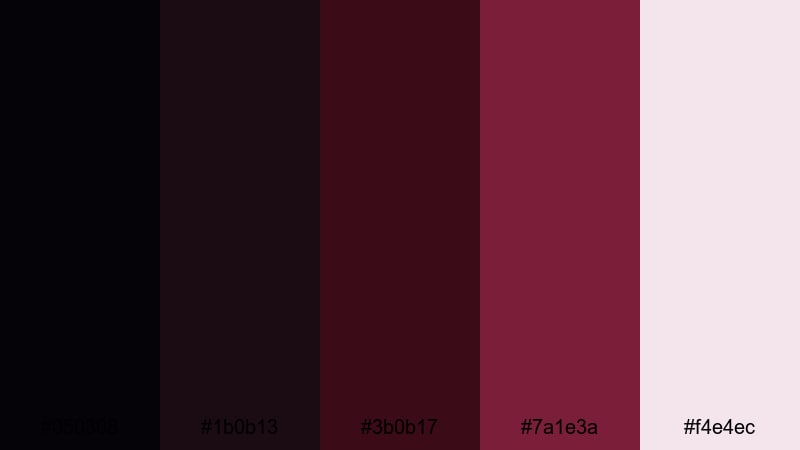
- HEX Codes: #050308, #1b0b13, #3b0b17, #7a1e3a, #f4e4ec
- Mood: Dark, cinematic, and intense with a subtle romantic undertone.
- Use for: Perfect for thriller intros, dramatic YouTube cold opens, and moody storytelling sequences.
This palette dives into inky blacks and blackened burgundy, with a single soft highlight to catch the eye. It feels like a frame pulled from a tense midnight scene, where most details are hiding in the shadows and only a hint of wine-red suggests emotion under the surface.
Use Midnight Cinema Noir when you need heavy contrast in your titles, intros, and lower thirds without losing elegance. In Filmora, it works brilliantly for cinematic vlog openings, thriller or true-crime thumbnails, chapter cards, and moody B-roll overlays that keep viewers focused on your subject while everything else falls into black burgundy shadow.
Pro Tip: Build a Cinematic Black Burgundy Look in Filmora
To keep a palette like Midnight Cinema Noir consistent, treat your whole edit as one visual story. In Filmora, start by using adjustment layers over your timeline so you can grade multiple clips at once in the same black burgundy tone, then add matching colors to your titles, shapes, and overlays.
Use the darkest HEX values here (#050308 and #1b0b13) for backgrounds, drop shadows, and letterbox bars, then bring #7a1e3a into your text, logo bugs, or accent lines. This way, your intro, talking-head segments, and B-roll all feel like part of one cohesive noir universe.
AI Color Palette
If you already have a reference frame, poster, or mood board that nails your dream black burgundy look, you can transfer that style straight onto your footage. Filmora's AI Color Palette feature analyzes a reference image or clip and remaps your colors to match it across the rest of the edit.
Import your most cinematic black burgundy shot, set it as the reference, then apply the AI Color Palette to other clips in your timeline. This keeps your shadows, reds, and highlights aligned, so your intro, transitions, and outro all share the same moody visual fingerprint.
 secure download

HSL, Color Wheels & Curves
Once your base look is in place, fine-tune your black burgundy tones using Filmora's HSL controls, color wheels, and curves. Gently desaturate reds in the midtones to avoid a cheap horror look, then deepen shadows with the curves tool so they feel like rich burgundy-black instead of flat grey.
You can push the midtone color wheel slightly toward warm reds for skin, while pulling the shadows toward cooler burgundy for backgrounds. This separation, similar to what you see in many cinematic color grading breakdowns, gives depth and polish without breaking your palette.
secure download1000+ Video Filters & 3D LUTs
To speed up your workflow, you can start from Filmora's built-in presets and then nudge them toward black burgundy. Filmora's video filters and 3D LUTs make it easy to stack cinematic looks, film emulations, and color effects on top of your footage, then customize the hue and intensity.
Try a cinematic or noir-style LUT, lower the strength to keep skin natural, and then adjust the reds toward burgundy with HSL. This approach gives you a polished, studio-like finish for your intros, trailers, and channel branding without having to grade every clip from scratch.
secure downloadVelvet Frame Shadows
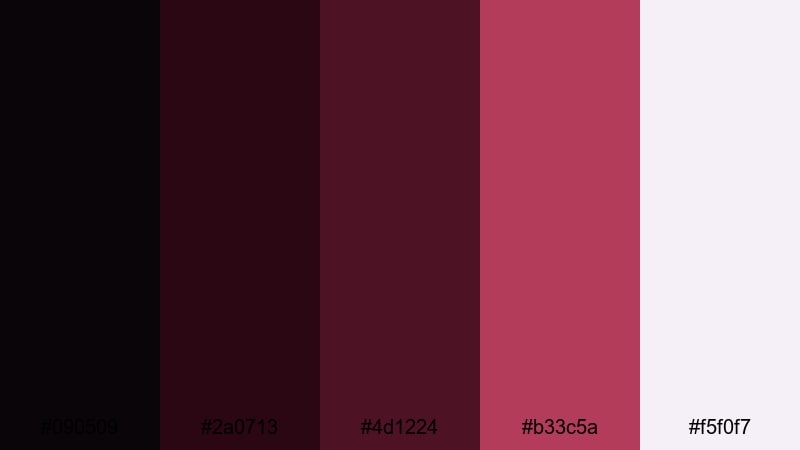
- HEX Codes: #090509, #2a0713, #4d1224, #b33c5a, #f5f0f7
- Mood: Rich and mysterious with a velvety, high-contrast feel.
- Use for: Great for dramatic title cards, film-style lower thirds, and narrative short film posters.
Velvet Frame Shadows leans into soft blacks and plush burgundy, punctuated by a gentle off-white. It feels like the thick curtains of an old cinema, with hints of red velvet catching the light against deep, enveloping darkness.
Use the lightest tone (#f5f0f7) for typography or UI elements so your titles stay readable over dark footage. The richer burgundy shades (#4d1224 and #b33c5a) are perfect for frames, borders, and highlight shapes in Filmora, especially on narrative thumbnails and chapter screens.
Crimson Lens Fade
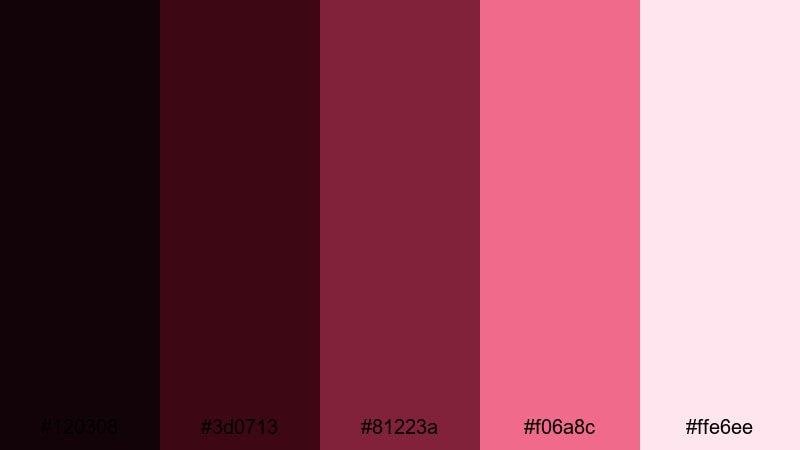
- HEX Codes: #120308, #3d0713, #81223a, #f06a8c, #ffe6ee
- Mood: Emotional and cinematic with a glowing, nostalgic fade.
- Use for: Ideal for music videos, emotional vlogs, or dreamy transitions and overlays.
Crimson Lens Fade shifts from dark burgundy shadows into glowing rose and blush highlights. It has the feeling of a vintage lens flare or a sunset reflecting on glass, with soft warmth pushed into the reds.
In Filmora, you can use the brighter pinks (#f06a8c and #ffe6ee) for overlay flares, gradient wipes, and text highlights, while keeping the blacks and burgundies in your footage. This palette suits lyrical edits, confession-style vlogs, and music videos where romance and nostalgia are part of the story.
Darkroom Storytelling
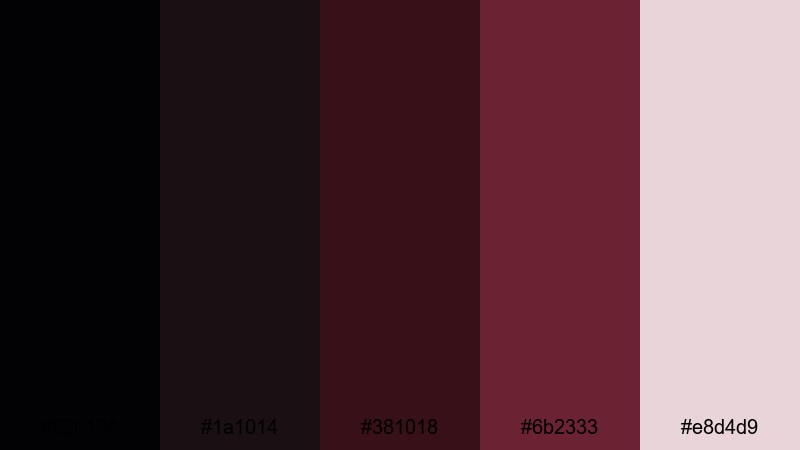
- HEX Codes: #020104, #1a1014, #381018, #6b2333, #e8d4d9
- Mood: Subtle, immersive, and introspective like a quiet darkroom.
- Use for: Works well for documentary titles, noir-style interviews, and minimalist film thumbnails.
Darkroom Storytelling layers soft blacks and smoky burgundy with a muted rose highlight. It feels grounded and serious, more like a photo lab or a late-night interview than a flashy trailer.
Use this palette when you want your visuals to stay understated but still cinematic. In Filmora, the dark neutrals are ideal for backgrounds behind white text, while the burgundy accent (#6b2333) brings subtle color to lower thirds, timeline markers, and logo reveals without distracting from the subject.
Romantic And Luxury Black Burgundy Color Palettes
Rose Petal Reverie
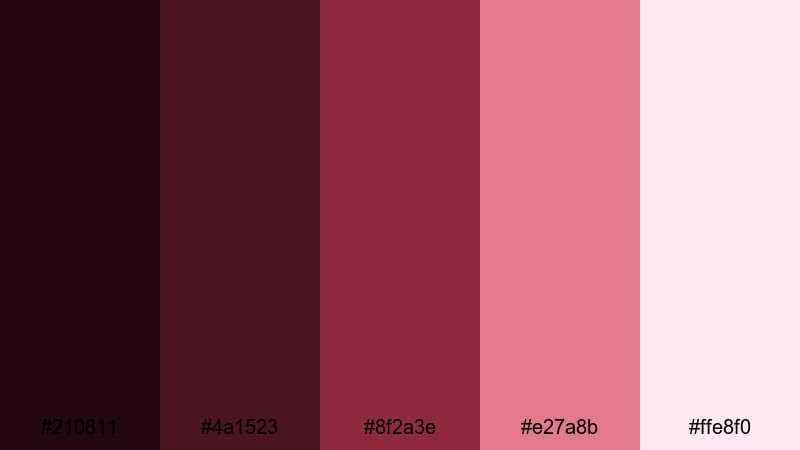
- HEX Codes: #210811, #4a1523, #8f2a3e, #e27a8b, #ffe8f0
- Mood: Romantic, soft, and dreamy with a luxe bouquet feel.
- Use for: Perfect for wedding highlight reels, engagement announcements, and beauty channel branding.
Rose Petal Reverie feels like a bouquet shot in soft focus. Deep burgundy petals melt into rosy midtones and blushing highlights, creating a smooth gradient from passion to tenderness.
In Filmora, use the darkest shades for background panels behind couples or beauty close-ups, then bring the lighter pinks into titles, call-to-action buttons, and animated elements. This palette makes wedding reels, engagement teasers, and romantic Instagram Reels covers instantly feel more curated and luxurious.
Garnet Wine Romance
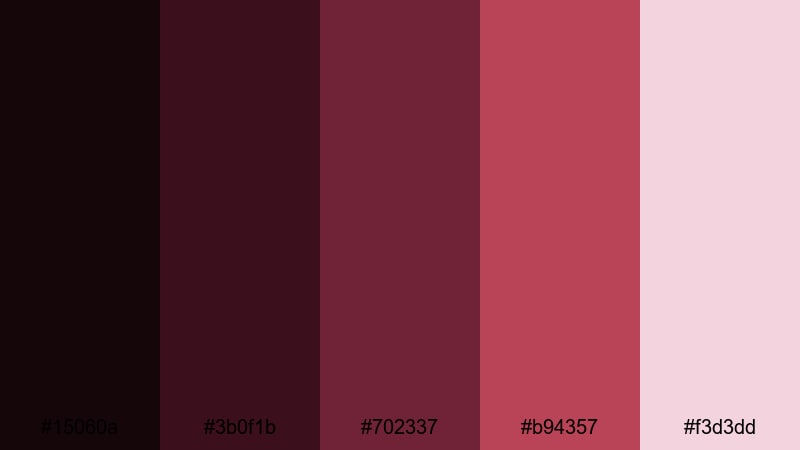
- HEX Codes: #15060a, #3b0f1b, #702337, #b94357, #f3d3dd
- Mood: Warm, intimate, and indulgent like a candlelit wine bar.
- Use for: Great for cinematic date-night vlogs, fashion lookbooks, and classy product promos.
Garnet Wine Romance is all about indulgent reds and soft foamy pinks. It feels like swirling wine under warm lights, with just enough softness in the highlights to stay elegant rather than loud.
Use this palette to brand your channel around intimacy and warmth. The deepest tones are perfect for dark overlays and sidebar panels, while the mid burgundies (#702337 and #b94357) make excellent accent colors for on-screen graphics, product callouts, and subscribe buttons in Filmora.
Opulent Velvet Ballroom
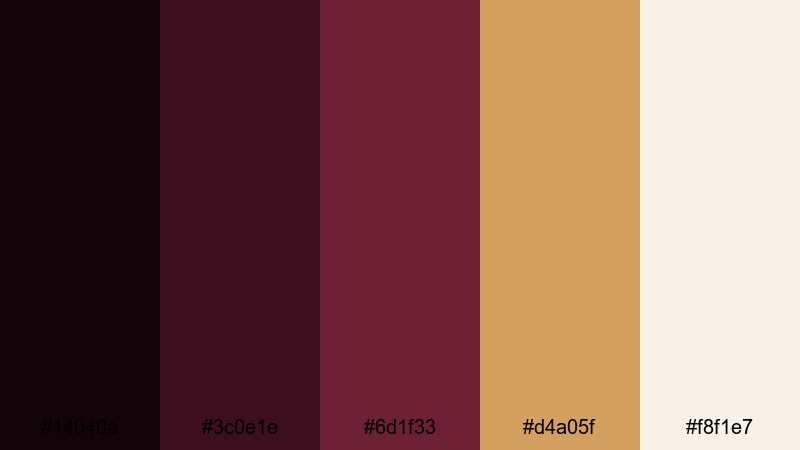
- HEX Codes: #14040a, #3c0e1e, #6d1f33, #d4a05f, #f8f1e7
- Mood: Luxurious and grand with a vintage ballroom glow.
- Use for: Ideal for luxury brand intros, jewelry promos, and cinematic event recaps.
Opulent Velvet Ballroom pairs velvety burgundy with warm gold and ivory. It instantly suggests chandeliers, polished floors, and formal attire, giving your visuals a sense of occasion.
Use burgundy as your primary background and line color, then reserve the gold (#d4a05f) for important accents like brand names, price tags, or call-to-action text. In Filmora, this palette turns even simple footage into a high-end event recap, ideal for gala videos, jewelry ads, and premium product trailers.
Evening Gala Glow
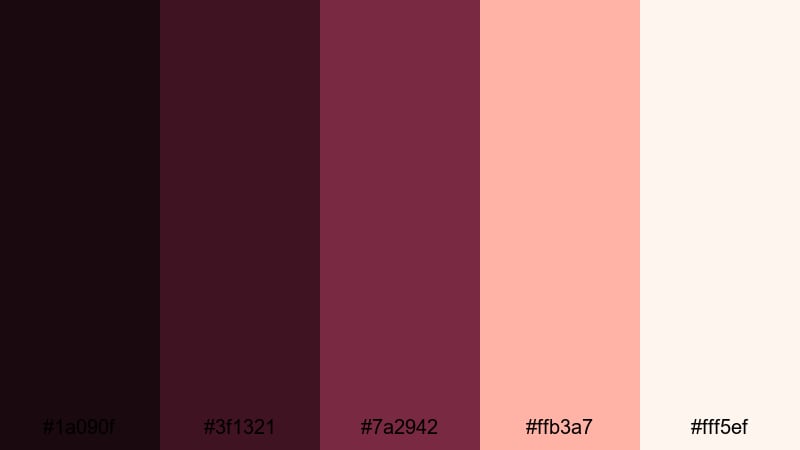
- HEX Codes: #1a090f, #3f1321, #7a2942, #ffb3a7, #fff5ef
- Mood: Elegant, festive, and softly glamorous.
- Use for: Perfect for gala recaps, brand launch teasers, and celebratory Instagram Reels covers.
Evening Gala Glow combines dark berry tones with peach and cream highlights. It is softer than a pure black-and-red scheme, but still feels upscale and party-ready.
Use the lighter tones (#ffb3a7 and #fff5ef) for text and UI elements, while the darker shades sit behind as gradient overlays on your footage. In Filmora, this palette works nicely for animated confetti graphics, event titles, and launch countdowns without drifting into overly bright or childish colors.
Modern Minimal Black Burgundy Color Palettes
Urban Editorial Edge
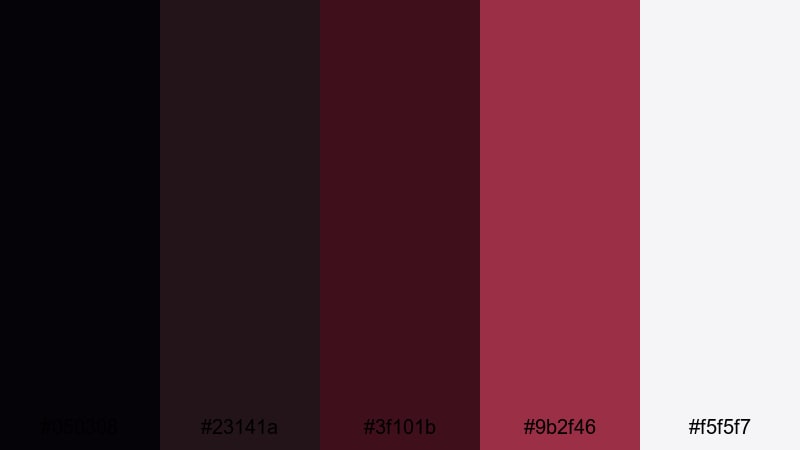
- HEX Codes: #050308, #23141a, #3f101b, #9b2f46, #f5f5f7
- Mood: Cool, editorial, and confident with a city-night attitude.
- Use for: Great for fashion edits, tech reviews, and minimal YouTube channel branding.
Urban Editorial Edge feels like a night-time magazine spread: almost-black shadows, structured burgundy accents, and crisp off-white text. It is bold without being cluttered.
Use this palette to keep your layouts sharp and simple. In Filmora, set #050308 or #23141a as solid-color backgrounds behind talking-head segments, then apply #9b2f46 to key titles, subscribe bars, or frame elements. The off-white (#f5f5f7) ensures excellent readability for lower thirds and video descriptions on screen.
Minimal Ink And Merlot
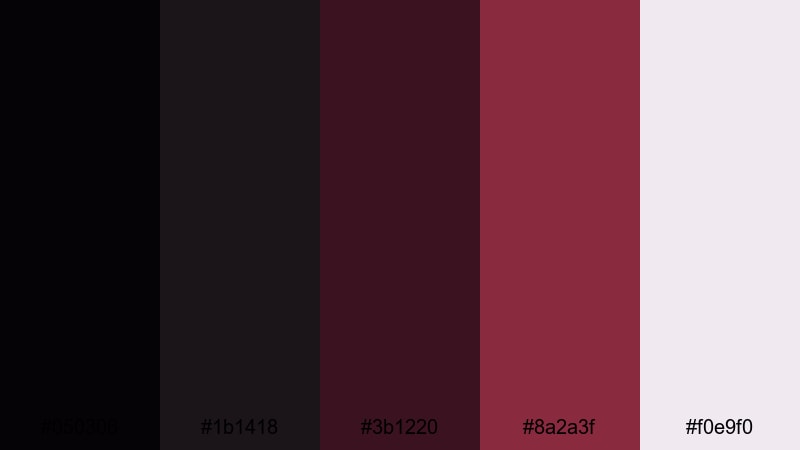
- HEX Codes: #050306, #1b1418, #3b1220, #8a2a3f, #f0e9f0
- Mood: Refined, quiet, and design-forward like a modern magazine layout.
- Use for: Ideal for lower thirds, logo reveals, and minimalist UI-inspired motion graphics.
Minimal Ink And Merlot mixes inky neutrals with a single merlot accent and a soft, foggy background. It feels very contemporary and clean, great for creators who prefer subtle design over flashy effects.
Use the pale tone (#f0e9f0) as your main canvas for titles and infographics, while the merlot shade (#8a2a3f) highlights key data points, icons, and logo marks. In Filmora, this palette works especially well for UI-style motion graphics, tech explainers, and brand guidelines videos.
Clean Studio Contrast
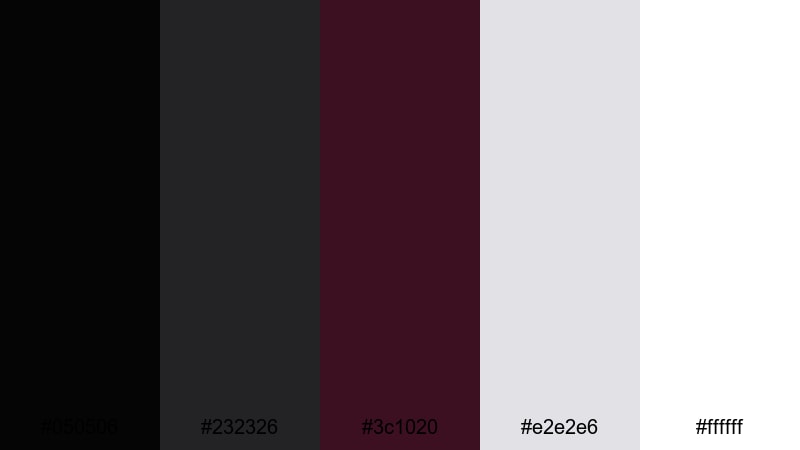
- HEX Codes: #050506, #232326, #3c1020, #e2e2e6, #ffffff
- Mood: Crisp, professional, and high-contrast with a studio-fresh feel.
- Use for: Great for tutorials, product demos, and channel branding that needs a polished look.
Clean Studio Contrast relies on neutral blacks and greys with one strong burgundy accent and bright whites. It looks like a professional studio set, simple and trustworthy.
Use white and light grey for backgrounds in your tutorial slides and screen recordings, then bring #3c1020 into buttons, headlines, and separators. In Filmora, this palette makes it easy to maintain clear contrast for on-screen text, chapter titles, and sidebar graphics without overwhelming your footage.
Soft Matte Monochrome
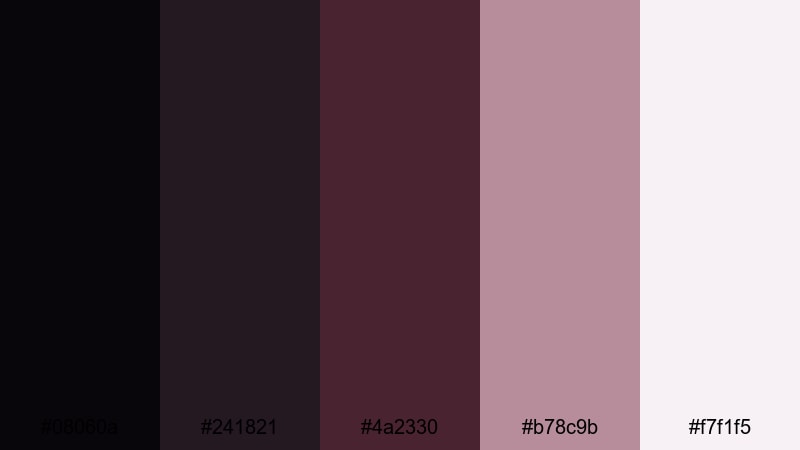
- HEX Codes: #08060a, #241821, #4a2330, #b78c9b, #f7f1f5
- Mood: Soft, muted, and artistic with a matte-film vibe.
- Use for: Perfect for cinematic vlogs, lifestyle montages, and subtle color grading presets.
Soft Matte Monochrome tones down burgundy into dusty mauves and pale haze. It has a gentle, filmic softness that works beautifully for lifestyle and aesthetic content.
Apply this palette when you want your feed to feel cohesive but not overly dramatic. In Filmora, you can tint highlights toward #f7f1f5, keep shadows around #08060a, and use #b78c9b for text and accent lines. The result is an understated, matte look that flatters skin and everyday scenes.
Festive And Dramatic Black Burgundy Color Palettes
Neon Cabaret Nights
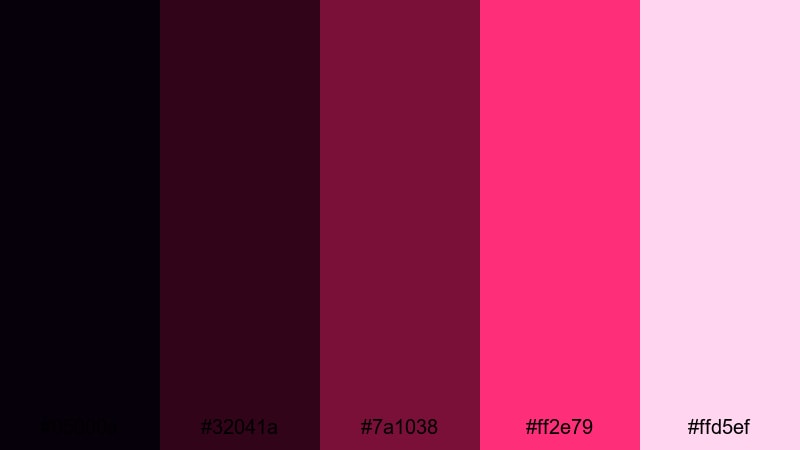
- HEX Codes: #05000a, #32041a, #7a1038, #ff2e79, #ffd5ef
- Mood: Electric, bold, and theatrical with neon nightlife energy.
- Use for: Great for party recap videos, dance promos, and eye-catching social media thumbnails.
Neon Cabaret Nights takes black burgundy into neon territory, with inky shadows exploding into hot magenta and pink lights. It feels like a stage bathed in colored LEDs, perfect for nightlife and performance content.
Use the brightest pink (#ff2e79) for big, bold titles, callouts, and animated doodles in Filmora, while the darker tones keep your backgrounds deep and rich. This palette is ideal for club recaps, dance videos, and thumbnails that need to stand out even at small sizes.
Burgundy Spotlight Stage
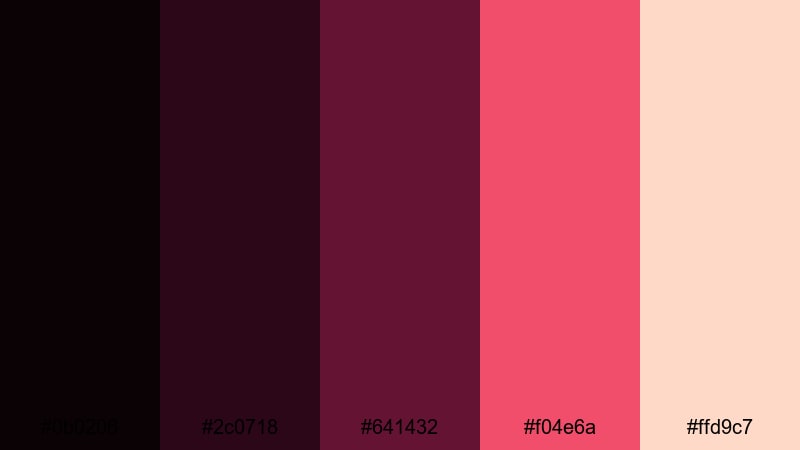
- HEX Codes: #0b0206, #2c0718, #641432, #f04e6a, #ffd9c7
- Mood: Dramatic, bold, and spotlight-ready like a live performance.
- Use for: Ideal for concert trailers, performance teasers, and bold creator intros.
Burgundy Spotlight Stage blends blackened burgundy shadows with punchy red-pink highlights and warm skin-tone hues. It feels like a performer lit by a stage spotlight against a dark curtain.
In Filmora, lean on the darkest tones for vignettes and background fills, then use #f04e6a for energetic typography and graphic accents. The soft peach (#ffd9c7) can help keep skin tones flattering in overlays and color grading, especially for performance close-ups and intro sequences.
Baroque Theater Drama
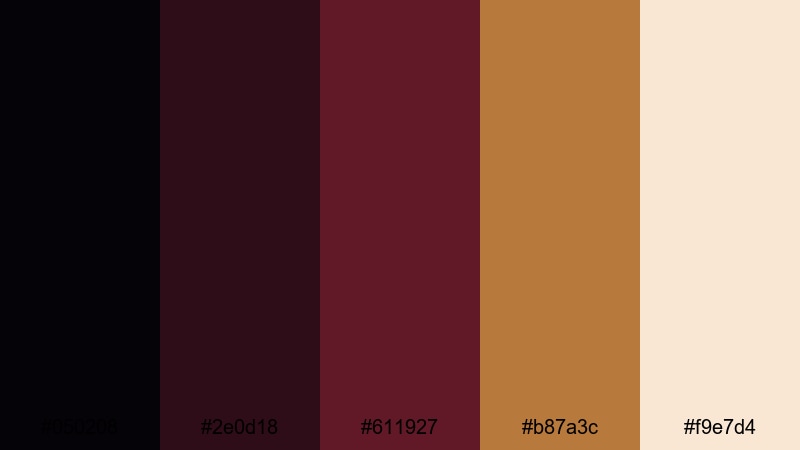
- HEX Codes: #050208, #2e0d18, #611927, #b87a3c, #f9e7d4
- Mood: Regal, dramatic, and storytelling-heavy with vintage theater flair.
- Use for: Perfect for trailers, historical edits, and dramatic narrative shorts.
Baroque Theater Drama mixes deep burgundy curtain tones with antique gold and warm paper highlights. It feels regal and slightly old-fashioned, like a classic theater program restored in high resolution.
Use #b87a3c to emphasize titles, dates, and important text, while the cream tone (#f9e7d4) keeps subtitles and credits readable. In Filmora, this palette is a strong choice for narrative shorts, historical edits, chapter cards, and any video where you want to suggest gravitas and timeless drama.
Tips for Creating Black Burgundy Color Palettes
Black burgundy is powerful, so it helps to balance it with neutrals, soft highlights, and thoughtful contrast. Here are practical tips to design your own palettes and apply them cleanly in video and design work.
- Pair black burgundy with soft off-whites or creams so text and icons stay readable on thumbnails, titles, and end screens.
- Use the darkest burgundy or near-black tones for backgrounds, frames, and letterbox bars; reserve brighter reds and pinks for accents only.
- Limit yourself to one or two accent colors (gold, blush, peach, or neon pink) so the palette feels intentional instead of chaotic.
- Check your designs in grayscale to make sure contrast is strong enough for mobile viewing, especially on YouTube thumbnails and short-form video covers.
- Match your color grade to your graphics: if your footage is cool and desaturated, push your burgundy accents slightly cooler as well for a unified look.
- Build a simple style guide for your channel, noting which HEX codes you use for titles, subtitles, buttons, and backgrounds, then reuse them across all Filmora projects.
- Use adjustment layers in Filmora to apply your black burgundy look globally, then tweak only a few hero shots instead of grading every clip individually.
- Always test your palette on both light and dark footage to see how skin tones, shadows, and highlights react before locking it in as your brand style.
Black burgundy palettes can shift your entire brand identity toward cinematic, romantic, or dramatic moods with just a few carefully chosen colors. Whether you create thrillers, beauty content, tech reviews, or event recaps, these combinations help your videos feel intentional and high-end.
Try dropping these HEX codes straight into Filmora for titles, overlays, and color grading, then refine them with AI tools, HSL, and LUTs until they match your story. Over time, a consistent black burgundy aesthetic can become a signature look that viewers instantly recognize in their feed.
Experiment, save your favorite looks as presets, and let black burgundy become the backbone of your cinematic visual style across intros, thumbnails, and social edits.
secure downloadNext: Rainy Day Color Palette
