

 100% Security Verified | No Subscription Required | No Malware


 ChatGPT
 Perplexity
 Gemini
 Claude
 Grok
Grok
Blue green gray palettes blend the trust and clarity of blue, the freshness of green, and the neutrality of gray. Together, they create calm, modern visuals that feel polished without being loud. This makes them ideal for tech brands, productivity channels, cinematic edits, and any project that needs a cool, understated mood.
In video editing, these tones are perfect for YouTube thumbnails, intro animations, lower-thirds, overlays, and consistent channel branding. Below you will find 15 blue green gray color palettes with HEX codes that work beautifully in Filmora, so you can match your grading, graphics, and titles across an entire project.
In this article
Calm & Minimal Blue Green Gray Color Palettes
Harbor Mist Minimal
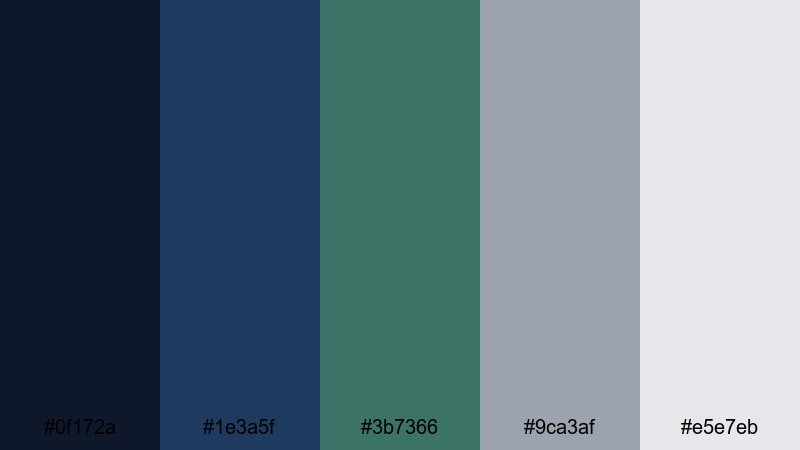
- HEX Codes: #0f172a, #1e3a5f, #3b7366, #9ca3af, #e5e7eb
- Mood: Calm, focused, and understated with a cool maritime feel.
- Use for: Best for productivity vlogs, minimalist channel branding, and lower-thirds that should feel clean and professional.
This palette combines deep navy, muted blue green, and soft grays for quietly polished visuals. It feels like working near a quiet harbor on a cloudy day, which keeps your audience focused on the content instead of the colors.
Use Harbor Mist Minimal for tech explainers, workspace B-roll, sleek end screens, and subtle lower-thirds. The lighter gray (#e5e7eb) is perfect for title cards and captions, while the darker tones (#0f172a and #1e3a5f) create strong, professional backgrounds in Filmora for thumbnails and intro sequences.
Pro Tip: Keep Your Blue Green Gray Brand Consistent in Filmora
When you choose a subtle palette like Harbor Mist Minimal, consistency is everything. In Filmora, you can save your brand colors as presets for text, shapes, and overlays, so your navy, teal, and gray tones stay identical across intros, B-roll labels, and social cutdowns.
Build one master intro or lower-third using this palette, then duplicate it inside Filmora for future videos. Simply swap the text and footage while keeping the same blue green gray layer styles, so your channel instantly feels cohesive and professional.
AI Color Palette
If you have a screenshot of this palette, a style frame, or a thumbnail design you love, you can carry its exact blue green gray look into all your footage. Filmora's AI Color Palette feature analyzes your reference image and applies the same tones and contrast to other clips.
Import your reference, pick a target clip, and let Filmora match the cool navy shadows, muted teal midtones, and soft gray highlights automatically. This keeps your edit visually unified without spending hours pushing sliders by hand.
 secure download

HSL, Color Wheels & Curves
After matching your overall look, you can fine-tune the blue green gray tones using HSL, color wheels, and curves. Shift the teal hue slightly toward blue for a more serious tech feel, or lift the gray highlights for airy, minimalist thumbnails. Filmora's color tools and its detailed color correction controls help you balance skin tones against cool backgrounds so your subjects do not look too cold or desaturated.
Use curves to deepen shadows in the navy shades without crushing detail, and adjust the midtone wheels to keep your blue greens rich but not neon. This is how you create a cinematic, branded look while staying within the same calm palette.
secure download1000+ Video Filters & 3D LUTs
If you want to stylize your blue green gray palette even faster, Filmora offers a large library of presets. Filmora's video filters and 3D LUTs make it easy to add gentle fade, cinematic teal, or clean studio contrast while still respecting your chosen HEX codes.
Apply a LUT for a quick cinematic push, then dial back the intensity so your navy and teal stay subtle. Stack light grain, vignette, or glow filters to give Harbor Mist Minimal more character without breaking its calm, minimal feel.
secure downloadSea Glass Workspace
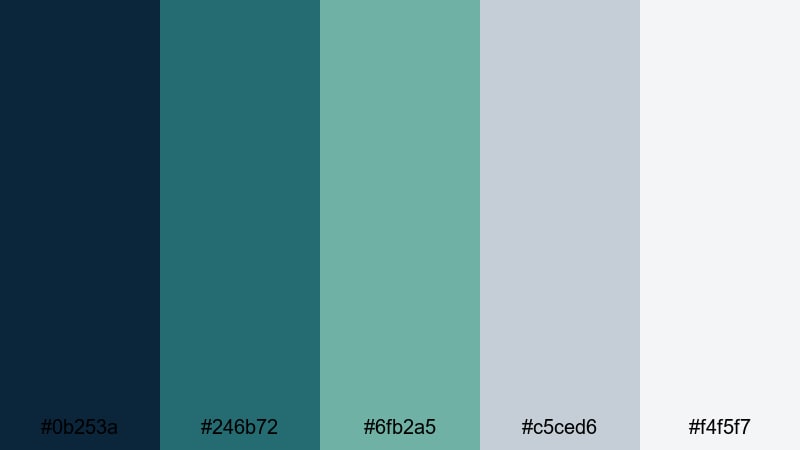
- HEX Codes: #0b253a, #246b72, #6fb2a5, #c5ced6, #f4f5f7
- Mood: Light, airy, and organized like a sunlit desk by the sea.
- Use for: Perfect for tutorial backgrounds, productivity dashboards, and app-style overlays in screen recordings.
Sea Glass Workspace uses soft blue greens and cool grays for a tidy, breezy aesthetic. It feels like a well-organized desk near a window, with colors that support focus and clarity.
Use the lighter grays and aqua tones as backgrounds for screen capture overlays, checklists, and progress bars in your videos. The deeper teal and navy are great for accent text, icons, and thumbnail borders that stand out without feeling harsh.
Nordic Shoreline Quiet
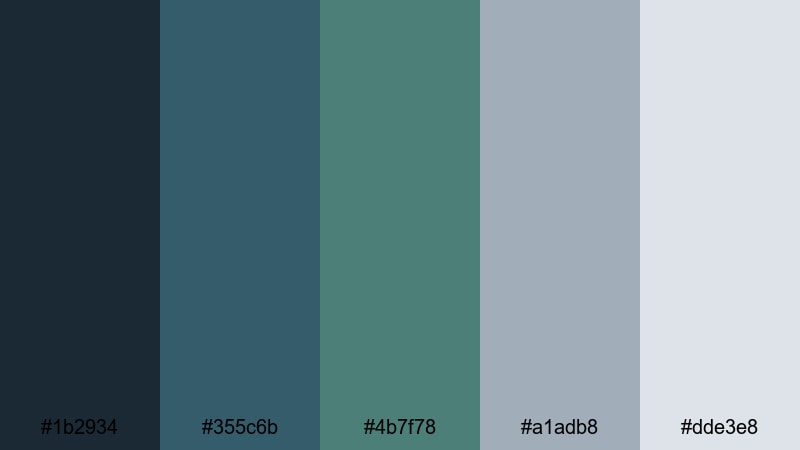
- HEX Codes: #1b2934, #355c6b, #4b7f78, #a1adb8, #dde3e8
- Mood: Serene and slightly cool, with a subtle Scandinavian influence.
- Use for: Use for lifestyle vlogs, slow B-roll sequences, and understated logo stings that feel fresh but not flashy.
Nordic Shoreline Quiet mixes muted sea blues, gentle blue green, and stone grays. It suggests a misty Nordic coast, giving your visuals a fresh but restrained character.
Apply this palette to lifestyle vlog overlays, chapter cards, and logo reveals where you want calm storytelling. Light grays and soft blues can carry subtitles and social handles, while the darker tones create elegant frames for your B-roll and thumbnails.
Foggy Pine Studio
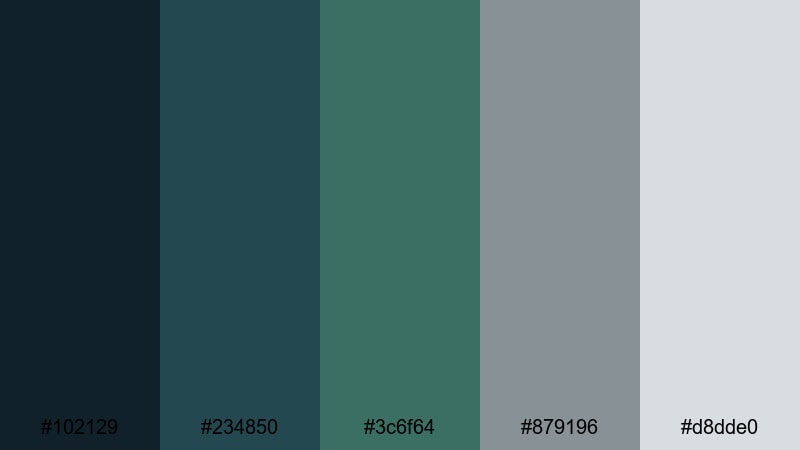
- HEX Codes: #102129, #234850, #3c6f64, #879196, #d8dde0
- Mood: Grounded, introspective, and slightly rustic yet modern.
- Use for: Ideal for talking head videos, creative studio tours, and channel art that needs a calm but distinctive identity.
Foggy Pine Studio pairs deep blue greens with industrial grays, echoing a misty forest viewed from a modern loft. It feels grounded and creative, with enough contrast to stay visually interesting.
Use this palette when filming in a studio or home office. Let the darker tones inform your backdrop, gear close-ups, or color grading, while the mid grays support title cards, gear labels, and subtle lower-thirds in Filmora.
Tidal Notebook Clean
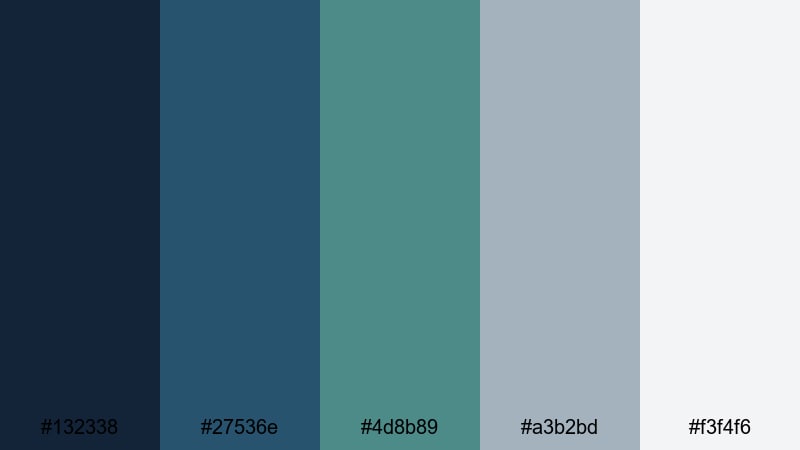
- HEX Codes: #132338, #27536e, #4d8b89, #a3b2bd, #f3f4f6
- Mood: Neat, studious, and balanced like notes by the water.
- Use for: Great for educational content, slide-style videos, and channel banners that should feel studious and reliable.
Tidal Notebook Clean uses cool blues, gentle teal, and paper-light gray to create a studious, organized feel. It is perfect for courses, tutorials, and any content that mimics slide decks or digital notebooks.
Use the lightest gray as your base for text-heavy frames, then accent important points with the teal and mid blues. In thumbnails and chapter cards, this palette keeps your information readable and trustworthy without looking too corporate.
Moody Cinematic Blue Green Gray Color Palettes
Deep Current Cinema
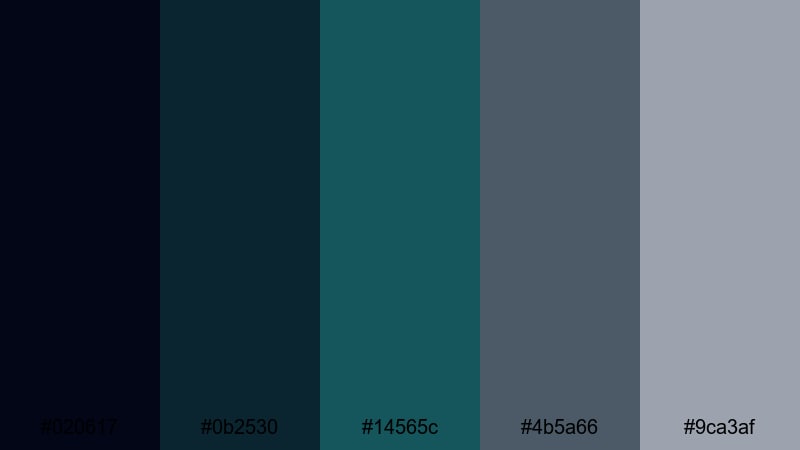
- HEX Codes: #020617, #0b2530, #14565c, #4b5a66, #9ca3af
- Mood: Dramatic, cinematic, and immersive with a teal and gray film look.
- Use for: Perfect for cinematic B-roll, travel films, and dramatic trailers needing moody teal and gray grading.
Deep Current Cinema leans into inky blues and rich teal, balanced by cool grays for a modern blockbuster style. It instantly adds drama and depth, especially in low-light or contrasty scenes.
Use this palette to grade your travel films, story-driven vlogs, or channel trailers. Push your shadows toward the deep navy, give midtones a teal tint, and keep highlights in cool gray to build a cohesive cinematic look across thumbnails, titles, and footage.
Stormfront Teal Noir
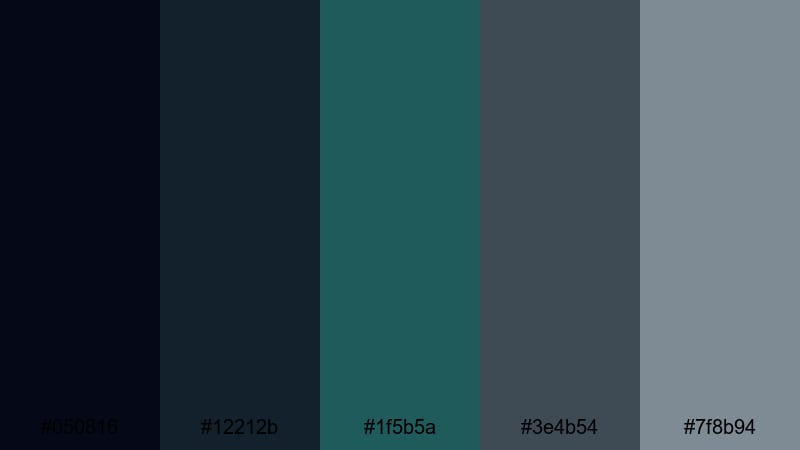
- HEX Codes: #050816, #12212b, #1f5b5a, #3e4b54, #7f8b94
- Mood: Mysterious, tense, and atmospheric like an approaching storm.
- Use for: Use for thrillers, night city montages, and intros where you want suspense with a stylish teal tint.
Stormfront Teal Noir combines shadowy blues, smoky blue greens, and charcoal grays for a suspenseful, noir-inspired look. It is perfect for night scenes, cyberpunk vibes, or any story that leans into tension.
Use the darkest shades for title backgrounds, glitch transitions, or dramatic overlays in Filmora. The teal accent works well for neon signs, HUD graphics, or motion typography in trailers and intro sequences.
Harbor Night Drift
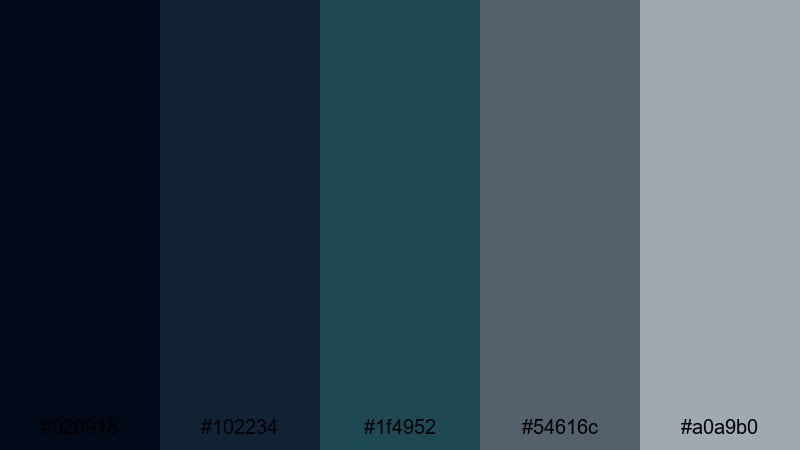
- HEX Codes: #020918, #102234, #1f4952, #54616c, #a0a9b0
- Mood: Quiet, reflective, and moody like a city harbor at night.
- Use for: Ideal for late-night vlogs, reflective monologues, and cinematic background graphics.
Harbor Night Drift layers dark blues and muted blue green with industrial grays, creating a soft, reflective night-time mood. It feels like walking along a quiet pier under city lights.
Use this palette for reflective voiceovers, slow B-roll, and end screens that wind down your video. Dark tones make strong full-screen backdrops, while the mid grays help subtitles and captions stay readable over low-light footage.
Submerged Neon Fade
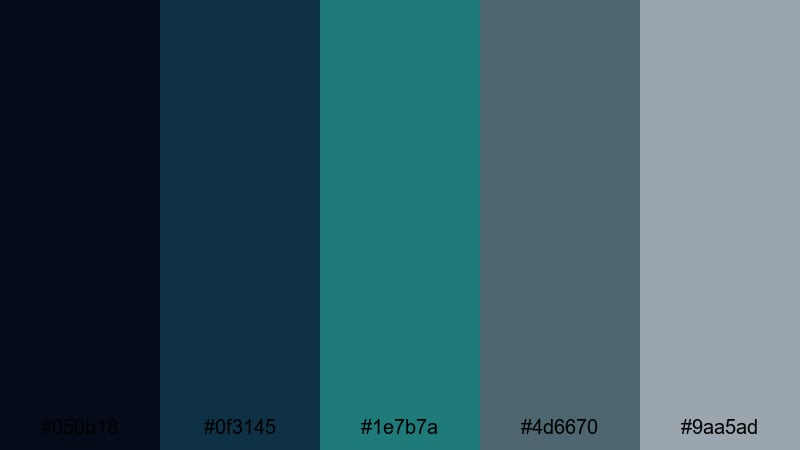
- HEX Codes: #050b18, #0f3145, #1e7b7a, #4d6670, #9aa5ad
- Mood: Edgy, futuristic, and slightly surreal like neon lights under water.
- Use for: Great for tech promos, game montages, and glitch transitions where you want a modern teal glow.
Submerged Neon Fade contrasts electric teal with deep navy and smoked gray for a futuristic, underwater-neon effect. It is bold without being overly saturated, which makes it ideal for digital and gaming content.
Use the bright teal for accents in lower-thirds, kill feeds, or call-to-action buttons, while the darker tones form the base of your HUD-style overlays. In Filmora, you can combine this palette with light glow and blur effects to enhance the surreal neon vibe.
Glacial Depth Narrative
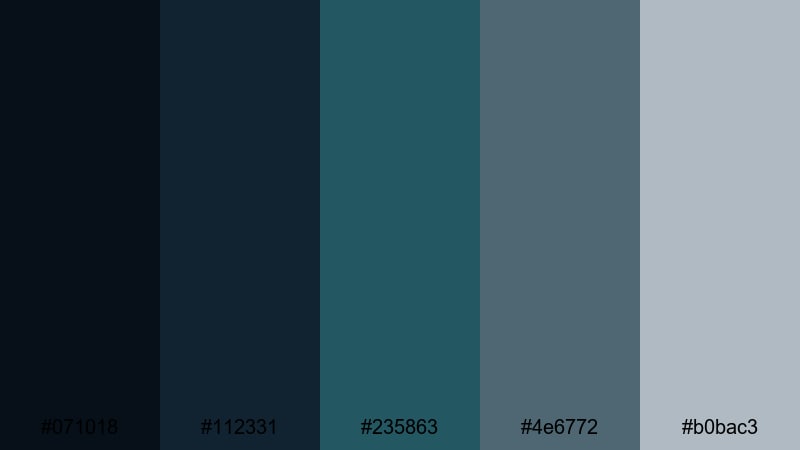
- HEX Codes: #071018, #112331, #235863, #4e6772, #b0bac3
- Mood: Cold, introspective, and story-driven like an icy documentary.
- Use for: Use for documentaries, travel diaries in winter settings, and calm but serious brand films.
Glacial Depth Narrative uses icy blues and deep blue green with frosted grays to create a calm, serious tone. It feels perfect for winter landscapes, introspective travel videos, and thoughtful documentaries.
Apply this palette to grade snowy or overcast footage, keeping whites slightly cool and shadows richly blue. Use the mid grays for lower-thirds and info cards where you share data, quotes, or chapter titles in a refined, documentary style.
Fresh & Digital Blue Green Gray Color Palettes
Tech Bay Dashboard
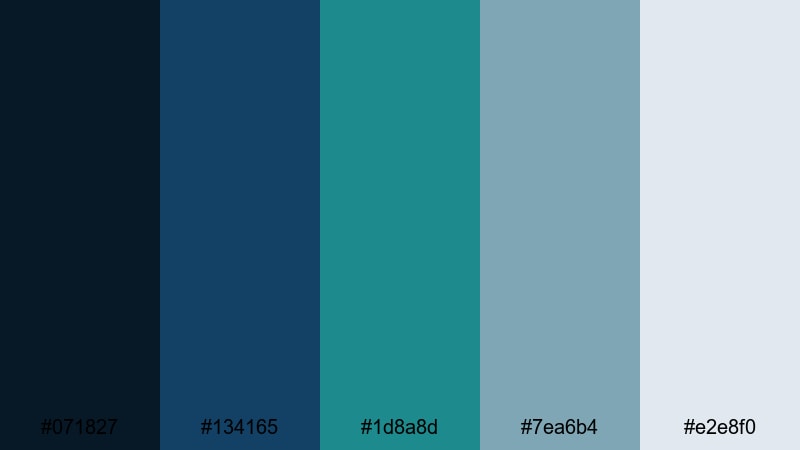
- HEX Codes: #071827, #134165, #1d8a8d, #7ea6b4, #e2e8f0
- Mood: Crisp, innovative, and data-driven with a modern SaaS feel.
- Use for: Perfect for app promos, UI mockups, and analytic dashboard animations in explainer videos.
Tech Bay Dashboard mixes vibrant teal and rich blue with clean interface grays. It feels like the color system of a modern analytics platform or SaaS homepage.
Use the brightest teal and blue for charts, icons, and button highlights in your product demos. The light gray (#e2e8f0) is great for backgrounds behind screencasts, while the darker navy provides strong contrast for headlines and thumbnail titles.
Aqua Pixel Interface
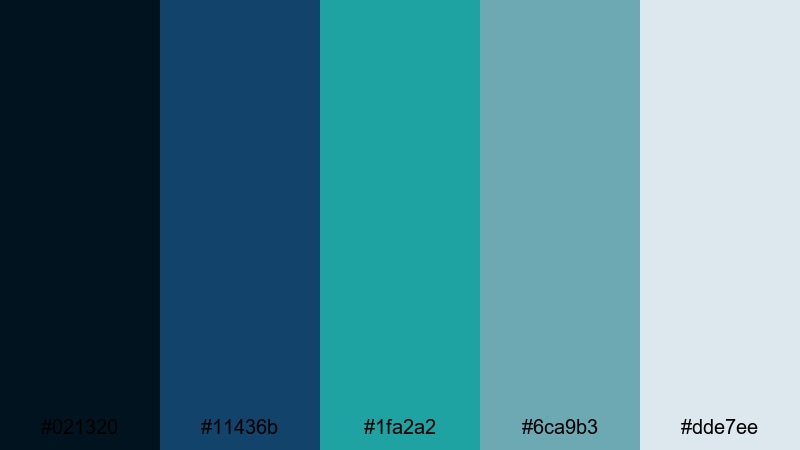
- HEX Codes: #021320, #11436b, #1fa2a2, #6ca9b3, #dde7ee
- Mood: Energetic, optimistic, and clean with a subtle gaming edge.
- Use for: Great for channel overlays, motion graphics, and esports intros that need a cool but approachable palette.
Aqua Pixel Interface combines bright aqua and saturated blue with soft UI grays. It feels energetic and slightly playful, with just enough edge for gaming or tech content.
Use the vivid aqua as a key accent for score counters, live stream alerts, and logo strokes. The paler grays and blues can support clean panels and chat boxes without making the screen feel cluttered or too intense.
Cloud Sync Breeze
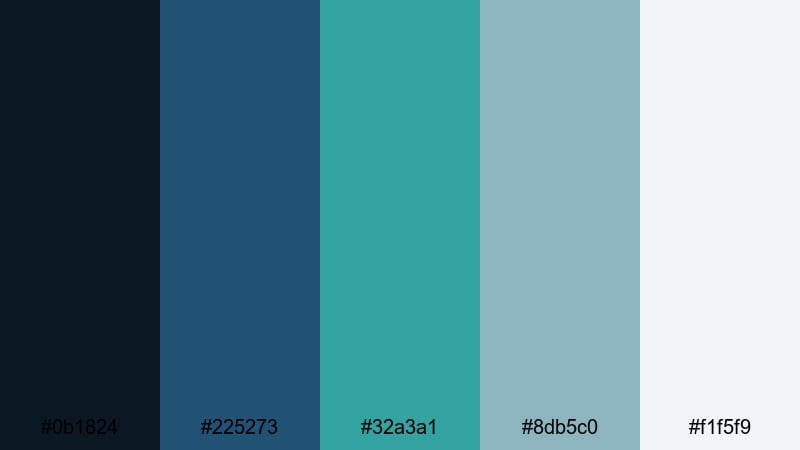
- HEX Codes: #0b1824, #225273, #32a3a1, #8db5c0, #f1f5f9
- Mood: Light, collaborative, and cloud-connected like a modern workspace.
- Use for: Best for SaaS explainers, remote work video, and upbeat B2B branding animations.
Cloud Sync Breeze floats airy teal and sky-like blues over bright cloud grays. It instantly suggests collaboration tools, cloud apps, and remote working setups.
Use the lightest tone (#f1f5f9) as a clean backdrop for UI walkthroughs and animated dashboards. The accented teal and blue can highlight key features, steps, or pricing tiers in your explainer videos and B2B branded content.
Urban Metro Refresh
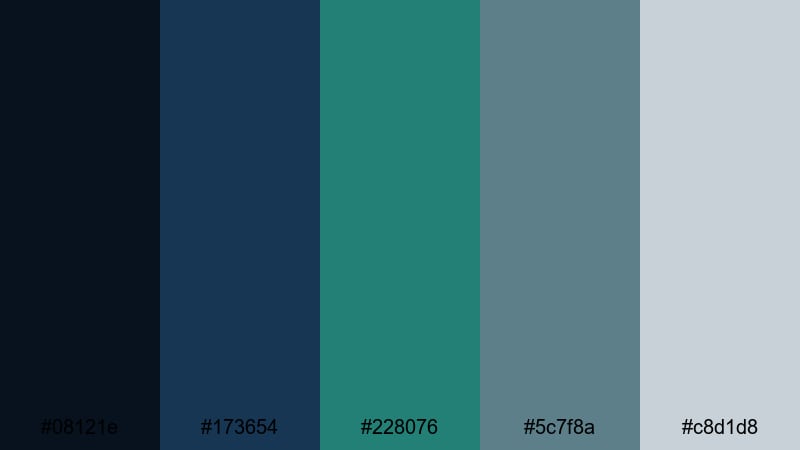
- HEX Codes: #08121e, #173654, #228076, #5c7f8a, #c8d1d8
- Mood: Urban, energetic, and sleek with a transit-inspired rhythm.
- Use for: Use for city vlog intros, lifestyle tech content, and modern channel art with a cool metropolitan vibe.
Urban Metro Refresh pairs punchy teal and transit blue with concrete grays. It feels like signage and lighting in a modern metro system, energetic but well-designed.
Use this palette for city vlogs, lifestyle tech reviews, and urban B-roll. The darker shades work as overlay gradients or letterbox bars, while the teal adds life to your channel logo, subscribe buttons, and motion typography.
Streamline Overlay Cool
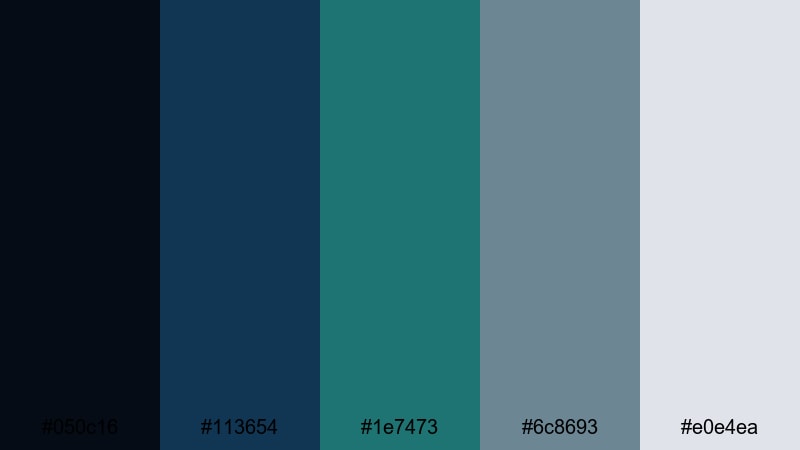
- HEX Codes: #050c16, #113654, #1e7473, #6c8693, #e0e4ea
- Mood: Balanced, modern, and streamlined for overlays and HUD elements.
- Use for: Ideal for live stream frames, lower-thirds, and subtle HUD graphics in gameplay or tutorial videos.
Streamline Overlay Cool balances teal, interface blue, and neutral grays for a subtle, modern look. It is designed to sit on top of gameplay or tutorial footage without stealing attention.
Use the darker colors for borders, frames, and panels, while the mid grays and teal highlight labels, timers, and small indicators. This palette is especially good for building overlay packs and reusable assets in Filmora that you can drop onto any new project.
Tips for Creating Blue Green Gray Color Palettes
Blue green gray color combinations are versatile, but they work best when you balance contrast, readability, and brand consistency across your videos and designs.
- Pick a primary role for each color: use blue for trust and structure, green for accents or calls to action, and gray for backgrounds and text blocks.
- Check contrast on text: pair dark navy or charcoal with very light gray or white for titles, and avoid mid-tone text on mid-tone backgrounds.
- Limit saturation: keep teal and aqua slightly muted for professional content, and reserve more vivid versions for small highlights or buttons.
- Match grading to graphics: if your overlays are cool blue green, nudge your footage slightly cooler in Filmora so the palette feels intentional, not mismatched.
- Use gray to calm busy scenes: when B-roll is detailed or colorful, lean on neutral grays in your lower-thirds and frames to keep everything readable.
- Create a hierarchy: assign one shade for headings, another for body text, and a third for accents, and reuse that system across thumbnails, intros, and end screens.
- Test on multiple devices: preview your palette on phones and desktops to ensure blues do not turn too dark and grays do not lose contrast.
- Save presets in Filmora: once you dial in a good blue green gray look, save text styles, color correction presets, and overlays so every new video matches your brand.
Blue green gray palettes can make your channel feel calm, credible, and modern, whether you are sharing productivity tips, tech reviews, or cinematic stories. With the right balance of navy shadows, teal accents, and soft grays, your thumbnails, intros, and overlays will all feel like part of the same visual language.
Use these 15 palettes as starting points inside Filmora. Apply them to titles, shapes, and color grading, then tweak with AI tools, HSL, and LUTs until the look fits your footage and brand personality.
The more you reuse a consistent blue green gray system, the easier it becomes for viewers to recognize your content at a glance, across YouTube, shorts, and social platforms.
secure download