
 100% Security Verified | No Subscription Required | No Malware

 ChatGPT
 Perplexity
 Gemini
 Claude
 Grok
Grok
Brick Orange sits between earthy terracotta and vivid sunset orange. It feels grounded yet energetic, combining the stability of brown with the optimism of warm orange. That makes it perfect for creators who want visuals that feel bold, human, and approachable at the same time. In video and design, Brick Orange naturally draws the eye without looking harsh, which is ideal for YouTube thumbnails, opening titles, logo reveals, and lower thirds.
Used well, a Brick Orange color palette can give your channel a recognizable identity while guiding the viewer toward what matters on screen. Below are ready-made Brick Orange color palettes with HEX codes for editors, designers, and Filmora users. You can plug these straight into your thumbnails, intros, overlays, motion graphics, and color grading to keep your projects visually consistent.
In this article
Bold And Cinematic Brick Orange Color Palettes
Urban Ember Contrast
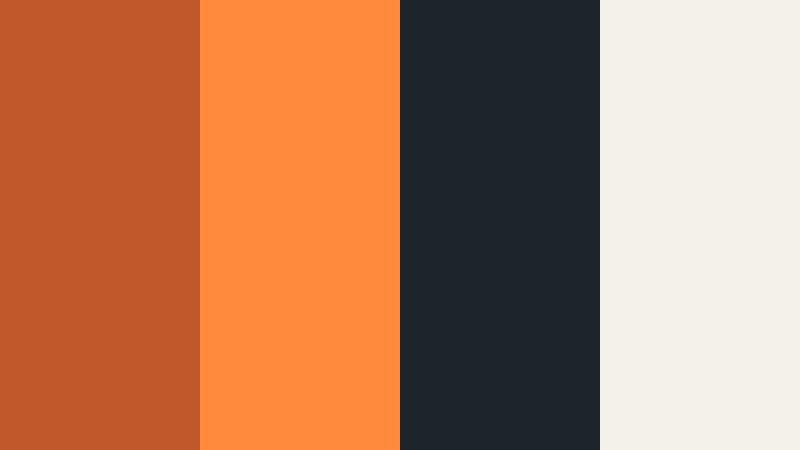
- HEX Codes: #c0582a, #ff8a3d, #1e242b, #f4f1ea
- Mood: Gritty, energetic, and cinematic with a modern street-style vibe.
- Use for: Use this palette for action-packed intros, travel vlogs, and cinematic b-roll sequences that need punchy contrast.
Urban Ember Contrast mixes deep Brick Orange (#c0582a) with a brighter neon-leaning orange (#ff8a3d), anchored by charcoal gray (#1e242b) and a soft off-white (#f4f1ea). The result feels like glowing city lights against concrete and dusk, perfect when you want your visuals to hit hard without losing sophistication.
Use this palette in YouTube thumbnails to pop your subject off a dark background, in kinetic title cards, and for energetic b-roll transitions. Brick Orange tones can dominate foreground elements like text, frames, and overlays, while the charcoal and off-white give you clean space for readable captions, logos, and UI in Filmora.
Pro Tip: Build a Cinematic Brick Orange Look in Filmora
To keep your Urban Ember Contrast palette consistent, start by setting Brick Orange as your hero accent color for titles, callouts, and shapes inside Filmora. Then match your footage by gently warming midtones and highlights so skin tones and street scenes lean toward that ember-like orange instead of pure yellow.
Save your favorite combinations as custom presets in Filmora so the same Brick Orange vibe carries across your intro, A-roll, B-roll, and social cutdowns. This keeps your brand feeling unified, whether viewers find you through a thumbnail, a YouTube Short, or an Instagram reel.
AI Color Palette
If you have a reference still or thumbnail design using this palette, you can use Filmora's AI Color Palette feature to push that same Brick Orange look across your entire timeline. Import your reference, let AI analyze the colors, and then apply the palette to other clips for instant visual harmony.
This is especially useful for travel and urban edits, where different cameras or lighting setups can break color consistency. AI Color Palette helps lock in that gritty Brick Orange aesthetic from the first frame to the last without manual matching on every shot.
 secure download

HSL, Color Wheels & Curves
To refine your Brick Orange look, use HSL to isolate oranges and reds, then adjust saturation and luminance until your highlights glow without clipping. With Filmora's color wheels, push midtones slightly toward orange and shadows toward blue or teal to deepen the cinematic contrast while keeping Brick Orange as the star.
You can also shape the overall mood using the curves editor: a gentle S-curve adds contrast, while lifting shadows will keep dark city scenes from crushing to black. For a deeper walkthrough, follow techniques from Filmora's color grading tutorials and adapt them to emphasize your Brick Orange tones.
secure download1000+ Video Filters & 3D LUTs
Once your Brick Orange base is set, Filmora's video filters and 3D LUTs make it easy to push your look toward gritty street, retro film, or glossy commercial styles. Stack subtle filters on top of your core color correction to add texture, bloom, or film-inspired halation around your warm highlights.
You can keep one or two Brick Orange themed LUTs as your channel staples, then use them on every new project for instant consistency. This saves time and keeps your visual identity recognizable, even when you experiment with different genres and formats.
secure downloadSunset Alley Neon
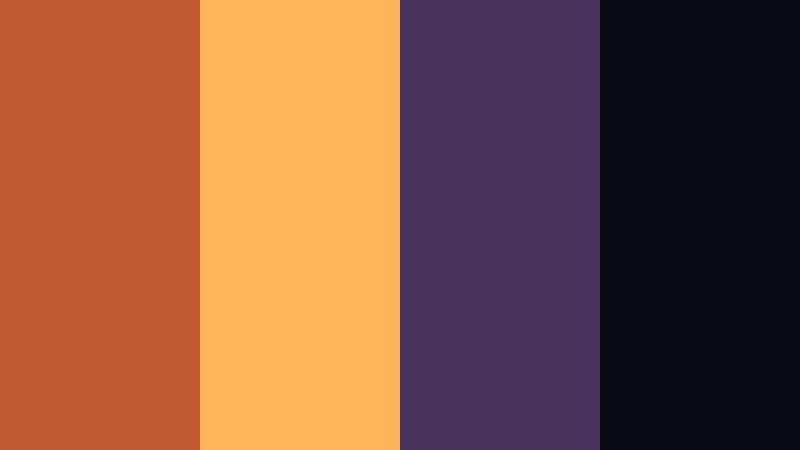
- HEX Codes: #bf5a30, #ffb45a, #47315a, #090b12
- Mood: Moody and electric, like a neon sunset cutting through city shadows.
- Use for: Ideal for music videos, nightlife edits, and title cards where you want a modern neon glow against a dark backdrop.
Sunset Alley Neon pairs rich Brick Orange (#bf5a30) with glowing amber (#ffb45a) and sets them against a deep violet (#47315a) and near-black (#090b12). The palette feels like neon signs reflecting on wet pavement at blue hour, with warm light slicing through darkness.
Use the bright oranges for typography, light streaks, and animated borders in Filmora, while the violet and black become your night-sky background. This palette works especially well in music videos, cyberpunk edits, and reels where you want strong silhouettes with glowing accents.
Forge And Steel Drama
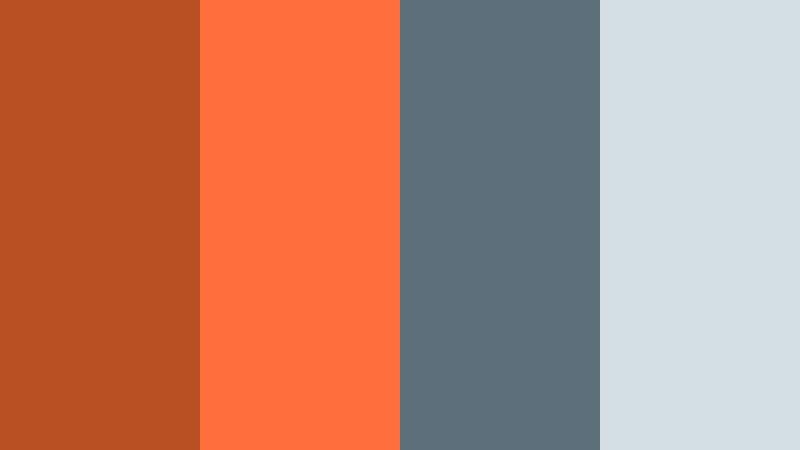
- HEX Codes: #b84f23, #ff6d3a, #5c6f7b, #d3dee5
- Mood: Industrial, powerful, and dramatic with a polished edge.
- Use for: Great for tech reviews, gaming channels, and product promos that call for strength and intensity.
Forge And Steel Drama mixes heated Brick Orange (#b84f23, #ff6d3a) with cool steel blues (#5c6f7b) and a pale highlight (#d3dee5). It feels like sparks flying in a metal workshop or industrial sci-fi set, fusing warmth and precision.
Use Brick Orange for key UI elements, subscriber buttons, and progress bars, while the steel tones form the base of your backgrounds and frames. This palette is perfect for gaming overlays, hardware showcases, and motion graphics where you want high-tech energy with a bold, fiery accent.
Volcanic Frame Burst
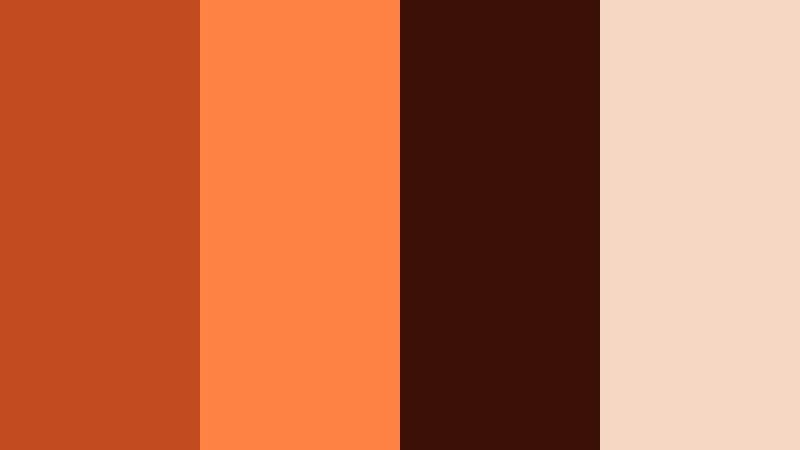
- HEX Codes: #c24b1f, #ff8345, #3b1107, #f5d7c3
- Mood: Explosive, fiery, and intense with a strong focal punch.
- Use for: Use this palette for trailer-style edits, sports highlights, and dramatic countdowns that demand attention.
Volcanic Frame Burst combines molten Brick Orange (#c24b1f, #ff8345) with a dark brown-black (#3b1107) and a soft peach highlight (#f5d7c3). The effect is explosive and high-impact, like glowing lava against cooled rock.
Use the darkest tone as your background or letterbox bars, then punch in with the bright oranges for animated frames, countdown timers, and explosive text reveals in Filmora. The peach tone can soften lower thirds or end screens so they remain readable while staying on-theme.
Cinema Poster Heatwave
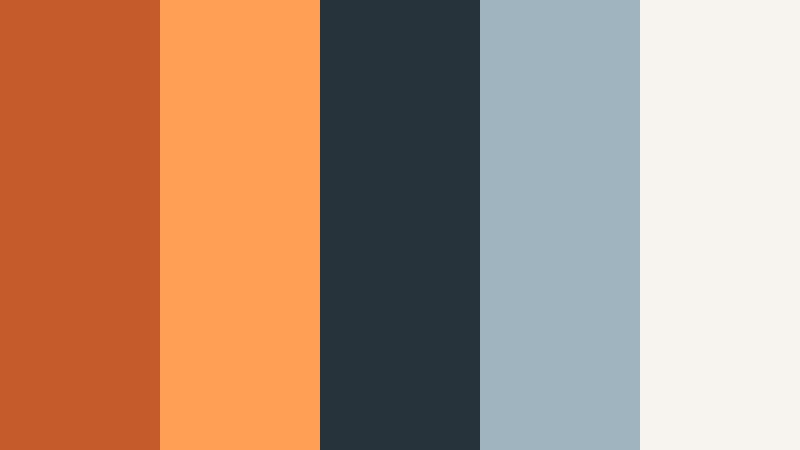
- HEX Codes: #c55a2b, #ff9f55, #27333a, #9fb4be, #f7f3ee
- Mood: Retro blockbuster and energizing, like a classic movie poster brought to life.
- Use for: Perfect for episode thumbnails, channel banners, and bold title screens with a cinematic flair.
Cinema Poster Heatwave blends Brick Orange (#c55a2b) and golden apricot (#ff9f55) with teal-gray accents (#27333a, #9fb4be) and soft white (#f7f3ee). It echoes classic movie posters where warm subjects pop against cool backgrounds for maximum drama.
This palette is ideal for series branding: use the warm tones on characters, titles, and key props, and the teal-grays for sky, shadows, or interface elements. In Filmora, you can grade footage toward orange-and-teal while keeping graphics and text within this palette for a tight, professional look.
Warm And Cozy Brick Orange Color Palettes
Fireside Storytime
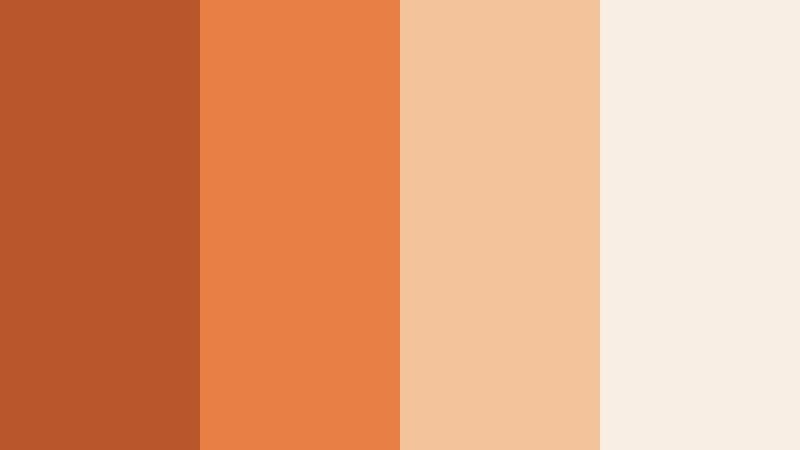
- HEX Codes: #b9562c, #e87f45, #f3c49b, #f8eee3
- Mood: Comforting, nostalgic, and intimate like sharing stories by a warm fire.
- Use for: Use this palette for lifestyle vlogs, home decor content, and sit-down videos that should feel friendly and welcoming.
Fireside Storytime layers soft Brick Orange (#b9562c) with gentle caramel (#e87f45) and creamy highlights (#f3c49b, #f8eee3). It feels like candlelight on skin and worn pages of a favorite book, creating a warm and personal atmosphere on camera.
Use this palette for talking-head setups, cozy B-roll of interiors, and content about routines, journaling, or home decor. In Filmora, keep your backgrounds light and creamy while using Brick Orange on chapter titles, subscribe reminders, and subtle corner badges so everything feels like one inviting visual space.
Harvest Kitchen Glow
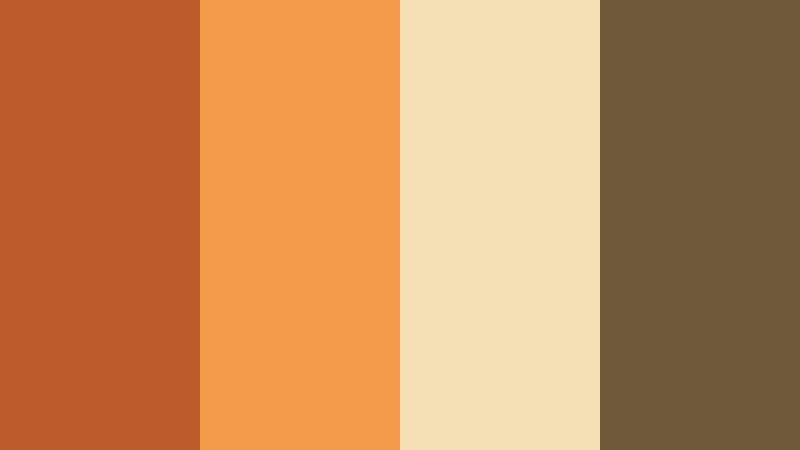
- HEX Codes: #bd5c2a, #f39a4b, #f5dfb4, #6e5a3a
- Mood: Homey, rustic, and inviting with a hint of golden harvest light.
- Use for: Great for recipe videos, slow-living content, and rustic branding that highlights warmth and authenticity.
Harvest Kitchen Glow mixes Brick Orange (#bd5c2a) and pumpkin spice tones (#f39a4b) with honey cream (#f5dfb4) and earthy brown (#6e5a3a). It evokes wooden tables, baked bread, and soft late-afternoon sun through a kitchen window.
Use the lighter tones for backgrounds and lower-thirds panels, then let Brick Orange highlight buttons, recipe steps, and text callouts. This palette looks great on thumbnails featuring food close-ups, handwritten-style fonts, and overhead shots colored in Filmora with slightly lifted warmth and minimal contrast.
Autumn Coffee Break
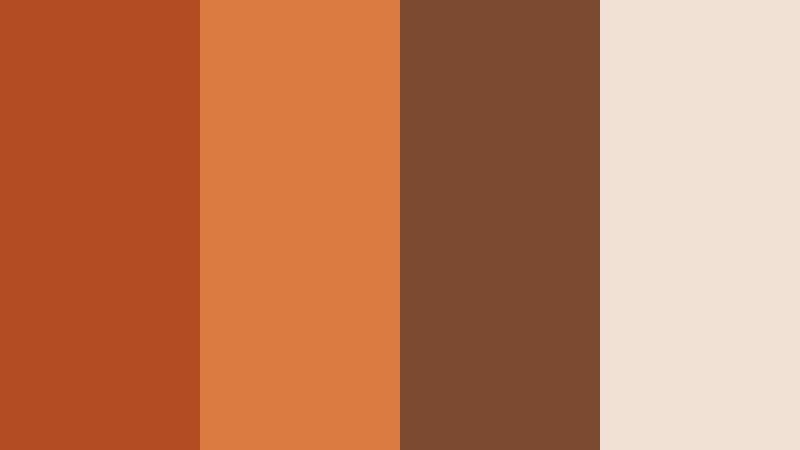
- HEX Codes: #b44c23, #db7a41, #7b4a30, #f0e1d4
- Mood: Calm, reflective, and cozy like a quiet cafe on a crisp fall day.
- Use for: Ideal for productivity vlogs, journaling videos, and podcast covers that need a warm, intimate mood.
Autumn Coffee Break wraps Brick Orange (#b44c23, #db7a41) in roasted coffee brown (#7b4a30) and soft cream (#f0e1d4). It feels introspective and steady, like writing in a notebook by the window with a hot drink.
Use Brick Orange for headings, timestamps, and animated sticky notes in Filmora, while the browns and creams form neutral backgrounds that keep text readable. This palette suits study-with-me videos, calm productivity vlogs, and podcast cover art that should feel inviting but focused.
Terracotta Studio Loft
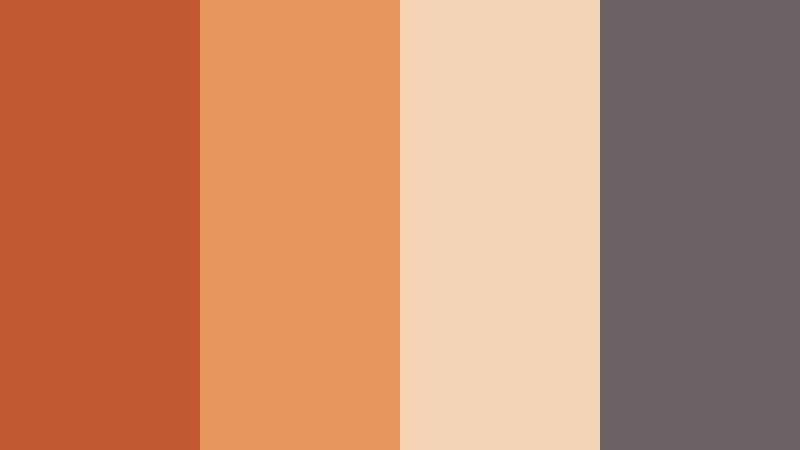
- HEX Codes: #bf5a33, #e6985f, #f4d4b6, #686062
- Mood: Artistic, modern, and cozy with a sunlit loft atmosphere.
- Use for: Use this palette for creator studios, art channels, and Instagram reels that blend comfort with creativity.
Terracotta Studio Loft pairs earthy Brick Orange (#bf5a33) with terracotta blush (#e6985f), creamy beige (#f4d4b6), and a soft gray accent (#686062). It suggests plants, ceramics, and natural light in a creative workspace.
Let the terracotta shades shape your wall colors, overlays, and frames, while the gray supports typography and icons. In Filmora, this palette works well for behind-the-scenes videos, art process reels, and branding for designers or illustrators who want a warm but modern look.
Campfire Chill Session
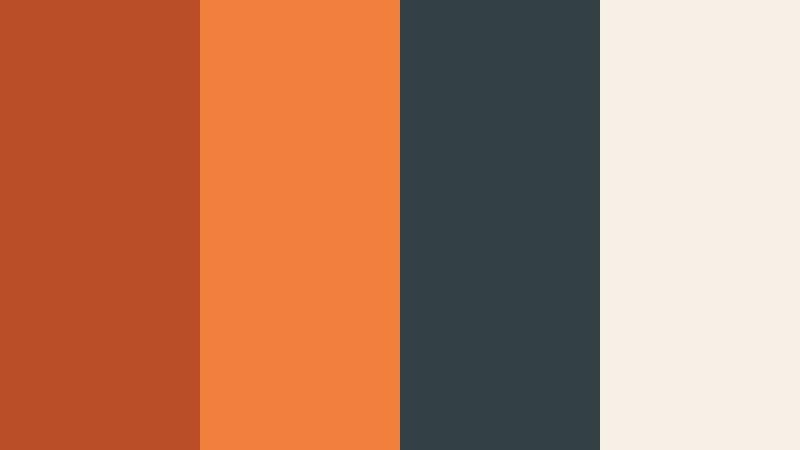
- HEX Codes: #b94d26, #f27f3c, #324044, #f6f0e7
- Mood: Relaxed, social, and cozy, inspired by music and laughter around a campfire.
- Use for: Perfect for travel vlogs, group hangout videos, and highlight reels that capture warm memories.
Campfire Chill Session combines glowing Brick Orange (#b94d26, #f27f3c) with cool night teal-gray (#324044) and soft ivory (#f6f0e7). It feels like guitar chords, friends, and sparks floating into the dark.
Use the dark teal as your sky or background tone and let the oranges highlight faces, titles, and animated doodles in Filmora. The ivory works well for text boxes and comment overlays, keeping everything readable while preserving that outdoors, fireside mood.
Modern And Minimal Brick Orange Color Palettes
Brick And Bone Minimal
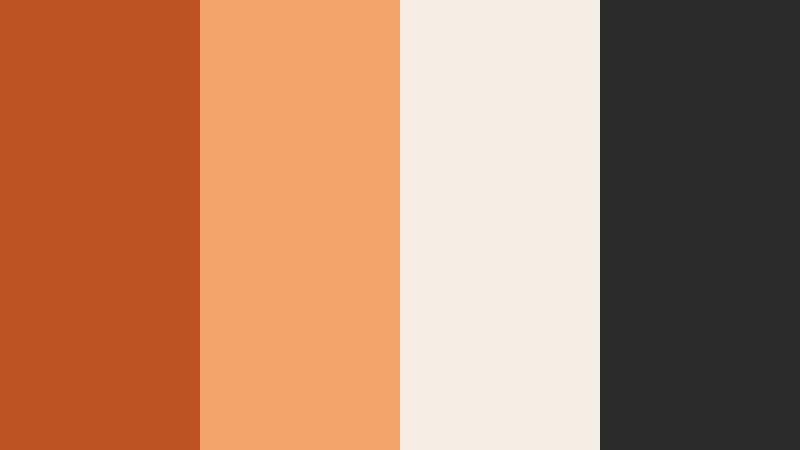
- HEX Codes: #bd5323, #f2a36a, #f6ede4, #2a2a2a
- Mood: Clean, stylish, and bold with a minimalist design sensibility.
- Use for: Great for modern logos, channel rebrands, and UI overlays that need a strong accent color without clutter.
Brick And Bone Minimal centers on a sharp Brick Orange (#bd5323) paired with a lighter sand-orange accent (#f2a36a), soft off-white (#f6ede4), and deep charcoal (#2a2a2a). The mood is modern and uncluttered, with color used sparingly for maximum impact.
Use charcoal and off-white as your main interface colors and reserve Brick Orange for CTAs, subscribe buttons, logo marks, and key on-screen text. This palette is ideal for clean channel branding, minimalist slide-style videos, and UI overlays created in Filmora.
Gallery Wall Accent
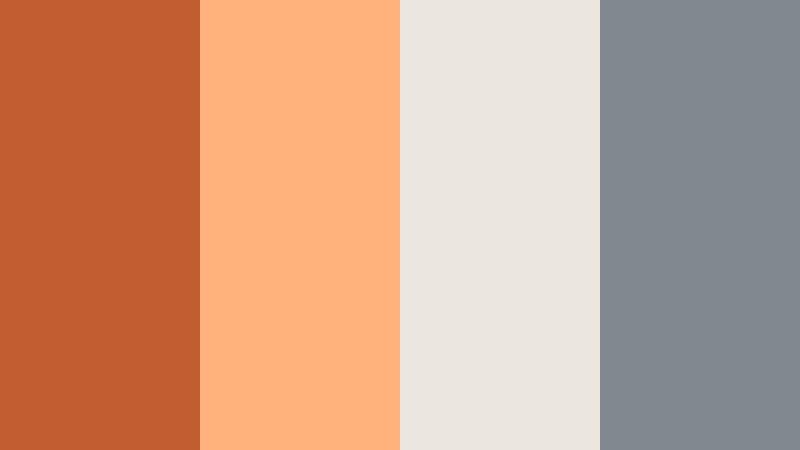
- HEX Codes: #c15d30, #ffb27c, #ebe7df, #828890
- Mood: Curated, airy, and contemporary like a stylish gallery apartment.
- Use for: Use for design tutorials, portfolio reels, and lookbook videos where you want subtle color with a modern twist.
Gallery Wall Accent features warm Brick Orange (#c15d30) and apricot (#ffb27c) balanced by light neutrals (#ebe7df) and cool gray (#828890). It feels airy and editorial, as if your video were a moving magazine spread.
Let the neutrals dominate your backgrounds and frames, then drop in Brick Orange accents on keyframes, titles, and selection highlights. This palette suits design case studies, portfolio reels, and fashion lookbooks where visuals should feel curated but not loud.
Slide Deck Spotlight
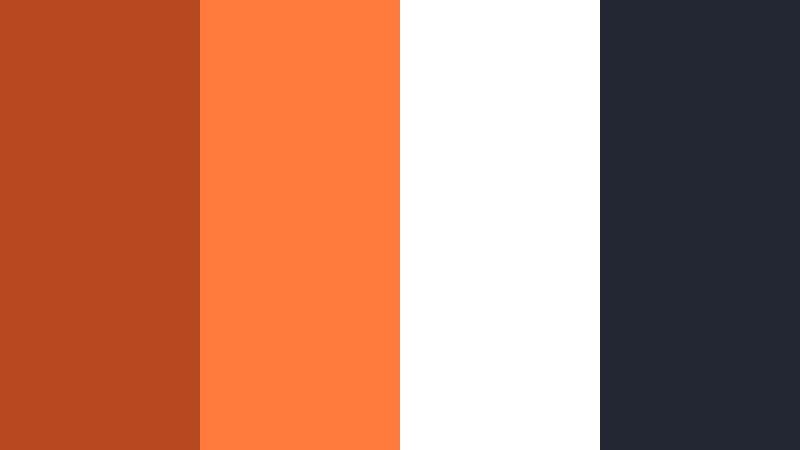
- HEX Codes: #b64920, #ff7a3c, #ffffff, #232733
- Mood: Professional, energetic, and crisp with presentation-ready clarity.
- Use for: Ideal for explainer videos, business presentations, and educational content that must stay clear and engaging.
Slide Deck Spotlight uses vivid Brick Orange (#b64920, #ff7a3c) with pure white (#ffffff) and deep navy charcoal (#232733). It is built for clarity: strong contrast, easy legibility, and clean separation between foreground and background.
Use white or navy as your slide or frame background, then apply Brick Orange to titles, icons, progress indicators, and important stats. In Filmora, this palette works perfectly for animated slide decks, explainer videos, and course modules where information must stay readable on both desktop and mobile.
Desert Modern Interface
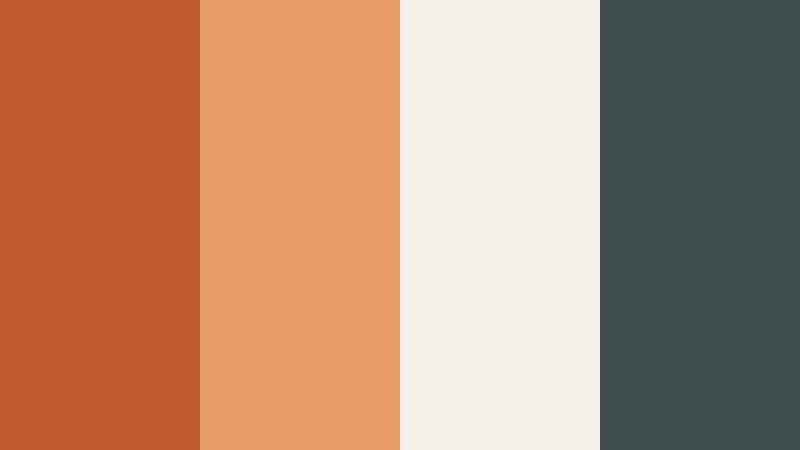
- HEX Codes: #c05a2f, #e79c68, #f5f0ea, #3c4c4d
- Mood: Calm, contemporary, and UX-friendly with a soft desert influence.
- Use for: Great for app mockups, lower thirds, and channel overlays that need modern warmth with easy readability.
Desert Modern Interface pairs muted Brick Orange (#c05a2f) and sand tones (#e79c68) with off-white (#f5f0ea) and slate teal-gray (#3c4c4d). It feels calm and contemporary, like a well-designed app with a warm desert twist.
Use Brick Orange for active states, buttons, and animated cursors, while the off-white and slate support body text and panels. In Filmora, this palette shines in SaaS demos, UX case studies, and overlay packs designed to sit cleanly on top of screen recordings.
Cinematic Travel And Lifestyle Brick Orange Color Palettes
Old Town Brickways
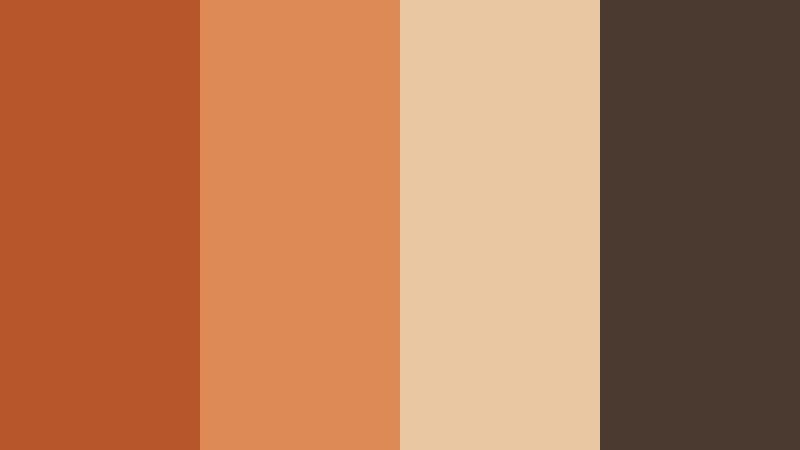
- HEX Codes: #b7552b, #dd8a55, #e9c7a3, #4a3a30
- Mood: Wanderlust-filled, historic, and warm like sunlit alleyways in an old city.
- Use for: Use this palette for travel diaries, walking tours, and cinematic street photography edits.
Old Town Brickways brings together weathered Brick Orange (#b7552b), warm clay (#dd8a55), stone neutrals (#e9c7a3), and deep brown (#4a3a30). It feels nostalgic and tactile, like walking through historic streets lined with old brick buildings.
Use this palette for travel vlogs, architectural B-roll, and city guides. In Filmora, lean your color grading toward warm oranges and browns, then use the lighter neutrals for location tags, map overlays, and text panels that sit above the footage without stealing attention.
Canyon Trail Filmlook
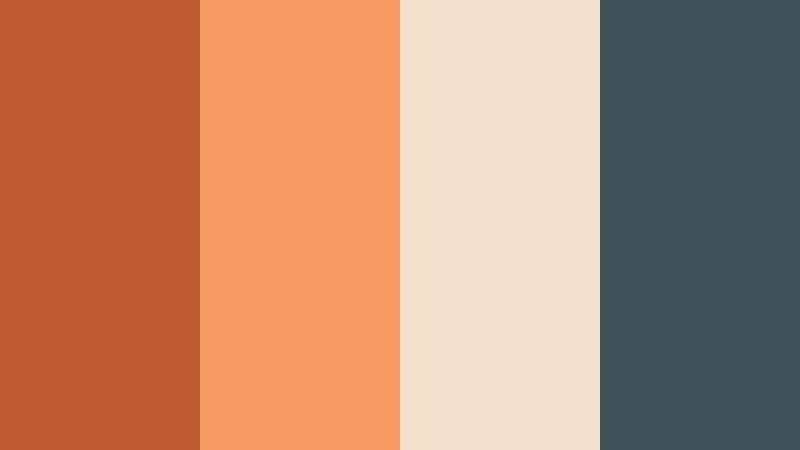
- HEX Codes: #bc5b30, #f39b62, #f4e0cc, #42525a
- Mood: Expansive, adventurous, and cinematic like hiking through glowing canyon walls.
- Use for: Perfect for drone shots, landscape b-roll, and cinematic travel intros needing earthy drama.
Canyon Trail Filmlook pairs Brick Orange canyon hues (#bc5b30, #f39b62) with soft sandstone (#f4e0cc) and cool slate (#42525a). The palette feels wide and cinematic, suggesting sunlit cliffs and distant horizons.
Use the warm tones for sunlit rock faces and skin, while letting the slate define shadows, sky, and typography. This palette suits drone flyovers, hiking edits, and cinematic intros where you want that classic earthy-orange travel grade inside Filmora.
Sunlit Rooftop Session
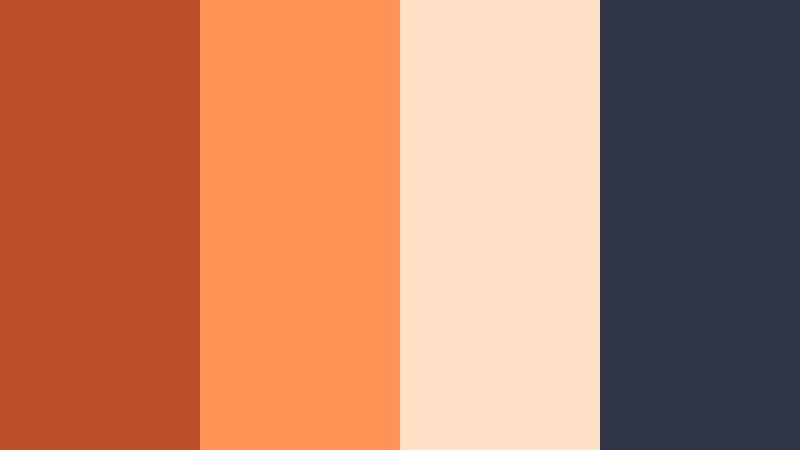
- HEX Codes: #b94e27, #ff9254, #ffe1c8, #313646
- Mood: Youthful, upbeat, and cinematic, like golden hour on a city rooftop.
- Use for: Great for fashion lookbooks, lifestyle reels, and upbeat city vlogs with a warm, stylish tone.
Sunlit Rooftop Session blends bright Brick Orange (#b94e27, #ff9254) with soft peach (#ffe1c8) and deep blue-gray shadows (#313646). It captures golden hour light bouncing off buildings and outfits, giving your footage a stylish, social feel.
Use the deep blue-gray for text, outlines, and shadows, while the oranges and peach drive your overall grading and graphic accents. This palette is ideal for fashion, lifestyle, and music-focused city vlogs edited in Filmora, where energetic color is part of the story.
Tips for Creating Brick Orange Color Palettes
When you build your own Brick Orange color combinations for video and design, think about contrast, readability, and how the hues will behave across real footage, graphics, and text.
- Pair Brick Orange with a dark neutral (charcoal, navy, or deep brown) to keep titles and UI elements readable on small screens.
- Always include at least one light neutral (ivory, cream, or soft gray) for backgrounds, lower thirds, and text blocks that need clarity.
- Use Brick Orange as an accent, not the entire frame: reserve it for buttons, key words, highlights, and key props so it keeps its impact.
- For cinematic looks, balance Brick Orange with cool tones like teal, slate, or violet to create complementary contrast that feels professional.
- Test your palette on real thumbnails and mobile previews to make sure HEX choices stay legible at small sizes and different brightness levels.
- Keep brand consistency by saving your core HEX codes in a style guide and reusing them for titles, lower thirds, and end screens across all videos.
- When color grading footage in Filmora, nudge existing warm tones toward your chosen Brick Orange instead of oversaturating from scratch.
- Use desaturated versions of Brick Orange for backgrounds and highly saturated versions for focal elements to avoid visual overload.
Brick Orange color palettes can shift a project from forgettable to distinctive. Whether you lean into bold cinematic contrast, cozy lifestyle moods, or clean minimal branding, this warm hue helps shape emotion and makes your visuals more recognizable.
Try a few of these Brick Orange HEX combinations directly in your titles, overlays, and color grading presets. Then refine the look in Filmora until it feels like your signature style, and reuse it across intros, thumbnails, and social edits so your audience instantly knows it is you.
As you experiment, save presets and test different palettes on the same clip. Over time, you will discover which Brick Orange combinations work best for your genre, your lighting, and your brand personality.

Lorem Ipsum is simply dummy text of the printing and typesetting industry, when an unknown printer took a galley of type. ?
Lorem Ipsum is simply dummy text of the printing
Lorem Ipsum is simply dummy text of the printing

