

 100% Security Verified | No Subscription Required | No Malware


 ChatGPT
 Perplexity
 Gemini
 Claude
 Grok
Grok
Celadon is a soft green with a hint of blue and gray, known for feeling calm, fresh, and quietly sophisticated. It reduces visual stress, which makes it ideal for long form content, branded intros, and any video where you want viewers to feel relaxed but still engaged.
Below you will find 15 celadon color palettes with exact HEX codes you can plug straight into your thumbnails, titles, overlays, and brand kits. Each palette is designed with video creators and Filmora users in mind, so you can match your editing style, color grading, and motion graphics to a consistent celadon look.
In this article
Soft & Airy Celadon Color Palettes
Morning Mist Workspace
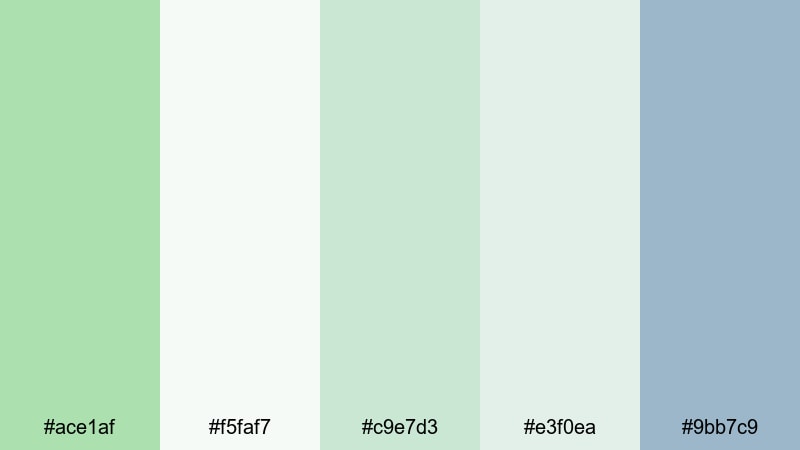
- HEX Codes: #ace1af, #f5faf7, #c9e7d3, #e3f0ea, #9bb7c9
- Mood: Calm, focused, and gently uplifting.
- Use for: Great for productivity vlogs, tutorial backgrounds, and clean branding intros where you want a light, distraction free atmosphere.
This palette feels like an early morning in a bright studio: pale celadon greens, airy off whites, and a soft blue gray accent that keeps everything balanced. It is light enough to sit behind text, UI callouts, or screen recordings without pulling attention away from your content.
Use these HEX codes for your YouTube thumbnail backgrounds, timeline lower thirds, and slide style title cards in Filmora. The gentle contrast works especially well for productivity dashboards, workspace tours, and aesthetic study vlogs where you want clarity and calm in the same frame.
Pro Tip: Build A Calm Celadon Look In Filmora
To keep a Morning Mist style celadon look consistent, design your thumbnail frame, intro bumper, and end screen inside Filmora using the same HEX values for text boxes, shapes, and background solids. Save these elements as custom presets so every new video automatically feels like part of the same brand.
You can also layer a very subtle vignette or blur behind titles in Filmora to make your soft celadon tones readable on both desktop and mobile without losing that airy, minimalist feel.
AI Color Palette
If you have a reference image of your ideal celadon workspace, you can let Filmora match that look across your entire edit. Filmora's AI Color Palette feature analyzes colors from a single frame or photo and applies a similar palette to other clips in the timeline.
Drop in a still frame with your favorite celadon, cream, and blue gray combination, then use AI Color Palette to harmonize your A roll, B roll, and cutaway shots. This keeps your vlog, reels, and shorts living in the same soft, misty universe without manual color grading on every clip.
 secure download

HSL, Color Wheels & Curves
Once you have a base celadon look, use Filmora's HSL sliders and color wheels to fine tune how green or blue your celadon appears. Slightly desaturate the greens in your shadows and lift the midtones to keep faces natural while backgrounds stay fresh and misty. For more structured guidance, you can explore Filmora's video color correction tools to see exactly how HSL, wheels, and curves interact.
Curves are perfect for keeping highlights bright and clean without clipping your soft whites. Create a gentle S curve so contrast increases just enough for thumbnails and social feeds, while the celadon still looks subtle and professional on larger screens.
secure download1000+ Video Filters & 3D LUTs
To stylize your celadon palettes fast, combine them with Filmora's built in filters and LUTs. Filmora's video filters and 3D LUTs make it easy to push Morning Mist toward a pastel, filmic, or slightly cinematic tone with one click, while you keep key brand colors and HEX codes intact.
Apply a gentle soft focus or pastel LUT on top of your celadon backgrounds to get that dreamy productivity aesthetic that looks great on YouTube, TikTok, and Instagram. Save your favorite combinations as custom presets so you can reuse the same look in future uploads.
secure downloadSoft Linen & Celadon Glow
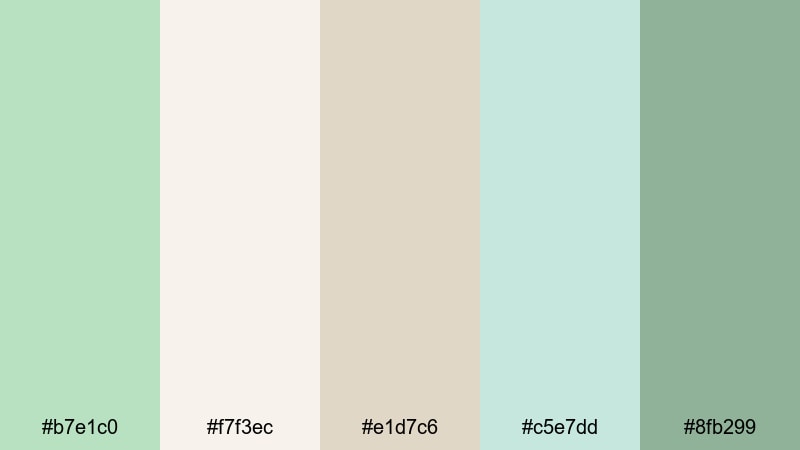
- HEX Codes: #b7e1c0, #f7f3ec, #e1d7c6, #c5e7dd, #8fb299
- Mood: Warm, cozy, and welcoming with a gentle glow.
- Use for: Perfect for lifestyle vlogs, home decor reels, and subtle lower thirds in branding videos.
Soft Linen & Celadon Glow mixes gentle greens with linen creams and muted beige, creating a cozy yet clean atmosphere. It feels like morning sunlight on neutral textiles, ideal when you want warmth but still need a minimal, modern look.
Use the lighter tones for backgrounds and story cards, and reserve the deeper celadon and sage for text, buttons, or call to action banners in your thumbnails and end screens. This palette works beautifully for home tours, cozy routines, and branding that leans into comfort and calm.
Pastel Studio Daydream
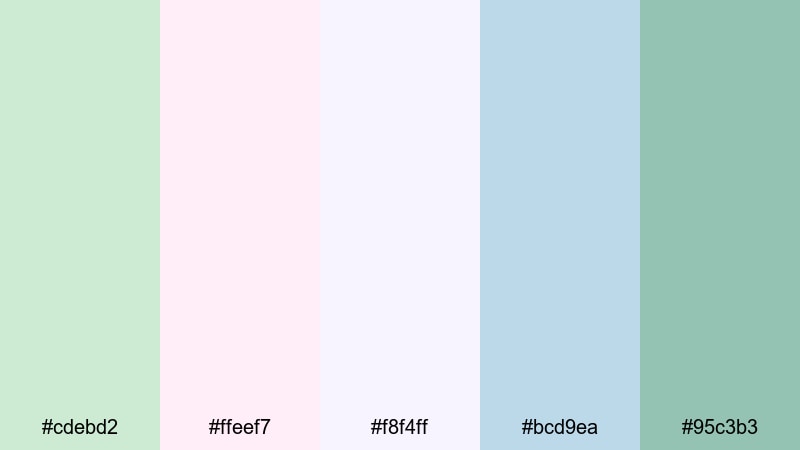
- HEX Codes: #cdebd2, #ffeef7, #f8f4ff, #bcd9ea, #95c3b3
- Mood: Dreamy, lighthearted, and whimsical.
- Use for: Great for art channels, stationery brands, and playful tutorial thumbnails that still feel polished.
Pastel Studio Daydream blends celadon with blush, lilac, and baby blue to create a playful studio vibe. The colors feel dreamy and soft, but they still have enough contrast to anchor text and icons.
Use this palette for sketchbook tours, digital art timelapses, or stationery hauls. In Filmora, try using the cooler celadon and blue for backgrounds, then let the blush and lilac highlight important on screen text, subscribe prompts, or chapter markers in your timeline.
Blush Breeze Celadon
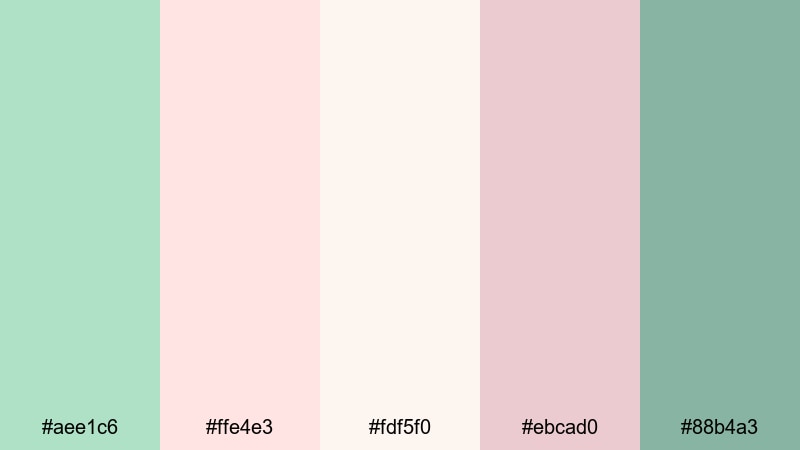
- HEX Codes: #aee1c6, #ffe4e3, #fdf5f0, #ebcad0, #88b4a3
- Mood: Romantic, gentle, and slightly nostalgic.
- Use for: Ideal for wedding highlight films, engagement reels, and romantic storytelling edits.
Blush Breeze Celadon balances airy greens with soft pinks and creamy whites, giving your visuals a romantic, nostalgic quality without oversaturating the frame. It feels tender and elegant, perfect for emotional storytelling.
Apply this palette to title cards, wedding monograms, and overlay graphics in Filmora. Use the darker celadon shade for readable captions over bright scenes, while the blush tones can frame transitions, chapter titles, or subtle animated borders around your footage.
Modern & Minimal Celadon Color Palettes
Urban Celadon Interface
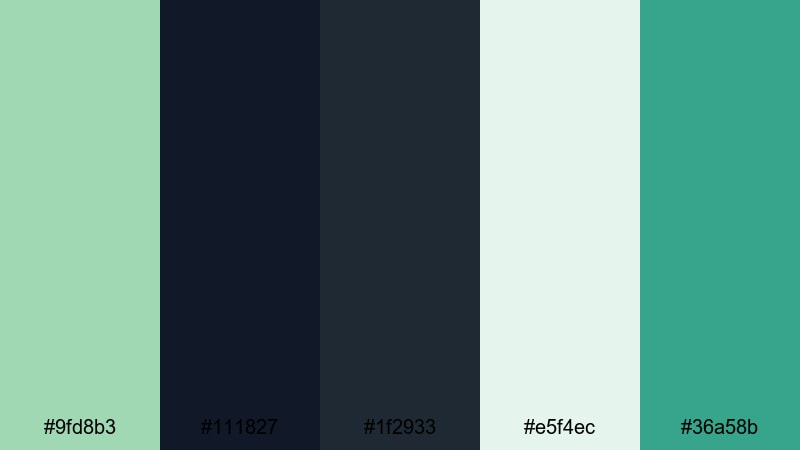
- HEX Codes: #9fd8b3, #111827, #1f2933, #e5f4ec, #36a58b
- Mood: Modern, confident, and tech forward.
- Use for: Great for app promos, UI showcases, and sleek motion graphics for tech or SaaS brands.
Urban Celadon Interface pairs soft green with deep charcoal and teal accents, creating a crisp, digital ready look. The dark tones give strong contrast for UI elements, while celadon keeps everything approachable and fresh.
Use the darkest shades for backgrounds and overlays behind screen captures, then highlight key features with celadon buttons, icons, and progress bars in your motion graphics. This palette is ideal for clean onboarding videos, product demos, and tech explainers built in Filmora.
Monochrome Celadon Grid
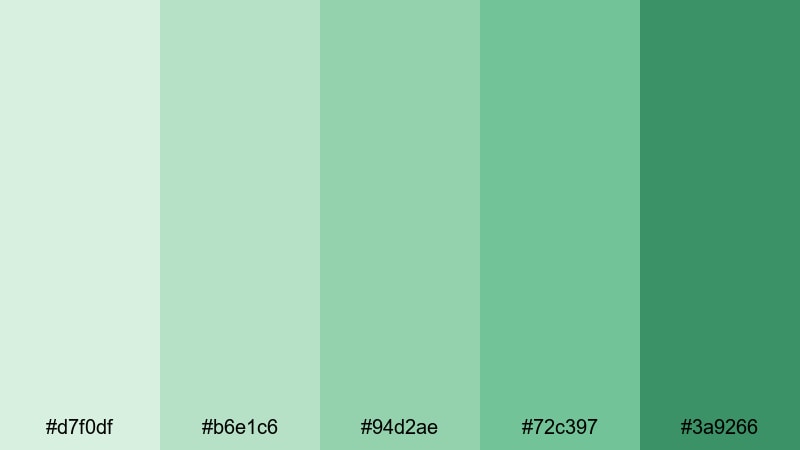
- HEX Codes: #d7f0df, #b6e1c6, #94d2ae, #72c397, #3a9266
- Mood: Balanced, organized, and refreshingly simple.
- Use for: Perfect for minimal logo animations, clean lower thirds, and infographics in educational content.
Monochrome Celadon Grid walks through celadon from pale mint to deep green, giving you a full value range within one hue family. This makes it very easy to keep branding consistent while still having enough contrast for hierarchy.
Use lighter shades for backgrounds and chart fills, and the darkest green for text and important data points. In Filmora, you can build minimal lower thirds and subscribe bars using stacked rectangles in different celadon strengths, creating a modern, grid like feel in your educational or business content.
Slate And Celadon Balance
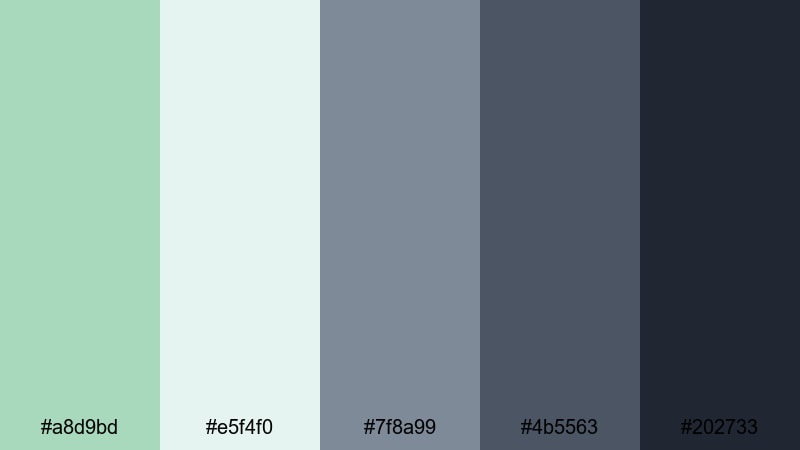
- HEX Codes: #a8d9bd, #e5f4f0, #7f8a99, #4b5563, #202733
- Mood: Cool, composed, and understatedly professional.
- Use for: Use in corporate explainers, portfolio reels, and UX walkthroughs where clarity matters.
Slate And Celadon Balance combines soft greens with cool slate grays, producing a look that feels professional but not sterile. The neutral grays give solidity, while celadon injects a hint of friendliness.
For corporate videos, use the light celadon for section dividers and highlight boxes, while the darker slate serves as a solid base behind text and diagrams. This palette works especially well when your footage already has office or tech environments and you want your graphics to blend seamlessly in Filmora.
Nordic Celadon Minimal
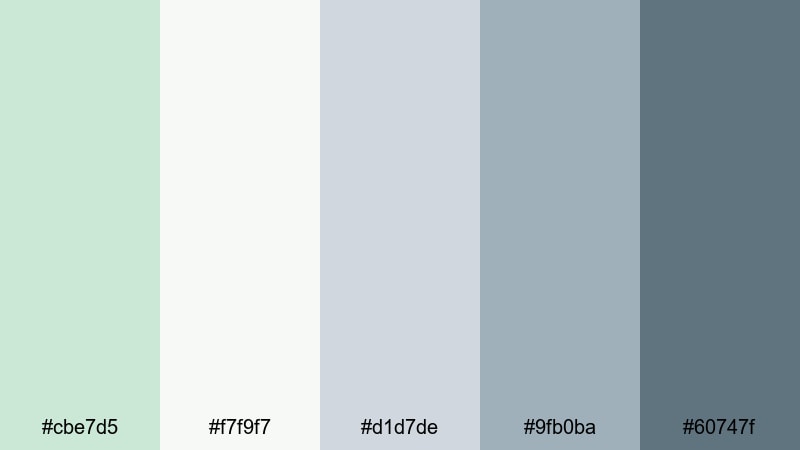
- HEX Codes: #cbe7d5, #f7f9f7, #d1d7de, #9fb0ba, #60747f
- Mood: Airy, organized, and distinctly Scandinavian.
- Use for: Great for design breakdowns, interior lookbooks, and minimalist brand story videos.
Nordic Celadon Minimal leans into Scandinavian design aesthetics: lots of light, soft neutrals, and controlled color. Celadon appears as a gentle accent against gray and off white, giving your videos a structured, calm atmosphere.
Use the palest tones for negative space in your title cards and the deeper blues and grays for typography and icons. This palette flatters interior footage, flat lays, and design showcases, especially when you want your visuals to feel editorial yet approachable.
Nature Inspired Celadon Color Palettes
Forest Stream Celadon
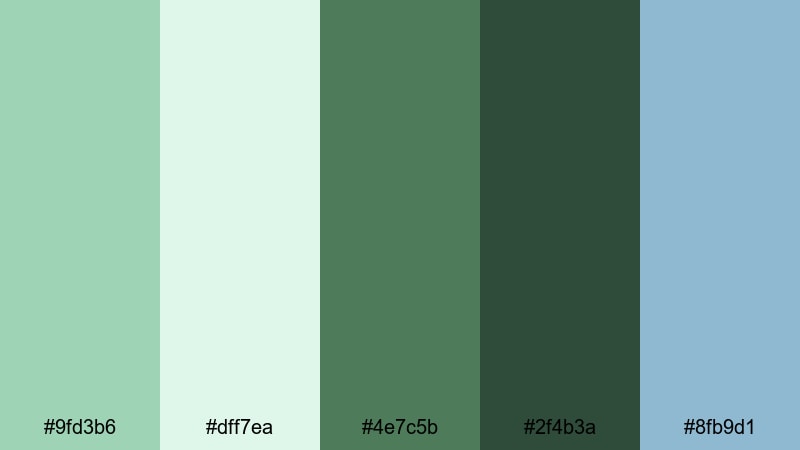
- HEX Codes: #9fd3b6, #dff7ea, #4e7c5b, #2f4b3a, #8fb9d1
- Mood: Grounded, refreshing, and quietly adventurous.
- Use for: Perfect for travel vlogs, hiking reels, and eco brand storytelling pieces.
Forest Stream Celadon mixes gentle greens with deeper forest tones and a soft stream blue, echoing shaded trails and clear water. It feels grounded and refreshing, ideal for outdoor and nature heavy content.
Use the light celadon and blue shades for map overlays, route markers, and chapter titles, while the dark greens can frame text or serve as color blocks behind stats about distance or elevation. In Filmora, this palette works well with drone shots, campsite B roll, or eco brand stories that focus on calm exploration.
Succulent Shelf Aesthetic
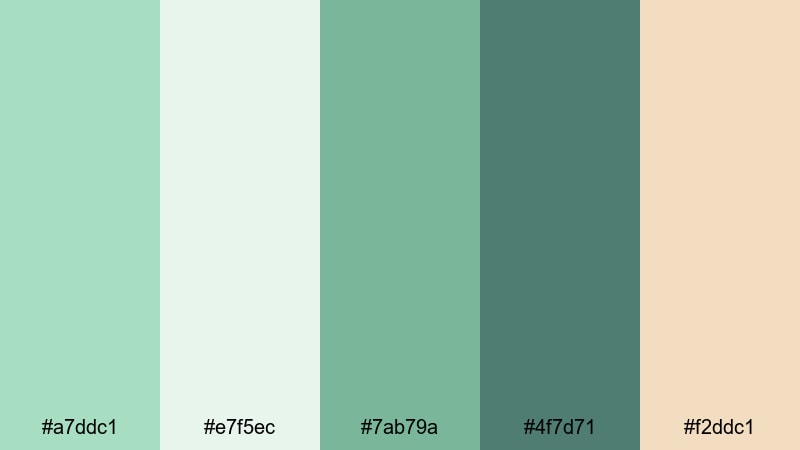
- HEX Codes: #a7ddc1, #e7f5ec, #7ab79a, #4f7d71, #f2ddc1
- Mood: Organic, trendy, and lightly earthy.
- Use for: Great for desk tours, cozy plant vlogs, and lifestyle shorts about routines and habits.
Succulent Shelf Aesthetic combines muted celadon and succulent greens with a warm terracotta beige, instantly calling to mind plant filled shelves and cozy corners. The palette feels organic and on trend without going too dark.
Use the soft greens for background shapes, highlight boxes, and frames around vertical clips, and bring in the warm beige for text accents, icons, or little arrow pointers in your edits. It is perfect for habit tracking reels, desk setups, and lifestyle channels that feature plants and slow living.
Seafoam Celadon Coast
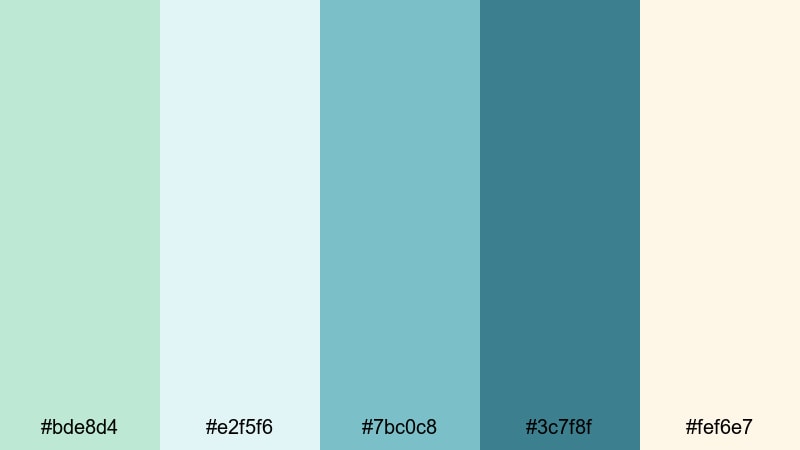
- HEX Codes: #bde8d4, #e2f5f6, #7bc0c8, #3c7f8f, #fef6e7
- Mood: Breezy, coastal, and gently energizing.
- Use for: Ideal for beach travel edits, resort promos, and summer themed transitions.
Seafoam Celadon Coast brings together seafoam greens, aqua blues, and sandy cream, capturing the feeling of a bright coastal day. It is breezy and energizing, but still soft enough for long watch times.
Use the lightest tones as background washes behind your travel tips and location labels, and the deeper blue green for title text and call to action overlays. This palette makes beach footage, pool shots, and resort B roll look cohesive and polished in Filmora.
Rainwashed Garden Celadon
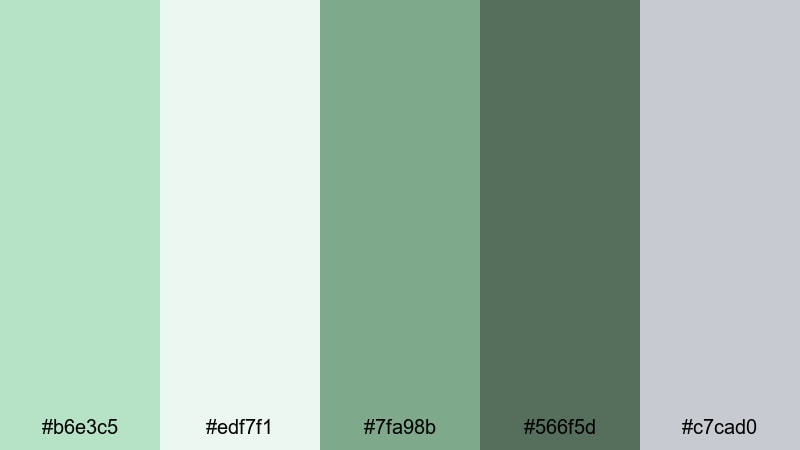
- HEX Codes: #b6e3c5, #edf7f1, #7fa98b, #566f5d, #c7cad0
- Mood: Peaceful, nostalgic, and softly cinematic.
- Use for: Use for slow life vlogs, garden tours, and moody b roll that still feels hopeful.
Rainwashed Garden Celadon blends fresh greens with mossy tones and a soft gray, reminiscent of a garden after rain. It is calm and slightly nostalgic, with enough contrast to feel cinematic.
Use the gray and dark greens for subtle letterbox bars or title strips, and keep the light celadon for minimal graphic accents and gentle transitions. This palette pairs beautifully with slow pans, macro shots of leaves, and reflective narration in Filmora.
Luxury & Elegant Celadon Color Palettes
Celadon And Gold Prestige
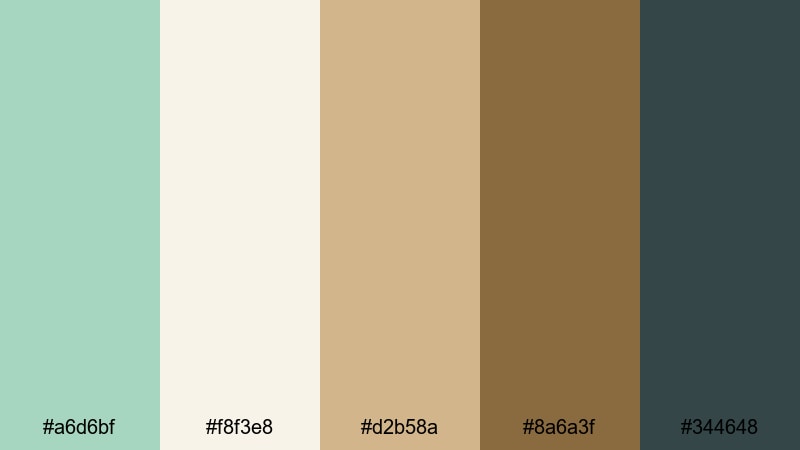
- HEX Codes: #a6d6bf, #f8f3e8, #d2b58a, #8a6a3f, #344648
- Mood: Opulent, refined, and timeless.
- Use for: Perfect for luxury brand videos, jewelry showcases, and premium course launches.
Celadon And Gold Prestige mixes soft green with cream and muted gold, creating an elegant yet approachable luxury palette. The celadon keeps things fresh while the gold and deep slate add a sense of value and trust.
Use the pale cream and celadon as background fields for logos, then introduce the gold tones in borders, icons, or key phrases in your titles. This palette suits jewelry showcases, high end product reveals, and premium digital course promos where you want refinement without being flashy.
Evening Celadon Soiree
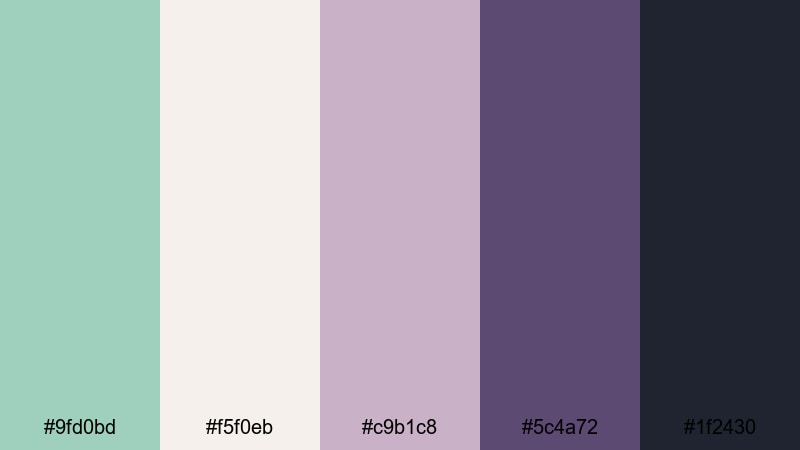
- HEX Codes: #9fd0bd, #f5f0eb, #c9b1c8, #5c4a72, #1f2430
- Mood: Sophisticated, moody, and slightly mysterious.
- Use for: Great for event recaps, cocktail bar promos, and evening fashion lookbooks.
Evening Celadon Soiree sets celadon against mauve, plum, and deep navy, giving a twilight inspired mix that feels cinematic and intimate. It is perfect for night time scenes, city lights, and stylish events.
Use the darkest navy and plum for backgrounds behind white or pale celadon text, and bring in the mauve as a highlight for key names, prices, or event details. In Filmora, this palette works well with slow motion crowd shots, bar details, and fashion closeups lit by warm practicals.
Celadon Marble Luxe
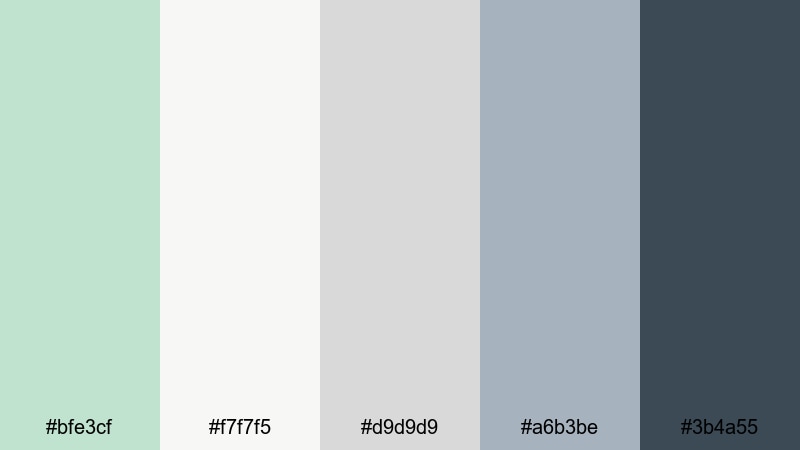
- HEX Codes: #bfe3cf, #f7f7f5, #d9d9d9, #a6b3be, #3b4a55
- Mood: Polished, minimal, and quietly luxurious.
- Use for: Ideal for brand identity reveals, portfolio openers, and premium tutorial series intros.
Celadon Marble Luxe surrounds gentle green accents with marble like grays and off whites, achieving an understated, gallery style aesthetic. It feels premium without relying on heavy contrast or saturated color.
Use the off white and light gray for clean backgrounds, then introduce celadon as a subtle accent under logos, around lower thirds, or in thin framing lines. This palette works especially well in Filmora for portfolio openers, typography focused intros, and premium tutorial series that need a quiet, confident visual identity.
Tips for Creating Celadon Color Palettes
Celadon is versatile, but it really shines when you balance it with the right neutrals and accent colors. Keep these practical tips in mind as you build or adapt celadon palettes for your videos, thumbnails, and design assets.
- Pair celadon with warm neutrals (cream, beige) for cozy lifestyle content, and with cool grays or navy for tech, UX, or corporate videos.
- Always test text contrast on mobile: dark slate, charcoal, or deep teal over light celadon backgrounds will stay readable in small thumbnails.
- Limit your strong accent color to one or two shades (like gold or blush) so celadon remains the star of the palette and your brand feels cohesive.
- Sample colors from your actual footage in Filmora, then nudge them toward your chosen celadon HEX codes so overlays and backgrounds match the scene.
- Use lighter celadon tones for large areas (backgrounds, panels, frames) and darker tones for keylines, icons, and button text.
- For cinematic edits, slightly desaturate celadon and raise contrast via curves to keep the mood refined while preserving your brand hue.
- Save your favorite celadon combinations as reusable presets or style guides so thumbnails, intros, and end screens stay consistent across uploads.
- When in doubt, start with a monochrome celadon range and then add only one neutral and one accent shade to avoid palette overload.
Celadon color palettes can make your channel feel calm, modern, and instantly recognizable, whether you are sharing productivity tips, travel stories, or premium brand content. By choosing the right mix of celadon, neutrals, and accents, you control how viewers feel the moment your thumbnail appears in their feed.
Try dropping these HEX codes straight into Filmora for backgrounds, shapes, and text, then fine tune the tones with AI Color Palette, HSL controls, and LUTs. Experiment across intros, B roll overlays, and social cutdowns until you find a celadon look that truly fits your style.
Once you lock in that look, keep reusing the same celadon combinations so every new upload strengthens your visual identity and helps viewers recognize your work at a glance.
secure downloadNext: Jungle Color Palette
