

 100% Security Verified | No Subscription Required | No Malware


 ChatGPT
 Perplexity
 Gemini
 Claude
 Grok
Grok
Deep Contrast Blue feels like the color of late-night screens, cinema shadows, and dramatic skies. It is powerful, confident, and slightly mysterious, which makes it perfect for storytellers who want to add tension, focus, or sophistication to their visuals. In color psychology, deep blues suggest trust, stability, and intelligence, while heavy contrast adds drama and clarity, guiding viewers straight to the important parts of the frame.
For video creators, YouTubers, and designers, Deep Contrast Blue works brilliantly in thumbnails, titles, intros, overlays, and cinematic color grading. The palettes below give you ready-made Deep Contrast Blue color combinations with HEX codes so you can match your branding across thumbnails, end screens, lower thirds, and social cutdowns. Every palette is easy to recreate and refine inside Filmora, whether you are editing a moody vlog, a tech promo, or a cinematic short.
In this article
Cinematic Deep Contrast Blue Color Palettes
Midnight Edit Drama
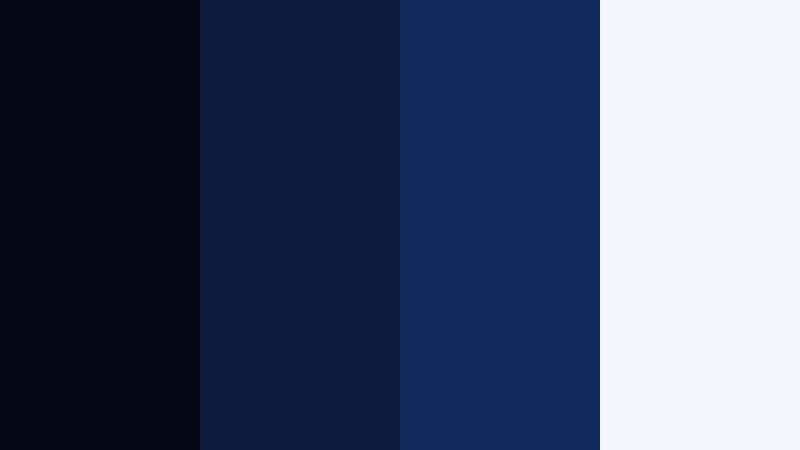
- HEX Codes: #050814, #0b1b3b, #102a5c, #f5f7ff
- Mood: Moody, intense, and cinematic with sharp contrast.
- Use for: Perfect for dramatic film trailers, suspenseful intros, and story-driven YouTube edits.
This palette layers inky midnight tones with rich Deep Contrast Blue and a clean highlight white. It feels like a late-night city alley or a tense dialogue scene, where the eye is pulled toward the brightest object in a sea of darkness. The contrast between #050814 and #f5f7ff gives you strong separation between subject and background.
Use Midnight Edit Drama when you want your video thumbnails, opening titles, and lower thirds to feel cinematic and serious. Dark backgrounds in #050814 or #0b1b3b make overlays and white typography pop, while #102a5c is a perfect accent for buttons, progress bars, or outline strokes in Filmora. It works especially well for narrative edits, short films, and true crime or documentary channels that need a polished, intense look.
Pro Tip: Build a Cinematic Deep Contrast Blue Look in Filmora
To keep a Midnight Edit Drama vibe across your whole project, start by choosing one core Deep Contrast Blue value (such as #0b1b3b) as your base color in Filmora. Use it consistently in text titles, shape overlays, and backgrounds for your intro, chapter cards, and end screen. Then reserve #f5f7ff for key headlines or call-to-action text so the important information always stands out against darker frames.
You can also stack adjustment layers over your footage to push shadows closer to #050814 while keeping skin tones natural. This creates a unified, high-end cinematic style from your A-roll interviews to B-roll cutaways and even short social edits exported from the same timeline.
AI Color Palette
If you already built a frame or thumbnail using this palette, you can turn it into a reference for the rest of your timeline. Filmora's AI Color Palette feature analyzes the colors in that reference shot and automatically transfers the same deep blues and crisp highlights to other clips.
Import your footage, choose a reference image or a graded clip using Midnight Edit Drama, then apply AI Color Palette to your sequence. This helps you keep consistent Deep Contrast Blue shadows and balanced whites from shot to shot, without manually matching every clip.
 secure download

HSL, Color Wheels & Curves
To fine-tune a cinematic Deep Contrast Blue style, use HSL and color wheels to selectively push blues and cyans deeper while protecting highlights. You can reduce saturation in the blue range for a more grounded, realistic drama, or boost it slightly if you want a stylized, graphic look for your titles and overlays. Shadows can be cooled with the color wheels, while midtones stay neutral for skin tones and key objects.
In curves, create a gentle S-curve to increase contrast, then raise the blue channel slightly in shadows for richer deep tones. This workflow, combined with tools shown in Filmora's color grading tutorials on YouTube, helps you lock in a consistent mood across an entire sequence without losing detail.
secure download1000+ Video Filters & 3D LUTs
If you want an instant cinematic Deep Contrast Blue look, Filmora's video filters and 3D LUTs make it easy to experiment. Apply a moody cinematic LUT on top of your footage, then nudge the blues toward the HEX values in your chosen palette. This saves time compared with grading from scratch, while keeping your overall color direction consistent.
You can combine LUTs with subtle vignette filters and light leaks to add depth around the edges of the frame, enhancing the drama of Midnight Edit Drama. Once you find a look you like, save it as a custom preset so future trailers, intros, and channel updates can reuse the same Deep Contrast Blue identity.
secure downloadNeon Alley Nightfall
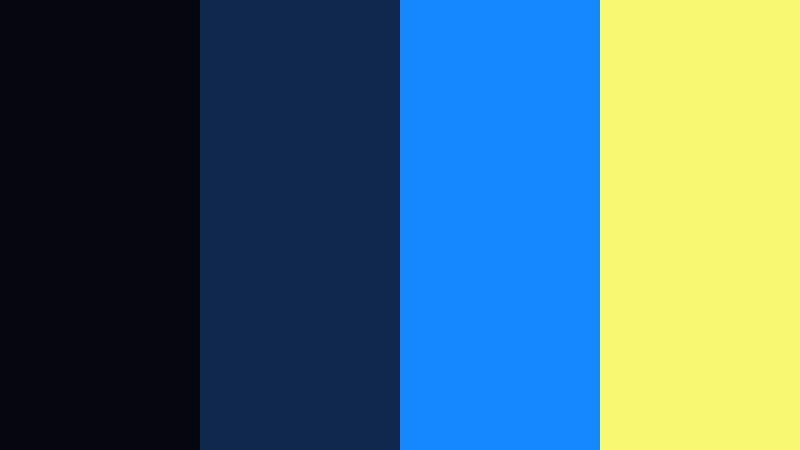
- HEX Codes: #040710, #0f274a, #1688ff, #f9f871
- Mood: Electric, urban, and high-energy.
- Use for: Great for techno music videos, cyberpunk motion graphics, and neon-style gaming intros.
Neon Alley Nightfall mixes deep night blues with bright cyan and acid yellow flashes. It feels like a rain-soaked street under glowing billboards, with #1688ff and #f9f871 acting as neon signs against #040710 shadows. The contrast is bold and modern, ideal for grabbing attention.
Use the deep blues as a base for your backgrounds and overlays, then reserve the bright cyan and yellow for animated titles, subscribe buttons, and HUD-style graphics. On YouTube thumbnails, place your subject against #0f274a and outline text in #1688ff to create a strong gamer or EDM aesthetic in Filmora.
Storm Surge Cinema
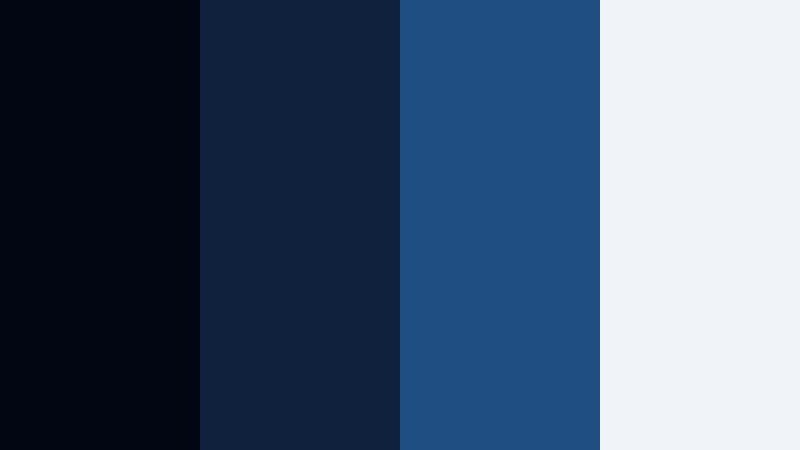
- HEX Codes: #020612, #10213e, #1f4f82, #f0f3f8
- Mood: Tense, powerful, and atmospheric like an incoming storm.
- Use for: Use in cinematic b-roll, travel films with rough seas, or intense documentary segments.
Storm Surge Cinema uses layered blues to echo storm clouds and rough water. #020612 anchors the shadows, while #1f4f82 adds depth and texture, with #f0f3f8 as a gentle, cool highlight. The result is a palette that feels charged and dramatic without being overly saturated.
It is perfect for drone shots over the ocean, time-lapses of weather, or emotional travel vlogs. In Filmora, use the deeper tones on text backgrounds and frame edges, then let #f0f3f8 guide your typography for legibility. This palette also works well for intro cards that set a serious, atmospheric tone before the story begins.
Noir Title Sequence
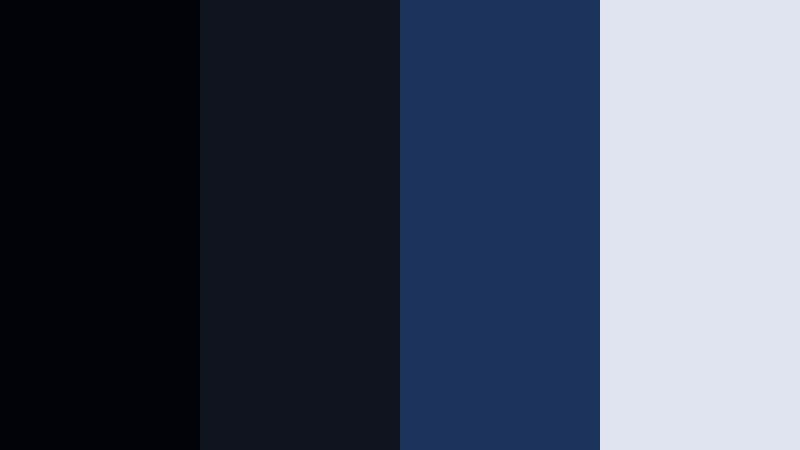
- HEX Codes: #020308, #10141f, #1c335c, #e0e4f0
- Mood: Classic, mysterious, and retro-noir.
- Use for: Ideal for noir-inspired title cards, mystery podcasts, and thriller openers.
Noir Title Sequence combines near-black shadows with muted Deep Contrast Blue and a soft gray-blue highlight. It feels like an old detective film updated for modern screens, where #1c335c plays the role of a subtle accent and #e0e4f0 brings in a smoky light.
Use this palette to design title sequences with bold typography and slow camera moves. Dark panels in #020308 or #10141f make room for animated titles, while #e0e4f0 is great for credits, podcast names, or mystery series branding in Filmora. It also suits true crime thumbnails and episodic playlists where you want a consistent noir identity.
Deep Ocean Vignette
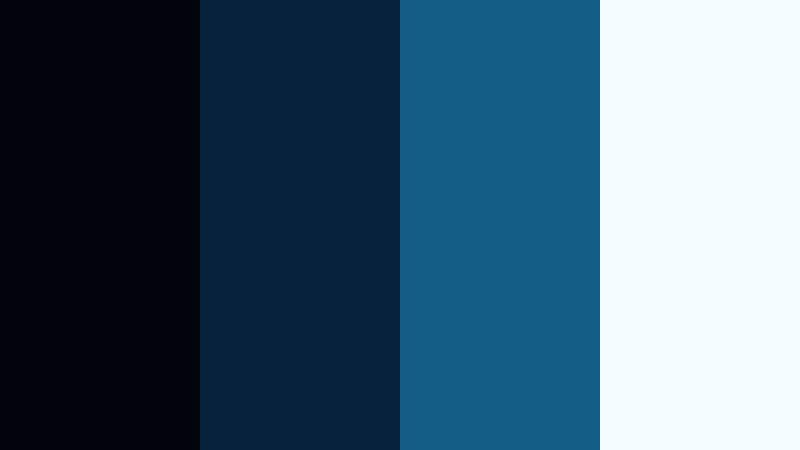
- HEX Codes: #01040c, #06223c, #145d86, #f3fbff
- Mood: Immersive, reflective, and slightly haunting.
- Use for: Works well for underwater scenes, meditation content, and slow cinematic montages.
Deep Ocean Vignette moves from almost-black navy to cleaner ocean blues, finished with a gentle white glow. The transition from #01040c to #145d86 feels like diving deeper underwater, with #f3fbff acting as the distant light above the surface.
Use this palette for calming, introspective videos, underwater b-roll, or ambient music visuals. In Filmora, add soft vignettes in the darker tones and use #145d86 for lower thirds or icon accents. #f3fbff is perfect for minimal titles and meditation quotes that float calmly over your footage.
Modern & Tech Deep Contrast Blue Color Palettes
Interface Pulse Blue

- HEX Codes: #050910, #12325b, #1e7bd8, #34e4ff
- Mood: Clean, futuristic, and tech-forward.
- Use for: Perfect for app promos, SaaS explainer videos, and modern UI mockups.
Interface Pulse Blue blends dark interface backgrounds with punchy digital blues. #050910 and #12325b are ideal for dashboards and panels, while #1e7bd8 and #34e4ff give you vivid call-to-action colors that feel fresh and high-tech.
Use this palette for explainer titles, animated UI sequences, or product walkthroughs. In Filmora, design overlay shapes and buttons using the lighter blues and keep your main backgrounds in deeper tones so any white or light gray text stays easy to read.
Data Grid Horizon

- HEX Codes: #030712, #14223f, #00b2ff, #00ffcc
- Mood: Analytical, precise, and neon-techy.
- Use for: Great for dashboards, data visualizations, and fintech brand animations.
Data Grid Horizon focuses on precise, technical blues with neon accents. #030712 and #14223f ground charts and grids, while #00b2ff and #00ffcc sparkle like holographic highlights. It feels analytical but still visually exciting.
Use it when you want to animate graphs, timelines, or KPI dashboards. In Filmora, you can create rectangular blocks in the darker tones and use the neons to highlight key numbers, progress bars, or animated lines that draw attention to important data points.
Cyber Studio Glow
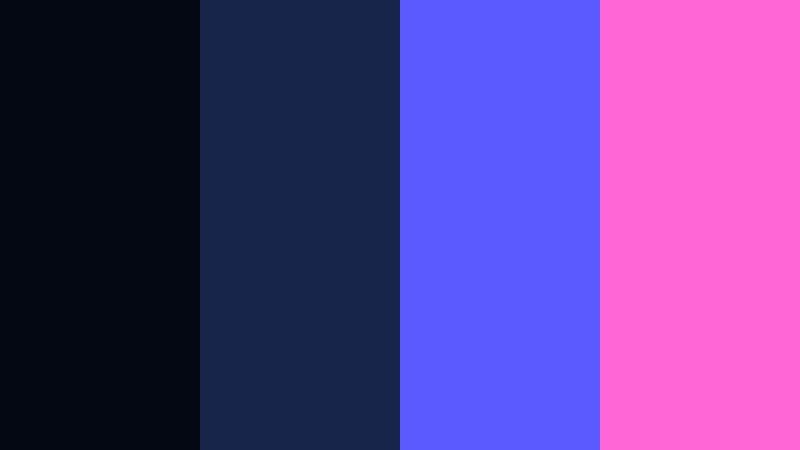
- HEX Codes: #040812, #18254a, #5a5bff, #ff66d6
- Mood: Trendy, creative, and slightly rebellious.
- Use for: Use for creator studio setups, gaming overlays, and streaming channel branding.
Cyber Studio Glow fuses deep blue shadows with glowing violet and magenta. #040812 and #18254a feel like a dark studio backdrop, while #5a5bff and #ff66d6 behave like RGB LED strips and neon signs. It feels bold, creative, and perfect for a modern creator brand.
Use this palette in gaming overlays, webcam frames, or animated stingers between scenes. In Filmora, add shapes and borders in the bright accent colors while keeping your main background and shadow areas in deep blues so your face or gameplay stays in focus.
Minimal Blueprint Frame
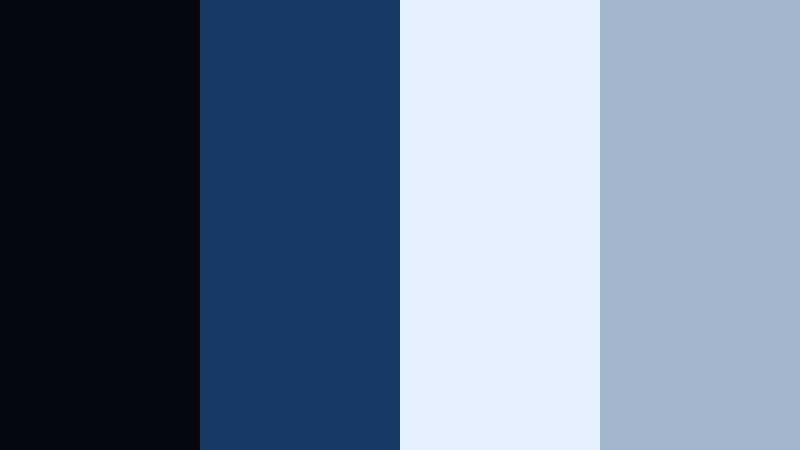
- HEX Codes: #050710, #163963, #e4f1ff, #a3b7cc
- Mood: Minimal, structured, and professional.
- Use for: Ideal for corporate explainers, product shots, and clean slideshow templates.
Minimal Blueprint Frame has a calm, structured feel. #050710 and #163963 recall technical drawings and architectural plans, while #e4f1ff and #a3b7cc soften the palette with airy, professional highlights. It feels serious but not heavy.
Use it for pitch decks, corporate intros, and product feature breakdowns. In Filmora, place your logo on a deep blue background and use the lighter tones for content blocks, bullet backgrounds, or callouts, creating a clean, trustworthy presentation style.
Frosted Monitor Glow
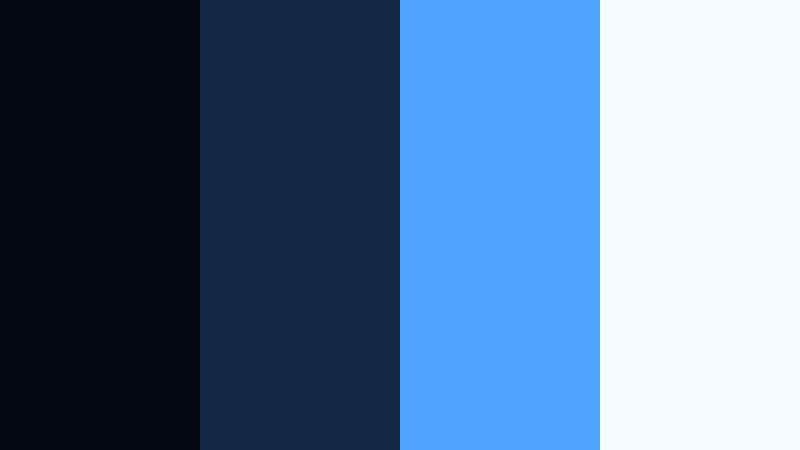
- HEX Codes: #040813, #132643, #4ea4ff, #f5fbff
- Mood: Cool, digital, and softly luminous.
- Use for: Great for UI demos, software tutorials, and desktop-style scene designs.
Frosted Monitor Glow feels like a bright screen in a dark room. #040813 and #132643 frame the interface, while #4ea4ff acts as a clear, friendly accent color. #f5fbff delivers a soft, frosted highlight perfect for window backgrounds and panels.
Use this palette when showcasing software interfaces, coding demos, or productivity apps. In Filmora, design overlays that look like floating windows, using #f5fbff for panels and #4ea4ff for buttons, cursor highlights, and text accents to keep everything clean and easy to follow.
Elegant & Luxury Deep Contrast Blue Color Palettes
Velvet Gala Night
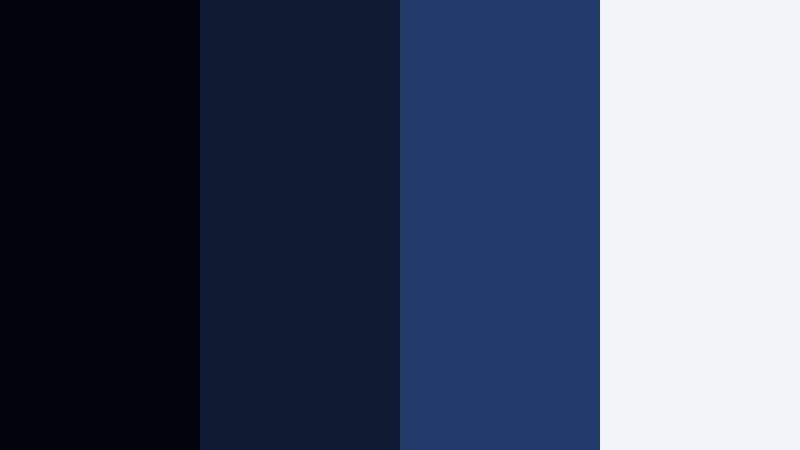
- HEX Codes: #02040b, #111a33, #213a6a, #f2f4f9
- Mood: Luxurious, refined, and evening-formal.
- Use for: Perfect for fashion promos, event trailers, and upscale brand reveals.
Velvet Gala Night layers rich Deep Contrast Blue tones that feel like a tailored suit or stage curtain, softened by a spotlight white. #02040b and #111a33 build a dark, velvety base, while #213a6a adds dimension. #f2f4f9 lifts the palette with a clean, elegant highlight.
Use it for luxury brand intros, gala event teasers, or runway show recaps. In Filmora, animate your logo or title in white over deep blue gradients, and use #213a6a for thin lines, borders, or accent frames around key shots to keep everything feeling high-end.
Sapphire Ink Signature

- HEX Codes: #030610, #152044, #2660a4, #f7f9ff
- Mood: Timeless, premium, and editorial.
- Use for: Use in logo animations, luxury packaging mockups, and magazine-style lower thirds.
Sapphire Ink Signature feels like writing with a fine fountain pen. The inky base of #030610 and #152044 supports the more vibrant sapphire #2660a4, with #f7f9ff as a crisp paper-white contrast. It is refined and timeless, ideal for premium branding.
Use this palette for logo reveal animations, editorial lower thirds, and product close-ups. In Filmora, place text in #f7f9ff on top of #030610 panels, and use #2660a4 for underlines, page numbers, and small graphic details that suggest craftsmanship and quality.
Royal Atrium Contrast
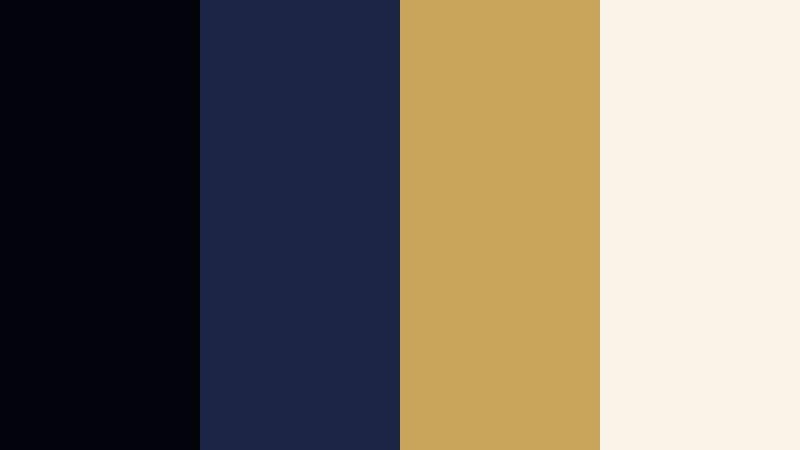
- HEX Codes: #02030a, #1b2646, #c9a45b, #f8f3e6
- Mood: Regal, warm, and dramatic.
- Use for: Great for wedding highlights, luxury real estate tours, and heritage brand pieces.
Royal Atrium Contrast pairs Deep Contrast Blue with antique gold and warm cream. #02030a and #1b2646 bring depth, while #c9a45b behaves like gilded metal and #f8f3e6 adds a soft, sunlit warmth. The overall feel is stately and cinematic.
Use it for wedding highlight films, historical venue tours, or heritage brand storytelling. In Filmora, color your titles or monograms in #c9a45b and place them over dark blue panels. Let #f8f3e6 appear in background gradients, frames, or subtle light leaks that warm up your Deep Contrast Blue base.
Urban & Creative Deep Contrast Blue Color Palettes
Subway Poster Pop
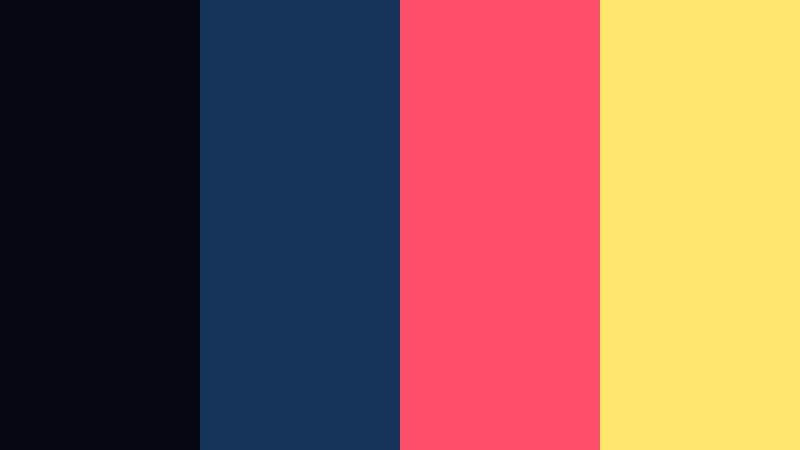
- HEX Codes: #050812, #163459, #ff4e6a, #ffe66d
- Mood: Urban, bold, and eye-catching.
- Use for: Ideal for vlog thumbnails, streetwear promos, and social ad graphics.
Subway Poster Pop combines Deep Contrast Blue with punchy pink and yellow, similar to a bold poster in a city metro station. #050812 and #163459 act as strong backgrounds, while #ff4e6a and #ffe66d grab attention the way street art and stickers do.
Use this palette for high-energy vlogs, fashion lookbooks, or promotional shorts. In Filmora, let your thumbnail background sit in blue and splash titles or stickers in bright pink and yellow so they stand out instantly in crowded feeds.
Graffiti Skyline Fade

- HEX Codes: #03040c, #19274a, #28b3ff, #ffb347
- Mood: Creative, energetic, and city-inspired.
- Use for: Great for travel vlogs, city montages, and lifestyle brand intros.
Graffiti Skyline Fade balances moody city blues with graffiti-style blue and orange. #03040c and #19274a capture the skyline at dusk, while #28b3ff and #ffb347 feel like painted tags and glowing windows.
Use this palette for urban b-roll, skate edits, or lifestyle brand intros. In Filmora, apply the deep blues as gradient overlays on your footage, then add shapes, borders, or animated transitions in the brighter blue and orange for a modern street aesthetic.
Studio Loft Chill

- HEX Codes: #05070f, #1e304e, #5ebad6, #f2f5f9
- Mood: Relaxed, modern, and artistic.
- Use for: Use for studio tours, productivity vlogs, and lo-fi playlist visuals.
Studio Loft Chill mixes calm Deep Contrast Blue with softened teal and off-white. It feels like a modern creative loft with big windows and gentle background music. #05070f and #1e304e keep things grounded, while #5ebad6 and #f2f5f9 lighten the mood.
Use it for desk setups, behind-the-scenes edits, or chilled study with me content. In Filmora, lean on the darker blues for lower thirds and frames, and reserve #5ebad6 and #f2f5f9 for soft titles, icons, and subtle animated shapes that do not distract from your content.
Tips for Creating Deep Contrast Blue Color Palettes
Deep Contrast Blue works best when it balances rich shadows with clear highlights and one or two strong accent colors. When you design palettes for video and digital content, think about readability, emotional tone, and how the colors will sit over real footage.
- Choose one primary Deep Contrast Blue tone for backgrounds or overlays, and use it consistently across intros, lower thirds, and end screens to build a recognizable brand.
- Pair dark blues with light neutrals (off-whites or soft grays) to keep text legible on thumbnails, titles, and captions, especially on smaller mobile screens.
- Add a single bright accent color (neon, gold, or warm orange) for buttons, icons, and key phrases so calls to action immediately stand out.
- Test your palette on top of actual footage screenshots in Filmora to check that skin tones still look natural and that shadows are not crushing too much detail.
- Use gradients between two Deep Contrast Blue shades to create depth behind logos or titles instead of flat colors, which can feel less cinematic.
- Keep accessibility in mind by checking contrast between text and background, adjusting brightness and saturation until information is easy to read at a glance.
- Save your favorite HEX combinations as custom presets in your editing workflow, so future projects can reuse the same Deep Contrast Blue identity quickly.
- When mixing blues with warm metallics like gold or copper, keep metallics in smaller areas (borders, lines, icons) so the palette stays elegant and not overwhelming.
Deep Contrast Blue palettes can instantly shift a project from casual to cinematic, from generic to branded. Whether you choose neon urban mixes or luxe sapphire and gold, these combinations shape how viewers feel about your story, your channel, and your products.
Try applying a few of these palettes to your next edit in Filmora, starting with thumbnails and title cards, then extending the look to color grading and overlays. Once you find a Deep Contrast Blue style that fits your voice, keep using it across your content to build a strong, memorable visual identity.
With Filmora's color tools, AI features, and ready-made filters, it is easy to experiment fast, refine your palettes, and keep your Deep Contrast Blue theme consistent from your main videos to Shorts, Reels, and social promos.
secure download