

 100% Security Verified | No Subscription Required | No Malware


 ChatGPT
 Perplexity
 Gemini
 Claude
 Grok
Grok
The Downtown Pedestrian Lifestyle LUT filter pack is designed for content creators who film street walks, daily commutes, and urban lifestyle moments in busy city centers.
Use these filters to add cinematic color, subtle mood, and consistent style to your downtown clips so every step, reflection, and skyline detail feels part of a cohesive visual story.
In this article
Golden Hour Crosswalks and Commuter Glow
Warm Commuter Glow
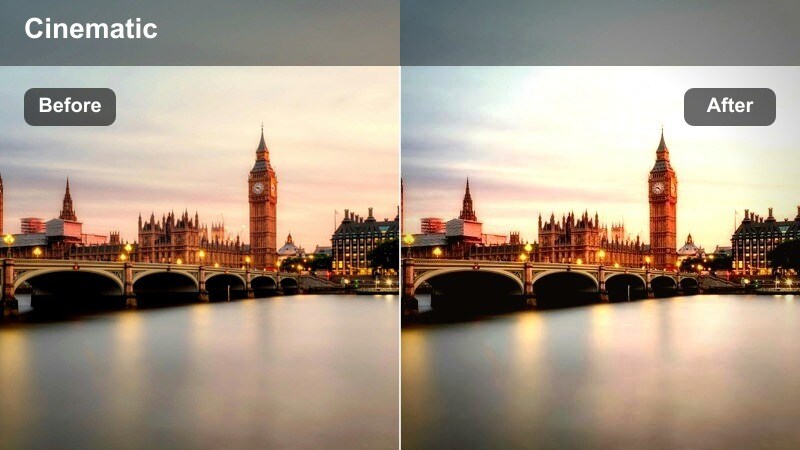
- Effect look: Soft golden warmth that wraps pedestrians and sidewalks in a late-afternoon glow.
- Best for: Rush-hour sidewalk b-roll, handheld walking vlogs, and soft backlit portraits at intersections.
- Editing tip: Lower the filter intensity to around 70 percent and slightly reduce highlights to avoid blown-out skies and reflective shop windows.
Warm Commuter Glow brings out the cozy side of rush hour by adding a soft wash of golden light across your footage. In Filmora, this LUT works especially well on clips with backlit pedestrians, car reflections, and long shadows stretching over crosswalks, giving everyday commutes a cinematic, story-driven feel.
Apply this filter to your urban walk-and-talk vlogs or handheld street b-roll to tie together shots captured on different corners and blocks. Adjust intensity in Filmora to balance the warmth with natural skin tones, then fine-tune highlights so building facades, shop windows, and street details keep their texture instead of clipping to pure white.
Match Every Downtown Clip with Smart Color Consistency
Filmora's AI tools help you keep a consistent downtown pedestrian lifestyle LUT look across clips shot on different days, cameras, or streets. Instead of manually chasing exposure and white balance, you can align your footage first and let your favorite LUTs do the creative work.
Use AI color matching to quickly harmonize tones between a hero reference shot and the rest of your timeline, then apply the Downtown Pedestrian Lifestyle filters so your entire walking video feels like one uninterrupted route through the city.
 secure download

Preview Downtown Filters in Real Time
Filmora lets you preview the Downtown Pedestrian Lifestyle filters live on your clips so you can compare tones and moods before committing. This makes it easy to choose whether a warmer crosswalk look or a cooler glass reflection style fits your scene.
Scrub across your timeline, toggle different presets, and watch how sidewalks, crowds, and skylines respond in motion. Once you find the perfect match, you can lock it in and batch-apply it to similar shots for a fast, unified grade.
secure downloadBuild a Personal Urban LUT Library
Once you dial in a downtown look you love, Filmora makes it easy to save it as a custom LUT or preset. You can build a small library of city walking styles for golden hour, glassy storefronts, crowded intersections, and blue-hour skyline strolls.
Organize these presets by time of day or location, then apply them in one click across new vlogs and street montages. Over time, your audience will recognize your signature color style every time they watch a new city walk from you.
secure downloadCrosswalk Storyline
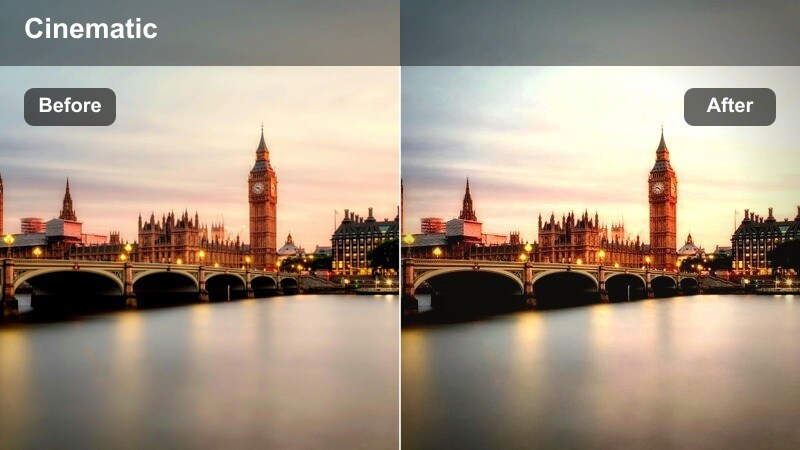
- Effect look: Neutral cinematic contrast with a subtle fade that makes crosswalk stripes and footsteps stand out.
- Best for: POV sidewalk walks, low-angle shots of shoes crossing streets, and lifestyle b-roll of people waiting at lights.
- Editing tip: Add a slight vignette and stabilize your footage to keep attention on the pedestrian path and keep busy backgrounds less distracting.
Crosswalk Storyline gives your walking clips a grounded, narrative tone by emphasizing the lines, stripes, and movement underfoot. In Filmora, the gentle fade and neutral contrast help blend cuts between POV strides, low-angle shoe shots, and wider intersection views without drawing attention to color shifts.
Use this LUT when you want the viewer to feel like they are following a specific route across a neighborhood or downtown district. Combine it with Filmora's stabilization and a light vignette to subtly guide focus toward the crosswalk and footsteps, even when traffic, buses, and tall buildings fill the edges of the frame.
Sidewalk Hush Golden
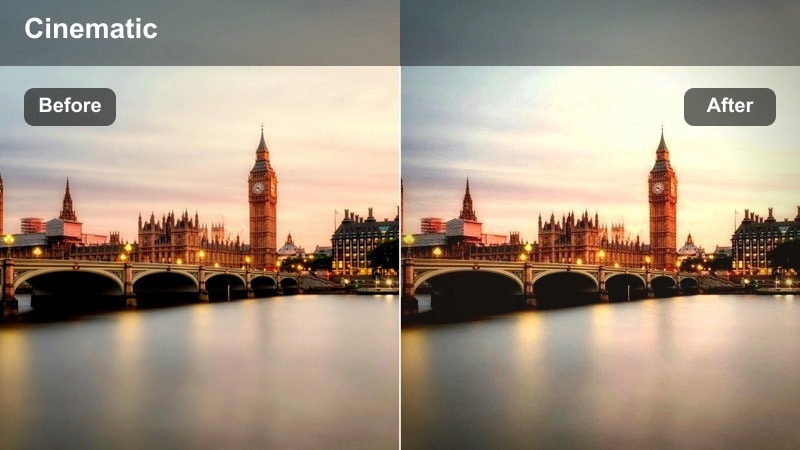
- Effect look: Soft matte finish with warm highlights and gentle contrast for quiet, reflective street moments.
- Best for: Slow-motion walks past storefronts, candid conversations by the curb, and gentle lifestyle vlogs.
- Editing tip: Pair with slower shutter footage and subtle background music; drop saturation on reds if traffic lights and signs feel too intense.
Sidewalk Hush Golden is tailored for slower, more intimate city clips where the focus is on mood rather than speed. The matte finish and warm highlights soften hard edges in your downtown environment, making storefronts, benches, and side streets feel more welcoming on the Filmora timeline.
Use this filter on slow-motion walking shots, couples strolling past windows, or quiet mid-conversation cutaways. In Filmora, combine the LUT with reduced red saturation and gentle background music to create an inviting, cinematic vibe that plays well in lifestyle vlogs, city diaries, or reflective day-in-the-life edits.
Storefront Reflections and Glassy Sidewalk Views
Window Reflection Chrome
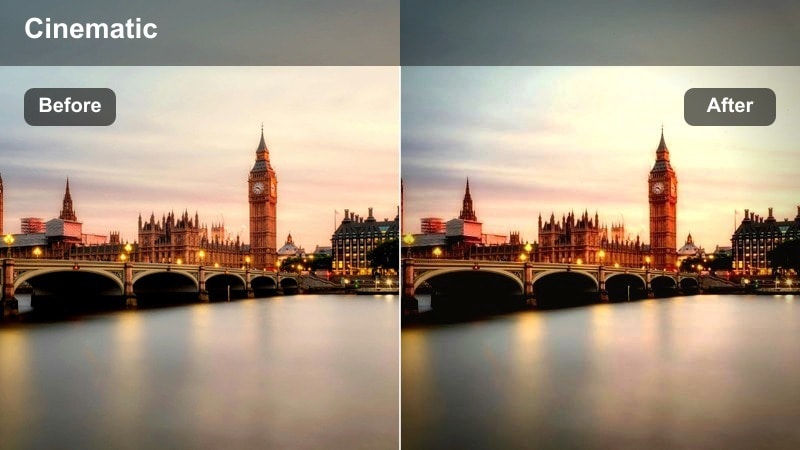
- Effect look: Cool-toned urban polish with crisp reflections and boosted clarity in glass and metal surfaces.
- Best for: Shots through storefront windows, reflections of pedestrians in glass, and sleek city fashion walks.
- Editing tip: Raise contrast slightly and add subtle sharpening to accent details in reflections without making skin look harsh.
Window Reflection Chrome leans into crisp, modern city aesthetics by emphasizing glass, chrome, and mirrored surfaces. In Filmora, this LUT cools off overall tones while revealing fine details in reflections, from passing pedestrians and traffic to high-rise facades layered in the background.
Apply it to fashion walks, product showcases in shop windows, or creative reflection angles that show two sides of the street at once. Balance the filter with Filmora's sharpening and contrast controls to keep reflections vivid without pushing skin texture or noise too far, especially in close-up shots.
Boutique Window Glow
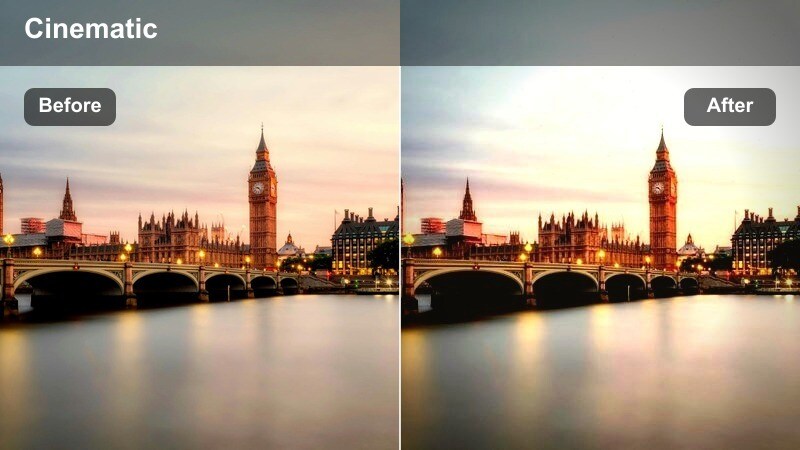
- Effect look: Warm interior glow balanced with natural exterior tones for scenes mixing indoor lights and street traffic.
- Best for: Lifestyle clips shot from the sidewalk into cafes or boutiques, and talking-to-camera moments framed by windows.
- Editing tip: Dial back highlight clipping to keep indoor lights soft, and add a small exposure bump on faces near glass.
Boutique Window Glow is built for mixed-light scenes where cozy interiors meet cooler street colors outside. In Filmora, this LUT warms lamps, signage, and shop interiors while keeping the sidewalk and passing cars relatively neutral, creating a cinematic contrast between inside and out.
Use it for cafe vlogs, window-shopping sequences, or talking-head clips shot right beside the glass. Combine the LUT with Filmora's highlight recovery, local exposure adjustments, and skin-tone-friendly tweaks so your subject remains clear and flattering against softly glowing displays and signage.
Mirror Glass Steps
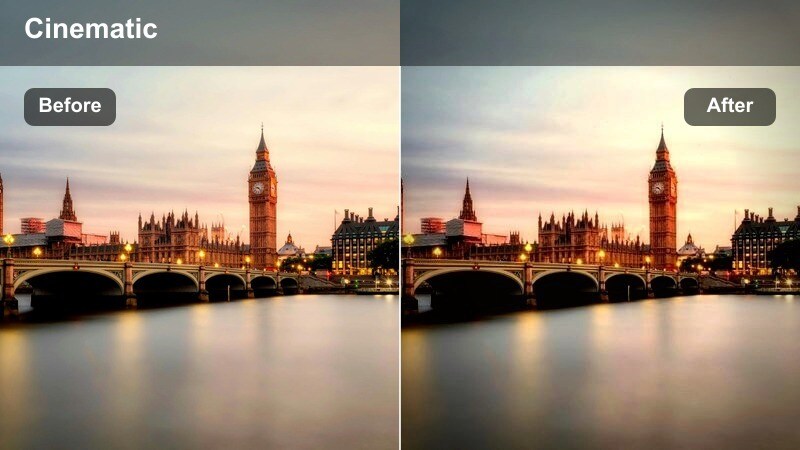
- Effect look: High-contrast city look with subtle teal shadows and deep blacks that emphasize stairways and railings.
- Best for: Escalator rides, outdoor stair climbs, and architectural walk-through shots beside glass railings.
- Editing tip: Drop blacks slightly and adjust shadow tint if teal feels too strong, especially on darker skin tones or coats.
Mirror Glass Steps emphasizes the strong lines and geometry of stairs, railings, and escalators with rich contrast and gently teal-tinted shadows. In Filmora, this LUT gives your architectural walk-throughs a bold, stylized finish that pairs well with modern cityscapes.
Use it on clips that follow pedestrians up staircases, across elevated walkways, or beside glass barriers and steel structures. Fine-tune the look in Filmora by easing back blacks or adjusting the teal shadow tone so clothing and skin stay natural while the environment keeps its dramatic, cinematic edge.
Weekday Rush and Lunchtime Pedestrian Crowds
Midday Foot Traffic
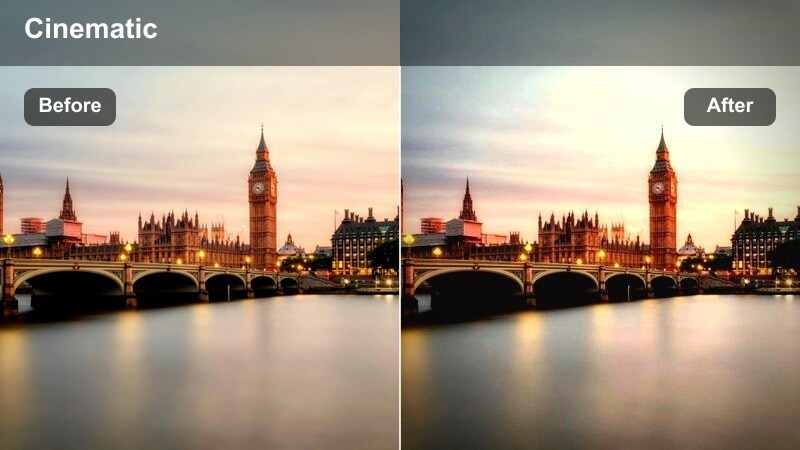
- Effect look: Bright, clean city tones with natural colors and lifted shadows for crowded downtown sidewalks.
- Best for: Time-lapse of crosswalks, crowded lunchtime streets, and office workers moving between buildings.
- Editing tip: Slightly reduce contrast to avoid harsh midday light, and use motion blur effects to emphasize the flow of people.
Midday Foot Traffic is tuned for high-noon city shots where sun is strong and sidewalks are packed. The LUT in Filmora lifts shadows and keeps colors natural, so faces, clothing, and building details remain readable even when the light is unforgiving.
Apply it to time-lapses, hyperlapses, and wide coverage of bustling downtown blocks. Combine the LUT with Filmora's motion blur, contrast control, and highlight adjustments to tame harsh sun while still conveying the fast pace and density of lunchtime crowds.
Cross Street Energy
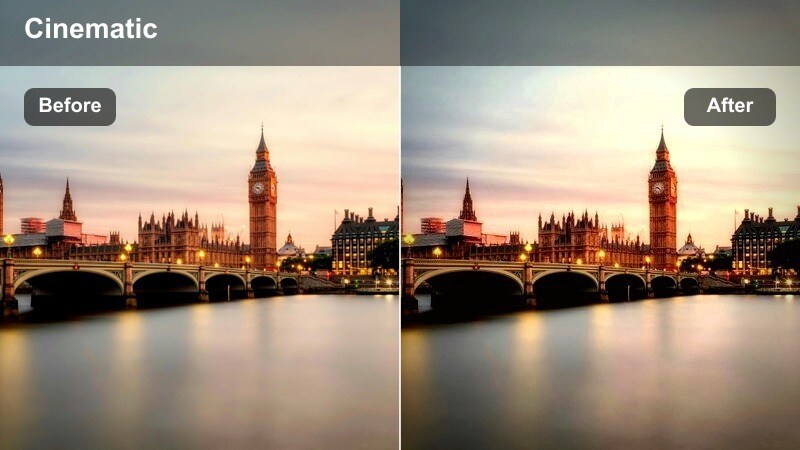
- Effect look: Punchy saturation and dynamic contrast that make street signs, buses, and clothing pop.
- Best for: Energetic walk-and-talk vlogs, street interviews, and dynamic b-roll of intersections and traffic.
- Editing tip: Keep saturation just below clipping levels and add light grain to prevent the image from feeling too digital.
Cross Street Energy amplifies the color and motion of busy intersections with vibrant saturation and strong contrast. In Filmora, this LUT turns taxis, buses, billboards, and crosswalk signals into bold accents that draw viewers deeper into your urban environment.
Use it for walk-and-talk vlogs, high-energy b-roll, or quick interview snippets captured at busy corners. After applying the LUT, refine your grade in Filmora with selective color and light grain so the footage stays cinematic and punchy without oversaturating traffic lights or branded signage.
Lunch Break Pace
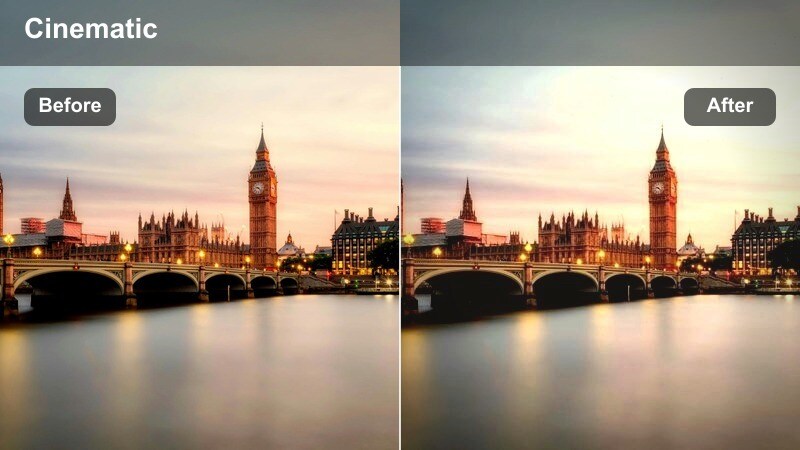
- Effect look: Soft contrast with a slight filmic fade, keeping skin tones gentle and backgrounds slightly muted.
- Best for: Casual lunchtime walks, short lifestyle diaries between meetings, and relaxed pedestrian shots in plazas.
- Editing tip: Reduce noise in shadows and keep exposure consistent across clips so the faded look feels cohesive.
Lunch Break Pace shifts the mood of a busy downtown from urgent to relaxed, with a mild fade and softened contrast for a filmic daytime feel. In Filmora, this LUT gently mutes saturated backgrounds while preserving pleasant, natural skin tones, making it ideal for lifestyle storytelling.
Apply it across a sequence of plaza strolls, bench cutaways, and in-between-meetings diary clips. Keep exposure and noise reduction consistent in Filmora to maintain a unified look, so your viewers feel a calm, continuous break from the city's usual rush.
Blue Hour Skylines and Evening City Reflections
City Sunset Reflection Skyline
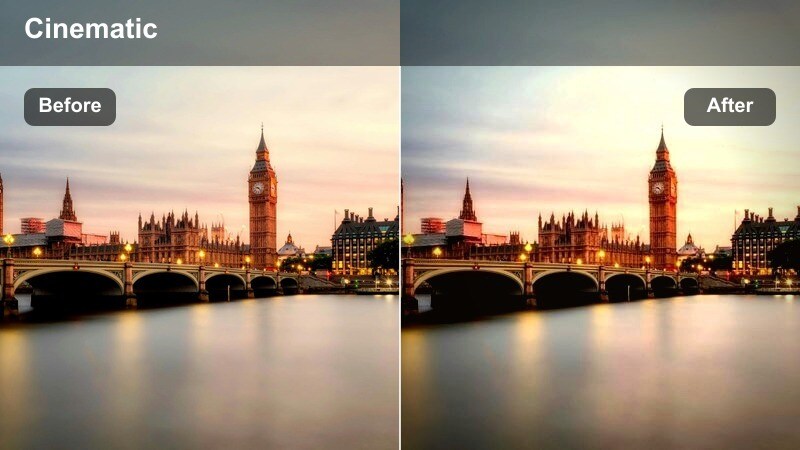
- Effect look: Rich sunset hues with enhanced oranges and magentas, plus reflective highlights on glassy facades and puddles.
- Best for: Evening walks by high-rises, skyline reflections in shop windows, and cinematic closing shots of the city.
- Editing tip: Lower midtone saturation slightly if the sky dominates, and add a subtle mask to keep faces correctly exposed against bright horizons.
City Sunset Reflection Skyline is crafted to maximize golden and pink hues as day turns to night, highlighting reflections on glass towers and wet streets. In Filmora, this LUT makes skylines glow while preserving detail in foreground pedestrians, turning simple walks into cinematic outros.
Use it for end-of-day montages, farewell shots near the financial district, or reflective walks past glassy facades. Pair the LUT with Filmora's masking and exposure tools to keep your subject well lit against luminous horizons, and trim midtone saturation if the sky begins to overpower the rest of the frame.
Blue Hour Avenue Walk
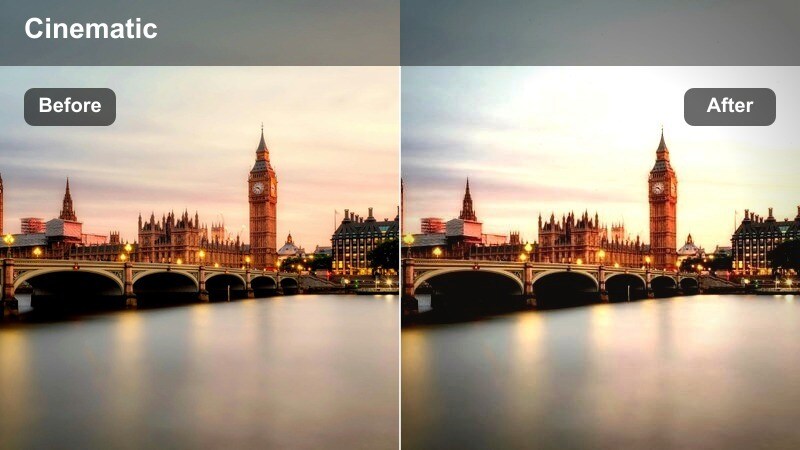
- Effect look: Cool blue-hour tones with gentle glow on streetlights and car trails, perfect for end-of-day walks.
- Best for: Evening avenue strolls, lightly rainy sidewalks, and walk-and-talk clips under neon and street lamps.
- Editing tip: Reduce noise in the shadows and avoid over-sharpening, letting the natural softness of blue hour stay intact.
Blue Hour Avenue Walk enhances the calm, cool atmosphere that settles over the city just after sunset. In Filmora, this LUT shifts your footage toward soft blue and cyan tones while allowing streetlights, shop signs, and car trails to glow gently without overpowering the scene.
Apply it to rainy sidewalks, end-of-day vlogs, or slow strolls beneath street lamps and muted neon. Combine the LUT with Filmora's noise reduction and restrained sharpening to preserve the organic softness of low-light footage while still keeping your subject and key details clearly visible.
Neon Crosswalk Night
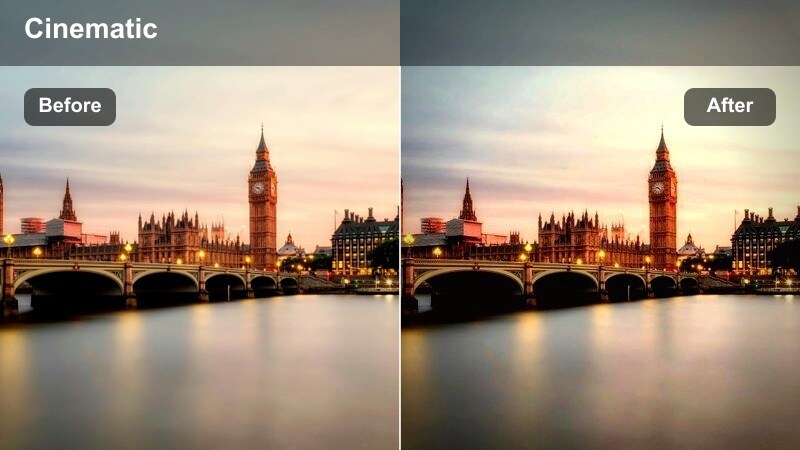
- Effect look: High-contrast night filter with saturated neon signs and deep, cinematic shadows around pedestrians.
- Best for: Nighttime crosswalks, neon-lit storefronts, and moody walk sequences through entertainment districts.
- Editing tip: Keep exposure slightly lower to protect neon detail, and gently brighten faces with local adjustments instead of global gain.
Neon Crosswalk Night is made for bold, moody nighttime scenes where signs and billboards dominate the frame. In Filmora, this LUT deepens shadows and intensifies neon hues so that crosswalks, silhouettes, and storefronts feel straight out of a stylized city film.
Use it for evening street explorations, nightlife vlogs, and sequences walking through entertainment districts. Protect neon details by exposing slightly darker in-camera, then apply the LUT and use Filmora's local adjustments or masks to lift faces and important details without flattening the overall contrasty night look.
Tips for Using Downtown Pedestrian Lifestyle Lut Filters in Filmora
- Film downtown walks at a slightly slower pace so your filters have time to showcase reflections, signage, and skyline details.
- Capture the same street at different times of day and apply complementary filters from this pack to build a time-lapse style sequence.
- Lock your white balance when possible to keep color shifts minimal before you apply a downtown pedestrian lifestyle LUT.
- Mix close-ups of footsteps, crosswalk paint, and glass reflections with wide avenue shots to give each filter more visual variety.
- Use light grain or texture on top of softer filters to keep your urban footage feeling cinematic rather than overly digital.
- Avoid extreme saturation with neon or car lights; let the filters add mood while you control color intensity with local adjustments.
The Downtown Pedestrian Lifestyle LUT filter collection gives content creators a fast way to turn everyday city walks into cohesive, cinematic stories, whether you are filming quick commutes, relaxed lunch breaks, or dramatic skyline reflections.
Explore these filters inside Filmora, experiment with different downtown routes and times of day, and refine your own signature urban look that audiences immediately recognize.
secure download