

 100% Security Verified | No Subscription Required | No Malware


 ChatGPT
 Perplexity
 Gemini
 Claude
 Grok
Grok
If you want your Facebook Reels to feel like mini-movies instead of quick clips, cinematic LUT-style filters are the fastest way to level up your visuals. With the right look, every frame can feel intentional, polished, and ready to stop the scroll.
Below are 12 cinematic Facebook Reels LUT-style filters designed for content creators who need consistent, dramatic looks in just a few taps. Each style includes when to use it, what it is best for, and one practical editing tip to keep your videos looking clean and professional.
In this article
Golden Hour City Scenes
Sunset City Glow
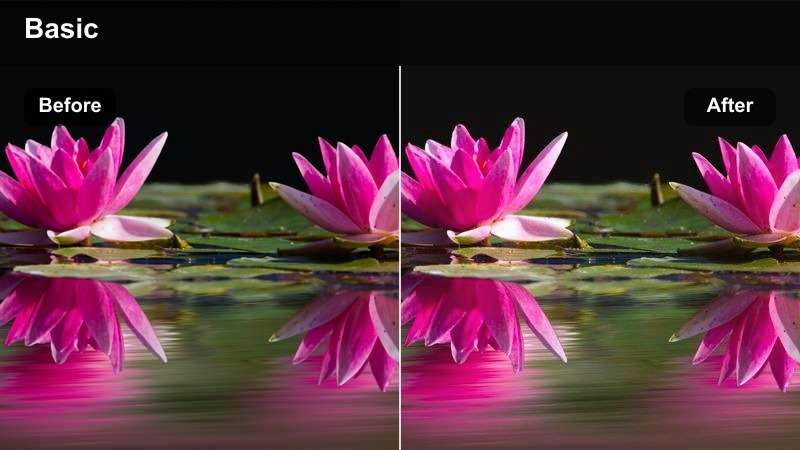
- Effect look: Warm, amber-toned cinematic glow that softens harsh city light and adds subtle halation around highlights.
- Best for: Downtown walk-and-talk Reels, rooftop vlogs, and street style clips shot near sunset or with warm artificial lights.
- Editing tip: Lower contrast slightly and reduce saturation on reds to keep skin tones natural while preserving the golden vibe.
Sunset City Glow is ideal when you want that film-like warmth without needing complex color correction. In Filmora, this type of cinematic LUT-style filter immediately transforms flat rooftop or street footage into something that feels like a scene from a romantic city film, especially around the blue-to-gold transition of golden hour.
Apply the filter to your clip, then fine-tune exposure using Filmoras basic color controls so highlights do not clip on the sky or city lights. Use the color wheels or HSL controls to gently protect skin tones while letting buildings, skies, and street details soak up the warm amber cast for a cohesive, polished Facebook Reel.
Match Your Cinematic Filters with AI-Perfected Colors
Filmoras AI-powered color tools help you keep your cinematic Facebook Reels consistent, even when you shoot in different locations, phones, or lighting conditions. You can correct color balance and contrast automatically, then refine the look until it perfectly matches your chosen cinematic style.
Start with a cinematic filter like Sunset City Glow, then use AI color correction and color match to align your B-roll, talking clips, and cutaways so everything feels like it belongs in the same short film.
Open your Reel project in Filmora and experiment with AI color correction on top of your favorite cinematic filter.
 secure download

Preview Cinematic Filters in Real Time
Instead of guessing which cinematic LUT-style filter fits your story, Filmora lets you preview filters live on your footage. You can swipe between warm golden-hour looks, moody city tones, and neon night styles until the visual mood lines up perfectly with your audio and pacing.
Test several filters on one representative clip from your Facebook Reel, then apply your favorite look to the entire sequence in a single click to keep your workflow fast and consistent.
Import a short test clip and cycle through cinematic filters to lock in your visual style before editing the full Reel.
secure download1000+ Video Filters and 3D LUTs
Filmora includes an extensive library of filters and 3D LUTs so you can stack creative looks until you find a unique cinematic style for your Facebook Reels. Whether you want subtle clean grading or bold stylized colors, you can combine filters with LUTs and fine-tune them for your brand.
Once you build a combination you love, save it as a preset so every new Reel can be graded in seconds with the same signature look.
Create a custom preset that stacks your favorite cinematic filter with a LUT and basic adjustments, then apply it to your next batch of Reels.
secure downloadUrban Copper Film
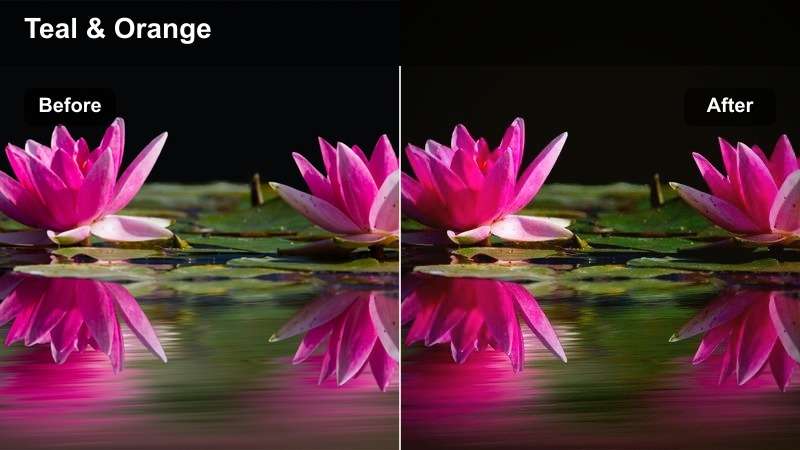
- Effect look: Copper and teal-inspired cinematic look with rich shadows and strong separation between cool backgrounds and warm subjects.
- Best for: Street fashion Reels, urban lifestyle content, and handheld B-roll of buildings, cars, and street lights.
- Editing tip: Add a touch of film grain and slow down your clips slightly for a more cinematic, controlled city B-roll feel.
Urban Copper Film leans into the classic Hollywood copper-and-teal color contrast to make your subject stand out from busy city backgrounds. When you apply this style in Filmora, brick walls, glass towers, and asphalt will shift cooler, while skin and clothing lean warm for instant depth.
After dropping the filter on your timeline, use Filmoras film grain and speed controls to enhance the cinematic mood. A light grain overlay plus subtle slow motion on B-roll shots like walking, turning, or hair movement can make your Facebook Reels feel like stylized fashion footage rather than casual phone clips.
Neon Golden Rush
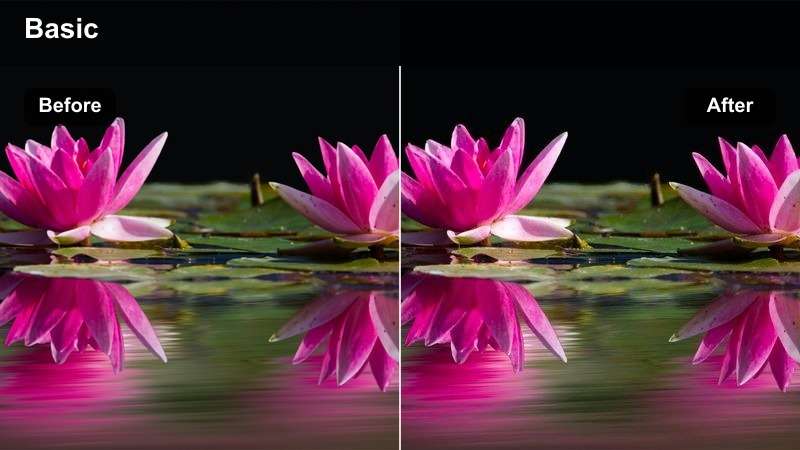
- Effect look: High-energy cinematic filter that blends warm golden skin with saturated neon signs and punchy midtones.
- Best for: Nightlife Reels, city food tours, and fast-paced city montages with lots of street lights and signs.
- Editing tip: Stabilize your clips and trim aggressively so the neon colors hit in sync with beats or transitions for maximum impact.
Neon Golden Rush is built for nightlife visuals, where glowing signs and colorful shopfronts become the star of your frame. In Filmora, this look pushes midtones and saturation to give your Facebook Reels a music-video feel while keeping skin tones warm and inviting.
To maximize impact, use Filmoras stabilizer on handheld night shots and cut your clips to the beat of your audio so neon pops arrive on strong kicks and transitions. Combine the filter with light motion blur or speed ramps for sequences like passing restaurants, crossing streets, or stepping into clubs to create dynamic, scroll-stopping city Reels.
Moody Storytelling and Character Moments
Deep Slate Cinema
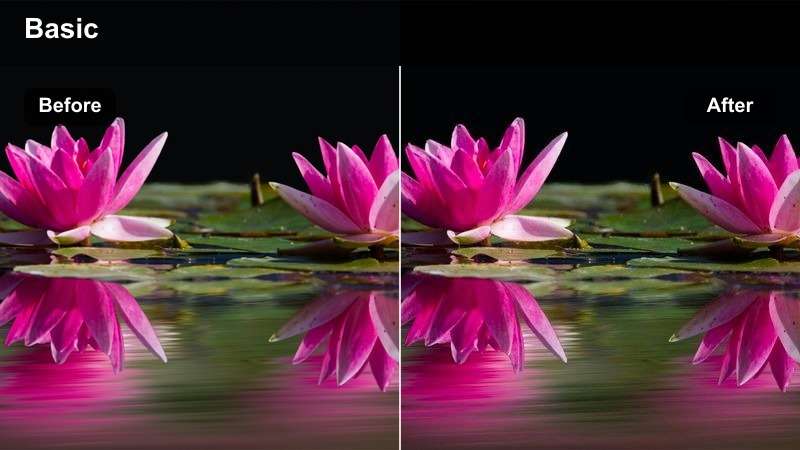
- Effect look: Cool, desaturated cinematic mood with lifted blacks and subtle blue shadows for introspective storytelling.
- Best for: Narrated story Reels, behind-the-scenes reflections, and character-focused close-ups in soft window light.
- Editing tip: Reduce saturation in the background more than on your subject so their face and clothing remain the visual anchor.
Deep Slate Cinema dials down color and adds a cool cast, making your Facebook Reels feel more serious and introspective. It is perfect for monologues, storytelling, or any moment where emotion matters more than bright colors and fast cuts.
In Filmora, apply the filter and then use masking or HSL controls to subtly keep more saturation on skin tones while cooling and desaturating the environment. Combine this with slower cuts, gentle zooms, and soft background music to reinforce the reflective, cinematic atmosphere of your Reel.
Noir Corner Frame
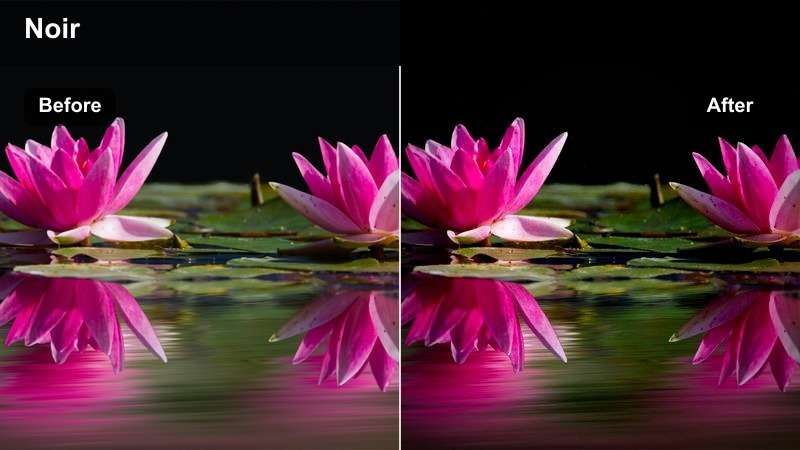
- Effect look: High-contrast, film noir-inspired filter with deep shadows, muted colors, and a subtle vignette that frames the subject.
- Best for: Dramatic reaction Reels, cinematic skits, and stylized character introductions shot in alleys, stairwells, or corners.
- Editing tip: Cut on motion or eye-lines and keep your clips short; the heavy contrast will make long, static shots feel too intense.
Noir Corner Frame evokes classic noir films with bold contrast and darkened edges that naturally pull attention to your subject. It is strong enough to transform ordinary corners, stairwells, or alleys into stylized stages for dramatic Reels and character intros.
After adding this filter in Filmora, refine exposure with the curves tool so faces are clear but shadows stay deep and mysterious. Use quick cuts between close-ups, hands, and environment details, and add subtle sound design or suspenseful music to complement the noir aesthetic and create mini-movie skits for your audience.
Foggy Metro Dream
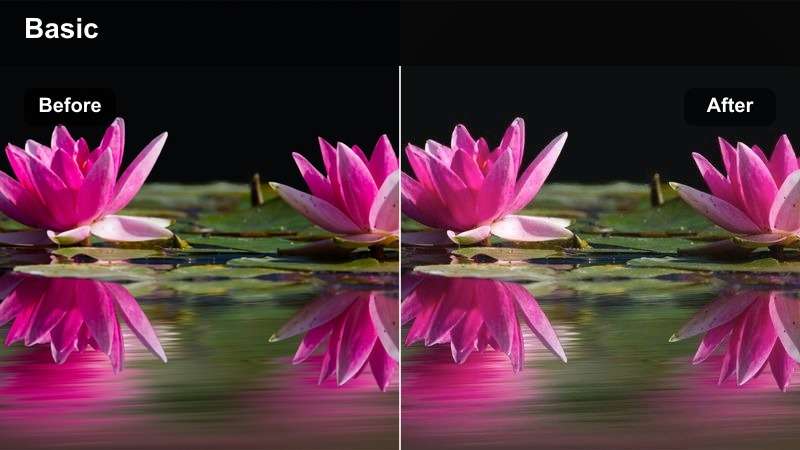
- Effect look: Soft, hazy cinematic filter with muted highlights, slightly lowered clarity, and a dreamy cool tint.
- Best for: Subway rides, rainy window shots, and reflective monologue Reels filmed in transit or in quiet corners of the city.
- Editing tip: Use slower, smoother camera movements and longer shots so the soft haze feels intentional rather than blurry.
Foggy Metro Dream adds a dreamy layer of softness and cool tone that works beautifully with reflections, windows, and motion outside trains or buses. It is designed to make everyday commutes feel like calm, cinematic interludes in your Facebook Reels.
Apply the filter in Filmora, then lightly reduce sharpness if needed and keep your cuts slower so the haze and reflections have time to breathe. Combine this look with gentle music, on-screen captions, or voice-over thoughts to turn simple transit moments into reflective mini-scenes that connect emotionally with your viewers.
Day-in-the-Life Documentary Vibes
Soft City Chronicle
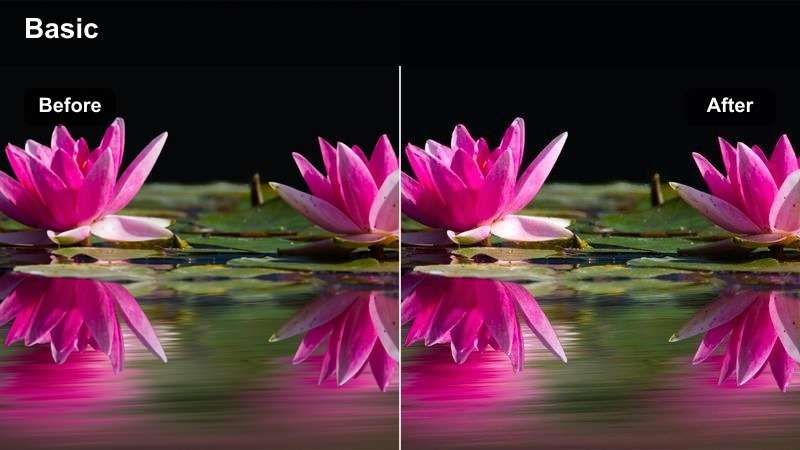
- Effect look: Low-contrast, softly brightened filter with gentle filmic color and lightly lifted shadows for a natural documentary feel.
- Best for: Day-in-the-life Reels, productivity vlogs, and commuting routines filmed around offices, cafes, and co-working spaces.
- Editing tip: Keep exposure slightly under when shooting and let the filter lift the image to avoid blown-out windows and screens.
Soft City Chronicle is perfect for those calm, everyday Reels that follow you through work, coffee shops, and casual city routines. It lifts shadows and lowers contrast just enough to feel cinematic while still looking natural and true-to-life.
Inside Filmora, apply the filter as your base grade for an entire day-in-the-life sequence, then adjust exposure clip by clip so windows, screens, and white walls stay controlled. Add simple crossfades, gentle background music, and on-screen timestamps or text labels to reinforce the documentary vibe and help your audience follow your day.
Clean Office Cinema
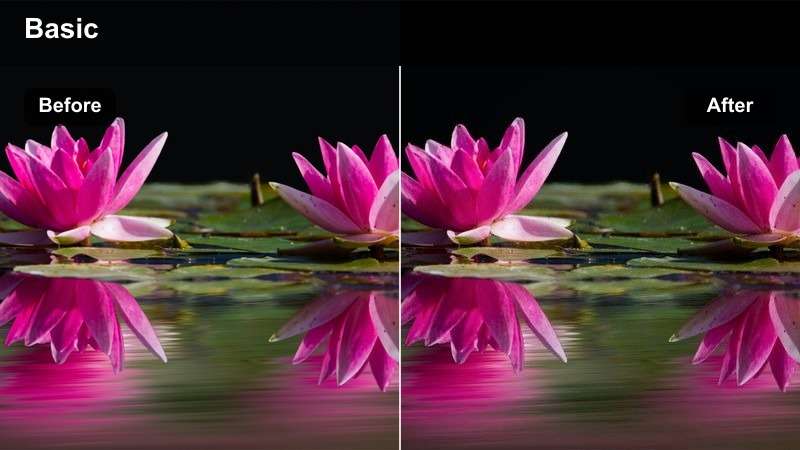
- Effect look: Neutral, crisp cinematic filter that tames harsh white office lights, keeps colors clean, and sharpens edges slightly.
- Best for: Desk setup tours, remote work Reels, and screen recording intros filmed in modern office or home office spaces.
- Editing tip: Dial down saturation on yellows and greens to reduce color casts from office bulbs and indoor plants.
Clean Office Cinema is designed to make office environments look sleek and modern instead of flat or overly bright. It neutralizes harsh lighting, balances skin tones, and adds just enough clarity to make your gear, desk details, and background decor feel intentional.
When you apply this look in Filmora, pair it with gentle color adjustments to reduce yellow or green casts from overhead lights and plants. Combine the grading with smooth motion graphics, screen recordings, or callouts, and your Facebook Reels about productivity, tech, or remote work will look polished and brand-ready with minimal extra effort.
Morning Commute Film
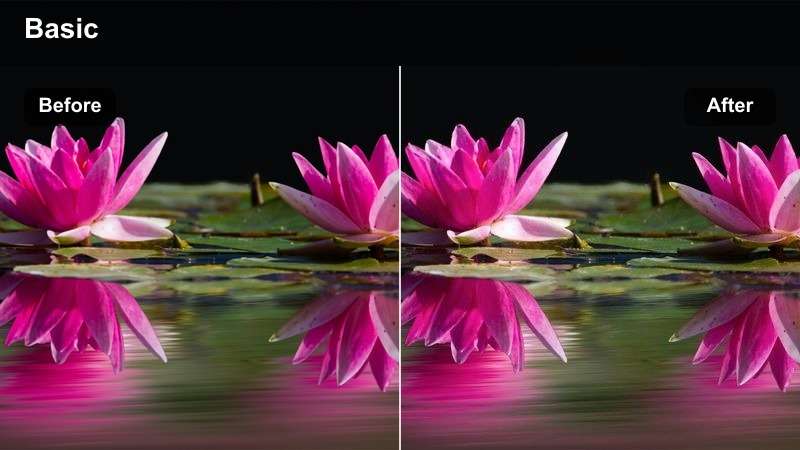
- Effect look: Soft warm-cool blend that brightens early daylight, adds a gentle vignette, and gives subtle film-like contrast.
- Best for: Morning commute Reels, walking POV shots to the station, and quick talking clips on sidewalks or platforms.
- Editing tip: Stabilize your walking clips and alternate wide establishing shots with closer details, like steps or hands, for a cinematic rhythm.
Morning Commute Film balances warmth and cool shadows to capture the fresh feeling of early city light. It is a great way to turn simple walking POVs, coffee runs, and station moments into a cohesive sequence at the start of your Facebook Reel.
Inside Filmora, stabilize your clips, then apply the filter and arrange your shots in a pattern of wide, medium, and close-up angles for a film-like rhythm. Add light ambient audio or soft music, and sprinkle in text overlays for timestamps, locations, or to-do lists so your audience feels like they are walking through your morning with you.
Nightscapes and City Lights Drama
Midnight City Cinema
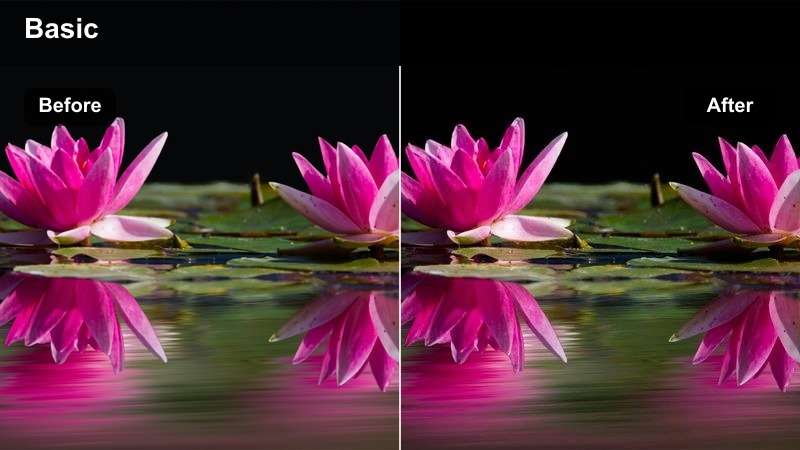
- Effect look: Rich, contrasty night filter with deep blues, clean skin tones, and emphasized street lights for dramatic cityscapes.
- Best for: Night walks, city skyline B-roll, and cinematic Reels of cars, bridges, and lit-up office towers.
- Editing tip: Shoot at slightly higher frame rates and slow down in editing to smooth handheld footage and accentuate the night atmosphere.
Midnight City Cinema focuses on deep blue tones and crisp highlights, making skyscrapers, bridges, and rivers of light feel dramatic and immersive. It helps you capture the energy of the city at night without losing your subject in muddy shadows or blown highlights.
In Filmora, apply this filter to your night B-roll and slightly reduce noise if your footage was shot in low light. Use slow motion, gentle pans, and cross-dissolves between skyline shots, car trails, and closer street scenes to build sequences that feel like establishing shots from a feature film, perfect as intros or outros to your Facebook Reels.
Chrome Street Contrast
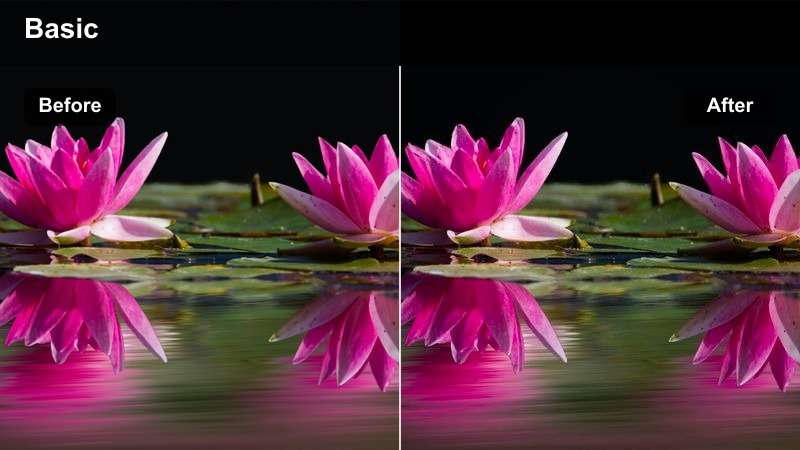
- Effect look: Sleek, high-contrast filter with crisp edges, metallic highlights, and slightly cooled tones for a techy night feel.
- Best for: Car shots, street photography Reels, and tech lifestyle clips filmed under city lamps, billboards, or LED strips.
- Editing tip: Add a subtle speed ramp in and out of key moments like passing cars or sign reveals to match the energetic look.
Chrome Street Contrast gives night scenes a futuristic, metallic character, ideal for car lovers, tech creators, and urban photographers. It intensifies reflections on wet streets, car bodies, and glass so your Facebook Reels feel like sleek commercial spots.
Apply the filter in Filmora and then incorporate speed ramps around moments of motion, such as cars passing, camera turns, or stepping into frame. Pair this with energetic music, quick cut transitions, and maybe some light glitch or lens-flare overlays to sell the modern, high-tech mood throughout your Reel.
Late Night Bokeh Film
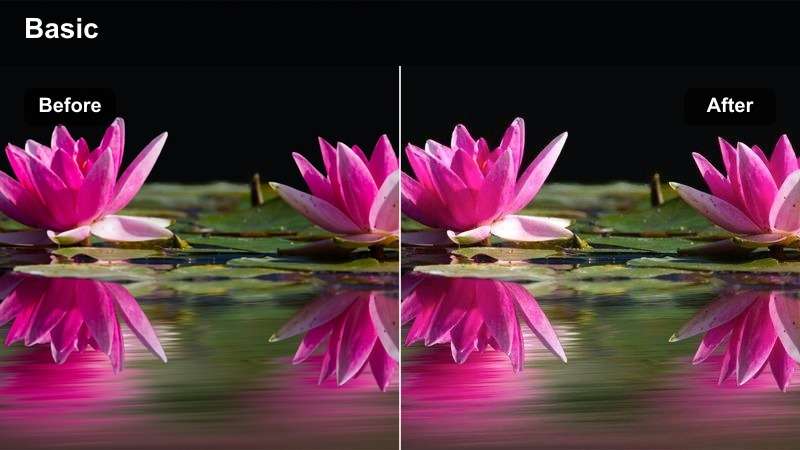
- Effect look: Soft, cinematic night filter that slightly blurs highlights into bokeh-like glows and warms up skin and midtones.
- Best for: Close-up night portraits, late-night talks, and handheld Reels near string lights, traffic, or distant buildings.
- Editing tip: Shoot with lights behind you in the distance and move subtly so the background glows and shifts softly without making viewers dizzy.
Late Night Bokeh Film is all about dreamy portraits against glowing city lights. It softens bright points into gentle bokeh-style glows and warms midtones, giving your face and expressions a cinematic, intimate feel in your Facebook Reels.
Once you apply this look in Filmora, consider adding very light blur or vignette to draw more attention to your eyes and expressions. Keep camera movements small, use slower cuts, and combine the filter with close-up framing and heartfelt voice-overs or conversations to turn night walks and overpass shots into emotionally charged, film-like moments.
Tips for Using Facebook Reels Luts Cinematic Filters in Filmora
- Shoot with the final cinematic mood in mind so your lighting, locations, and wardrobe already support the filter you plan to use.
- Avoid mixing too many different filters in a single Facebook Reel; stick to one or two cohesive looks for a polished, cinematic feel.
- Use Filmoras AI color tools and LUT support to keep your grading consistent across clips shot on different days or devices.
- Stabilize handheld shots and trim aggressively so bold cinematic looks and color shifts do not feel messy or disorienting.
- Adjust exposure and white balance before fine-tuning colors so your chosen LUT-style filter behaves predictably.
- Save your favorite filter and adjustment combinations as Filmora presets to speed up grading for recurring Reel formats.
- Test your cinematic look on a short sample sequence first to confirm how it appears on mobile screens before batch-applying it.
- Combine subtle sound design and music choices with your visual style so the cinematic color grading is supported by audio mood.
Cinematic Facebook Reels start with strong footage, but the right filters and LUT-style looks give your videos the final polish that makes them feel intentional and professional. By pairing thoughtful lighting and framing with the cinematic styles above, your visuals can look more like crafted scenes than casual clips.
Save a handful of go-to cinematic presets in Filmora and apply them consistently so your audience can instantly recognize your visual style as they scroll. Over time, this signature look becomes part of your brand, making every Reel feel cohesive and elevated.
secure download