

 100% Security Verified | No Subscription Required | No Malware


 ChatGPT
 Perplexity
 Gemini
 Claude
 Grok
Grok
Film Texture Gray is the quiet backbone of many cinematic projects. It sits between pure black and white, adding subtle depth, softness, and a tactile, filmic feel. This family of grays can feel nostalgic or ultra-modern depending on how you combine it, making it ideal for vlogs, narrative films, YouTube thumbnails, titles, and minimalist branding where mood matters more than bright color.
This guide brings together 15 Film Texture Gray color palettes with ready-to-use HEX codes so you can quickly build cohesive visuals across your edits. Whether you are designing channel art, lower thirds, or full color grades in Filmora, these palettes give you flexible Film Texture Gray combinations you can drop straight into your video and design workflow.
In this article
Cinematic Neutral Film Texture Gray Color Palettes
Classic Reel Grain

- HEX Codes: #f4f4f5, #c6c7cb, #8a8d91, #4e5256, #1f2224
- Mood: Understated, cinematic, and quietly dramatic.
- Use for: Perfect for intros, lower thirds, and credits in narrative or documentary videos that need a timeless film look.
Classic Reel Grain runs from a soft highlight gray down into deep charcoal, echoing the look of vintage celluloid, borders, and shadows. It feels calm and serious without ever going flat, which makes it ideal when story and performance should stay in the spotlight.
Use the lightest tones for backgrounds on titles, thumbnails, and end screens, then reserve the darker swatches for typography, logo marks, and subtle frames. In Filmora, this palette works beautifully for cinematic openers, documentary lower thirds, and cohesive channel branding where you want a neutral, film-inspired shell around colorful footage.
Pro Tip: Build a Cinematic Film Texture Gray Look in Filmora
To keep a Classic Reel Grain vibe across your whole edit, treat these HEX colors as your project toolkit. Use the lighter grays for background shapes in titles and graphic overlays, and set your text, logos, and graphic accents in the mid to deep grays. In Filmora, you can save these choices as custom presets so your intros, b-roll labels, and credit rolls all share the same Film Texture Gray foundation.
When you design YouTube thumbnails or chapter cards, sample the HEX codes into Filmora's color picker for text layers, shapes, and borders. This keeps everything visually consistent, even if you mix different footage styles, cameras, or stock clips in the same video.
AI Color Palette
You can push the Classic Reel Grain palette even further by letting Filmora match it to your actual footage. If you have a reference still, moodboard, or thumbnail design built with these exact HEX codes, load it into Filmora and use Filmora's AI Color Palette feature to spread that neutral Film Texture Gray mood across multiple clips.
The AI will analyze your reference image and apply similar tones to your timeline, giving your highlights, midtones, and shadows a cohesive reel-like balance. It is an easy way to align your color grading with your channel branding without manual tweaking on every shot.
 secure download

HSL, Color Wheels & Curves
Once the base look is applied, you can fine-tune your Film Texture Gray tones with Filmora's HSL controls, color wheels, and curves. Slightly lifting the shadows while keeping midtones neutral will emphasize the grainy film feel, while a gentle S-curve adds cinematic contrast without crushing detail.
Use the color wheels to subtly cool your shadows and warm your midtones, giving Classic Reel Grain more depth while staying in the neutral family. The YouTube tutorial embedded below walks through practical grading steps that you can adapt to keep your Film Texture Gray palettes precise and consistent from scene to scene.
secure download1000+ Video Filters & 3D LUTs
If you want to move faster, Filmora's video filters and 3D LUTs make it easy to stylize a Film Texture Gray base. Start with a neutral or cinematic LUT that preserves grays, then layer subtle film grain, vignette, or analog filters to reinforce the Classic Reel Grain vibe.
This approach lets you build professional, repeatable looks for intros, talking-head segments, or entire series. Save your favorite combinations as custom presets so every new project instantly inherits the same Film Texture Gray mood without rebuilding your grade from scratch.
secure downloadProjection Room Haze
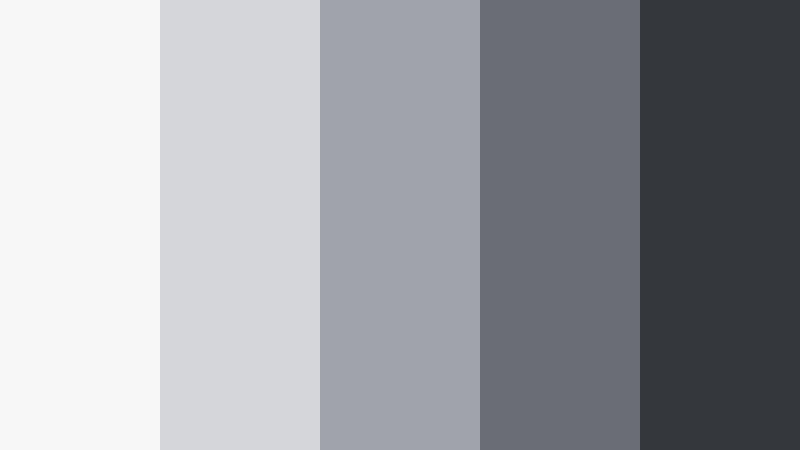
- HEX Codes: #f7f7f8, #d4d6da, #a0a3aa, #6a6e74, #34373c
- Mood: Cool, misty, and atmospheric, like light through dust in a projector beam.
- Use for: Great for documentary thumbnails, chapter cards, and muted channel branding where you want mood without strong color distractions.
Projection Room Haze leans into silvery, cool grays that feel like air filled with dust motes in front of a projector. It is calm but slightly mysterious, ideal when you want the mood of a darkened cinema without strong color casts.
Use the softest tones for backgrounds behind white or near-white type, and pull the mid to dark grays into borders, icons, and UI elements in your overlays. This palette works especially well in Filmora for essay videos, documentary playlists, and playlists where quiet atmosphere matters more than bright branding.
35mm Contact Sheet
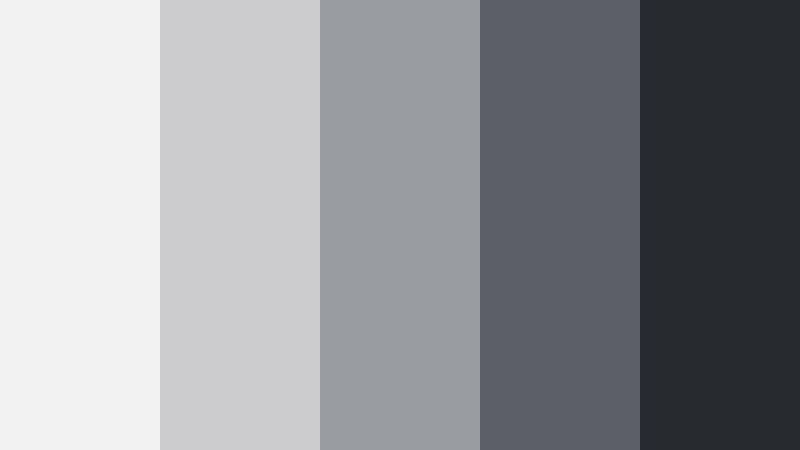
- HEX Codes: #f2f2f3, #cccccf, #999ca0, #5c6066, #272a2f
- Mood: Nostalgic and editorial, with a printed contact-sheet feel.
- Use for: Use for grids, lookbooks, or reel covers that showcase multiple frames from your video in a cohesive neutral shell.
35mm Contact Sheet is built to echo the crisp margins, frames, and dark borders of old proof sheets. The range of clean mid-grays and inky near-black makes it perfect for organizing many small images while keeping everything unified.
Try this palette for YouTube playlist covers, social carousels, and on-screen grids of b-roll in Filmora. Use lighter grays for card backgrounds and darker ones for dividers and captions, so your footage thumbnails pop while still feeling part of a single, editorial story.
Studio Concrete Backdrop

- HEX Codes: #f5f5f5, #d2d3d5, #a5a7aa, #74767a, #3c3e42
- Mood: Modern, grounded, and studio-polished.
- Use for: Ideal for talking-head channels, educational content, and branded slates that need a clean but textured neutral base.
Studio Concrete Backdrop mirrors the look of a polished concrete wall lit by softboxes. It is refined, contemporary, and neutral, which makes it a strong base for tech reviews, tutorials, and expert commentary.
Use the midrange grays for lower thirds and info panels in Filmora, and keep the darkest shade for important text or logos. In thumbnails, combine a soft background gray with a cut-out subject and bold typography to create a professional, studio-level presence.
Soft & Atmospheric Film Texture Gray Color Palettes
Foggy Lens Morning
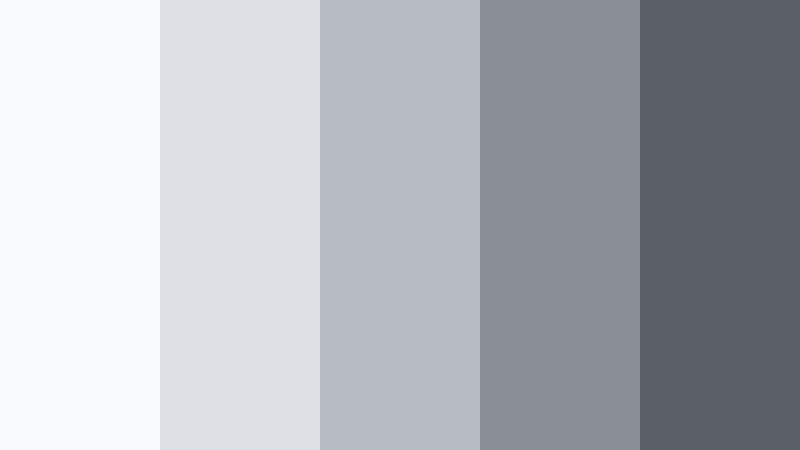
- HEX Codes: #f9fafb, #dde0e4, #b7bcc3, #8a8f97, #5a5f68
- Mood: Soft, introspective, and gently cinematic like dawn fog.
- Use for: Great for slow vlogs, morning routines, and lo-fi b-roll sequences with voiceover.
Foggy Lens Morning is all about diffused light and soft focus. The pale, cloudlike grays with a hint of blue bring a calm, early-morning tone that feels perfect for quiet routines, journaling content, or peaceful travel sequences.
In Filmora, use the lightest swatches as backgrounds for minimal titles and on-screen prompts, and treat the deeper tones as subtle accents for icons, progress bars, or chapter markers. This palette helps your thumbnails and intros feel gentle and reflective without looking washed out.
Dusty Archive Frames
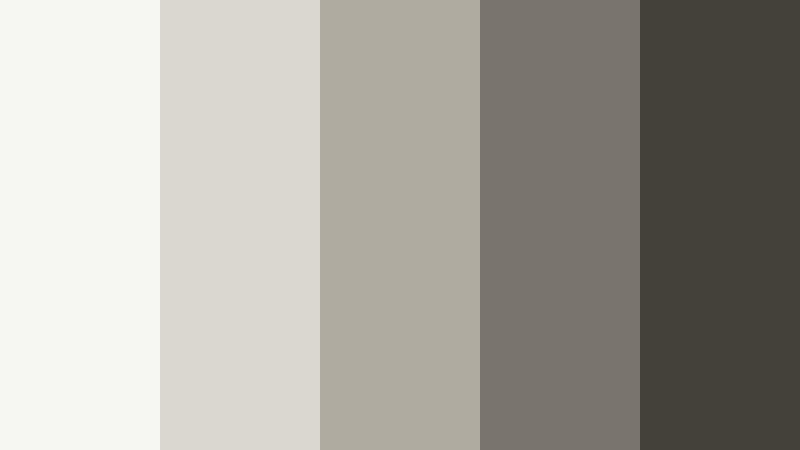
- HEX Codes: #f6f6f2, #dad7cf, #b0aba0, #7a756c, #44413b
- Mood: Warm, archival, and slightly nostalgic.
- Use for: Use for history videos, memory montages, or vintage-inspired lifestyle content that benefits from a gentle warm wash.
Dusty Archive Frames pulls gray toward beige, mimicking aged paper, file boxes, and old prints. The warm undertones feel nostalgic and human, making this a great choice for family stories, historical explainers, or cozy lifestyle edits.
Build scrapbook-style frames, Polaroid borders, and caption cards in Filmora using the lightest tones as paper and the darker hues as text and tape elements. On thumbnails, this palette communicates warmth and memory even before viewers click.
Rain On Windowpanes
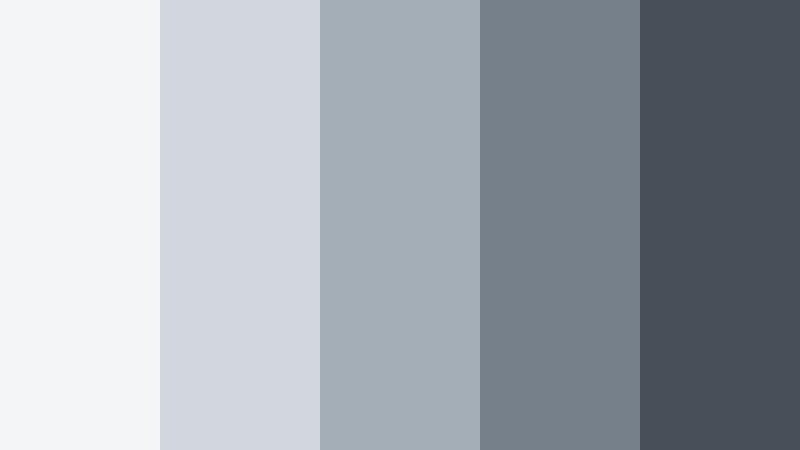
- HEX Codes: #f3f5f7, #d1d7dd, #a4aeb7, #76808a, #475059
- Mood: Melancholic yet cozy, like watching rain from indoors.
- Use for: Perfect for music videos, poetry edits, and study-with-me content looking for a moody but soft backdrop.
Rain On Windowpanes brings a gentle, blue-leaning gray that feels like a quiet rainy day. It balances melancholy and comfort, creating a perfect backdrop for piano instrumentals, lo-fi beats, or intimate spoken word.
In Filmora, pair these tones with slow crossfades, soft vignettes, and subtle overlays to deepen the mood. Use the lighter grays for background plates behind subtitles or lyrics, and the darker shades for headline text in thumbnails that suggest calm, reflective content.
Muted Storyboard Sketch
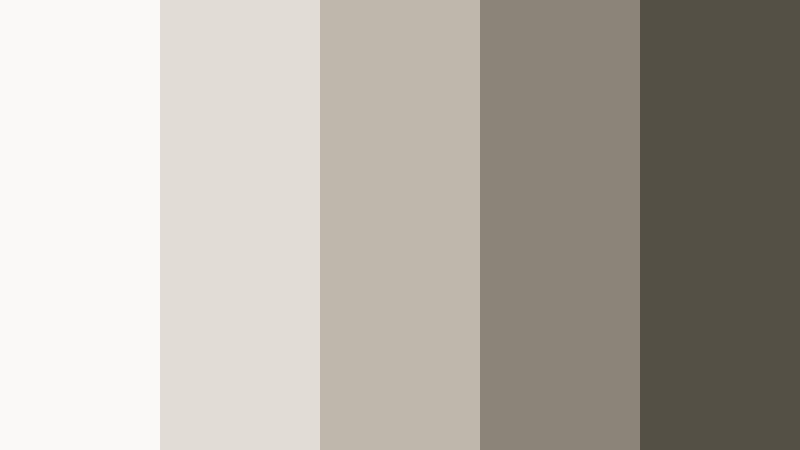
- HEX Codes: #faf9f7, #e1ddd5, #beb7ab, #8b8479, #555045
- Mood: Thoughtful, artistic, and pre-production focused.
- Use for: Great for behind-the-scenes breakdowns, tutorials, and planning boards where footage and graphics share the frame.
Muted Storyboard Sketch feels like sketching on warm paper with soft graphite. The taupe-grays have a creative, planning energy that suits behind-the-scenes content, filmmaking breakdowns, and tutorial chapters.
Use this palette in Filmora for sticky-note style labels, storyboard panels, and overlays that sit beside your footage without competing with it. In thumbnails, the warm neutrals signal thoughtful, process-driven videos like planning sessions or storytelling tips.
Lo-Fi Cassette Static
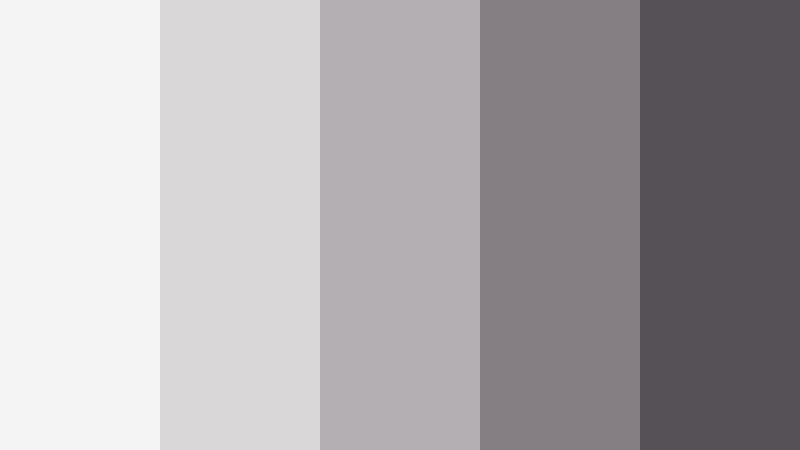
- HEX Codes: #f4f4f4, #d9d7d8, #b3afb2, #857f84, #555157
- Mood: Retro lo-fi and slightly gritty, yet relaxing.
- Use for: Ideal for chill beats channels, aesthetic edits, and retro overlay graphics with subtle grain effects.
Lo-Fi Cassette Static leans into dusty, slightly noisy grays that recall cassette labels, worn plastic, and analog static. It is cozy and nostalgic while staying neutral enough to work with many different footage colors.
In Filmora, layer this palette with grain overlays, VHS glitches, or timecode frames for a full lo-fi aesthetic. Use the mid-grays for waveform-style shapes and text boxes in music streams or study-with-me loops, while the darkest gray becomes your go-to for minimal, easy-to-read typography.
Elegant & Modern Film Texture Gray Color Palettes
Editorial Slate Spread

- HEX Codes: #ffffff, #e2e3e5, #b7b9bc, #7f8286, #26282b
- Mood: High-end, editorial, and fashion-forward.
- Use for: Use for title cards, lookbook videos, and brand intros that mimic magazine layouts and luxury campaigns.
Editorial Slate Spread combines pure white with a ladder of cool grays down to near-black, echoing luxury magazine layouts. The contrast feels sharp and premium, ideal for fashion, beauty, and high-end product content.
Design bold full-screen titles in Filmora with white or light gray backgrounds and deep slate text. In thumbnails, frame your subject with clean blocks of gray and white to mimic editorial spreads, instantly signaling style and sophistication.
Monochrome Title Card

- HEX Codes: #f8f8f8, #dedfe1, #b4b6ba, #808389, #3b3e44
- Mood: Clean, minimal, and confidently simple.
- Use for: Perfect for YouTube intros, text-only announcements, and channel rebrands focused on typography.
Monochrome Title Card is calm and modern, designed to let typography do the heavy lifting. The balanced grays keep visuals quiet so that your words and motion design stand out.
Use this palette in Filmora for text-forward intros, announcement slides, and lower thirds in educational or business content. In thumbnails, pair a soft gray background with bold, clear text in the darkest shade for instant legibility and a minimalist brand feel.
Gallery Wall Soft Shadow
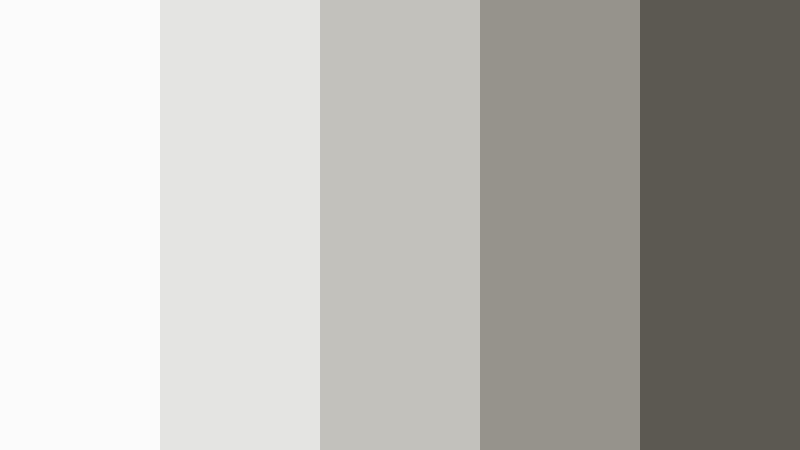
- HEX Codes: #fbfbfb, #e4e4e2, #c3c1bc, #96938d, #5c5953
- Mood: Art gallery calm with subtle warmth.
- Use for: Great for portfolio reels, photography showcases, and channel trailers with a curated, gallery-style vibe.
Gallery Wall Soft Shadow echoes museum walls and diffused exhibition lighting, with softly warm grays that flatter almost any footage. It adds a curated, deliberate feeling to your work without overwhelming it.
Use the lighter swatches as clean mats behind stills or video frames in Filmora, and bring in the deeper hues for captions, signatures, or subtle drop-shadows. For channel trailers and portfolio reels, this palette helps your work feel like it is hanging in a gallery rather than just sitting in a timeline.
Minimal Desk Setup
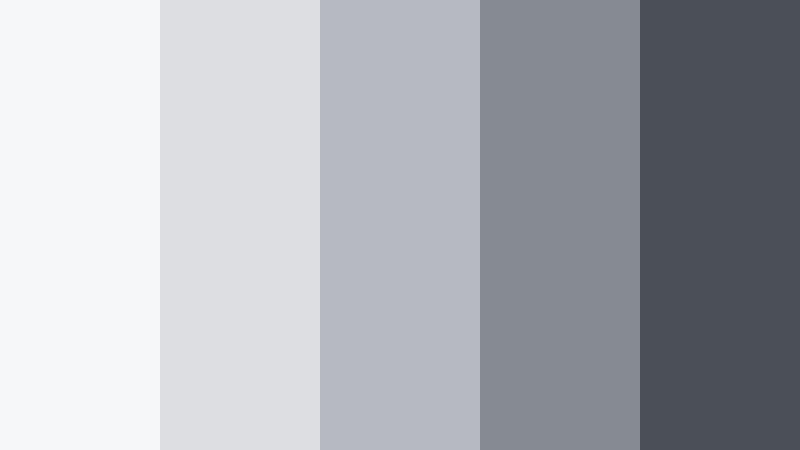
- HEX Codes: #f6f7f8, #dcdee1, #b6bac0, #868b93, #4a4f58
- Mood: Productive, sleek, and tech-friendly.
- Use for: Ideal for productivity vlogs, desk tours, and SaaS or app explainers needing a modern neutral UI feel.
Minimal Desk Setup channels aluminum laptops, matte peripherals, and clean workspaces. The cool, organized grays read as tech-savvy and efficient, perfect for productivity-focused channels and software explainers.
In Filmora, build title bars, UI mockups, and info cards using this palette so your overlays look like part of a modern operating system. On thumbnails, combine a light gray background with device cutouts and darker gray typography to create a sleek, trustworthy look.
Urban & Gritty Film Texture Gray Color Palettes
City Underpass Frames

- HEX Codes: #f2f2f2, #cdced0, #9a9ca0, #686a6f, #2f3135
- Mood: Urban, moody, and grounded in concrete textures.
- Use for: Use for street edits, skate videos, and cityscape b-roll with strong lines and architectural shots.
City Underpass Frames draws straight from concrete pillars, steel beams, and overpass shadows. It has enough contrast to feel punchy but stays firmly in the neutral Film Texture Gray family.
Use the lighter shades as card backgrounds or photo frames around your city b-roll in Filmora, and rely on the deep gray for bold, blocky titles that echo street signage. For thumbnails, this palette pairs well with high-contrast subject cutouts and dynamic typography for skate, parkour, or urban travel content.
Neon Alley Contrast
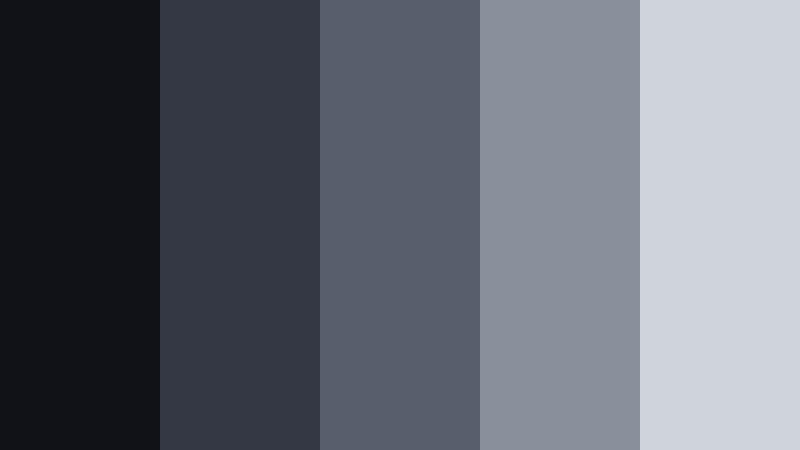
- HEX Codes: #111217, #343845, #585e6c, #8a909b, #cfd3da
- Mood: Dark, cinematic, and ready for splashes of neon.
- Use for: Perfect for music promos, gaming intros, and cyberpunk edits that sit neon accents on top of muted Film Texture Gray bases.
Neon Alley Contrast is built as a stage for color, especially electric blues, magentas, and greens. The deep inky grays moving up into metallic midtones create a dramatic base that makes any bright accent glow harder.
In Filmora, use this palette for dark backgrounds, HUD elements, and UI frames, then add neon titles or light streaks on top. For gaming or music thumbnails, a nearly black background with mid-gray UI lines and a single bright accent color delivers instant cyberpunk energy.
Subway Tunnel Grain

- HEX Codes: #f1f1f1, #d0d1d2, #a3a5a8, #707277, #3a3c41
- Mood: Rhythmic, restless, and documentary urban.
- Use for: Great for travel vlogs, commute montages, and kinetic typography over train or metro footage.
Subway Tunnel Grain captures the repeating tiles, tracks, and shadows of underground stations. The industrial grays feel fast and functional, ideal for edits that move with the rhythm of public transport and city life.
In Filmora, combine this palette with kinetic typography, moving masks, and grain overlays to accentuate the motion of trains and crowds. Use the lighter grays to frame timetables, location labels, or map-inspired graphics, while the darker tones anchor bold text in your thumbnails and intro cards.
Tips for Creating Film Texture Gray Color Palettes
When you build your own Film Texture Gray palettes, think about how the grays interact with footage, typography, and brand colors. Small shifts in warmth, contrast, and saturation can completely change the mood of your video or design.
- Decide on a temperature first: choose cooler Film Texture Gray tones for tech, urban, and rainy moods, and warmer grays for lifestyle, history, and cozy content.
- Plan contrast levels so text stays readable: always test white and near-black text on your lightest and mid-gray swatches to avoid hard-to-read titles and subtitles.
- Limit your accent colors: pair Film Texture Gray with one or two brand colors so your thumbnails and overlays feel consistent across your entire channel.
- Match grays to your footage: if your camera leans warm or cool, nudge your palette in the same direction in Filmora so overlays and backgrounds feel naturally integrated.
- Use the lightest gray as a background workhorse: this will be your go-to color for cards, end screens, and lower thirds behind text and icons.
- Reserve the deepest gray for hierarchy: apply it to key text, logos, and essential UI pieces so viewers instantly know where to look.
- Add subtle texture with grain and vignettes: a little noise or edge darkening on Film Texture Gray areas helps them feel more cinematic and less like flat UI blocks.
- Create presets in Filmora: once you land on a Film Texture Gray combination you love, save it as a template so every new video inherits the same palette automatically.
Film Texture Gray palettes can quietly transform your channel, giving your videos a consistent mood and a recognizable visual signature. From soft, foggy vlogs to gritty city edits and sharp editorial intros, these palettes give you a flexible starting point for almost any style.
Try dropping a few of these HEX codes straight into Filmora for your next intro, thumbnail, or title sequence. As you refine them with AI tools, HSL, and LUTs, you will quickly discover a Film Texture Gray look that feels like your own brand language.
Once you have a favorite palette, reuse it across thumbnails, lower thirds, and end screens so viewers recognize your work at a glance, whether they see it on YouTube, social feeds, or embedded on a website.
secure download