

 100% Security Verified | No Subscription Required | No Malware


 ChatGPT
 Perplexity
 Gemini
 Claude
 Grok
Grok
Fluorescent Coral sits in the sweet spot between playful warmth and high-energy neon. It feels modern, optimistic, and a little bit rebellious, which is why it shows up so often in social graphics, creator branding, and eye-catching UI design. In video, it naturally pulls focus, so even a small accent of Fluorescent Coral can direct attention to your title, subscribe button, or hero product.
For YouTube thumbnails, intros, lower thirds, and channel branding, a well-balanced Fluorescent Coral color palette is far more powerful than a single shade. Below are ready-to-use Fluorescent Coral color combinations with HEX codes, tailored for creators and Filmora users who want fast, consistent visuals across videos, shorts, and social posts.
In this article
Bold And Vibrant Fluorescent Coral Color Palettes
Electric Sunset Pop
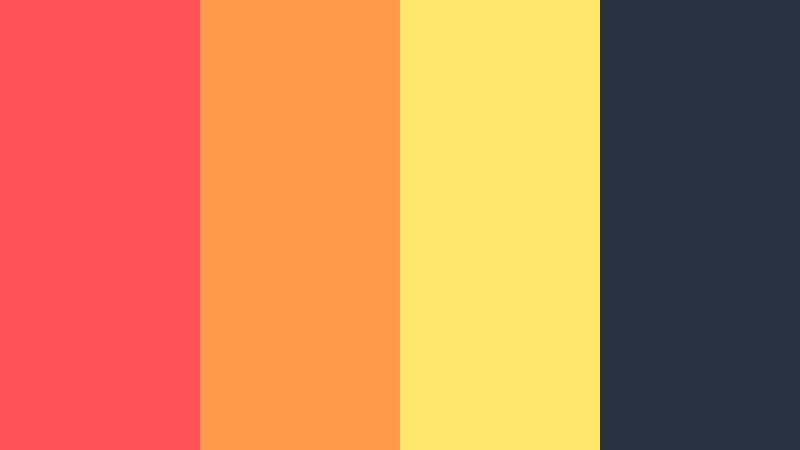
- HEX Codes: #ff5258, #ff9b4a, #ffe66d, #293241
- Mood: High-energy, punchy, and eye-catching like a summer festival at golden hour.
- Use for: Perfect for bold YouTube thumbnails, gaming intros, and high-impact promo reels that must stand out in crowded feeds.
Electric Sunset Pop is a vivid collision of Fluorescent Coral, hot tangerine, and sunny yellow, all anchored by a deep navy that keeps things from feeling chaotic. It feels like neon posters at dusk, or stage lights hitting a festival crowd. The Fluorescent Coral shade (#ff5258) does the heavy lifting as your hero accent, while #ff9b4a and #ffe66d add warmth and light.
Use this palette when you want your titles, subscribe buttons, and callouts to jump straight off the screen. In Filmora, it works brilliantly for gaming intro animations, bold lower thirds, and kinetic text in shorts or TikTok-style edits. Keep your backgrounds closer to the navy (#293241), then reserve the Fluorescent Coral and warm accents for buttons, outlines, and key frames so your visuals stay intense but readable.
Pro Tip: Enhance Your Fluorescent Coral Visuals With Filmora
To keep Electric Sunset Pop looking consistent from intro to end screen, build a simple color system inside Filmora. Use Fluorescent Coral for main titles and action buttons, the bright yellow for secondary highlights, and the navy as your go-to background or drop shadow tone. Save these choices as custom presets so every new project instantly matches your channel identity.
When designing sequences like countdowns, B-roll overlays, and subscribe animations, duplicate your Text and Title presets in Filmora and only swap the copy, not the colors. This keeps Fluorescent Coral accents uniform across long-form videos, Shorts, and vertical exports without manually re-entering HEX codes each time.
AI Color Palette
If you have a reference graphic or thumbnail mockup that already nails the Electric Sunset Pop vibe, you can push that same look across all your clips. Filmora's AI Color Palette feature lets you sample the colors and overall grading from a single frame, then apply it to your entire timeline.
Import a still image with your Fluorescent Coral palette, choose that frame as the reference, and let AI Color Palette harmonize the rest of your footage. This is especially helpful when mixing camera sources or lighting conditions, keeping Fluorescent Coral punchy and neon while skin tones and shadows stay natural.
 secure download

HSL, Color Wheels & Curves
Once your base look is in place, refine Fluorescent Coral tones with HSL and color wheels so they glow without clipping. Use HSL to gently bump saturation in the reds and oranges where Fluorescent Coral lives, then cool down highlights in the color wheels to keep bright areas clean. You can also add a subtle S-curve in the RGB Curves panel to deepen contrast, which makes coral accents feel more cinematic instead of flat.
For a deeper walkthrough, Filmora's YouTube tutorials on advanced color grading tools show how to combine HSL, color wheels, and curves to dial in a polished neon look. That way, Electric Sunset Pop stays intense on any device, from mobile feeds to desktop playback.
secure download1000+ Video Filters & 3D LUTs
To speed up your workflow, you can lean on Filmora's video filters and 3D LUTs to stylize your Fluorescent Coral palette in one click. Choose LUTs that enhance warm tones and deepen blues to instantly complement Electric Sunset Pop without custom grading from scratch.
Stack subtle filters for glow, bloom, or film grain on top of your coral-centric graphics to give them extra depth in music videos, event recaps, or gaming edits. Once you find a combo that makes Fluorescent Coral feel rich and on-brand, save it as a custom preset so every new project can reuse that same vibrant studio look.
secure downloadNeon Street Vibes
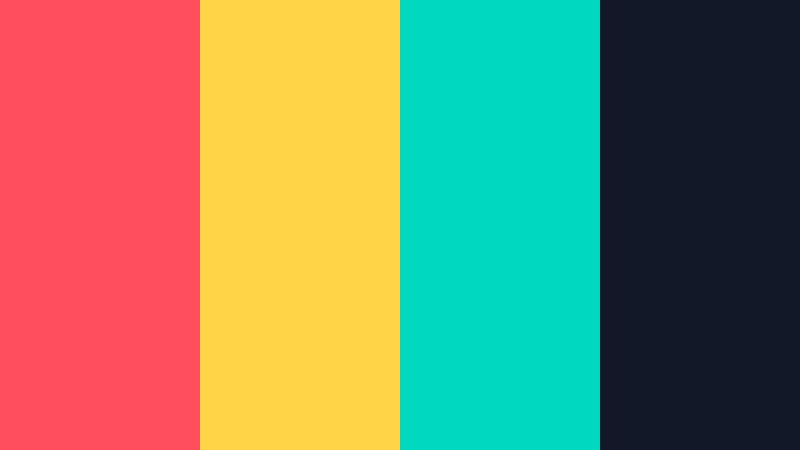
- HEX Codes: #ff4f5d, #ffd447, #00d9c0, #111827
- Mood: Urban, edgy, and neon-fueled with a modern streetwear attitude.
- Use for: Great for music videos, dance clips, fashion lookbooks, and dynamic motion graphics overlays.
Neon Street Vibes mixes Fluorescent Coral (#ff4f5d) with acid yellow and Neon Aqua (#00d9c0), all set against an inky charcoal backdrop. It feels like glowing signage on wet pavement, perfect when you want a street-style aesthetic with serious contrast.
Use the dark tone (#111827) for backgrounds and frames, then layer Fluorescent Coral and Neon Aqua on titles, neon outlines, and animated shapes. In Filmora, this palette shines in lyric videos, fashion edits, or Reels where bold typography and fast cuts are the stars.
Tropical Punch Blast
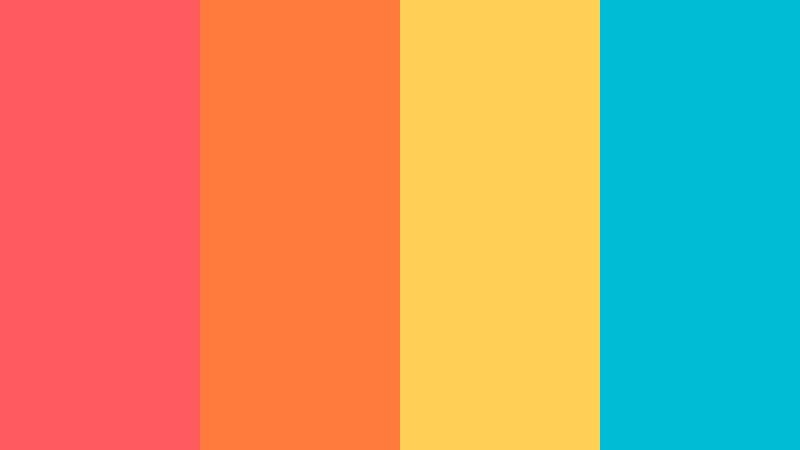
- HEX Codes: #ff5a5f, #ff7a3c, #ffcf56, #00bcd4
- Mood: Juicy, playful, and sun-drenched like a poolside mocktail.
- Use for: Ideal for lifestyle vlogs, travel intros, and fun product unboxings that lean into a carefree vacation vibe.
Tropical Punch Blast feels like sunshine in a glass: Fluorescent Coral (#ff5a5f) and mango orange meet pineapple yellow and bright aqua. The palette is saturated and happy, instantly giving your footage a vacation filter even before you grade.
Use it for bold thumbnail text, animated stickers, and playful transitions in Filmora. Try coral and orange for your main typography, yellow for badges or price tags, and aqua for accents on call-to-action buttons or swipe prompts in vertical edits.
Arcade Neon Crush
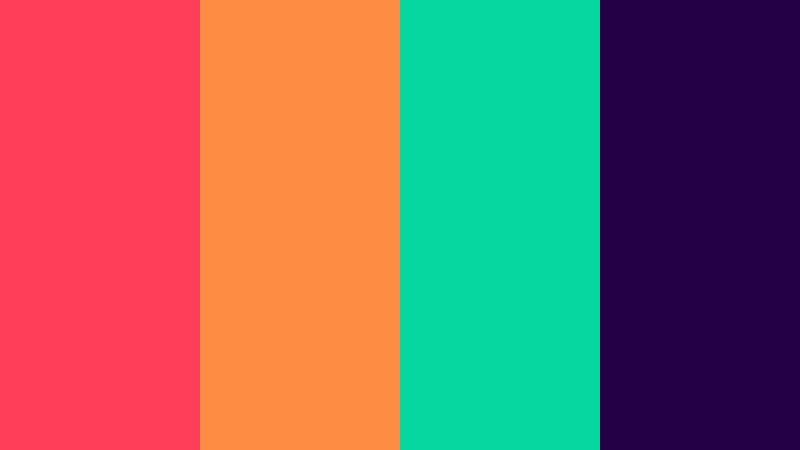
- HEX Codes: #ff3f5a, #ff8c42, #06d6a0, #240046
- Mood: Retro-futuristic, playful, and packed with arcade nostalgia.
- Use for: Use for gaming channels, tech explainers, and animated lower thirds that need a neon cyber feel.
Arcade Neon Crush combines hot Fluorescent Coral with orange, teal green, and deep violet. It feels like a mashup of old-school arcade cabinets and futuristic UI screens, full of contrast but still well balanced.
In your edits, lean on the deep violet (#240046) as a digital night-sky background, then pop Fluorescent Coral (#ff3f5a) into score counters, gamer tags, and glitch transitions. The teal accent (#06d6a0) is perfect for progress bars, HUD-style graphics, or subscribe buttons that feel techy and alive.
Festival Confetti Burst
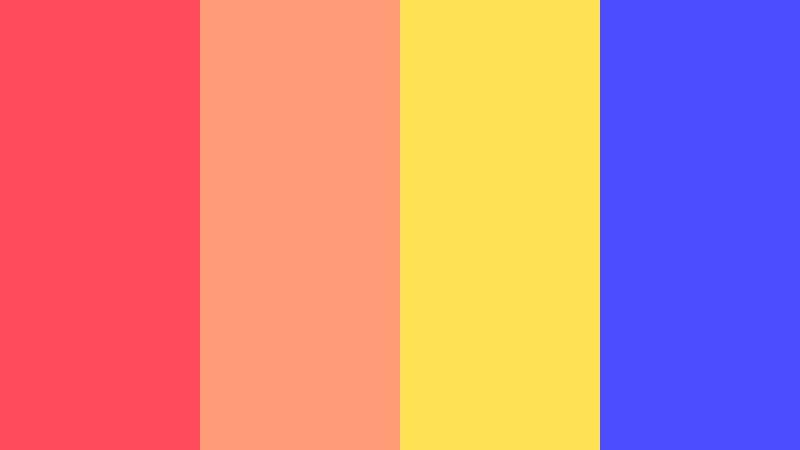
- HEX Codes: #ff4b5c, #ff9a76, #ffe156, #4c4cff
- Mood: Celebratory, joyful, and bursting with party energy.
- Use for: Great for event recaps, concert promos, celebration reels, and announcement graphics.
Festival Confetti Burst throws Fluorescent Coral (#ff4b5c) into a mix of peach, bright yellow, and electric cobalt. It is loud in the best way, like colorful stage lights and confetti cannons frozen in mid-air.
Use this palette for big moments: subscriber milestones, launch announcements, giveaways, or party recaps. In Filmora, you can build animated confetti overlays, then color-pick these HEX codes for text, countdown timers, and badge graphics so the whole video feels like one cohesive celebration.
Soft And Romantic Fluorescent Coral Color Palettes
Coral Blush Daydream
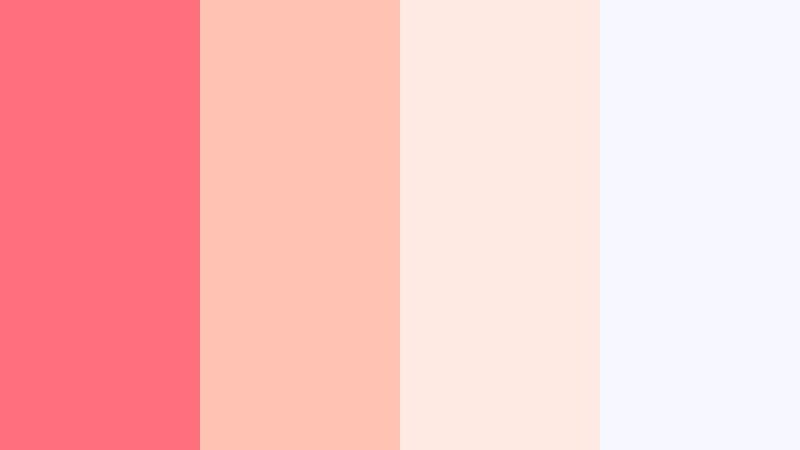
- HEX Codes: #ff6f7d, #ffc3b4, #ffe9e3, #f7f7ff
- Mood: Gentle, airy, and romantic with a dreamy softness.
- Use for: Perfect for wedding highlight reels, lifestyle vlogs, and soft product promos like skincare or stationery.
Coral Blush Daydream takes Fluorescent Coral and softens it into a sequence of blush, cream, and almost-white lavender. The result feels light, feminine, and graceful, ideal when you want warmth without harsh intensity.
Use the deeper coral (#ff6f7d) sparingly for titles or logo marks, while #ffc3b4 and #ffe9e3 handle backgrounds and lower thirds. In Filmora, this palette works beautifully over slow-motion B-roll, flat lay product shots, and wedding details where you want emotion and elegance in every frame.
Seashell Whisper Glow
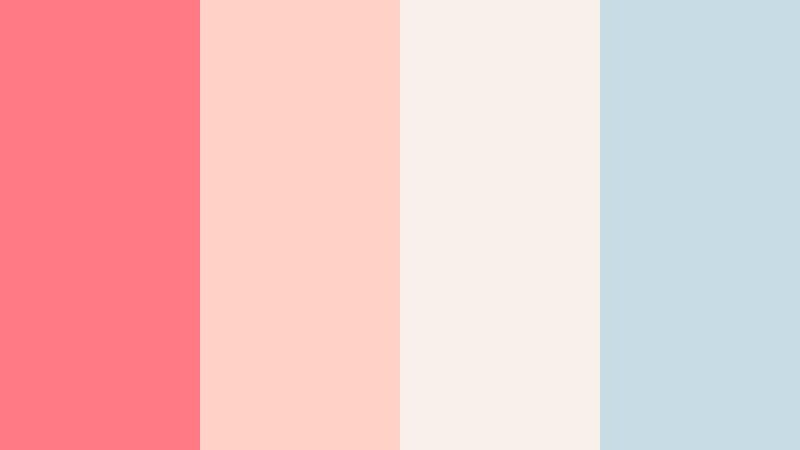
- HEX Codes: #ff7a85, #ffd1c7, #f9f0ea, #c7dce5
- Mood: Calm, coastal, and nostalgic like a quiet beach morning.
- Use for: Lovely for travel vlogs, mindfulness content, and brand stories for wellness or slow living.
Seashell Whisper Glow pairs a soft Fluorescent Coral with seashell peach, warm sand, and muted sea blue. The palette feels like early light on the shoreline, calm and slightly nostalgic.
Use coral for subtle accents in titles and icons, while the soft neutrals (#ffd1c7, #f9f0ea) take over backgrounds and cards. The muted blue (#c7dce5) adds gentle contrast for body text, chapter markers, or simple line icons in Filmora, particularly for yoga flows, ambient lofi mixes, or slow travel sequences.
Rosy Studio Light
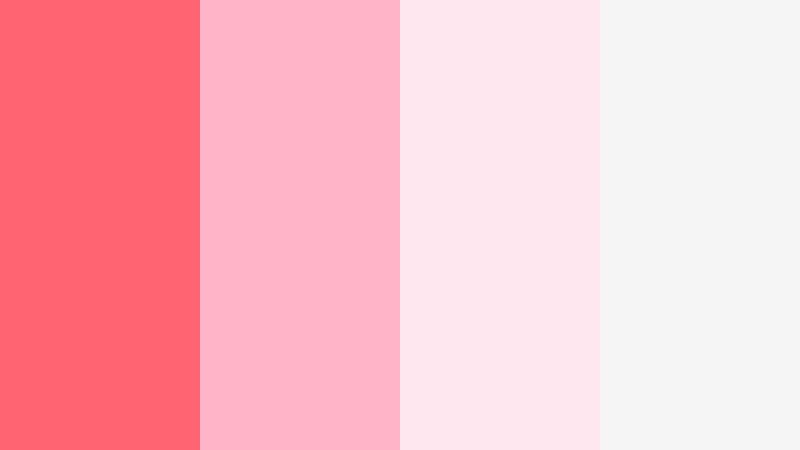
- HEX Codes: #ff6473, #ffb4c7, #ffe7f0, #f5f5f5
- Mood: Clean, romantic, and softly illuminated like a bright photo studio.
- Use for: Great for beauty tutorials, creator intros, and minimal branding that still feels friendly and warm.
Rosy Studio Light keeps everything bright and airy. Fluorescent Coral (#ff6473) is balanced by rosy pinks and clear whites, for a look that feels like natural light pouring through sheer curtains.
Use this palette for clean YouTube channel branding, especially beauty, fashion, or productivity content. In Filmora, set your backgrounds to the soft whites (#ffe7f0, #f5f5f5), drop coral into title lines or underlines, and let the mid pink (#ffb4c7) frame profile pictures, product callouts, or social handles.
Blooming Coral Garden
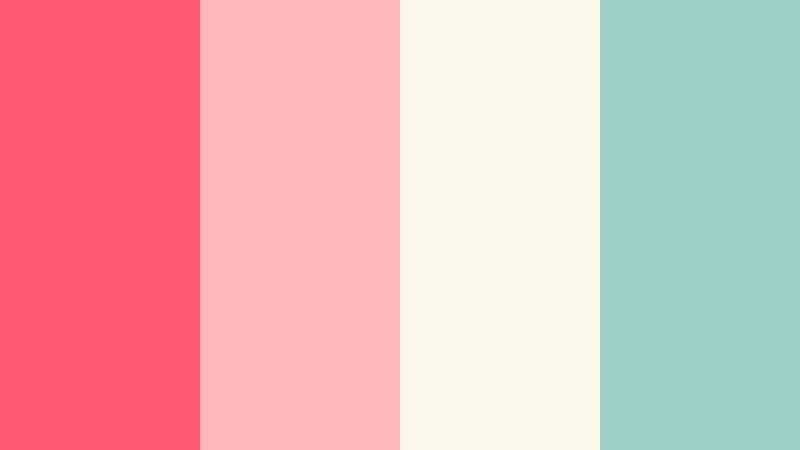
- HEX Codes: #ff5a73, #ffb6b9, #f9f7e8, #9ad0c5
- Mood: Floral, hopeful, and lightly whimsical like a spring garden.
- Use for: Use for floral branding, craft channels, DIY tutorials, and heartfelt storytelling edits.
Blooming Coral Garden feels like petals and fresh leaves. Fluorescent Coral (#ff5a73) and pastel pink deliver the floral note, while soft cream and minty green cool everything down into a gentle, optimistic palette.
Use coral and pink for text and decorative elements, cream (#f9f7e8) as your base, and mint (#9ad0c5) for small icons or separators. In Filmora, this palette is perfect for craft channels, stationery hauls, or passion projects where you want your visuals to feel handmade and uplifting.
Peach Cloud Horizon
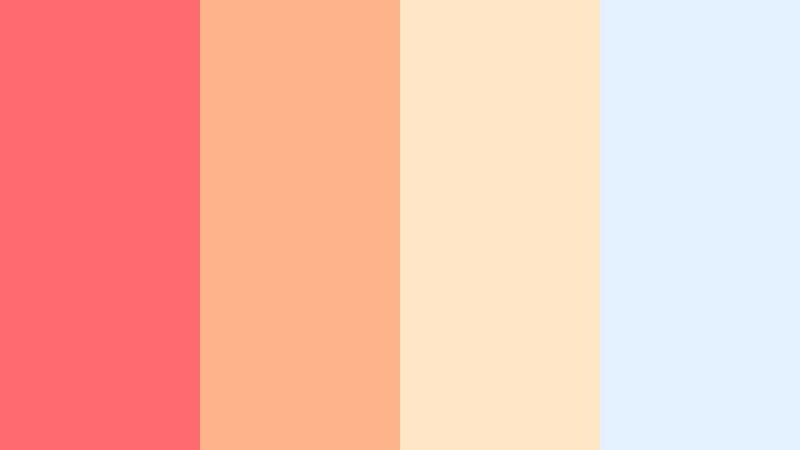
- HEX Codes: #ff6a6f, #ffb38a, #ffe6c7, #e4f2ff
- Mood: Dreamy, cinematic, and calm like pastel clouds at dusk.
- Use for: Ideal for cinematic b-roll, slow travel videos, and reflective voiceover content where mood matters.
Peach Cloud Horizon softens Fluorescent Coral into peach and cream, then pairs it with a light baby blue. It feels cinematic and sky-inspired, like magic hour blended into a pastel gradient.
Use this palette for mood pieces: quiet travel vlogs, reflective monologues, or story-driven edits. In Filmora, you can use the warmer tones for typography and overlays, while #e4f2ff backs your titles or frames your footage to mimic hazy sky light.
Modern And Minimal Fluorescent Coral Color Palettes
Coral On Concrete
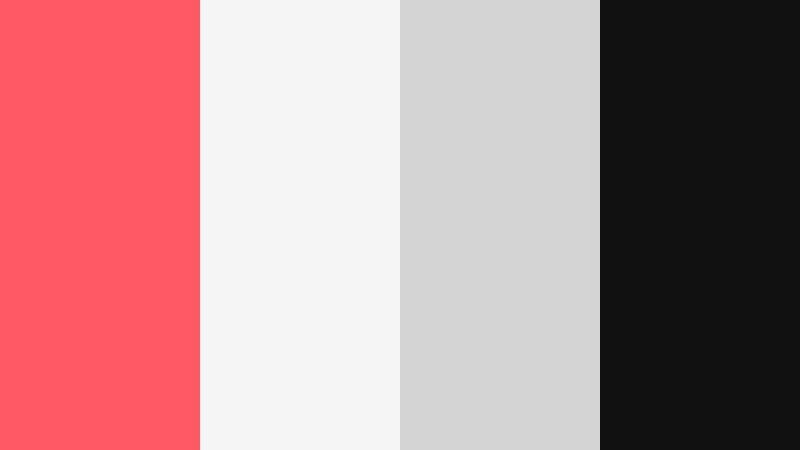
- HEX Codes: #ff5964, #f5f5f5, #d4d4d4, #111111
- Mood: Sleek, urban, and design-forward with sharp contrast.
- Use for: Perfect for tech explainers, SaaS promos, and minimalist brand intros that need a pop of color on neutral backdrops.
Coral On Concrete is all about contrast. Fluorescent Coral (#ff5964) stands out against clean white, cool gray, and nearly black charcoal. The result is a crisp, modern palette that feels like a product landing page brought into motion.
Use neutral tones for most backgrounds and UI-style panels, then let Fluorescent Coral highlight buttons, key words in titles, and logo animations. In Filmora, this palette suits app walkthroughs, startup explainers, or any brand that wants to look sharp and professional with one signature accent color.
Digital Coral Interface
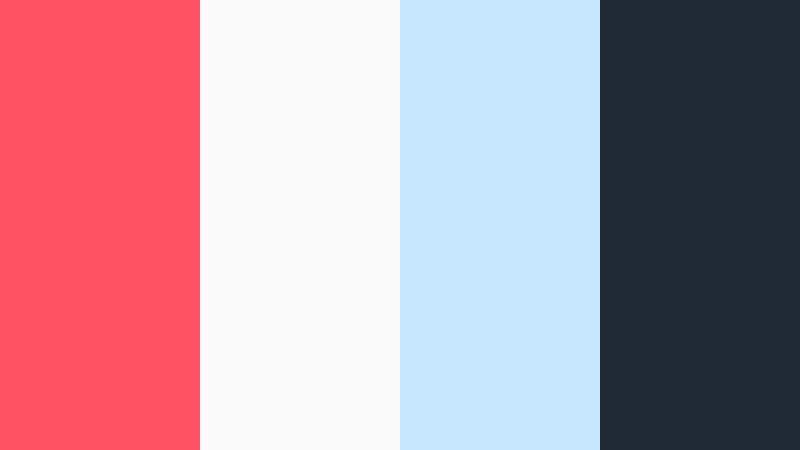
- HEX Codes: #ff5364, #fafafa, #c7e6ff, #1f2933
- Mood: Fresh, techy, and forward-looking with a UI-friendly feel.
- Use for: Great for app demos, UI mockups, onboarding animations, and product walkthrough videos.
Digital Coral Interface feels like a polished software UI. Coral accents sit on top of almost-white, sky-tinted backgrounds, held together by a deep slate for text and icons.
Use #ff5364 for key actions, progress highlights, and active states in your on-screen graphics, while #c7e6ff softens background cards or callout boxes. In Filmora, this palette is ideal for screen-recording explainers and tutorial videos where clarity and a modern feel matter as much as color.
Monoline Coral Brand
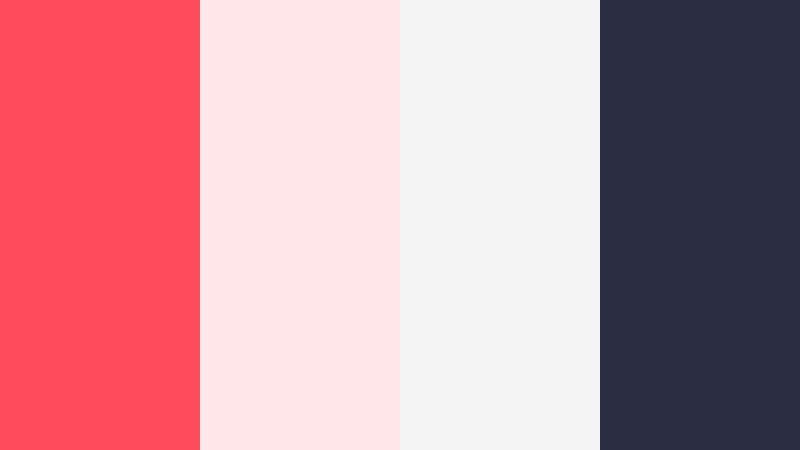
- HEX Codes: #ff4c5c, #ffe6e9, #f3f3f3, #2b2d42
- Mood: Confident, clean, and brand-ready with a sharp logo feel.
- Use for: Ideal for logo stings, minimalist lower thirds, and cohesive social branding systems.
Monoline Coral Brand is built for logos and brand systems. Fluorescent Coral (#ff4c5c) pops against pale blush, neutral white, and a dark navy slate, giving you just enough contrast to look refined while staying friendly.
Use coral for line-art logos, icons, and simple title cards. Let #2b2d42 handle body text and finer details, while the lighter tones fill backgrounds and panels. In Filmora, this palette works across channel intros, end screens, and story highlight covers when you want one consistent, recognizable identity.
Coral Noir Studio
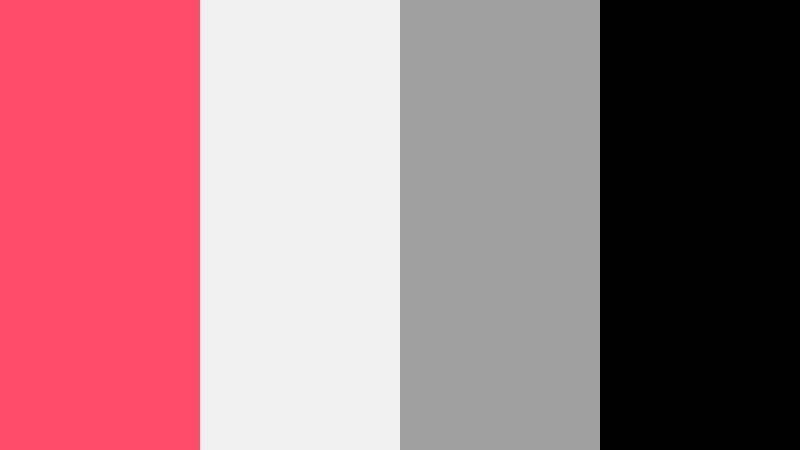
- HEX Codes: #ff4b6a, #f0f0f0, #a0a0a0, #000000
- Mood: Chic, dramatic, and studio-polished with strong contrast.
- Use for: Use for fashion edits, product hero shots, and cinematic intros where drama meets simplicity.
Coral Noir Studio stages Fluorescent Coral against grayscale and pure black. It is dramatic and studio-ready, great when you want your content to feel like a high-end lookbook or a premium tech ad.
Let black and mid gray form your main frames and borders. Then use #ff4b6a for logo hits, accent lines, and key typography. In Filmora, combine this palette with clean motion graphics and slow, deliberate camera moves for stylish fashion reels and product hero shots.
Playful And Youthful Fluorescent Coral Color Palettes
Bubblegum Arcade Mix
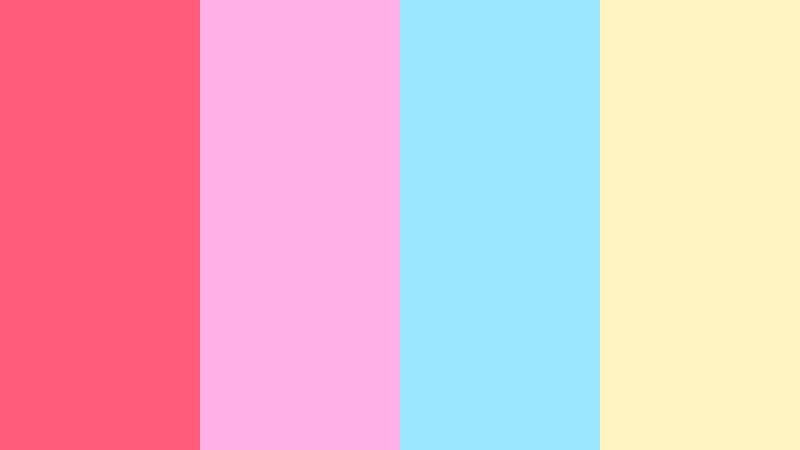
- HEX Codes: #ff5b7a, #ffb0e6, #9be7ff, #fff4c2
- Mood: Cheerful, bubbly, and youth-centric with a candy-bright tone.
- Use for: Perfect for kids content, playful vlogs, animations, and lighthearted social clips.
Bubblegum Arcade Mix turns Fluorescent Coral into a candy-bright accent alongside bubblegum pink, sky blue, and pale lemon. It feels like stickers, arcade tickets, and pastel game UIs all mixed together.
Use coral (#ff5b7a) for standout moments like level-up titles, channel name locks, or reaction bubbles. The softer tones are great for backgrounds, borders, and thumbnail frames that feel fun without overwhelming the eye. In Filmora, this palette is ideal for kids channels, day-in-the-life vlogs, and playful animations or sticker overlays.
Tips for Creating Fluorescent Coral Color Palettes
Fluorescent Coral is powerful, so choosing the right supporting colors is key to keeping your videos bold, readable, and on-brand. Use these tips to adapt any of the palettes above or build your own from scratch.
- Pair Fluorescent Coral with at least one dark anchor color (navy, charcoal, or black) so text and UI elements stay legible on small screens.
- Limit yourself to 1 primary accent (Fluorescent Coral) and 2 to 3 supporting colors to avoid cluttered thumbnails and intros.
- Use softer tints of coral for backgrounds and overlays, and keep the pure Fluorescent Coral shade for titles, CTAs, and icons you want viewers to notice first.
- Check contrast by previewing your design in grayscale or at mobile size; adjust brightness and saturation so subtitles and key text stay easy to read.
- Balance warm Fluorescent Coral with cool tones like Neon Aqua, teal, or muted blue when you need a fresh, techy, or nightlife feel.
- For romantic or lifestyle content, mix Fluorescent Coral with blush, cream, and soft neutrals to keep the mood gentle and cinematic.
- Maintain brand consistency by reusing the same HEX codes for titles, lower thirds, and end screens across every Filmora project.
- Match your palette to your footage: push coral and warm tones more strongly in sunset or indoor scenes, and use cooler supporting colors for city night or cyber-inspired edits.
Used thoughtfully, a Fluorescent Coral color palette can shape how your channel feels at a glance: bold and urban, soft and romantic, or clean and tech-driven. Whether you lean into Neon Aqua contrasts or pastel clouds, these 15 palettes give you ready-made recipes with exact HEX codes for branding, thumbnails, and motion graphics.
Try dropping a few of these palettes straight into Filmora to see how they change your intros, titles, and B-roll overlays. Save your favorite combinations as presets so every new upload feels like part of the same visual universe, no matter the topic.
As you experiment, adjust saturation, contrast, and supporting colors until the Fluorescent Coral shade you choose truly represents your voice. With a consistent palette and Filmora's tools, your videos will look more intentional, polished, and instantly recognizable in any feed.
secure downloadNext: Neon Aqua Color Palette
