

 100% Security Verified | No Subscription Required | No Malware


 ChatGPT
 Perplexity
 Gemini
 Claude
 Grok
Grok
Golden Brown sits between sunlit gold and grounded earth tones, which is why it feels instantly warm, stable, and trustworthy. It suggests comfort, craftsmanship, and quiet luxury all at once. In visuals, Golden Brown can mimic natural light, toasted wood, caramel foam, or vintage film, making it a powerful base for storytelling, lifestyle content, and brand identity.
For creators, this color is ideal for thumbnails, intros, lower thirds, and channel branding that should feel cozy, premium, or cinematic. In video editing tools like Filmora, Golden Brown color palettes help you keep your footage, b-roll, and graphics cohesive from YouTube videos to Instagram Reels. Below you will find 15 carefully curated Golden Brown color palettes with ready HEX codes, tailored for editors, designers, and Filmora users who want consistent, on-brand visuals.
In this article
Warm & Cozy Golden Brown Color Palettes
Sunlit Caramel Morning
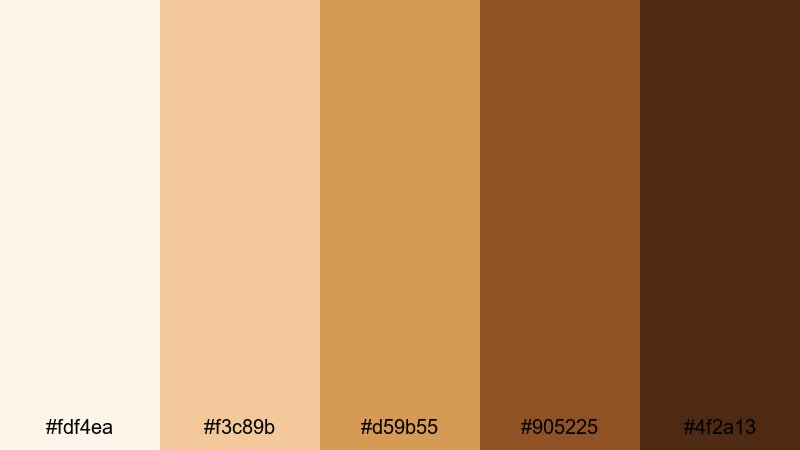
- HEX Codes: #fdf4ea, #f3c89b, #d59b55, #905225, #4f2a13
- Mood: Bright, comforting, and softly nostalgic like a slow weekend morning.
- Use for: Ideal for lifestyle vlogs, morning routines, and cozy food videos needing a gentle golden warmth.
Sunlit Caramel Morning layers creamy beige highlights over caramel and deep roast browns, creating a palette that feels like warm light pouring through a kitchen window. It is soft and inviting, with enough contrast to keep your visuals from looking flat.
Use these HEX codes for YouTube thumbnails, intro cards, and overlay graphics on slow mornings, breakfast recipes, or self care vlogs. In Filmora, you can color match your footage to these tones and then use the deeper browns for text, frames, and callouts so your branding feels cohesive across your entire Golden Brown themed video series.
Pro Tip: Build a Cinematic Golden Brown Look in Filmora
To keep a Sunlit Caramel Morning vibe across an entire edit, start by sampling the midtone golden browns for your primary color grade in Filmora. Then reserve the darkest shade (#4f2a13) for titles, icons, and key on screen elements so everything feels part of the same warm universe.
You can also save this palette as a reference inside Filmora by creating a custom color board or using it in your text and shape presets. That way your intros, b roll, talking head segments, and social cutdowns all share the same Golden Brown atmosphere without having to rebuild the look every time.
AI Color Palette
If you have a favorite screenshot or mood board image that captures this Sunlit Caramel Morning style, Filmora's AI Color Palette feature lets you turn it into a project wide color grade. The tool analyzes your reference colors and applies a similar Golden Brown balance to your clips, keeping skin tones natural while pushing highlights and shadows toward warm caramel.
You can apply the AI driven palette to a hero shot first, tweak the intensity, and then batch match the rest of your timeline. This keeps your morning vlog, cafe b roll, and thumbnail stills visually consistent with almost no manual grading work.
 secure download

HSL, Color Wheels & Curves
To polish your Golden Brown tones, use Filmora's HSL and color wheels to selectively target yellows and oranges. Slightly desaturate the brightest yellows to avoid a harsh neon look, then lift the orange midtones to keep skin tones warm and flattering. Curves can deepen your shadows just enough to add cinematic contrast while protecting highlight detail.
If you want more guidance on shaping color with precision tools, the Filmora color correction tutorial walks through practical steps for balancing highlights, mids, and shadows so your Golden Brown aesthetic looks intentional instead of muddy.
secure download1000+ Video Filters & 3D LUTs
If you do not want to build a grade from scratch, Filmora's video filters and 3D LUTs make it easy to drop a Golden Brown mood on your footage. Start with warm film, vintage, or coffee themed filters, then fine tune with opacity and basic color controls until the look matches your chosen HEX palette.
You can save your favorite combination as a custom preset, then reuse it on new videos so your channel keeps the same caramel toned identity. This works especially well when you want your thumbnails, shorts, and long form uploads to all share the same cozy Golden Brown aesthetic.
secure downloadCinnamon Latte Vlog
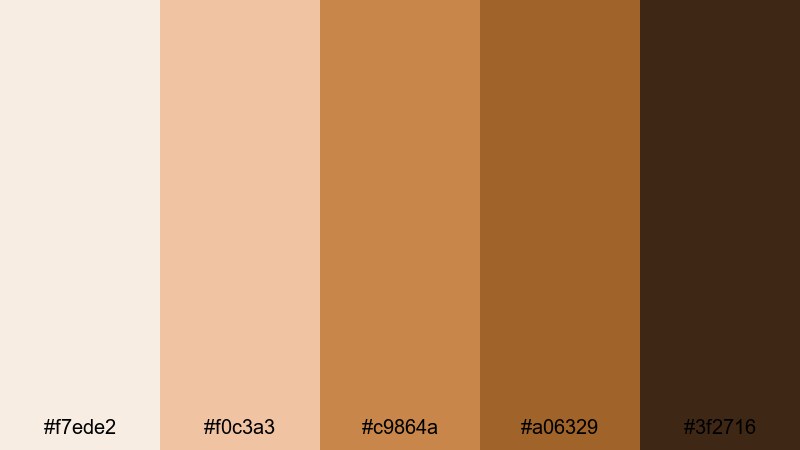
- HEX Codes: #f7ede2, #f0c3a3, #c9864a, #a06329, #3f2716
- Mood: Cozy, intimate, and flavorful like a favorite cafe corner.
- Use for: Perfect for coffee shop b-roll, talking head vlogs, and podcast cover art with a warm, approachable vibe.
Cinnamon Latte Vlog blends cream, latte, cinnamon, and espresso tones for a snug, lived in feel. It is slightly spicier and more saturated than Sunlit Caramel Morning, which makes it great when you want your frame to feel like a warm drink in the viewer's hands.
Use the lighter shades as background colors for quote cards, podcast thumbnails, or Instagram carousels, and lean on the deeper espresso brown (#3f2716) for subtitles and logo marks. In Filmora, simple overlays in these colors on top of cafe b roll or desk setups instantly create an aesthetic vlog look without heavy grading.
Autumn Fireside Stories
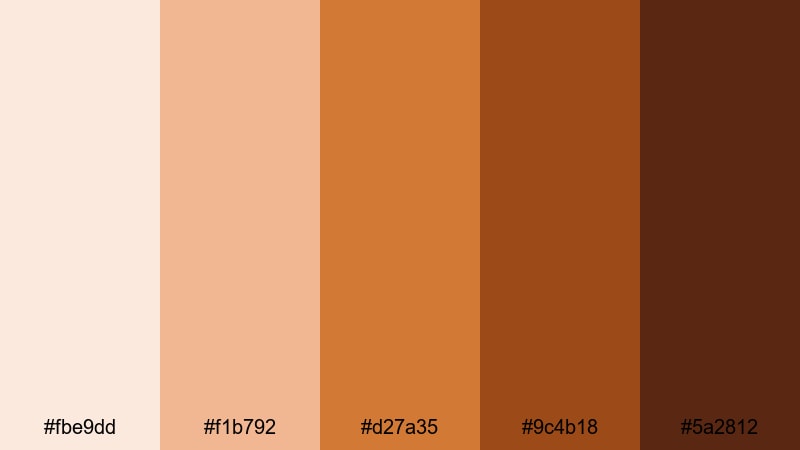
- HEX Codes: #fbe9dd, #f1b792, #d27a35, #9c4b18, #5a2812
- Mood: Storytelling, nostalgic, and gently dramatic with a fall-season warmth.
- Use for: Great for travel recaps, campfire stories, and cinematic b-roll needing rich autumn depth.
Autumn Fireside Stories is built around glowing amber midtones and ember browns that capture the feel of sunset light and campfire glow. It brings more drama than a soft coffee palette, while staying cozy and approachable.
Use this palette to grade outdoor footage from forests, roads, or cabins, then echo the same hues in animated titles and end screens. The darker tones (#9c4b18 and #5a2812) are perfect for cinematic title slates in Filmora, while the lighter peach and amber help your on screen text, call to actions, and chapter markers stand out.
Honey Glow Portraits
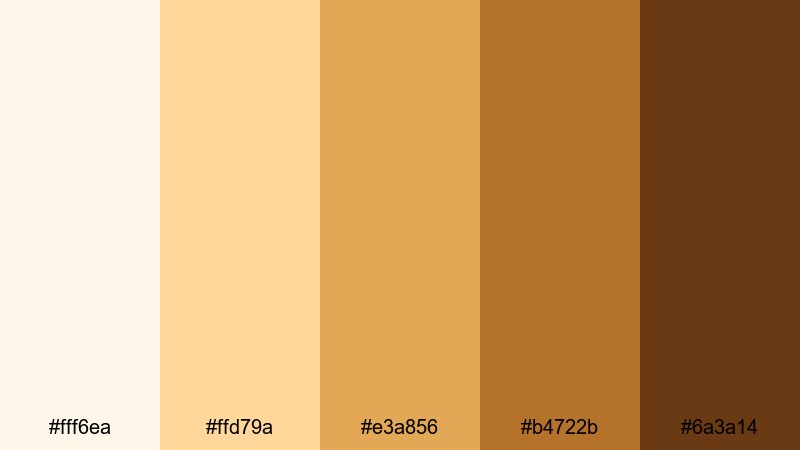
- HEX Codes: #fff6ea, #ffd79a, #e3a856, #b4722b, #6a3a14
- Mood: Glowing, flattering, and skin-tone friendly with a honeyed softness.
- Use for: Use for beauty videos, portrait reels, and skin-retouching overlays that need a flattering warm base.
Honey Glow Portraits leans into buttery creams and golden honey browns that flatter a wide range of skin tones. The palette feels soft and radiant, which is ideal when faces and details are the focus of your content.
Use the pale cream (#fff6ea) and light gold (#ffd79a) as gentle background colors for portrait thumbnails, lower thirds, or beauty tutorial steps. The deeper honey browns can be used to subtly warm shadows and hair tones in Filmora, giving your portrait reels and close up shots a consistent, editorial grade without overwhelming color shifts.
Elegant & Luxury Golden Brown Color Palettes
Golden Gala Premiere
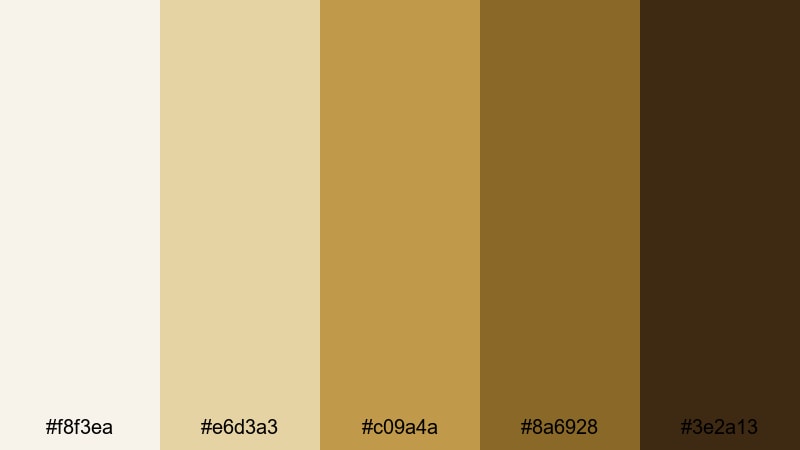
- HEX Codes: #f8f3ea, #e6d3a3, #c09a4a, #8a6928, #3e2a13
- Mood: Luxurious, polished, and red-carpet ready with a champagne glow.
- Use for: Ideal for event trailers, wedding films, and luxury brand intros with a refined touch.
Golden Gala Premiere mixes champagne highlights, burnished golds, and dark chocolate anchors for an unmistakably upscale look. It suggests formal events, premium products, and cinematic premieres.
Use the lighter shades as background fields for invitations, wedding titles, or event highlight reels, and contrast them with the dark brown (#3e2a13) for logos and monograms. In Filmora, this palette works beautifully with slow motion, lens flares, and elegant transitions, giving luxury brands or wedding filmmakers a cohesive Golden Brown identity.
Bronzed Champagne Titles
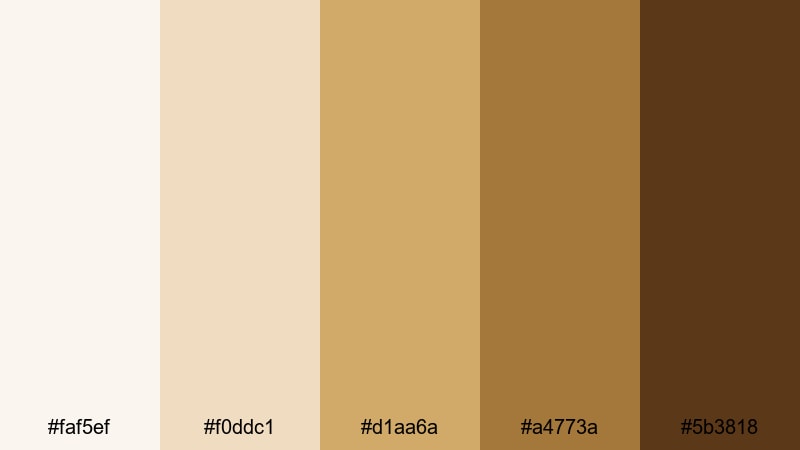
- HEX Codes: #faf5ef, #f0ddc1, #d1aa6a, #a4773a, #5b3818
- Mood: Sophisticated, celebratory, and subtly glamorous.
- Use for: Great for opening credits, product promos, and fashion lookbooks that need a high-end sheen.
Bronzed Champagne Titles softens Golden Brown into ivory, champagne bronze, and deep toffee tones. It feels refined, making it ideal for fashion, jewelry, and upscale product content.
Use the pale tones for clean, editorial backgrounds and reserve the bronzed midtones (#d1aa6a, #a4773a) for title text, accent lines, or animated shapes. The deepest brown (#5b3818) can act as a subtle frame or drop shadow color on YouTube thumbnails, creating contrast while keeping everything in the same warm, luxurious family.
Velvet Amber Brand
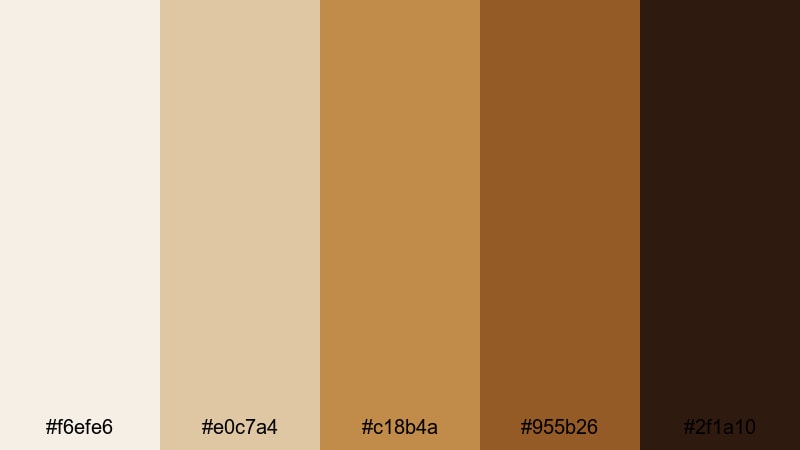
- HEX Codes: #f6efe6, #e0c7a4, #c18b4a, #955b26, #2f1a10
- Mood: Rich, velvety, and brand-forward with a timeless feel.
- Use for: Perfect for brand kits, logo stings, and channel identities that want warm luxury without loud colors.
Velvet Amber Brand pairs muted ivory and amber with velvety dark brown, resulting in a timeless, understated luxury palette. It is less shiny than champagne schemes and more grounded, which works well for long term branding.
Use this palette to design your channel banner, logo sting, and lower third templates. In Filmora, build a simple motion graphic intro using the lighter tones as the background and the darkest brown (#2f1a10) for typography. Once saved as a template, it becomes an easy Golden Brown signature for every video you publish.
Gilded Marble Opener
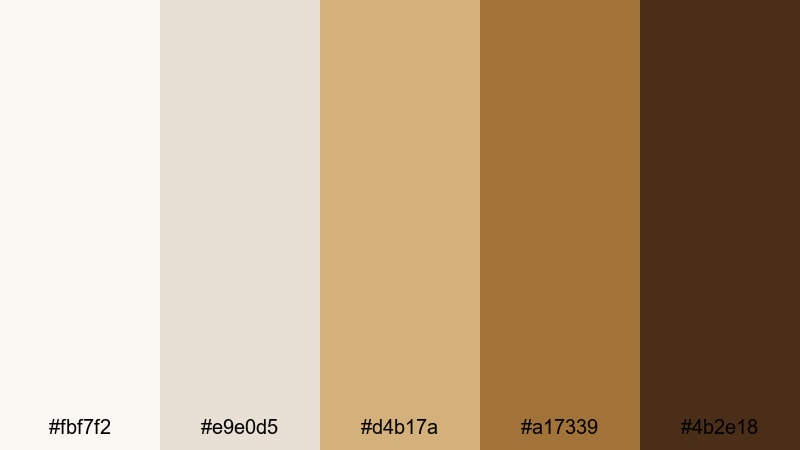
- HEX Codes: #fbf7f2, #e9e0d5, #d4b17a, #a17339, #4b2e18
- Mood: Modern luxe, calm, and editorial with a hint of drama.
- Use for: Use for cinematic openers, minimal product showcases, and slideshow titles with a gallery feel.
Gilded Marble Opener blends stone whites and marble taupes with gilded browns, echoing art galleries and curated showrooms. It feels modern and luxurious without being overly flashy.
Use the soft neutrals as the base for product shots, then pick out the gilded tones (#d4b17a, #a17339) for minimalist title cards and transitions. In Filmora slide shows or portfolio reels, this palette works especially well with clean typography and slow, graceful camera moves.
Earthy & Natural Golden Brown Color Palettes
Harvest Trail Journey
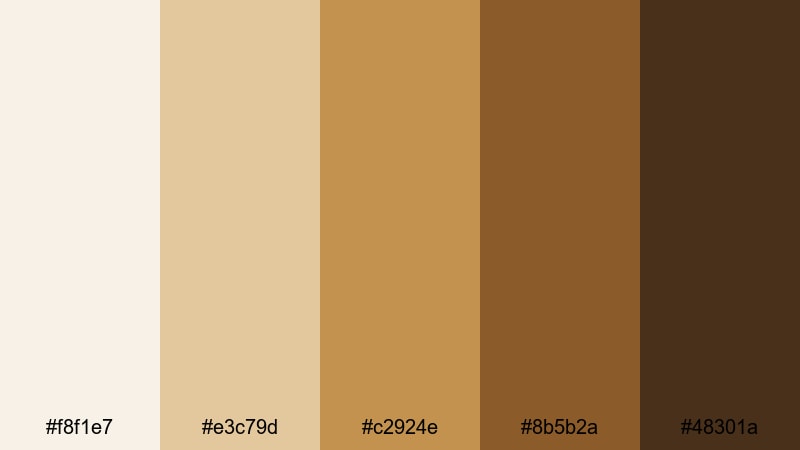
- HEX Codes: #f8f1e7, #e3c79d, #c2924e, #8b5b2a, #48301a
- Mood: Grounded, documentary-like, and rooted in the outdoors.
- Use for: Great for travel diaries, farm-to-table stories, and nature documentaries with an earthy tone.
Harvest Trail Journey captures late harvest afternoons with sunlit beige, straw gold, and soil browns. It feels honest and grounded, perfect when you want real life stories to feel warm but not overly stylized.
Use this palette to grade documentary and travel footage, then mirror the same HEX codes in your map graphics, lower thirds, and info cards. In Filmora, it works particularly well with handheld shots, slow pans, and simple titles that focus on the story rather than flashy effects.
Desert Dune Horizon
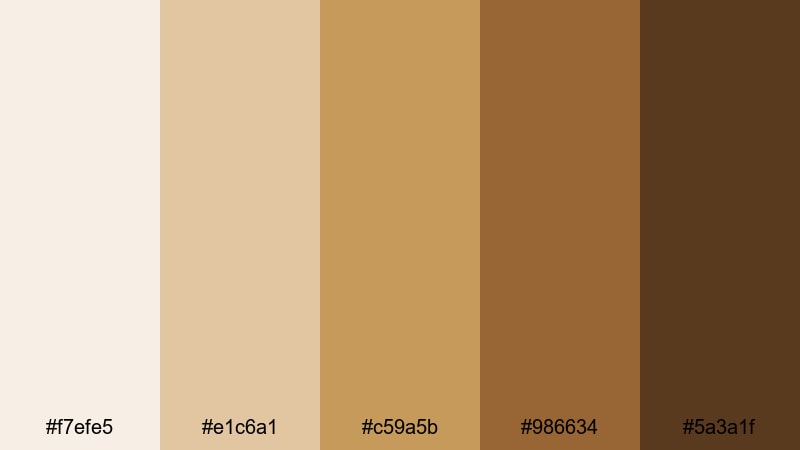
- HEX Codes: #f7efe5, #e1c6a1, #c59a5b, #986634, #5a3a1f
- Mood: Calm, expansive, and slightly cinematic with desert warmth.
- Use for: Ideal for travel vlogs, road trip sequences, and landscape b-roll with warm sand tones.
Desert Dune Horizon is built around soft sand, sun baked clay, and deep dune shadows. It gives your footage a calm, expansive feeling, even if you are not actually filming in a desert.
Use the lighter tones for gradient overlays and sky replacements, then bring in the deeper browns for silhouettes, typography, or frame lines. In Filmora, this palette suits drone shots, road trip montages, and landscape sequences where you want a subtle, cinematic Golden Brown warmth.
Rustic Cabin Retreat
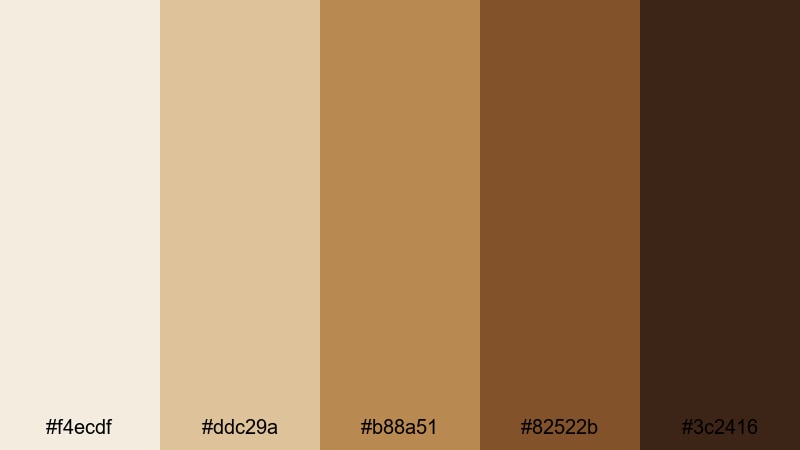
- HEX Codes: #f4ecdf, #ddc29a, #b88a51, #82522b, #3c2416
- Mood: Cozy, handcrafted, and slightly nostalgic like a forest getaway.
- Use for: Perfect for cabin vlogs, diy projects, and slow-living content with a rustic charm.
Rustic Cabin Retreat combines weathered woods, pine lit browns, and warm neutrals. The palette feels hand made and nostalgic, ideal for slow living and craft focused content.
Use the warm midtones (#b88a51, #82522b) as a base grade for your interior shots, and let the darkest shade (#3c2416) anchor text, frame borders, and logo stamps. In Filmora, adding a subtle vignette in this deep brown can further emphasize the cozy, intimate cabin feel.
Cedar Grove Documentary
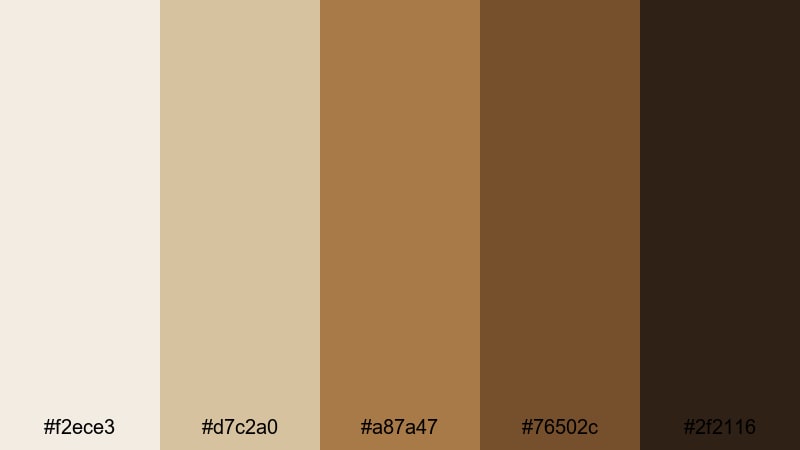
- HEX Codes: #f2ece3, #d7c2a0, #a87a47, #76502c, #2f2116
- Mood: Serious yet warm, ideal for grounded storytelling and documentaries.
- Use for: Use for documentary titles, educational videos, and brand stories needing trust and warmth.
Cedar Grove Documentary balances muted tans and cedar browns with soft off whites, giving your video a calm yet trustworthy tone. It is less romantic than other palettes and more neutral, which suits interviews and educational pieces.
Use the lightest shade (#f2ece3) for clean backgrounds behind text, charts, and lower thirds, and rely on the medium browns for bullet points, frames, and logo accents. In Filmora, this palette pairs well with steady compositions and simple transitions, putting the focus on the subject while maintaining a warm, approachable Golden Brown base.
Modern & Cinematic Golden Brown Color Palettes
Neo Noir Ember
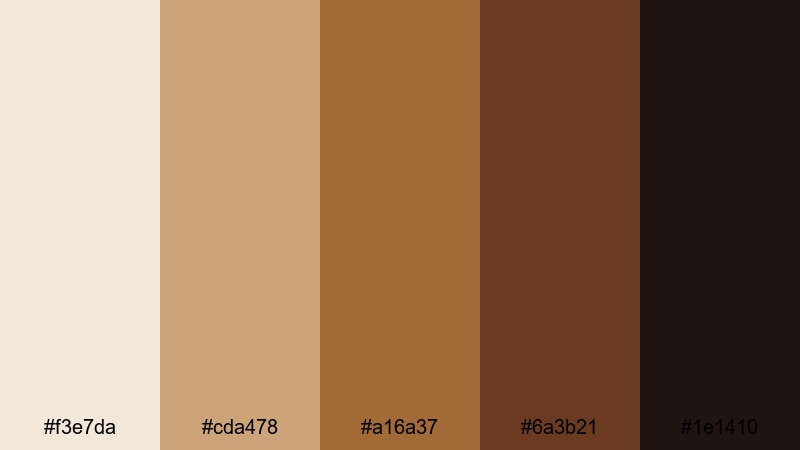
- HEX Codes: #f3e7da, #cda478, #a16a37, #6a3b21, #1e1410
- Mood: Moody, cinematic, and slightly edgy with ember accents.
- Use for: Great for short films, trailers, and music videos that blend warmth with shadowy drama.
Neo Noir Ember shifts Golden Brown into a moodier, more dramatic space. Soft beige lights and ember midtones contrast with inky browns, creating tension that feels perfect for narrative or music driven content.
Use the lighter tones as controlled highlights on faces and key props, while the darkest shade (#1e1410) defines your shadows, borders, and title cards. In Filmora, combine this palette with bold contrast, slow motion, and sound design to give your short films and trailers a modern neo noir edge.
Urban Roast Aesthetic
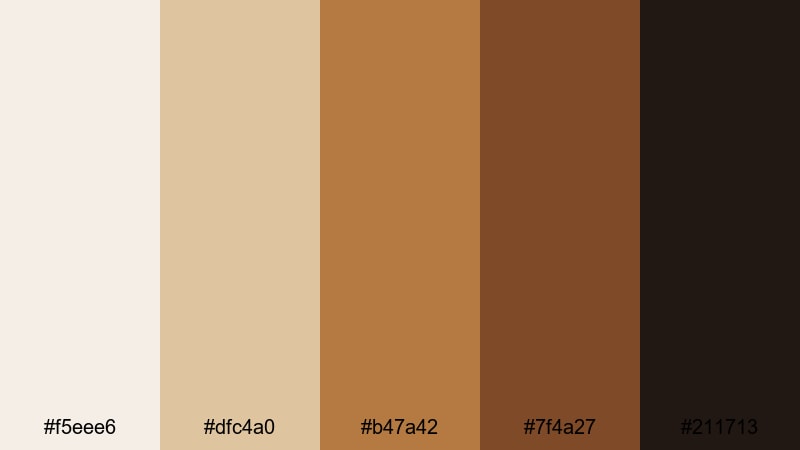
- HEX Codes: #f5eee6, #dfc4a0, #b47a42, #7f4a27, #211713
- Mood: Trendy, urban, and coffeehouse-cool with a modern edge.
- Use for: Ideal for city vlogs, cafe b-roll, and aesthetic reels with a curated, Instagram-ready look.
Urban Roast Aesthetic channels stylish city cafes with creamy walls, latte browns, and deep roast accents. It is warm and modern, making everyday city scenes feel curated and intentional.
Use this palette to color grade street footage, indoor cafes, and apartment interiors, then reuse the HEX codes in your text overlays, stickers, and social templates. In Filmora, pairing this palette with gentle zooms, split screens, and minimalistic titles will help you build a consistent aesthetic reel or vlog series.
Cinematic Sepia Frame
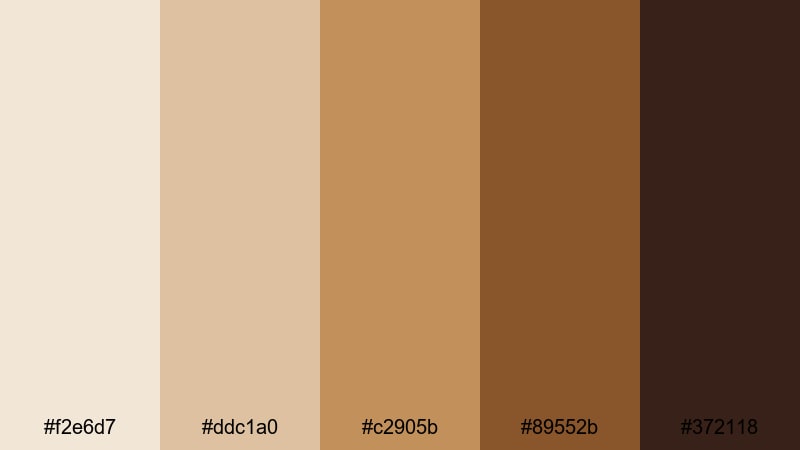
- HEX Codes: #f2e6d7, #ddc1a0, #c2905b, #89552b, #372118
- Mood: Nostalgic, filmic, and softly dramatic like modern sepia grading.
- Use for: Perfect for travel montages, memory sequences, and retro-inspired edits in Filmora.
Cinematic Sepia Frame echoes classic film stills, using dusty creams, sepia golds, and rich cocoa tones. It brings a gentle, vintage mood that works well for memory sequences and reflective travel edits.
Use the lighter tones for faded backgrounds or photo style frames, while the deeper browns sit nicely on text, borders, and transition cards. In Filmora, you can combine this palette with film grain, vignette effects, and gentle blur transitions to build a nostalgic Golden Brown storytelling style.
Tips for Creating Golden Brown Color Palettes
Golden Brown works across many styles, from cozy vlogs to luxury brands. When you build or customize your own palettes for video and design, keep these practical tips in mind so your visuals look polished and intentional.
- Always choose a clear hierarchy of tones: one light highlight color, two or three midtones, and one deep anchor brown for text and accents.
- Check readability by testing your text colors over both the lightest and darkest hues in your palette; adjust brightness or saturation if contrast is too low.
- Pair Golden Brown with a small amount of cool contrast (soft blues or muted greens) in footage to avoid an overly orange or muddy look.
- Keep branding consistent by reusing the same HEX codes in your logo, thumbnails, end screens, and channel banners, not just your color grade.
- In Filmora, use adjustment layers with your Golden Brown grade so you can tweak the palette once and affect an entire sequence at the same time.
- Match your palette to your content type: lighter caramel schemes for lifestyle and beauty, deeper embers and dark browns for cinematic or narrative work.
- Test your palette on mobile: export a frame or thumbnail and view it on a phone to make sure important details and call to actions remain visible.
- Create reusable presets in Filmora for LUTs, titles, and color blocks based on your chosen palette so every new video automatically fits your Golden Brown aesthetic.
Golden Brown color palettes are a powerful way to set mood, express personality, and build a recognizable visual identity. From cozy morning vlogs and rustic travel stories to polished event trailers, the right blend of creams, ambers, and deep browns can hold your entire brand together.
Use these 15 palettes and HEX codes as ready made starting points, then refine them in Filmora to match your footage, niche, and storytelling style. Once you lock in your favorite Golden Brown look, save it as a repeatable preset so every thumbnail, intro, and social cut feels like part of the same world.
Experiment, iterate, and do a few side by side tests to see which palette fits your channel or project best. With Filmora's grading tools, filters, and LUTs, it is easy to turn a single Golden Brown idea into a consistent aesthetic across all your content.
secure downloadNext: Candy Pink Color Palette
