

 100% Security Verified | No Subscription Required | No Malware


 ChatGPT
 Perplexity
 Gemini
 Claude
 Grok
Grok
Gray brown sits between warm earth tones and cool neutrals, which makes it quietly powerful in visual storytelling. It feels stable, professional, and grounded, but still soft enough for lifestyle, beauty, tech, or cinematic content. In color psychology, gray brown often suggests calm focus, authenticity, and understated luxury, which is perfect when you want your audience to relax into your story instead of being distracted by loud colors.
For video creators, designers, and brand owners, gray brown works beautifully in YouTube thumbnails, channel banners, intros, lower thirds, and even full color grades. Below you will find 15 curated gray brown color palettes with HEX codes, tailored for Filmora users and other creators who want consistent, aesthetic visuals across vlogs, tutorials, cinematic edits, and branding assets.
In this article
Soft & Minimal Gray Brown Color Palettes
Morning Fog Workspace
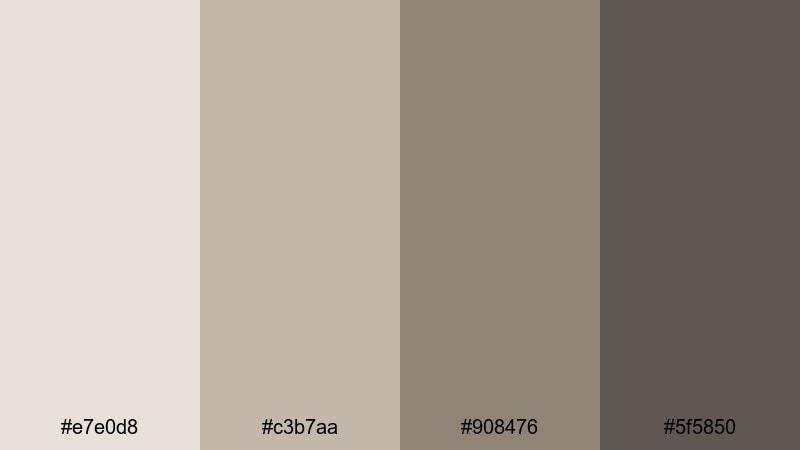
- HEX Codes: #e7e0d8, #c3b7aa, #908476, #5f5850
- Mood: calm, focused, and lightly desaturated for minimal setups
- Use for: Works well for productivity vlog backgrounds, clean tutorial slides, and subtle title cards.
A soft blend of misty grays and warm browns, Morning Fog Workspace feels organized, quiet, and distraction free. The pale base tones keep your frame bright, while the deeper gray brown anchors create enough contrast for text, icons, or UI overlays.
This palette is ideal for minimalist channels, tech explainers, and workspace reels where you want your ideas and on screen text to stand out without harsh contrast. Use the lighter shades on backgrounds and slide canvases, then reserve the darker gray browns for titles, buttons, and YouTube thumbnail typography so everything stays cohesive across your channel branding.
Pro Tip: Build a Calm Gray Brown Edit in Filmora
With a subtle palette like Morning Fog Workspace, consistency matters more than intensity. In Filmora, you can apply the same soft gray brown tone to your B roll, intros, and outro screens so viewers feel the same calm mood from start to finish. Try building a simple style guide: one HEX value for titles, one for accents, and one for background blocks, then repeat these choices across your entire edit.
You can also save custom presets for titles, lower thirds, and background shapes, each using this gray brown scheme. That way, every new productivity vlog, study with me session, or tutorial automatically matches your established look without rebuilding your colors from scratch.
AI Color Palette
If you already designed a Morning Fog Workspace mood board or have a reference photo of your desk, Filmora's AI Color Palette feature can translate that look directly into your footage. Import your reference image, let Filmora analyze the gray brown tones, and then apply that palette across multiple clips in one go.
This is especially helpful for channels that mix different cameras or lighting setups. AI Color Palette smooths out small differences between shots, keeping your thumbnails, A roll, and B roll within the same calm gray brown range.
 secure download

HSL, Color Wheels & Curves
To perfect a muted gray brown look, use Filmora's HSL sliders, color wheels, and curves to gently shift saturation and contrast. Start by lowering saturation on warm tones, then nudge the midtones toward taupe so skin tones stay natural while your background leans into the gray brown range. Curves can lift shadows slightly for that soft workspace feel without making the image look flat.
For more control over cinematic color, combine the color wheels for shadows, midtones, and highlights with a subtle S curve. This approach, similar to techniques in Filmora's color correction tutorials, keeps your image neutral yet polished for modern productivity content.
secure download1000+ Video Filters & 3D LUTs
Once your base colors are in place, Filmora's video filters and 3D LUTs make it easy to add subtle character to your gray brown palette. Choose soft cinematic filters that keep contrast gentle, or apply a neutral LUT and then tweak it to favor warm browns and cool grays.
For thumbnails and intros, you can stack filters lightly to create a signature gray brown look that your audience will recognize instantly. Save these combinations as presets, so any future edit keeps the same polished, minimal aesthetic with just a couple of clicks.
secure downloadDusty Studio Light
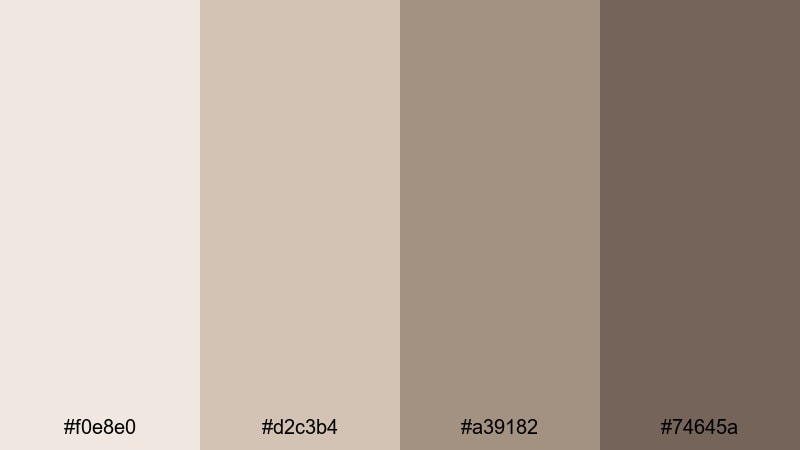
- HEX Codes: #f0e8e0, #d2c3b4, #a39182, #74645a
- Mood: gentle, airy, and artistic
- Use for: Works well for creator intro cards, soft lifestyle b roll, and subtle lower thirds.
Dusty Studio Light is full of pale studio neutrals balanced by a gentle gray brown base. It feels like a sunlit creative loft: light, breathable, and slightly powdery. The deeper brown gives you enough depth for text and icons without breaking the soft mood.
Use this palette for lifestyle vlogs, stationery shots, art desk scenes, and creator intro cards. The lighter tones make excellent backgrounds for YouTube thumbnails and title screens, while the mid gray browns work for branding elements, channel logos, or overlay frames in Filmora.
Clouded Latte Tones
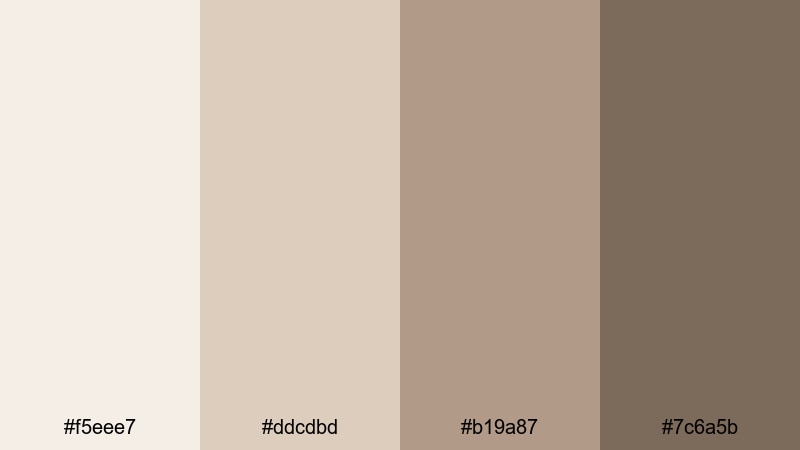
- HEX Codes: #f5eee7, #ddcdbd, #b19a87, #7c6a5b
- Mood: warm, cozy, and relaxed
- Use for: Works well for coffee shop vlogs, podcast cover art, and soft typography overlays.
Clouded Latte Tones leans into cream and latte hues grounded by soft gray brown shadows. It feels like a slow morning in a favorite cafe: warm, inviting, and perfect for long form storytelling.
Apply the light creams as backgrounds for captions and end screens, then use the darker gray brown for titles, timestamps, or notification-style elements. This palette fits coffee shop vlogs, podcast cover art, gentle lower thirds, and storytelling intros where you want warmth without strong saturation.
Muted City Morning
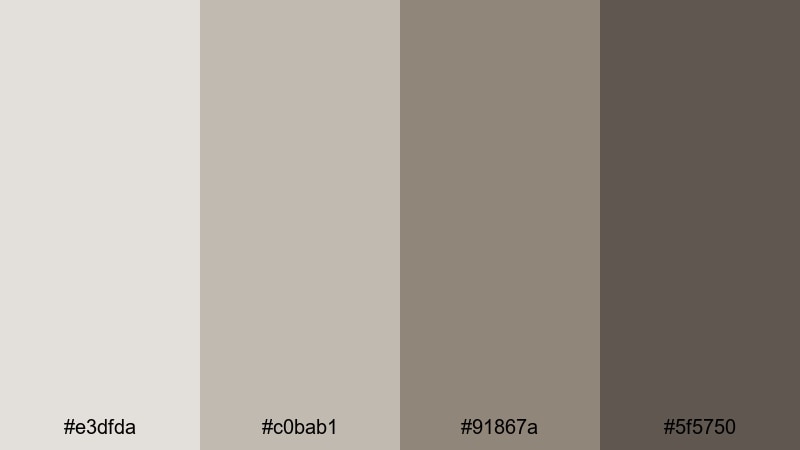
- HEX Codes: #e3dfda, #c0bab1, #91867a, #5f5750
- Mood: quiet, urban, and reflective
- Use for: Works well for urban b roll sequences, minimalist title frames, and documentary style intros.
Muted City Morning mixes soft concrete grays with warm brown undertones, capturing the feel of a quiet city at dawn. It is subdued and reflective, great for narrative content where you want the story, not the color, to speak the loudest.
Use the midtones for lower thirds and subtitles over street footage, and keep your title frames in the lighter gray beige range. This palette works for travel diaries, reflective voiceover pieces, and minimalist documentary intros where a neutral gray brown base keeps attention on faces and motion.
Cinematic Moody Gray Brown Color Palettes
Noir Coffee Street
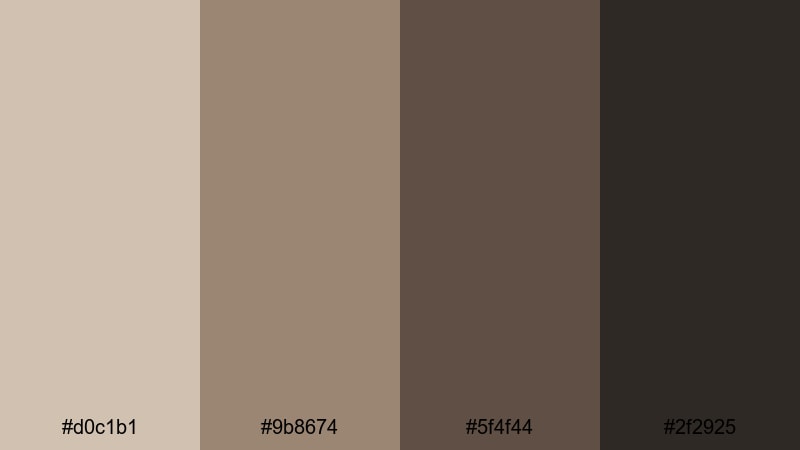
- HEX Codes: #d0c1b1, #9b8674, #5f4f44, #2f2925
- Mood: moody, cinematic, and slightly gritty
- Use for: Works well for night city sequences, dramatic thumbnails, and short film grading references.
Noir Coffee Street layers dark espresso browns with smoky grays to build a noir city atmosphere. The deep near black brown gives your footage a strong cinematic base, while the lighter taupes help preserve detail in highlights.
Use this palette when grading night city sequences, street photography edits, or short films. The darker tones are perfect for dramatic YouTube thumbnails and title cards, while mid grays work for subtle logo reveals and opening sequences that feel polished and filmic.
Rain On Old Concrete
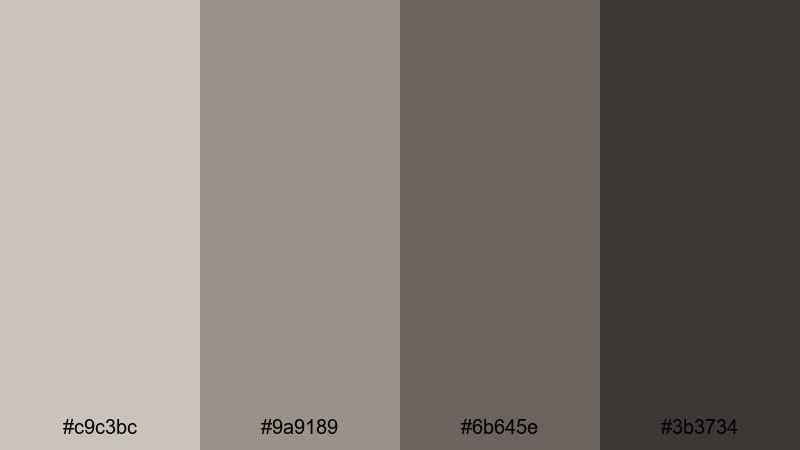
- HEX Codes: #c9c3bc, #9a9189, #6b645e, #3b3734
- Mood: melancholic, introspective, and grounded
- Use for: Works well for rainy day montages, emotional music videos, and reflective travel edits.
Rain On Old Concrete blends weathered concrete grays with muted brown shadows, delivering a rainy, cinematic mood. The palette feels introspective and grounded, ideal for slower edits and emotional storytelling.
Use the mid grays as the main grade for rainy streets or indoor window shots, then deepen the shadows with the darker browns to add drama. This palette suits reflective travel edits, emotional music videos, and simple text plates that act as chapter markers in your Filmora timeline.
Smoked Timber Frames
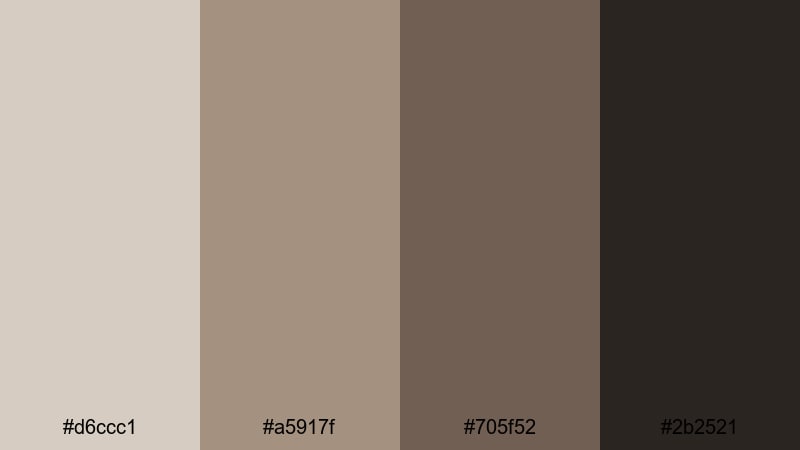
- HEX Codes: #d6ccc1, #a5917f, #705f52, #2b2521
- Mood: earthy, dramatic, and filmic
- Use for: Works well for narrative shorts, outdoor gear promos, and rustic logo stings.
Smoked Timber Frames pairs charred wood browns with cool grays for an earthy yet dramatic feel. The palette suggests forests, cabins, and worn leather, making it a natural fit for rugged outdoor storytelling.
Use it to grade nature documentaries, hiking edits, or brand films for outdoor gear. The darkest shade works well as a background for logo stings or end screens, while the mid browns can frame callouts, infographics, or product highlights in your videos.
Twilight Editing Suite
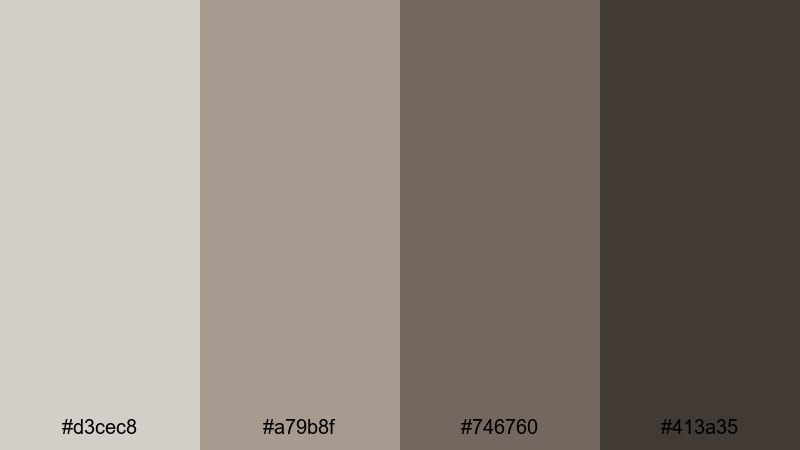
- HEX Codes: #d3cec8, #a79b8f, #746760, #413a35
- Mood: focused, cinematic, and slightly tense
- Use for: Works well for tech reviews, editing tutorials, and moody background frames in livestream layouts.
Twilight Editing Suite echoes the feel of an editing room at night, with dusky grays and studio browns. It has a focused, slightly tense mood that fits well with behind the scenes, tech, and workflow content.
Use the lighter grays for background panels in tutorial overlays or stream layouts, reserving the darker tones for code windows, timelines, and title banners. This palette also works for tech reviews where you want a neutral but cinematic base for b roll shots of gear and screens.
Modern Neutral Gray Brown Color Palettes
Urban Loft Branding
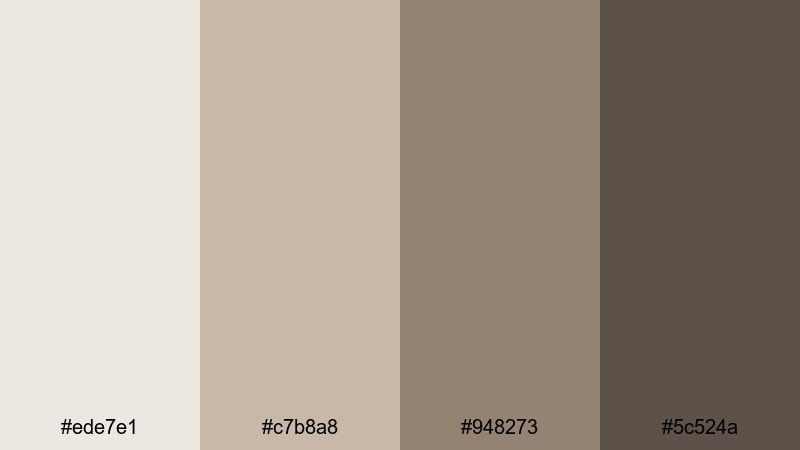
- HEX Codes: #ede7e1, #c7b8a8, #948273, #5c524a
- Mood: modern, stylish, and versatile
- Use for: Works well for brand intro animations, portfolio reels, and minimalist logo reveals.
Urban Loft Branding captures the look of a contemporary studio with warm gray browns and soft off whites. It feels polished, professional, and adaptable across many niches from design portfolios to personal brands.
Use the lightest tones for clean backgrounds in intro animations and slides, then let the mid gray browns carry core branding elements: logos, name cards, and section titles. This palette is strong for channel design systems where you want both thumbnails and in video graphics to share a consistent, modern neutral look.
Polished Stone Interface
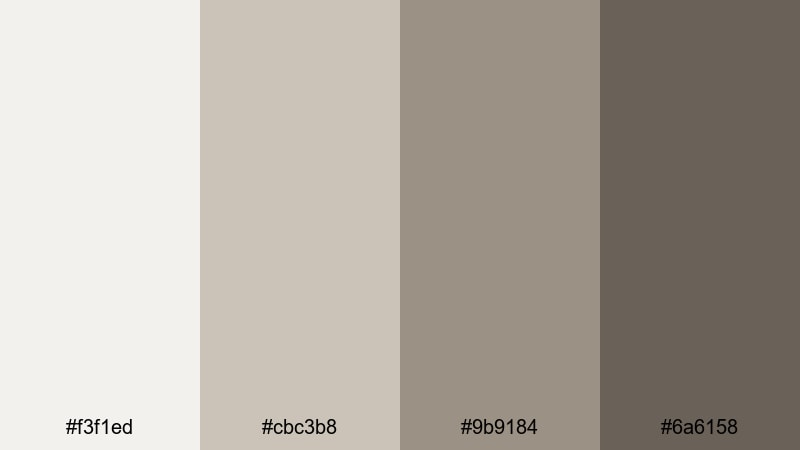
- HEX Codes: #f3f1ed, #cbc3b8, #9b9184, #6a6158
- Mood: clean, confident, and tech friendly
- Use for: Works well for app previews, UI mockups, and explainer video backgrounds.
Polished Stone Interface uses smooth stone grays and taupe browns to create a sleek, digital ready palette. It feels like a premium app UI: minimal, intentional, and easy to read.
Use it as a base for UI mockups, software demos, and product walkthroughs in Filmora. The lighter shades keep interfaces bright and legible, while the darker gray browns can highlight buttons, tooltips, or code snippets in your explainer videos and tutorial overlays.
Clean Tech Desk
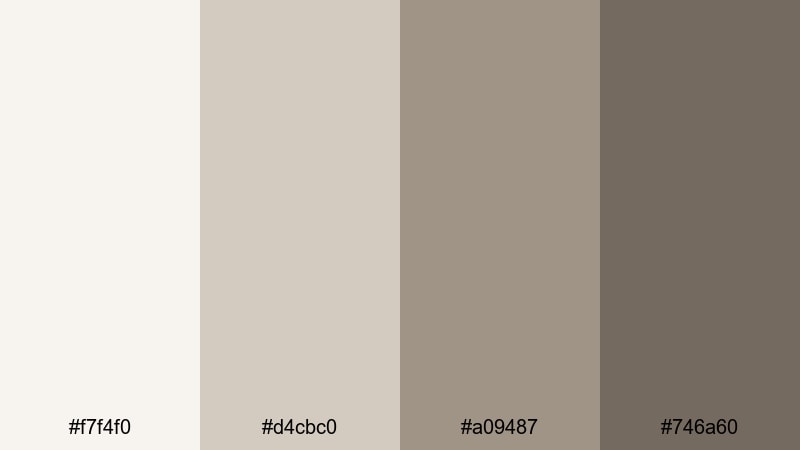
- HEX Codes: #f7f4f0, #d4cbc0, #a09487, #746a60
- Mood: light, efficient, and contemporary
- Use for: Works well for productivity content, study with me videos, and subtle lower thirds.
Clean Tech Desk combines light neutrals with grounded gray browns to make screens and text pop without harsh contrast. It is bright enough for desk setups and keyboard shots, but still soft enough for long viewing sessions.
Use the brightest shade for background blocks behind text and chapter markers, while the mid tones handle headings and infographics. This palette suits productivity vlogs, study with me timelapses, and educational content where clarity and readability are key.
Slide Deck Neutral Beat
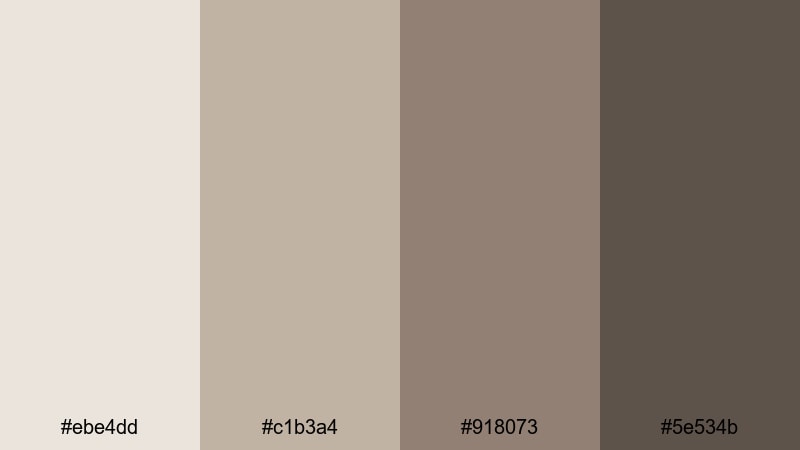
- HEX Codes: #ebe4dd, #c1b3a4, #918073, #5e534b
- Mood: professional, balanced, and presentation ready
- Use for: Works well for pitch decks, webinar graphics, and corporate explainer videos.
Slide Deck Neutral Beat offers balanced gray brown tones that stay neutral on most screens. It is designed for presentations and business content where charts, numbers, and text must stay legible.
Use the lighter shades as base slides in your deck style videos and webinar layouts, with the darker gray browns for headers, icons, and emphasis bars. This palette also works for LinkedIn style video posts and corporate explainers made in Filmora, giving your content a consistent, professional finish.
Cozy Vintage Gray Brown Color Palettes
Sepia Storytime
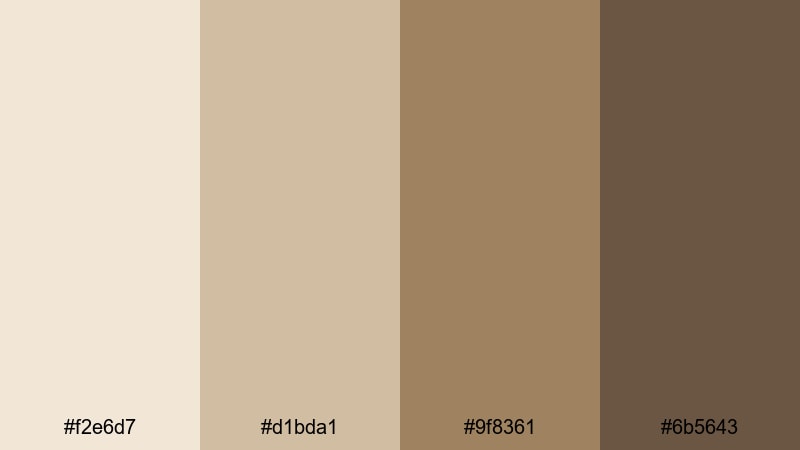
- HEX Codes: #f2e6d7, #d1bda1, #9f8361, #6b5643
- Mood: nostalgic, warm, and storytelling focused
- Use for: Works well for memoir style vlogs, booktube intros, and heritage brand visuals.
Sepia Storytime mixes soft sepia creams with storybook browns to create a nostalgic, filmic vibe. It instantly suggests old photos, printed pages, and warm light.
Use this palette for memoir vlogs, booktube intros, heritage brand stories, or any video that leans into memory and reflection. The lighter tones work well for handwritten style titles and chapter cards, while the deeper browns frame photos, overlays, or quote screens inside your Filmora projects.
Old Film Attic
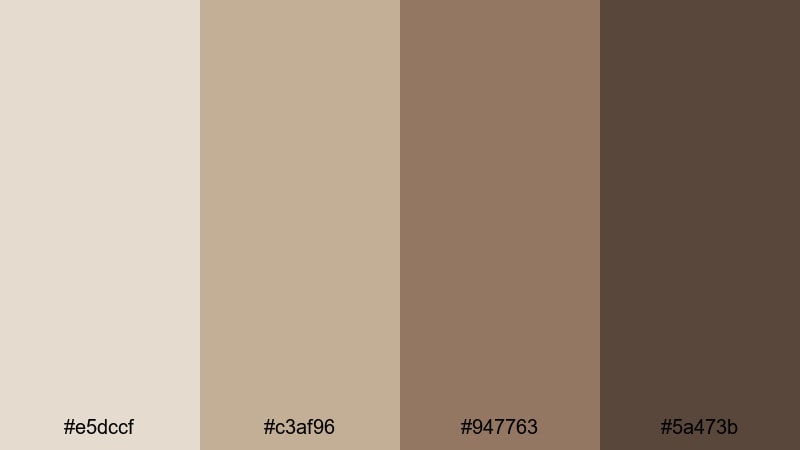
- HEX Codes: #e5dccf, #c3af96, #947763, #5a473b
- Mood: vintage, intimate, and a bit dusty
- Use for: Works well for archive style edits, retro title cards, and old photo animations.
Old Film Attic blends dusty grays with archival browns to mimic aged film stocks and attic boxes. The palette feels intimate and slightly worn, great for stories that dig into history or family archives.
Use it for retro title cards, old photo animations, and documentary segments that cut between present day footage and archival material. In Filmora, you can combine this palette with film grain overlays to enhance the illusion of age while keeping your gray brown tones consistent.
Faded Travel Journal
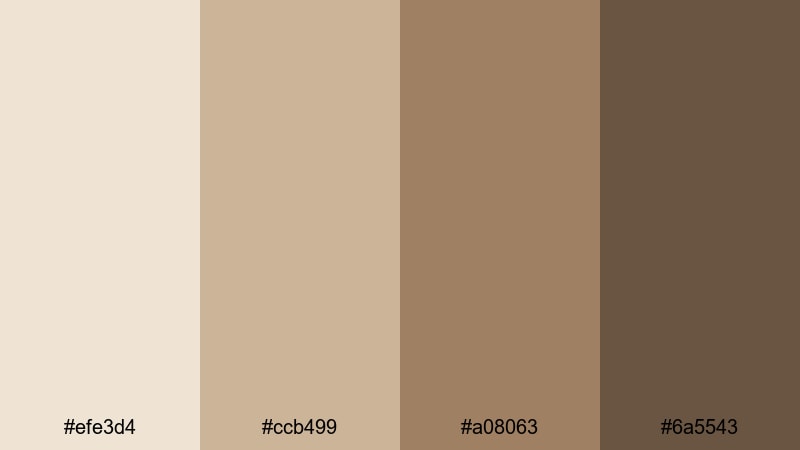
- HEX Codes: #efe3d4, #ccb499, #a08063, #6a5543
- Mood: wanderlust, sentimental, and softly worn
- Use for: Works well for travel montages, map overlays, and handwritten title sequences.
Faded Travel Journal uses warm parchment tones and travel worn browns to evoke an old notebook full of tickets and sketches. It feels both adventurous and sentimental, like looking back on journeys from a cozy chair.
Use the lighter shades for map overlays, date stamps, and title cards, then add the deeper browns for frames around photos or clips. This palette works well for travel recaps, diary style edits, and slideshow style videos where images fade in over soft gray brown backdrops.
Tips for Creating Gray Brown Color Palettes
Gray brown is versatile, but getting the right balance of warmth, contrast, and readability is key when you use it for video and design. Here are practical tips to build and apply gray brown palettes effectively in Filmora and beyond.
- Pair gray brown with one accent color only (for example, muted teal or soft blush) to keep your branding clean and recognizable.
- Always test text contrast: place your darkest gray brown against your lightest neutral and check readability on both desktop and mobile screens.
- Use warmer gray browns for lifestyle, beauty, and storytelling content, and cooler gray browns for tech, productivity, and documentary style videos.
- Match your grade to real world objects in frame, such as wood, coffee, or stone, so the gray brown palette feels integrated instead of artificial.
- In Filmora, save your favorite color values as custom presets for titles, shapes, and overlays so every new project starts with on brand gray brown tones.
- Keep skin tones natural by adjusting gray brown mainly in backgrounds and midtones, avoiding heavy shifts in reds and oranges.
- When designing thumbnails, use gray brown for background and frames, then let your subject or product provide the brightest highlight in the image.
- Create a simple style guide that lists HEX codes, usage (background, text, accents), and examples of frames or slides to keep collaborators consistent.
Gray brown color palettes can quietly shape the mood of your videos, from calm work sessions to moody night city stories and nostalgic travel recaps. Because these tones sit between warm and cool, they adapt easily to many niches while giving your brand a stable, recognizable visual identity.
Use the 15 palettes above as ready made starting points: plug the HEX codes into your titles, overlays, and Filmora color tools, then adjust for your own footage and lighting. Over time, a consistent gray brown look across thumbnails, intros, B roll, and social cutdowns will make your channel feel more intentional and cinematic.
Open Filmora, pick one palette that fits your next project, and start experimenting with grading, graphics, and filters. A subtle, well planned gray brown aesthetic can be the thread that ties all your creative work together.
secure download