

 100% Security Verified | No Subscription Required | No Malware


 ChatGPT
 Perplexity
 Gemini
 Claude
 Grok
Grok
Gray tan sits between cool gray and warm beige, which makes it one of the most versatile neutrals for visual storytelling. It feels calm, grounded, and sophisticated, so it works beautifully for cinematic vlogs, lifestyle channels, minimalist intros, and clean branding. Because it does not shout for attention, gray tan lets your subject, story, and text overlays stay center stage.
For video creators, designers, and Filmora users, gray tan color palettes are especially useful for YouTube thumbnails, channel banners, intro animations, lower thirds, and subtle color grades that tie a whole project together. Below are 15 gray tan color palettes with HEX codes you can copy directly into your designs, presets, and Filmora projects to build a consistent, aesthetic look.
In this article
Soft & Minimal Gray Tan Color Palettes
Muted Studio Loft
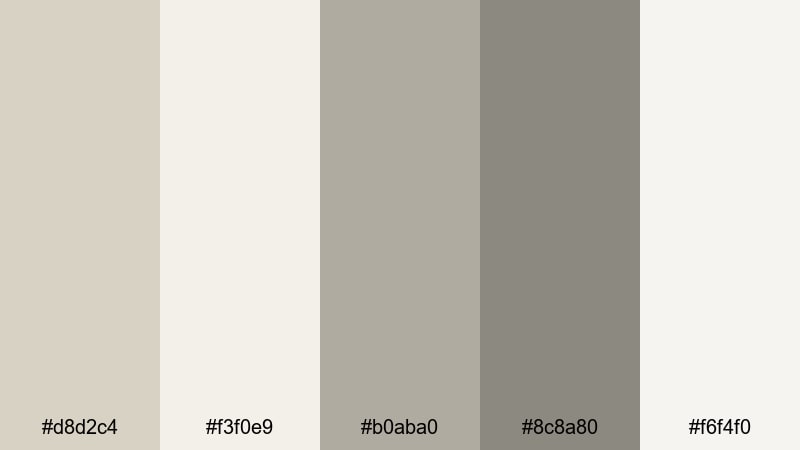
- HEX Codes: #d8d2c4, #f3f0e9, #b0aba0, #8c8a80, #f6f4f0
- Mood: Calm, airy, and understated with a creative studio feel.
- Use for: Perfect for clean vlog setups, minimalist b-roll sequences, and text overlays in productivity or study videos.
Muted Studio Loft feels like soft daylight on concrete floors and canvas backdrops. The mix of pale gray tan, warm off-whites, and gentle midtones gives your frame a quiet, curated energy that never distracts. It is ideal for channels that lean into slow living, design, or creative work sessions.
Use it for neutral YouTube thumbnails, lower thirds, and intro screens where you want text to pop but the background to stay subtle. In Filmora, this palette works beautifully with simple shapes, motion graphics, and overlay titles for study-with-me videos, workspace tours, or portfolio reels.
Pro Tip: Build a Soft Gray Tan Aesthetic in Filmora
To keep a soft gray tan aesthetic consistent from intro to end screen, keep your backgrounds, titles, and overlays inside this palette. In Filmora, you can sample exact HEX codes for your text, shapes, and graphic elements so every lower third, chapter card, and thumbnail frame feels like it belongs to the same studio loft world.
Combine these tones with simple transitions and gentle zooms, and your vlog will feel cohesive even if you shoot across different rooms or days. The muted colors act as visual glue, tying A-roll, B-roll, and social cutdowns into one recognizable style.
AI Color Palette
If you have a reference image that nails this Muted Studio Loft vibe, you can use Filmora's AI Color Palette feature to transfer that look to all your clips. The tool analyzes the colors in your chosen frame or photo, then applies a matching palette to the rest of your timeline.
This is perfect when your footage comes from mixed cameras or light conditions. Instead of grading each shot from scratch, you build a single soft gray tan reference, then let AI match the rest so every scene shares the same calm, airy feel.
 secure download

HSL, Color Wheels & Curves
Once your base palette is in place, you can fine-tune the gray tan tones with HSL, color wheels, and curves in Filmora. Slightly lifting the shadows and softening contrast will keep everything light and breathable, while a mild warm tint in the midtones adds a cozy studio feel without pushing into orange.
Use the advanced color correction tools in Filmora to pull any green or blue cast out of your neutrals so whites stay creamy and tans look intentional, not muddy. Tiny adjustments in the curves panel can make highlights feel more like soft window light, which is perfect for desk setups and aesthetic B-roll.
secure download1000+ Video Filters & 3D LUTs
If you want to move faster, Filmora's video filters and 3D LUTs make it easy to apply a soft gray tan style in one click. Start with a neutral or cinematic LUT, then gently adjust opacity so your footage keeps that loft-like softness without losing natural skin tones.
You can stack filters to add a hint of haze, bloom, or film grain over your gray tan base. This is a quick way to create a signature look for your channel intro, YouTube Shorts, and Reels while keeping the same core palette across every format.
secure downloadCalm Morning Edit
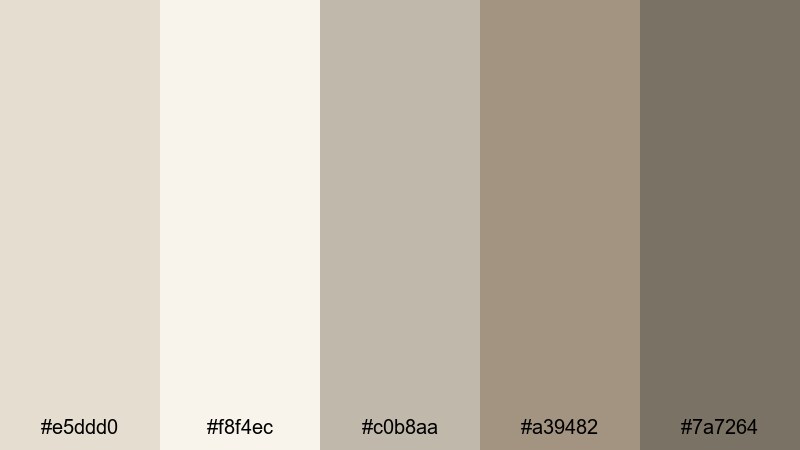
- HEX Codes: #e5ddd0, #f8f4ec, #c0b8aa, #a39482, #7a7264
- Mood: Serene and slow-paced, like a gentle morning routine.
- Use for: Great for lifestyle vlogs, morning routine edits, and muted thumbnail backgrounds that feel cozy but uncluttered.
Calm Morning Edit brings in cozy beige grays, creamy whites, and a soft coffee-colored accent that feels like quiet sunlight on your breakfast table. It is warm without being heavy, which makes it perfect for routines, skincare, journaling, and any content that should feel slow and unhurried.
Use the deeper gray tan shade for text or icons on thumbnails and the lighter tones as background blocks or overlays in Filmora. This palette helps keep your branding neutral and approachable, especially for channels focused on wellness, productivity, or mindful living.
Foggy Window Light
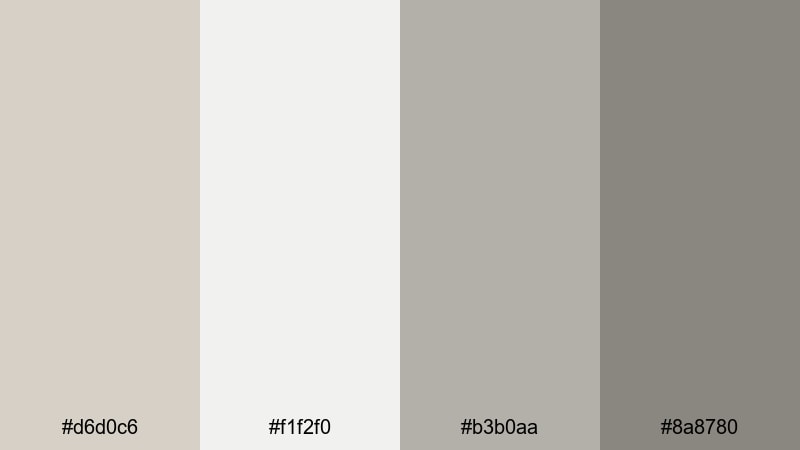
- HEX Codes: #d6d0c6, #f1f2f0, #b3b0aa, #8a8780
- Mood: Quiet, introspective, and slightly moody like a foggy day.
- Use for: Use in cinematic talking-head shots, reflective storytelling, or overlays for lo-fi music videos and podcasts.
Foggy Window Light leans cooler, with misty whites and soft gray tan midtones that feel introspective and cinematic. It captures the mood of looking out at a rainy street or early morning mist, giving your content a contemplative, emotional edge.
It works especially well for moody vlogs, voiceover storytelling, or podcast visuals where you want depth without harsh contrast. Apply these tones to your background cards, waveform visuals, and title sequences in Filmora to keep everything cohesive while still feeling atmospheric.
Soft Paper Texture
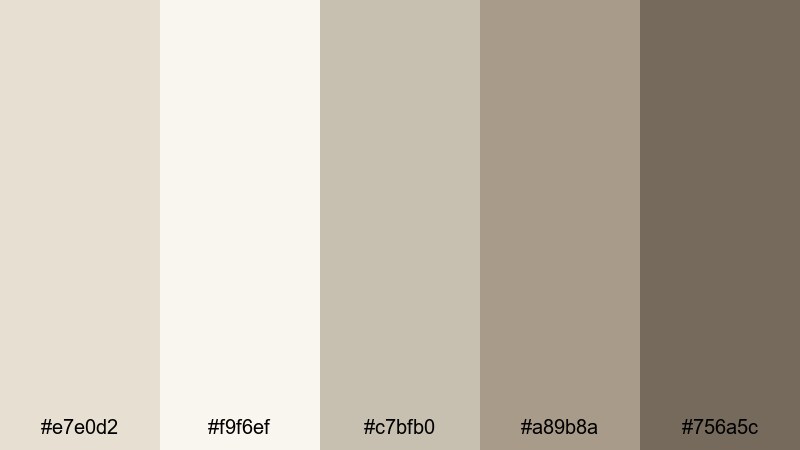
- HEX Codes: #e7e0d2, #f9f6ef, #c7bfb0, #a89b8a, #756a5c
- Mood: Gentle, tactile, and editorial like handcrafted stationery.
- Use for: Works well for title cards, lower thirds, and channel branding that leans into analog, sketchbook, or journal themes.
Soft Paper Texture blends creamy neutrals and soft gray tan browns that feel like aged paper and ink. The palette has a subtle, tactile quality, making digital layouts feel more analog and handcrafted.
Use the lighter tones for backgrounds, and the deeper brown for handwritten-style titles or doodle graphics in Filmora. It is ideal for study channels, bullet journaling content, stationery hauls, or any aesthetic that mixes notebooks, pens, and quiet creativity.
Quiet Workspace Glow
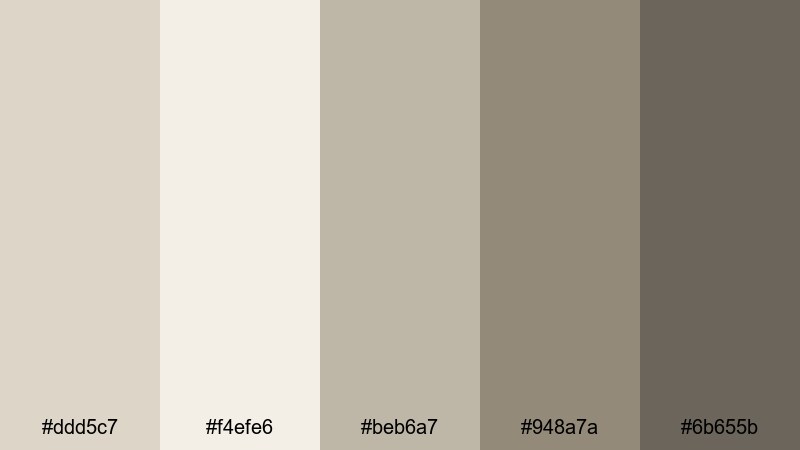
- HEX Codes: #ddd5c7, #f4efe6, #beb6a7, #948a7a, #6b655b
- Mood: Focused, tidy, and softly illuminated like a curated desk setup.
- Use for: Ideal for productivity channels, workspace tours, and UI-style overlays in software tutorials.
Quiet Workspace Glow balances warm grays, tan midtones, and a slightly deeper anchor shade that suggests a clean, focused desk. It is visually calm, which is great for long-form videos where viewers stay for an hour or more.
Use the darker tone for menu bars, screen-recording frames, or UI-style overlays in Filmora. The softer shades make great backdrops for callouts, keyboard shortcuts, and tutorial steps so everything is clear without feeling loud or distracting.
Warm & Cozy Gray Tan Color Palettes
Candlelit Latte
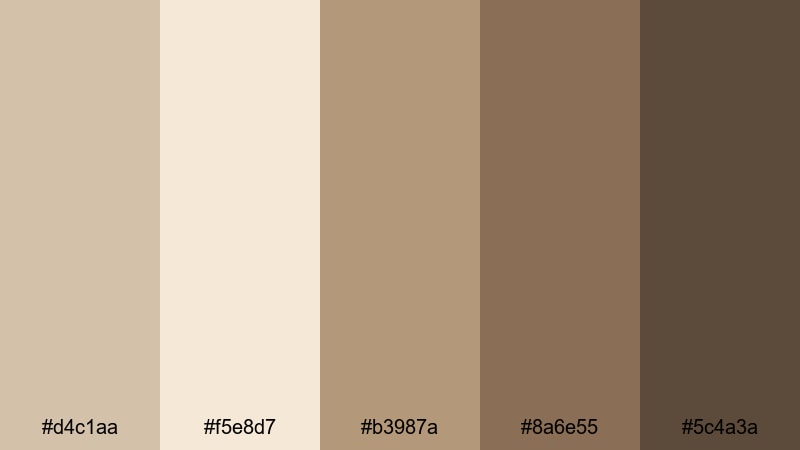
- HEX Codes: #d4c1aa, #f5e8d7, #b3987a, #8a6e55, #5c4a3a
- Mood: Warm, intimate, and comforting like a coffee shop at dusk.
- Use for: Perfect for cozy vlogmas episodes, recipe videos, and storytelling content with a warm, cinematic grade.
Candlelit Latte mixes gray tan with latte browns and candle-flame shadows, creating an enveloping sense of warmth. It feels like fairy lights, soft blankets, and steaming mugs, making viewers want to stay and listen.
Use the lighter beige as thumbnail backgrounds, the medium browns for text and icons, and the darkest tone for borders or drop shadows in Filmora. It is a strong choice for seasonal vlogs, holiday series, and intimate storytelling where you want every frame to feel like a gentle hug.
Autumn Storytime
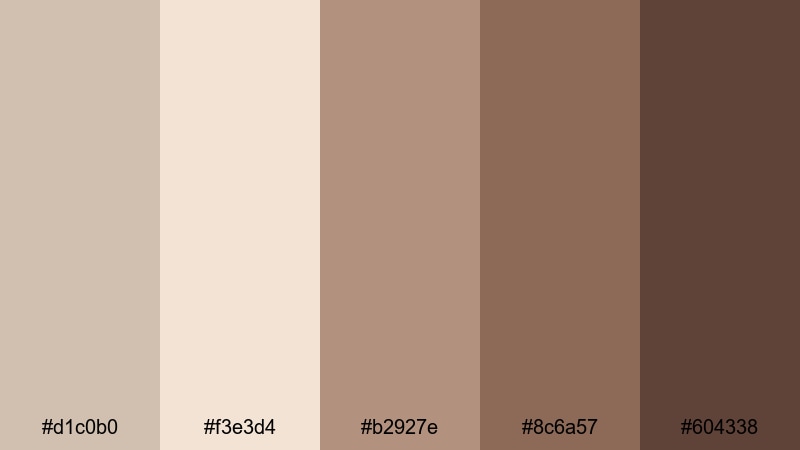
- HEX Codes: #d1c0b0, #f3e3d4, #b2927e, #8c6a57, #604338
- Mood: Nostalgic, narrative-driven, and softly cinematic.
- Use for: Great for seasonal vlogs, sit-down storytime videos, and narrative shorts with a warm, bookish atmosphere.
Autumn Storytime shifts gray tan into richer, leaf-inspired browns and chestnut accents. It suggests old novels, wooden shelves, and late-afternoon light, adding a nostalgic layer to your visuals.
Use this palette to color your lower thirds, chapter titles, and background textures in Filmora. It is especially effective for storytime videos, reflection pieces, and fall content where you want viewers to feel like they are curled up with a good book.
Sunset Apartment
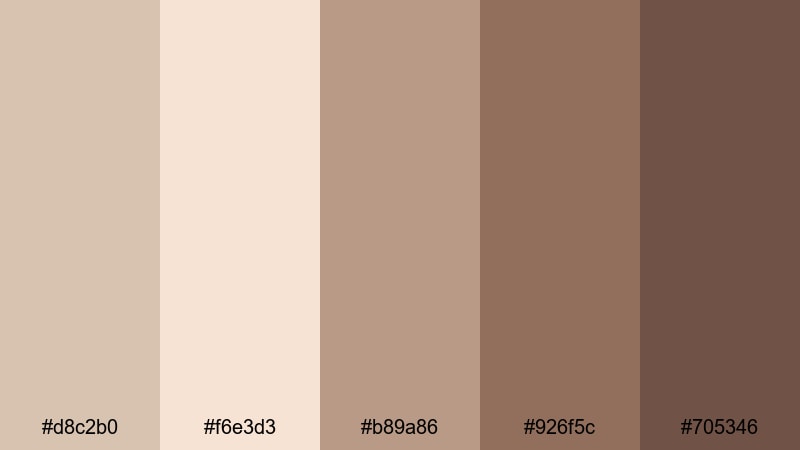
- HEX Codes: #d8c2b0, #f6e3d3, #b89a86, #926f5c, #705346
- Mood: Golden-hour cozy with a modern city apartment feel.
- Use for: Use for lifestyle b-roll, room makeovers, and aesthetic reels or shorts that highlight soft interior lighting.
Sunset Apartment blends gray tan with soft peach-browns that echo golden light on walls and furniture. The palette feels modern and urban but still warm, great for city-living content and interior-focused shots.
Use the brighter tones to wash your thumbnails with a subtle glow, and the deeper browns for contrasting text and icons in Filmora. It is perfect for apartment tours, room makeovers, interior styling tips, and aesthetic reels that capture the magic of golden hour indoors.
Cozy Blanket Stack
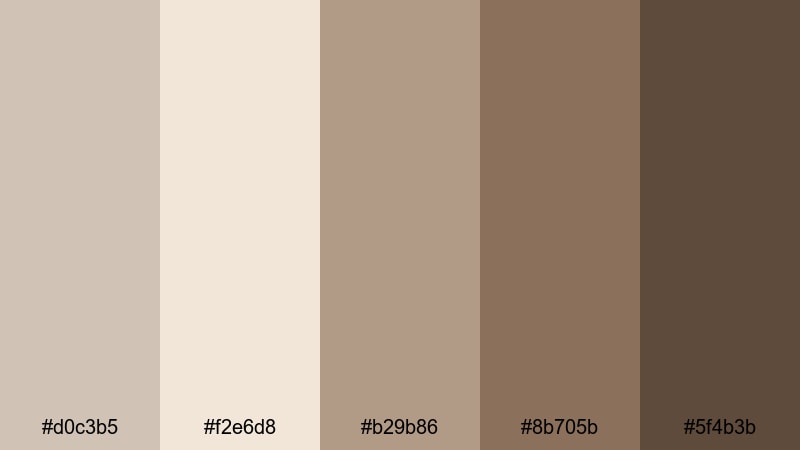
- HEX Codes: #d0c3b5, #f2e6d8, #b29b86, #8b705b, #5f4b3b
- Mood: Layered, snug, and tactile like woven textiles.
- Use for: Perfect for product showcases, unboxings, and close-up shots of textures like knits, books, and candles.
Cozy Blanket Stack layers ivory tan, mid browns, and cocoa accents together like a pile of throws on a sofa. It invites close-up shots and tactile details, which works well when you are highlighting textures or small products.
Use the lighter shades behind product callouts and the darker hues for price tags, labels, and text banners in Filmora. This palette suits unboxings, Etsy shop promos, cozy home hauls, and any content where comfort and texture are the main characters.
Fireplace Vlog Night
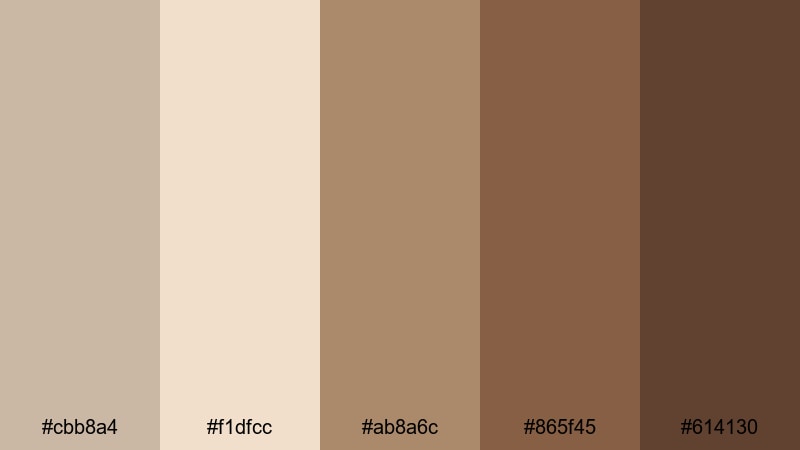
- HEX Codes: #cbb8a4, #f1dfcc, #ab8a6c, #865f45, #614130
- Mood: Moody, intimate, and slightly dramatic like fireside chats.
- Use for: Great for night vlogs, reaction videos, and commentary content that feels personal and cinematic.
Fireplace Vlog Night deepens gray tan into richer browns and toasty midtones, creating a moody yet inviting color base. It feels like sitting near a fireplace with the lights dimmed, which is perfect for more personal or dramatic content.
Use the pale tan for highlight text, the mid browns for main typography, and the darkest tone for background blocks or frames in Filmora. It is an excellent choice for commentary videos, reaction content, and nighttime vlogs where you want a cinematic but still neutral vibe.
Modern & Cinematic Gray Tan Color Palettes
Urban Loft Cinematic
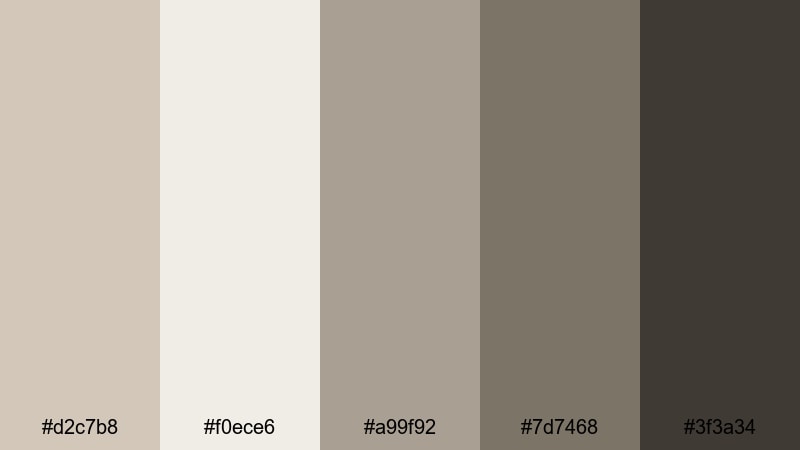
- HEX Codes: #d2c7b8, #f0ece6, #a99f92, #7d7468, #3f3a34
- Mood: Sleek, metropolitan, and filmic with subtle contrast.
- Use for: Ideal for tech reviews, studio tours, and cinematic B-roll with a polished, editorial edge.
Urban Loft Cinematic combines cool gray tan tones with a dark charcoal anchor, giving your visuals a clean, editorial feel. It mirrors the look of high-end city apartments or design studios, with enough contrast to feel sharp but not harsh.
Use the darkest shade for title bars and lower thirds, keep the mid grays as backgrounds, and reserve the lightest tone for highlight elements. In Filmora, this palette is ideal for tech channels, studio showcases, and brand intros that aim for a premium, design-conscious identity.
Editorial Monochrome
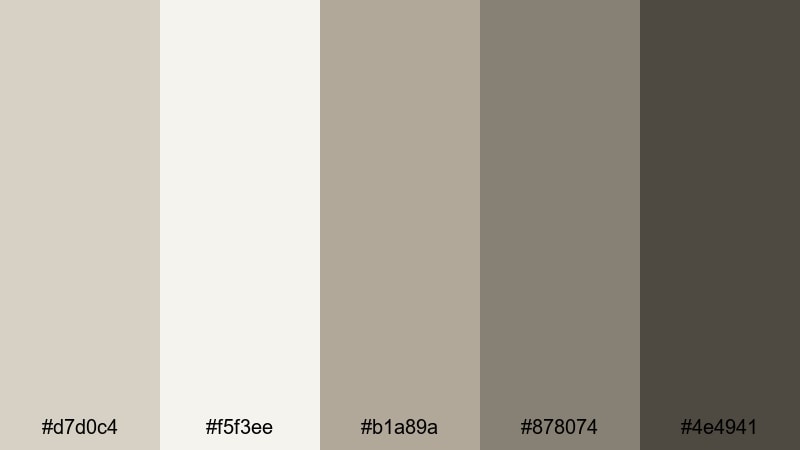
- HEX Codes: #d7d0c4, #f5f3ee, #b1a89a, #878074, #4e4941
- Mood: Refined, balanced, and magazine-like.
- Use for: Use for fashion lookbooks, studio portraits, and brand intros where typography and framing matter.
Editorial Monochrome stays close to a pure gray tan spectrum, with carefully stepped tones from light to dark. It feels like a fashion editorial spread or a minimalist magazine layout, where every element is intentional.
Use this palette to build sophisticated titles, credits, and split-screen frames in Filmora. The limited color range keeps attention on your styling, poses, and typography, making it a great choice for fashion, portrait, and high-end branding content.
Documentary Neutral Frame
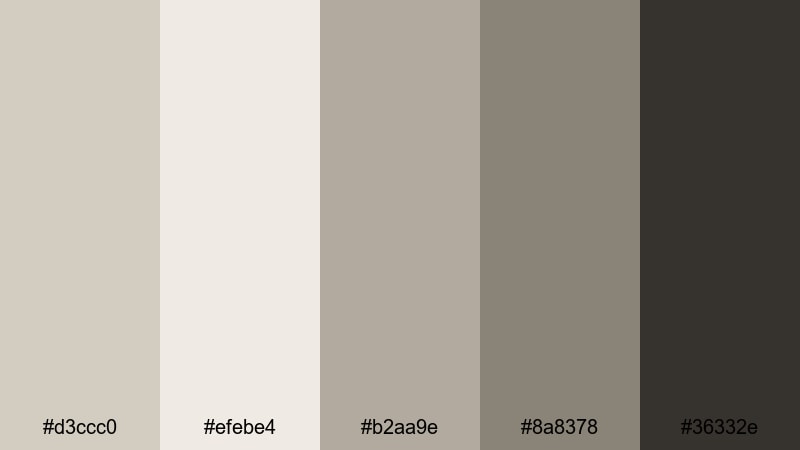
- HEX Codes: #d3ccc0, #efebe4, #b2aa9e, #8a8378, #36332e
- Mood: Honest, grounded, and story-first.
- Use for: Perfect for documentaries, interviews, and educational content where the color grade should support the story, not dominate it.
Documentary Neutral Frame keeps things naturalistic with soft gray tan midtones and a grounded dark accent. It feels honest and unobtrusive, allowing faces, locations, and interviews to remain the focus.
Use the darker tone for name tags, subtitles, and graphic frames in Filmora, while the lighter shades can serve as clean backgrounds for info cards or data overlays. This palette is ideal when you want a professional, unified look that never overshadows the story being told.
Desert Studio Grade
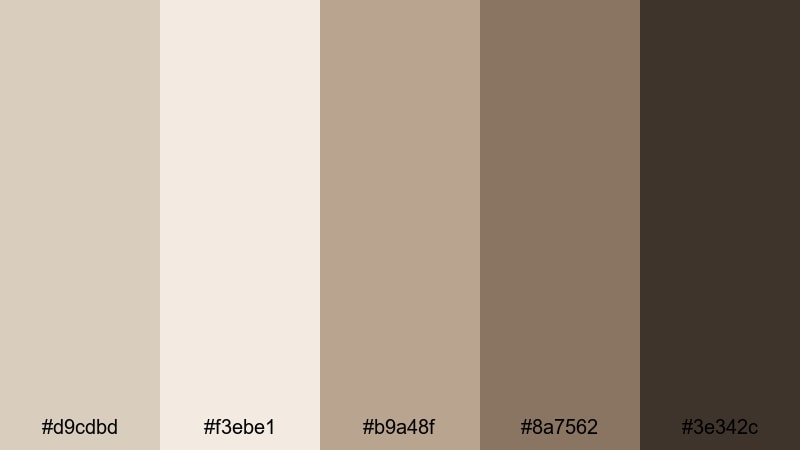
- HEX Codes: #d9cdbd, #f3ebe1, #b9a48f, #8a7562, #3e342c
- Mood: Expansive, sun-baked, and cinematic like a desert film set.
- Use for: Use for travel videos, cinematic B-roll, and branded sequences that need a warm but not overly saturated grade.
Desert Studio Grade pulls gray tan toward sun-baked desert tones, with dusty highlights and rich but controlled browns. It feels warm and cinematic without oversaturating or pushing skin tones into orange.
Apply this palette as a subtle color grade in Filmora, then match your graphics, title cards, and overlays to the same range for a complete look. It is excellent for travel vlogs, outdoor B-roll, and brand films that want warmth and drama without going full vintage or orange teal.
Night Drive Bokeh
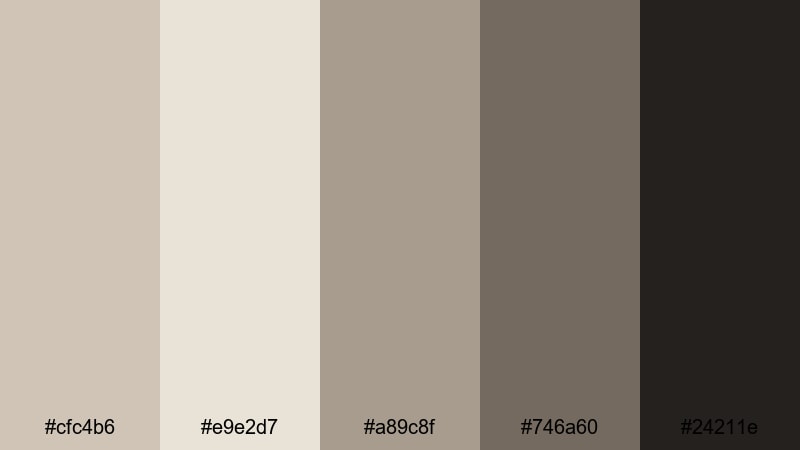
- HEX Codes: #cfc4b6, #e9e2d7, #a89c8f, #746a60, #24211e
- Mood: Nocturnal, reflective, and slightly mysterious.
- Use for: Ideal for night city vlogs, music videos, and cinematic sequences with light flares and bokeh shots.
Night Drive Bokeh contrasts soft gray tan highlights against near-black shadows, giving your frames a moody, late-night atmosphere. It works well with bokeh, neon reflections, and city streetlights, adding subtle drama without bright colors.
Use the darkest shade as a base for text and UI elements in Filmora, while the lighter neutrals can frame your footage or highlight key words. This palette is perfect for music videos, cinematic edits, and reflective night vlogs where you want mystery but still want your branding to feel neutral and polished.
Tips for Creating Gray Tan Color Palettes
Gray tan works as a powerful base for video and design when you balance warmth, contrast, and readability. A few practical habits will help you turn these HEX codes into clear, consistent visuals that fit your brand and footage.
- Pair light gray tan backgrounds with darker text (#5f4b3b, #3f3a34, or #24211e) to keep titles and subtitles readable on small screens.
- Choose one or two accent tones (a deeper brown or charcoal) and keep everything else in soft neutrals so thumbnails do not feel cluttered.
- Test your palette on both mobile and desktop to ensure key information, such as video titles and timestamps, still stands out against gray tan backdrops.
- Match your graphics to your grade: once you settle on a warm or cool gray tan look in Filmora, adjust overlays, shapes, and text colors to the same range.
- Use slightly warmer gray tan tones for lifestyle, cozy, or personal content and cooler ones for tech, tutorials, or documentary-style videos.
- Keep brand consistency by reusing the same 3 to 5 HEX codes for intros, lower thirds, and end screens across all videos.
- Introduce a small amount of texture (subtle noise, paper grain, or gradient overlays) to keep large gray tan areas from looking flat.
- Save custom color presets in Filmora so you can quickly apply your gray tan scheme to new projects without rebuilding it every time.
Gray tan palettes are subtle, but they can completely change how your channel or project feels. From soft, minimal deskscapes to cinematic night drives, these neutrals shape mood, make your content feel intentional, and help your brand look consistent across thumbnails, intros, and social edits.
Use the HEX codes above as a starting point, then refine your tones in Filmora until they match your footage and personality. With AI Color Palette, HSL controls, and filters, you can turn any of these gray tan schemes into a signature look that your audience recognizes instantly.
Experiment with a couple of palettes on your next video, compare the results, and save your favorite as a reusable style. Over time, that consistent gray tan aesthetic will make your channel or brand feel more polished, cinematic, and cohesive.
secure download