

 100% Security Verified | No Subscription Required | No Malware


 ChatGPT
 Perplexity
 Gemini
 Claude
 Grok
Grok
The Indoor Natural Light Lifestyle LUT filter pack is designed for content creators who film in real homes, studios, and apartments and want bright, true-to-life colors without losing the soft feel of natural window light.
These Filmora filters keep skin tones flattering, lift shadows in dim corners, and bring a clean, modern lifestyle aesthetic to everyday clips like vlogs, routines, sit-down chats, and product shots by the window.
In this article
Soft Morning Light by the Windows
Gentle Morning Glow
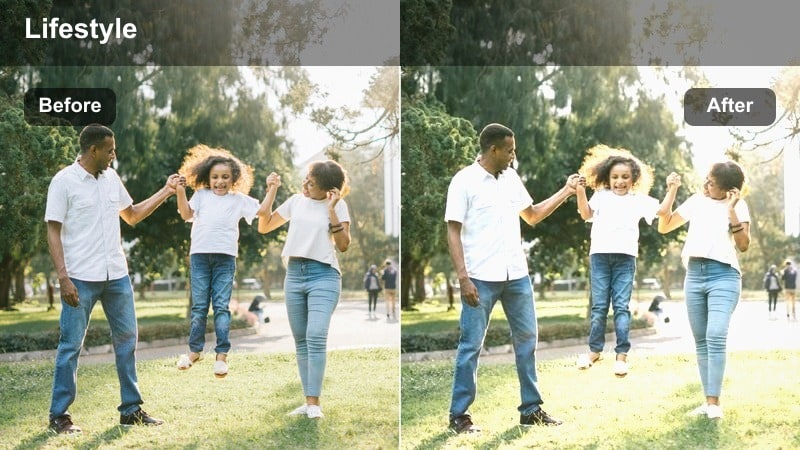
- Effect look: Soft, low-contrast warmth that brightens faces while keeping whites clean and airy.
- Best for: Morning routine vlogs, cozy coffee shots by a bedroom or kitchen window, and casual talking-head clips.
- Editing tip: Lower contrast slightly and raise exposure just a touch to keep the glow natural and avoid overblown highlights on white walls.
Gentle Morning Glow is ideal when you want that just-woke-up, sun-through-the-curtains feeling without turning your footage orange or hazy. In Filmora, it gently warms midtones and softens contrast so skin looks rested and flattering, while bright walls and linens stay clean instead of looking yellow.
Apply this filter to your A-roll and B-roll morning shots, then fine-tune exposure with the basic color sliders until faces sit comfortably between highlights and shadows. If your window is very bright, use Filmoras highlight control to recover detail around frames and curtains so the warm glow feels intentional rather than blown out.
Pair Filters with Filmora’s AI Color Tools
Combine these indoor natural light lifestyle filters with Filmoras AI-powered color correction to quickly balance exposure and white balance in uneven rooms. AI tools can neutralize color casts from walls, bedding, or mixed lighting so your filter sits smoothly on top.
Once your base image is corrected, LUT-style filters like Gentle Morning Glow will preserve realistic skin tones while giving your vlog a consistent, polished aesthetic from clip to clip.
 secure download

Preview Filters on Real Indoor Clips
Filmoras instant preview lets you test several indoor lifestyle filters on the same shot so you can quickly decide which LUT-style look best fits your window light, wall color, and outfit. This is especially useful for morning scenes where light changes quickly between takes.
Scrub along your timeline while toggling filters on and off, then make small exposure and white-balance tweaks where needed. This workflow keeps your entire vlog cohesive even if you filmed across different rooms or times of day.
secure downloadBuild a Signature Indoor Look with LUTs and Filters
Treat each indoor natural light lifestyle filter in Filmora like a starting-point LUT for your brand. Once you have dialed in exposure, white balance, and subtle color tweaks, you can save the results as a custom preset to reuse on future home vlogs and sit-down videos.
By relying on one or two consistent presets, your channel will maintain a recognizable, cohesive indoor aesthetic whether you are filming in your bedroom, kitchen, or home studio corner.
secure downloadWindow Seat Journal
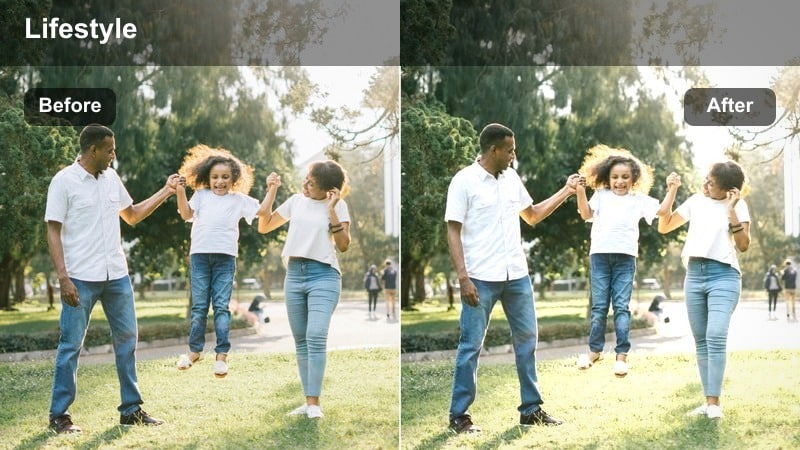
- Effect look: Neutral, bright look with softened shadows and gentle desaturation for a calm lifestyle mood.
- Best for: Indoor journaling shots, planning scenes on a couch, or calm A-roll near a side window.
- Editing tip: Reduce saturation in greens and yellows slightly to keep notebooks, cushions, and wall decor from looking too busy on screen.
Window Seat Journal is built for quiet, reflective clips where you want a soft but focused mood. The filter brightens midtones and tames strong colors so pages, pens, and fabrics do not distract from your hands and expressions.
In Filmora, apply this LUT-style filter to your journaling or planning B-roll, then use HSL or color tuning to nudge down bright greens and yellows from plants, throws, or decor. The result is a clean, intentional aesthetic that pairs well with voiceovers, planning content, and slow, ambient edits.
Sunlit Kitchen Start
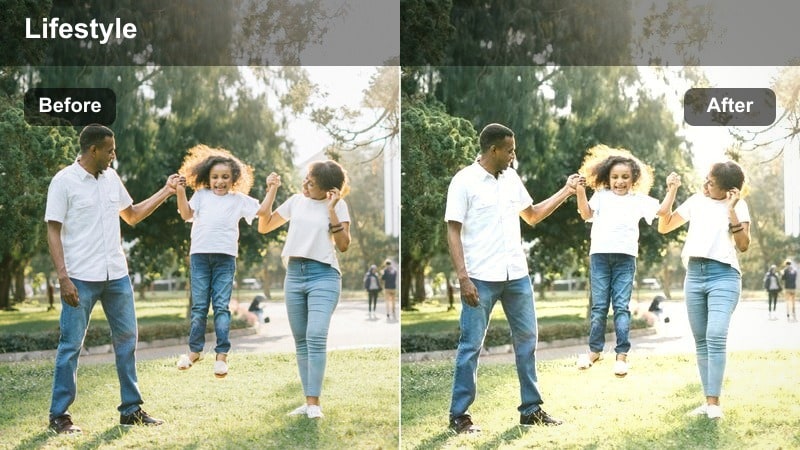
- Effect look: Bright and slightly warm with lifted shadows, ideal for white or light-toned kitchens.
- Best for: Kitchen segments in morning vlogs, coffee setups, and quick breakfast prep with natural side light.
- Editing tip: Use the filter first, then fine-tune white balance to match your cabinets and countertops so they look crisp instead of yellow.
Sunlit Kitchen Start helps you turn everyday breakfast or coffee moments into clean, lifestyle-ready footage. It raises exposure in darker corners while adding a subtle warmth that makes food and wooden surfaces feel inviting without compromising white cabinets and dishes.
After applying the filter in Filmora, adjust the color temperature slider so your countertops and tiles stay neutral rather than cream. If your kitchen has strong direct sun, combine the filter with highlight reduction or a gradient filter on the window area to maintain texture in bright surfaces.
Cozy Living Rooms and Creative Corners
Sofa Storytime
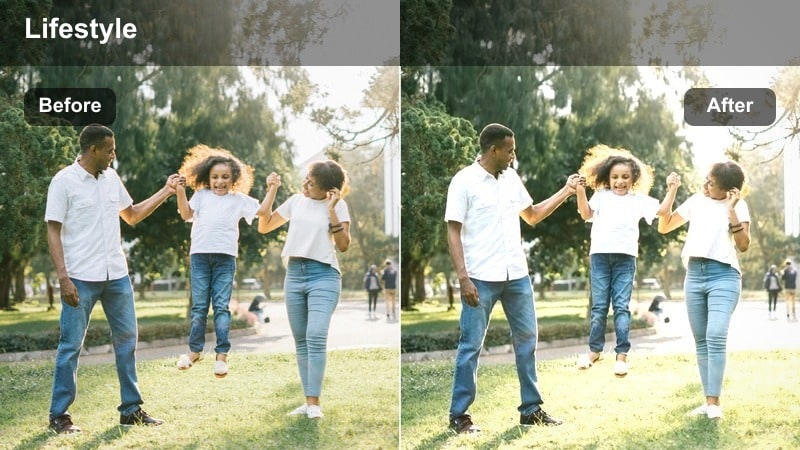
- Effect look: Soft contrast with gently warmed skin tones and slightly lifted shadows for dark corners.
- Best for: Sit-down storytime vlogs on the couch, Q&A videos, and relaxed lifestyle chats.
- Editing tip: Add a touch of Filmora’s skin smoothing only if needed and avoid over-sharpening to keep the relaxed, candid feel.
Sofa Storytime is designed to flatter faces during longer talking segments where viewers are focused on your expressions. The filter subtly warms skin tones and opens up darker corners of the room so your living space feels welcoming but not overly bright.
In Filmora, place this filter on your main A-roll track and then tweak exposure until your face is clearly lit while the background remains soft. Keep sharpening and clarity adjustments minimal to preserve the gentle lifestyle look, and use a light vignette only if you need extra focus on the center of the frame.
Reading Nook Soft
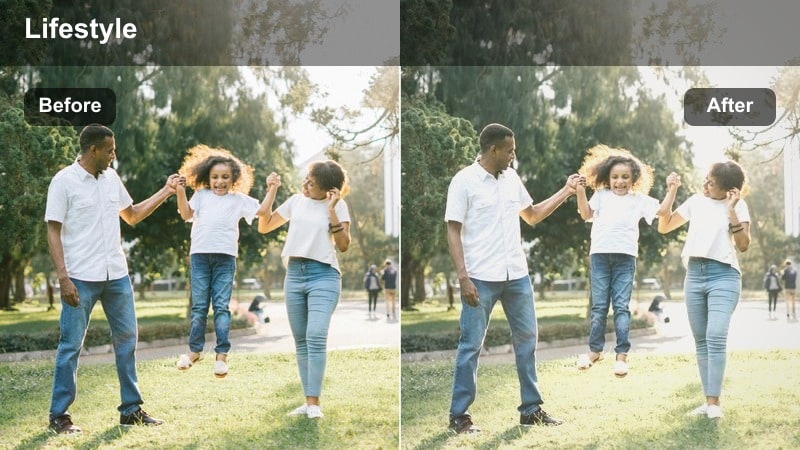
- Effect look: Matte, slightly faded contrast with gentle highlights for a relaxed editorial lifestyle mood.
- Best for: Reading corners, armchair B-roll, and aesthetic clips of you relaxing with a book or tablet.
- Editing tip: Pull down saturation in reds if your room has strong colored textiles so the mellow mood stays consistent.
Reading Nook Soft adds a subtle matte finish that makes your indoor shots feel like page spreads from a lifestyle magazine. It reduces contrast slightly and softens highlights so blankets, cushions, and book pages look cozy and tactile.
Apply this filter in Filmora to your calm B-roll sequences, then adjust saturation per color to control bold fabrics or decor. A slight reduction in reds and oranges can help maintain the relaxed atmosphere, while a small bump in brightness ensures your subject stays clearly visible in dimmer corners.
Creative Desk Daylight
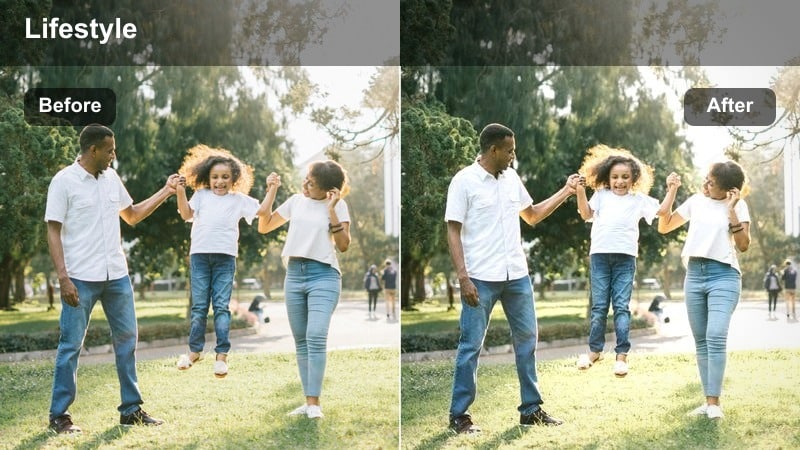
- Effect look: Clean, slightly cool-neutral tones with clear whites to show workspace details.
- Best for: Desk setups, laptop shots, productivity vlogs, and indoor creator workspaces by the window.
- Editing tip: Boost clarity a bit to sharpen notebooks and screens, but keep saturation moderate so the scene stays minimal and modern.
Creative Desk Daylight is built to showcase tidy workspaces and productivity setups with a crisp, modern feel. It leans slightly cool-neutral to keep whites, screens, and stationery looking clear while avoiding the yellow cast common in indoor footage.
In Filmora, add this filter to your desk B-roll and then lightly increase clarity or sharpness so keyboards, notebooks, and monitors are easy to read. Avoid heavy saturation boosts, and if your room has warm overhead lights, reduce their influence by adjusting white balance toward a more neutral or cool value.
Bedroom Routines and Wardrobe Moments
Bedside Slow Start
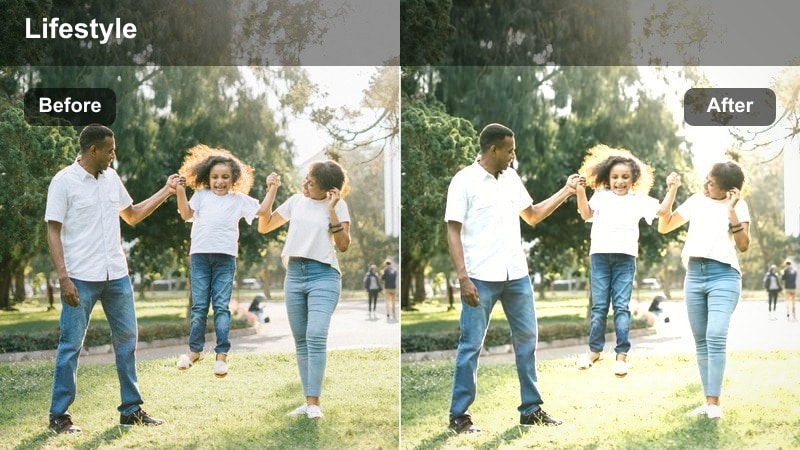
- Effect look: Dreamy, slightly warm highlights with softened contrast for early-morning bedroom clips.
- Best for: Slow morning bedroom scenes, making the bed, stretching clips, and soft A-roll on the edge of the bed.
- Editing tip: Keep shadows just a bit lifted so details in bedding stay visible, and avoid adding heavy vignettes that make the room feel small.
Bedside Slow Start gives your morning bedroom routines a dreamy, slow-paced feeling by softening contrast and gently warming highlights. It works especially well with sheer curtains and light-colored bedding that already catch window light.
After applying the filter in Filmora, raise shadow levels slightly so folds in blankets and pillows remain visible and the room does not feel too dark. Skip heavy vignettes and instead rely on careful framing and subtle exposure control to keep the mood spacious and calming.
Closet Try-On Clear
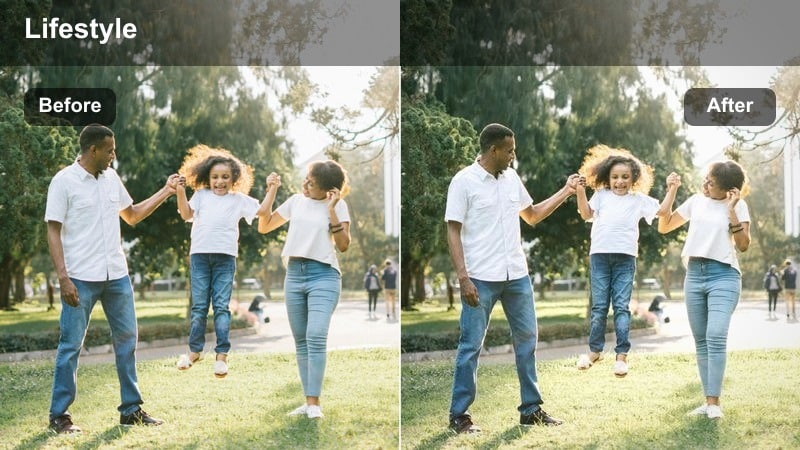
- Effect look: Bright, color-accurate tones that keep clothing true to life while smoothing harsh indoor shadows.
- Best for: Wardrobe try-on clips, outfit-of-the-day shots, and mirror videos in small bedrooms or hallways.
- Editing tip: After applying the filter, fine-tune white balance to match your wall color so clothes do not pick up an unwanted tint.
Closet Try-On Clear is optimized for creators who need clothing colors and textures to look true to life on camera. The filter brightens tight spaces and softens shadows without pushing hues too far, so fabrics remain accurate for fashion and styling content.
In Filmora, apply this LUT-style filter to your try-on clips and adjust white balance to neutralize any strong wall or curtain tints. If you shoot near mirrors or glossy surfaces, use highlight controls to prevent blown reflections while keeping outfits crisp and easy to see.
Vanity Light Fresh
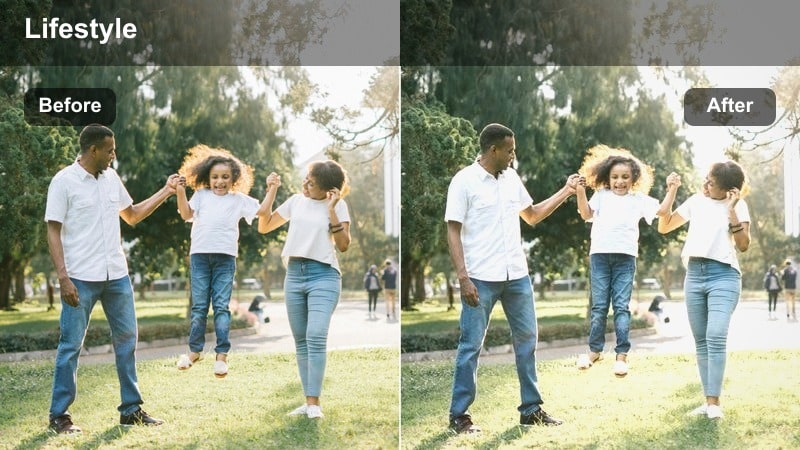
- Effect look: Soft but clean look that smooths skin slightly and keeps bathroom or vanity areas bright.
- Best for: Skincare routines, makeup application, and hair styling in front of a window-lit mirror.
- Editing tip: Dial back saturation in magentas if your makeup products are very bold so the overall frame stays fresh and minimal.
Vanity Light Fresh is tailored for beauty creators who need flattering but realistic skin tones in bathrooms or vanity corners. It lightens the overall frame and subtly smooths skin texture while keeping tiles, countertops, and product packaging bright and clean.
In Filmora, combine this filter with gentle skin-smoothing and minor saturation tweaks so lipsticks, blush, and packaging do not dominate the frame. If your mirror bulbs are very warm, slightly cool the color temperature after applying the filter to maintain a fresh, airy beauty look.
Home Studios and Creator Shooting Spaces
Studio Corner Neutral
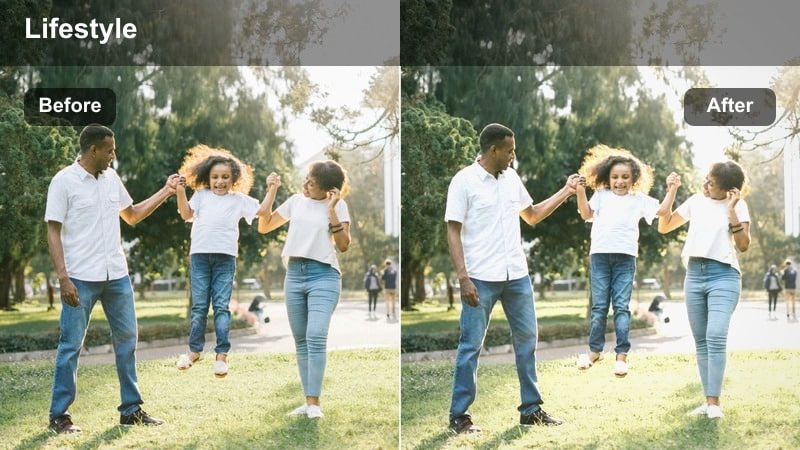
- Effect look: Balanced neutral filter with clean midtones and controlled contrast for simple backdrops.
- Best for: Indoor talking-head content filmed against a plain wall or backdrop in a home studio.
- Editing tip: Use this as a base grade, then add subtle color tweaks to match your channel branding without overcomplicating your workflow.
Studio Corner Neutral gives you a reliable base look for regular A-roll content filmed in the same spot. It keeps midtones clean, contrast controlled, and colors neutral so your wall or backdrop does not overpower your face.
Once this filter is applied in Filmora, you can layer subtle color adjustments to match your brand palette, such as gentle warmth, cooler highlights, or soft tints in the background. Save the result as a preset so every future sit-down video in your studio corner starts from the same consistent grade.
Creator Loft Bright
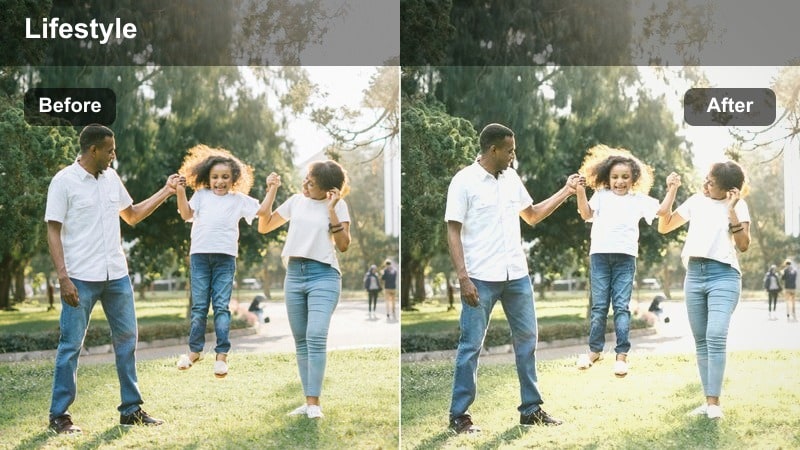
- Effect look: High-key brightness with gentle contrast that works well in larger rooms with big windows.
- Best for: Wide-angle shots of creator lofts, indoor B-roll walking through rooms, and workspace tours.
- Editing tip: If large windows blow out, slightly lower highlights and use Filmora’s grad filter to control the brightest areas.
Creator Loft Bright amplifies the sense of space and airiness in larger rooms, studios, or open-plan apartments. It raises overall brightness and keeps contrast gentle so windows, floors, and furniture all feel part of one cohesive, light-filled environment.
In Filmora, pair this filter with gradient masks on your brightest windows to retain detail outside or around frames. As you film room tours or walk-through B-roll, keep exposure slightly lower in-camera, then let the filter lift mids in post for a polished, high-key look.
Edit Bay Daylight
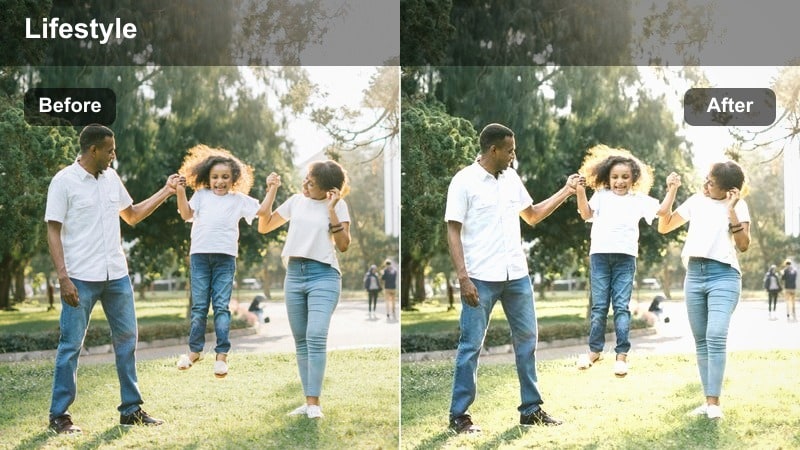
- Effect look: Cool-neutral, focused look that keeps screens readable and skin tones balanced beside monitors.
- Best for: Editing desk setups, over-the-shoulder computer shots, and productivity content in creator offices.
- Editing tip: Dim screens slightly while filming to avoid blown-out whites that fight the filter’s balanced midtones.
Edit Bay Daylight is tuned for shots where monitor light and window light compete in the same frame. It balances cool tones and midtones so screens are legible, skin tones remain natural, and the overall office environment feels modern and focused.
When editing in Filmora, add this filter to your desk clips, then fine-tune exposure so your monitor content is visible without overpowering your face. Slightly reducing screen brightness while filming and controlling highlights in post will help keep both you and your workspace clear and professional-looking.
Tips for Using Indoor Natural Light Lifestyle Lut Filters in Filmora
- Turn off mixed overhead lighting and rely mainly on window light to avoid clashing color casts with indoor lifestyle filters.
- Expose slightly darker in-camera than you think you need so filters can lift shadows without blowing out bright walls or bedding.
- Keep backgrounds tidy and neutral so the natural light look feels intentional rather than cluttered.
- Film test shots at different times of day in the same room and save separate presets for morning, midday, and late afternoon light.
- Adjust white balance after applying a filter if your walls or furniture introduce strong color tints.
- Use light curtains or blinds to diffuse hard sunlight before it hits your subject and the filter exaggerates harsh contrast.
- Avoid heavy sharpening with soft lifestyle looks so the image stays gentle and flattering on skin.
- Batch-apply your chosen filter to an entire sequence, then fine-tune clip by clip for exposure instead of starting from scratch each time.
Indoor natural light lifestyle filters in Filmora help content creators turn everyday rooms into bright, flattering spaces that feel calm, modern, and true to life.
By pairing the right filter with smart shooting habits and simple exposure tweaks, you can keep your morning routines, vlogs, and workspace videos consistent and professional with minimal extra editing time.
secure downloadNext: Try a Morning Routine Vlog Filter for Soft, Daily Clips
