

 100% Security Verified | No Subscription Required | No Malware


 ChatGPT
 Perplexity
 Gemini
 Claude
 Grok
Grok
Warm landscape video filters are perfect for photographers and travelers who want to turn flat outdoor footage into golden, cinematic scenes. By emphasizing sunset tones, rich foliage, and gentle contrast, these filters make landscapes feel inviting and immersive.
Use the Warm Landscape Filter. Golden Vista preset and related warm nature filters in Filmora to enhance everything from wide mountain vistas to intimate forest paths and autumn landscapes, especially when recording nature vlogs and travel stories.
In this article
Golden Hour Glow Filters
Warm Landscape Filter. Golden Vista
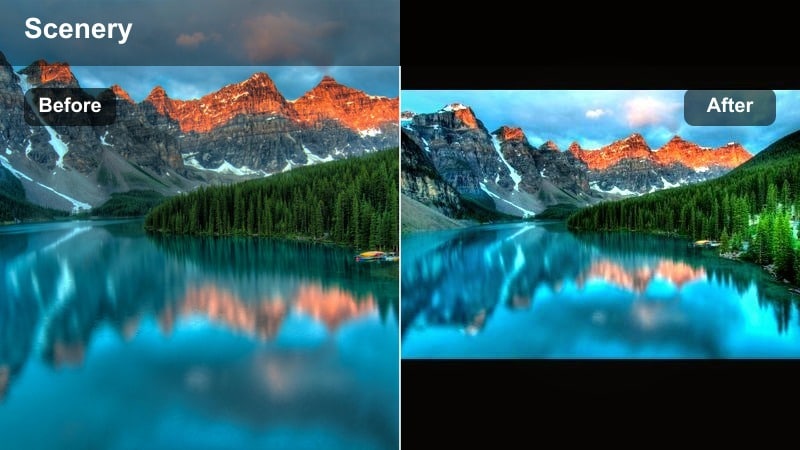
- Effect look: Soft golden warmth with gentle contrast and subtle saturation in yellows and oranges, ideal for mimicking late-afternoon sun even when shot at midday.
- Best for: Wide mountain views, coastal sunsets, city overlook shots, and travel b-roll that needs a warm cinematic sheen.
- Editing tip: Lower the intensity slightly on skin tones and add a touch of vignette to draw attention toward the brightest part of the landscape.
This versatile warm landscape video filter wraps your scene in soft golden light and cinematic contrast, making it easy to turn flat midday landscapes into rich golden vistas. In Filmora, a single click on Golden Vista can shift your entire color balance toward warm yellows and oranges while keeping key details in clouds, foliage, and distant mountains intact.
Use this preset on wide establishing shots in your nature vlogs or travel films to instantly create a cohesive warm tone across your project. Adjust intensity in Filmoras Effects panel, then fine-tune exposure and vignetting to guide the viewers eye toward sunlit peaks, coastline horizons, or glowing city skylines without over-saturating the scene.
Use AI Tools to Find the Best Warm Landscape Look
Filmoras AI-driven color tools help you quickly test different warm landscape video filters, so you can preview how golden or subtle each look will appear on your specific footage. Instead of manually guessing, AI analyzes your clips and recommends balanced warmth and contrast levels.
Combine AI color suggestions with manual adjustments to exposure, contrast, and saturation to build a custom warm style that matches your travel brand or photography portfolio. Save the most flattering combinations as presets for instant reuse on future shoots.
 secure download

Preview Warm Filters on Real Travel Footage
Drop a few landscape or nature vlog clips onto the Filmora timeline and cycle through warm filters like Golden Vista, Ember Glow, and Rustic Gold to see instant before-and-after comparisons. The real-time preview makes it simple to decide how strong or subtle your warm look should be.
Use split-screen preview or toggle filter visibility to compare several grades side by side before you lock in your final grade. Once you choose a look, save it as a custom preset so you can apply the same warm mood to every clip in your project.
secure downloadCombine Warm Filters with LUTs for Cinematic Depth
After adding a warm landscape filter, layer a subtle LUT to refine contrast and color separation in Filmora. This combination adds depth to mountains, forests, and city skylines without sacrificing the golden ambiance you created.
Keep LUT intensity relatively low so it enhances edges, midtones, and skies instead of replacing the warm mood entirely. This approach works particularly well for cinematic travel sequences where you want nuanced tonality and film-like contrast.
secure downloadSunset Ember Glow
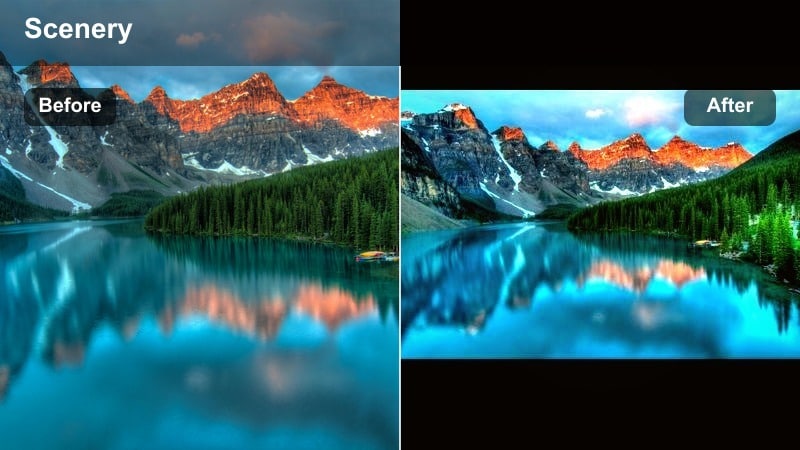
- Effect look: Deep amber highlights, warm midtones, and gently lifted shadows that recreate a dramatic sunset glow across the whole frame.
- Best for: Beach sunsets, desert landscapes, and travel montages where you want every shot to feel like golden hour.
- Editing tip: Reduce overall exposure slightly after applying the filter to prevent the sky from clipping while still keeping the warm energy.
Sunset Ember Glow is designed to amplify the fiery colors already present in sunset and dusk scenes. When you apply it in Filmora, oranges, reds, and warm yellows become more prominent, while lifted shadows preserve detail in foreground silhouettes and shoreline textures.
Use this filter on sequences that are meant to feel emotional or cinematic, such as closing shots of a beach day or transition moments between locations. After adding the filter, pull exposure and highlights down just a bit in the Color panel to protect cloud structure and maintain a polished, cinematic highlight roll-off.
Golden Valley Soft Focus
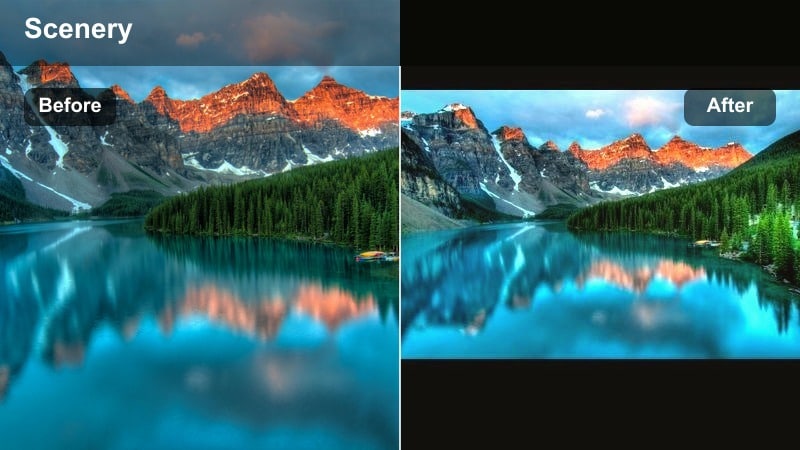
- Effect look: Warm pastel highlights, softened contrast, and a faint bloom around bright areas for a romantic golden field atmosphere.
- Best for: Countryside fields, rolling hills, flower meadows, and delicate nature b-roll in travel stories.
- Editing tip: Add a subtle sharpen to foreground elements to balance the soft focus and keep your main subject crisp.
Golden Valley Soft Focus gently lowers contrast and introduces a delicate bloom, making bright grass, flowers, and hillside edges look dreamy and romantic. In Filmora, this effect is especially effective in backlit shots where the sun is hitting the lens or rim-lighting your subject.
Apply it to b-roll sequences of meadows and hills to create soft interludes between more contrasty scenes. To avoid a too-soft image, layer a slight Sharpen effect or increase clarity on your main subject, so faces, fences, or foreground flowers pop against the diffused background glow.
Autumn Landscape Warm Filters
Autumn Rustic Gold
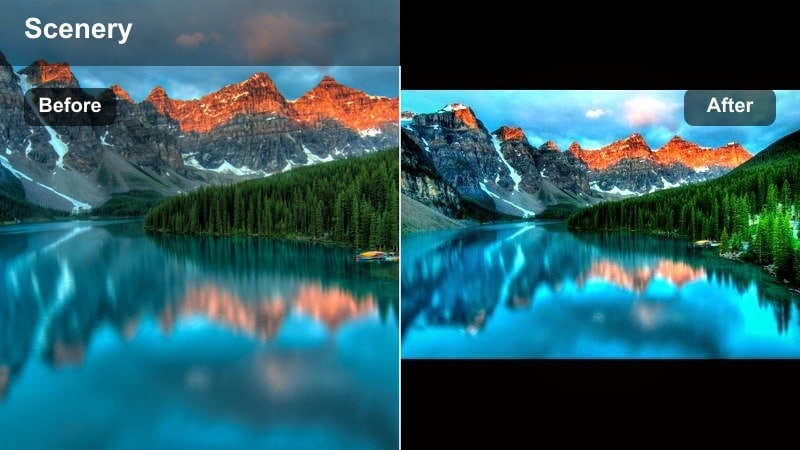
- Effect look: Rich golden browns, deep oranges, and enhanced foliage contrast to emphasize classic autumn landscape colors.
- Best for: Forest paths, mountain forests, and park scenes filled with orange and yellow leaves.
- Editing tip: Slightly desaturate greens after applying the filter so the warm foliage stands out and the image feels more cohesive.
Autumn Rustic Gold intensifies the natural fall palette by deepening oranges, coppers, and browns while adding contrast to leaves and tree trunks. When used in Filmora, it can quickly turn a slightly muted forest path into a rich, storybook fall scene perfect for seasonal vlogs or B-roll.
Apply the filter on clips with abundant foliage and then fine-tune HSL or color controls to pull back overly bright greens. This subtle desaturation keeps the color harmony focused on warm tones, making your trails, parks, and mountain forests feel unified and cinematic across your entire edit.
Maple Haze Warmth
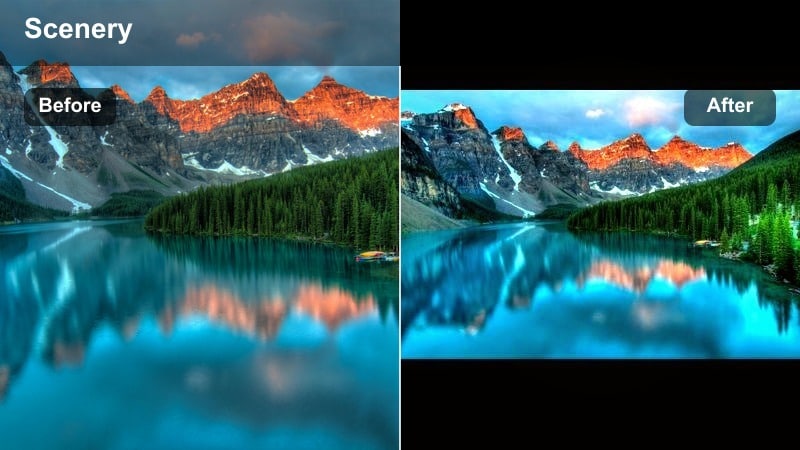
- Effect look: Soft haze with warm reds and bronzes, muting cool tones for a nostalgic autumn postcard mood.
- Best for: Close-ups of leaves, riverside walks in late fall, and calm nature vlogs with reflective narration.
- Editing tip: Raise midtone contrast very gently to keep trunks and rocks from looking washed out in the haze.
Maple Haze Warmth adds a gentle veil over your autumn footage, pushing reds and bronzes forward while easing back blues and cool greens. In Filmora, this filter works beautifully on macro leaf shots, slow pans along rivers, and reflective walking scenes where mood matters more than sharp contrast.
Because the haze can soften edges, lightly increase midtone contrast or local contrast on important subjects like tree trunks, rocks, or your subject walking through the frame. This balance maintains the dreamy, nostalgic feel without sacrificing structure and depth in key details.
Copper Hillside Warmth
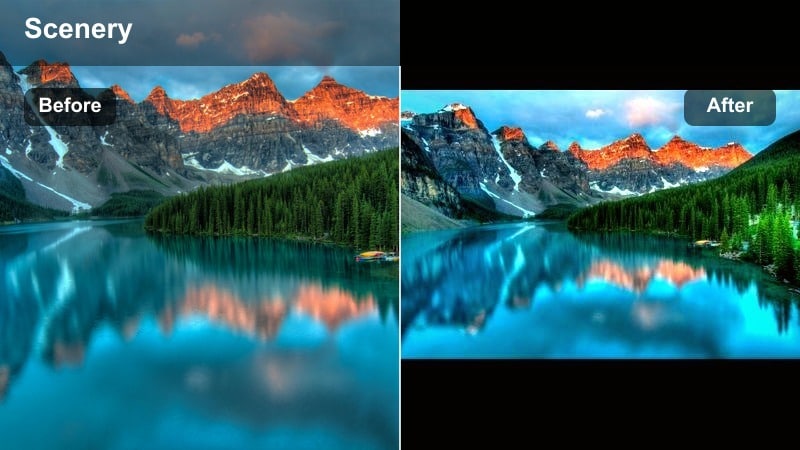
- Effect look: Punchy copper and terracotta tones with moderate clarity to emphasize texture in rocks, trees, and dry grass.
- Best for: Rocky hillsides, canyon edges, and late-season mountain hikes captured under partly cloudy skies.
- Editing tip: Add a slight fade to the blacks after applying the filter if the shadows on rocks start to feel too harsh.
Copper Hillside Warmth is ideal for rugged terrain where rock and earth textures are the stars. In Filmora, it boosts coppery hues and adds clarity, making ridgelines, canyon walls, and dry grasses stand out with a tactile, almost 3D quality.
Use it on adventure sequences, ridge walks, or drone passes over rocky landscapes to highlight depth and shape. If the added contrast makes shadows too heavy, introduce a mild black fade or reduce overall contrast, keeping detail in dark areas while preserving those rich copper tones.
Warm Nature Vlog Filters
Trailfire Vlog Warm
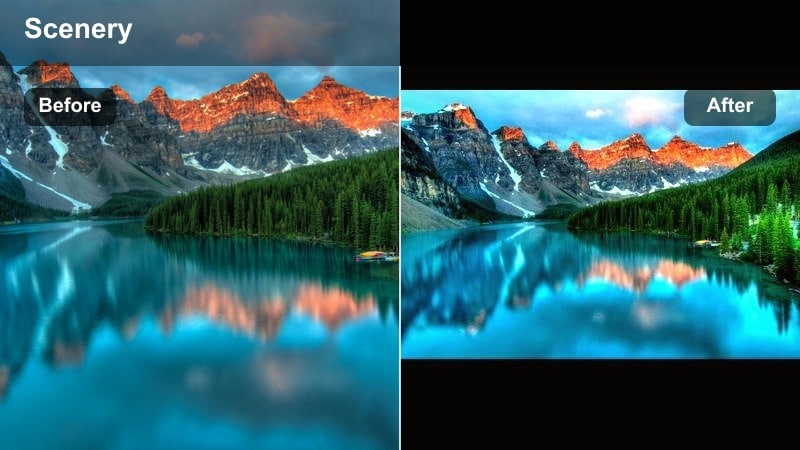
- Effect look: Warm, slightly saturated midtones with natural skin tones preserved for talking-to-camera nature vlogs on the trail.
- Best for: Handheld hiking vlogs, campsite storytelling, and walking shots in dappled light.
- Editing tip: Fine-tune white balance after applying the filter so your face stays neutral while the background remains warmly toned.
Trailfire Vlog Warm is tuned for vlog-style footage, keeping skin tones believable while still warming up forests, mountains, and trails in the background. In Filmora, this filter lets you maintain a professional, flattering look on your face while giving your surroundings a cinematic glow.
Apply it across both A-roll (talking to camera) and B-roll for a consistent visual style. Then, adjust the white balance slider so your skin remains neutral and lifelike; a slightly warmer background with natural-looking faces creates a polished, viewer-friendly vlog.
Forest Ember Soft Warm
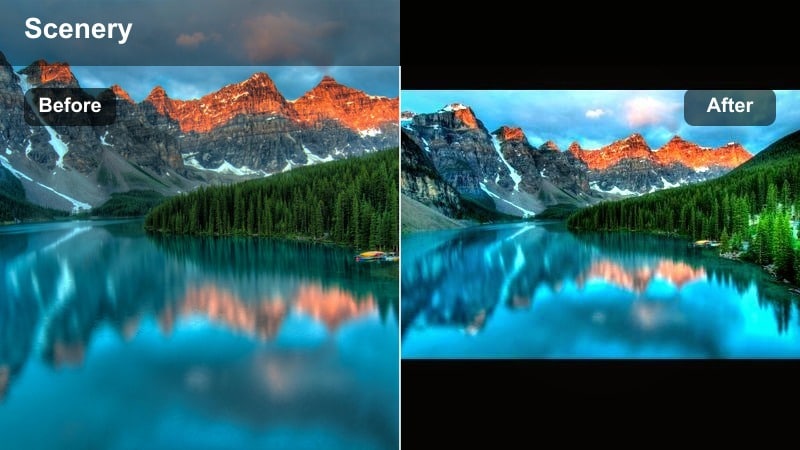
- Effect look: Gentle warm lift in greens and yellows, with softer contrasts to create a calm, storybook forest mood.
- Best for: Slow walks through forests, waterfalls surrounded by foliage, and quiet nature soundscape videos.
- Editing tip: Reduce saturation of greens if the forest becomes too neon; aim for earthy, warm olive tones instead.
Forest Ember Soft Warm gently shifts cooler greens toward warm, earthy tones and softens overall contrast. In Filmora, it is perfect for meditative forest walks, waterfall sequences, or ambient nature compilations where you want viewers to feel relaxed and present.
Apply the filter to long, steady shots and tweak saturation levels if foliage looks too intense. Aim for olive and mossy greens rather than bright neon, and pair with slower cuts and ambient audio for a cohesive, nature-focused viewing experience.
Campfire Glow Travel
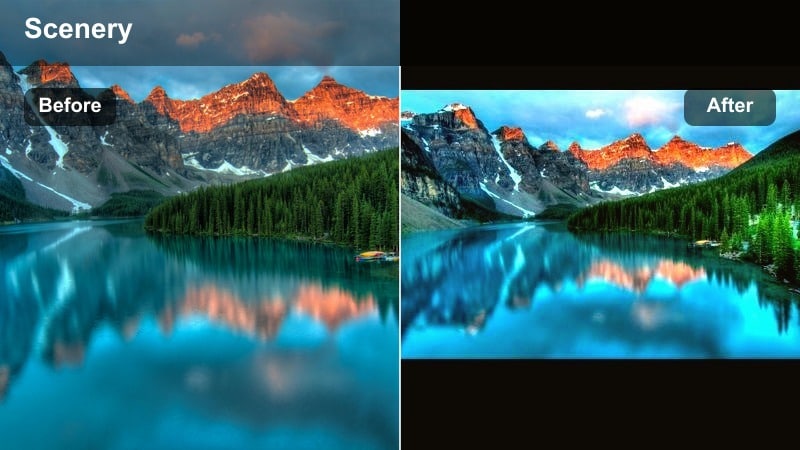
- Effect look: Warm orange highlights with subdued blues and increased contrast to mimic the feel of campfire or lantern light.
- Best for: Night campsites, van-life vlogs, and twilight scenes where practical lights are visible in frame.
- Editing tip: Lower noise with Filmoras denoise tools after applying the filter to keep warm midtones clean in low-light footage.
Campfire Glow Travel recreates the cozy atmosphere of flickering flames and lanterns by warming highlights and muting cooler tones. In Filmora, it helps low-light campsite or van-life footage feel intentional and cinematic instead of noisy and flat.
Use this filter when visible light sources like fires, lanterns, or headlights are present in the shot. After applying, run Filmoras denoise effect and fine-tune exposure so faces and tents are visible but not blown out, keeping the glow warm and intimate.
Warm Travel Landscape Filters Worldwide
Desert Dune Warmth
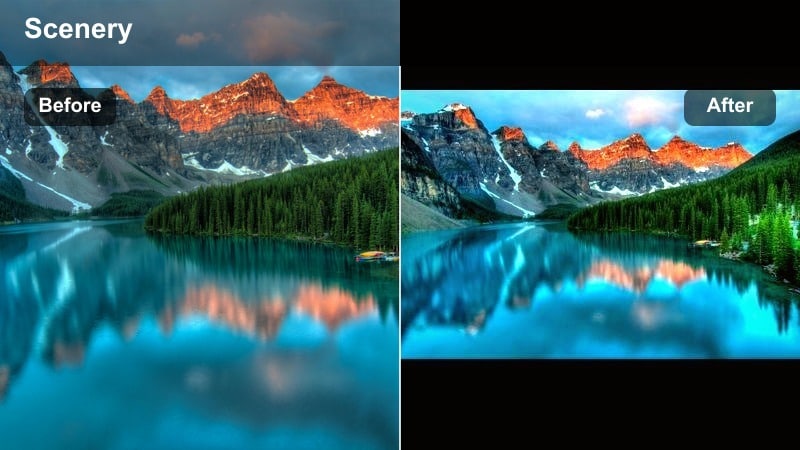
- Effect look: Intensified sands and sandstone hues with golden highlights and defined textures on ripples and rock formations.
- Best for: Desert dunes, canyons, and sunlit rocky plateaus captured in harsh daylight.
- Editing tip: Pull highlights down a touch after applying to avoid losing detail in bright sand or white rock surfaces.
Desert Dune Warmth is optimized for bright, high-contrast environments where sand and rock dominate the frame. In Filmora, the filter deepens golden tones and sharpens textures in dune ripples and canyon walls, turning harsh daylight into something more sculpted and cinematic.
Apply it to wide and medium shots from your desert trips, then slightly lower highlights and whites to keep detail in reflective sand. This approach preserves depth and form while maintaining that strong, sun-drenched warmth.
Tropical Sunrise Warm
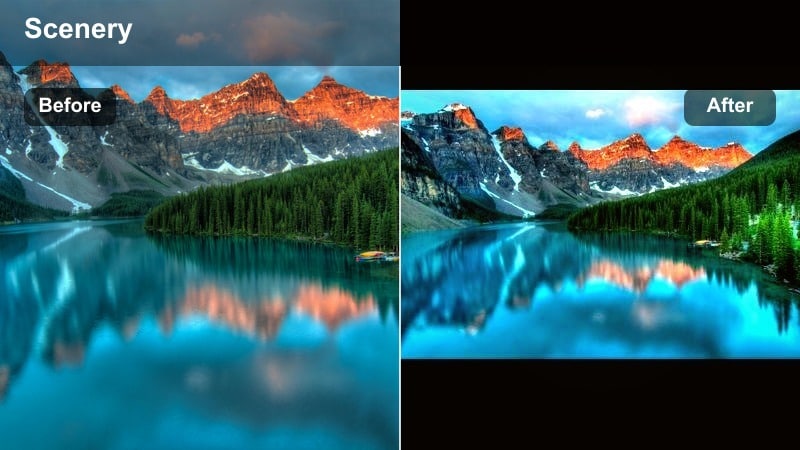
- Effect look: Golden highlights on water, gentle teal shift in shadows, and warm midtones for palm trees and beach sand.
- Best for: Island beaches, coastal cliffs, and sunrise or sunset shots over the ocean.
- Editing tip: Fine-tune the tint slider to avoid making white clouds too magenta, keeping their color natural while the scene remains warm.
Tropical Sunrise Warm combines golden light with subtly teal shadows to give ocean scenes a modern, cinematic color contrast. In Filmora, it makes sunrise and sunset waves, palm tree silhouettes, and cliffside views feel vibrant without losing natural atmosphere.
Apply it across both ground and drone shots for a unified tropical look. Check the tint and temperature sliders so clouds and foam stay close to neutral white, while the rest of the frame carries that warm, teal-and-gold vacation feel.
City Overlook Gold
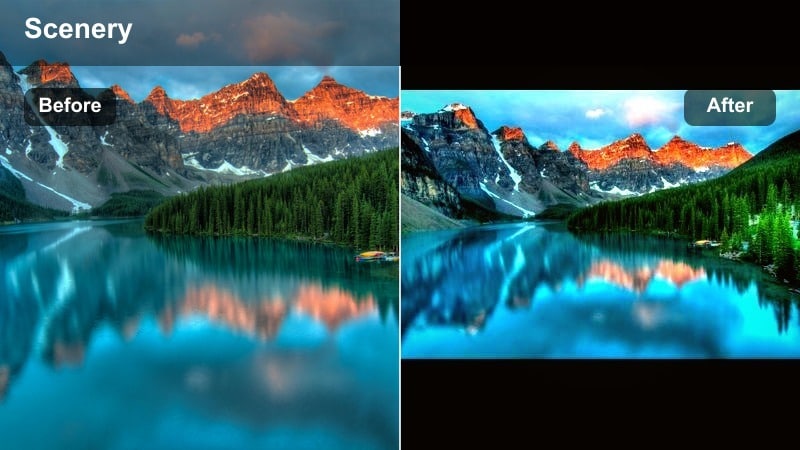
- Effect look: Warm, slightly cinematic highlights with cooler shadows for buildings, creating a golden yet balanced skyline look.
- Best for: City viewpoints, rooftop sunsets, and urban travel montages that blend architecture with sky.
- Editing tip: Increase saturation in the reds and oranges for signs and windows while keeping overall saturation moderate.
City Overlook Gold is tailored for urban skylines, adding warm glow to skies and windows while preserving structured, cooler tones in buildings. In Filmora, it creates a polished, travel-film look where cities feel inviting but still grounded and realistic.
Use it for rooftop sunsets, balcony views, and drone passes over urban areas. After applying the filter, selectively boost reds and oranges for signage, traffic, and windows to enhance life in the city, but keep global saturation under control so the overall image stays elegant and cinematic.
Tips for Using Landscape Warm Filters in Filmora
- Shoot slightly flatter and a bit underexposed so warm landscape filters have more highlight detail to work with.
- Lock white balance in-camera to avoid shifting colors between clips when you apply the same warm filter.
- Use warmer filters more lightly on skin tones and strongly on background landscapes to keep faces natural.
- Adjust local exposure with masks or keyframes so bright skies and darker forests both benefit from warm grading.
- Create a custom preset after fine-tuning one warm look so future nature vlogs and travel videos stay visually consistent.
- Test several warm filters side by side in Filmoras preview to find the best match for each lighting condition.
- Layer a subtle LUT on top of your warm filter only after dialing in exposure and white balance for more control.
Warm landscape video filters are a fast way to transform ordinary outdoor footage into golden, cinematic scenes that feel immersive and inviting.
Whether you are filming mountain trails, forest paths, or seaside cities, Filmoras warm filters and Golden Vista preset help you build a consistent style that matches your travel and nature storytelling.
secure download