

 100% Security Verified | No Subscription Required | No Malware


 ChatGPT
 Perplexity
 Gemini
 Claude
 Grok
Grok
Marine Teal sits between blue and green, capturing the calm of deep water with a hint of energizing freshness. It feels trustworthy, modern, and slightly adventurous, which is why it often appears in brands that want to look stable yet creative. In video, Marine Teal can cool down harsh footage, unify mixed lighting, or give your frames a polished ocean inspired tone.
For creators and Filmora users, this guide collects ready to use Marine Teal color palettes with HEX codes so you can design cohesive thumbnails, intros, channel branding, and cinematic edits. Use these palettes as the base for your color grading, motion graphics, overlays, and YouTube thumbnail designs.
In this article
Calm And Coastal Marine Teal Color Palettes
Harbor Dawn Drift

- HEX Codes: #0f4f5a, #1a6f7a, #9ad7d3, #f4f7f6, #f7b29b
- Mood: Calm, airy, and quietly optimistic like a soft sunrise over the sea.
- Use for: Ideal for travel vlogs, lifestyle intros, and channel banners that aim for a serene coastal vibe.
Harbor Dawn Drift blends deep Marine Teal with misty aqua, off white, and a gentle coral accent. It feels like breathing in cool morning air on the waterfront, with just enough warmth to keep things inviting instead of cold. The balance of teal shadows and pale highlights keeps your visuals bright and relaxing.
Use this palette for soft, cinematic b roll, minimal travel vlog thumbnails, and clean channel headers. In Filmora, you can sample the teal tones for your backgrounds and overlays, then use the coral as your accent color for buttons, subscribe text, and lower third highlights so your brand feels consistent across intros, transitions, and end screens.
Pro Tip: Build A Serene Marine Teal Look In Filmora
To keep a calm Marine Teal atmosphere from the first frame to the last, start by choosing one of the dark teal HEX values as your hero color for titles, shapes, and transitions. In Filmora, apply that same color to your text, borders, and motion graphics so intros, lower thirds, and end cards all share the same visual language.
Pair that hero teal with the softer aqua and off white from Harbor Dawn Drift for backgrounds and overlays. This makes your footage feel airy and coastal, whether you are editing a travel montage, a vlog about slow living, or simple B roll of the ocean. Subtle use of the coral accent on call to action elements helps guide the viewer without breaking the calm mood.
AI Color Palette
If you have a still frame or design mockup that already captures the Harbor Dawn Drift mood, you can turn it into a full video look in a few clicks. Filmora's AI Color Palette feature analyzes the colors of your reference image and transfers that Marine Teal balance to every clip on your timeline.
Import your reference, pick it as the source, and apply the AI Color Palette to your selected clips. This is especially useful for travel vlogs or coastal themed edits filmed on different days or cameras. The AI helps align shadows, midtones, and highlights so all your shots share the same Marine Teal and Coastal Sand feeling without manual grading on each clip.
 secure download

HSL, Color Wheels & Curves
Once your base Marine Teal look is in place, you can fine tune it in Filmora with HSL, color wheels, and curves. Slightly increasing saturation on cyan and teal ranges while keeping luminance soft gives a dreamy, coastal feel. Use the color wheels to cool down shadows and keep highlights closer to warm coral or sand so skin tones stay natural.
If you want more cinematic depth, gently bend the RGB curves to add contrast in the midtones while protecting bright areas. Filmora also offers in depth tutorials on color grading with these tools, and you can follow along with the techniques shown in the embedded video below to stay consistent with your chosen Marine Teal palette.
secure download1000+ Video Filters & 3D LUTs
To speed up your workflow, you can start from ready made looks and then nudge them toward your Harbor Dawn Drift palette. Filmora's video filters and 3D LUTs make it easy to test different cinematic, vintage, or pastel styles until you find one that matches your Marine Teal mood.
Apply a teal and orange or pastel LUT, then adjust intensity so it lines up with your chosen HEX values. Combine this with overlays like light leaks or film grain to give your coastal visuals more texture. Once you like the result, save it as a custom preset and reuse it on future vlogs, shorts, and thumbnails that share the same Marine Teal identity.
secure downloadTidepool Glass

- HEX Codes: #125b63, #198f8a, #5fd3c3, #f5fbfa, #ffd6a3
- Mood: Refreshing and translucent with a clean, ocean glass clarity.
- Use for: Works well for wellness channels, how to tutorials, and minimalist lower thirds that need a fresh, spa like tone.
Tidepool Glass feels like polished sea glass and clear water. The layered Marine Teal shades stay cool and refreshing, while the pale white and warm sand accent prevent the palette from feeling sterile. It is a great fit when you want your videos to look clean and rejuvenating.
Apply this palette to wellness intros, skincare reels, meditation backgrounds, or minimalist tutorial graphics. Use the darker teal for text or icons, the soft teal and white for panels and frames, and the sandy accent color for subtle buttons and timestamps in Filmora.
Lagoon Breeze Minimal
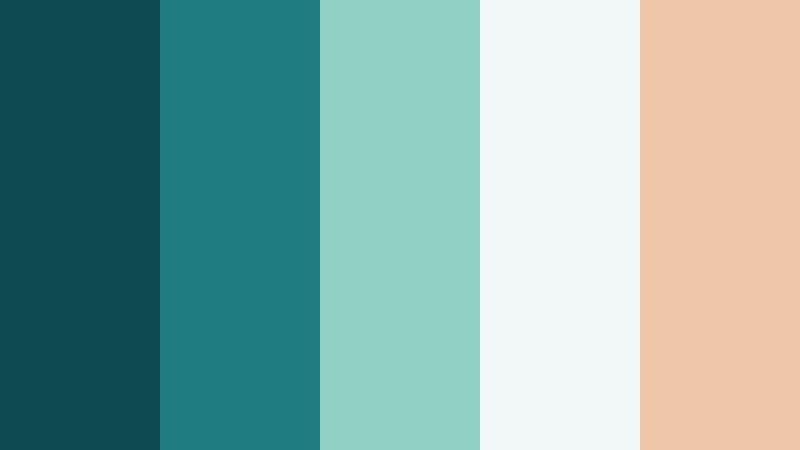
- HEX Codes: #0e4a52, #1f7c80, #8fd1c5, #f2f8f7, #f0c6aa
- Mood: Balanced and minimal, with an easygoing ocean side sophistication.
- Use for: Great for channel branding, overlay frames, and UI style graphics where a clean coastal identity is needed.
Lagoon Breeze Minimal is structured and modern, with deep Marine Teal foundations, soft teal mids, and pale neutral highlights. The light shell and sand tones keep it grounded and slightly luxurious, like a boutique hotel by the sea.
Use this palette to build consistent channel branding: logo stings, animated lower thirds, and data callouts. In Filmora, combine flat teal blocks with thin white lines and sand colored accents to create UI inspired overlays that feel professional but still relaxed and coastal.
Mariner Sketchbook
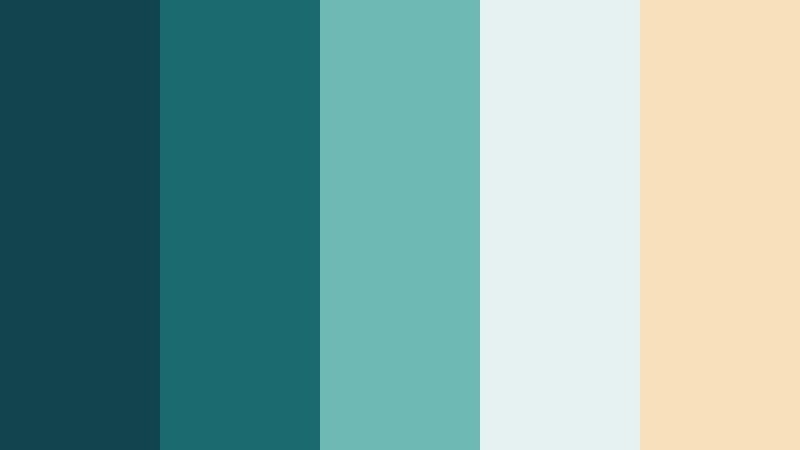
- HEX Codes: #11444d, #1b6a6f, #6fb9b4, #e6f2f1, #f7e0ba
- Mood: Adventurous but gentle, like journaling travels along a quiet coastline.
- Use for: Perfect for travel diaries, voice over story edits, and cinematic montages with map or notebook textures.
Mariner Sketchbook combines inky Marine Teal depths with sun faded aqua and warm parchment. It feels thoughtful and story driven, like notes and sketches from a long coastal journey. The mix of cool and warm tones keeps the palette adaptable to different types of footage.
This palette suits travel diaries, study with me edits, or storytelling vlogs. Use the darker teal for headings and map outlines, the softer teal and off white for textured backgrounds, and the parchment accent for date stamps or chapter cards in Filmora.
Bold And Cinematic Marine Teal Color Palettes
Neon Dock Nights
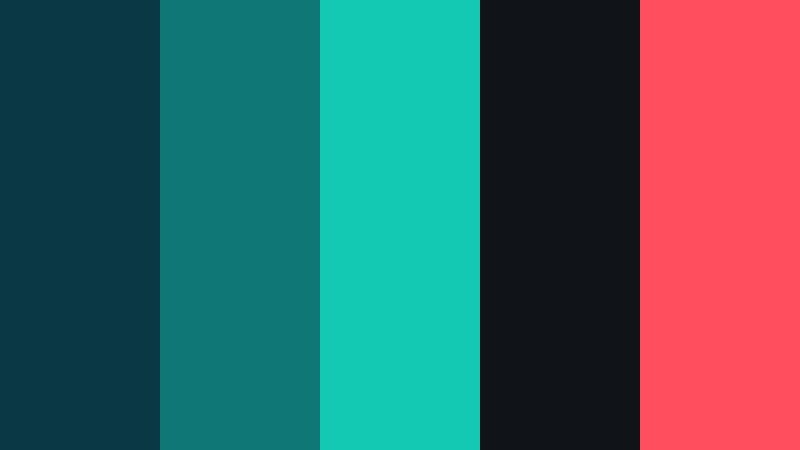
- HEX Codes: #0b3943, #0f7775, #14c9b3, #101318, #ff4f5e
- Mood: Electric and moody, like city lights reflected on night water.
- Use for: Great for edgy channel trailers, gaming overlays, and high contrast thumbnails that must stand out in feeds.
Neon Dock Nights throws vivid aqua highlights and coral red accents over deep Marine Teal and near black shadows. The result is dramatic and eye catching, perfect when you need serious contrast on busy platforms.
Use this palette for gaming overlays, tech reviews, cyberpunk edits, and intense channel trailers. In Filmora, push the teal and turquoise tones in your footage, keep backgrounds dark, and reserve the neon aqua and coral for titles, glitch effects, and subscribe or like icons.
Storm Surge Cinema
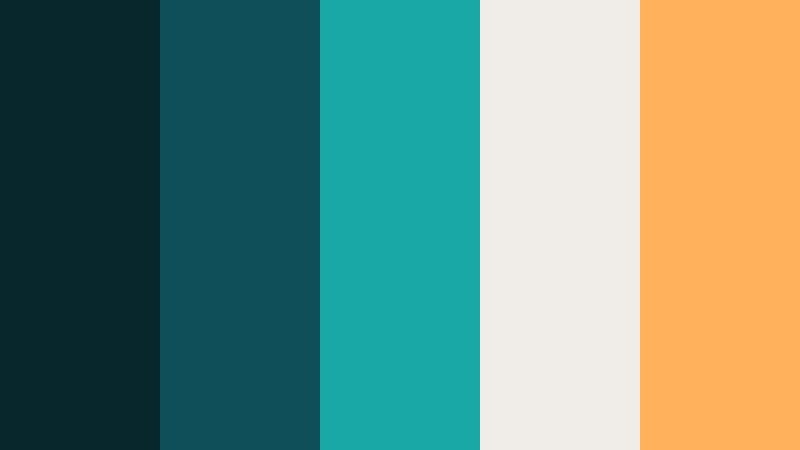
- HEX Codes: #08272d, #0f4f59, #19a8a4, #f0ede9, #ffb15c
- Mood: Intense and cinematic with storm cloud drama and bright accents.
- Use for: Ideal for trailers, short films, and documentary openers that need a teal and orange cinematic color grade feel.
Storm Surge Cinema gives you rich Marine Teal shadows, punchy cyan mids, and warm amber highlights inspired by classic teal and orange grading. It feels intense and atmospheric without becoming too heavy.
Apply this palette to short film trailers, dramatic docu style openers, or product launches. In Filmora, lean into teal on the shadows and midtones and let the orange accent appear in titles, light flares, or key props to emphasize your subject.
Harbor Neon Retro
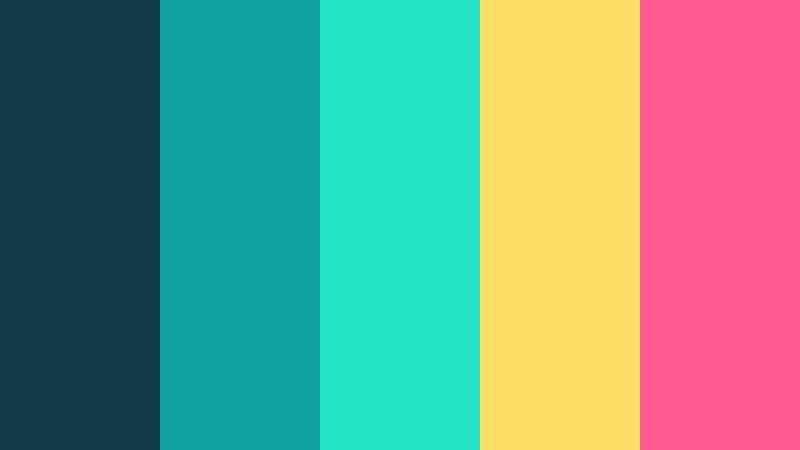
- HEX Codes: #0e3b45, #0fa19b, #23e3c5, #ffe066, #ff5a8f
- Mood: Playful and retro with a synthwave flare on top of cool Marine Teal.
- Use for: Use for upbeat promo spots, music videos, and retro styled vlogs with animated titles and stickers.
Harbor Neon Retro takes Marine Teal into a bright, synthwave direction. Punchy teal and neon aqua sit next to lemon yellow and hot pink, creating a nostalgic arcade or summer party feel.
Use this palette for music videos, upbeat channel intros, or retro vlog series. In Filmora, combine bold geometric shapes and animated stickers in these colors, and let the deep teal act as a grounding background behind your energetic titles.
Deep Current Noir

- HEX Codes: #02090c, #083238, #0f686d, #f5f3f1, #f96e46
- Mood: Dark, mysterious, and stylish with a sharp noir twist.
- Use for: Great for tech explainers, crime or mystery content, and any cinematic sequence needing bold contrast.
Deep Current Noir carves Marine Teal out of near black shadows with a single sharp orange accent. It feels sleek, confidential, and modern, like a high end tech ad or a crime thriller opening.
Use it for mystery podcasts on YouTube, tech explainers, data security content, or any project where clarity and suspense matter. In Filmora, keep backgrounds almost black, add teal lines and data grids, and highlight key numbers or keywords in the orange accent for maximum impact.
Soft And Romantic Marine Teal Color Palettes
Seafoam Blush Story

- HEX Codes: #13646c, #45a8a3, #c6ebe4, #ffe3ea, #ffc4b3
- Mood: Gentle, romantic, and airy with a seaside pastel softness.
- Use for: Lovely for couples vlogs, wedding highlight films, and lifestyle thumbnails with a dreamy atmosphere.
Seafoam Blush Story pairs soft Marine Teal with pastel blush and peach. The combination feels tender and dreamy, like a couples photoshoot at the beach during golden hour.
Use this palette for wedding highlights, engagement reels, or romantic lifestyle vlogs. In Filmora, keep teals subtle in the shadows, use pastels for titles and overlays, and rely on the blush and peach tones for callouts, date stamps, and small graphics on thumbnails.
Tidal Petal Pastels

- HEX Codes: #0f575e, #3ca4a2, #bfe2dd, #fdf3f0, #ffb8d1
- Mood: Lighthearted and whimsical with floral notes over cool water tones.
- Use for: Great for beauty channels, stationery mockups, and social reels focusing on self care or creativity.
Tidal Petal Pastels floats soft florals over Marine Teal water. It is playful and feminine, yet grounded by the cool base, making it perfect for gentle, aesthetic content.
Use this scheme for beauty tutorials, bullet journal videos, or self care reels. In Filmora, rely on the teal tones for borders and structure, and introduce the pastel pinks and creams in backgrounds, text blocks, and sticker style animations.
Seashell Letters Home
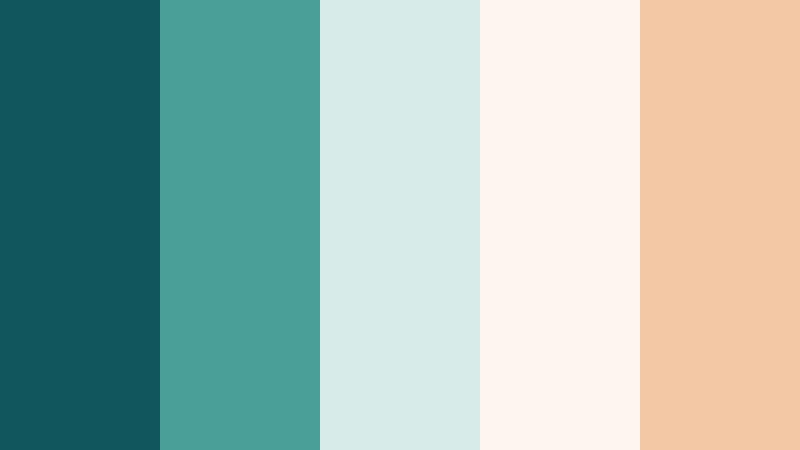
- HEX Codes: #11565d, #4a9f99, #d7ece8, #fdf6ef, #f3c9a5
- Mood: Nostalgic and gentle, like hand written letters from a coastal town.
- Use for: Perfect for journaling vlogs, study with me videos, and aesthetic montage edits.
Seashell Letters Home mixes weathered Marine Teal with creamy shell and warm paper tones. It feels nostalgic and comforting, like re reading postcards from a seaside holiday.
Use this palette for aesthetic study sessions, journaling vlogs, and soft montage edits. In Filmora, combine light paper textures in the background, teal headers or doodles, and warm shell accents for highlights and bullet points.
Harbor Lantern Glow

- HEX Codes: #0d4c56, #2f8a87, #bde4dd, #fff5e8, #ffb47c
- Mood: Cozy and glowing, like lantern light over evening water.
- Use for: Use for cozy vlogs, seasonal content, and slow living edits that need warmth and calm depth.
Harbor Lantern Glow layers deep Marine Teal shadows with soft teal mids, creamy ivory, and lantern gold. It feels like a warm evening on the dock, lit by candles and string lights.
Try this palette for slow living vlogs, autumn evenings, or cozy reading sessions. In Filmora, keep the teal in the shadows and backgrounds, then add warm ivory and gold to titles, frame edges, and gentle light leak overlays for a calm, comforting atmosphere.
Modern And Minimal Marine Teal Color Palettes
Teal Studio Grid
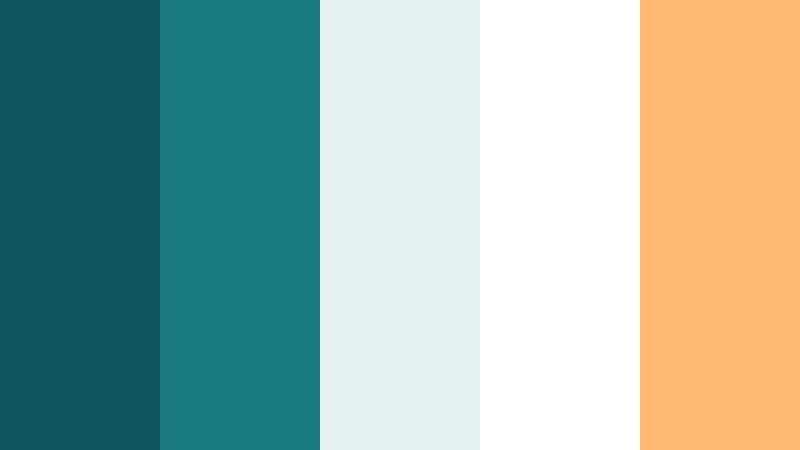
- HEX Codes: #0f555d, #1b7b82, #e3f1f0, #ffffff, #ffb871
- Mood: Clean, professional, and optimistic with crisp contrast.
- Use for: Great for tech channels, productivity videos, and modern UI inspired motion graphics.
Teal Studio Grid is a sharp, minimal take on Marine Teal. Crisp teal shades sit beside bright white and a confident warm accent, creating a studio fresh look that feels organized and upbeat.
Use this palette for productivity tutorials, tech reviews, and dashboard style explainers. In Filmora, build simple grid layouts in teal and white, then use the warm accent for key metrics, buttons, and important text on your thumbnails and end screens.
Dockside Branding Kit
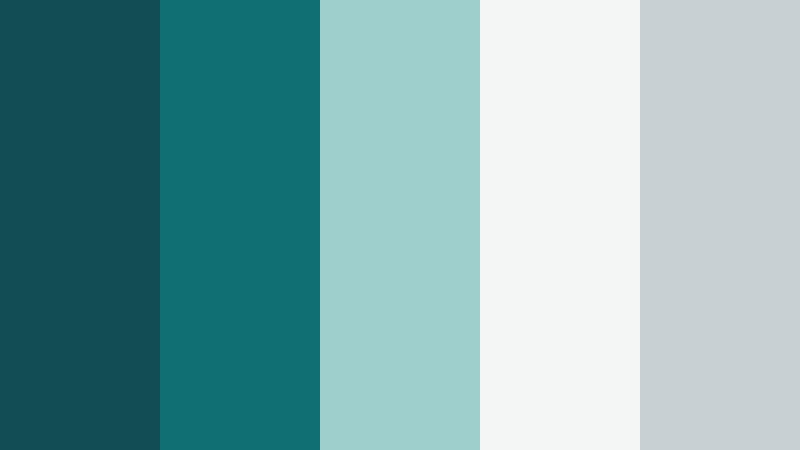
- HEX Codes: #124c55, #0f6f73, #9ecfcc, #f3f6f5, #c9d0d4
- Mood: Understated and brand ready with a trustworthy, corporate calm.
- Use for: Ideal for logo stings, channel rebrands, and pitch deck visuals that use Marine Teal as a hero brand color.
Dockside Branding Kit treats Marine Teal as a mature, reliable brand color. Deep and mid tone teals are supported by soft gray and cool neutrals, giving your visuals a corporate calm with a fresh edge.
Use this palette when building a consistent channel brand or client deliverables. In Filmora, keep the darkest teal for logos and primary titles, use the mid teal and light gray for panels and shapes, and rely on the soft neutrals as background to keep everything clear and readable.
Minimalist Keel Line
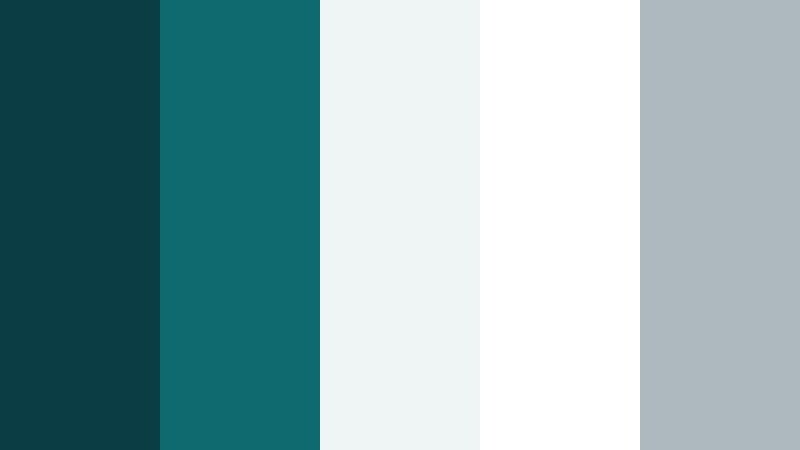
- HEX Codes: #0b3d45, #0f6a70, #eef5f4, #ffffff, #adb9be
- Mood: Ultra clean and minimal with a precise, design forward edge.
- Use for: Best for UI mockups, app promos, and sleek tutorial overlays that need clarity and focus.
Minimalist Keel Line strips Marine Teal down to its most essential, design forward form. Sharp teal lines glide over mostly white and pale gray backgrounds, giving maximum clarity and a premium editorial look.
Use this palette for app demos, software walkthroughs, and any video where the interface matters more than decoration. In Filmora, keep backgrounds white, use thin teal shapes as guides and arrows, and apply gray for secondary text so your main message stands out cleanly.
Tips for Creating Marine Teal Color Palettes
When you design your own Marine Teal palettes for video and design, focus on balance: pair the coolness of teal with warm or neutral tones, and always consider legibility on small screens and busy feeds.
- Anchor your palette with one main Marine Teal shade for consistency, then choose 2 to 4 supporting colors for highlights, backgrounds, and accents.
- Pair Marine Teal with warm tones like coral, amber, or Coastal Sand to avoid a cold or clinical feeling, especially in lifestyle and travel content.
- Check text readability by testing white, off white, or very dark teal over your chosen background colors for thumbnails and lower thirds.
- Use saturation carefully: strong teal works well for small accents, while large backgrounds often look better in softer, desaturated teal or aqua.
- Match your palette to your footage by using color eyedroppers in Filmora to pull teals from water, sky, or clothing so graphics feel integrated.
- Keep branding consistent by reusing the same HEX codes for your logo, titles, and end screens across all videos and social assets.
- Test how your palette looks on mobile by exporting a frame and viewing it on a phone; adjust contrast if key text or buttons feel washed out.
- Create variations of one palette (soft, bold, dark) so you can adapt Marine Teal to different seasons or series without losing brand recognition.
Marine Teal palettes are powerful tools for shaping mood and identity. From calm coastal vlogs to sharp tech explainers and romantic wedding films, the right combination of teal, neutrals, and accents can make your videos instantly recognizable and emotionally engaging.
Use the HEX codes in this guide as plug and play starting points in Filmora. Apply them to text, overlays, filters, and LUTs, then save your favorite combinations as presets so every thumbnail, intro, and edit feels like part of the same visual world.
The more you experiment, the more you will discover how flexible Marine Teal can be. Try these palettes across different projects, refine them with Filmora's color tools, and build a signature look that viewers associate with your channel.
secure download