

 100% Security Verified | No Subscription Required | No Malware

Medium Blue sits between soft sky tones and deep navy, which makes it incredibly versatile for creators. It signals trust, calm focus, and clarity, but still feels modern enough for tech, gaming, and cinematic visuals. Used in thumbnails, titles, intros, and overlays, Medium Blue can instantly tidy up a cluttered frame and guide the viewer’s eye toward the most important information.
Below you will find curated Medium Blue color palettes with HEX codes you can copy straight into your thumbnails, lower-thirds, end screens, and channel branding. Each palette is designed with real-world use in mind, and every combo works beautifully with Filmora color tools and effects so you can keep your Medium Blue look consistent across an entire video or series.
In this article
Soft & Airy Medium Blue Color Palettes
Morning Tide Mist
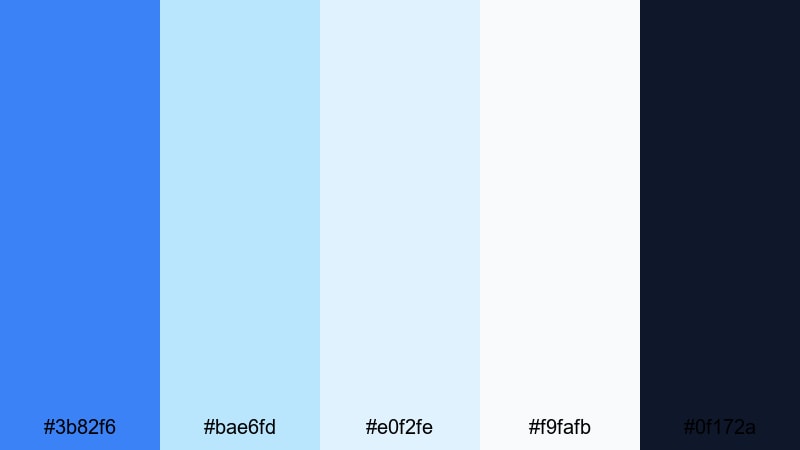
- HEX Codes: #3b82f6, #bae6fd, #e0f2fe, #f9fafb, #0f172a
- Mood: Calm, fresh, and quietly optimistic, like a gentle morning by the sea.
- Use for: Ideal for travel vlogs, lifestyle intros, and lower-third titles that need a serene ocean feel.
This palette wraps a clear Medium Blue in layers of misty sky tones and soft near-white, grounded by a deep navy accent. It feels like opening a window onto a quiet coastline, which makes it perfect for channels that want a clean, welcoming look without harsh contrast.
Use Morning Tide Mist for airy thumbnails, relaxed intro screens, and unobtrusive lower-thirds that float over B-roll without stealing attention. The darker navy (#0f172a) is ideal for readable text and logo marks, while the lighter blues create cohesive overlays and subtle gradients in Filmora.
Pro Tip: Build a Calm Medium Blue Brand Look in Filmora
When you use a soft palette like Morning Tide Mist, consistency is everything. In Filmora, you can pick your main Medium Blue for titles and shapes, then reuse it across intro cards, chapter screens, and end slates so your channel instantly feels branded and intentional.
Try using the brighter Medium Blue (#3b82f6) for call-to-action buttons or subscribe prompts, the light blues for panel backgrounds, and navy for text. Save these as custom preset colors inside Filmora so every new project starts with your Morning Tide Mist look ready to go.
AI Color Palette
If you have a reference thumbnail, moodboard, or still frame using Morning Tide Mist, you can turn that visual into a grading baseline for your entire video. Filmora's AI Color Palette feature analyzes the colors in your reference and automatically applies a matching look to other clips.
Import a frame where your Medium Blue and soft sky tones look perfect, then use AI Color Palette to harmonize all your A-roll and B-roll. This keeps your ocean-inspired Medium Blue aesthetic consistent across intros, talking-head shots, cutaways, and social media exports with almost no manual tweaking.
 secure download

HSL, Color Wheels & Curves
To perfect a soft Medium Blue palette, use Filmora's HSL, color wheels, and curves to keep blues gentle while protecting skin tones. In the HSL panel, slightly reduce saturation in the aqua and blue ranges so overlays feel airy, then use the color wheels to cool shadows and keep highlights closer to the light sky tones.
You can also use curves to add a subtle S-curve for contrast while preventing the blues from becoming too electric. For a deeper dive into balancing tones, Filmora's color correction and grading tools guide you through building cinematic looks that still feel bright and approachable.
secure download1000+ Video Filters & 3D LUTs
Once your Medium Blue base is set, Filmora's filters and LUTs can quickly push Morning Tide Mist toward a specific style: more cinematic, more dreamy, or more vlog-like. Apply a subtle film-style LUT to deepen the navy and give the blues a gentle matte finish, or use soft glow filters to amplify that misty, coastal feel.
Filmora's video filters and 3D LUTs make it easy to test different moods on top of the same HEX palette, so your brand colors stay consistent even as you experiment with new looks for playlists, shorts, or seasonal edits.
secure downloadCloudline Studio Glow
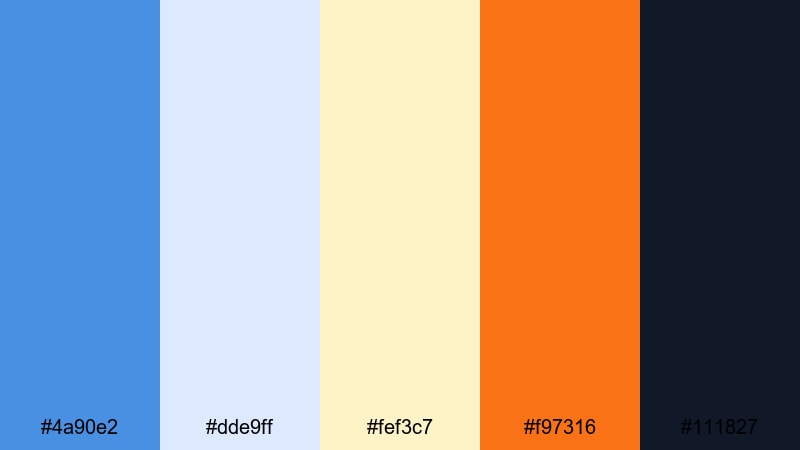
- HEX Codes: #4a90e2, #dde9ff, #fef3c7, #f97316, #111827
- Mood: Light, creative, and slightly dreamy with a warm highlight pop.
- Use for: Use this palette for educational videos, channel branding, and animated explainers that should feel friendly yet polished.
Cloudline Studio Glow pairs a clear Medium Blue with hazy whites and a creamy highlight, then adds a bold orange accent for energy. It feels like a bright studio space lit by soft daylight, with just enough color pop to keep viewers engaged.
The warm orange (#f97316) is great for subscribe buttons, progress bars, or key icons in your overlays, while the blues and off-whites define backgrounds, frames, and info cards. Apply this palette in Filmora to create teaching-style thumbnails, clean explainer intros, and subtle motion graphics that look professional but never stiff.
Gentle Harbor Stories
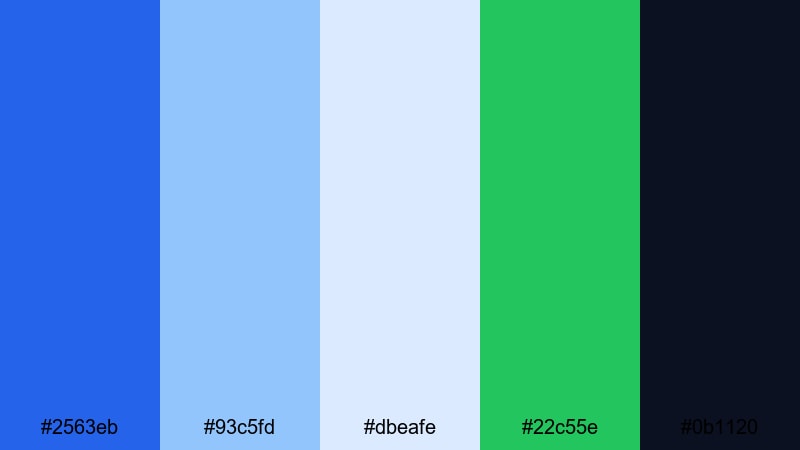
- HEX Codes: #2563eb, #93c5fd, #dbeafe, #22c55e, #0b1120
- Mood: Hopeful and storytelling-focused, balancing softness with a grounded base.
- Use for: Great for documentary intros, narrative vlogs, and storytime content where calm pacing matters.
Gentle Harbor Stories layers a rich Medium Blue with progressively lighter harbor haze tones, anchored by midnight navy and lifted by a fresh green accent. It feels trustworthy and cinematic, but still approachable enough for personal stories and docu-style vlogs.
Use the greens (#22c55e) sparingly for chapter markers or progress labels, keeping most of your frames in the blue range for cohesion. In Filmora, you can design lower-thirds and title screens with light blue backgrounds and navy text to maintain readability while preserving a quiet, reflective mood.
Daydream Window Light
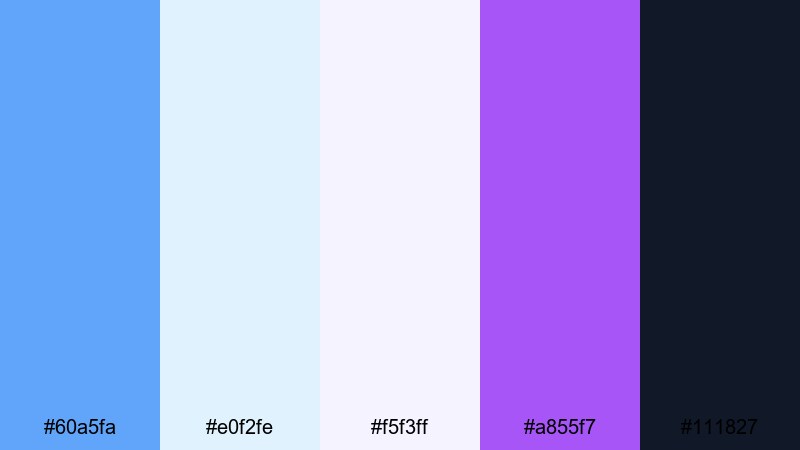
- HEX Codes: #60a5fa, #e0f2fe, #f5f3ff, #a855f7, #111827
- Mood: Whimsical, light-filled, and slightly artistic with a hint of fantasy.
- Use for: Perfect for art channels, journaling videos, and dreamy B-roll sequences with text overlays.
Daydream Window Light blends soft Medium Blue with pale sky and almost-white lilac, then punctuates the palette with a vivid violet accent. It feels dreamy and slightly surreal, ideal for creative channels that want their visuals to feel like a sketchbook or moodboard.
Use the violet (#a855f7) for underlines, small badges, or animated scribbles over B-roll, while the blues and whites carry your primary backgrounds and frames. In Filmora, keep titles in the dark text color (#111827) for clarity, then layer translucent blue or lavender panels behind them for a gentle, imaginative effect.
Bold & Cinematic Medium Blue Color Palettes
Neon Skyline Pulse
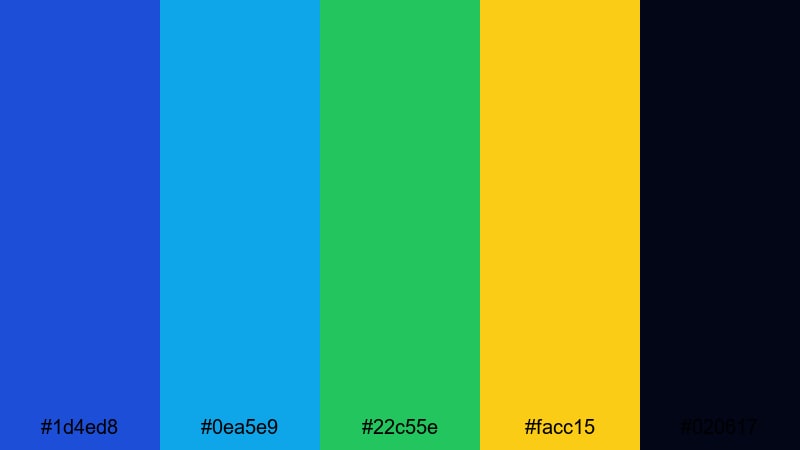
- HEX Codes: #1d4ed8, #0ea5e9, #22c55e, #facc15, #020617
- Mood: High-energy, urban, and futuristic with sharp neon contrast.
- Use for: Designed for gaming intros, tech reviews, and fast-cut trailers that need strong color impact.
Neon Skyline Pulse throws a deep Medium Blue against neon cyan, lime, and bright yellow, all set on an almost-black base. It feels like a city skyline at night or a sci-fi HUD, perfect for high-intensity edits and competitive gaming content.
Use the near-black (#020617) for backgrounds, then let the Medium Blue and cyan outline shapes, frames, and motion graphics. Reserve the lime and yellow accents for score counters, subscribe prompts, or flashing transitions in Filmora so the most important actions literally light up on screen.
Ocean Storm Trailer
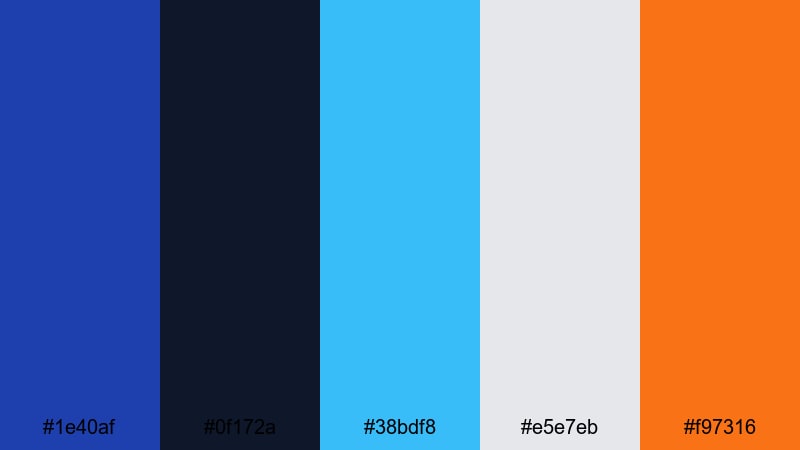
- HEX Codes: #1e40af, #0f172a, #38bdf8, #e5e7eb, #f97316
- Mood: Intense, dramatic, and powerful like a stormy sea.
- Use for: Use for cinematic trailers, dramatic story arcs, and suspenseful channel bumpers.
Ocean Storm Trailer centers on brooding navy and Medium Blue, slashed with electric aqua, neutral gray, and a hit of orange. The palette feels like storm clouds over water, making it perfect for dramatic trailers and suspense-driven storylines.
In Filmora, build title cards with dark navy backgrounds and Medium Blue borders, then use aqua for light streaks or animated lines. The orange (#f97316) works best as a minimal accent for key phrases or CTA text, so it stands out against the cooler tones without overwhelming the scene.
Cyber Drift Horizon
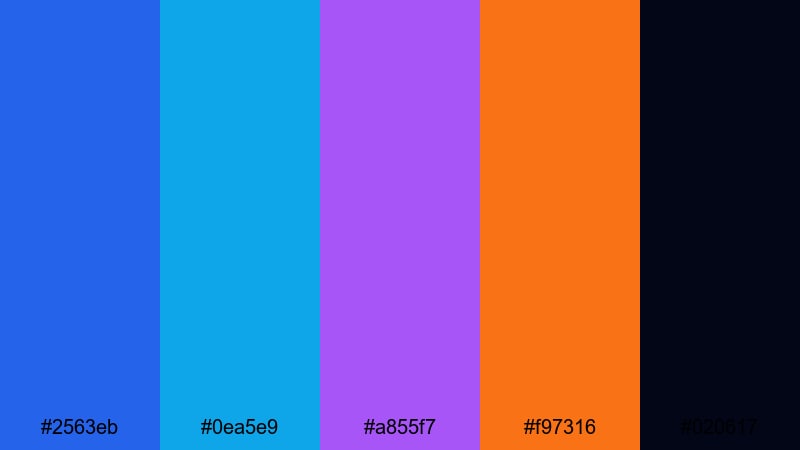
- HEX Codes: #2563eb, #0ea5e9, #a855f7, #f97316, #020617
- Mood: Sci-fi, fast-paced, and sleek with a tech-forward flair.
- Use for: Perfect for motion graphics, app promos, and tech breakdowns that lean into a cyber aesthetic.
Cyber Drift Horizon pushes Medium Blue into pure sci-fi territory by pairing it with cyan, magenta-violet, and punchy orange over a dark base. It feels like UI graphics racing across a screen, ideal for speedy animations and tech content.
Use the blues and violet for line art, grids, and panel edges, then tap the orange for interactive elements like buttons or swipe indicators. In Filmora, this palette works especially well with glitch transitions, HUD overlays, and animated callouts pointing at features in app demos or device close-ups.
Deep Space Title Fade
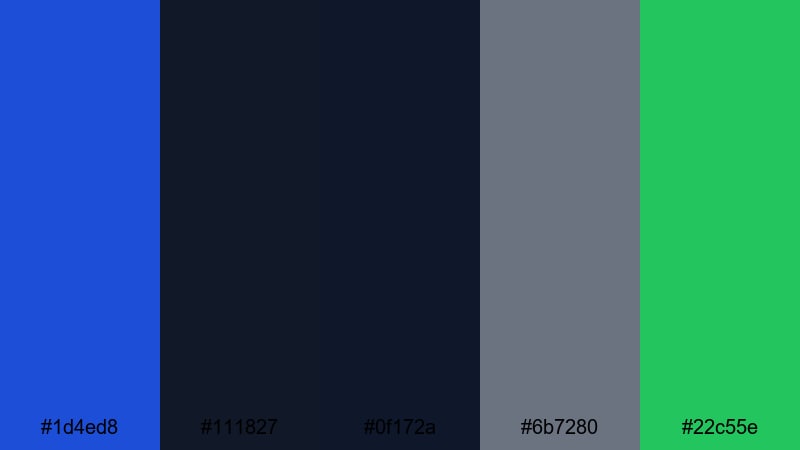
- HEX Codes: #1d4ed8, #111827, #0f172a, #6b7280, #22c55e
- Mood: Mysterious, atmospheric, and quietly powerful.
- Use for: Best for sci-fi openers, mystery series, and cinematic text reveals with subtle movement.
Deep Space Title Fade mixes Medium Blue with layers of charcoal and soft gray, punctuated by a restrained green accent. It feels like drifting through space or reading a classified dossier, perfect for slower, atmospheric edits.
The grays (#6b7280) help you build soft gradients and foggy panels behind titles, while the blues create the central visual identity. Use the green for rare highlights on key words or icons in Filmora, so your viewer’s eye is gently directed through each on-screen element.
Minimal & Modern Medium Blue Color Palettes
Clean Dashboard Wave
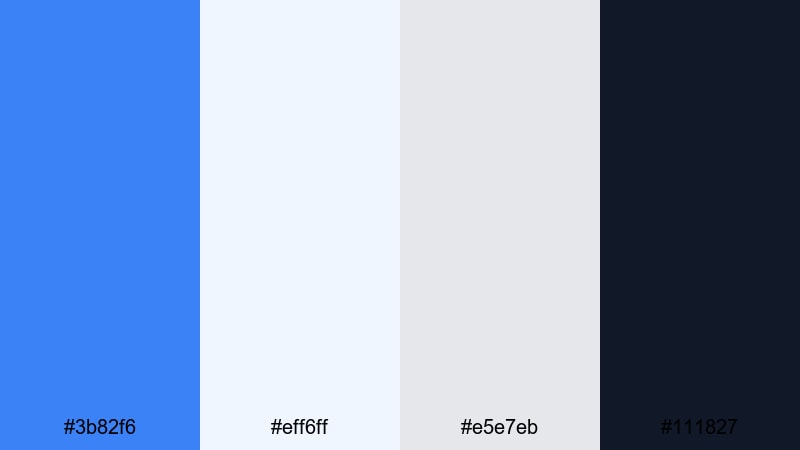
- HEX Codes: #3b82f6, #eff6ff, #e5e7eb, #111827
- Mood: Efficient, fresh, and professional with a product-design feel.
- Use for: Ideal for SaaS demos, UI mockups, and productivity tutorials needing a crisp interface look.
Clean Dashboard Wave takes a focused Medium Blue and pairs it with near-white and cool gray, all framed by a strong text color. The result is a modern, app-like aesthetic that makes complex information feel simple and organized.
Use the lighter tones (#eff6ff, #e5e7eb) for card backgrounds, charts, and stats blocks, while Medium Blue handles key highlights or selection states. In Filmora, this palette is perfect for overlay panels, screencast callouts, and structured tutorial thumbnails that resemble real product dashboards.
Gridline Tech Blueprint
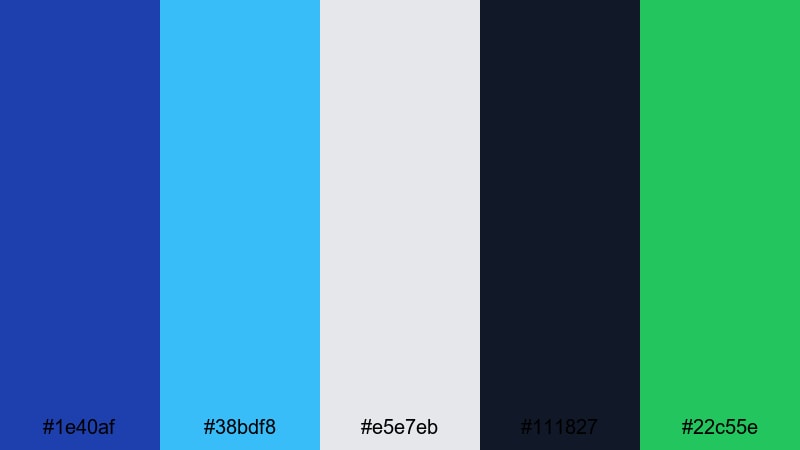
- HEX Codes: #1e40af, #38bdf8, #e5e7eb, #111827, #22c55e
- Mood: Technical, confident, and clean with a hint of innovation.
- Use for: Use this palette in coding tutorials, hardware reviews, or any design that mimics a clean blueprint layout.
Gridline Tech Blueprint channels the look of engineering diagrams by combining deep Medium Blue with bright aqua lines, cool gray, and a precise green accent. It feels structured and innovative, ideal for videos that explain how something works.
Draw diagram-style overlays in Medium Blue and aqua, use gray panels for text, and rely on the green (#22c55e) to highlight important metrics or code snippets. In Filmora, you can build animated line drawings or flowcharts in this palette to make your tech breakdowns feel both visual and professional.
Nordic Workspace Chill
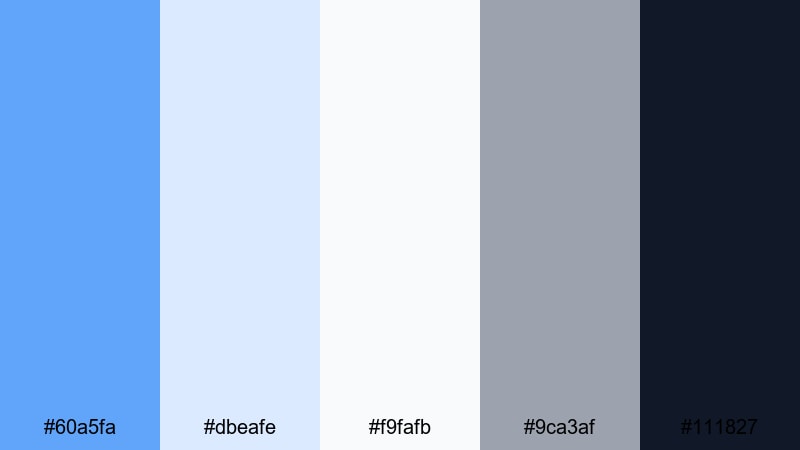
- HEX Codes: #60a5fa, #dbeafe, #f9fafb, #9ca3af, #111827
- Mood: Relaxed, organized, and airy with Scandinavian simplicity.
- Use for: Perfect for study-with-me videos, productivity vlogs, and desk setup tours with a calm vibe.
Nordic Workspace Chill brings a soft Medium Blue into a pale, clutter-free environment of whites and gentle grays. It feels like a minimalist desk setup or a tidy digital planner, which makes it ideal for productivity-focused content.
Use the blues for headers, dividers, and progress bars, while the whites and grays shape clean background spaces. In Filmora, this palette works beautifully for time-blocking graphics, Pomodoro timers, and subtle lower-thirds that support your footage without ever dominating it.
Logo Lockup Focus
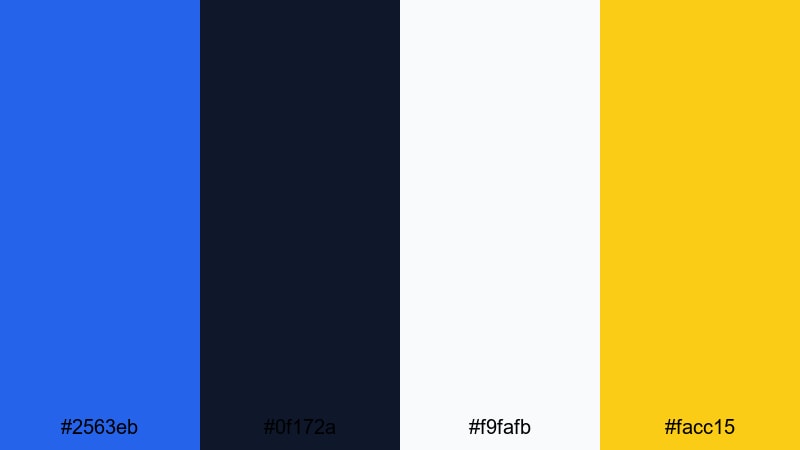
- HEX Codes: #2563eb, #0f172a, #f9fafb, #facc15
- Mood: Clear, brand-forward, and confident with a strong focal point.
- Use for: Best for logo reveals, channel intros, and end screens where brand colors must stand out.
Logo Lockup Focus uses Medium Blue and deep navy to frame bright white and a golden accent, creating a strong stage for any logo or wordmark. It feels bold and direct, built to spotlight your branding in a clean, modern way.
Use white (#f9fafb) as your primary background, navy for main text, and Medium Blue for logo shapes or key elements. The gold (#facc15) should stay reserved for highlights such as subscribe CTAs, taglines, or animation accents in Filmora so your brand instantly reads as premium and memorable.
Retro & Nostalgic Medium Blue Color Palettes
90s VHS Surf
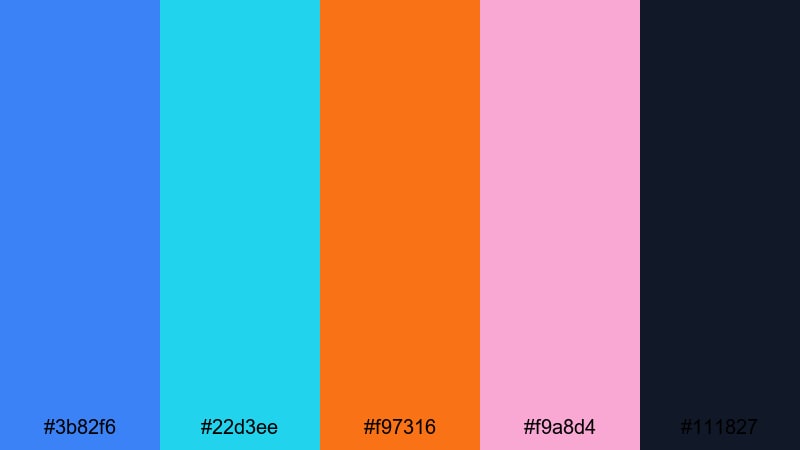
- HEX Codes: #3b82f6, #22d3ee, #f97316, #f9a8d4, #111827
- Mood: Playful, nostalgic, and saturated like sun-faded surf tapes.
- Use for: Great for retro vlog edits, skate or surf montages, and playful title cards with grain effects.
90s VHS Surf splashes Medium Blue with bright aqua, tangerine, and bubblegum pink against a dark anchor. It captures the look of old surf tapes and skate edits, slightly sun-faded but still high-energy.
Use the bright accents in stripes, doodles, or sticker-style elements over your footage, and let the dark tone (#111827) handle text and frame outlines. In Filmora, combine this palette with grain, VHS-style overlays, and light leaks to create nostalgic montages and throwback vlog intros.
Vintage Airline Poster
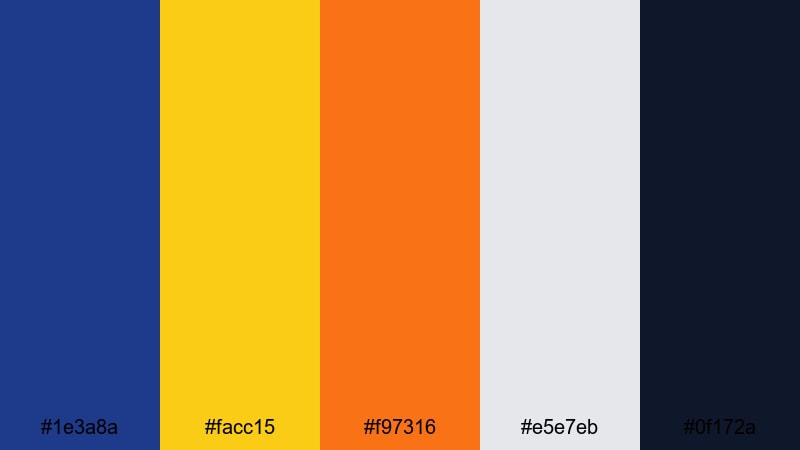
- HEX Codes: #1e3a8a, #facc15, #f97316, #e5e7eb, #0f172a
- Mood: Adventurous, classic, and travel-inspired with a print-era feel.
- Use for: Perfect for travel channels, trip recaps, and title cards styled like old posters or postcards.
Vintage Airline Poster leans a deep Medium Blue into bold yellow and orange, softened by light gray and grounded with dark navy. It recalls mid-century travel posters, with strong blocky contrasts and optimistic color.
Use the warm colors for destination names, routes, and stamps, while the blues frame imagery or maps. In Filmora, design postcard-style title cards and chapter openers, then add subtle grain or halftone textures so the palette feels like printed paper brought to life.
Faded Denim Roadtrip
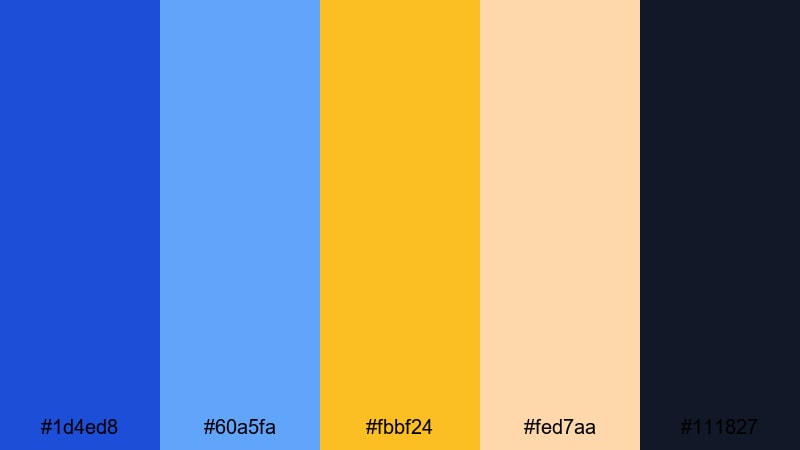
- HEX Codes: #1d4ed8, #60a5fa, #fbbf24, #fed7aa, #111827
- Mood: Warm, relaxed, and road-ready like worn denim and sunset light.
- Use for: Use this palette for travel diaries, van life videos, and lifestyle reels with a cozy analog touch.
Faded Denim Roadtrip layers Medium Blue shades with golden and peachy tones, echoing well-worn denim against sunset skies. It feels casual, warm, and a little nostalgic, perfect for long-form travel stories and cozy lifestyle edits.
Use the blues for borders, map graphics, or mileage counters, and let the yellows and peaches color your chapter cards and highlight captions. In Filmora, this palette pairs beautifully with handheld footage, gentle film grain, and slower crossfades that give your roadtrip videos a soft, cinematic flow.
Tips for Creating Medium Blue Color Palettes
Medium Blue is flexible enough to feel calm, corporate, cinematic, or retro depending on how you combine it with other hues. Use these tips to build palettes that look great on both video and thumbnails while staying consistent inside Filmora.
- Pick one hero Medium Blue and stick to it across titles, buttons, and key icons so viewers instantly recognize your brand.
- Always pair Medium Blue with a clear dark text color or a very light background to keep subtitles, captions, and UI overlays readable.
- Add one high-contrast accent color (like orange, yellow, or lime) for CTAs and important details, but use it sparingly so it keeps its impact.
- Balance cool Medium Blue with either warm tones (oranges, peaches, creams) for friendly vibes, or neutrals (grays, whites) for a modern, minimal look.
- Test your palette over real footage in Filmora, then adjust saturation and brightness with HSL so skin tones and backgrounds still look natural.
- Use gradients or soft shapes in close shades of Medium Blue to add depth to thumbnails and intro cards without overwhelming the viewer.
- Create separate palette variations for day and night scenes by slightly darkening your blues and desaturating accents for low-light footage.
- Save custom presets for colors, filters, and LUTs in Filmora so every new project automatically uses the same Medium Blue visual language.
Medium Blue can be the backbone of a calm lifestyle channel, a futuristic tech brand, or a nostalgic travel diary. With the right supporting colors and a bit of structure, it shapes how your audience feels about your content before they even hit play.
Use these 15 HEX-coded Medium Blue palettes as starting points for your thumbnails, intros, and overlay graphics, then fine-tune them inside Filmora to match your footage. Once your palette is locked in, your entire timeline starts to feel cohesive, from YouTube uploads to short-form clips and social teasers.
Open a new project in Filmora, drop in your favorite palette from this guide, and start experimenting with titles, filters, and LUTs until your Medium Blue look feels like your signature style.
secure download