

 100% Security Verified | No Subscription Required | No Malware


 ChatGPT
 Perplexity
 Gemini
 Claude
 Grok
Grok
Moonlit Sea is a deep teal blue that feels like standing on a pier at night, watching the water catch traces of starlight. It blends the calm of blue with the mystery of green and charcoal, which makes it perfect for storytelling: it can feel cinematic, professional, or dreamy depending on the colors you pair it with. In video and design, Moonlit Sea works beautifully for intros, lower thirds, overlays, and backgrounds where you want depth without losing clarity.
This guide brings you 15 Moonlit Sea color palettes with ready to use HEX codes so you can build cohesive looks for cinematic video edits, YouTube thumbnails, vlogs, channel branding, and modern graphic design. Every palette includes mood notes, use cases, and ideas for keeping your grading consistent in Filmora.
In this article
Cinematic Moonlit Sea Color Palettes
Noir Harbor Night
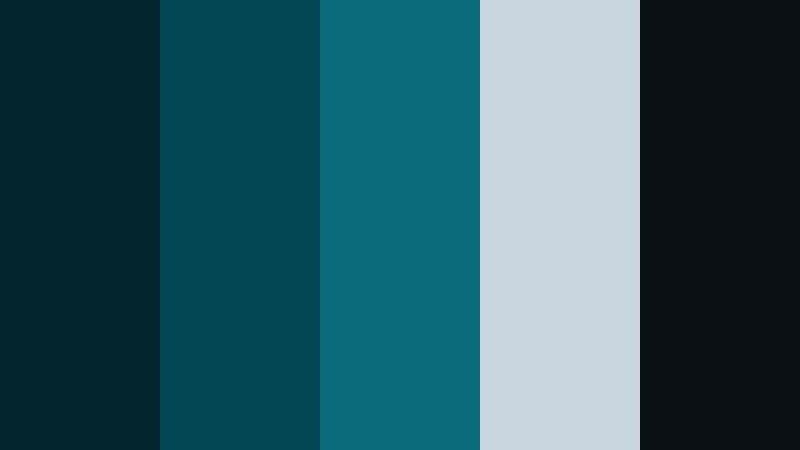
- HEX Codes: #02252e, #034755, #0a6c7b, #c9d6df, #0b1014
- Mood: Moody, cinematic, and mysterious like a quiet harbor at midnight.
- Use for: Perfect for dramatic film intros, thrillers, documentary titles, and atmospheric lower thirds.
Deep Moonlit Sea teals combine with charcoal and cool steel highlights to create a palette that feels like a harbor shot in anamorphic at night. The darker tones (#02252e, #0b1014) give you inky blacks with a teal bias, while #c9d6df works as a soft highlight for text, fog, or subtle glows.
Use Noir Harbor Night when you want your video intros, title cards, and YouTube thumbnails to look cinematic and suspenseful without losing legibility. It works especially well on thriller trailers, true crime explainers, or documentary lower thirds where you want the audience to feel tension before a single word is spoken.
Pro Tip: Build a Cinematic Moonlit Sea Look in Filmora
To keep a Noir Harbor Night look consistent across your edit, start by choosing one or two of the deep teals as your base UI and background colors in Filmora. Use them for your frame backgrounds, text boxes, and overlays, then reuse the same HEX values in any custom title templates or end screens you design. This makes the whole video feel like it belongs in the same dark harbor universe.
When editing, you can color grade your clips so shadows lean into Moonlit Sea instead of neutral gray. Balance the grade with cooler highlights for reflections or street lights, and then use the lighter #c9d6df as your default text and icon color for lower thirds, subscribe reminders, and chapter markers.
AI Color Palette
If you have a reference still that nails this noir harbor mood, let Filmora handle the heavy lifting. Filmora's AI Color Palette feature can analyze a single Moonlit Sea frame and apply that same palette to the rest of your footage, so every shot feels like it lives in the same nighttime world.
Import your hero shot or color card with the Moonlit Sea tones, use it as your reference, and then match the rest of the timeline. This is especially useful for editors cutting between different cameras or mixed lighting where you still want one cinematic teal and charcoal mood from intro to end screen.
 secure download

HSL, Color Wheels & Curves
Once your base grade is in place, use Filmora's HSL, color wheels, and curves tools to fine tune the Moonlit Sea tones. You can gently desaturate other hues while keeping teal rich, darken the blue green shadows for a noir look, or add a touch of cyan to your highlights for reflected water light. Tutorials on advanced color grading in Filmora show how subtle curve adjustments in the midtones can lock in that filmic, harbor at midnight feel across your whole project.
Push warm tints out of the shadows using the color wheels, then use HSL to narrow down specific aqua ranges so Moonlit Sea always looks intentional rather than just bluish footage. Small tweaks here keep text readable and skin tones natural while the environment stays richly cinematic.
secure download1000+ Video Filters & 3D LUTs
If you want a fast starting point, Filmora's video filters and 3D LUTs make it easy to drop a cinematic Moonlit Sea vibe onto your footage. Choose teal and orange or night city LUTs as a base, then adjust intensity and tweak HSL so your colors stay loyal to the Noir Harbor Night HEX codes.
You can also stack subtle filters for grain, glow, and vignettes that reinforce the harbor at midnight mood. Save your combination as a custom preset so every future episode, trailer, or thumbnail in your series keeps the same Moonlit Sea identity with one click.
secure downloadCelestial Tidal Drift
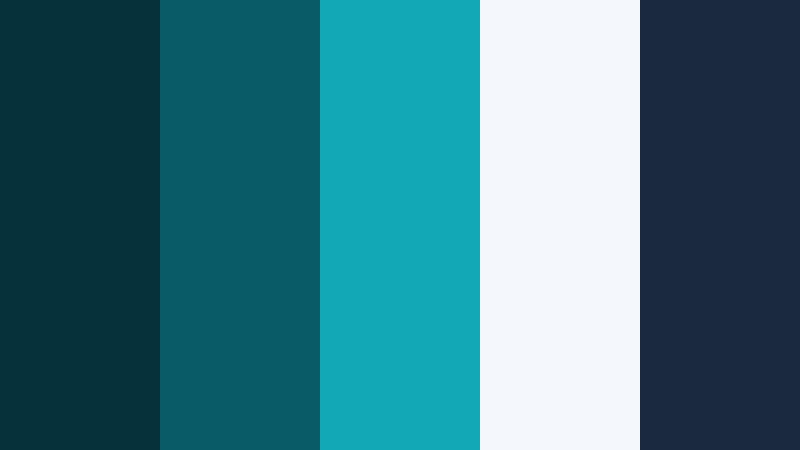
- HEX Codes: #05313b, #095b68, #11a9b5, #f4f7fb, #1a2840
- Mood: Cosmic and expansive with a cool sci fi edge.
- Use for: Great for tech explainers, sci fi motion graphics, and futuristic UI overlays in video edits.
Celestial Tidal Drift pushes Moonlit Sea into a sci fi direction with layered teal blues, soft starlight whites, and a deep space navy. The gradient from #05313b through #11a9b5 suggests glowing holograms and digital tides, while #f4f7fb adds that crisp, futuristic interface feel.
This palette suits tech channel intros, UX case study videos, and motion graphic overlays that sit on top of screen recordings. Use the mid teals for graphs and highlight strokes, the pale white for body text, and the navy #1a2840 for title cards, HUD elements, and cinematic outro screens.
Stormlit Marina Fade
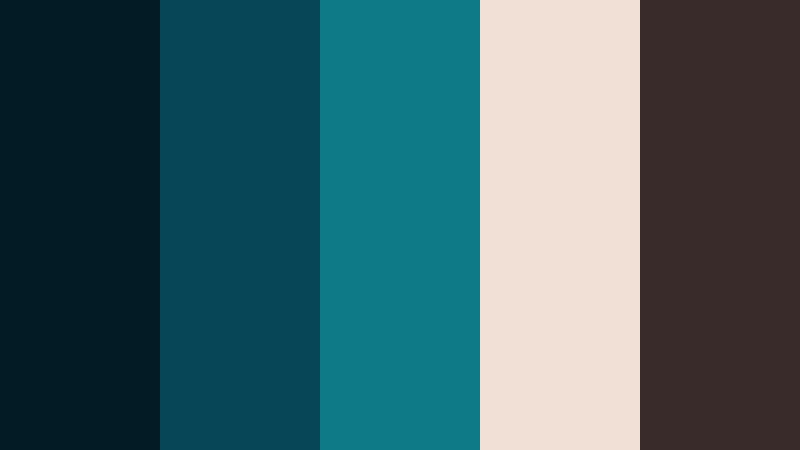
- HEX Codes: #021b24, #064656, #0e7a88, #f0e0d6, #3a2b2b
- Mood: Dramatic and nostalgic with a hint of vintage romance.
- Use for: Use for moody travel vlogs, narrative short films, and emotional montage sequences.
Stormlit Marina Fade blends inky teals with warm dusk neutrals for a look that feels like a memory. #021b24 and #064656 pull your shadows into deep Moonlit Sea territory, while #f0e0d6 and #3a2b2b bring in candlelight tones and faded film warmth.
Apply this palette to travel vlogs with rainy cities, seaside love stories, or reflective montage sequences. Use the warm tones for titles, borders, and light leaks, while keeping overlays and lower thirds in the cool teals so your story feels emotional but still grounded in a consistent color grade.
Neon Dock Lights
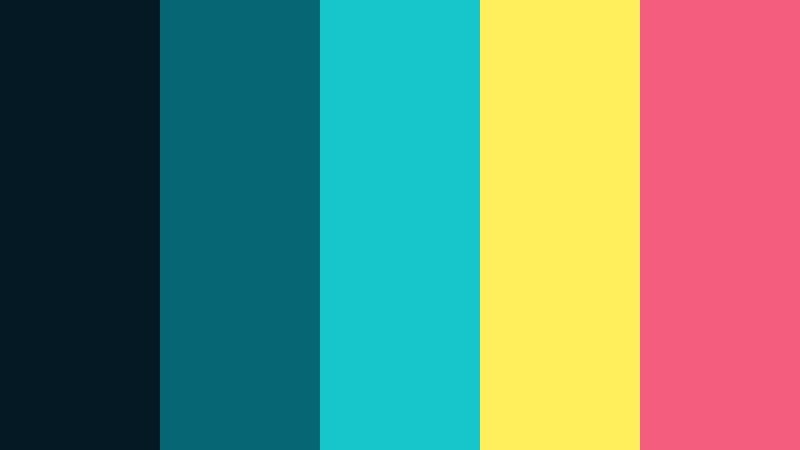
- HEX Codes: #041923, #066673, #16c6c8, #ffef5a, #f45d7e
- Mood: Energetic, urban, and electric like city lights on the water.
- Use for: Ideal for music videos, nightlife promos, club visuals, and bold social ads.
Neon Dock Lights throws vivid teal and electric accents into the Moonlit Sea spectrum. #041923 grounds your frames with a dark, wet pavement feel, while #16c6c8, #ffef5a, and #f45d7e deliver neon reflections that look right at home in night cityscapes.
Use the dark teal for backgrounds and the neon tones for kinetic typography, waveform visualizers, and call to action badges in shorts, reels, or music videos. This palette grabs attention on social feeds and makes your YouTube thumbnails look like nightlife posters.
Fogbound Breakwater
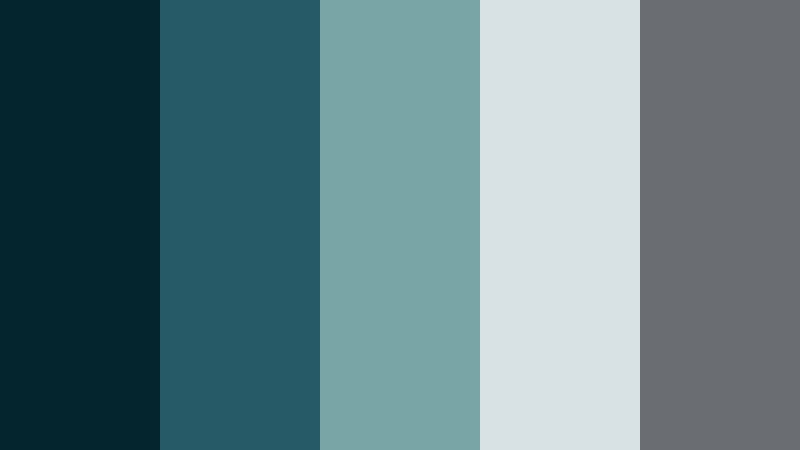
- HEX Codes: #03252f, #265b63, #79a4a5, #d7e1e2, #6b6f74
- Mood: Calm yet brooding, like a misty morning along the seawall.
- Use for: Best for contemplative documentaries, nature vlogs, or minimal brand films with a quiet tone.
Fogbound Breakwater softens Moonlit Sea into misty teals and gentle grays. #03252f and #265b63 evoke wet stone and cold water, while #d7e1e2 and #6b6f74 add a fog filter feeling without losing clarity on text or icons.
This is a strong choice for reflective talking head content, minimalist brand stories, and slow paced nature vlogs. Use muted teals for lower thirds and graphic frames, then rely on the light gray tones for captions and infographics that still feel atmospheric instead of clinical.
Modern & Minimal Moonlit Sea Color Palettes
Harborline Minimal
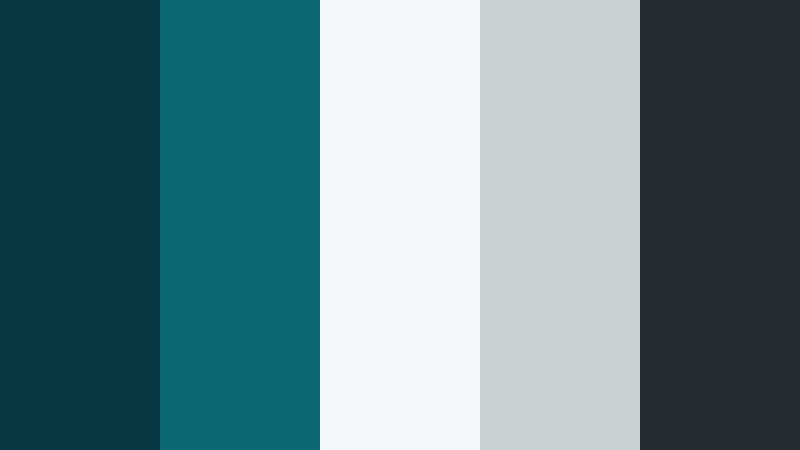
- HEX Codes: #063742, #0c6974, #f4f7f8, #c9d1d3, #262b30
- Mood: Clean, modern, and professional with a cool maritime twist.
- Use for: Great for startup explainers, SaaS product videos, and clean website UI design.
Harborline Minimal pairs crisp Moonlit Sea tones with soft, almost white grays for a sleek, UI friendly palette. #063742 and #0c6974 keep the maritime personality alive, while #f4f7f8 and #c9d1d3 give you plenty of space for copy, icons, and product screenshots.
Use this palette for software explainer videos, onboarding flows, and landing page hero graphics. Make your key buttons and accent lines teal, while your backgrounds stay near white so everything looks lightweight, premium, and easy to read on any device.
Slate Pier Studio
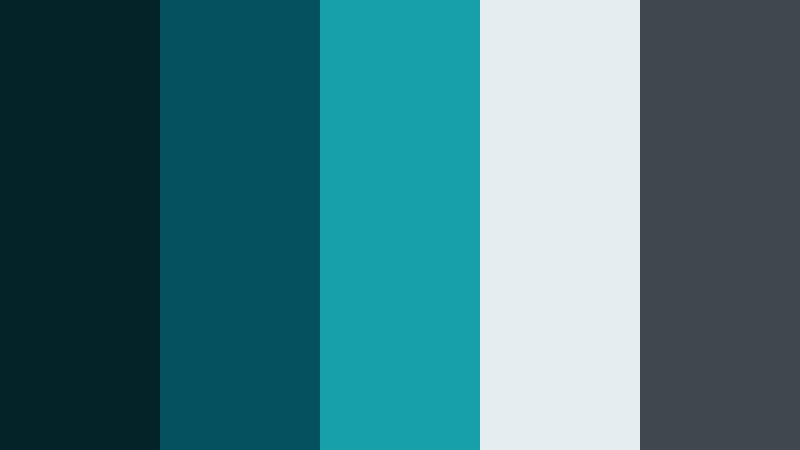
- HEX Codes: #032329, #055160, #17a0a9, #e6edf0, #40474f
- Mood: Sleek and creative with a studio grade finish.
- Use for: Use for design portfolios, motion graphics templates, and modern channel branding packages.
Slate Pier Studio reinforces Moonlit Sea with polished slate and soft studio white. #032329 and #40474f serve as strong bases for clean frames, while #17a0a9 becomes your signature accent for logos, icons, and buttons.
It is ideal for design portfolio reels, channel rebrands, and motion graphics templates you want to resell or reuse. Use the lighter #e6edf0 for section backgrounds and grids, and let the rich teals highlight key stats, case study titles, and subscribe prompts.
Tidal Grid UI
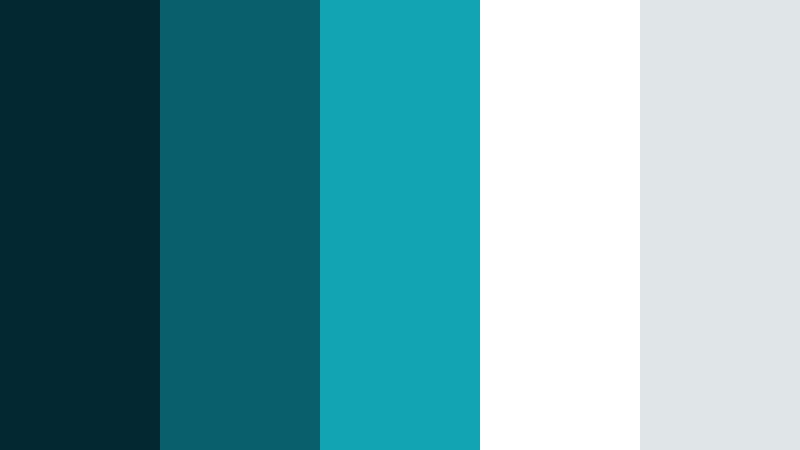
- HEX Codes: #042832, #0a5f6d, #12a4b0, #ffffff, #e0e5e7
- Mood: Fresh, digital, and highly legible for interface heavy visuals.
- Use for: Perfect for app walkthroughs, dashboard demos, and UI heavy explainer videos.
Tidal Grid UI is built for clarity. Bright whites (#ffffff) and light grays (#e0e5e7) keep dashboards and charts readable, while #042832 and #0a5f6d give your frames a modern Moonlit Sea edge. #12a4b0 is your attention grabbing accent for data points and icons.
Use this palette in app demos, SaaS marketing videos, and UX case studies. Keep backgrounds clean, then highlight tooltips, buttons, and key numbers with the vibrant teal so viewers instantly know where to look on screen.
Mariner Brand Mark
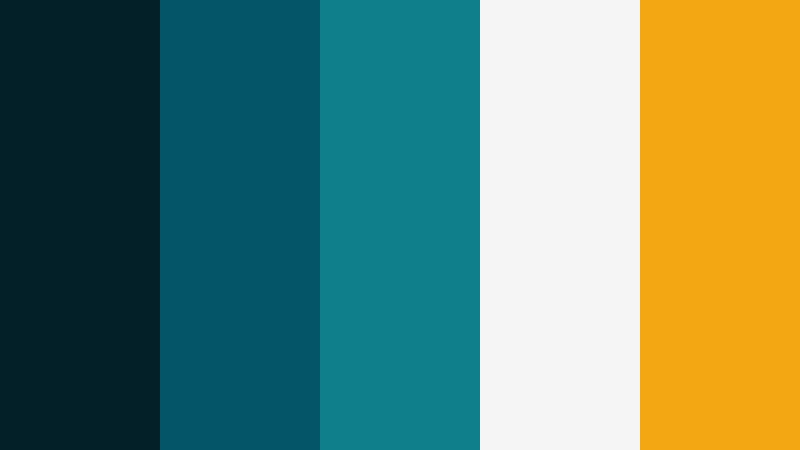
- HEX Codes: #032029, #045666, #0f7f8c, #f5f5f5, #f3a712
- Mood: Confident, contemporary, and brand friendly with a warm accent.
- Use for: Ideal for logos, intros, lower thirds, and end screens for professional channels.
Mariner Brand Mark combines dependable Moonlit Sea tones with a golden accent that pops on thumbnails and banners. #032029, #045666, and #0f7f8c give you layered teals for backgrounds and typography, while #f3a712 becomes a signature highlight for logos, icons, and calls to action.
Use this for personal brands, agencies, and channels that want a modern but approachable look. Design logo stings, animated transitions, and end screens where the golden accent draws the eye to your subscribe button, website URL, or latest upload preview.
Deep Current Contrast
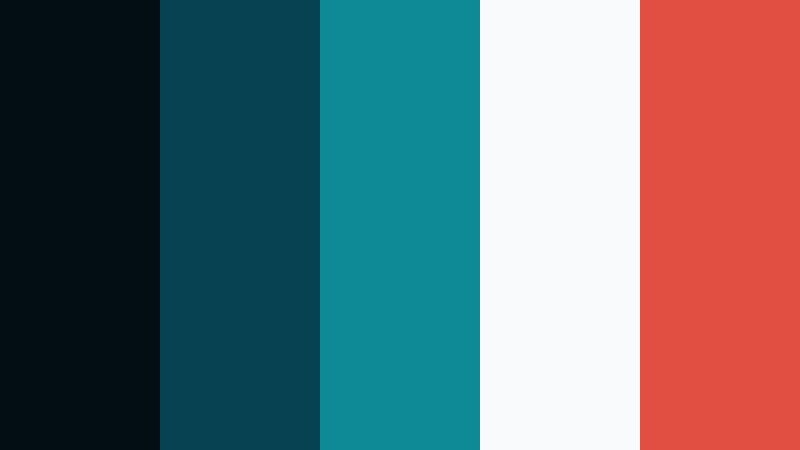
- HEX Codes: #020e13, #054252, #0d8a95, #f8fafb, #e04f3f
- Mood: Bold yet minimal with a strong focal pop.
- Use for: Use for call to action banners, subscribe overlays, and hero sections in websites or video frames.
Deep Current Contrast sets dark Moonlit Sea bases against a coral red that demands attention. #020e13 and #054252 create deep, modern backgrounds, #0d8a95 carries the main brand tone, and #e04f3f becomes your urgent action color.
This palette works brilliantly for hero sections, video subscribe strips, and bold channel banners. Keep most of the frame teal and off white (#f8fafb), then drop your main CTA or important metric in the coral red so it becomes impossible to ignore in both video overlays and static thumbnails.
Soft & Dreamy Moonlit Sea Color Palettes
Moonrise Lagoon Haze
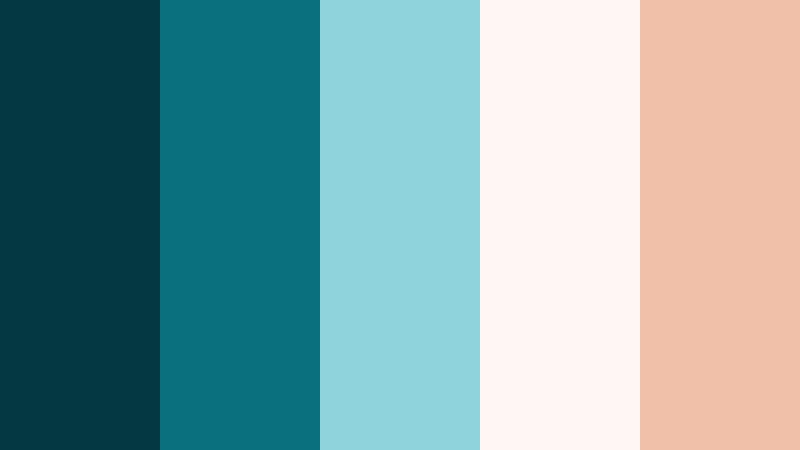
- HEX Codes: #043842, #0a707e, #8fd3dd, #fef7f3, #f1c0a8
- Mood: Soft, dreamy, and slightly nostalgic like a pastel sunset over water.
- Use for: Great for lifestyle vlogs, travel diaries, and dreamy B roll sequences.
Moonrise Lagoon Haze lightens Moonlit Sea into pastel waters and warm sunset reflections. #043842 and #0a707e keep the lagoon base, while #8fd3dd, #fef7f3, and #f1c0a8 create a soft, glowing sky and skin friendly warmth.
Use this palette in lifestyle vlogs, dreamy B roll, and gentle travel diaries. Teal can frame your footage and typography, while the warm corals and creams color titles, overlays, and chapter cards for a relaxed, romantic feeling that still looks modern.
Starpath Reflections
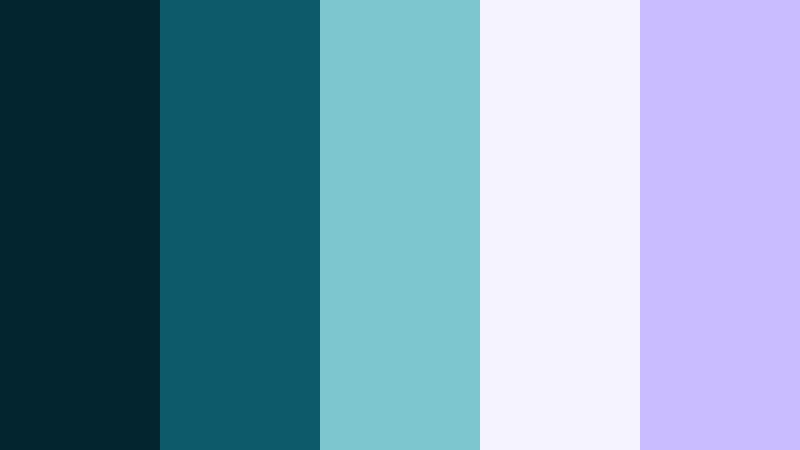
- HEX Codes: #03252f, #0b5b6a, #7ec6cf, #f5f3ff, #cabdff
- Mood: Whimsical and magical with a starry night softness.
- Use for: Perfect for dreamy channel intros, fantasy edits, or cozy study vlog aesthetics.
Starpath Reflections pairs Moonlit Sea with lilac and soft off white to evoke star trails on the surface of water. #03252f and #0b5b6a give you a calm night sea, while #f5f3ff and #cabdff introduce a magical pastel sky energy.
Use this palette for whimsical intros, fantasy edits, and cozy study or lo fi vlogs. Place titles in the pale lilac on dark teal backgrounds, use #7ec6cf for subtle glows, and add overlays with soft gradients between teal and lavender to enhance the dreamy mood.
Seashell Lullaby
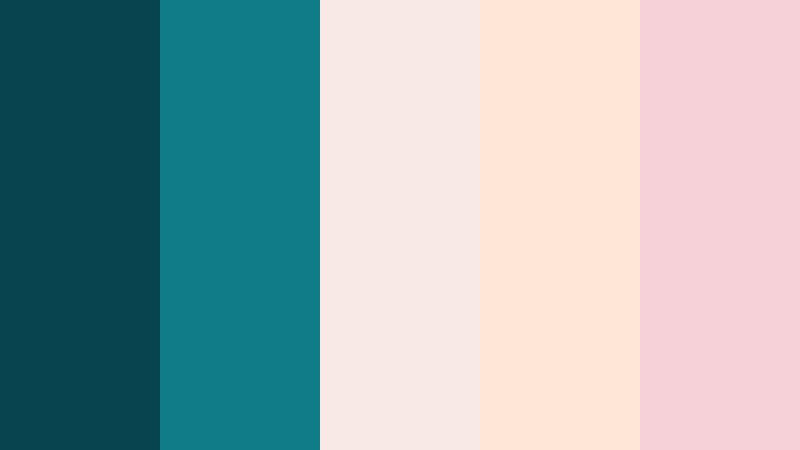
- HEX Codes: #06444f, #0f7c88, #f8e9e4, #ffe6d6, #f7d1d8
- Mood: Gentle, comforting, and warm with coastal pastel notes.
- Use for: Use for family content, cozy lifestyle reels, and soft product promos like skincare or crafts.
Seashell Lullaby anchors strong Moonlit Sea teals with soft blush and peach pastels. #06444f and #0f7c88 provide structure for frames and typography, while #f8e9e4, #ffe6d6, and #f7d1d8 feel like seashells and warm sand.
This palette is perfect for family content, cozy home vlogs, and gentle product promos in niches like skincare, stationery, or handmade crafts. Use teal sparingly as a grounding accent, and let the pastel tones carry backgrounds, title screens, and product close up borders for a comforting, approachable aesthetic.
Twilight Sandbar Glow
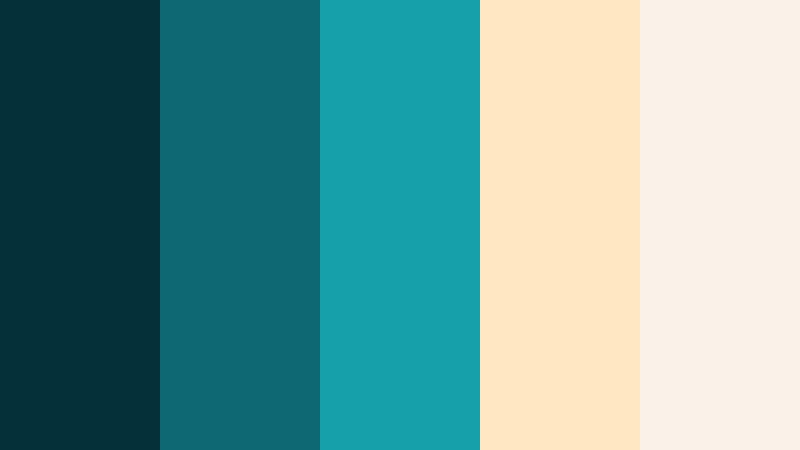
- HEX Codes: #043039, #0d6873, #15a0aa, #ffe7c2, #f9f2e8
- Mood: Calm and optimistic, like walking a bright sandbar at blue hour.
- Use for: Great for inspirational travel edits, wellness content, and airy website headers.
Twilight Sandbar Glow balances glowing teals with sand colored creams for a calm yet optimistic look. #043039 and #0d6873 keep a grounded Moonlit Sea base, while #ffe7c2 and #f9f2e8 brighten the frame with soft, sun touched neutrals.
Use it in wellness videos, inspirational travel edits, and airy website or channel headers. Let teal carry your branding elements and key icons, while the light sand tones act as generous negative space behind quotes, affirmations, or on screen tips.
Bold & Adventurous Moonlit Sea Color Palettes
Regatta Signal Burst
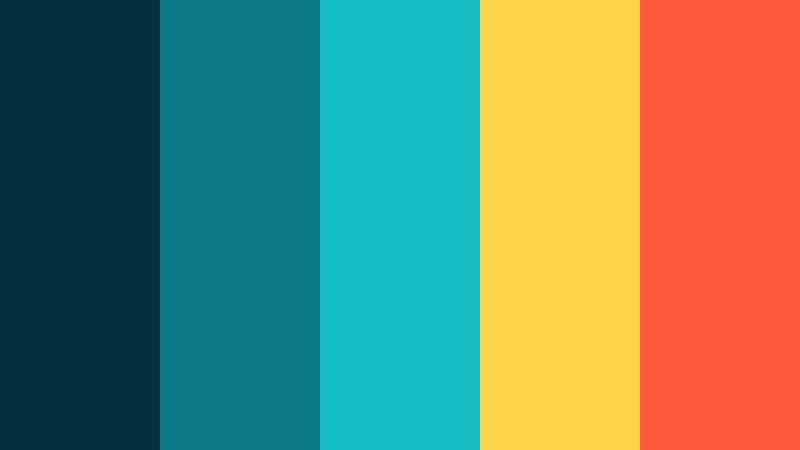
- HEX Codes: #03303a, #0c7a88, #15c0c5, #ffd447, #ff5a3c
- Mood: Sporty, bold, and adventurous like racing sails at sea.
- Use for: Perfect for outdoor sports edits, action montages, and energetic brand trailers.
Regatta Signal Burst combines vivid Moonlit Sea tones with signal flag yellows and oranges. #03303a and #0c7a88 hold the water and sky, while #ffd447 and #ff5a3c shout energy, speed, and movement.
Use this palette on action packed sports edits, outdoor gear promos, and high energy brand trailers. Keep your main frames teal, then use yellow and orange for stroke outlines on text, animated counters, and subscribe buttons so they pop even against fast moving footage.
Midnight Diver Neon
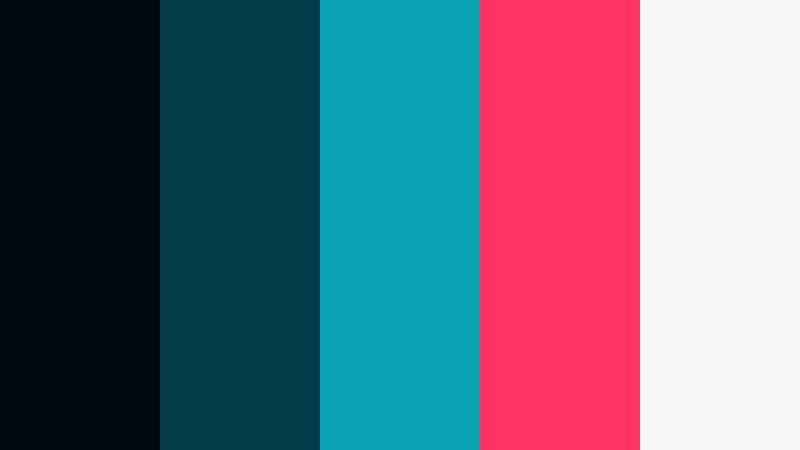
- HEX Codes: #010911, #033b49, #08a2b3, #ff3366, #f7f7f7
- Mood: Edgy and high contrast with a daring nightlife vibe.
- Use for: Use for gaming intros, edgy channel branding, and cyber inspired motion graphics.
Midnight Diver Neon pushes Moonlit Sea into almost black navy with neon accents. #010911 and #033b49 feel like deep ocean or night alley shadows, while #08a2b3 and #ff3366 add cyberpunk neon gear and UI glows. #f7f7f7 keeps text and icons legible against the dark base.
Use it for gaming intros, edgy channel branding, and cyber inspired motion graphics. Apply the dark tones to backgrounds and panels, then let neon teal and pink trace around logos, HUD elements, and progress bars. It is a great way to give your thumbnails and overlays an instant esports or nightlife edge.
Tips for Creating Moonlit Sea Color Palettes
Moonlit Sea is versatile, but it really shines when you pair it thoughtfully with neutrals, accent colors, and consistent grading. Use these tips to design palettes that look great in Filmora and across your wider branding.
- Balance dark and light: Always pair deep Moonlit Sea shadows with at least one light neutral so on screen text and UI elements stay readable on mobile and desktop.
- Choose 1 to 2 accents: Limit yourself to one warm accent (like coral or gold) and possibly one cool accent to avoid noisy thumbnails or cluttered overlays.
- Test over footage: Drop your palette colors on top of real clips in Filmora to check contrast against skin tones, skies, and interiors before finalizing a design.
- Keep brand consistency: Use the same HEX codes for your logo, lower thirds, end screens, and social banners so viewers recognize your Moonlit Sea identity instantly.
- Mind accessibility: Check that body text meets contrast guidelines on teal or charcoal backgrounds; when in doubt, use off white or very dark teal for key copy.
- Grade toward teal, not away: Use color wheels and HSL to nudge shadows and mids slightly toward Moonlit Sea rather than trying to force every frame pure blue.
- Use gradients sparingly: Teal gradients with soft neutrals can look modern, but keep them subtle so they support your story instead of distracting from it.
- Save presets: In Filmora, save your favorite Moonlit Sea LUTs, titles, and color settings as presets so every new video in a series automatically matches your palette.
Moonlit Sea color palettes can make your videos feel cinematic, calm, or daring with just a few well chosen HEX codes. Whether you are building a minimalist tech channel, a dreamy travel vlog, or an edgy gaming brand, the right Moonlit Sea combination gives you a memorable visual identity that viewers instantly associate with your content.
Try these 15 palettes as starting points, then adapt them inside Filmora until they match your footage and storytelling style. Reuse your chosen colors across intros, lower thirds, thumbnails, and end screens so every upload looks like part of a polished series.
The more consistently you apply your Moonlit Sea palette, the more your channel or brand will stand out. Experiment, save your favorite looks as presets, and let Filmora help you keep everything cohesive from your first frame to your final CTA.
secure download