

 100% Security Verified | No Subscription Required | No Malware


 ChatGPT
 Perplexity
 Gemini
 Claude
 Grok
Grok
Warm nature video filters help hikers and travelers turn simple forest walks into glowing, cinematic memories with golden light and rich earthy tones.
Use the Warm Nature Filter. Golden Forest preset to add soft warmth, deepen greens, and highlight sunlit paths so your nature walks and forest scenes feel like late-afternoon autumn magic.
In this article
Warm Forest Glow Filters for Nature Walks
Golden Forest Soft Glow
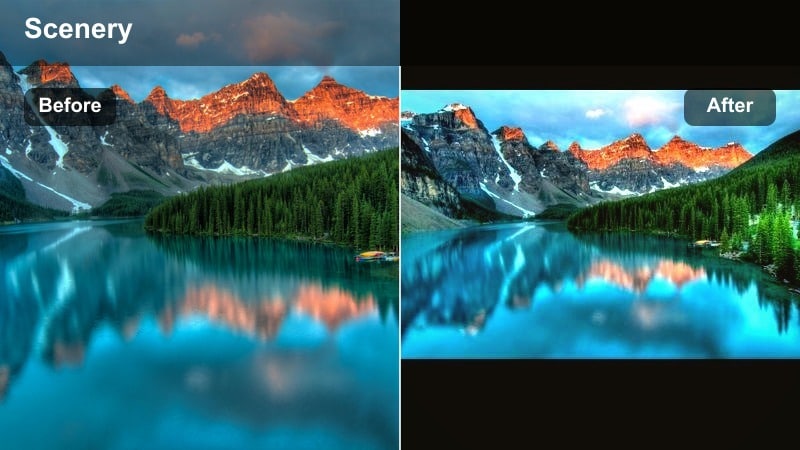
- Effect look: Soft golden haze with lifted shadows and gentle contrast that wraps the forest in warm, dreamy light.
- Best for: Leisurely nature walks under tree canopies, slow forest pans, and quiet trail moments at golden hour.
- Editing tip: Slightly reduce highlights to keep sky details and raise saturation just a touch on yellows to accent leaf edges.
Golden Forest Soft Glow adds a subtle, cinematic veil over your forest footage, lifting shadows so trunks, paths, and foliage remain visible while bathing everything in a warm haze. In Filmora, this look helps you turn everyday trail clips into soft, nostalgic moments that feel like they were shot in the last light of the day.
Apply this filter to handheld or tripod forest shots, then fine-tune highlight and yellow saturation controls to keep the sky balanced and leaves gently emphasized. It works especially well on slow pans along paths and static compositions where viewers can relax into the warm atmosphere.
Pro Tip: Balance warmth with natural greens
If greens start to look too yellow, pull back the temperature slightly and compensate with a gentle green tint.
This keeps mossy trunks and deep foliage looking natural while your highlights stay pleasantly warm.
AI-Powered Warm Nature Color Balance
Filmoras AI tools help you keep warm forest tones natural by automatically correcting white balance and exposure before filters are applied. With a clean, balanced base, your Golden Forest Soft Glow and other warm presets sit more naturally on top of your hiking footage.
This workflow lets you lean into golden nature looks without pushing skin tones, mossy trunks, or deep greens into harsh orange or yellow. AI correction keeps clips consistent, even when your forest walk moves from shade to sun.
 secure download

Preview Warm Nature Filters in Real Time
Use Filmoras side-by-side preview to compare multiple warm nature video filters on the same forest scene. You can see how Golden Forest Soft Glow stacks up against bolder autumn looks while scrubbing through your hike.
As lighting shifts from shade to sun, the split view makes it easy to decide whether a subtle glow or a richer autumn grade holds up better across your entire walk.
secure downloadCombine Filters with LUTs for Cinematic Trails
After you set your base warmth with a filter like Golden Forest Soft Glow, add a gentle cinematic LUT in Filmora to refine contrast and give your walk a film-style finish. LUTs can deepen shadows and polish highlights without undoing your warm forest mood.
Keep LUT strength low so your golden tones remain natural while you add just enough depth for a cinematic vlog or short travel film.
secure downloadAutumn Trail Deep Warmth
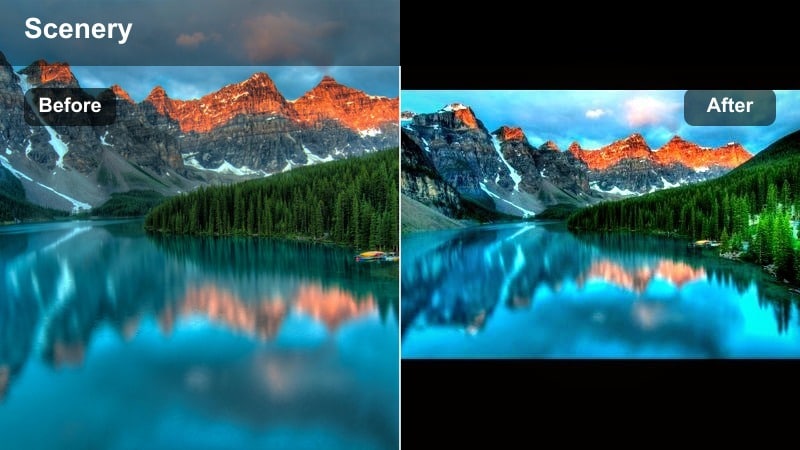
- Effect look: Rich, deep warmth that pushes oranges and browns for an intense autumn forest vibe.
- Best for: Autumn hikes, fallen-leaf carpets on the trail, and sunset shots through dense trees.
- Editing tip: Boost midtones contrast to make leaves pop, then soften clarity slightly to keep skin and bark from looking harsh.
Autumn Trail Deep Warmth is designed to transform your forest footage into a lush fall landscape, even if your original clips are only lightly tinted with seasonal color. In Filmora, this filter deepens oranges and browns while preserving enough contrast to keep individual leaves, trunks, and paths clearly defined.
Use it on wide trail scenes, leaf-covered ground shots, and sun breaking through tree lines at the end of the day. After applying, adjust midtone contrast for leaf definition and roll back clarity slightly so bark, clothing, and skin retain a natural, cinematic softness.
Pro Tip: Turn dull greens into autumn tones
Use HSL tools after this filter to shift greens slightly toward yellow and orange for a full autumn look.
Keep saturation moderate so the scene still feels organic, especially in overcast footage.
Sun-Dappled Woods
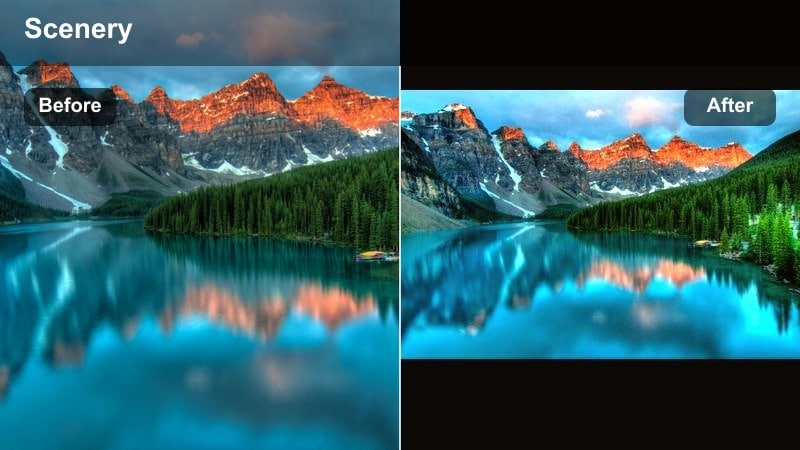
- Effect look: Warm highlights with soft contrast, making sun patches on the forest floor glow gently.
- Best for: Forest scenes with light streaming through branches, close-ups of leaves and bark in partial sun.
- Editing tip: Use a vignette to draw focus to the brightest sunlit areas and gently lower blacks to add depth around the frame.
Sun-Dappled Woods enhances the natural interplay of light and shadow in your forest footage by warming highlights and lowering overall contrast. In Filmora, this gives small pools of sunlight a gentle glow while keeping shaded areas calm and slightly moody.
Apply this filter to clips where beams of light break through the canopy, or to close-ups with mixed light. Add a subtle vignette and fine-tune black levels so the brightest dappled spots become the visual focal point without crushing detail in darker corners of the frame.
Pro Tip: Shoot for the light pockets
When using this filter, frame your shots so the brightest sunlight hits your main subject or path.
The filter will intensify those highlights, creating a natural focal point without heavy masking.
Golden Nature Filters for Travel Vlogs
Warm Nature Filter. Golden Forest
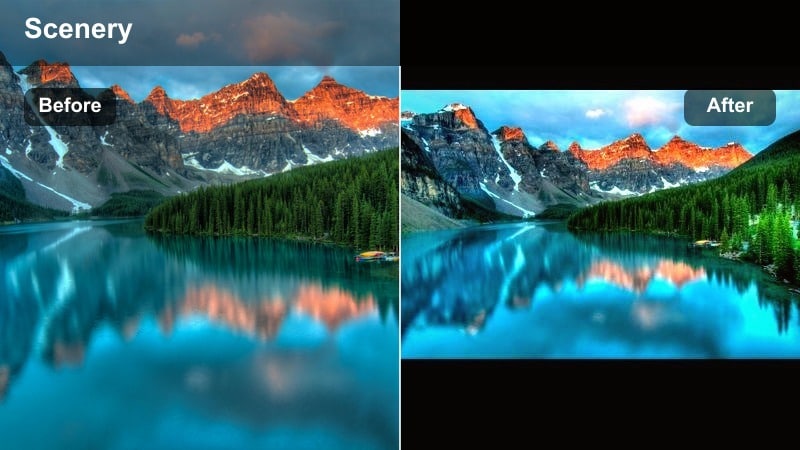
- Effect look: Balanced overall warmth with enhanced golden highlights and slightly deeper forest greens for a polished travel look.
- Best for: Travel vlog sequences through forests, nature walks around lakes, and handheld hiking clips.
- Editing tip: Stabilize your footage first, then apply the preset and fine-tune contrast so your golden tones do not crush shadow detail.
Warm Nature Filter. Golden Forest is a versatile preset built to unify your hiking and travel vlog footage with a consistent golden forest mood. In Filmora, it adds a gentle warmth across the frame, brightens highlights, and deepens greens just enough to make trails, trees, and gear pop on screen.
Use it as your main look for an entire forest-focused episode, applying it to walking shots, B-roll, and establishing clips. Stabilize handheld footage first, then tweak contrast and exposure per clip so your golden highlights stay bright while paths, trunks, and backpacks retain texture in the shadows.
Pro Tip: Use for cohesive trip storytelling
Apply this preset across all your forest shots from one trip to keep your vlog visually consistent.
Adjust only exposure and white balance per clip so the overall color story stays uniform and warm.
Golden Lake Shores
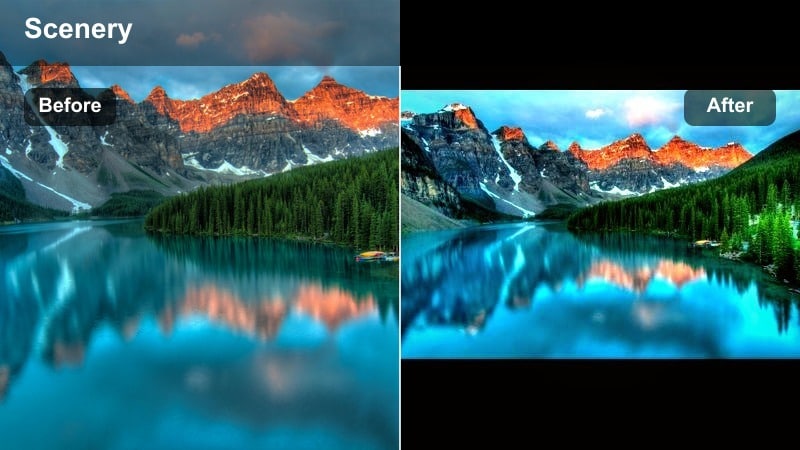
- Effect look: Warm golden edge lighting with soft teal shadows that keep water areas calm and clear.
- Best for: Nature walks along lakes, riverside trails, reflection shots of forests on water surfaces.
- Editing tip: Lower saturation of blues slightly while boosting luminance to keep water bright but not overly cyan.
Golden Lake Shores is tuned for scenes where water and forest share the frame, adding golden warmth to trees and shorelines while preserving calm, slightly cool water shadows. In Filmora, this mix of warm highlights and gentle teal shadows gives reflections a cinematic, sunset-ready look.
Apply the preset to lakeside walks, dock shots, and riverside trails. Then refine blue saturation and luminance so reflections stay detailed and natural rather than neon. It is especially effective when your camera captures both the treeline and its mirror image in the same shot.
Pro Tip: Protect subtle reflections
Apply the filter first, then check reflection areas and lower contrast if small details are lost.
This helps preserve ripples and mirrored trees so the lake still feels realistic and detailed.
Trail Storyteller Warm
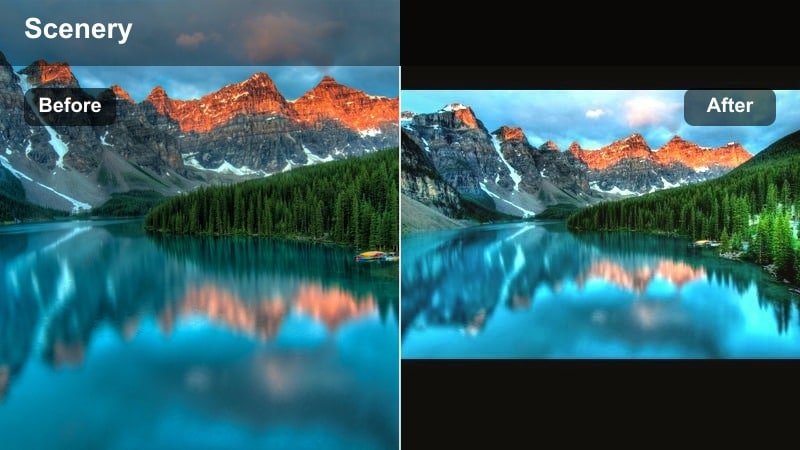
- Effect look: Gentle warmth with slight film-style softness and flatter contrast for easy story-driven edits.
- Best for: Talking-to-camera shots on the trail, campsite storytelling, and B-roll of gear and boots on the path.
- Editing tip: Use subtle sharpening on faces after applying the filter to keep your subject crisp against softened surroundings.
Trail Storyteller Warm is built to flatter faces and forest backdrops at the same time, pairing a mild warm tone with softened contrast. In Filmora, this helps your A-roll talking clips blend seamlessly with B-roll while keeping your narration front and center.
Use this filter on vlog segments recorded along the path or at camp, plus cutaway shots of gear, boots, and trail details. Add a touch of sharpening to faces and key objects so they remain crisp against the slightly softened environment, keeping viewers focused on your story.
Pro Tip: Match A-roll and B-roll colors
Apply this filter to both your talking clips and B-roll to avoid jarring color shifts between scenes.
Fine-tune skin tones with subtle adjustments to orange hues if the warmth becomes too intense.
Moody Warm Forest Filters
Misty Golden Morning
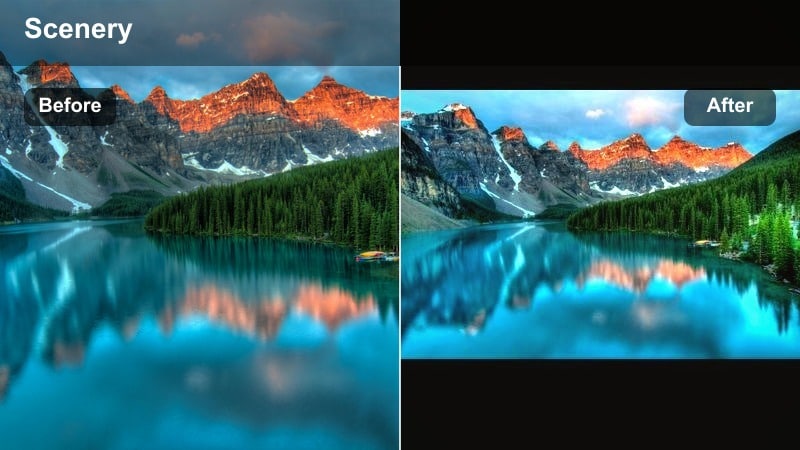
- Effect look: Hazy, muted contrast with warm midtones that make fog and low light feel cozy instead of cold.
- Best for: Early morning forest walks, low-contrast overcast hikes, misty valleys and riverbanks.
- Editing tip: Raise blacks slightly and add a hint of grain for a soft, filmic texture that suits foggy footage.
Misty Golden Morning is ideal when your forest adventures take place under fog, drizzle, or heavy cloud cover. In Filmora, it softens contrast and warms midtones so the scene feels inviting rather than flat or chilly, giving haze and mist a gentle gold tint.
Apply it to early hikes, riverbanks with low-lying fog, or clouded valley overlooks. Raise black levels slightly and add a touch of film grain to create a dreamy, analog feel that complements the soft, diffused light.
Pro Tip: Expose bright for fog
Slightly overexpose your foggy footage while shooting so the filter has enough detail to work with.
Then pull down highlights in editing to keep clouds and mist from blowing out entirely.
Ember Forest Twilight
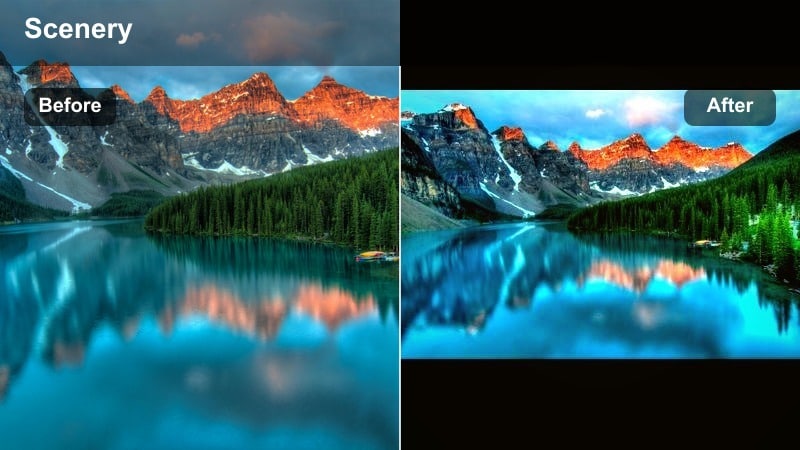
- Effect look: Deep, moody shadows with ember-like highlights that add subtle orange glow to late-day light.
- Best for: Blue-hour forest clips, campfire scenes at the edge of the woods, silhouettes among trees.
- Editing tip: Keep ISO noise under control, then add gentle noise reduction after the filter to avoid muddy dark areas.
Ember Forest Twilight is tuned for the moments when daylight fades and small pockets of warmth remain in the sky or from campfires. In Filmora, it deepens shadows while selectively warming highlights to create ember-like glows around light sources and bright edges.
Use it on blue-hour hikes, silhouettes against the sky, or campfire storytelling shots. Control ISO noise in-camera, then apply light noise reduction so your deep shadows look clean and cinematic rather than muddy or overly grainy.
Pro Tip: Use silhouettes creatively
Position hikers or trees against the brightest part of the sky so the warm highlights outline their shapes.
This filter will deepen the contrast between subject and background for stronger silhouettes.
Rooted Earth Tones
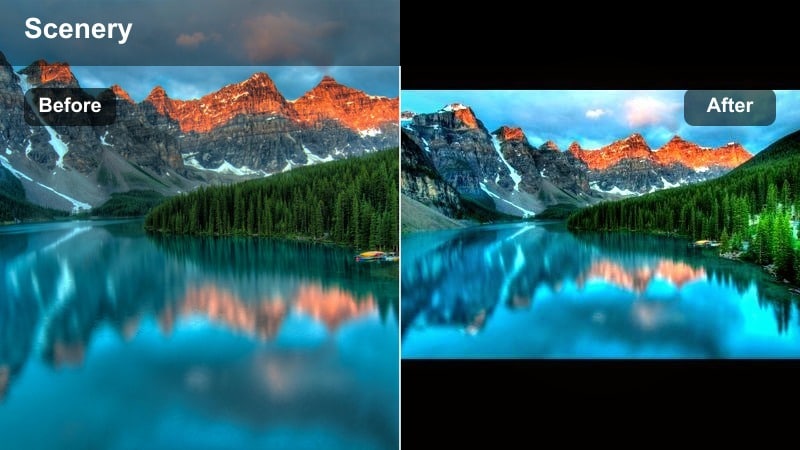
- Effect look: Muted greens, richer browns, and gentle warmth for an earthy, grounded forest mood.
- Best for: Close-ups of roots, rocks, and tree trunks, macro shots of leaves, and slower moody trail walks.
- Editing tip: Dial down global saturation slightly and raise vibrance so subtle earthy colors feel richer without looking cartoonish.
Rooted Earth Tones focuses on grounding your forest footage in rich, natural browns and carefully muted greens. In Filmora, it adds a subtle warmth while prioritizing texture and detail across roots, bark, moss, and forest floor elements.
Apply this look to slow, contemplative shots: macro leaves, roots spreading across the trail, or hands brushing tree trunks. Lower overall saturation slightly, then raise vibrance so the more subdued palette still feels full and lifelike without drifting into oversaturated territory.
Pro Tip: Lean into texture shots
Pair this filter with slow, steady shots of bark, moss, and leaves to build atmosphere in your edits.
Use it as a bridge between wide scenic shots and intimate moments like hands touching tree trunks.
Sunlit Hiking Trail Warmth
Sunlit Ridge Walk
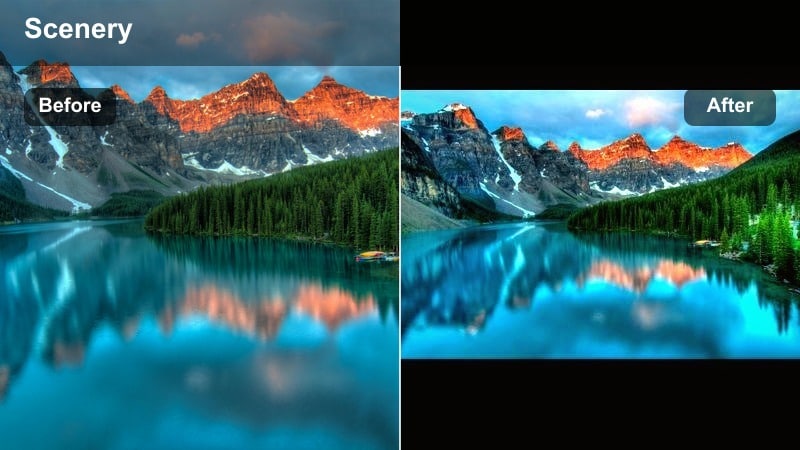
- Effect look: Bright, punchy warmth with crisp contrast and slightly boosted saturation for energetic hikes.
- Best for: Open forest trails, ridgeline walks with scattered trees, and fast-paced hiking montage sequences.
- Editing tip: Use keyframes on exposure as you move from shadows to bright clearings so the filter stays consistent across lighting changes.
Sunlit Ridge Walk is made for energetic, sun-filled hiking sequences. In Filmora, it boosts warmth, contrast, and saturation just enough to make ridgeline paths, distant trees, and hikers stand out with a lively, adventurous energy.
Apply it to montage clips, quick cuts, and any footage where you move quickly between shade and bright sun. Add exposure keyframes along the timeline so transitions between darker and brighter areas feel smooth and your warm grade remains consistent.
Pro Tip: Match pace with the grade
Use this filter on quicker cuts and dynamic movements so the bold colors fit the energy of the edit.
For slower sequences from the same hike, mix in softer filters from this set to avoid visual fatigue.
Canopy Gold Steps
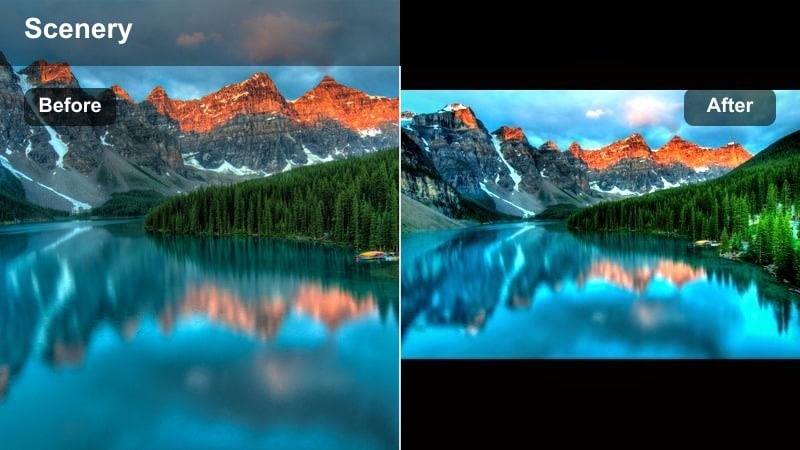
- Effect look: Golden midtones with softened highlights that make stairways and switchbacks feel inviting and warm.
- Best for: Wooden staircases in forests, zigzagging mountain paths, and shaded trail sections with spotty light.
- Editing tip: Add a tiny bit of local contrast to the path itself using masks so viewers eyes follow your footsteps.
Canopy Gold Steps gently brightens midtones and warms them into a golden hue, making stairways and winding paths feel welcoming. In Filmora, softened highlights keep overhead light from blowing out while your steps and railings stay clearly visible.
Use this style on shaded stair sections, switchbacks, and paths under a dense canopy. Create a simple mask over the trail and add a touch of local contrast so the path guides the viewer deeper into the scene while the surrounding foliage remains soft and inviting.
Pro Tip: Lead the viewer along the path
Place your subject or camera movement so the trail starts in the foreground and leads deep into the frame.
This filter will highlight the midtones on the path, naturally guiding viewer attention forward.
Autumn Crest Panorama
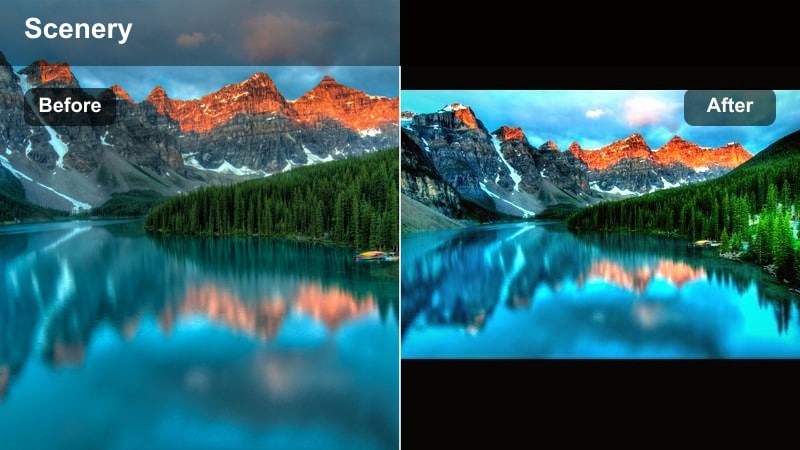
- Effect look: Wide, cinematic warmth that enriches distant forests with autumn-like golds and bronzes.
- Best for: Panoramic views from hilltops, drone passes above forests, overlooks with rolling treelines.
- Editing tip: Slightly lower clarity and add a subtle vignette to keep foreground trees sharp and distant forests softly atmospheric.
Autumn Crest Panorama is tuned for sweeping vistas, turning large stretches of forest into layered bands of gold and bronze. In Filmora, it adds warmth across the frame while preserving enough separation between foreground, midground, and background for a cinematic sense of scale.
Apply it to drone shots, summit overlooks, and any wide angle view of rolling treelines. Gently lower clarity and introduce a soft vignette so nearby trees stay defined while distant hills fade into a hazy, atmospheric autumn glow.
Pro Tip: Shoot for layered depth
Capture foreground branches or rocks in your wide shots so the filter can create separation between layers of the landscape.
This adds a sense of scale and makes your autumn-style warmth feel more three-dimensional.
Tips for Using Nature Warm Filters in Filmora
- Shoot during golden hour when possible so warm filters enhance existing light instead of creating it from scratch.
- Lock white balance in-camera to prevent color shifts between clips when applying the same warm forest preset.
- Lower highlight intensity after adding strong warm filters to keep sky and cloud detail in your hiking shots.
- Use masks or adjustment layers to keep faces and skin tones natural if your warm nature filter makes them too orange.
- Stabilize handheld hiking clips in Filmora before applying warm filters so motion blur does not exaggerate color shifts.
- Combine warm filters with gentle LUTs at low strength to refine contrast without overpowering your forest tones.
- Export a short test sequence from your hike to check that your warm grading looks consistent across scenes and devices.
Warm nature video filters are a powerful way for hikers and travelers to turn everyday forest walks into glowing, story-ready footage.
Start with the Warm Nature Filter. Golden Forest preset, then fine-tune warmth, contrast, and detail so every nature walk and forest scene reflects how the moment truly felt.
secure download